Layers: now easier to select and edit
Today, we are introducing Layers — another nice feature to help you edit the video and create complex scenes.

See what Synthesia can do for you
This year is incredible! Today, we are introducing Layers — another nice feature to help you edit the video and create complex scenes.
What you can do:
Select layers easily: You can right-click and choose the layer you want to edit.
Drag element even if hidden: Move elements smoothly even if you have already created some complex scene.
How does it work:
Right-clickin any place in the editor- Choose
Select Find the elementyou want to move or edit
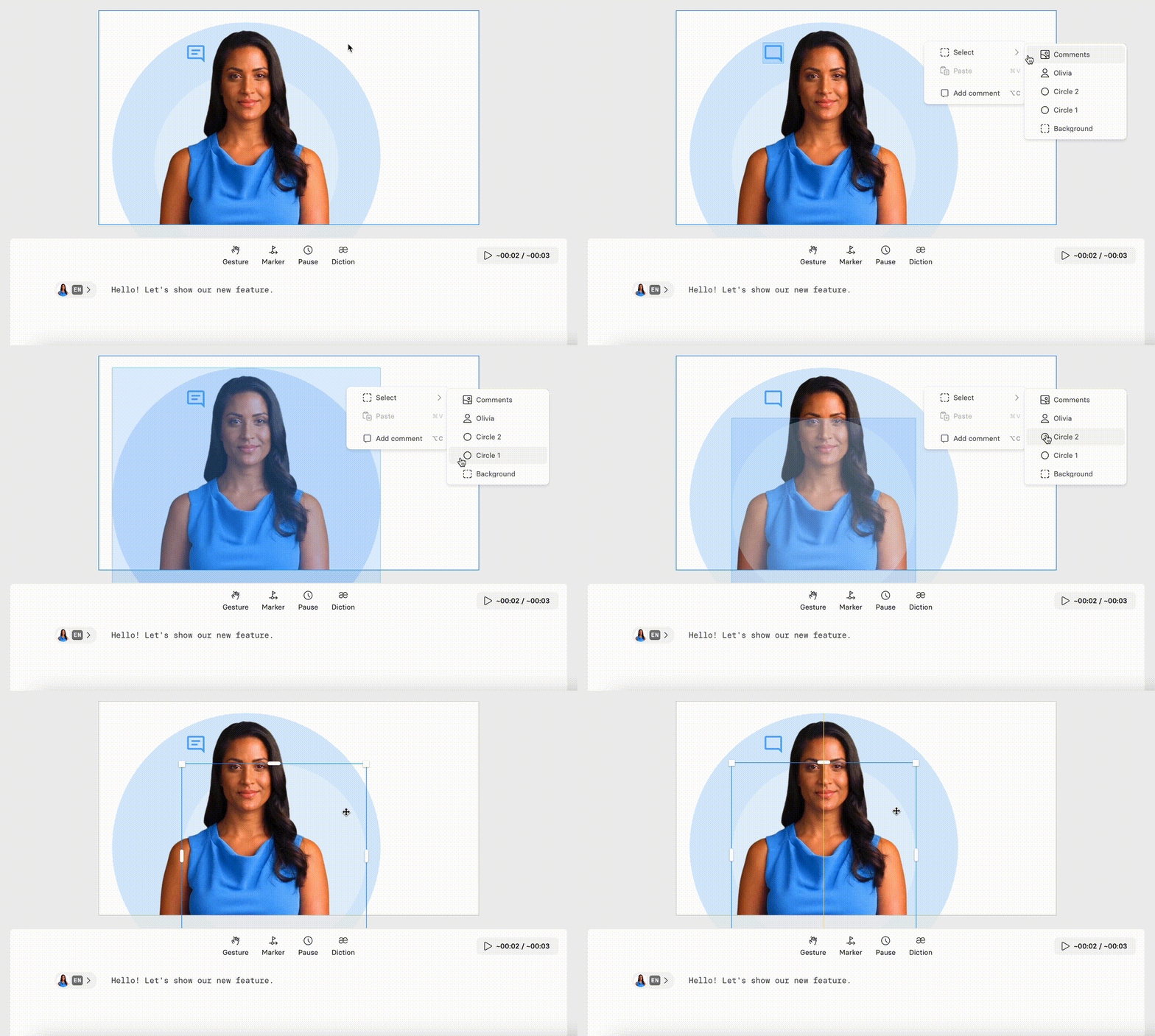
It's all about making designing easier and creating awesome videos without any design skills.
Happy creating!
Create videos from PowerPoint with AI Video Assistant
Upload a .pptx to AI Video Assistant to generate a draft script and video, complete with key images and stock visuals—available on Starter, Creator, and Enterprise plans.
Get the skills, insights, and support to help you scale





