POWERED BY SYREN

AI Product Video Generator

Turn images, feature notes or a brief into videos with our AI product video generator. Try it free.
2000+ reviews

Examples to remix

Feature launch reel
A vertical, single-take feature announcement in which typed headline lines name a familiar chore, reveal the feature that ends it, and then show its mechanics through simplified interface elements that build and dissolve over one drifting ground.
Kinetic type launch
A music-driven launch film for a software product, told in big kinetic type: from an everyday frustration, through the product and how it works, to how easy it is to start and a held logo.
Demo recap
A vertical screen-walkthrough recap sent to a prospect after a sales demo: it replays the parts they saw, ties each one to the problem they raised, and closes on one agreed next step.
Welcome guide
A friendly presenter welcomes a newcomer, names a small set of numbered sections, opens each one in turn while its practical steps tick off beside them, then recaps everything and signs off warmly.
Policy change notice
A calm presenter-led announcement of a policy change that sets out what changes, when it takes effect, who it affects and where to ask, with each point held on screen beside the presenter.
Metric explainer
A short lesson that builds one business or everyday idea from a handful of numbered metrics, works each one out on screen with real figures, combines them into a verdict, tests it with a what-if and closes on a recap, with a presenter who frames it at the start and end.
Customer testimonial
A vertical social short in which one customer, played by a presenter avatar talking to camera, gives a genuine first-person verdict on a product, carried by word-synced captions over a soft music bed.
Craft steps
A cosy vertical how-to that builds a handmade object one clear step at a time, shown only through materials and tools moving on their own over a soft music bed.
History timeline
A reflective, slow-paced documentary collage that traces how something came to be, era by era, under a music bed with an unseen narrator.
What's new roundup
A fast vertical roundup of a month's small product updates, one after another, told in kinetic type with simplified interface fragments over a music bed.
Anniversary toast
A short, playful kinetic-type tribute for one colleague's work anniversary that counts up their years, runs through a few highlights and ends on a toast from the team.
Quick tip
A vertical, beat-cut kinetic-type short that teaches one practical tip and shows how to put it to use today, in under half a minute.
Troubleshooting fix
A landscape screen walkthrough that opens on the problem the viewer is seeing, explains its cause in plain terms, walks the fix one step at a time and confirms it worked.
Assembly guide
A patient, voice-only walkthrough that lays out every part as an illustrated diagram, then builds the object one step at a time and slows down wherever a step is easy to get wrong.
Paper digest
A presenter avatar explains one research paper to a non-specialist beside clear charts: the question it asked, how it was tested, what it found and why that matters.
Book summary
A vertical, thoughtfully paced kinetic-type summary that distils one book into its central idea and a few lessons worth keeping, voiced over a quiet music bed with simple icons.
Role-play contrast
Two presenter avatars act out a hard workplace conversation done badly, then done well, and the difference between the two is drawn out so the viewer can carry it into their own conversations.

Made with brand kit + single prompt


Prompt

Remix this video

Same pace and style. Your content.

Remix this video

Use of Syren is subject to credits. Free credits are limited. Learn how free credits work.

Get started for free

Create product videos with AI in minutes

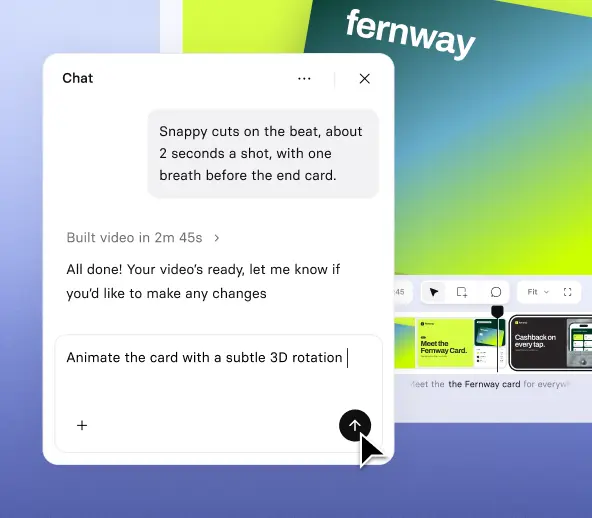
Tell Syren what to highlight, share your images or notes, and refine the finished product video in chat.

prompt to video

Start from your images, notes, or brief
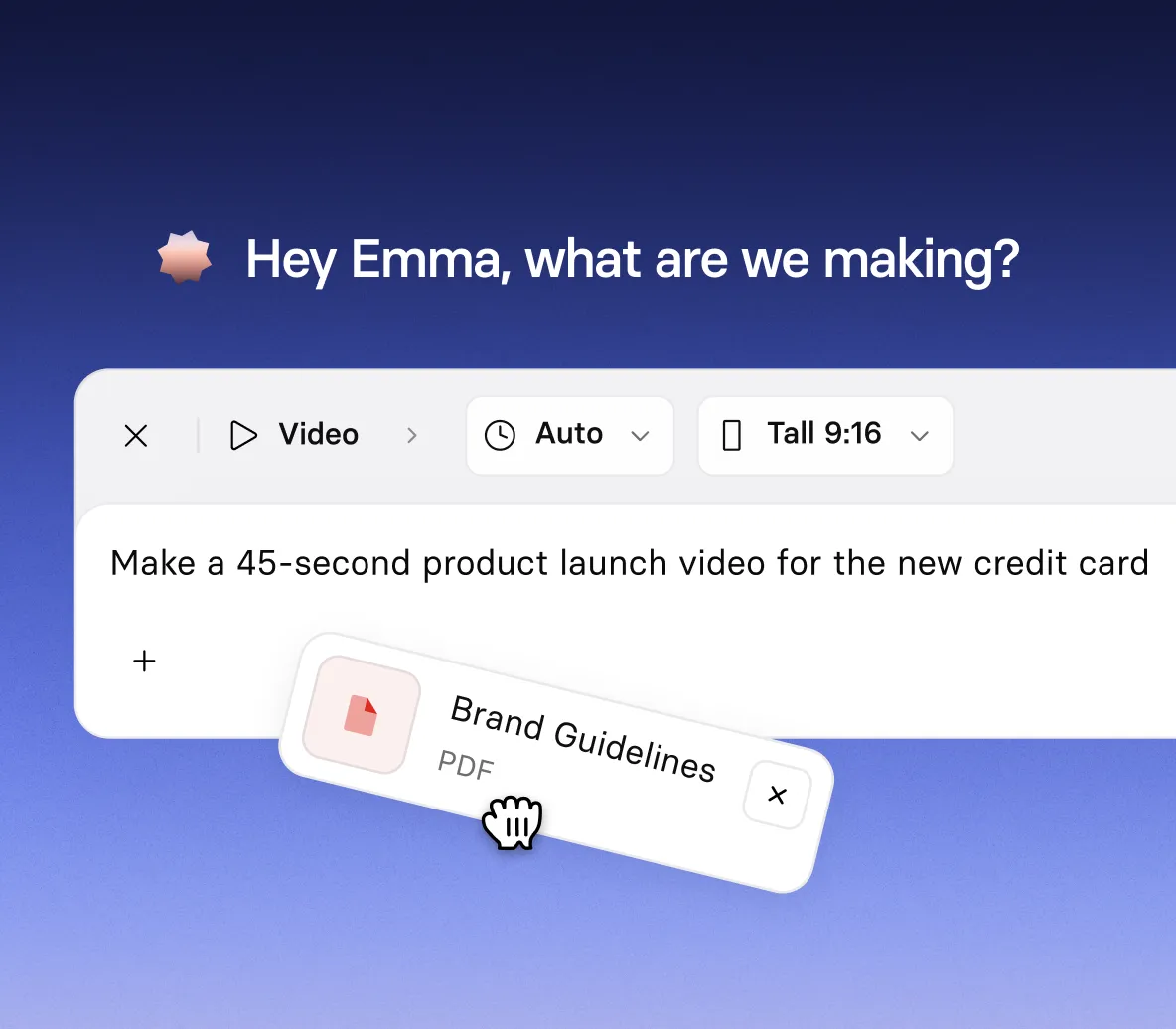
  • Generate product video from a simple prompt
  • Add product images, documents, PowerPoint files, videos, or YouTube links
  • Tell Syren which features to highlight, plus your audience and tone
PRODUCT STORIES

Tell your product story in motion

  • Introduce your product with animated headlines and feature reveals
  • Turn your screenshots and product images into motion graphics
  • Bring product concepts and objects to life with 3D animation and effects
CHAT EDITING

Refine your product video by chatting or clicking
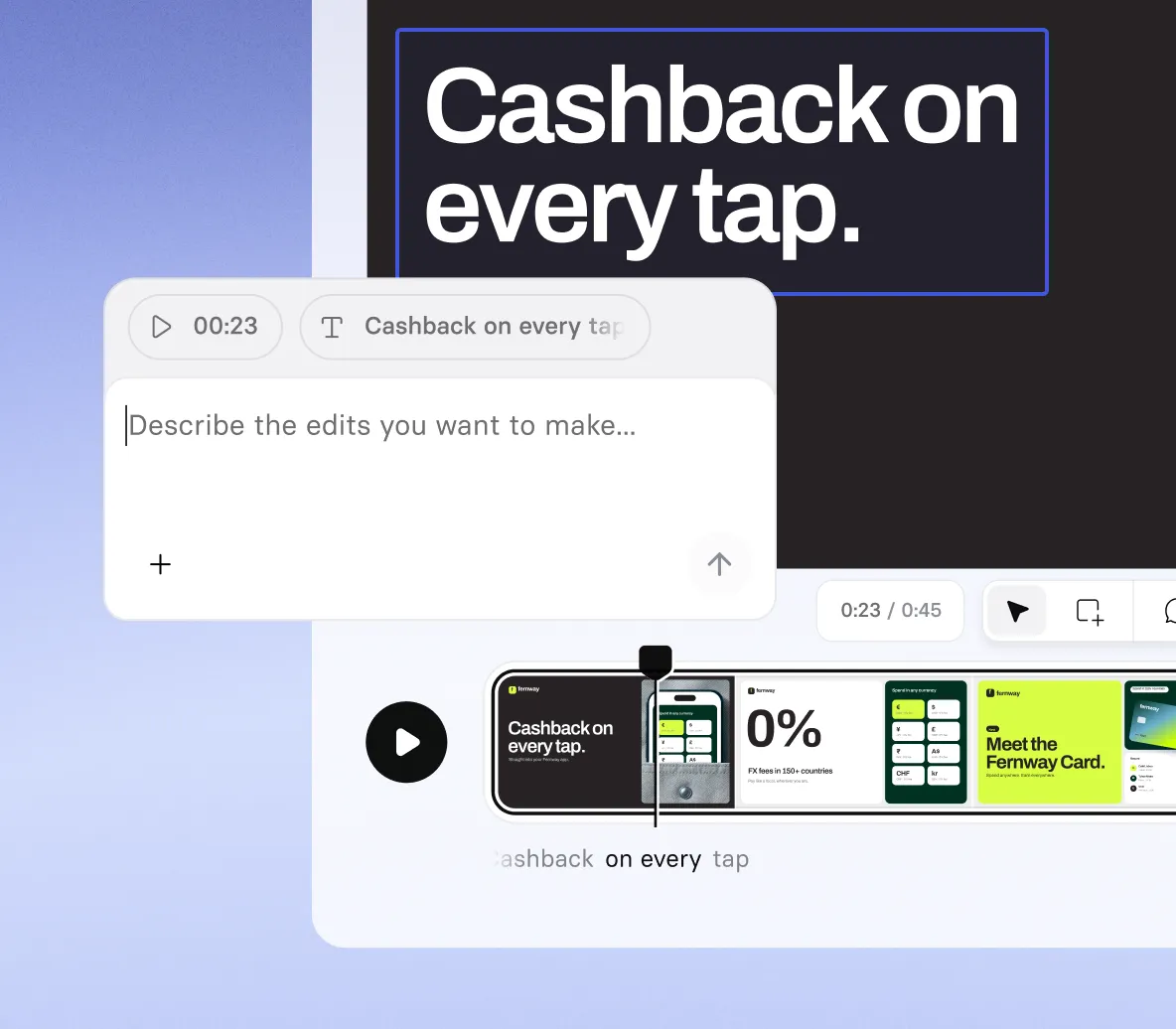
  • Ask Syren to change the script, voice, music, shot types, or scene style
  • Select any element to move it, retype it, or tell Syren how to change it
  • Stop Syren mid-build and redirect it if the draft is heading the wrong way
FORMATS AND EXPORT

Size and export your product video

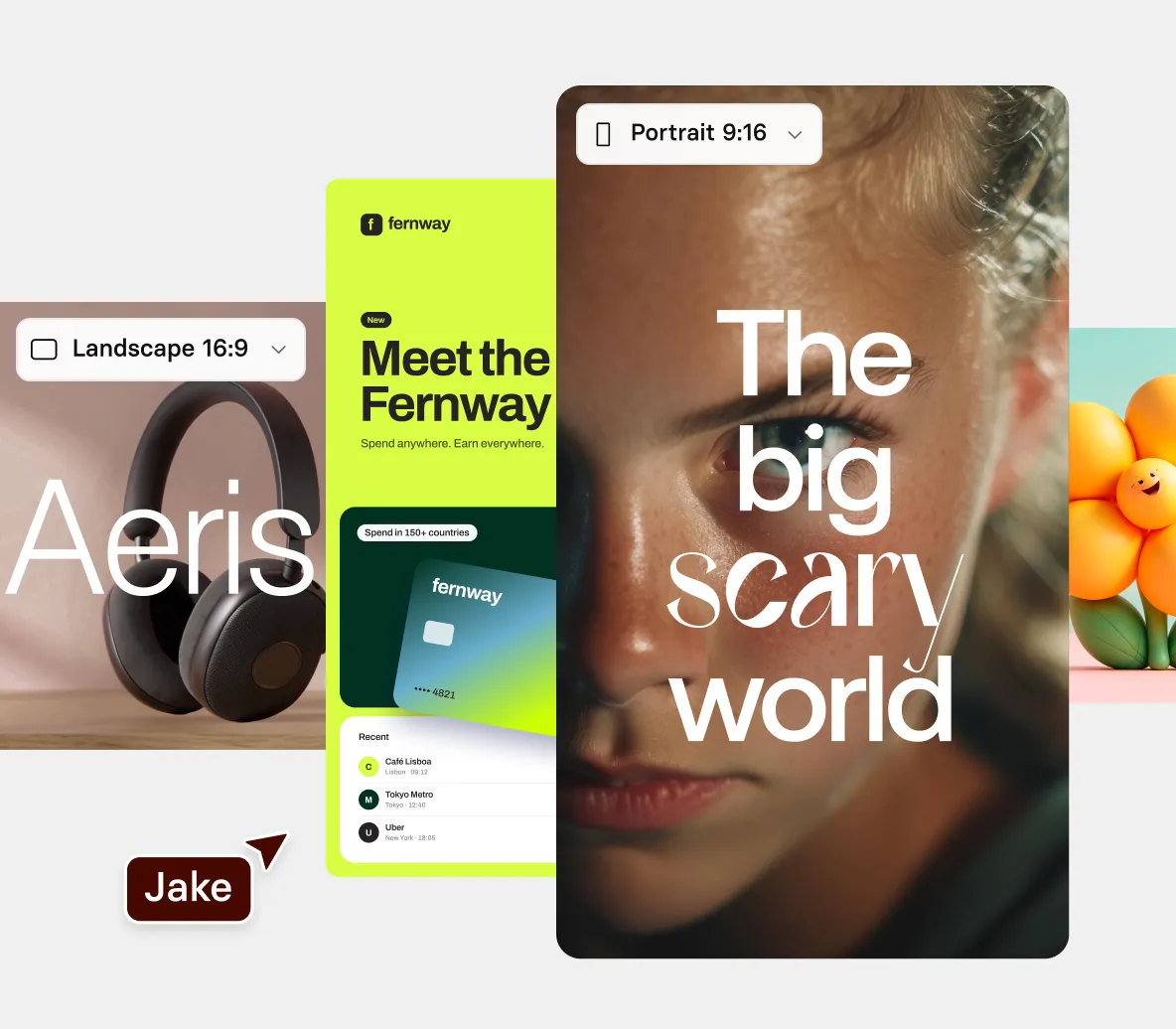
  • Choose wide 16:9 for landscape videos or tall 9:16 for portrait
  • Apply your own brand colors so your product video looks like yours from the first draft
  • Publish and then share or export your product video at 1080p

How to make a product video with AI

Four steps from your product images to a finished product video, built and edited in chat.

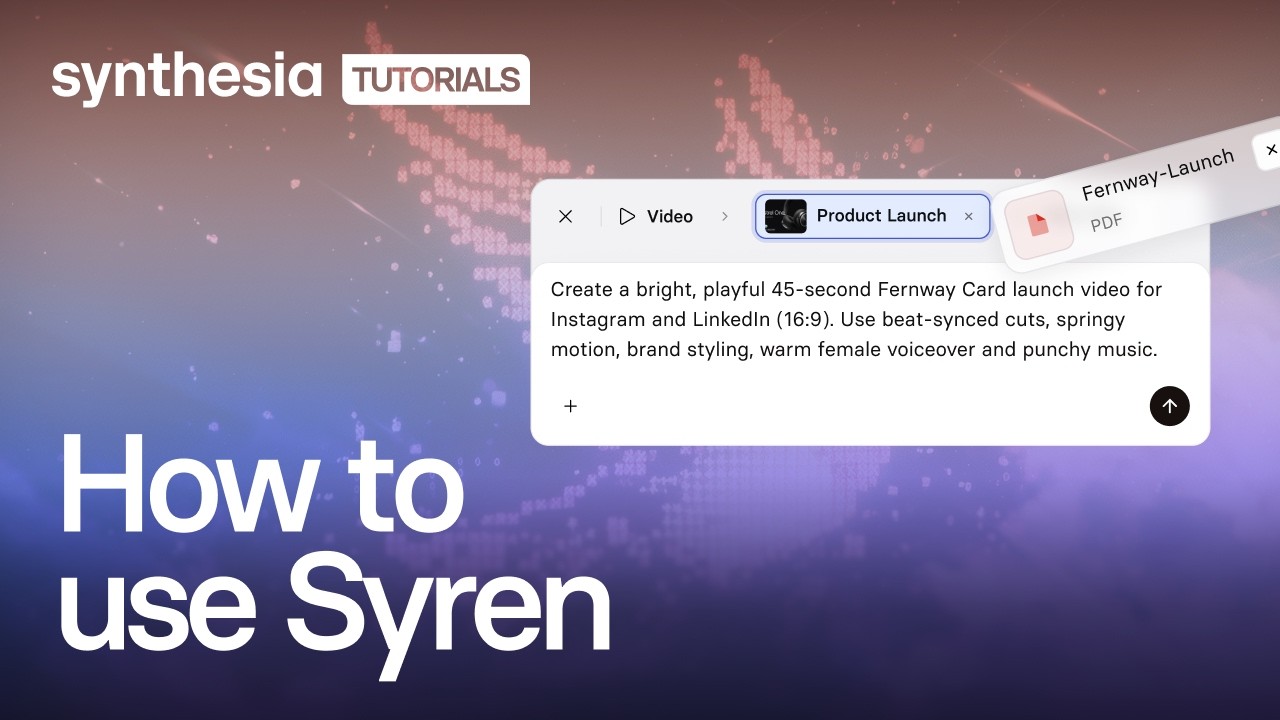
1. Describe your product video

Open Syren under Tools, pick wide 16:9 or tall 9:16, then describe the features to highlight and your tone.

2. Add your images and notes

Optionally select + to add product images, documents, videos, PowerPoint files, or YouTube links, then select send.

3. Refine it in chat

Watch the live preview, then ask Syren to change the script, voice, music, or a scene’s style.

4. Generate and share

Select Generate, choose up to 1080p, then share or download your video.
Video abspielen
Video anhalten

The product video generator trusted by modern teams

Die beste KI Videoplattform für Unternehmen

Mehr als 2000 Fünf-Sterne-Bewertungen auf g2

Bei der Erstellung von Audiokursen müssen wir nicht mit zwei verschiedenen Stimmen arbeiten oder nach einer ähnlichen Stimme suchen, wenn der Sprecher das Unternehmen verlässt. Wir können alle Voiceovers mit Synthesia ganz einfach neu erstellen.

Alicia Patterson-Davis
Instructional Design Specialist
Emory Healthcare

Ich habe die Anleitung noch nie benötigt, weil die Plattform so benutzerfreundlich ist. Dies ist das erste Mal in meiner beruflichen Laufbahn, dass ich eine neue Technologie als einer der ersten einsetze.

Frank van der Grijspaarde
Global TPM Manager of Customer Service and Logistics
Heineken

Durch den einfachen Arbeitsablauf und die Möglichkeit, Inhalte in mehreren Sprachen zu erstellen, konnten wir Lerninhalte leichter und schneller in verschiedenen Sprachen bereitstellen und gleichzeitig die Kosten senken sowie kurzfristige Änderungen und Anpassungen des Skripts vornehmen.

Jason Etherington
Global Learning and Devlopment Sales Training Strategy Manager
Xerox

Ich habe sogenannte KI Videos schon in der Vergangenheit gesehen, aber dieses ist erstaunlich! Es sieht echt aus und klingt echt, weil es echt ist.

Dr. Wade M. Larson
Resource Content Member
Forbes Human Resources Council

Synthesia hat die Kosten für die Erstellung von Inhalten gesenkt und die Inhalte ansprechender gemacht, indem es Entwicklern ermöglicht, Sprach- und Videoinhalte in Lernmodule einzubauen. Die rasche Ergänzung neuer Funktionen und neuer Avatare ermöglichen uns eine umfassendere Nutzung über unsere ursprüngliche Absicht hinaus. Ich bekomme jedes Mal einen kleinen Dopaminschub, wenn ich mich anmelde und sehe, dass das Produkt aktualisiert wurde!

Jason Etherington
Global Learning and Devlopment Sales Training Strategy Manager
Xerox

Wir sparen bei der Erstellung neuer Videos bis zu 40 % und noch mehr Zeit bei der Aktualisierung vorhandener Inhalte. Statt das gesamte Video neu aufzunehmen, können wir jetzt das aktualisierte Skript hochladen und sofort ein neues Video rendern.

Pedro Da Silva
Global Educational Services Manager
Fiery

Mit Synthesia können wir Videoformate verwenden, für die normalerweise nicht genügend Zeit oder Geld zur Verfügung steht. Bislang haben wir Synthesia für Schulungsprodukte (für unsere Mitarbeiter und Kunden), aber auch für die interne Kommunikation wie Nachrichten, die Einführung von Softwareprodukten oder die Erläuterung neuer Prozesse verwendet.

Jana Menge
Digital Learning Designer
WBS TRAINING AG

Synthesia löst viele Probleme, wie die Senkung der Betriebskosten, die durch die Anmietung eines Aufnahme-Studios, Schauspieler, Sprecher, teure Aufnahmegeräte usw. entstehen. Der deutlichste Vorteil ist die Reduzierung der Betriebskosten.

Eliane Apolinario
Ersteller von E-Learning-Schulungen
ELM Projetos e Treinamentos

Wir haben mit Synthesia eine Schulungsakademie für unser SaaS-Produkt aufgebaut. Derzeit umfasst sie neun Kurse mit 39 Videos. Synthesia hat es uns ermöglicht, unsere Einführungsvideos für Kunden extrem schnell zu überarbeiten. Wir haben es sogar geschafft, in nur drei Wochen 20 professionell aussehende Schulungsvideos zu produzieren.

Tue Søttrup
VP of Customer Experience
Dixa

Es entfällt damit die Notwendigkeit, echte Schauspieler für die Videos einzustellen. Du erhältst deine Videoinhalte direkt auf Abruf, ohne weitere Nacharbeiten.

Benjamin Anderson
Sales Manager
Sears

Mit Synthesia können wir schnell Videoproduktionen mit beeindruckenden Ergebnissen erstellen. Synthesia ist ideal für unsere interne Kommunikation sowie für unsere Schulungsprodukte. Der Kundenservice ist ebenfalls ausgezeichnet.

Jana Menge
Digital Learning Designer
WBS TRAINING AG

Synthesia spart mir Zeit - Ich muss nicht schneiden, bearbeiten, produzieren, neu schneiden usw. Wahnsinn!

Dr. Wade M. Larson
Resource Content Member
Forbes Human Resources Council

Synthesia war eine benutzerfreundliche Möglichkeit für unsere Gruppe, Video und Audio in textlastige Inhalte zu integrieren. Die Tutorials sind schnell aufgerufen, wenn du etwas wissen willst. Ich habe sofort mit der Arbeit begonnen, ohne mir erst die Einführungsvideos anzusehen. Ich bin von dieser Plattform wirklich begeistert.

Alicia Patterson-Davis
Instructional Design Specialist
Emory Healthcare

Das spart so viel Geld und so viel Zeit. Alles befindet sich in der Cloud. Wir können eine neue Version sofort bearbeiten und exportieren — mit einem Mausklick.

Martin Dunne
Learning & Design Production Manager
Cohesity

Es ist einfach, in kürzester Zeit beeindruckende Schulungsvideos zu erstellen. Die Avatare sind großartig und die Qualität wird ständig verbessert. Mir gefallen auch die vielen neuen Funktionen, die hinzugefügt wurden.

Tue Søttrup
VP of Customer Experience
Dixa

Das Endergebnis mit den Avataren, deren Lippen sich je nach der gewählten Sprache bewegen, gefällt mir sehr gut. Ich habe festgestellt, dass nicht alle Avatare mit brasilianischem Portugiesisch gut funktionieren, aber diejenigen, die funktionieren, sind ausgezeichnet.

Eliane Apolinario
Ersteller von E-Learning-Schulungen
ELM Projetos e Treinamentos

Mir gefällt, dass viele verschiedene Avatare angeboten werden, um hochwertige Inhalte für das Unternehmen oder eine gemeinnützige Organisation zu erstellen.

Benjamin Anderson
Sales Manager
Sears

Product videos for every launch and update

From a new launch to a sales follow-up, our AI product video generator turns your images and notes into a product video in minutes.

Product launches

Launch a new product with a music-driven film in kinetic type that opens on the problem and shows how the product solves it.

Feature walkthroughs

Walk viewers through a new feature, from the problem it solves to how it works, with simple interface visuals.

Product updates

Round up a month of small product updates in a fast video told in kinetic type, with interface visuals and music.

Sales follow-ups

Recap a sales demo for a prospect in a vertical video that ties each part to their problem and closes on a next step.

AI product video generator FAQs

How does the AI product video generator work?

You describe the product video you want, and Syren, Synthesia’s AI video agent, builds it. Syren writes the video as code and renders it live, so you watch the preview take shape. You can then change it by chat or by editing elements directly.

Is the AI product video generator free?

A: Yes, you can try the AI product video generator for free. A two-minute video with up to two rounds of edits typically uses 1,000 to 2,000 credits. Videos made on the Basic plan carry a watermark and can be downloaded and shared, while Starter and Pro videos have no watermark.

What can I upload to create product videos with AI?

You can create product videos with AI from documents, images, videos, PowerPoint files, and YouTube links, plus anything you type in the prompt. Add files with the + button. Feature notes work either as an uploaded document or as text in your prompt.

How long can a product video be, and what shapes does it come in?

A product video from Syren can run up to three minutes. You choose wide 16:9 or tall 9:16 before you send your first prompt, so pick the shape that fits where you plan to use the video. When you generate, you can download at up to 1080p, with 720p, 480p, and 360p also available.

Can I edit my product video after Syren creates it?

Yes, you can keep refining your product video after the first draft. Ask Syren in chat to change the script, voice, music, or a scene’s style, or edit elements directly. Edits use credits, and the 1,000 to 2,000 credit estimate above includes up to two rounds.

Where can I use a product video made with Syren?

You can use it on your website and share it on social media. Synthesia’s Video Licensing article allows product videos on your website and sharing on platforms like YouTube, Facebook, and Instagram.

Is the AI product video generator available on Enterprise plans?

Yes, Syren is available on Enterprise plans. Each user needs a full license, and admins can turn Syren off.

Can I use my own avatar or voice in a brand video?

Syren videos can include Synthesia's stock AI avatars and voices, and you can swap them by asking in chat. To use your own Personal Avatar or a cloned voice, create the video in Synthesia Studio instead.

When should I use Syren instead of Synthesia Studio?

Use Syren when you want a creative, designed video fast, like a launch reel, an explainer, or a short announcement. Use Studio when every script line and scene has to be exact and repeatable, or when you need to update and translate a video at scale, as with training, compliance, and onboarding content.

Not just an AI product video generator

Synthesia is an end-to-end AI video platform for creating, localizing, and managing video at scale. Syren turns your product notes into finished videos, AI motion graphics add on-brand motion and visuals, and the AI screen recorder captures your product in action.

Build a product demo video with a presenter in Studio, add interactivity so viewers choose their own path, then translate every video and refine it in the AI video editor. One platform, from the first prompt to every language.

Ready to create AI product videos?

Join 2M+ users today and go from product notes to finished video with Syren.