
AI Product Video Generator
Turn images, feature notes or a brief into videos with our AI product video generator. Try it free.



Examples
Create product videos with AI in minutes
Tell Syren what to highlight, share your images or notes, and refine the finished product video in chat.
Start from your images, notes, or brief
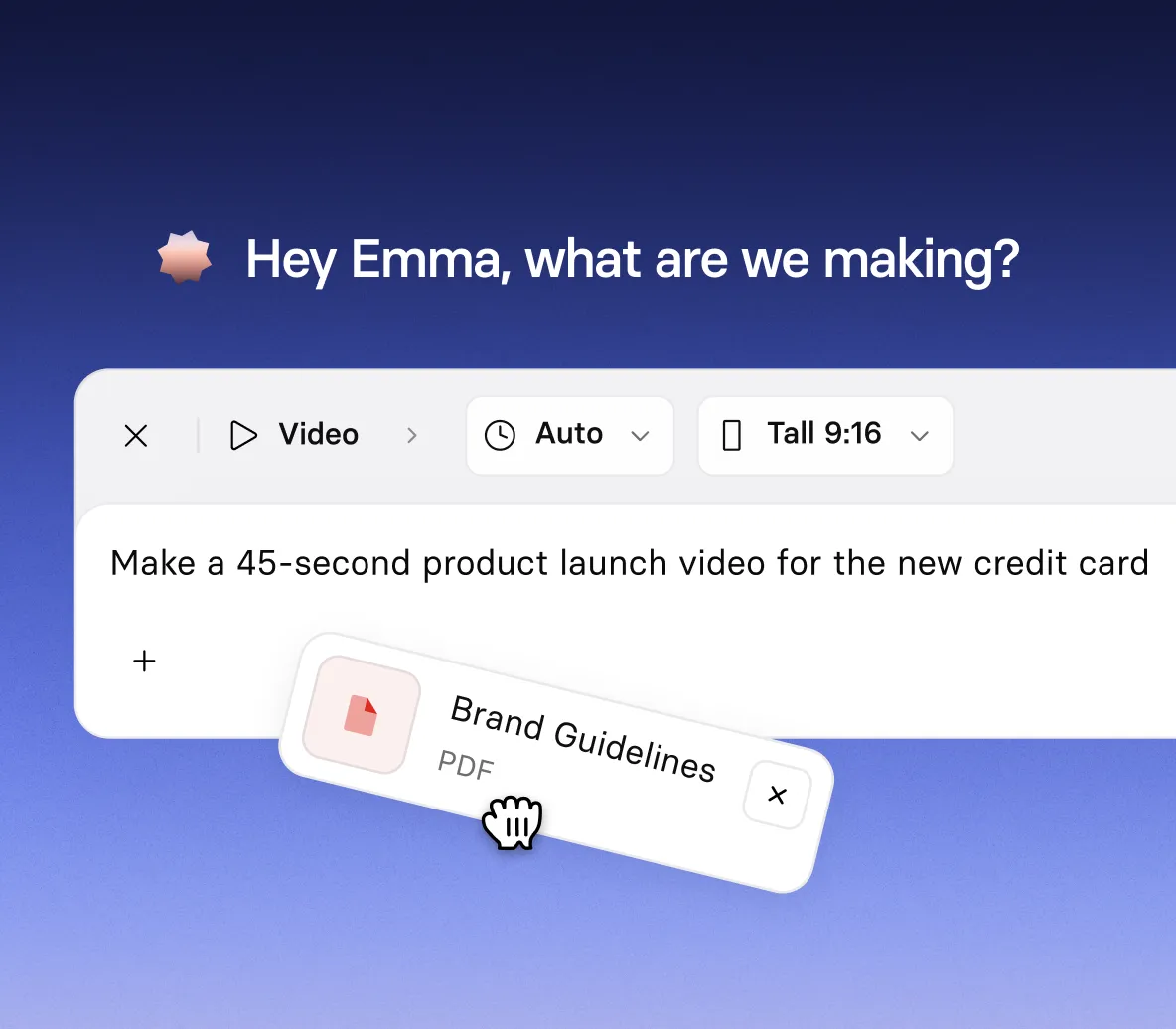
- Generate product video from a simple prompt
- Add product images, documents, PowerPoint files, videos, or YouTube links
- Tell Syren which features to highlight, plus your audience and tone
Tell your product story in motion
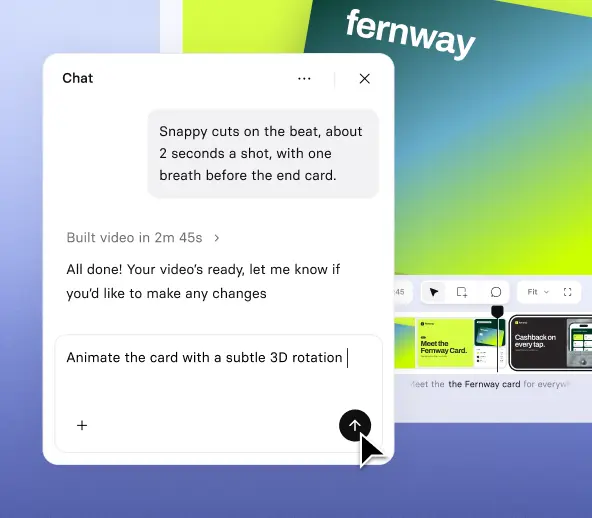
- Introduce your product with animated headlines and feature reveals
- Turn your screenshots and product images into motion graphics
- Bring product concepts and objects to life with 3D animation and effects
Refine your product video by chatting or clicking
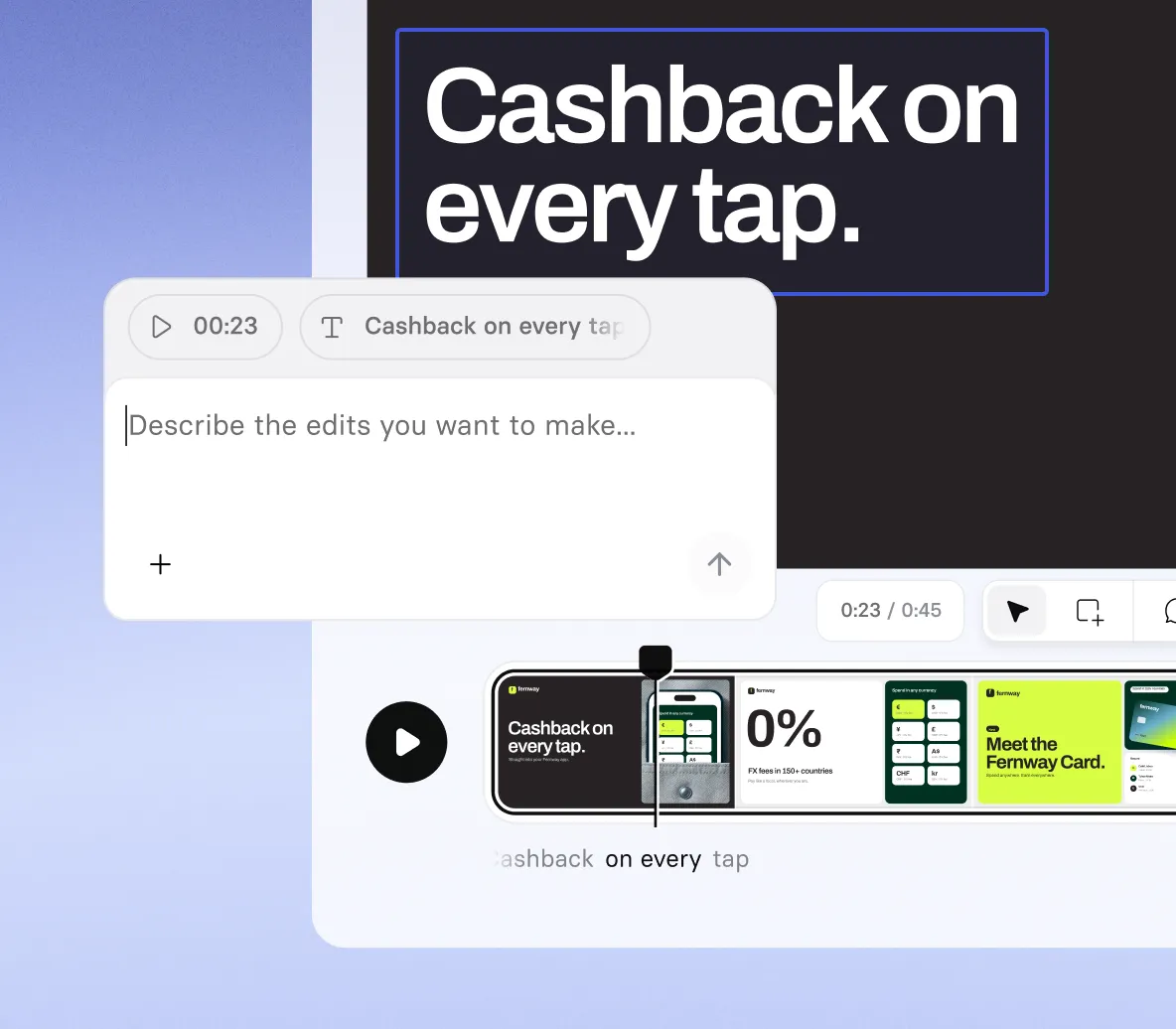
- Ask Syren to change the script, voice, music, shot types, or scene style
- Select any element to move it, retype it, or tell Syren how to change it
- Stop Syren mid-build and redirect it if the draft is heading the wrong way
Size and export your product video
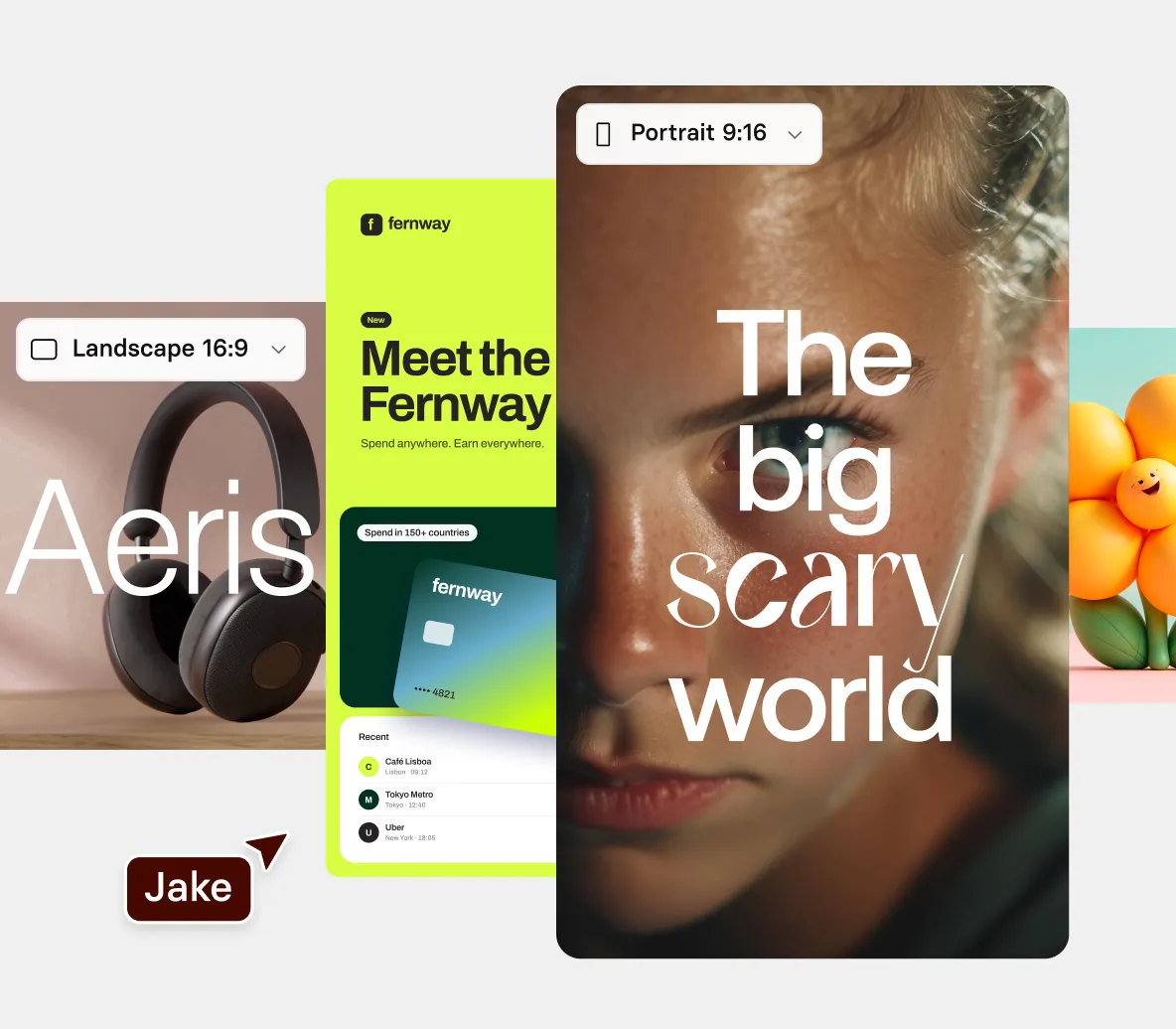
- Choose wide 16:9 for landscape videos or tall 9:16 for portrait
- Apply your own brand colors so your product video looks like yours from the first draft
- Publish and then share or export your product video at 1080p
How to make a product video with AI
Four steps from your product images to a finished product video, built and edited in chat.
1. Describe your product video
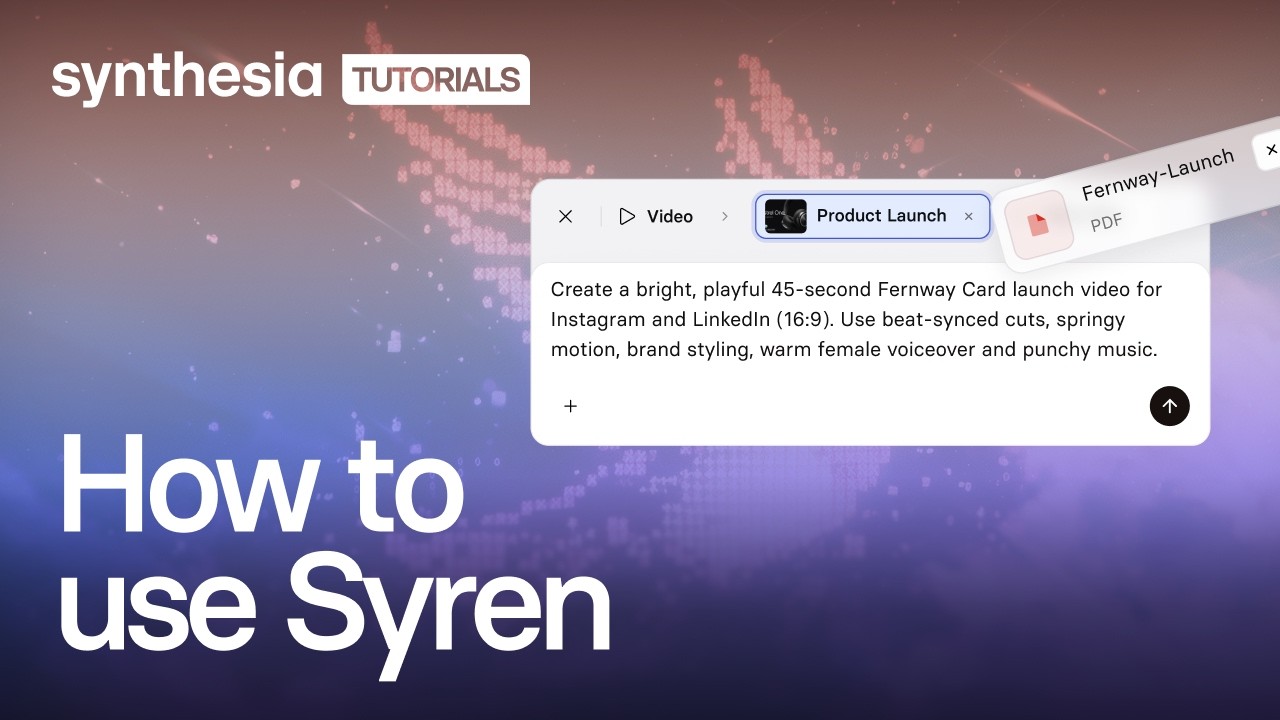
Open Syren under Tools, pick wide 16:9 or tall 9:16, then describe the features to highlight and your tone.
2. Add your images and notes
Optionally select + to add product images, documents, videos, PowerPoint files, or YouTube links, then select send.
3. Refine it in chat
Watch the live preview, then ask Syren to change the script, voice, music, or a scene’s style.
4. Generate and share
Select Generate, choose up to 1080p, then share or download your video.
The product video generator trusted by modern teams

Más de 2000 opiniones con 5 estrellas en G2
Product videos for every launch and update
From a new launch to a sales follow-up, our AI product video generator turns your images and notes into a product video in minutes.

Launch a new product with a music-driven film in kinetic type that opens on the problem and shows how the product solves it.

Walk viewers through a new feature, from the problem it solves to how it works, with simple interface visuals.

Round up a month of small product updates in a fast video told in kinetic type, with interface visuals and music.

Recap a sales demo for a prospect in a vertical video that ties each part to their problem and closes on a next step.
AI product video generator FAQs
How does the AI product video generator work?
You describe the product video you want, and Syren, Synthesia’s AI video agent, builds it. Syren writes the video as code and renders it live, so you watch the preview take shape. You can then change it by chat or by editing elements directly.
Is the AI product video generator free?
A: Yes, you can try the AI product video generator for free. A two-minute video with up to two rounds of edits typically uses 1,000 to 2,000 credits. Videos made on the Basic plan carry a watermark and can be downloaded and shared, while Starter and Pro videos have no watermark.
What can I upload to create product videos with AI?
You can create product videos with AI from documents, images, videos, PowerPoint files, and YouTube links, plus anything you type in the prompt. Add files with the + button. Feature notes work either as an uploaded document or as text in your prompt.
How long can a product video be, and what shapes does it come in?
A product video from Syren can run up to three minutes. You choose wide 16:9 or tall 9:16 before you send your first prompt, so pick the shape that fits where you plan to use the video. When you generate, you can download at up to 1080p, with 720p, 480p, and 360p also available.
Can I edit my product video after Syren creates it?
Yes, you can keep refining your product video after the first draft. Ask Syren in chat to change the script, voice, music, or a scene’s style, or edit elements directly. Edits use credits, and the 1,000 to 2,000 credit estimate above includes up to two rounds.
Where can I use a product video made with Syren?
You can use it on your website and share it on social media. Synthesia’s Video Licensing article allows product videos on your website and sharing on platforms like YouTube, Facebook, and Instagram.
Is the AI product video generator available on Enterprise plans?
Yes, Syren is available on Enterprise plans. Each user needs a full license, and admins can turn Syren off.
Can I use my own avatar or voice in a brand video?
Syren videos can include Synthesia's stock AI avatars and voices, and you can swap them by asking in chat. To use your own Personal Avatar or a cloned voice, create the video in Synthesia Studio instead.
When should I use Syren instead of Synthesia Studio?
Use Syren when you want a creative, designed video fast, like a launch reel, an explainer, or a short announcement. Use Studio when every script line and scene has to be exact and repeatable, or when you need to update and translate a video at scale, as with training, compliance, and onboarding content.
Not just an AI product video generator
Synthesia is an end-to-end AI video platform for creating, localizing, and managing video at scale. Syren turns your product notes into finished videos, AI motion graphics add on-brand motion and visuals, and the AI screen recorder captures your product in action.
Build a product demo video with a presenter in Studio, add interactivity so viewers choose their own path, then translate every video and refine it in the AI video editor. One platform, from the first prompt to every language.
Más información

Ready to create AI product videos?
Join 2M+ users today and go from product notes to finished video with Syren.