
AI Social Media Video Maker
Turn ideas, docs or existing content into AI videos for social media with our social media video maker. Try it free.





![logo ENGIE}]} jsonOutput:{](https://cdn.prod.website-files.com/65e89895c5a4b8d764c0d710/6930012934a57abbbce3d12b_engie-logo.svg)



Examples
Make social media videos without a design team
Describe the video, add what you already have, and Syren builds it live for any social channel.
Describe your video and watch it build
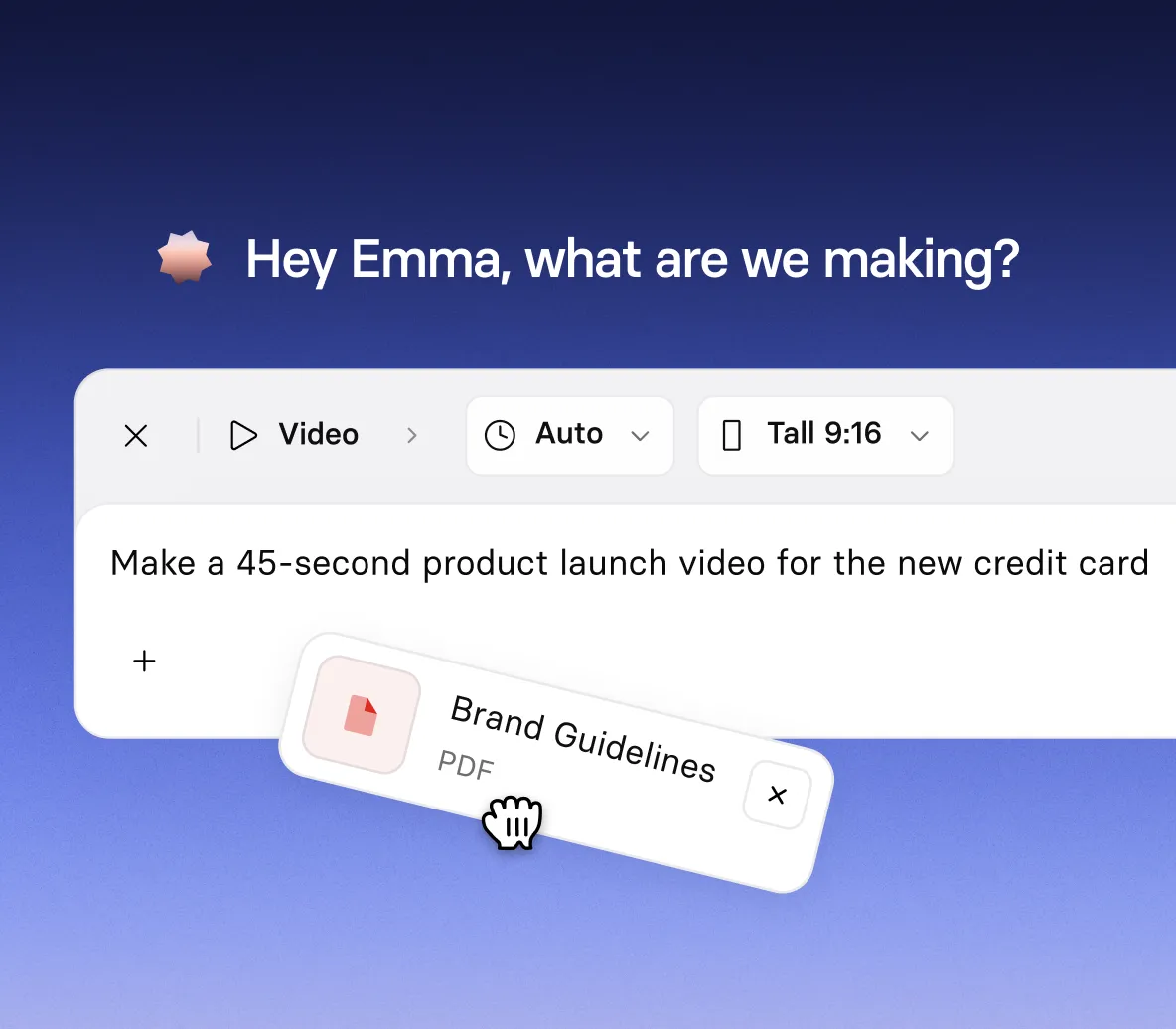
- Write the topic, audience, and tone like you’re briefing a colleague
- Watch the video take shape live, with the script appearing as Syren writes it
- Add a YouTube link, images, or a document when you want it grounded in your own material
Fit your video to the channel
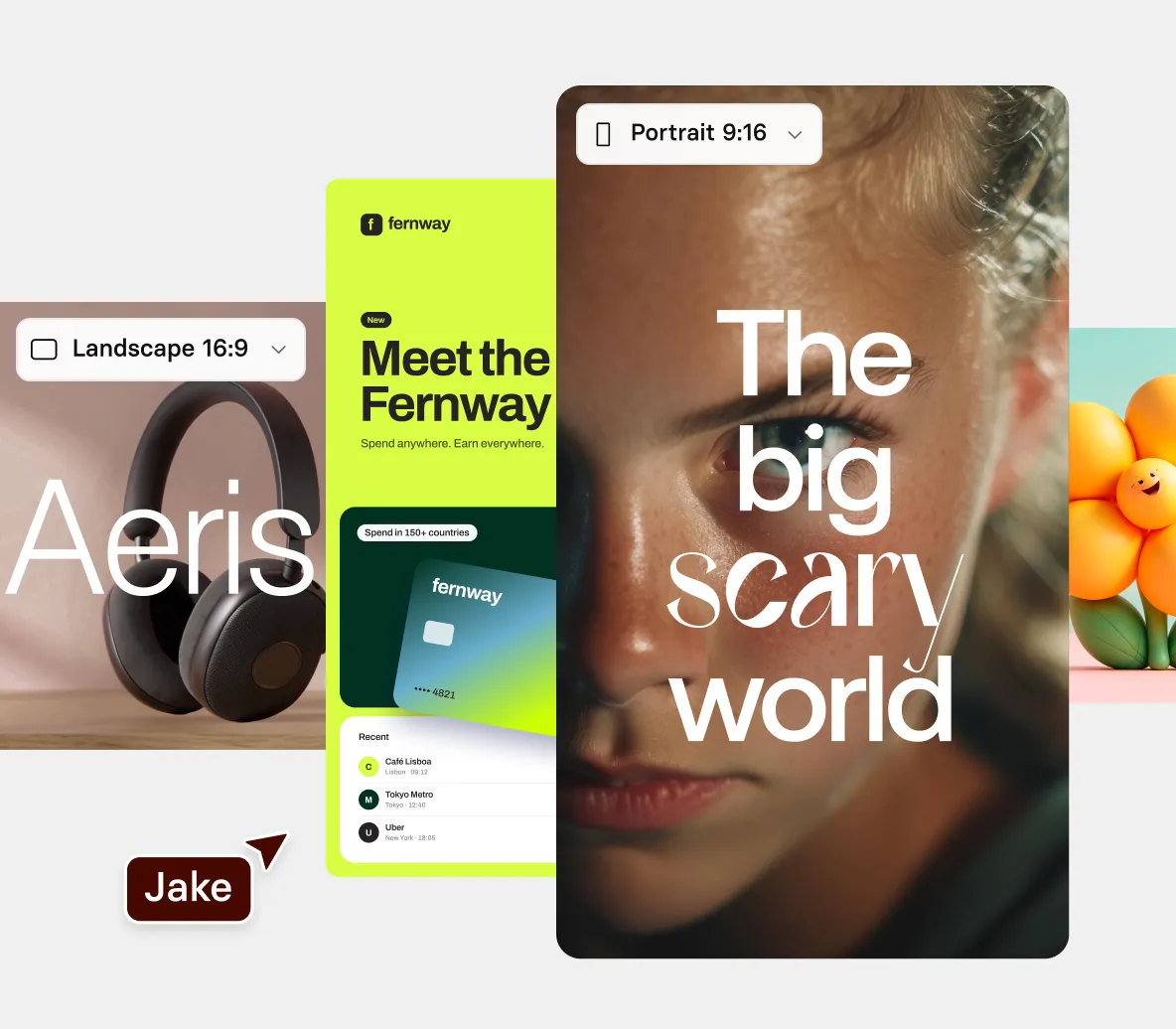
- Go tall 9:16 for mobile feeds, or wide 16:9 for websites and presentations
- Changed your mind? Ask Syren to fix the aspect ratio in chat
- Export at 1080p, 720p, 480p, or 360p, depending on where it’s headed
Get motion, voiceover, and music in one go
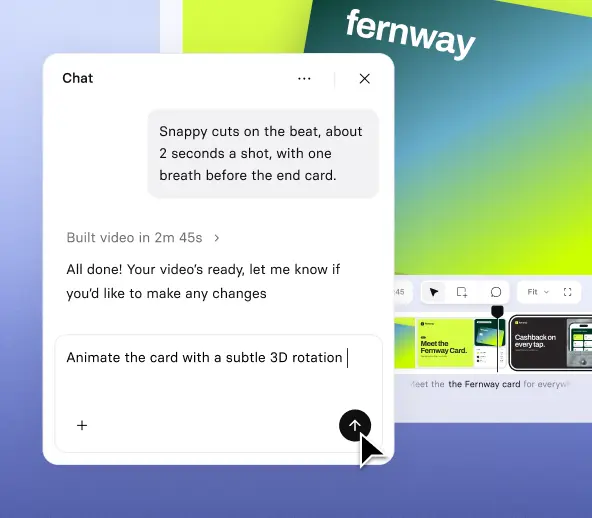
- Choose big kinetic type, clean icons, or a presenter avatar to carry your message
- Swap the voice or the music in chat if the first take doesn’t fit
- Add your logo, and Syren applies a baseline brand from your colors
Check your video, then publish it
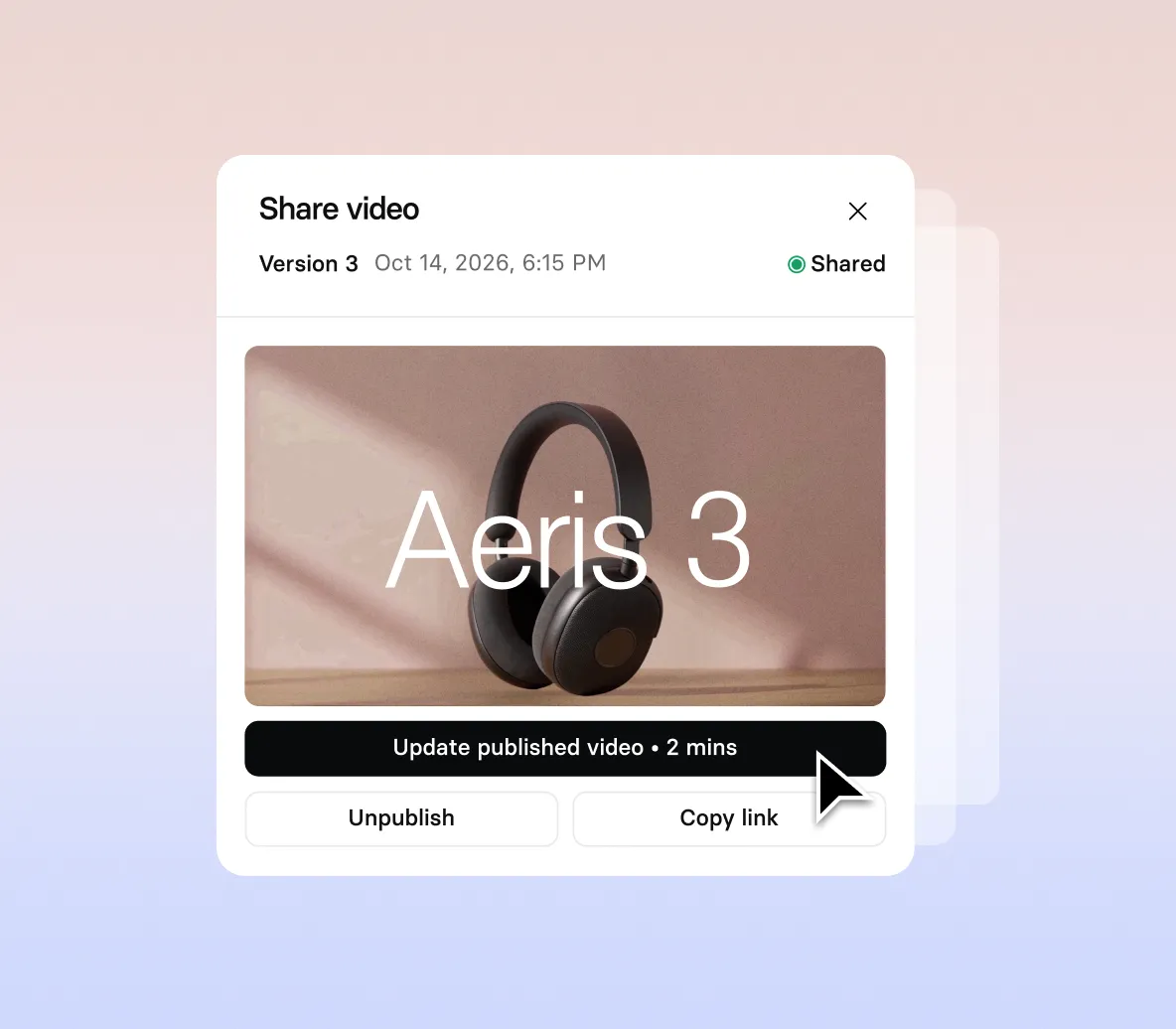
- Play it through once Syren finishes, and review the avatars and audio
- Fix anything that’s off, from a headline to the music, before you generate
- Select generate, then publish and share or download your video
How to make social media videos with AI
Four steps from your first prompt to a social video ready to download.
1. Start in Syren
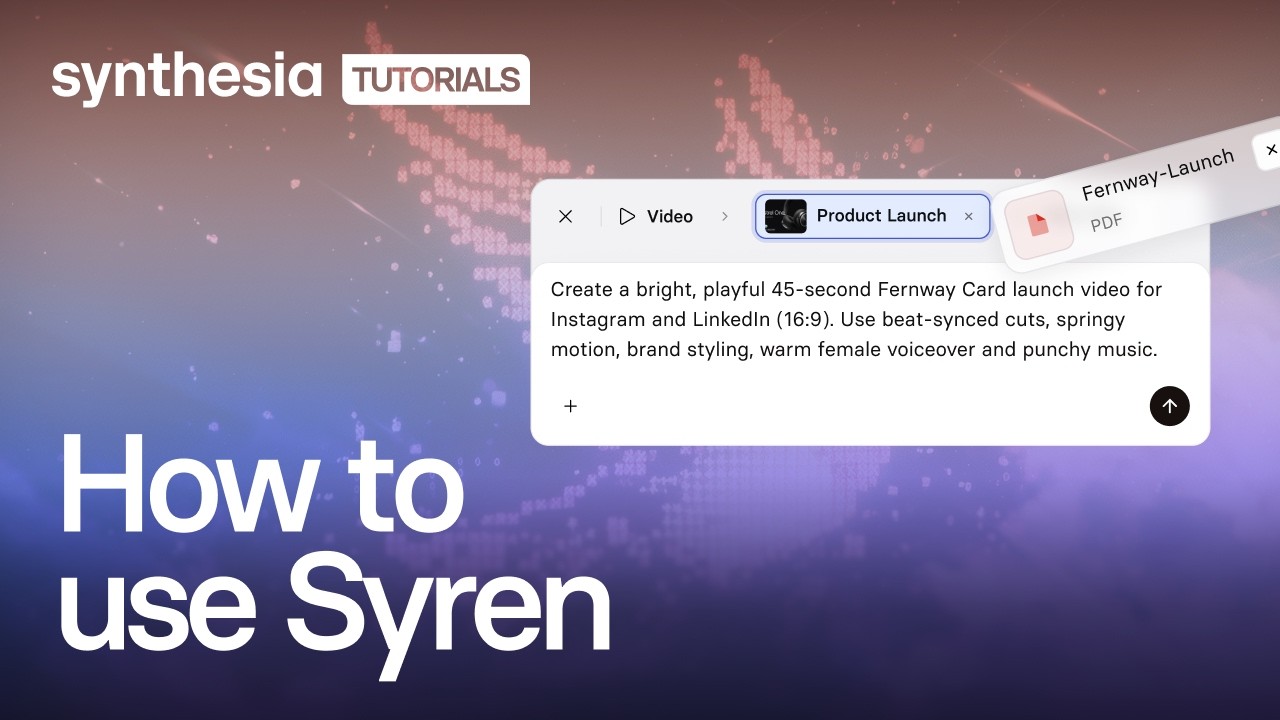
Select Syren under Tools, pick Tall 9:16 or Wide 16:9, then describe your video: audience, tone, style, narration, and music.
2. Bring in your material
Optionally select + to add images, a video, a YouTube link, a document, or a PowerPoint file, then select Send.
3. Answer Syren and watch it build
Answer any follow-up questions, such as who the video is for, then watch the live preview take shape.
4. Polish and download
Polish it in chat, then select Generate, pick a resolution, and download.
The social media video maker trusted by modern teams

Plus de 2 000 avis 5 étoiles sur G2
Social media videos for every team
From a product launch to a customer FAQ, our social media video maker turns your ideas and docs into finished videos in minutes.

Announce a launch or a new feature with a short video that opens on the problem and shows how the product solves it.

Show how your product works, from the interface to the workflow to the result, with simple visuals that build on screen.

Explain a trend, bust a myth, or break down industry news in a quick video that shows your audience you know the field.

Answer one common customer question per video, in plain terms, so the answer is easy to find and easy to share.
Social media video maker FAQs
How does the social media video maker work?
You describe the video you want in Syren, Synthesia’s AI video agent, and it writes and renders it live. Your prompt sets the audience, tone, visual style, narration, and music, and Syren handles the motion, type, and pacing. Then you steer it by chat or by editing elements directly.
Is the social media video maker free?
Yes, you can try the social media video maker for free. A two-minute video with up to two rounds of edits typically uses 1,000 to 2,000 credits. Videos on the Basic plan carry a watermark and can be downloaded and shared, while Starter and Pro videos have no watermark.
Can I create social media videos with AI from my own content?
Yes. Add documents, images, videos, PowerPoint files, or YouTube links with the + button, or start from an idea in the prompt. Syren can ask follow-up questions, such as who the video is for, and offers answer options.
Which video shapes does the social media video maker support?
Syren makes tall 9:16 and wide 16:9 videos, up to three minutes long. Tall suits mobile and social feeds, and wide suits websites and presentations. You choose before you send your first prompt, and you can’t choose when you start from an example video.
Can I post my videos straight to social media?
No, Syren doesn’t post to social media. Select Generate, choose a resolution up to 1080p, download your video, and upload it to each channel yourself.
Can I add my logo and brand to my videos?
Yes. Syren applies a baseline brand using your own colors, and you can add your logo and other brand assets when you start in Syren. To use your own Personal Avatar or cloned voice, create your video in Synthesia Studio.
Can I use Syren videos commercially, and who owns them?
Yes. You can use Syren videos for marketing, product launches, and ads, and you own the videos you create, the same as any video made in Synthesia. Make sure you have the rights to anything you upload, such as images, footage, or other companies’ logos.
Can I edit a social video after Syren makes it?
Yes. Ask Syren in chat to change the script, swap the voice, restyle a scene, or fix the music, shot types, or pronunciation. You can also select a heading, image, or shape on the picture to move it or retype it, and those edits apply at once.
When should I use Syren instead of Synthesia Studio?
Use Syren when you want a creative, designed video fast, like a launch reel, an explainer, or a short announcement. Use Studio when every script line and scene has to be exact and repeatable, or when you need to update and translate a video at scale, as with training, compliance, and onboarding content.
Not just a social media video maker
Synthesia is an end-to-end AI video platform for creating, localizing, and managing video at scale. Syren builds social videos from a prompt, the AI video generator turns docs into video in Studio, and Avatars put a presenter on screen without a shoot.
Then translate every video for new markets, start from templates in the marketing video maker, and refine it all in the AI video editor. One platform, from the first idea to every market.
En savoir plus

Ready to create social media videos?
Join 2M+ users today and go from idea or doc to social video with Syren.