POWERED BY SYREN

Animated Infographic Video Maker

Turn facts, figures or a report into animated infographics with our infographic video maker. Try it free.
2000+ reviews
Logo orange
logo ENGIE}]}  jsonOutput:{
logo Nexity
Logo orange
logo ENGIE}]}  jsonOutput:{
logo Nexity

Examples to remix

Feature launch reel
A vertical, single-take feature announcement in which typed headline lines name a familiar chore, reveal the feature that ends it, and then show its mechanics through simplified interface elements that build and dissolve over one drifting ground.
Kinetic type launch
A music-driven launch film for a software product, told in big kinetic type: from an everyday frustration, through the product and how it works, to how easy it is to start and a held logo.
Demo recap
A vertical screen-walkthrough recap sent to a prospect after a sales demo: it replays the parts they saw, ties each one to the problem they raised, and closes on one agreed next step.
Welcome guide
A friendly presenter welcomes a newcomer, names a small set of numbered sections, opens each one in turn while its practical steps tick off beside them, then recaps everything and signs off warmly.
Policy change notice
A calm presenter-led announcement of a policy change that sets out what changes, when it takes effect, who it affects and where to ask, with each point held on screen beside the presenter.
Metric explainer
A short lesson that builds one business or everyday idea from a handful of numbered metrics, works each one out on screen with real figures, combines them into a verdict, tests it with a what-if and closes on a recap, with a presenter who frames it at the start and end.
Customer testimonial
A vertical social short in which one customer, played by a presenter avatar talking to camera, gives a genuine first-person verdict on a product, carried by word-synced captions over a soft music bed.
Craft steps
A cosy vertical how-to that builds a handmade object one clear step at a time, shown only through materials and tools moving on their own over a soft music bed.
History timeline
A reflective, slow-paced documentary collage that traces how something came to be, era by era, under a music bed with an unseen narrator.
What's new roundup
A fast vertical roundup of a month's small product updates, one after another, told in kinetic type with simplified interface fragments over a music bed.
Anniversary toast
A short, playful kinetic-type tribute for one colleague's work anniversary that counts up their years, runs through a few highlights and ends on a toast from the team.
Quick tip
A vertical, beat-cut kinetic-type short that teaches one practical tip and shows how to put it to use today, in under half a minute.
Troubleshooting fix
A landscape screen walkthrough that opens on the problem the viewer is seeing, explains its cause in plain terms, walks the fix one step at a time and confirms it worked.
Assembly guide
A patient, voice-only walkthrough that lays out every part as an illustrated diagram, then builds the object one step at a time and slows down wherever a step is easy to get wrong.
Paper digest
A presenter avatar explains one research paper to a non-specialist beside clear charts: the question it asked, how it was tested, what it found and why that matters.
Book summary
A vertical, thoughtfully paced kinetic-type summary that distils one book into its central idea and a few lessons worth keeping, voiced over a quiet music bed with simple icons.
Role-play contrast
Two presenter avatars act out a hard workplace conversation done badly, then done well, and the difference between the two is drawn out so the viewer can carry it into their own conversations.

Made with brand kit + single prompt


Prompt

Remix this video

Same pace and style. Your content.

Remix this video

Use of Syren is subject to credits. Free credits are limited. Learn how free credits work.

Get started for free

Make infographic videos your audience can easily follow

Give Syren your facts and figures. It animates them on screen with a narrator, and you control every number.

YOUR NUMBERS

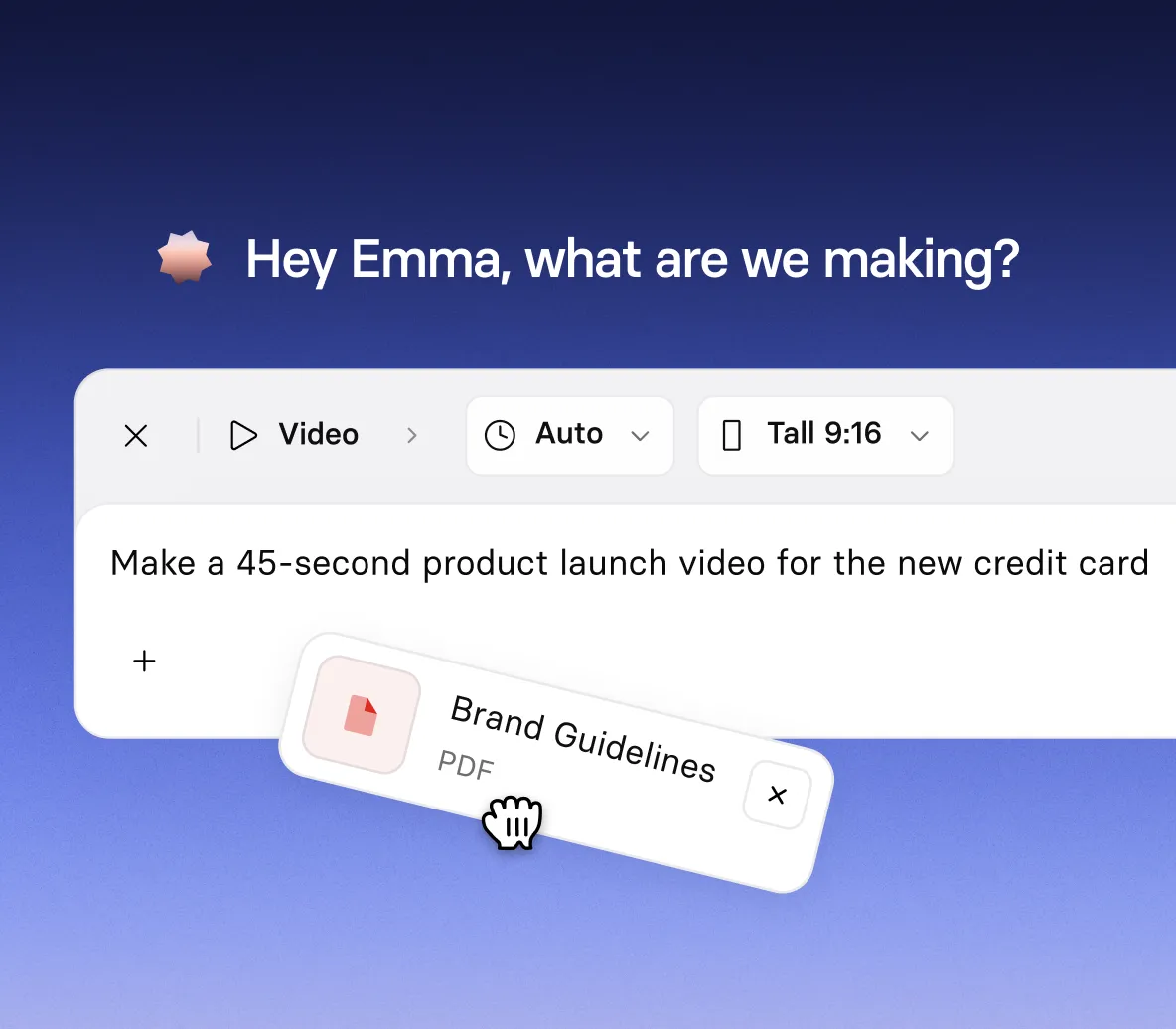
Hand Syren your facts and figures

  • Type your figures into the prompt, or add a report as a document
  • Tell Syren the audience and tone, so the story fits who’s watching
  • Add images, a PowerPoint file, or a YouTube link for extra context
DATA ON SCREEN

See your data come to life

  • Ask for charts, numbered points, or big on-screen figures
  • Watch each figure build in the live preview as Syren writes the narration
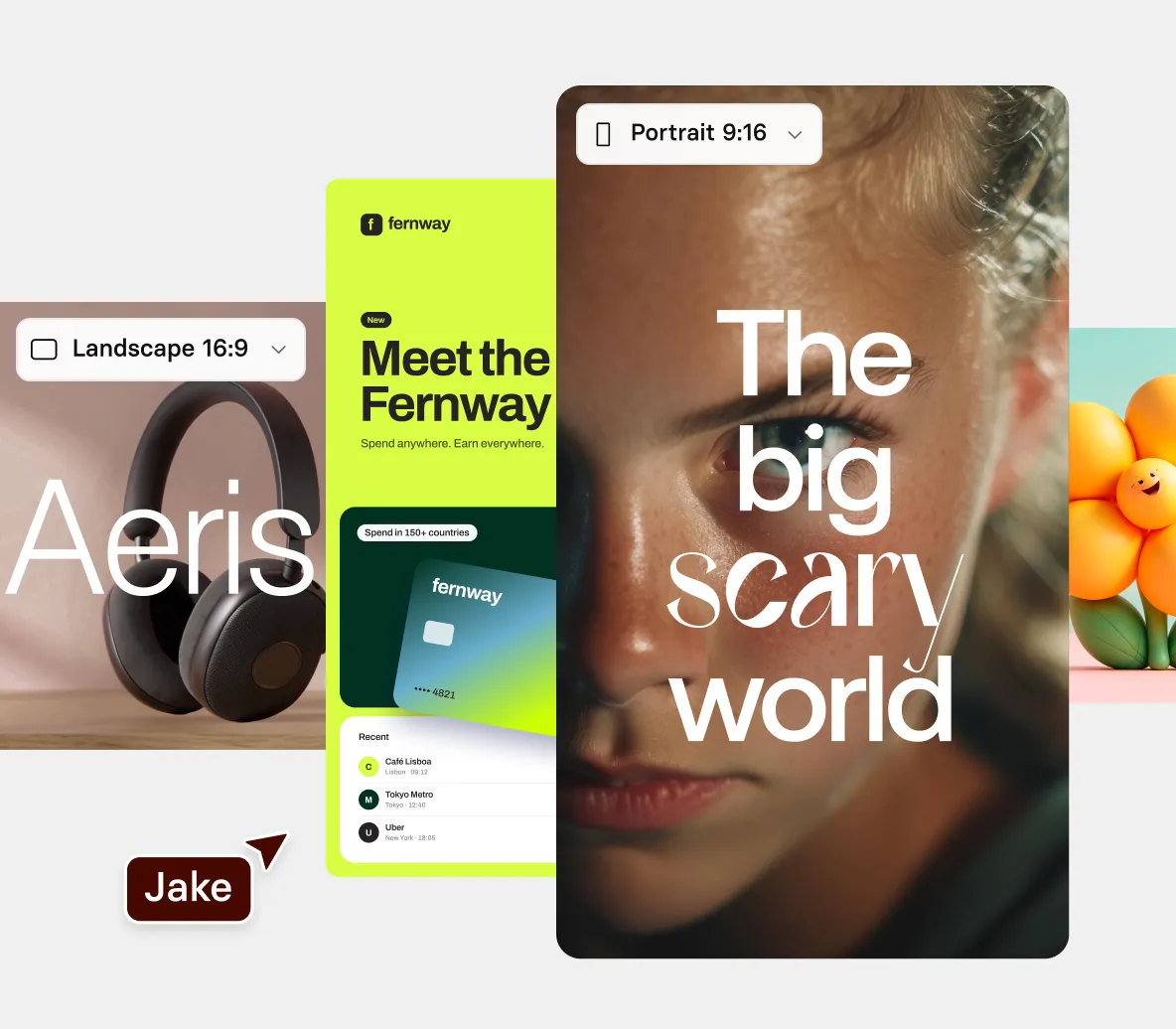
  • Pick the look, from clean icons to bold kinetic type
NARRATION

Add a narrator who explains your numbers
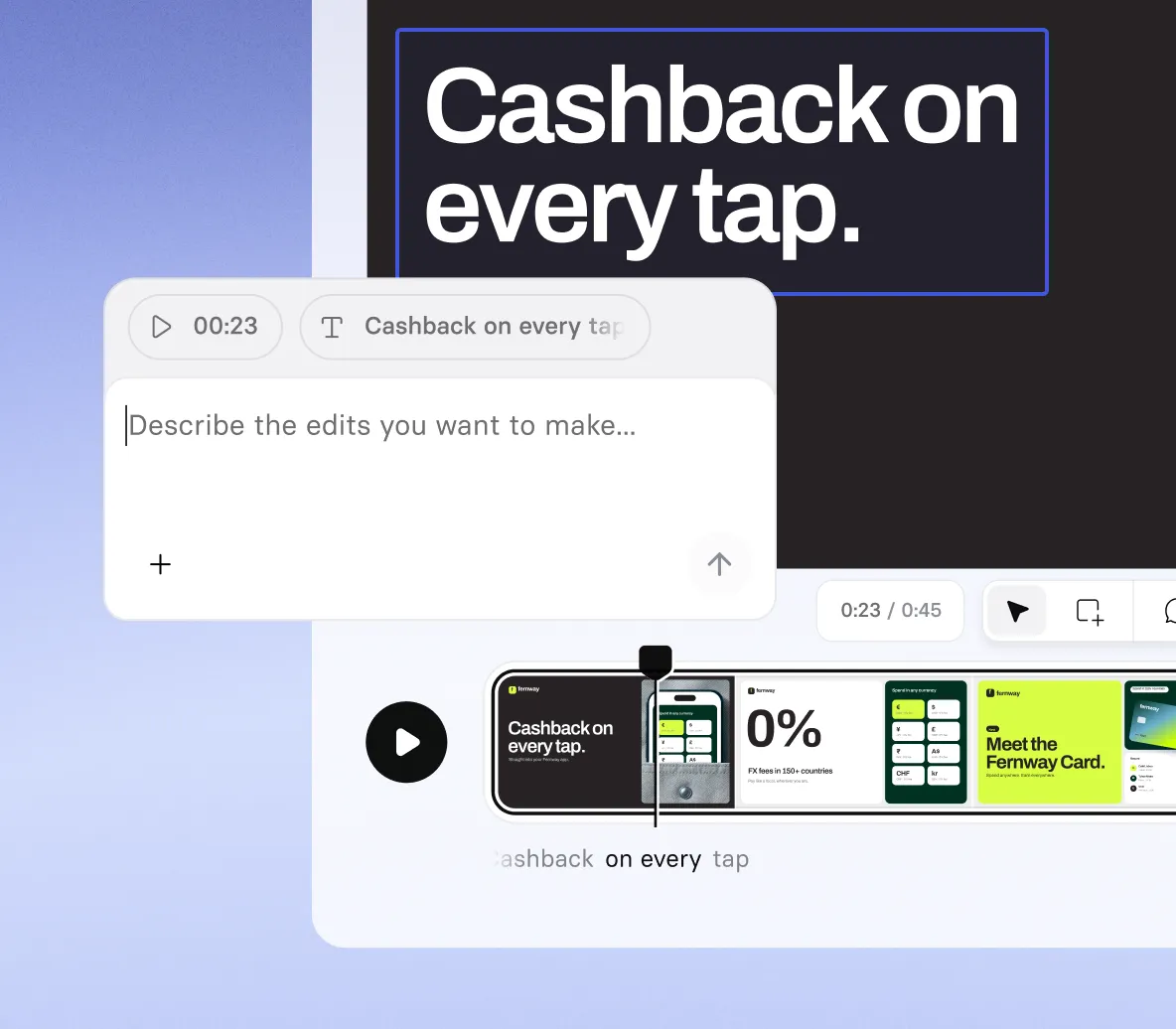
  • Describe the narration you want, from plain and calm to upbeat
  • Bring in a presenter avatar to introduce the numbers and sum up the key takeaways
  • Fix how a number or a name is pronounced by telling Syren
EASY EDITING

Edit and share your infographic

  • Retype any number on screen and watch it change at once
  • Ask Syren to correct a label, a title, or the wording around a figure
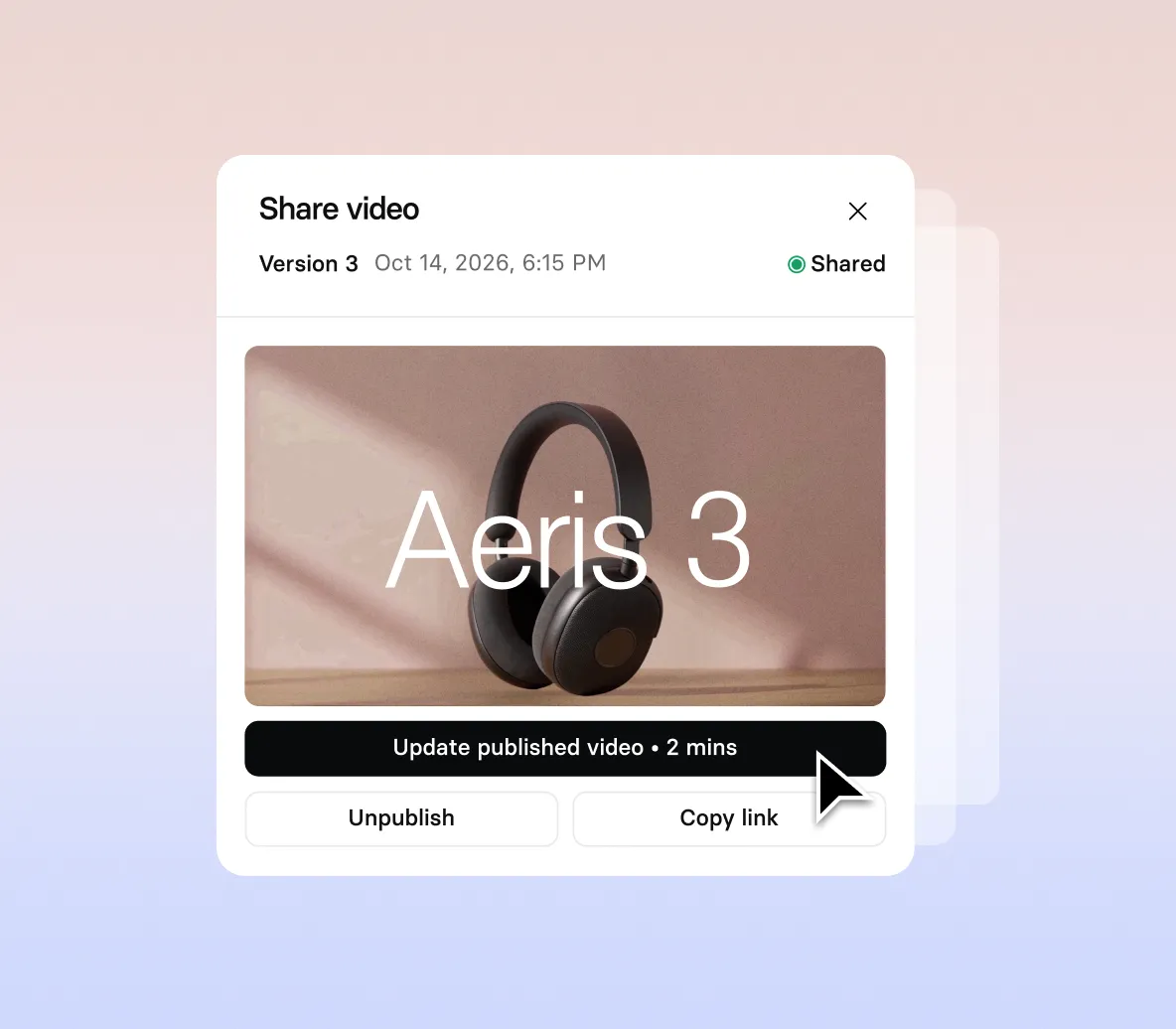
  • Publish your video, then share or download at up to 1080p

How to make an infographic video with AI

Four steps from your facts and figures to a finished animated infographic video.

1. Open Syren and set the scene

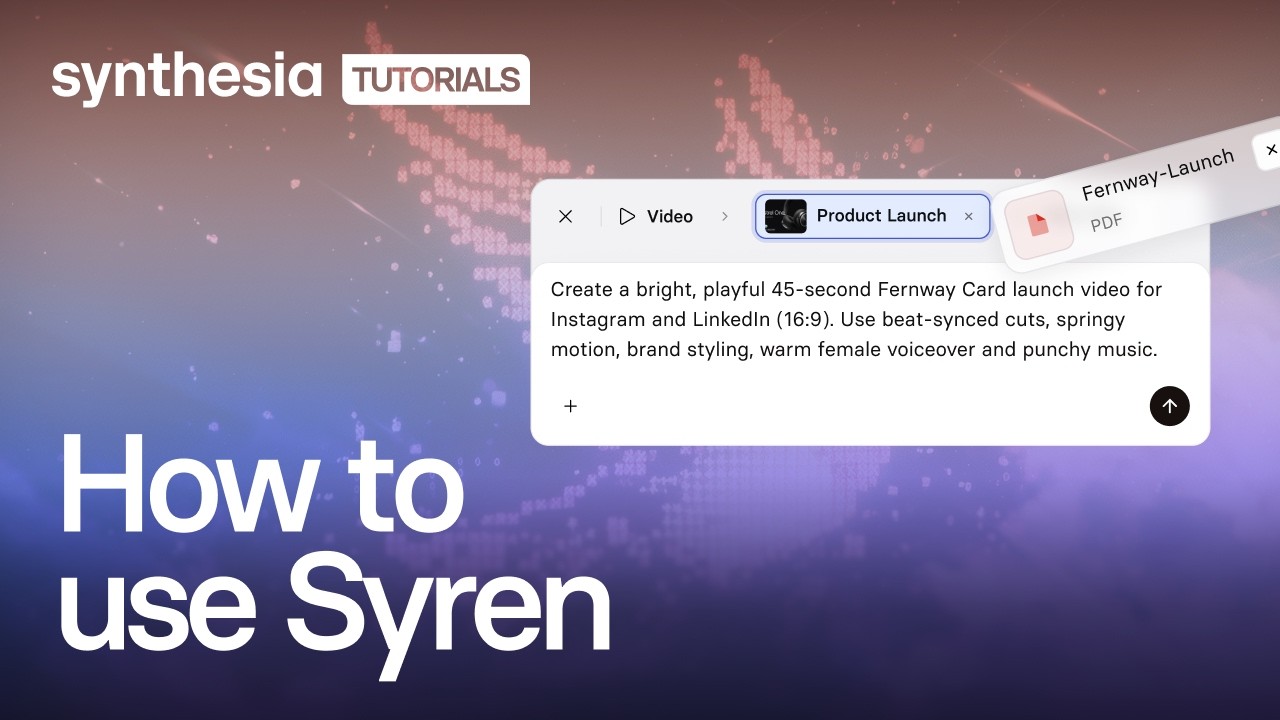
Select Syren under Tools, choose wide 16:9 or tall 9:16, then describe what the video should explain and who it’s for.

2. Add your facts and figures

Type your figures into the prompt, or select + to add a report or PowerPoint file, then select Send.

3. Watch the numbers build

Answer any follow-up questions, then watch your figures animate in the live preview as the narration appears.

4. Check, generate, and download

Check every number and fix any in chat, then select Generate and download.
Lire la vidéo
Mettre en pause

The infographic video maker trusted by modern teams

La plateforme de vidéos IA pour les entreprises la mieux notée

Plus de 2 000 avis 5 étoiles sur G2

Nous gagnons jusqu'à 40 % de temps sur la création de nouvelles vidéos, et encore plus lors de la mise à jour des contenus existants. Au lieu de devoir réenregistrer l'intégralité de la vidéo, nous pouvons désormais simplement importer le script mis à jour et générer une nouvelle vidéo instantanément.

Pedro Da Silva
Responsable mondial des services de formation
Fiery

Synthesia nous permet de produire des vidéos rapidement avec des résultats impressionnants. C'est un excellent outil pour résoudre nos problématiques de communication interne ainsi que pour nos produits de formation. Le service client est également excellent.

Jana Menge
Digital Learning Designer
WBS TRAINING AG

Synthesia a réduit les coûts de production de nos contenus tout en les rendant plus attrayants en permettant aux développeurs d'intégrer du contenu vocal et vidéo dans l'apprentissage. L'ajout rapide de nouvelles fonctionnalités et d'avatars inédits nous permettra d'étendre notre utilisation au-delà de nos objectifs de départ. J'ai une petite décharge de dopamine à chaque fois que je me connecte et que je constate que le produit a été mis à jour !

Jason Etherington
Responsable de la stratégie de formation commerciale, L&D Monde
Xerox

Synthesia nous permet d'utiliser des formats vidéo là où, d'ordinaire, le temps ou le budget nous font défaut. Jusqu'à présent, nous l'avons utilisé pour des formations produits (destinées aussi bien à nos employés qu'à nos clients), mais également pour notre communication interne (actualités, présentation de logiciels, explication de nouveaux processus, etc.).

Jana Menge
Digital Learning Designer
WBS TRAINING AG

Synthesia a permis à notre équipe d'intégrer très intuitivement de la vidéo et de l'audio à des contenus initialement très textuels. Les tutoriels sont faciles à suivre si vous en avez besoin, mais je me suis lancée directement dans la création sans même regarder les vidéos d'introduction. J'apprécie vraiment cette plateforme.

Alicia Patterson-Davis
Spécialiste en conception pédagogique
Emory Healthcare

Il est facile de créer de superbes vidéos de formation en peu de temps. Les avatars sont excellents et la qualité s'améliore constamment. J'apprécie également les nombreuses nouvelles fonctionnalités qui sont ajoutées régulièrement.

Tue Søttrup
Vice-président de l'expérience client
Dixa

C’est une économie d'argent et de temps considérable. Tout est dans le cloud. Nous pouvons modifier et exporter de nouvelles versions instantanément, en un simple clic.

Martin Dunne
Responsable de la création de contenus de formation
Cohesity

Synthesia résout de nombreux problèmes, notamment en réduisant les coûts d'exploitation liés à la location d'un studio d'enregistrement, à l'embauche d'acteurs et de narrateurs, ou à l'achat d'équipement d'enregistrement coûteux.L'avantage le plus significatif est la réduction des coûts d'exploitation.

Eliane Apolinario
Conceptrice de formations e-learning
ELM Projetos e Treinamentos

Synthesia me fait gagner du temps ; je n'ai pas besoin de couper, monter, produire, remonter, etc. Impressionnant !

Dr Wade M. Larson
Membre expert
Conseil des ressources humaines de Forbes

Pour nos modules audio, le départ d'un narrateur n'est plus un problème : nous n'avons plus à composer avec des voix différentes ou à chercher une voix similaire. Nous pouvons facilement recréer toutes les voix-off avec Synthesia.

Alicia Patterson-Davis
Spécialiste en conception pédagogique
Emory Healthcare

J'apprécie la diversité des avatars proposés : elle permet de créer des contenus de qualité pour n'importe quelle entreprise ou association.

Benjamin Anderson
Responsable commercial
Sears

Nous avons bâti une académie de formation pour notre produit SaaS grâce à Synthesia. Nous proposons actuellement 39 vidéos couvrant neufs modules. Synthesia nous a permis de réaliser les vidéos de prise en main très rapidement. Nous avons même réussi à produire 20 vidéos de formation professionnelles en seulement trois semaines.

Tue Søttrup
Vice-président de l'expérience client
Dixa

J'avais déjà testé d'autres outils de vidéo IA, mais là, c'est incroyable ! Le résultat est bluffant, car il est basé sur des prises de vues réelles.

Dr Wade M. Larson
Membre expert
Conseil des ressources humaines de Forbes

Le flux de travail simplifié et la possibilité de générer du contenu en plusieurs langues nous ont permis de livrer des formations plus rapidement à l'échelle internationale tout en réduisant les coûts et en nous offrant la flexibilité nécessaire pour effectuer des modifications de dernière minute et des ajustements de script.

Jason Etherington
Responsable de la stratégie de formation commerciale, L&D Monde
Xerox

Je n'ai même jamais eu besoin de consulter un tutoriel, tant la plateforme est facile à utiliser. C'est d'ailleurs la première fois de ma carrière que je suis aussi prompt à adopter une nouvelle technologie.

Frank van der Grijspaarde
Responsable TPM monde, service client et logistique
Heineken

J'apprécie beaucoup le résultat final, notamment la synchronisation labiale impeccable des avatars. J'ai remarqué qu'avec le portugais brésilien, tous les avatars ne se valent pas, mais les résultats sont excellents avec ceux qui fonctionnent.

Eliane Apolinario
Conceptrice de formations e-learning
ELM Projetos e Treinamentos

Cela résout le problème du recrutement d'acteurs professionnels pour vos vidéos. Vous obtenez du contenu vidéo à la demande et prêt à l'emploi.

Benjamin Anderson
Responsable commercial
Sears

Infographic videos for every story in your data

From a few key statistics to a full report, our infographic video maker turns your facts and figures into animated videos in minutes.

Key statistics

Turn your key figures into animated visuals, with a voiceover that explains what each number means.

Process explainers

Show how a process works one step at a time, from the first input to the final result, with simple diagrams.

Trend breakdowns

Break down an industry trend into the few numbers that matter, with a narrator explaining what changed and why.

Report highlights

Distill a long report into its headline findings, shown as figures on screen, so stakeholders get the point fast.

Infographic video maker FAQs

How does the infographic video maker work?

You describe the video you want in Syren, Synthesia’s AI video agent, and it writes and renders it live while you watch. Add your facts and figures to the prompt, along with the audience, tone, and visual style you want. Then you steer it by chat or by editing elements directly.

Is the infographic video maker free?

Yes, you can try the infographic video maker for free. A two-minute video with up to two rounds of edits typically uses 1,000 to 2,000 credits. Videos on the Basic plan carry a watermark, while Starter and Pro videos have no watermark.

What can I turn into an animated infographic?

Type your figures into the prompt, or add documents, images, videos, PowerPoint files, or YouTube links with the + button.

Does Syren check the numbers in my infographic video?

Syren builds from the figures you give it, so check each number against your source before you download. If one is wrong, retype it on screen or ask Syren to fix it in chat.

Can I make static animated infographics with the infographic video maker?

No, Syren makes videos, so you get a video file and not a static image or PDF. Select Generate, choose a resolution up to 1080p, and download your video.

What shape and length can an infographic video be?

A video from the infographic video maker can run up to three minutes, in wide 16:9 or tall 9:16. You choose the shape before you send your first prompt, and you can’t choose it when you start from an example video.

Can I use Syren videos commercially, and who owns them?

Yes. You can use Syren videos for marketing, product launches, and ads, and you own the videos you create, the same as any video made in Synthesia. Make sure you have the rights to anything you upload, such as images, footage, or other companies’ logos.

Can I edit my infographic video after Syren makes it?

Yes. Select a number, heading, or shape on the picture to move it or retype it, and the change applies at once. You can also ask Syren in chat to change the script, voice, music, or pronunciation.

Can I use my infographic video on my website or social media?

Yes, Synthesia allows use on your website and sharing on social media. You own the videos you create with Syren, but make sure you have the rights to anything you upload.

Not just an infographic video maker

Synthesia is an end-to-end AI video platform for creating, localizing, and managing video at scale. Syren turns your figures into animated videos, PDF to video turns a report into a full video, and AI motion graphics adds on-brand animated visuals to any scene.

Then translate every video into new languages, add a narrator with the AI voice generator, and refine it all in the AI video editor. One platform, from the first figure to a finished story.

Ready to create infographic videos?

Join 2M+ users today and go from facts and figures to animated video with Syren.