POWERED BY SYREN

Teaser Video Maker

Turn a brief, product images or an idea into product launch videos with our teaser video maker. Try it free.
2000+ reviews

Examples to remix

Feature launch reel
A vertical, single-take feature announcement in which typed headline lines name a familiar chore, reveal the feature that ends it, and then show its mechanics through simplified interface elements that build and dissolve over one drifting ground.
Kinetic type launch
A music-driven launch film for a software product, told in big kinetic type: from an everyday frustration, through the product and how it works, to how easy it is to start and a held logo.
Demo recap
A vertical screen-walkthrough recap sent to a prospect after a sales demo: it replays the parts they saw, ties each one to the problem they raised, and closes on one agreed next step.
Welcome guide
A friendly presenter welcomes a newcomer, names a small set of numbered sections, opens each one in turn while its practical steps tick off beside them, then recaps everything and signs off warmly.
Policy change notice
A calm presenter-led announcement of a policy change that sets out what changes, when it takes effect, who it affects and where to ask, with each point held on screen beside the presenter.
Metric explainer
A short lesson that builds one business or everyday idea from a handful of numbered metrics, works each one out on screen with real figures, combines them into a verdict, tests it with a what-if and closes on a recap, with a presenter who frames it at the start and end.
Customer testimonial
A vertical social short in which one customer, played by a presenter avatar talking to camera, gives a genuine first-person verdict on a product, carried by word-synced captions over a soft music bed.
Craft steps
A cosy vertical how-to that builds a handmade object one clear step at a time, shown only through materials and tools moving on their own over a soft music bed.
History timeline
A reflective, slow-paced documentary collage that traces how something came to be, era by era, under a music bed with an unseen narrator.
What's new roundup
A fast vertical roundup of a month's small product updates, one after another, told in kinetic type with simplified interface fragments over a music bed.
Anniversary toast
A short, playful kinetic-type tribute for one colleague's work anniversary that counts up their years, runs through a few highlights and ends on a toast from the team.
Quick tip
A vertical, beat-cut kinetic-type short that teaches one practical tip and shows how to put it to use today, in under half a minute.
Troubleshooting fix
A landscape screen walkthrough that opens on the problem the viewer is seeing, explains its cause in plain terms, walks the fix one step at a time and confirms it worked.
Assembly guide
A patient, voice-only walkthrough that lays out every part as an illustrated diagram, then builds the object one step at a time and slows down wherever a step is easy to get wrong.
Paper digest
A presenter avatar explains one research paper to a non-specialist beside clear charts: the question it asked, how it was tested, what it found and why that matters.
Book summary
A vertical, thoughtfully paced kinetic-type summary that distils one book into its central idea and a few lessons worth keeping, voiced over a quiet music bed with simple icons.
Role-play contrast
Two presenter avatars act out a hard workplace conversation done badly, then done well, and the difference between the two is drawn out so the viewer can carry it into their own conversations.

Made with brand kit + single prompt


Prompt

Remix this video

Same pace and style. Your content.

Remix this video

Use of Syren is subject to credits. Free credits are limited. Learn how free credits work.

Get started for free

Make a product launch teaser video in minutes

Describe your launch and Syren builds the sneak preview with kinetic type, music, and interface visuals.

INPUTS AND PROMPTS

Start your teaser from a brief or images
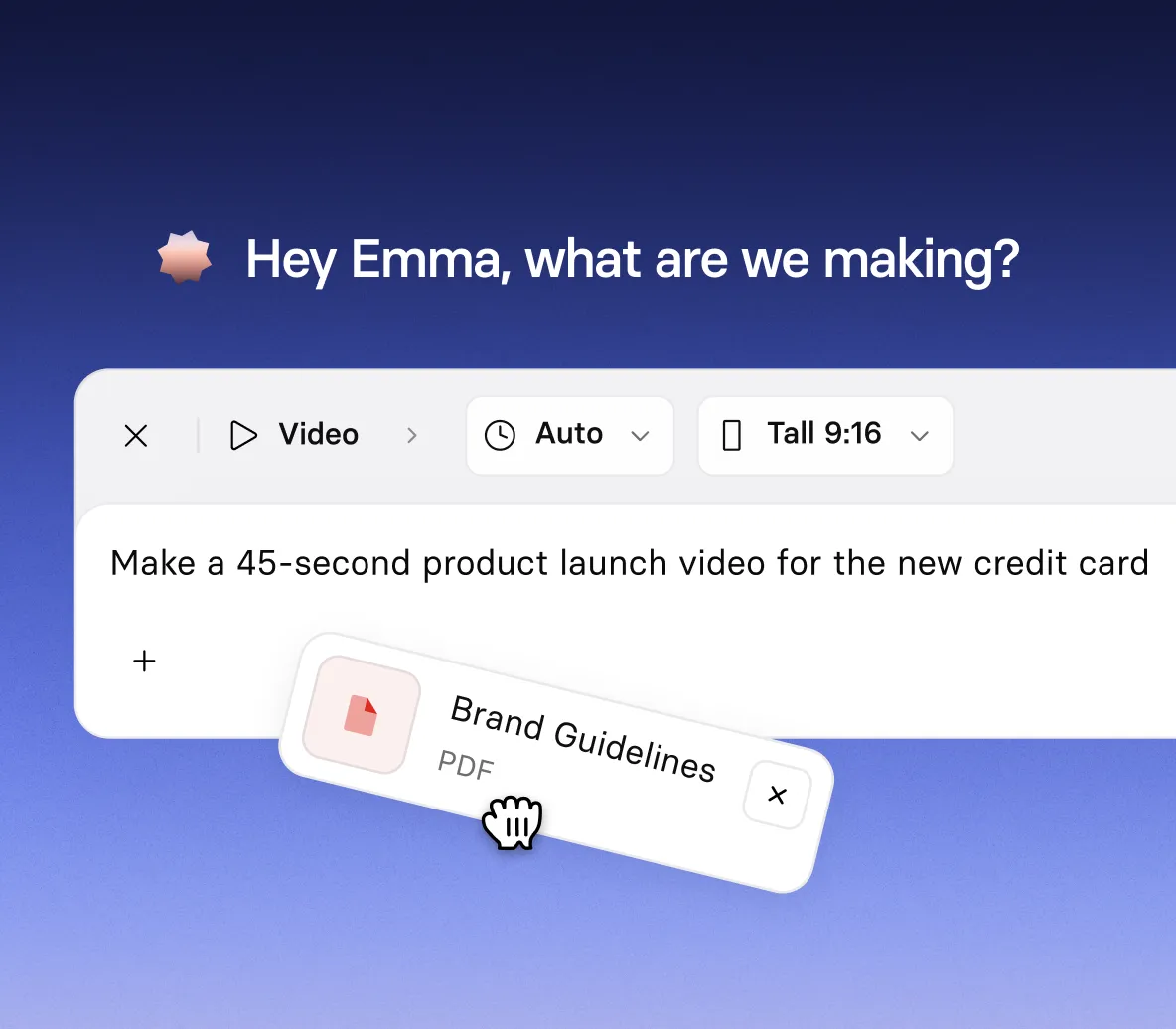
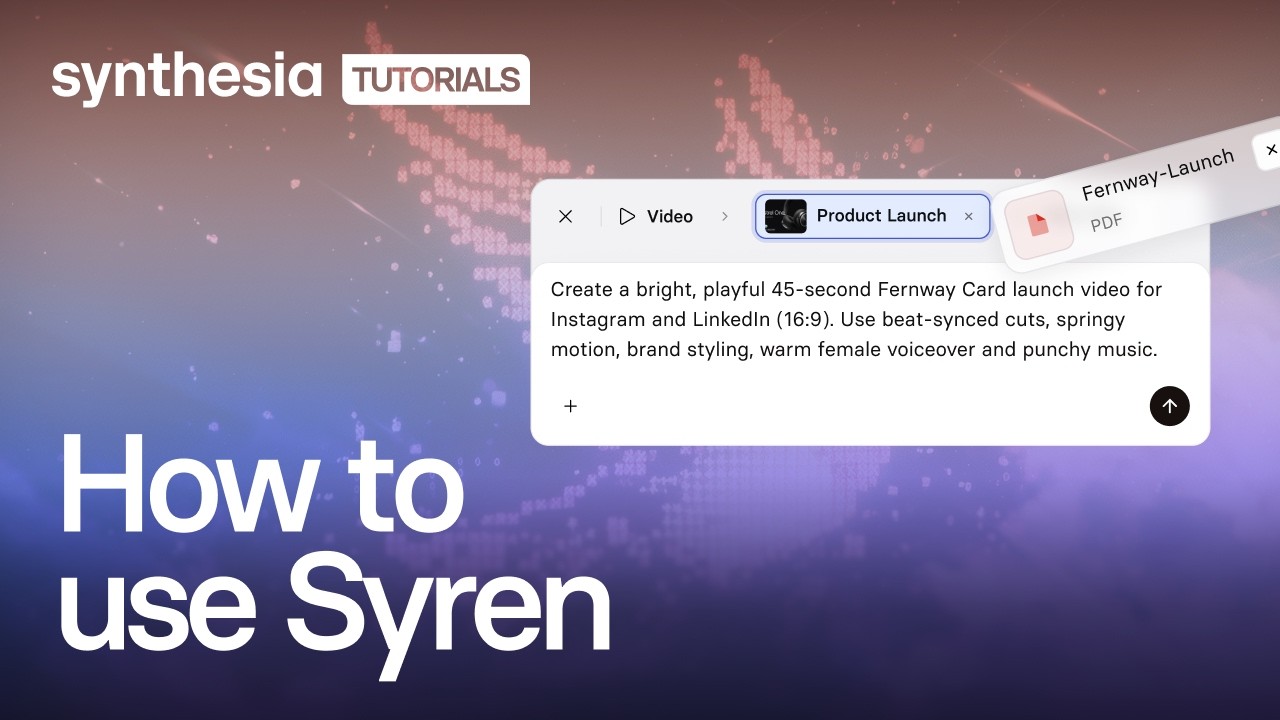
  • Describe your audience, tone, visual style, and music in one prompt
  • Add documents, images, videos, PowerPoint files, or YouTube links as source material
  • Tell Syren how long the teaser should run
LAUNCH STYLES

Build a launch reel with product visuals
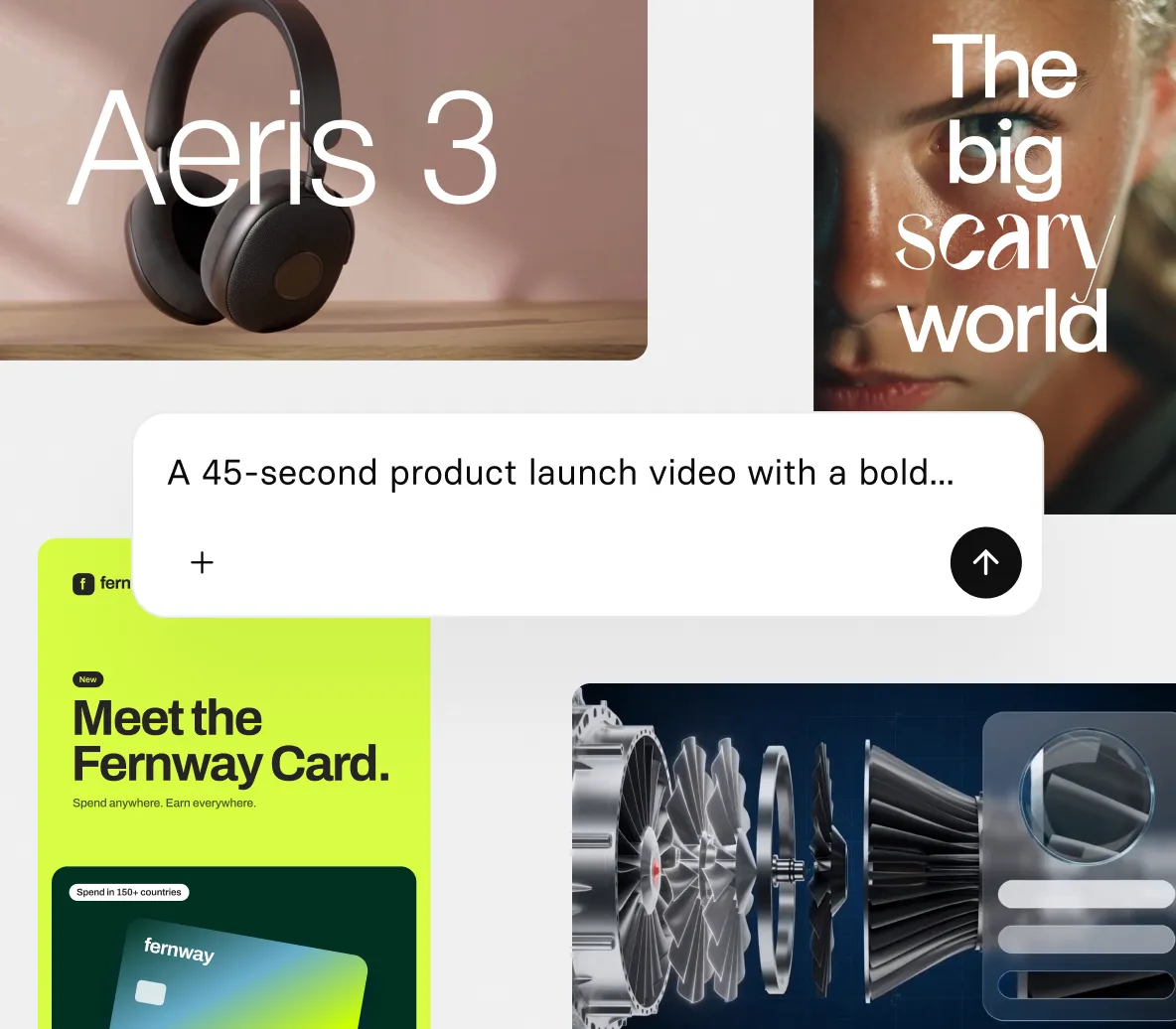
  • Introduce your product with animated headlines, narration, and music
  • Build visuals from your images, screenshots, and launch files
  • Bring product concepts and objects to life with 3D animation and effects
CHAT EDITING

Refine your teaser by chatting or clicking
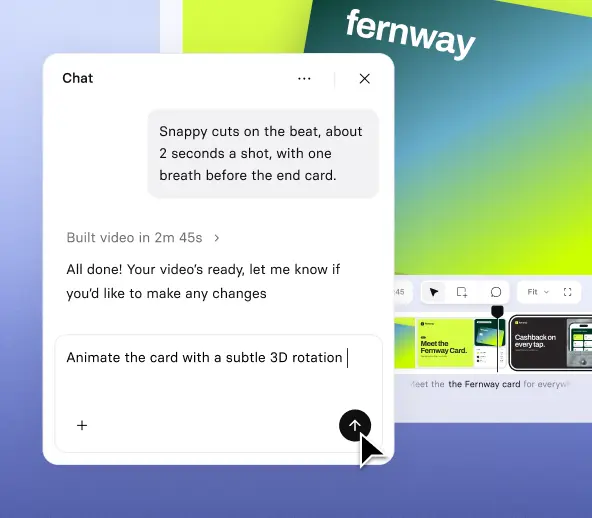
  • Ask Syren to change the headline, script, voice, music, or scene style
  • Select a headline to move it, retype it, or tell Syren how to change it
  • Stop Syren mid-build and redirect it if the draft is heading the wrong way
FORMATS AND EXPORT

Make branded videos for every screen size
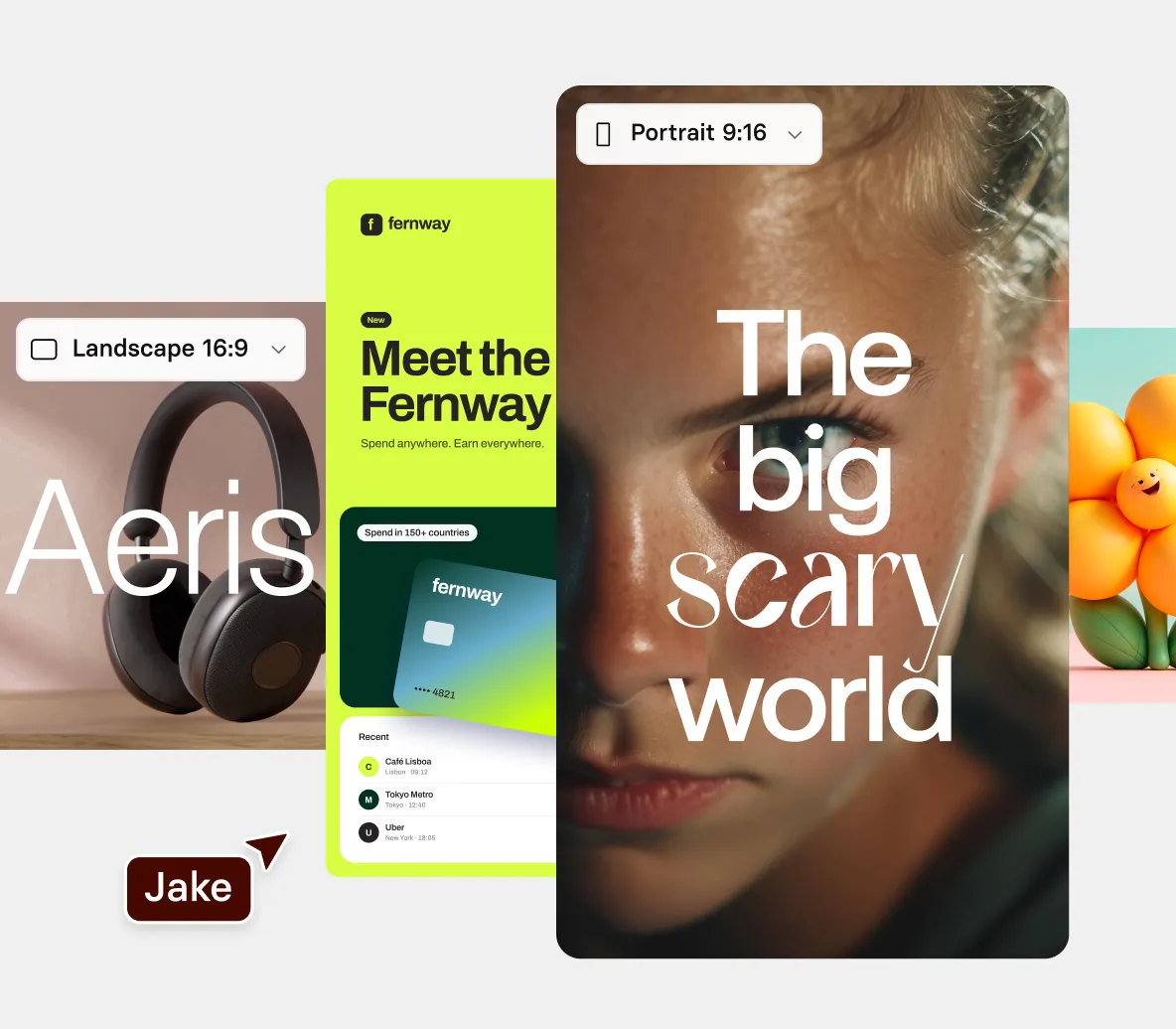
  • Apply your own colors so your teaser looks like yours from the first draft
  • Choose wide 16:9 for landscape teasers or tall 9:16 for portrait teasers
  • Export teaser videos up to three minutes long at 1080p

How to make a teaser video

Four steps from a launch brief to a finished teaser video, built and edited in chat.

1. Describe your teaser

Open Syren under Tools, pick wide 16:9 or tall 9:16, then describe your launch, audience, tone, and music.

2. Add your launch material

Optionally select + to add documents, product images, videos, PowerPoint files, or YouTube links, then select send.

3. Refine it in chat

Watch the live preview, then ask Syren to change the headline, script, music, or a scene’s style.

4. Generate and download

Select Generate, choose up to 1080p, then download your video.
Reproducir video
Pausar el video

The teaser video maker trusted by modern teams

La mejor plataforma de video con IA para empresas

Más de 2000 opiniones con 5 estrellas en G2

Synthesia me ahorra tiempo. No tengo que cortar, editar, producir, volver a cortar, etc. ¡Es genial!

Dr. Wade M. Larson
Miembro Colaborador de Contenido
Forbes Human Resources Council

Nos permite ahorrar mucho dinero y tiempo. Todo queda en la nube. Podemos editar y exportar una nueva versión al instante, con solo hacer clic en un botón.

Martin Dunne
Gerente de Producción de Aprendizaje y Diseño
Cohesity

Me gusta que haya tantos avatares disponibles para crear contenido de gran calidad para tu empresa u organización benéfica.

Benjamin Anderson
Gerente de Ventas
Sears

Resulta fácil crear videos de formación increíbles en poco tiempo. Los avatares son geniales y la calidad mejora todo el tiempo. También valoro la cantidad de funciones nuevas que se agregan constantemente.

Tue Søttrup
Vicepresidente de Experiencia del Cliente
Dixa

Contar con un flujo de trabajo simple y la capacidad de generar contenido en diferentes idiomas nos ayuda a producir contenido más rápido en varios idiomas y, a la vez, reducir los costos. Además, nos permite hacer cambios y ajustes de último momento en el guion.

Jason Etherington
Gerente global de Aprendizaje y Desarrollo, Estrategias de Formación para Ventas
Xerox

Synthesia nos permite usar formatos de video en situaciones en las que normalmente no se cuenta con el tiempo o el dinero suficiente para hacerlo. Hasta ahora, lo hemos usado para los productos de formación (para nuestros empleados y nuestros clientes), pero también para las comunicaciones internas: novedades, presentación de nuevos productos o explicación de procesos.

Jana Menge
Responsable de diseño de aprendizaje virtual
WBS TRAINING AG

Ahorramos hasta un 40 % con la creación de nuevos videos y aún más al actualizar el contenido existente. En lugar de volver a grabar todo el video, ahora podemos subir el guion actualizado y generar un video nuevo al instante.

Pedro Da Silva
Gerente de Servicios Educativos Globales
Fiery

Me gusta mucho el resultado final, con avatares cuyas bocas se mueven en sintonía con el discurso. Noté que, en el caso del portugués brasileño, no todos los avatares funcionan bien, pero lo que sí lo hacen son excelentes.

Eliane Apolinario
Creador de formaciones de aprendizaje virtual
ELM Projetos e Treinamentos

He visto antes otros videos que dicen estar generados por IA, ¡pero esto es increíble! Se ve y se siente real porque lo es.

Dr. Wade M. Larson
Miembro Colaborador de Contenido
Forbes Human Resources Council

Construimos una academia de formación para nuestro producto SaaS con Synthesia. En este momento, consta de 39 videos distribuidos en nueve cursos. Synthesia nos permite acelerar las iteraciones de los videos que utilizamos para la incorporación de los clientes. Incluso pudimos producir 20 videos de formación de aspecto profesional en solo tres semanas.

Tue Søttrup
Vicepresidente de Experiencia del Cliente
Dixa

Synthesia le ha ofrecido a nuestro grupo una forma sencilla de convertir el contenido con gran cantidad de texto en videos con audio. Los tutoriales, si los necesitas, son muy fáciles de seguir. Comencé a crear de inmediato, sin necesidad de ver los videos introductorios. Valoro mucho esta plataforma.

Alicia Patterson-Davis
Especialista en diseño de contenido educativo
Emory Healthcare

Cuando se crean cursos con audio, si el narrador se va de la organización, ya no tenemos que conformarnos con dos voces diferentes ni necesitamos buscar una voz similar. Podemos fácilmente recrear todos nuestros doblajes con Synthesia.

Alicia Patterson-Davis
Especialista en diseño de contenido educativo
Emory Healthcare

No necesité siquiera un tutorial, porque la plataforma es muy fácil de usar. Esta es realmente la primera vez en mi carrera que adopto nueva tecnología antes que los demás.

Frank van der Grijspaarde
Gerente Global de TPM, Servicio al Cliente y Logística
Heineken

Synthesia reduce el costo de producir contenido y hace que el contenido resulte más atractivo gracias a que los desarrolladores ahora pueden agregar voz y video al material educativo. Dado que se agregan nuevas funciones y avatares rápidamente, podremos ampliar nuestro uso más allá de nuestra intención original. ¡Me genera mucho entusiasmo cuando inicio sesión y veo que hay actualizaciones en el producto!

Jason Etherington
Gerente global de Aprendizaje y Desarrollo, Estrategias de Formación para Ventas
Xerox

Synthesia nos permite hacer producciones de video en forma rápida con resultados increíbles. Es una gran solución para nuestras comunicaciones internas así como para nuestros productos de formación. Su atención al cliente también es excelente.

Jana Menge
Responsable de diseño de aprendizaje virtual
WBS TRAINING AG

Synthesia resuelve muchos problemas, como reducir los costos operativos que se generan al tener que contratar estudios de grabación, actores, narradores, equipo de grabación costoso, etc. El beneficio más importante es la reducción de los costos operativos.

Eliane Apolinario
Creador de formaciones de aprendizaje virtual
ELM Projetos e Treinamentos

Con esta solución ya no hace falta contratar actores profesionales para un video. Puedes obtener contenido de video bajo demanda listo para usar.

Benjamin Anderson
Gerente de Ventas
Sears

Teasers for every product launch

From a new product to a small feature update, our teaser video maker gives every product launch a sneak preview in minutes.

Product launches

Tease a new product with a music-driven launch film in kinetic type that opens on the problem and hints at how the product solves it.

Feature announcements

Preview a new feature with a vertical teaser that hints at what it does, using simple interface visuals.

Product updates

Round up a month of small product updates in a fast, vertical teaser told in kinetic type, with simple interface visuals and music.

Quick tips

Share one practical tip in a beat-cut vertical teaser built from kinetic type, so viewers can put it to use today.

Teaser video maker FAQs

What is Synthesia’s teaser video maker?

Syren is Synthesia’s AI video agent, and it works as a teaser video maker. You describe your launch, and Syren writes the video as code and renders it live while you watch, with kinetic type, motion graphics, music, and voiceover. You then refine it in chat.

Is the teaser video maker free?

Yes, you can try the teaser video maker for free. Videos on the Basic plan carry a watermark and can be downloaded and shared, while Starter and Pro videos have no watermark.

What can I use to start a teaser video?

You can start from a prompt, an example video, or your own material. Include your audience, tone, visual style, narration, and music in the prompt. Select + to add documents, images, videos, PowerPoint files, or YouTube links, such as a launch brief or product images. Syren may ask follow-up questions, such as who the teaser is for. Only use files, links, logos, and brand assets you have the right to use.

How long can my teaser be, and what shapes and quality can I choose?

Syren videos can be up to three minutes long on every plan. You choose wide 16:9 for landscape or tall 9:16 for portrait before you send your prompt, and you can’t choose a shape when you start from an example video. When you generate you can choose from 1080p, 720p, 480p, or 360p.

How is the teaser video maker different from the promo video maker and product demo video maker?

Syren builds a sneak preview from a prompt, so it suits a quick, designed teaser. The promo video maker starts from editable promo video templates, and the product demo video maker starts from a screen recording of your product. Choose those when you want a templated promo or a walkthrough of your product in action.

Can I edit my teaser after Syren builds it?

Yes. Ask Syren in chat to change the script, voice, avatar, music, shot types, aspect ratio, or pronunciation. You can also select an element, then drag it, retype it, or tell Syren what to change.

Can I use Syren videos commercially, and who owns them?

Yes. You can use Syren videos for marketing, product launches, and ads, and you own the videos you create, the same as any video made in Synthesia. Make sure you have the rights to anything you upload, such as images, footage, or other companies’ logos.

Where can I use my teaser video?

You can download your teaser and share it, for example on your website or on social media.

Can I make my teaser match my brand?

Yes. Syren applies a baseline brand using your own colors, so your teaser looks like yours from the first draft. You can also steer the look by sharing brand assets, a video whose style you want to match, or a description of your brand.

Not just a teaser video maker

Synthesia is an end-to-end AI video platform for creating, localizing, and managing video at scale. Follow your teaser with a promo video, a product demo video, or a walkthrough captured with the AI screen recorder.

From there, translate your videos for new markets, add interactive buttons and quizzes so viewers act instead of only watching, and refine any scene in the AI video editor. One platform, from the first prompt to the finished video.

Ready to create a teaser video?

Join 2M+ users today and go from brief to sneak preview with Syren.