POWERED BY SYREN

Teaser Video Maker

Turn a brief, product images or an idea into product launch videos with our teaser video maker. Try it free.
2000+ reviews

Examples to remix

Feature launch reel
A vertical, single-take feature announcement in which typed headline lines name a familiar chore, reveal the feature that ends it, and then show its mechanics through simplified interface elements that build and dissolve over one drifting ground.
Kinetic type launch
A music-driven launch film for a software product, told in big kinetic type: from an everyday frustration, through the product and how it works, to how easy it is to start and a held logo.
Demo recap
A vertical screen-walkthrough recap sent to a prospect after a sales demo: it replays the parts they saw, ties each one to the problem they raised, and closes on one agreed next step.
Welcome guide
A friendly presenter welcomes a newcomer, names a small set of numbered sections, opens each one in turn while its practical steps tick off beside them, then recaps everything and signs off warmly.
Policy change notice
A calm presenter-led announcement of a policy change that sets out what changes, when it takes effect, who it affects and where to ask, with each point held on screen beside the presenter.
Metric explainer
A short lesson that builds one business or everyday idea from a handful of numbered metrics, works each one out on screen with real figures, combines them into a verdict, tests it with a what-if and closes on a recap, with a presenter who frames it at the start and end.
Customer testimonial
A vertical social short in which one customer, played by a presenter avatar talking to camera, gives a genuine first-person verdict on a product, carried by word-synced captions over a soft music bed.
Craft steps
A cosy vertical how-to that builds a handmade object one clear step at a time, shown only through materials and tools moving on their own over a soft music bed.
History timeline
A reflective, slow-paced documentary collage that traces how something came to be, era by era, under a music bed with an unseen narrator.
What's new roundup
A fast vertical roundup of a month's small product updates, one after another, told in kinetic type with simplified interface fragments over a music bed.
Anniversary toast
A short, playful kinetic-type tribute for one colleague's work anniversary that counts up their years, runs through a few highlights and ends on a toast from the team.
Quick tip
A vertical, beat-cut kinetic-type short that teaches one practical tip and shows how to put it to use today, in under half a minute.
Troubleshooting fix
A landscape screen walkthrough that opens on the problem the viewer is seeing, explains its cause in plain terms, walks the fix one step at a time and confirms it worked.
Assembly guide
A patient, voice-only walkthrough that lays out every part as an illustrated diagram, then builds the object one step at a time and slows down wherever a step is easy to get wrong.
Paper digest
A presenter avatar explains one research paper to a non-specialist beside clear charts: the question it asked, how it was tested, what it found and why that matters.
Book summary
A vertical, thoughtfully paced kinetic-type summary that distils one book into its central idea and a few lessons worth keeping, voiced over a quiet music bed with simple icons.
Role-play contrast
Two presenter avatars act out a hard workplace conversation done badly, then done well, and the difference between the two is drawn out so the viewer can carry it into their own conversations.

Made with brand kit + single prompt


Prompt

Remix this video

Same pace and style. Your content.

Remix this video

Use of Syren is subject to credits. Free credits are limited. Learn how free credits work.

Get started for free

Make a product launch teaser video in minutes

Describe your launch and Syren builds the sneak preview with kinetic type, music, and interface visuals.

INPUTS AND PROMPTS

Start your teaser from a brief or images

This is a sub-heading
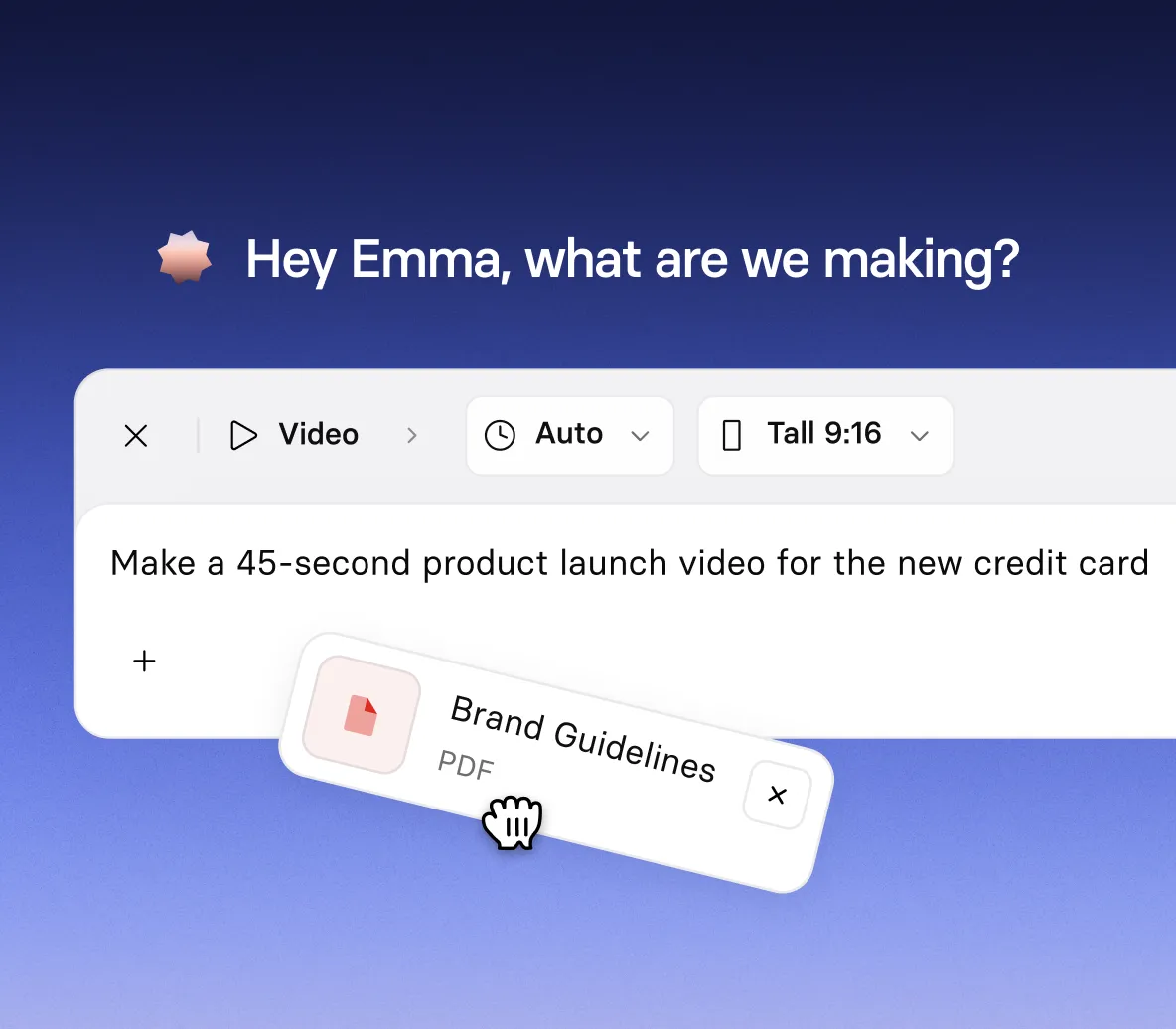
  • Describe your audience, tone, visual style, and music in one prompt
  • Add documents, images, videos, PowerPoint files, or YouTube links as source material
  • Tell Syren how long the teaser should run
LAUNCH STYLES

Build a launch reel with product visuals

This is a sub-heading
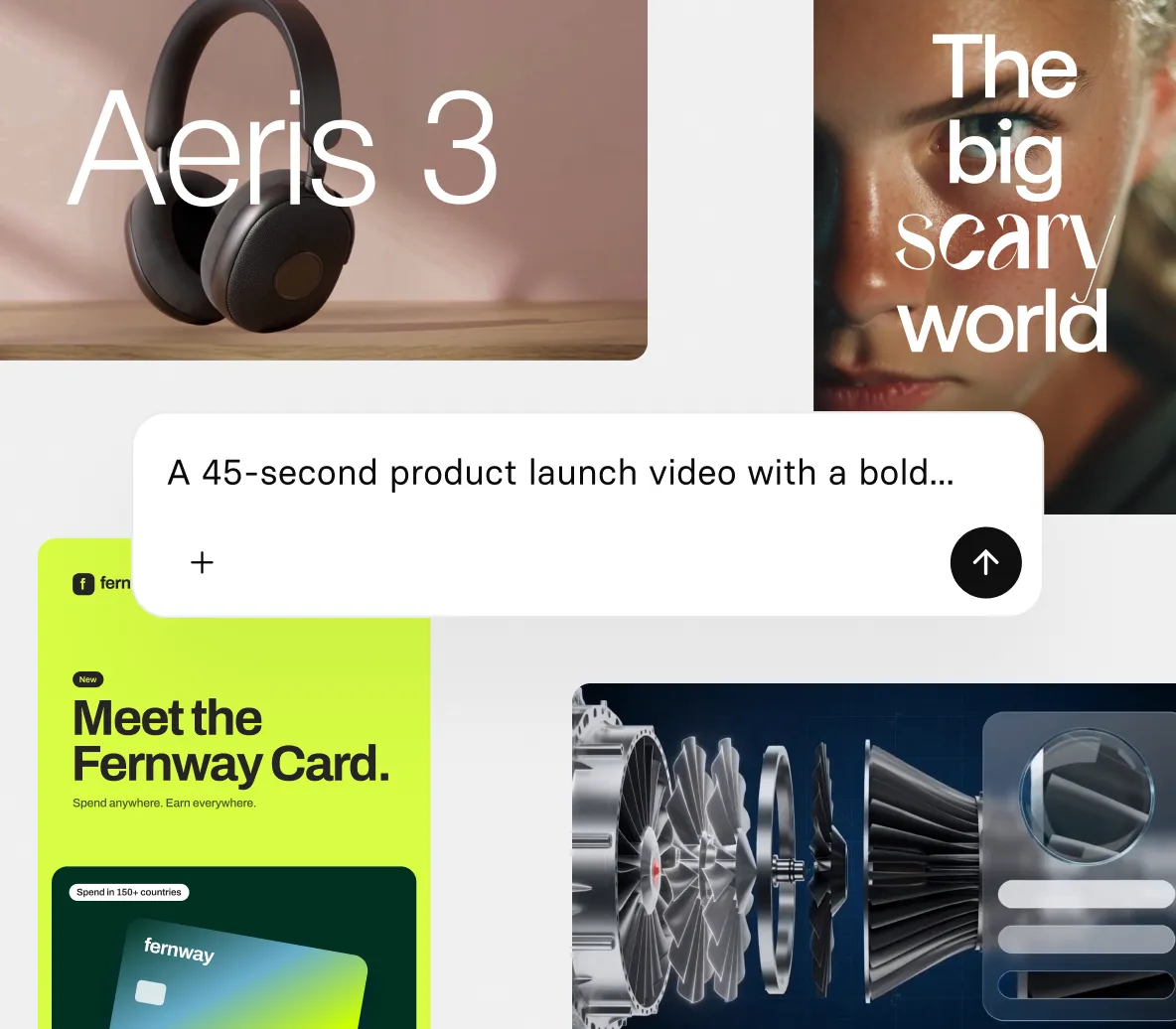
  • Introduce your product with animated headlines, narration, and music
  • Build visuals from your images, screenshots, and launch files
  • Bring product concepts and objects to life with 3D animation and effects
CHAT EDITING

Refine your teaser by chatting or clicking

This is a sub-heading
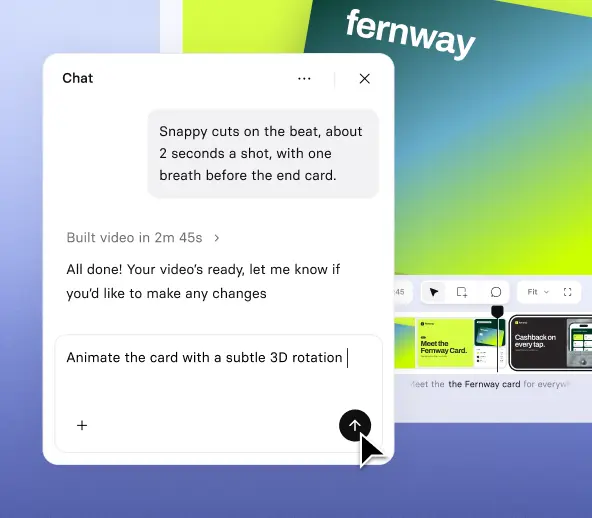
  • Ask Syren to change the headline, script, voice, music, or scene style
  • Select a headline to move it, retype it, or tell Syren how to change it
  • Stop Syren mid-build and redirect it if the draft is heading the wrong way
FORMATS AND EXPORT

Make branded videos for every screen size

This is a sub-heading
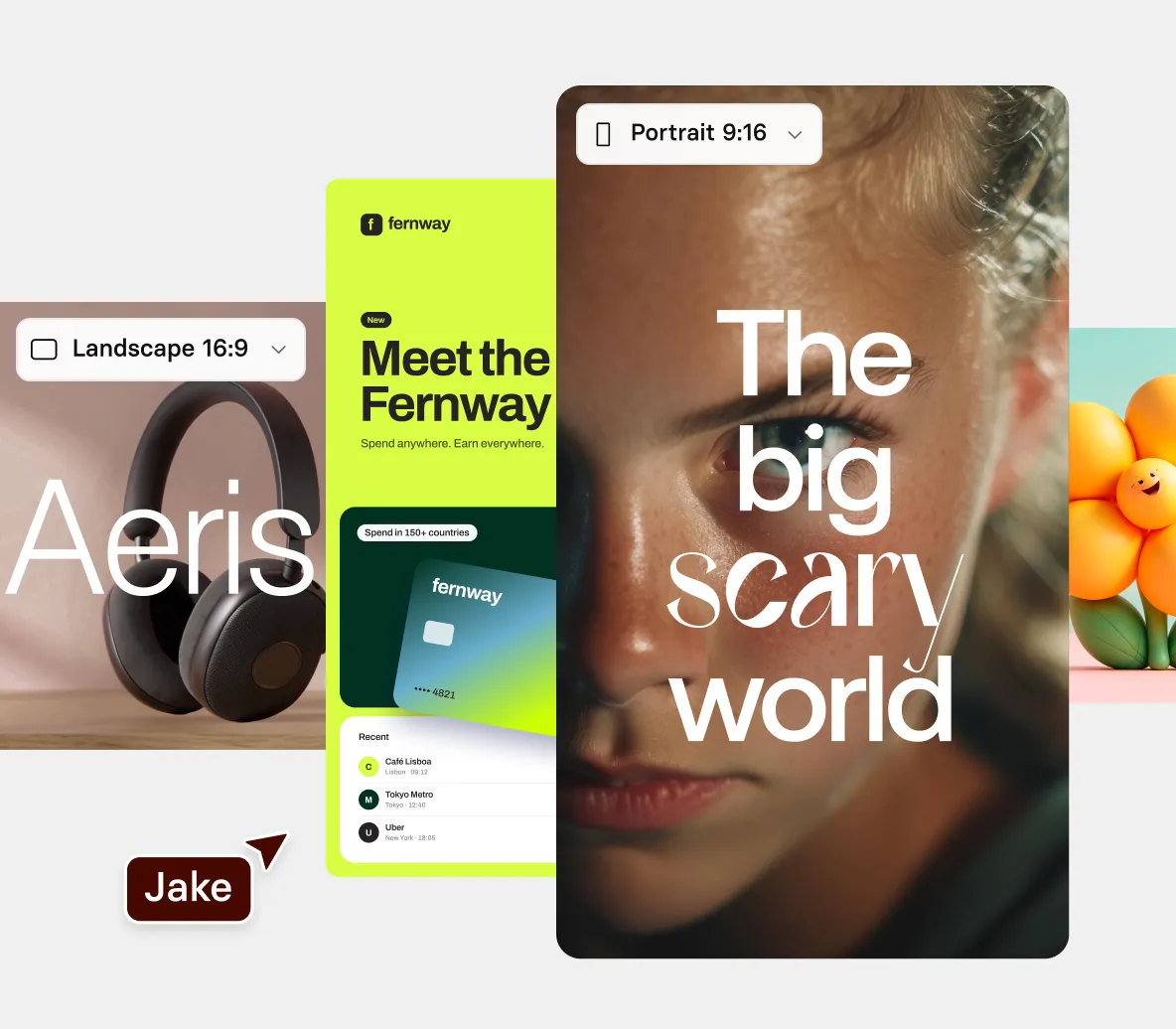
  • Apply your own colors so your teaser looks like yours from the first draft
  • Choose wide 16:9 for landscape teasers or tall 9:16 for portrait teasers
  • Export teaser videos up to three minutes long at 1080p

How to make a teaser video

Four steps from a launch brief to a finished teaser video, built and edited in chat.

1. Describe your teaser

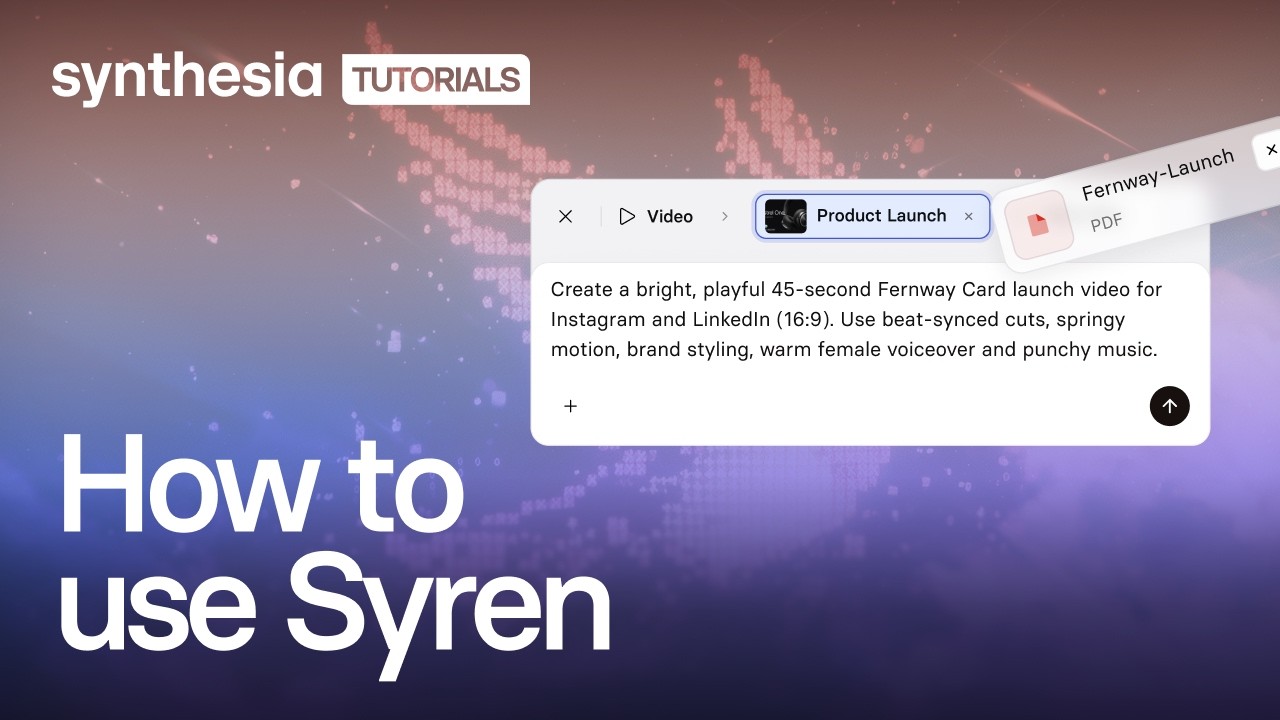
Open Syren under Tools, pick wide 16:9 or tall 9:16, then describe your launch, audience, tone, and music.

2. Add your launch material

Optionally select + to add documents, product images, videos, PowerPoint files, or YouTube links, then select send.

3. Refine it in chat

Watch the live preview, then ask Syren to change the headline, script, music, or a scene’s style.

4. Generate and download

Select Generate, choose up to 1080p, then download your video.
Lire la vidéo
Mettre en pause

The teaser video maker trusted by modern teams

A plataforma n.º 1 de vídeos produzidos com IA para negócios

Mais de 2.000 avaliações com 5 estrelas no g2

A Synthesia nos permite criar produções de vídeo rápidas com resultados impressionantes. Trata-se de uma excelente ferramenta para solucionar problemas em nossa comunicação interna, assim como em nossos produtos de treinamento. O atendimento ao cliente também é excelente.

Jana Menge
Designer de aprendizagem digital
WBS TRAINING AG

Já vi outros vídeos supostamente produzidos com IA no passado, mas isso é incrível! Parece e soa real porque é real.

Dr. Wade M. Larson
Integrante de conteúdo de recursos
Conselho de recursos humanos da Forbes

A plataforma economiza bastante dinheiro e economiza muito tempo. Tudo está na nuvem. Podemos editar e exportar uma nova versão instantaneamente, com um simples clique de botão.

Martin Dunne
Gerente de produção de aprendizado e design
Cohesity

A Synthesia nos permite utilizar formatos de vídeo quando normalmente não há tempo ou dinheiro suficiente para isso. Até agora, usamos a plataforma para o treinamento de produtos (para nossos funcionários, assim como para nossos clientes), mas também para comunicação interna, como notícias, lançamento de produtos de software ou explicação sobre novos processos.

Jana Menge
Designer de aprendizagem digital
WBS TRAINING AG

Isso resolve o fato de que você não precisa contratar profissionais de carne e osso para atuar em seus vídeos. Você obtém conteúdo em vídeo sob demanda.

Benjamin Anderson
Gerente de vendas
Sears

Construímos uma academia de treinamento para o nosso produto SaaS com a Synthesia. Hoje, temos 39 vídeos em nove cursos. A Synthesia nos permitiu fazer iterações extremamente rápidas em nossos vídeos de integração para clientes. Conseguimos até mesmo produzir 20 vídeos de treinamento com aparência profissional em apenas três semanas.

Tue Søttrup
VP de experiência do cliente
Dixa

A Synthesia soluciona vários problemas, como a redução dos custos operacionais ao contratar um estúdio de gravação, atores, narradores, equipamentos de gravação caros etc. O benefício mais relevante é a redução dos custos operacionais.

Eliane Apolinario
Criação de treinamento para e-learning
ELM Projetos e Treinamentos

Gosto muito do resultado final, com avatares que movem os lábios de acordo com a fala. Percebi que nem todos os avatares funcionam bem com o português do Brasil, mas os que funcionam são excelentes.

Eliane Apolinario
Criação de treinamento para e-learning
ELM Projetos e Treinamentos

É fácil criar vídeos de treinamento impressionantes em pouco tempo. Os avatares são ótimos e a qualidade está em aperfeiçoamento constante. Também adoro os vários recursos novos que estão sendo adicionados.

Tue Søttrup
VP de experiência do cliente
Dixa

A Synthesia economiza meu tempo - Não preciso cortar, editar, produzir, recortar, essas coisas. Uau!

Dr. Wade M. Larson
Integrante de conteúdo de recursos
Conselho de recursos humanos da Forbes

A Synthesia reduziu o custo de produção de conteúdo e tornou o conteúdo mais envolvente ao permitir que os desenvolvedores adicionem conteúdo de voz e vídeo ao aprendizado. A adição rápida de novos recursos e a adição de novos Avatares nos permitirá expandir nosso uso além dos nossos planos originais. Sempre que acesso e vejo que o produto foi atualizado, sinto uma descarga de dopamina!

Jason Etherington
Gerente global de estratégia de vendas de aprendizagem e desenvolvimento
Xerox

A plataforma é tão fácil de usar que nunca precisei nem assistir nenhum tutorial. Na verdade, esta é a primeira vez em minha carreira que sou uma das primeiras pessoas a adotar uma nova tecnologia.

Frank van der Grijspaarde
Frank van der Grijspaarde, gerente global de TPM do atendimento ao cliente e logística
Heineken

Adoro a possibilidade de usar muitos avatares disponíveis para criar conteúdo de alta qualidade para o seu negócio ou organização sem fins lucrativos.

Benjamin Anderson
Gerente de vendas
Sears

O fluxo de trabalho simples e a capacidade de gerar conteúdo em vários idiomas nos ajudaram a entregar aprendizagem com mais rapidez em vários idiomas, reduzindo custos e permitindo fazer alterações e ajustes de última hora no roteiro.

Jason Etherington
Gerente global de estratégia de vendas de aprendizagem e desenvolvimento
Xerox

A Synthesia tem sido uma maneira amigável para o nosso grupo integrar vídeo e áudio em conteúdo repleto de texto. Os tutoriais são fáceis de assistir se você precisar deles. Entrei no serviço e comecei a criar sem assistir aos vídeos introdutórios. Realmente admiro esta plataforma.

Alicia Patterson-Davis
Especialista em design instrucional
Emory Healthcare

Ao criar cursos com áudio, se o narrador deixar a organização, não precisamos nos contentar com duas vozes diferentes ou procurar uma voz similar. Podemos recriar facilmente todas as locuções com a Synthesia.

Alicia Patterson-Davis
Especialista em design instrucional
Emory Healthcare

Economizamos até 40% na criação de novos vídeos e ainda mais tempo atualizando o conteúdo existente. Em vez de regravar o vídeo inteiro, agora podemos enviar o roteiro atualizado e renderizar um novo vídeo instantaneamente.

Pedro Da Silva
Gerente global de serviços educacionais
Fiery

Teasers for every product launch

From a new product to a small feature update, our teaser video maker gives every product launch a sneak preview in minutes.

Product launches

Tease a new product with a music-driven launch film in kinetic type that opens on the problem and hints at how the product solves it.

Feature announcements

Preview a new feature with a vertical teaser that hints at what it does, using simple interface visuals.

Product updates

Round up a month of small product updates in a fast, vertical teaser told in kinetic type, with simple interface visuals and music.

Quick tips

Share one practical tip in a beat-cut vertical teaser built from kinetic type, so viewers can put it to use today.

Teaser video maker FAQs

What is Synthesia’s teaser video maker?

Syren is Synthesia’s AI video agent, and it works as a teaser video maker. You describe your launch, and Syren writes the video as code and renders it live while you watch, with kinetic type, motion graphics, music, and voiceover. You then refine it in chat.

Is the teaser video maker free?

Yes, you can try the teaser video maker for free. Videos on the Basic plan carry a watermark and can be downloaded and shared, while Starter and Pro videos have no watermark.

What can I use to start a teaser video?

You can start from a prompt, an example video, or your own material. Include your audience, tone, visual style, narration, and music in the prompt. Select + to add documents, images, videos, PowerPoint files, or YouTube links, such as a launch brief or product images. Syren may ask follow-up questions, such as who the teaser is for. Only use files, links, logos, and brand assets you have the right to use.

How long can my teaser be, and what shapes and quality can I choose?

Syren videos can be up to three minutes long on every plan. You choose wide 16:9 for landscape or tall 9:16 for portrait before you send your prompt, and you can’t choose a shape when you start from an example video. When you generate you can choose from 1080p, 720p, 480p, or 360p.

How is the teaser video maker different from the promo video maker and product demo video maker?

Syren builds a sneak preview from a prompt, so it suits a quick, designed teaser. The promo video maker starts from editable promo video templates, and the product demo video maker starts from a screen recording of your product. Choose those when you want a templated promo or a walkthrough of your product in action.

Can I edit my teaser after Syren builds it?

Yes. Ask Syren in chat to change the script, voice, avatar, music, shot types, aspect ratio, or pronunciation. You can also select an element, then drag it, retype it, or tell Syren what to change.

Can I use Syren videos commercially, and who owns them?

Yes. You can use Syren videos for marketing, product launches, and ads, and you own the videos you create, the same as any video made in Synthesia. Make sure you have the rights to anything you upload, such as images, footage, or other companies’ logos.

Where can I use my teaser video?

You can download your teaser and share it, for example on your website or on social media.

Can I make my teaser match my brand?

Yes. Syren applies a baseline brand using your own colors, so your teaser looks like yours from the first draft. You can also steer the look by sharing brand assets, a video whose style you want to match, or a description of your brand.

Not just a teaser video maker

Synthesia is an end-to-end AI video platform for creating, localizing, and managing video at scale. Follow your teaser with a promo video, a product demo video, or a walkthrough captured with the AI screen recorder.

From there, translate your videos for new markets, add interactive buttons and quizzes so viewers act instead of only watching, and refine any scene in the AI video editor. One platform, from the first prompt to the finished video.

Ready to create a teaser video?

Join 2M+ users today and go from brief to sneak preview with Syren.