Update
Introducing credits instead of minutes
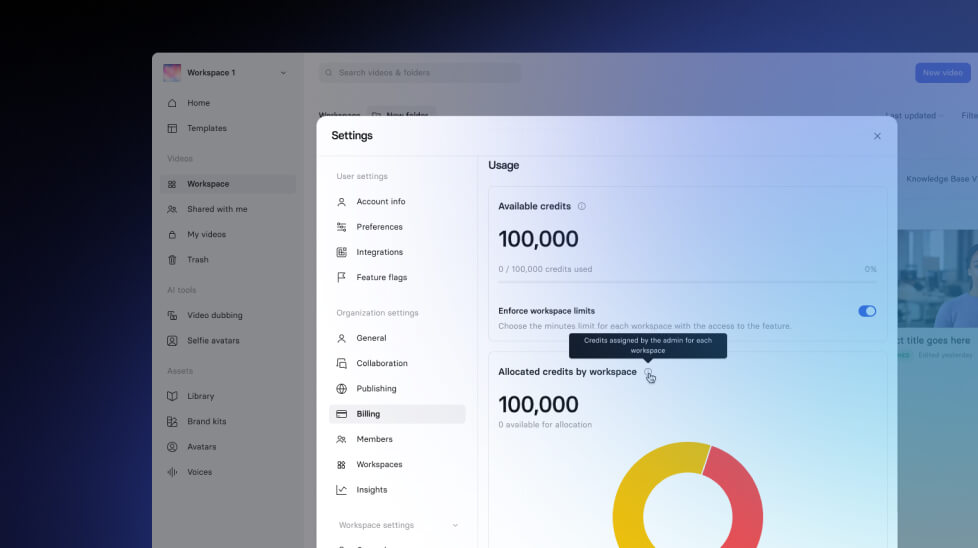
We're introducing credits instead of minutes — and this is great news!
See what Synthesia can do for you
See all updates
We're introducing credits instead of minutes — and this is great news!
What's New

From now on, you'll spend credits instead of minutes.
- Starter and Creator plans: Use credits for video creation and AI Dubbing.
- 1 minute of video → 120 credits
- AI Dubbing → 1 minute = 120 credits
- Enterprise plans: Unlimited video creation (no credits needed), but credits are used for:
- AI Dubbing → 1 minute = 120 credits
- Veo 3 Integration → 1 asset = 120 credits
- Bulk Personalization → 1 minute = 90 credits
Why It Matters
We're adding more and more exciting features. Moving to credits makes everything simpler, more flexible, and future-ready — so you can spend credits on the products and features you need, right inside Synthesia.
How to Use
Nothing to do on your side: all minutes were automatically converted to credits based on your current balance.
- Starter and Creator plans: Check your credit balance in your account at any time (Billing).
- Enterprise: Workspace and Org Admins can see detailed credit usage in Workspace settings → Insights.
How to Get More Credits
- Starter and Creator: Upgrade your plan to unlock more credits.
- Enterprise: Contact your Customer Success Manager to buy more credits.
New Feature
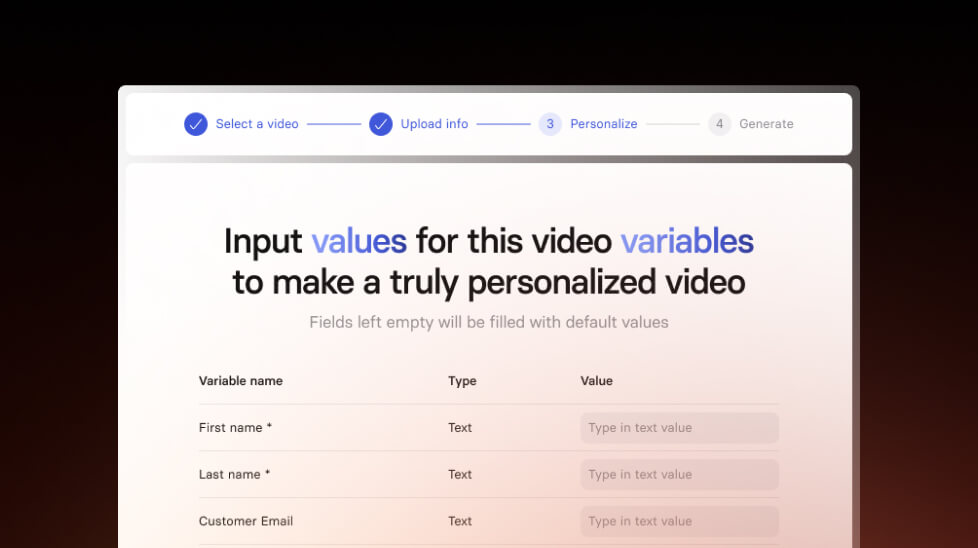
Create personalized videos in bulk
Personalize your videos for recruitment, sales outreach and more with our new feature. Make hundreds of personalized videos in just a few minutes.
4/8/25
Get the skills, insights, and support to help you scale





