Employee Training Videos: How to Create Them (+ Examples)

Create engaging training videos in 160+ languages.
83% of workers in a 2024 survey said they prefer to consume “instructional or informational content by watching a video.”
I continue to see market research affirming this trend. Blame it on social media or the pandemic (or both), people have an appetite for video.
If you’re in L&D, you know the importance of making training more engaging, which is why I recommend leaning into employee preferences.
While video isn’t always the right medium for training, it can be particularly effective when you need to demonstrate a process or want to offer reinforcement or practice in the flow of work. It all comes down to intentional learning design.
Types of employee training videos
I often see content about employee training videos that conflates production methods, instructional approaches, and use cases under one umbrella: types of training videos.
Before AI, it may have been helpful to think about training videos from this perspective, primarily because of the limitations in our tech stacks. Perhaps the best software training video you could make was a narrated screencast.
Not anymore. With AI video tools, like Synthesia, you can now blend production methods and instructional approaches to best suit your use case. Let me show you how.
Training video use cases
I’m focusing on four of the most common use cases I see for training videos. Each of these use cases is deliberately broad, so I’ve included a sample training video to help you imagine them as part of your training strategy.
Software and systems training
When people think about training videos, this is often the first use case that comes to mind. (I definitely go to YouTube to learn shortcuts in new tools.)
If you're trying to help people understand a tool or system that's integral to their daily work, a training video can:
- Show how to access the tool
- Demonstrate how to use the tool, with step-by-step instructions
- Highlight common workflows
All while the employee can follow along, pausing and rewinding if needed. In the example below, a new hire receives this training video walking them through an HRIS system. If you've ever had to navigate a new HRIS system, you can appreciate a video you can come back to when you forget how to find your paystubs or need to update your benefits.
Health and safety training
If you have frontline workers, you likely have health and safety training mandates. You need to train employees how to work in environments where mistakes can have dangerous consequences.
A training video can help by:
- Simulating the workplace through video footage or AI-generated b-roll
- Demonstrating standard operating procedures
- Introducing scenarios and knowledge checks so employees can practice and get feedback in a risk-free environment
Whether you're in manufacturing, energy, pharma, or any other regulated industry, video training allows you to efficiently teach employees how to stay safe on the job.
Leadership and management training
This use case tends to surprise people. Most of us are accustomed to leadership and management development (two separate, but often related or overlapping experiences) being high-touch learning experiences. That's even true for me. I've spent years facilitating live, in-person programs and sessions on topics like leading with authority or building psychological safety on teams.
But there's always one area where I struggled with these programs — reinforcement. Figuring out when, and how, to deliver opportunities for participants to return to and practice what they learned, is something I hear from L&D teams to this day.
Video training is one of the ways to deliver that reinforcement because it can:
- Summarize or introduce important knowledge
- Offer practice opportunities through interactivity
- Deliver feedback from structured rubrics
Leaders and managers may not have time for a quarterly workshop on coaching, but they can certainly watch a brief refresher on a coaching model before they head into a difficult conversation.
Product training
If you're in Sales or Customer Enablement, you know the value of being able to explain a product and communicate its value. You also know that it can be a hassle to keep up with product training if you work at a company with frequent feature releases or updates (I'm looking at you, tech companies).
If you're looking for a more sustainable approach to building this training, rather than weekly stand-ups hosted by SMEs or time-consuming eLearning courses, consider video. With the help of templates, you can more efficiently:
- Show how the product works
- Connect new features to customer problems
- Demonstrate how to explain or position the product clearly
- Offer opportunities to practice pitching the product
And while you can use video to train your employees, you can also use it to train your customers.
How to create employee training videos
The difference between a good and great training video comes down to the learning design (I know, I'm preaching to the choir). So please, before you do anything else, make sure you have a clear learning objective.
I recommend something like this:
This video is for [specific role] who currently [context or gap]. After watching, [specific role] should be able to [observable action] so that [business outcome].
This statement will be your baseline for success, and ensure your training video is measurable (more on that in a bit). From there, you can get started on your video.
Step 1: Write your script
Remember, you need to keep your video focused to be effective. That starts with your script. There are so many resources out there for writing a great script, but you can distill them down into a few components:
- Hook: Why is someone spending their precious time on this training?
- Outcome: What is someone going to be able to do immediately after this training?
- Steps: How to get to that learning outcome (i.e., the minimum number of steps to complete the task or make a decision)
- Pitfalls: Any common mistakes and how to avoid them
- Next action: What someone is going to do next, and how they can get help if needed
Scripts are tricky to get right. That's why I recommend reading them aloud so you can hear the issues. Usually, active verbs and plain language can remedy any awkwardness.
If you're still struggling, try an AI scripting tool to help you get a first draft (be sure to read and revise it, okay?).
Step 2: Plan your scenes
Once your script is drafted, you can begin planning out your scenes. What I want you to focus on is the big pieces that you need to accomplish your objective. A helpful rule of thumb is: one idea per scene.
If you're working with a production company, you'll likely be handing off the project at this point (unless they're writing the script, too). Be sure to share with them:
- Your finalized script
- Screen recordings or process walkthroughs from an SME
- Brand assets (logos, colors, or fonts to use)
- Supporting documentation or reference materials
- Instructions for any external contributors
- Anything else that's relevant to your project
Note: Whether you're handing off the project, or doing it yourself, you'll want to plan for localization at this stage. That means standardizing components that are universal (e.g., glossary of industry terminology), and identifying the parts that vary by region (e.g., local contacts).
Step 3: Build your video
This is where you'll follow any tool-specific guidance for crafting your video. Whatever that requires, be sure to dedicate time for revisions.
Be ruthless about cutting anything that is tangential to your learning outcome. Think carefully about how people will engage with the video, only adding interactivity, like knowledge checks or branching scenarios, if they prompt viewers to apply what they've watched.
Before you hit record, please check your setup. Things like a decent microphone and some basic soundproofing (a closet or coat can work in a pinch), and good lighting matter. Whenever possible, minimize distractions. That could be a bunch of open tabs on a screen you're recording, or even a mid-recording wardrobe change. People will notice and it will distract them.
Step 4: Publish and iterate
Finally, plan for where you'll publish your video and how you'll manage any revisions. Our Academy team refers to this as the publishing triangle:
- Surface: Where does this live, and how do people find it?
- Security: Who has access, and what happens when it's shared?
- Stability: How do you update content without creating confusion or outdated versions?
The decisions you make here will shape what you can measure and how reliably you can track it, especially if you're choosing between using an LMS or a format like xAPI (more on that in a bit).
How to create training videos with AI
If you're interested in using an AI video platform like Synthesia, the workflow I just described becomes more iterative and collaborative, particularly in how you create and revise your video. You'll still start by identifying your learning objective and end with a strong publishing plan.
Note: If you're evaluating AI video tools, this guide can help you make the most informed decision for your needs.
Generate a first draft
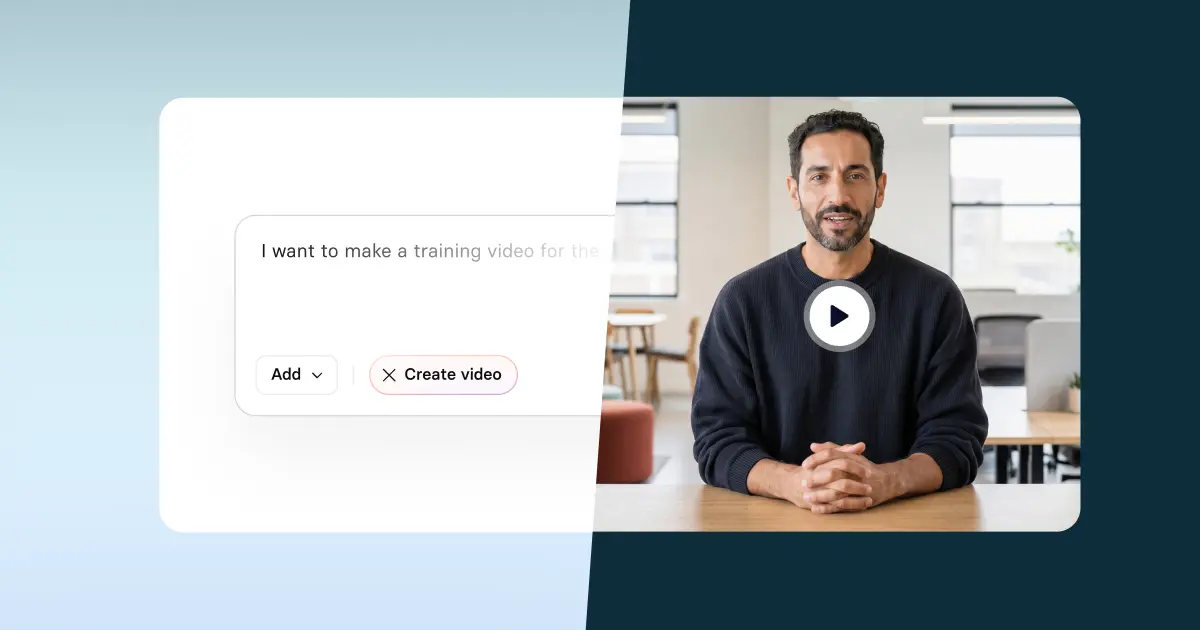
There are a couple of different ways to generate your first draft. You can upload existing materials (e.g., a slide deck or PDF), a script, or a prompt into our AI video generator.
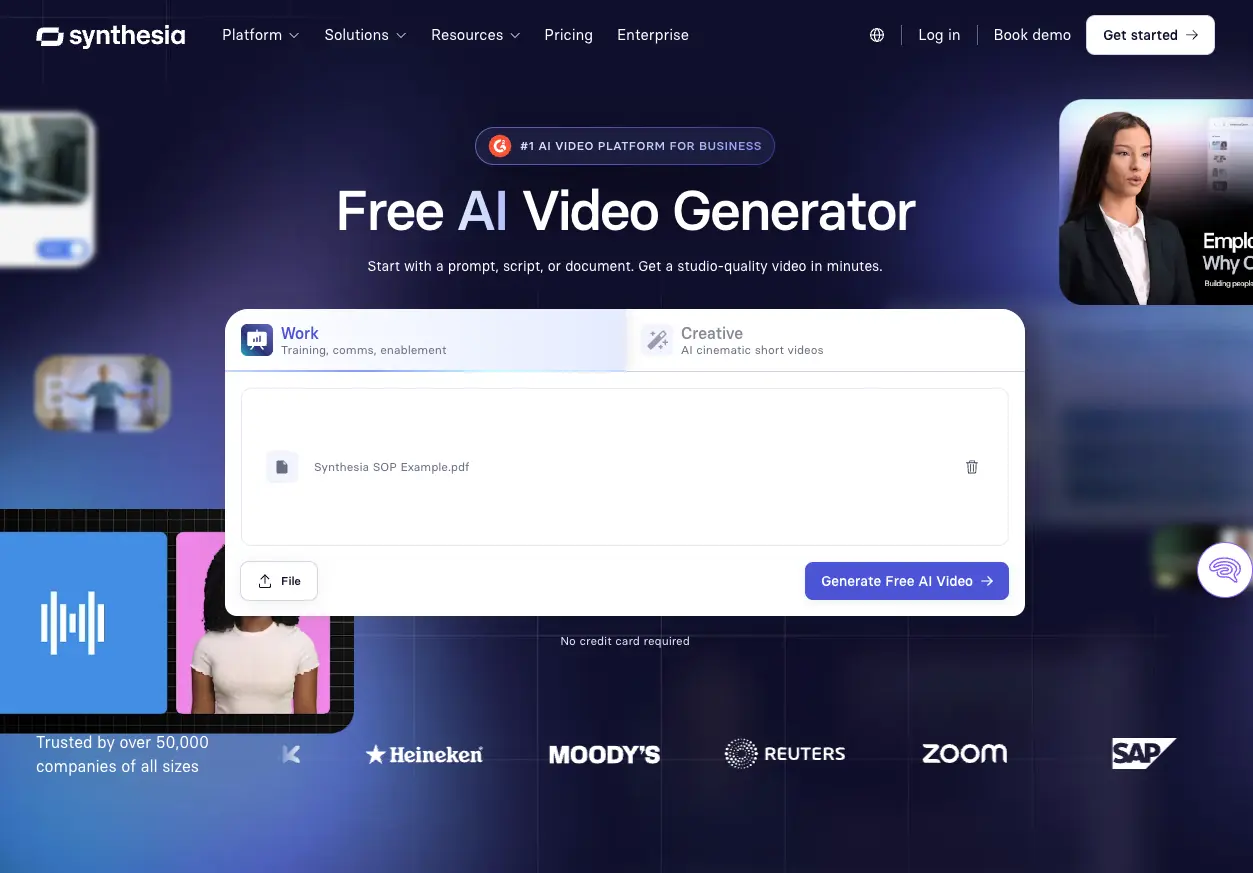
Another way to generate a first draft is to start with a template. If you're new to designing learning experiences for video, you might find this route easier as you're learning. Our templates are created by instructional designers, so you can focus more on the content than the layout (note: enterprise clients receive customized and branded templates).
Choose your avatar
Once you have a draft, you can choose what to focus on next. If you're using an avatar, customize their appearance and voice. With an avatar selected, you can also make any modifications to the voice. Pay attention to the avatar’s accent and pronunciation as you go along. You can always create a glossary to ensure terms like your company name are consistently pronounced.
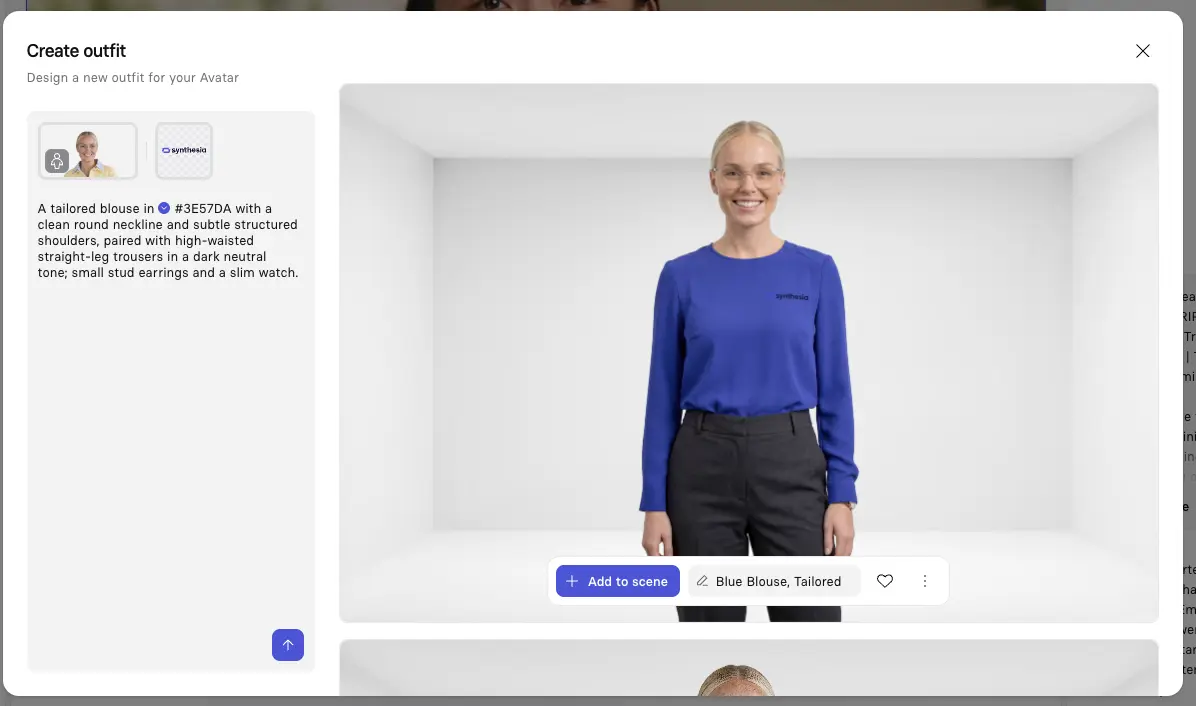
Note: Some customers prefer to use narration only, as having an avatar onscreen adds to cognitive load.
Customize your scenes
Whether you want to add motion graphics, b-roll, or interactivity, keep attention focused. Anything you add should help employees understand the process.
Preview your video before generating, and double-check that everything from the pronunciation to the flow makes sense.
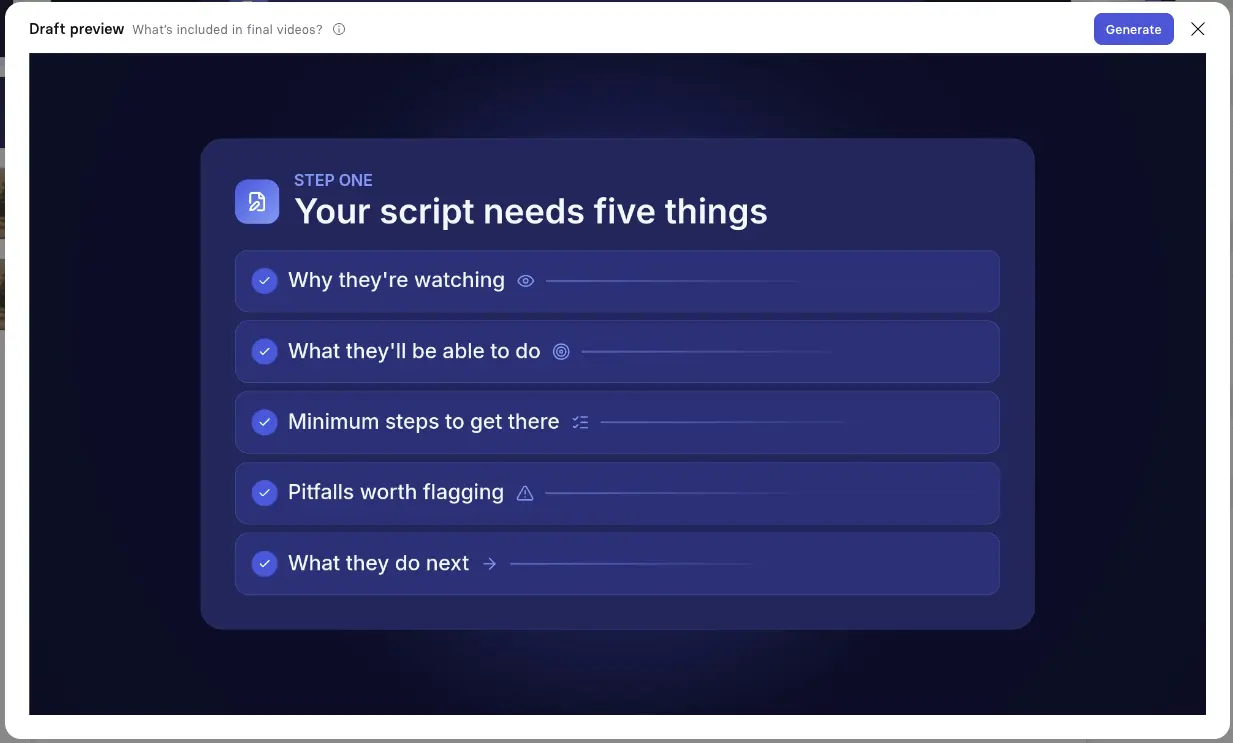
Note: some generated assets may appear as placeholders or low-fidelity previews until you generate the final video.
Localize your video
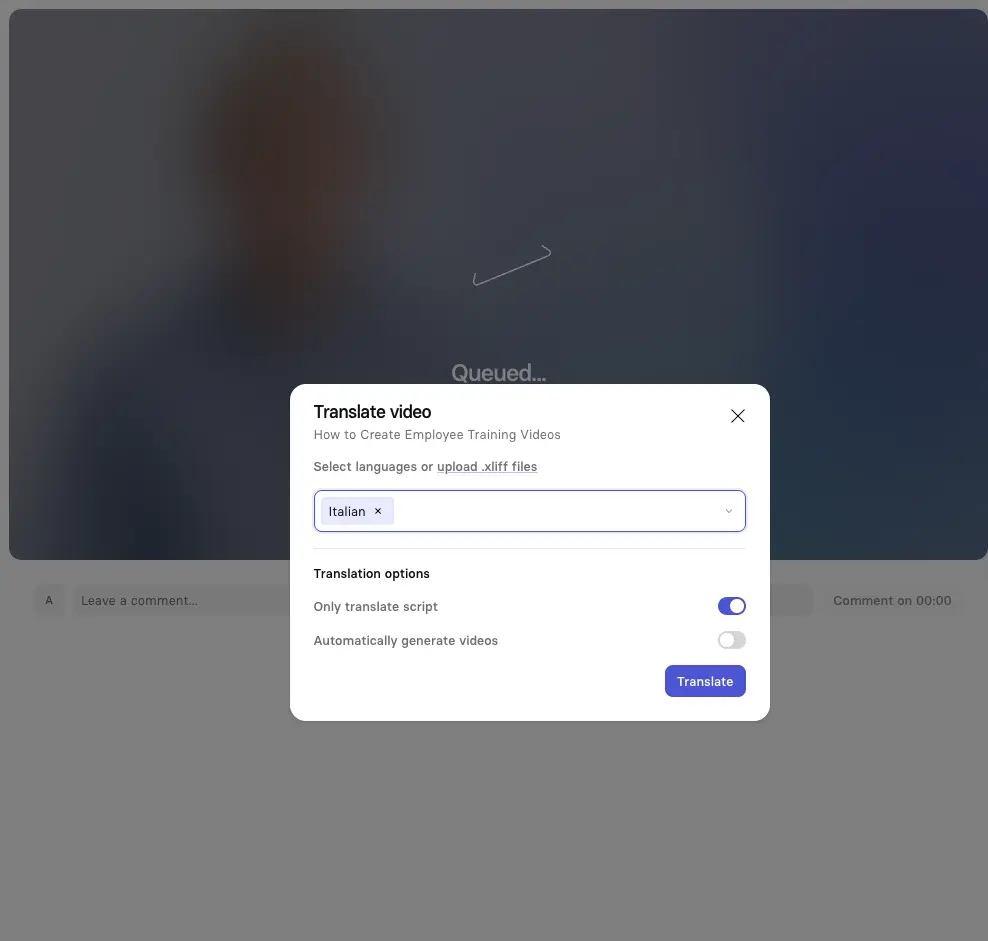
When you've generated your video, you can localize it into over 160 languages with a few clicks. If you’re localizing videos, be sure to include native speakers when you conduct any pilots.
If you want to see how an organization uses Synthesia for onboarding and customer support training, check out this case study featuring Sky Italia.
How to measure training videos
The biggest mistake I see across L&D when it comes to training videos is settling for data like clicks and completion rates. Does it really matter if someone watches a video if they're unable to follow the SOP and cause a safety incident? (It's rhetorical, but I hope you're screaming "no" at me.)
Even if your stakeholders only care about those vanity metrics, I want you to figure out what good enough measurement looks like in your workplace. That's usually a combination of snapshot metrics, like completion rates or views over time, plus a signal of behavioral change, like fewer safety incidents. Go back to your learning objective and brainstorm ways to get that input.
Whatever signal you choose, it should be something you can repeatedly find, meaning you can get the data consistently over time to track a video's effectiveness and determine when it needs to be updated.
Otherwise, you'll be churning out a content library of training videos with no evidence that they support business objectives. You've invested too much time to let that happen.
Amy Vidor, PhD, is the Learning and Development Evangelist at Synthesia, where she researches learning trends and helps organizations apply AI at scale. With 15 years of experience, she has advised companies, governments, and universities on skills.