SCORM videos, ready for your LMS
Check out our incredible update for L&D professionals and anyone working with training videos. With our new SCORM export feature, you can now easily add Synthesia videos to your LMS.

See what Synthesia can do for you
Check out our incredible update for L&D professionals and anyone working with training videos. With our new SCORM export feature, you can now easily add Synthesia videos to your LMS and keep them up to date with just a click.
What's SCORM?
SCORM is a standard format that allows you to upload and track eLearning content in an LMS (Learning Management System).
Why It's Awesome
Not only can you export videos in SCORM format, but all your video translations and chapters will be included and translated. So your viewers can watch videos in the language they prefer in your LMS.
Plus, if you ever update your video in Synthesia, just republish it, and your LMS will automatically reflect the changes—no need for re-exports.
Set completion criteria in Synthesia and track how your viewers interact with your video in your LMS, making it easy to see how much content they've watched.
We support SCORM 1.2 and SCORM 2004 formats, making integration even more flexible.
How to Use It
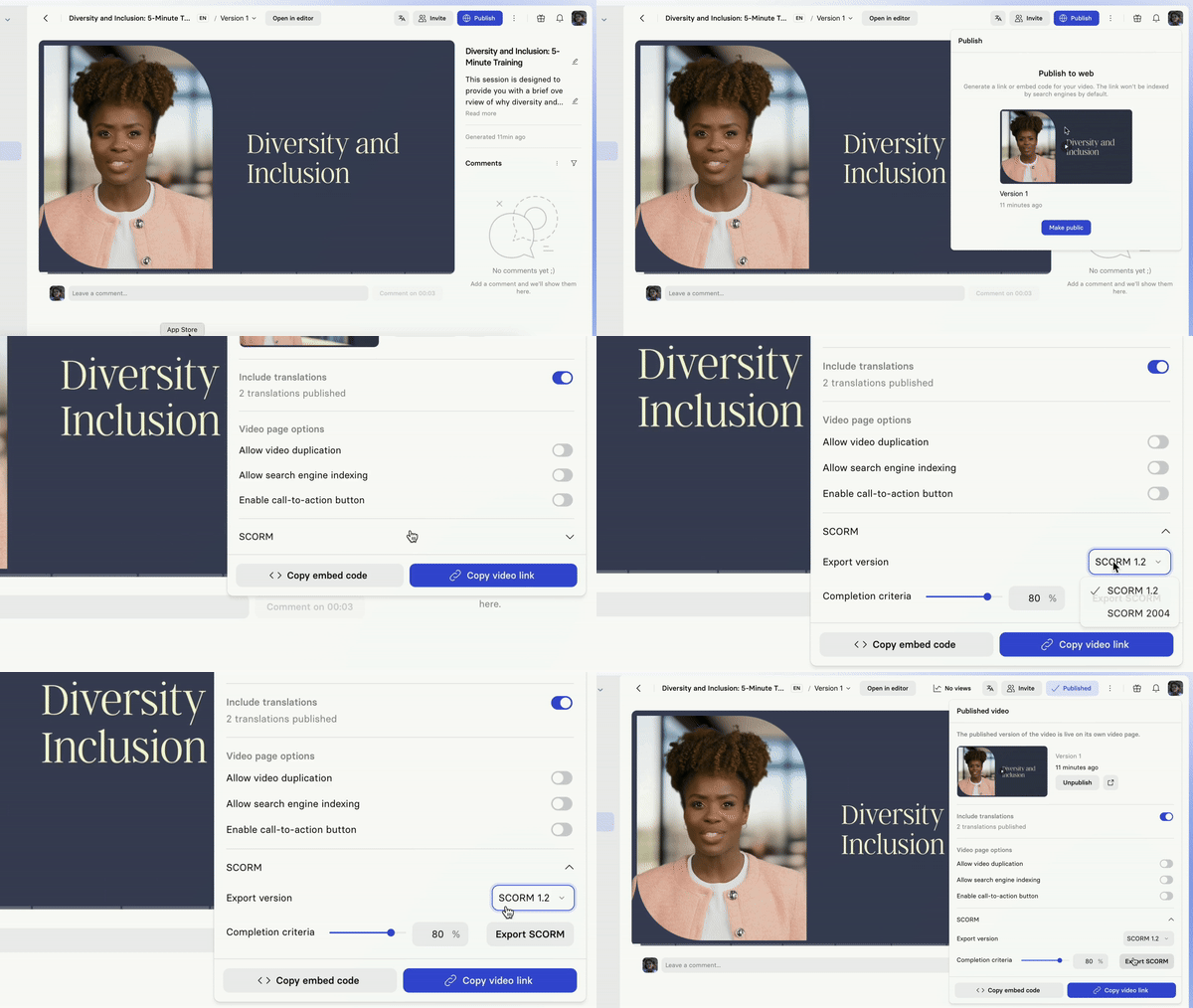
Here's how to export a video in SCORM:
Generate the video.- Ensure the video is
published. - Click on the
SCORMdropdown in the publish panel. Set the completion percentage(what % of the video should be watched to mark it complete).- Hit
Export SCORMand download the .zip file.
Get the skills, insights, and support to help you scale





