Triggers: script-driven animation 2.0
Monday — official day for feature releases. Today, we are excited to introduce Triggers.
See what Synthesia can do for you
Monday — official day for feature releases. Today, we are excited to introduce Triggers.
What's New?
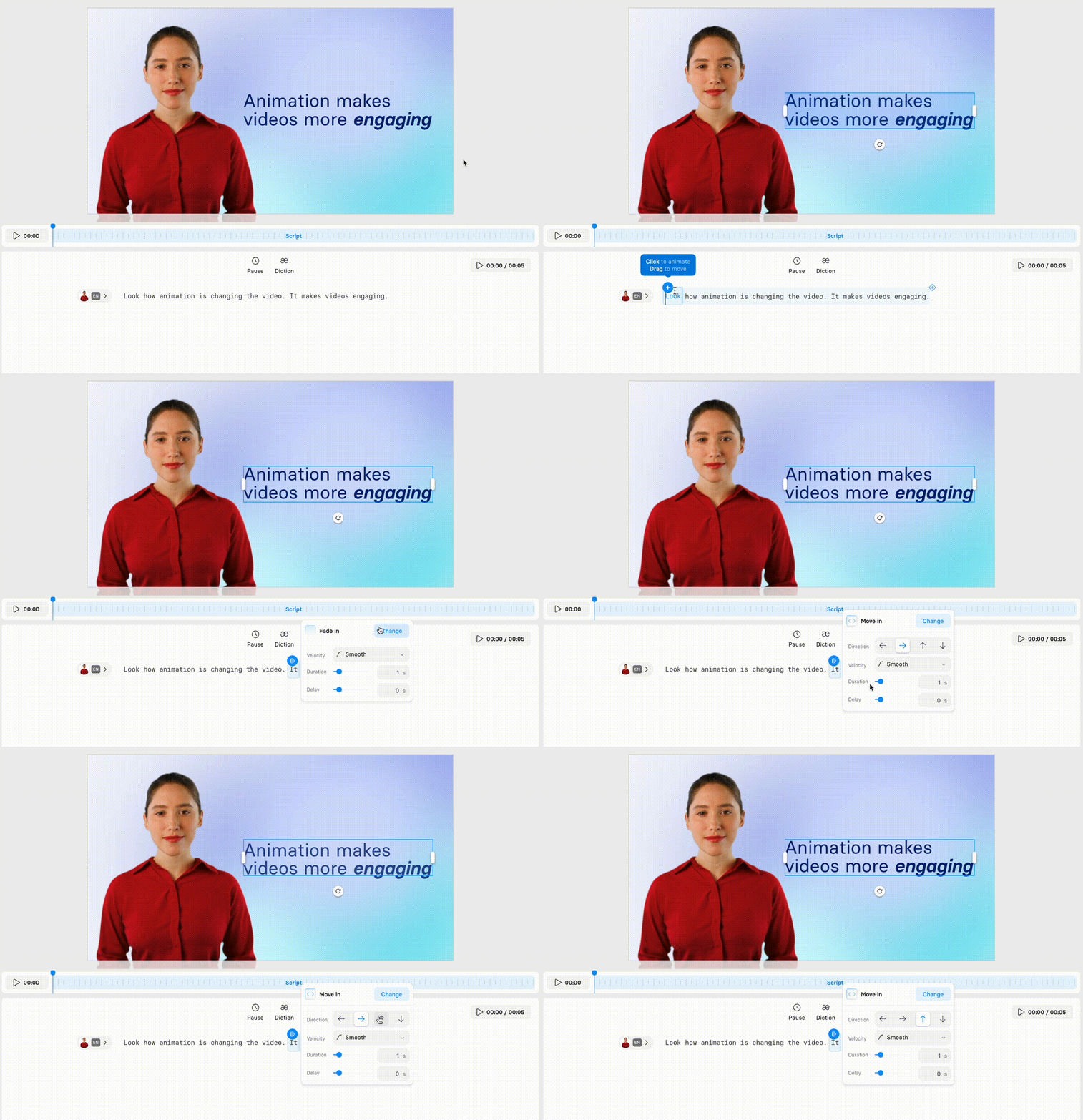
We replaced Markers with Triggers. Now, you can smoothly and easily animate texts, elements, media, and avatars based on script.
How Does It Work?
It's so simple!
Select an element:text, media, shape, and avatarGrab the triggerin the video anddragwhere the animation should start and finish.Choose the animationeffect: from fade to zoom.
Why You'll Love It
Animation makes your videos come alive. By animating elements precisely when needed, your message becomes clear and captivates your audience.
Tips on how to use:
Sync words: key phrases pop up when mentioned by the avatar.
Illustrate points: media elements appear to enrich the context.
Step by step: display instructions one at a time as explained.
Point: highlight something on the slide with an arrow, circle or line.
Check the video about Triggers and learn how to use it

Get the skills, insights, and support to help you scale





