Zoom, Pause, and Blink: try new animation styles
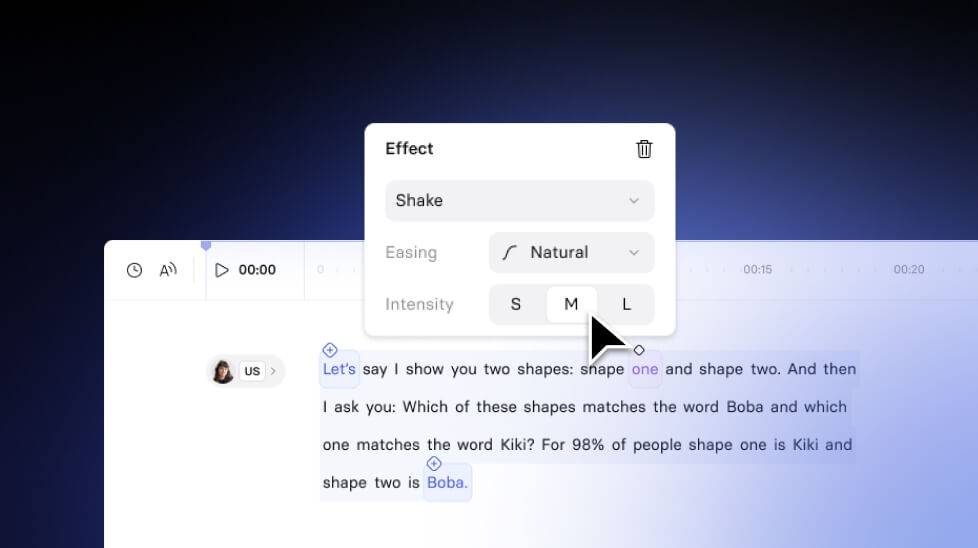
We've added three new types of animation to help you guide your viewers' attention and make your videos more focused and engaging.
See what Synthesia can do for you
We've added three new types of animation to help you guide your viewers' attention and make your videos more focused and engaging.
Zoom

What's New
Now you can zoom in on specific parts of your video, like a button click in a screen recording, to highlight key details.
Why It's Cool
Zooming in helps you focus attention on important parts of the video. It's perfect for guiding viewers' eyes to something specific without extra editing or tools.
How it worksSelect a video element (like a screen recording).Hover over the word in the script where you want the zoom effect.Set the area where you want to add the zoom effect on the video.
Choose the speed.
Add a zoom-out effect.
Effects (Pop, Shake, etc.)
What's New
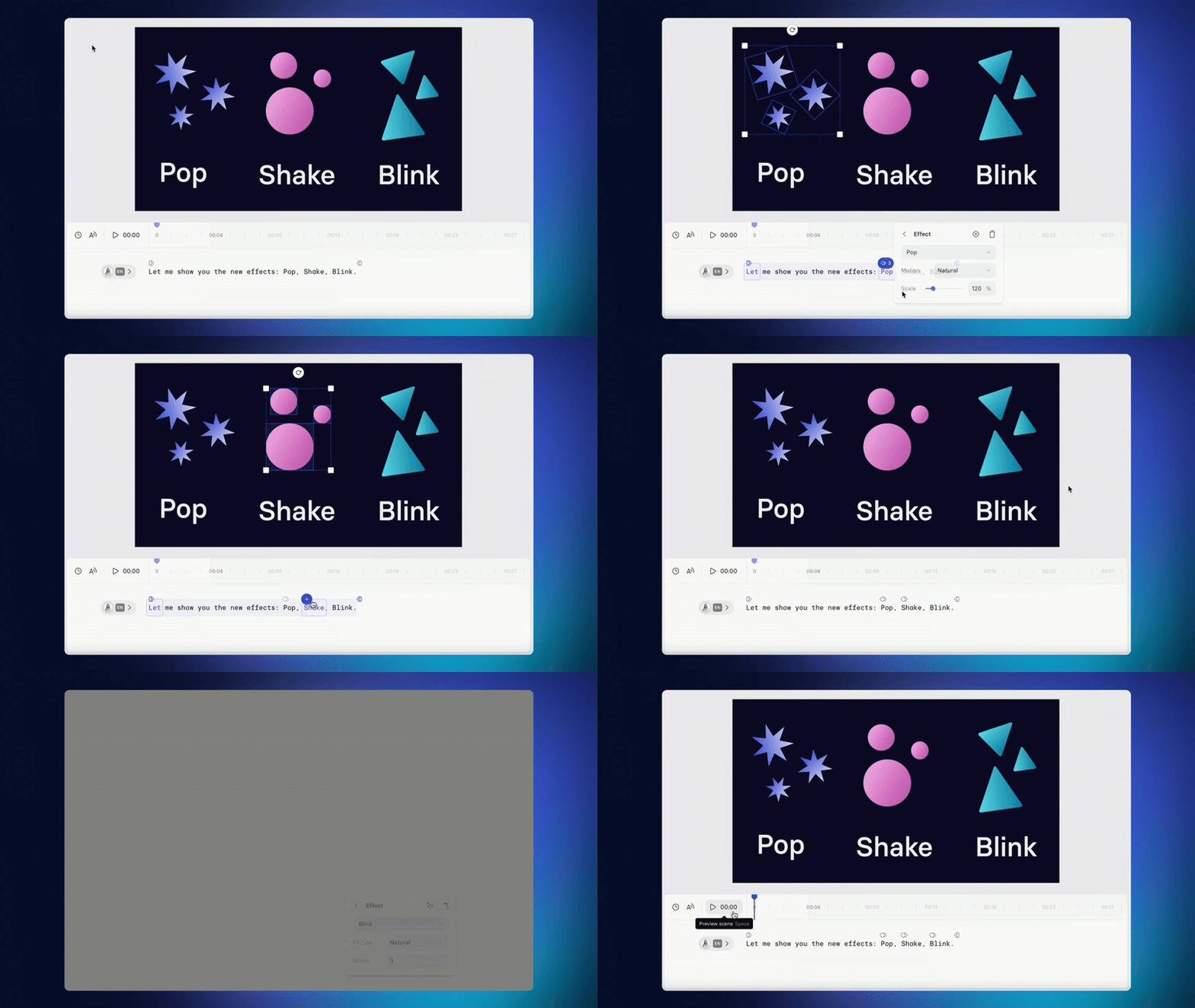
We've added fun emphasis effects like Pop, Shake, and Blink that make elements stand out when specific words are spoken in the script.
Why It's Cool
These effects grab the viewer's attention at key moments in your video, making your content more dynamic and engaging without needing extra editing or tools.
How it worksSelect a video element.Hover over the word in the script where you want to highlight the element.
Choose the style: Pop, Shake, or Blink.Set up animation speed and style.
Pause/Play
What's New
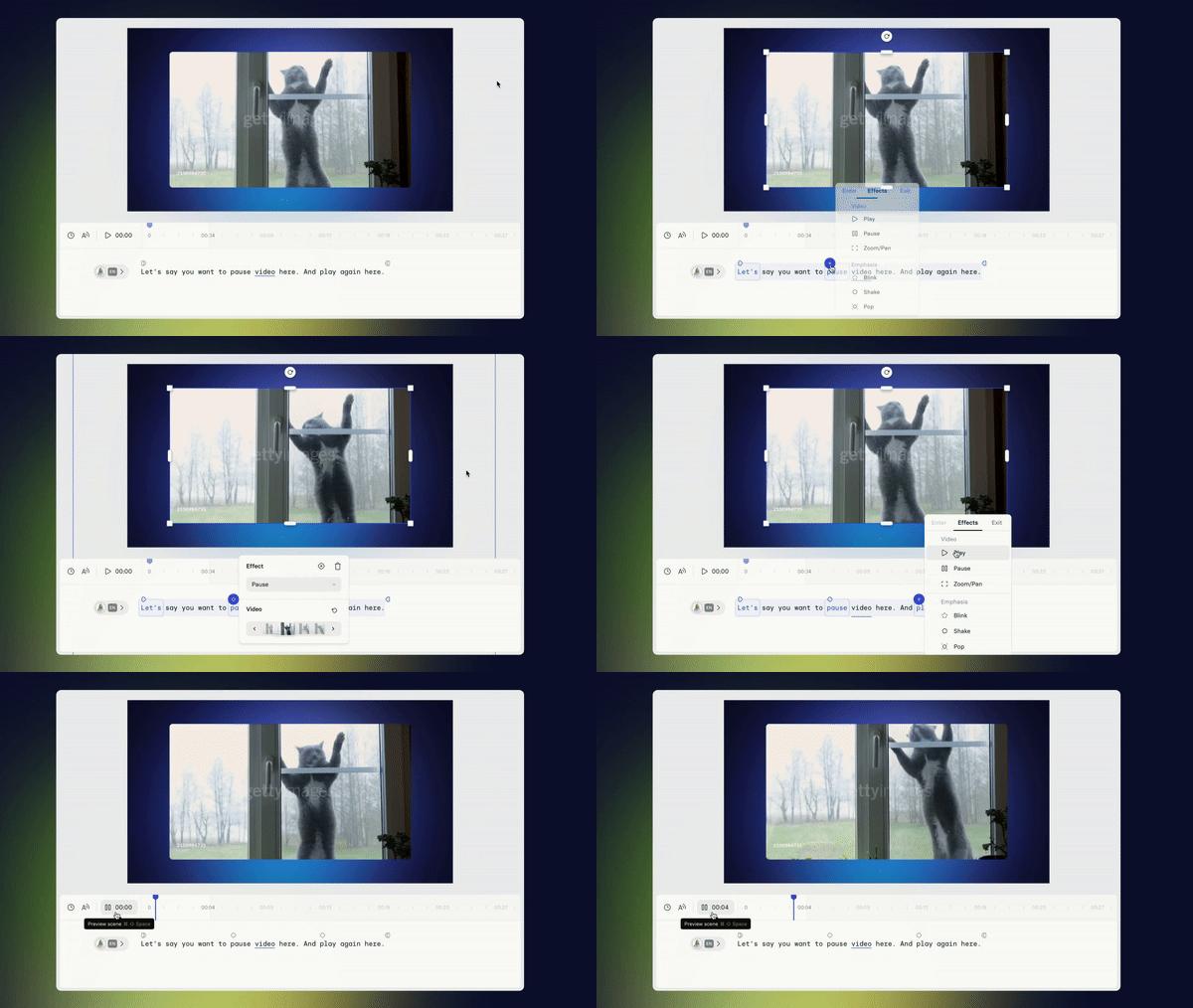
You can now pause or play the video at exact moments based on the script. This lets you control which frame is shown and when the video plays or freezes.
Why It's Cool
This makes it easy to sync the video perfectly with the script, ensuring the right frame is shown at the right moment, which improves viewer focus.
How it worksSelect a video element.Hover over the word in the script where you want the pause/play effect.
Add the pause/play effect.Choose the frame where you want the video to pause or start playing.
This works with video elements in Stretch & Loop playback modes and allows you to freeze or play the video at the perfect moment.
Phew, that was a long product update! Happy creating!

SCORM videos, ready for your LMS
Check out our incredible update for L&D professionals and anyone working with training videos. With our new SCORM export feature, you can now easily add Synthesia videos to your LMS.
Get the skills, insights, and support to help you scale





