6 small but mighty fixes you'll actually notice
We're still focused on perfecting the little things — and we're all in. Every small tweak adds up to a smoother, clearer, more enjoyable experience.
See what Synthesia can do for you
We're still focused on perfecting the little things — and we're all in. Every small tweak adds up to a smoother, clearer, more enjoyable experience. Watch Bill, our Product Manager, walk you through the latest updates.
Create numbered or bulleted lists
No more manual numbering or SVG circles — Synthesia now automatically formats your text into numbered or bulleted lists. Just hit Enter and watch your list build itself. Clean, consistent, and effortless.
Simplified invitation toggle
We've redesigned the invitation modal to make it more intuitive and less cluttered. One dropdown gone, clearer copy added, and smarter logic — now it's obvious who has access and what editing rights they have.
Script box fits your screen
The script box now automatically adjusts its height on large screens. No more squinting at a tiny text area — it scales up for a more comfortable writing experience (unless you've resized it manually).
Clearer shortcut tooltips
Tooltips for keyboard shortcuts now show proper modifier icons like ⌘ and ⌥, making it easier to spot and remember commands at a glance.
Speaker pill fix
We fixed the alignment and tap behavior of the speaker info icon. You can now click it again without any weird layout shifts. Small fix, smoother flow.
Sidebar simplified
We removed the redundant "Templates" item from the sidebar to free up space and keep navigation tidy. A small tweak for a cleaner workspace.
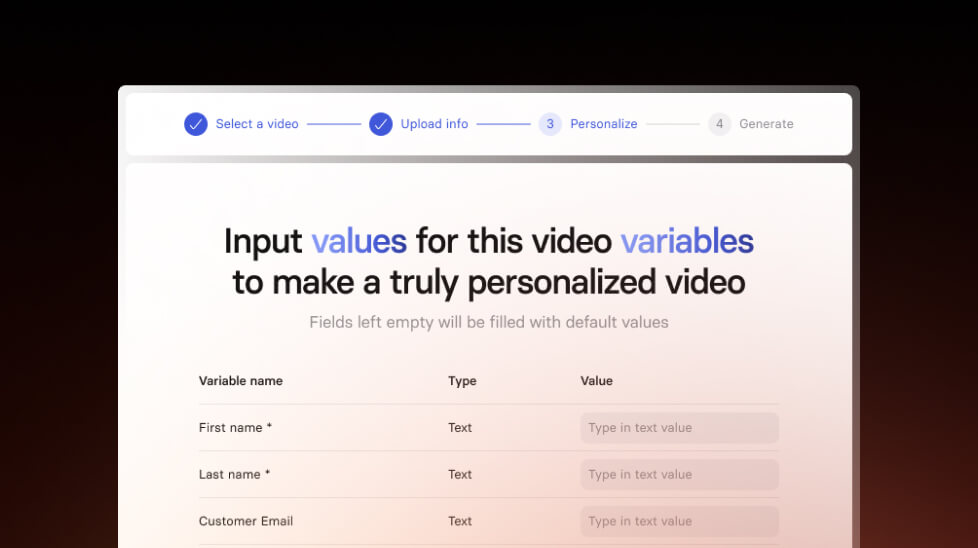
Create personalized videos in bulk
Personalize your videos for recruitment, sales outreach and more with our new feature. Make hundreds of personalized videos in just a few minutes.
Get the skills, insights, and support to help you scale





