Add 2+ avatars in the scene [Dialogue Feature]
We are excited to share the news: the Dialogue feature is live. Now, you can add two or more avatars to every scene and imitate communication in the videos.

See what Synthesia can do for you
We are excited to share the news: the Dialogue feature is live. Now, you can add two or more avatars to every scene and imitate communication in the videos. Role-play videos are much more engaging and interactive; following the discussion is easier than listening to a monologue.
This feature opens the world of new opportunities in Synthesia.
Here are just a few use cases to try:
Customer Support Training: demonstrate the do's and don'ts of effective communication.
Sales Enablement Training: equip your team with strategies for selling to various personas.
Onboarding Training: guide new hires on who to approach with questions.
Diversity and Inclusion Training: highlight the significance of diversity, equity, and inclusion in the workplace.
Leadership and Management Training: create scenarios to develop decision-making skills in your team.
Examples that can inspire you:
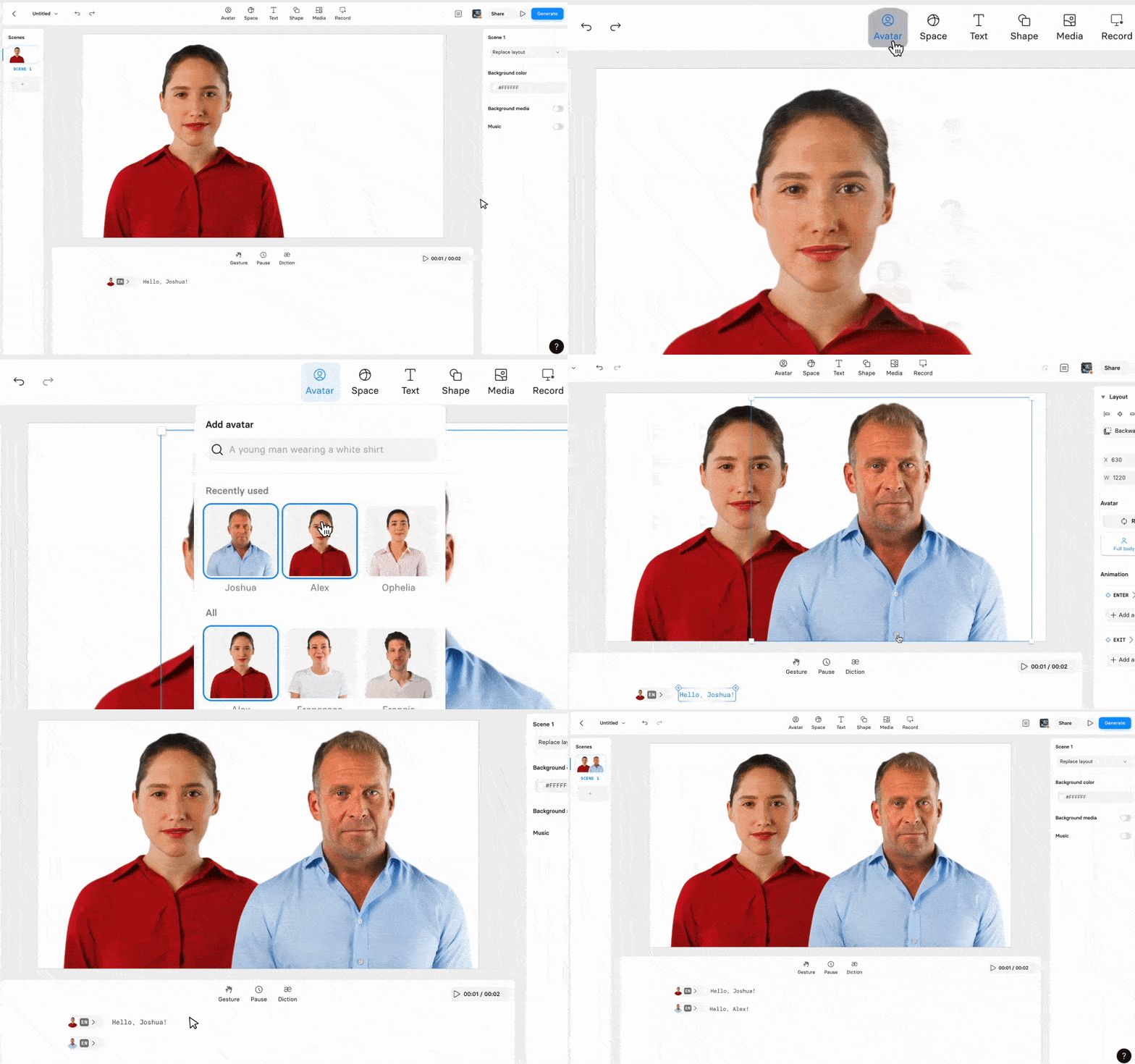
How to Add Multiple Avatars:
- Click on the
Avataricon. Choose the avataryou want to include.Navigate to the script box.Input the script for each avatarpresent on the screen.Select the desired voicesfor your avatars.
Create on-brand videos with Brand Kit 2.0
Set a default Brand Kit, and we'll apply your colors, fonts, logos, and avatars automatically—so every new video starts on brand.
Get the skills, insights, and support to help you scale





