Enterprise Update: Avatar Sharing, Bulk Actions & JIT Provisioning
Today we're excited to roll out three enterprise-grade upgrades that help you work faster, stay secure, and collaborate with less friction.

See what Synthesia can do for you
Today we're excited to roll out three enterprise-grade upgrades that help you work faster, stay secure, and collaborate with less friction.
Avatar & Voice Sharing
What's new
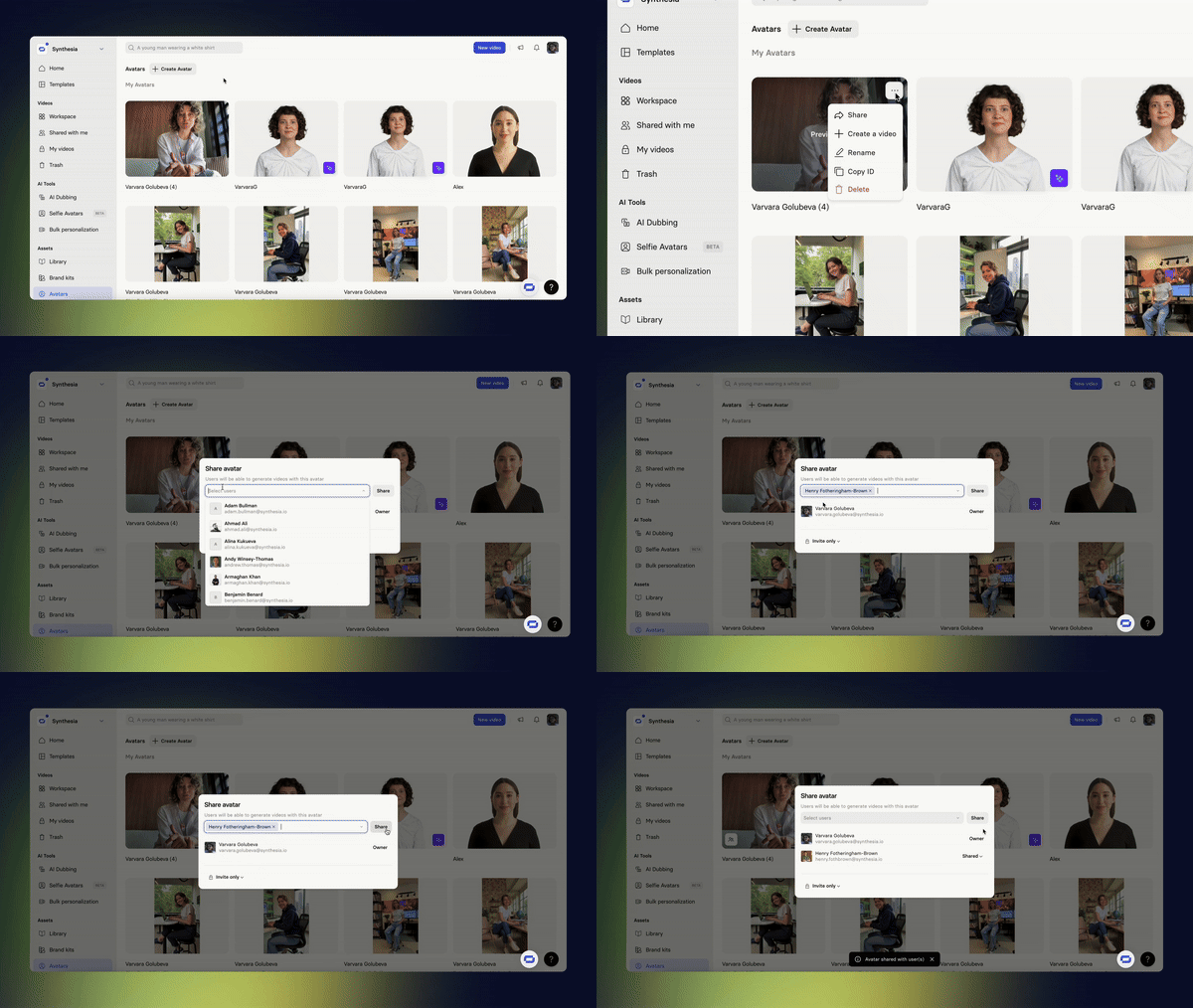
Share your custom avatar or voice with selected teammates—or the whole workspace—from the Avatars/Voices page. Revoke access at any time.
Why it's important
Speeds up collaboration and lets you stay in full control of who has access to your avatars and voices.
How to try
- Avatars or Voices page → pick the item and open the menu (three dots)
- Click
Share→ Add users or choose "Entire workspace" - To revoke access, click
Shared→Remove
Bulk Actions
What's new
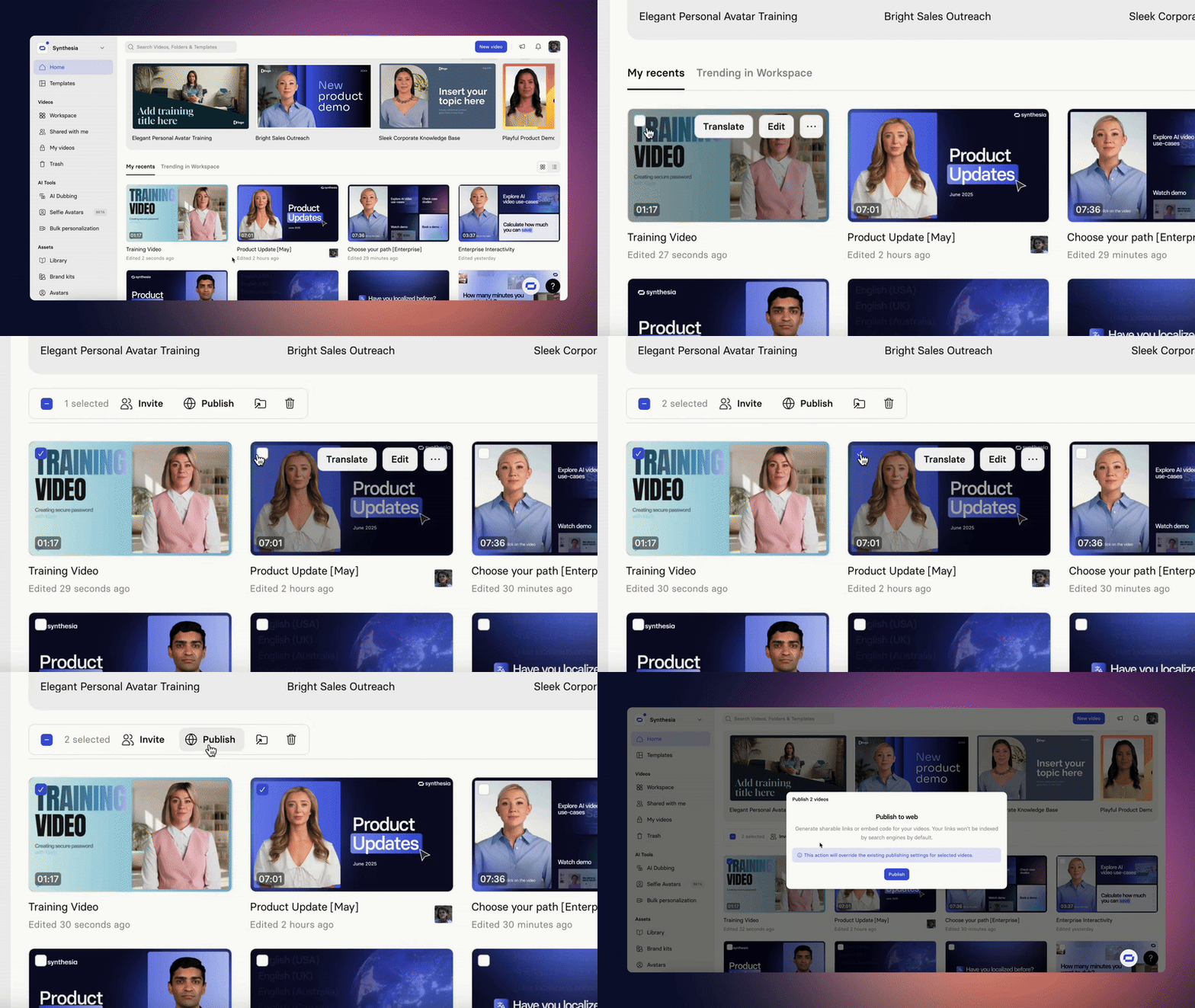
The new action bar lets you invite many users or publish many videos at once. Publishing produces a CSV with links, CTAs and thumbnails.
Why it's important
Cuts repetitive clicks, so teams ship content faster and spend less time on admin.
How to try
Select multiple items and find a sidebar on top of the page.
Invite → send all invites in one go.Publish → publish all selected videos and download the CSV.
Domain-Based Entry (JiT)
What's new
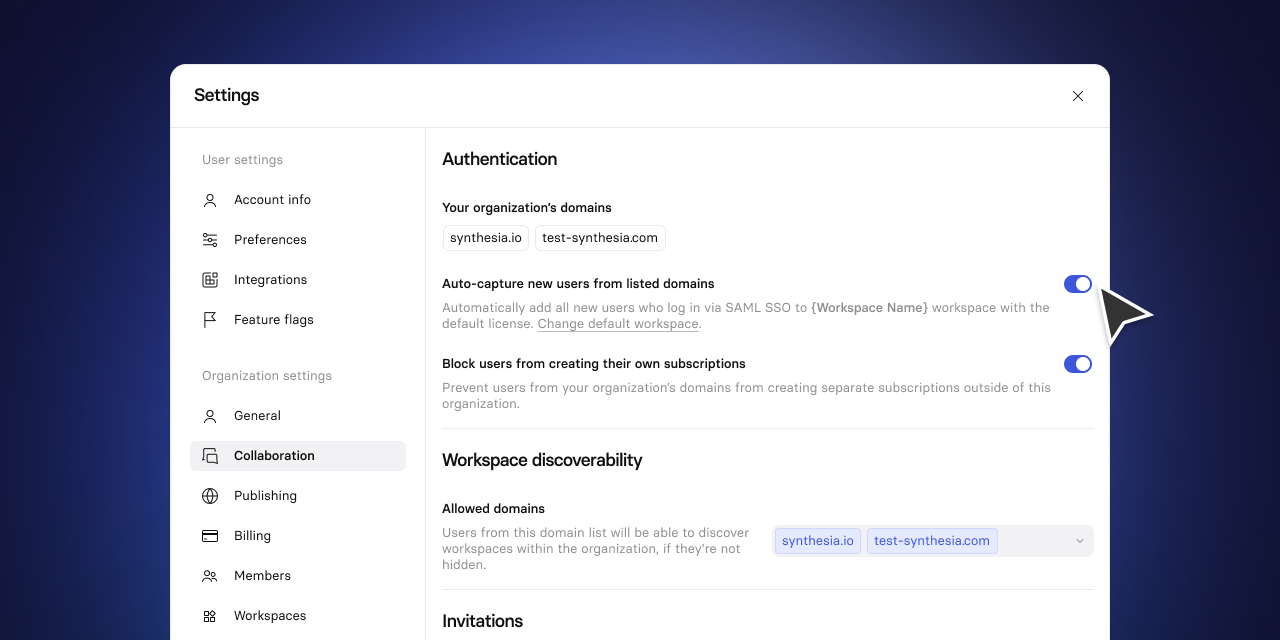
Anyone with your company email can log in via SSO and is automatically added to a default workspace with a default licence—no pre-provisioning needed.
Why it's important
Reduces IT tickets and lets new joiners start using Synthesia right away.
How to try
Organization Settings → Collaboration → Toggle Auto capture new users from listed domains → Add Allowed domains
Turn External Screen Recordings into editable Synthesia videos
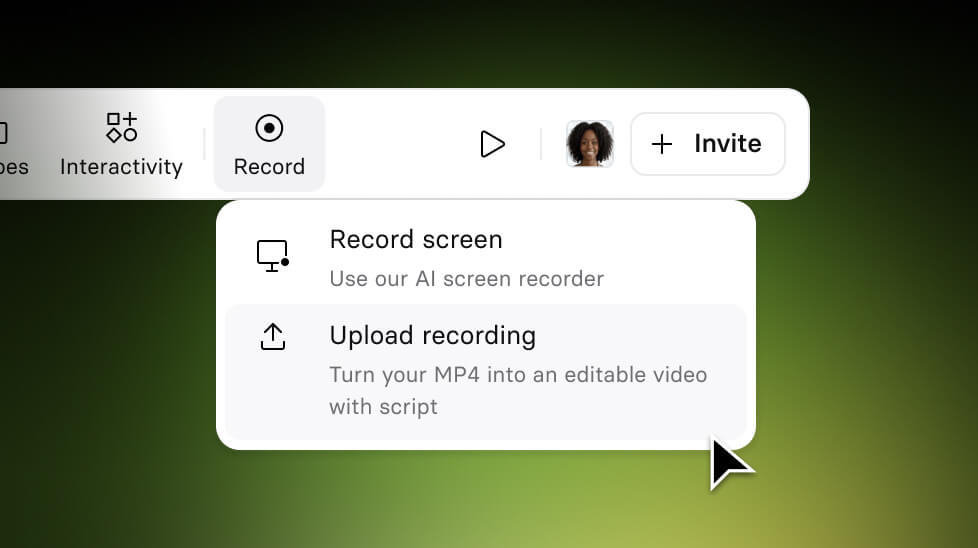
Upload any screen recording (MP4) and Synthesia automatically converts it into a fully editable video.
Get the skills, insights, and support to help you scale





