Try our awesome AI Screen Recorder
Say hello to Synthesia AI Screen Recorder, a Chrome extension that lets you create high-quality screen recordings in minutes. Available for all plans.
See what Synthesia can do for you
Say hello to Synthesia AI Screen Recorder, a Chrome extension that lets you create high-quality screen recordings in minutes. Available for all plans.
Watch 2-minute video created with AI Screen Recorder:
Why It's Awesome
No more retakes or frustration! Record your screen in one take, and Synthesia will automatically transcribe it. You can easily edit every detail afterwards—change the script, voiceover, add an avatar, and polish your video easily.
Key features include:
Automatic scene splitting, making post-editing a breeze.
Removal of filler words and pauses, ensuring your video is smooth and easy to follow.
Blur sensitive information during recording for added privacy.
How to Use It
Create a New Video with Screen Recording
Install the Chrome extension, then open the extension on any page to start recording.Record your screen with or without voiceover—Synthesia will create a new video automatically and transcribe your speech. Once done, your recording is ready for editing.

Add Screen Recording to an Existing Video
Open any existing video and click the Record button.Choose the screen or window you want to capture.
Record with or without audio, and once finished, Synthesia will add your recording to the video timeline for further edits.
We highly recommend you to add an avatar and find a perfect stock from our extensive library. This will make your recording look and sound professional and ready for external use.
Tips for Best Results
Record in a quiet environment to ensure clear audio.
Use the AI video assistant in the script box to polish your voiceover script after recording.
Speak any language supported by Synthesia — we will transcribe your voiceover in 140+ languages.
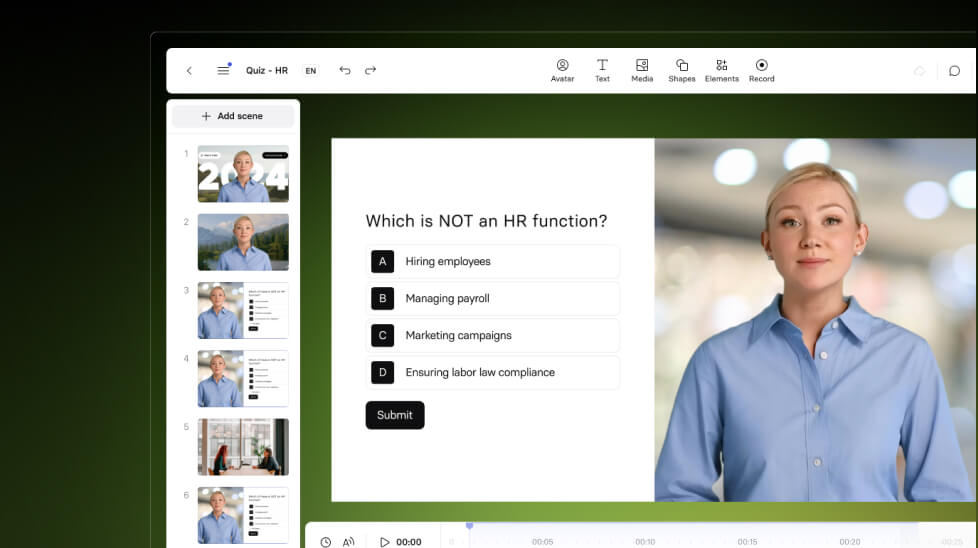
Add Quizzes to any Synthesia video
Grow completion rate for every video you create with amazing new feature—Quizzes.

Get the skills, insights, and support to help you scale





