




The 12 Best AI Tools for 2026 (That People Actually Use)

Create AI videos with 240+ avatars in 160+ languages.
Can you believe it’s been over three years since ChatGPT landed in our internet browsers? In a short space of time, AI has become a staple part of daily work and personal life, and the number of AI tools available has grown massively.
In the extensive list of AI tools, I’ve pulled the best ones to actually get work done, and that are genuinely useful in 2026. Take a look below.
The 12 best AI tools in 2026
- ChatGPT – to write content, analyze documents, and make videos.
- Gemini – to compile complex research and make images.
- Veo – to create AI videos from text or with image prompts.
- Claude – to write code and automate processes.
- Grok – to fact check and generate images and videos.
- NotebookLM – to answer questions using your own documents.
- Lovable – to build simple web apps from simple prompts.
- ElevenLabs – to generate realistic voices, text-to-speech, and voice agents.
- Synthesia – to create business videos and video agents from scripts and documents.
- Higgsfield – to make inspired dynamic AI images and videos.
- Gamma – to convert notes into presentations, documents, and webpages.
- Fathom – to record meetings and create summaries and action items.
1. ChatGPT
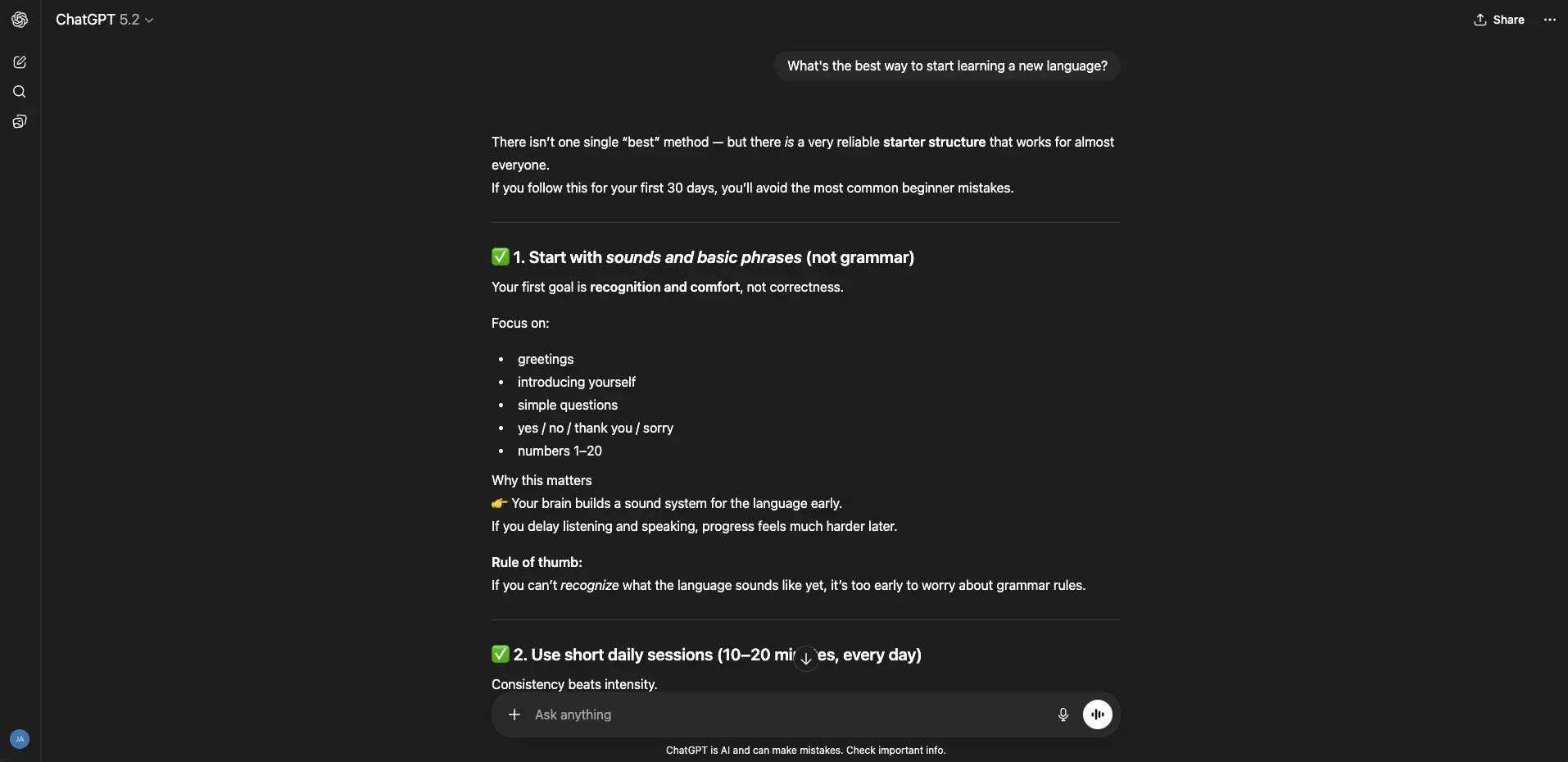
Use it for: Writing content, analyzing documents, and making videos.
URL: https://chatgpt.com/
ChatGPT is an easy-to-use AI assistant that helps with writing, research analysis, brainstorming ideas, and problem-solving. The tool is particularly good at document analysis – through the chat interface, you can upload PDFs, spreadsheets, screenshots, and other files, and ask it to summarize insights or highlight trends in data.
ChatGPT also connects easily to other tools from OpenAI (its parent company), for example, Sora 2 which is an AI video generating tool. Sora 2 can make cinematic, story-driven clips and is one of the more advanced narrative video creation platforms available. ChatGPT’s integration with tools like Sora 2 means you can use it for both creative and administrative tasks, as well as professional and personal projects.
You can use ChatGPT with a free account, but there are some usage limits. Paid accounts start at $8 per month.
2. Gemini
Use it for: Search queries, compiling complex research, and making images.
URL: https://gemini.google.com/
Gemini is the AI assistant from Google. It’s one of the most popular AI tools because of its multiple uses, including to help with research, writing, data analysis, and multimedia creation.
Gemini can handle large amounts of text at once, so if you’re uploading long papers or dense documents, you can ask detailed questions about them and the tool can provide accurate responses that highlight where information from the sources has been pulled.
The Deep Research version of Gemini breaks down complex research tasks and creates interactive reports, too. It can even provide reasoning within its customized research reports.
For more creative uses, Gemini has the fun-named Nano Banana as its AI image generator and editor, capable of precise edits, background swaps, object additions, and full scene transformations.
Meanwhile, the audio overview feature of Gemini converts documents into short, podcast-style summaries, so you can package your content in more diverse ways. Pretty cool, right?
There’s a free version of Gemini, but most of the advanced features are in the paid plans, which start from $7.99 per month.
3. Veo
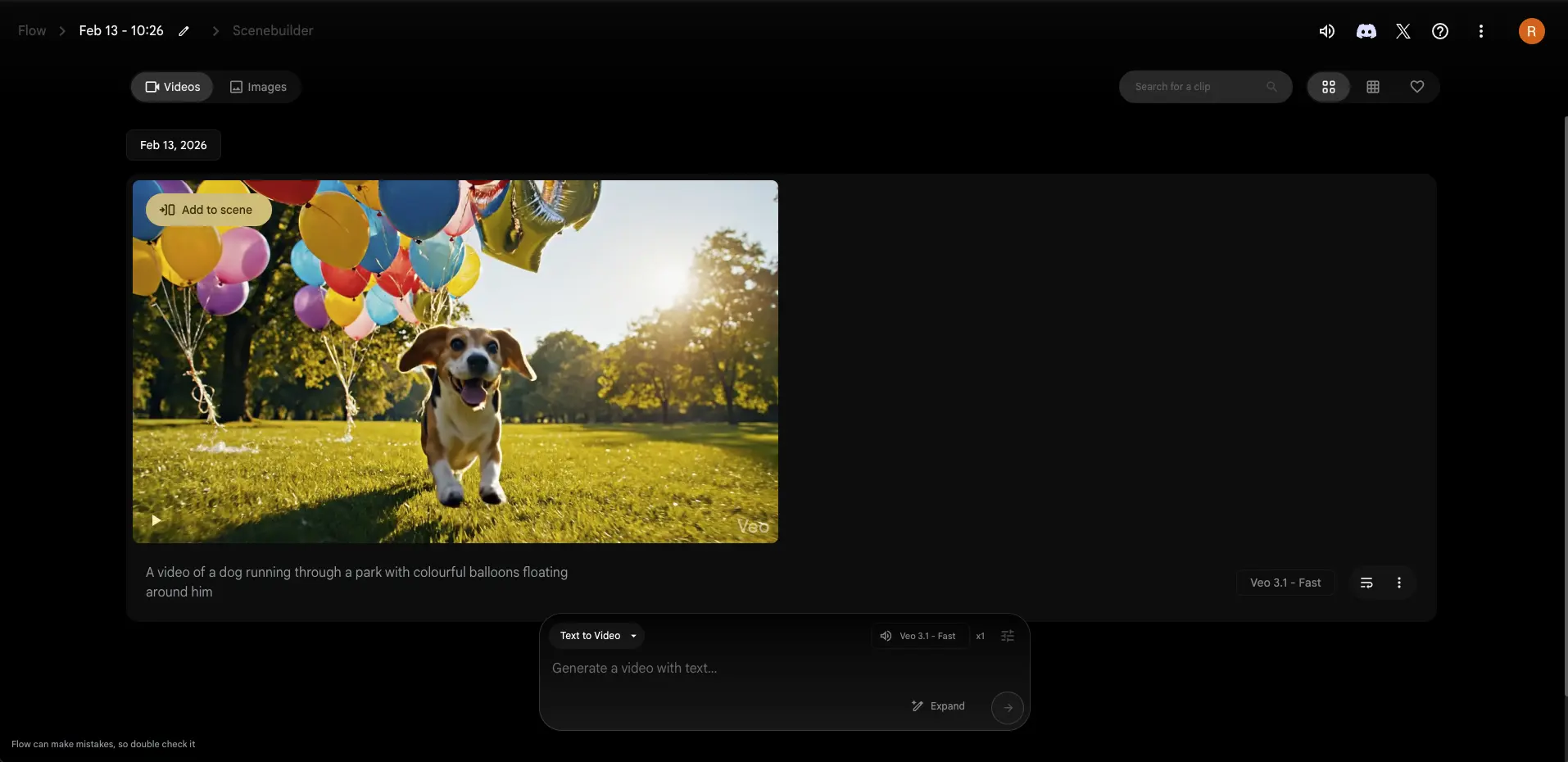
Use it for: Creating AI videos from text or with image prompts.
URL: https://labs.google/fx/tools/flow
Veo creates short, cinematic video clips from written or visual prompts. You can either upload an image or describe a scene and get a video with realistic lighting, natural motion, and synchronized sound.
What makes Veo stand out is that its videos have smooth camera movement and objects aren’t distorted (as is the case for many other AI video generators). The tool is great for building trailers, branded visuals, and mood-driven scenes where realism and atmosphere matter. For businesses, Veo can produce videos for product ads, social media teasers, films, and games.
You can access Veo for free, or paid plans begin from $19.99 per month and offer higher quality video production.
4. Claude
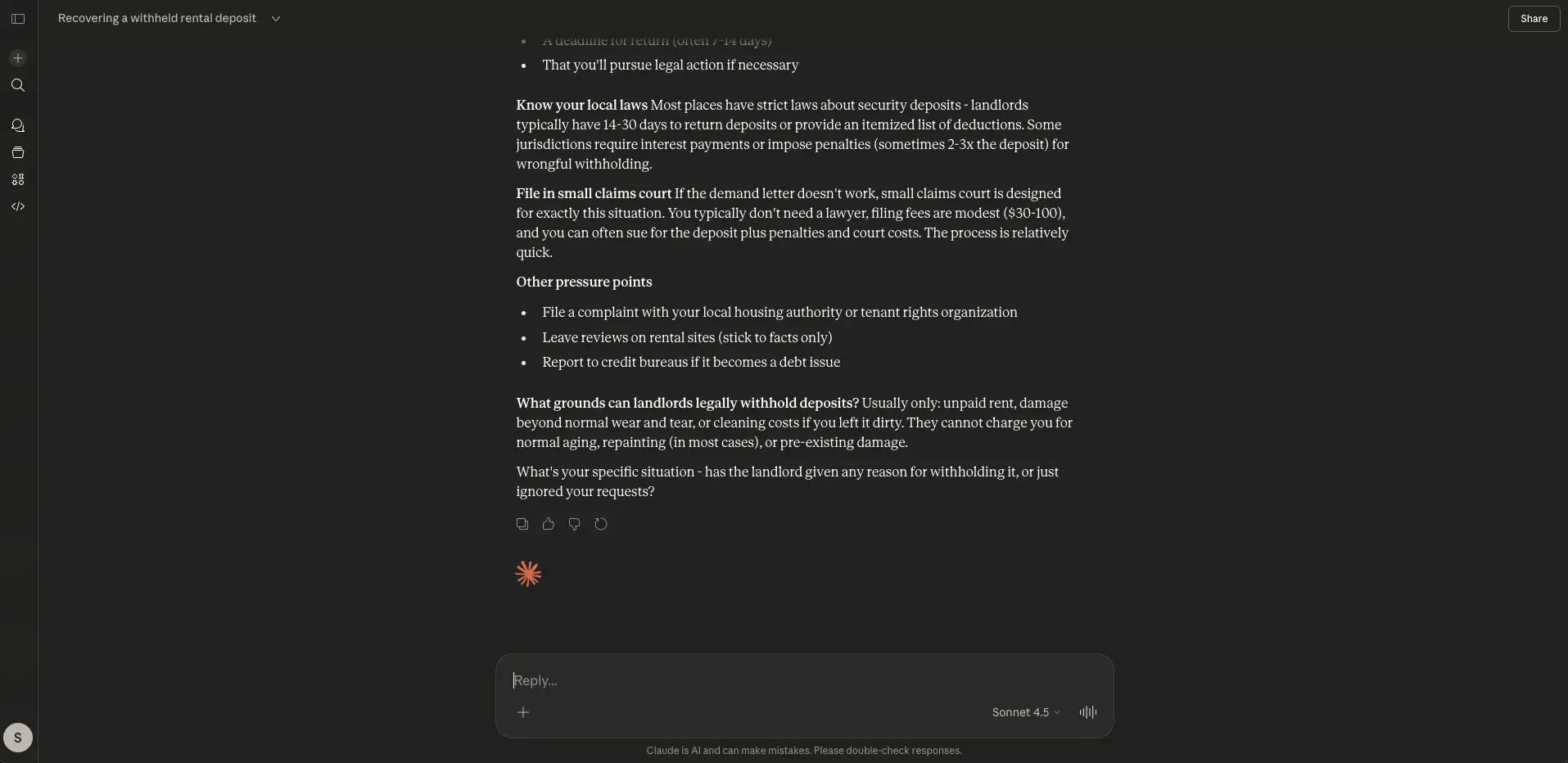
Use it for: Writing code and automating processes.
URL: https://claude.ai/
Claude is an AI assistant from Anthropic, and is the AI tool of choice for coding and structured reasoning. It’s effective for writing and researching, but is best at supporting development workflows – that’s why its most popular use cases are software development, debugging, refactoring, technical writing, and learning to code.
Claude’s strength is writing clean code – typically with fewer logic errors than other AI tools – and being able to explain it in plain English. It can also work directly with large codebases and real projects, instead of just generating snippets of code in the chat.
Claude Cowork is available in the app version of Claude, and can carry out tasks across your computer files and tools without you needing to write any code. For people who don’t know how to code, this capability lets you easily set up and automate processes.
Like other AI tools, there’s a free version of Claude, but more sophisticated features come with the paid plans, starting at $17 per month.
5. Grok

Use it for: Fact checking and generating images and videos.
URL: https://grok.com/
Grok is mostly used as an AI assistant on the social media platform X (formerly Twitter). It’s an AI tool that fact-checks posts and can join online debates to add contextual information or highlight when claims are incorrect or unsupported by evidence.
To use Grok, you tag ‘@Grok’ on X posts. The tool then writes and publishes replies in real time and often cites sources to back up what it’s shared. For many people, Grok not only helps reduce misinformation, it makes AI part of everyday conversations on big platforms.
Beyond X, Grok has features like ‘Think’ and ‘Deep Search’ to answer queries and write long-form responses. Plus, it can generate images for content ranging from memes to branding components, while Grok Imagine can support fast AI video creation, mostly for short, high-impact clips.
Grok’s tiered plans start from free and increase to $300 per year.
6. NotebookLM
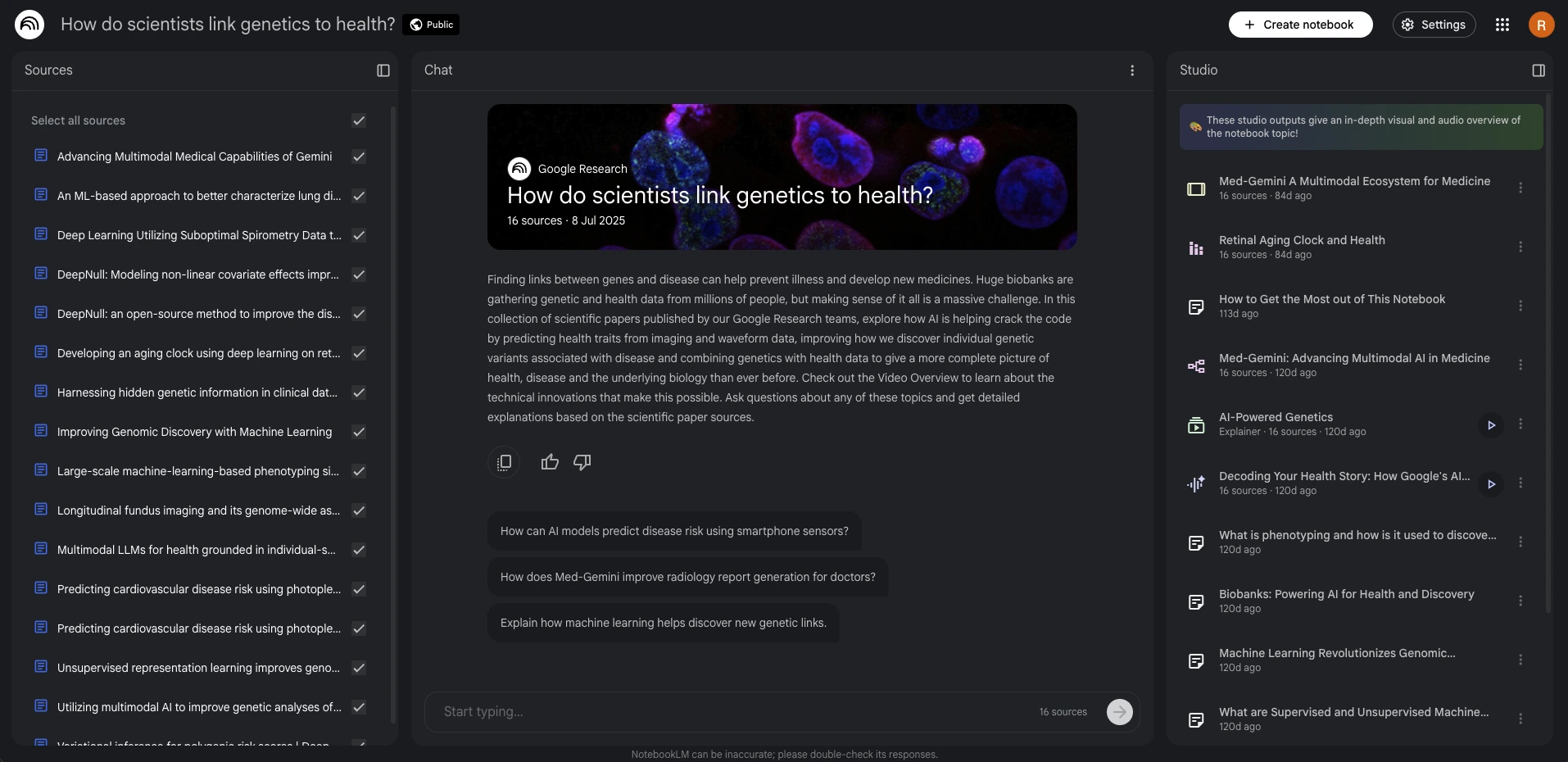
Use it for: Answering questions using your own documents.
URL: https://notebooklm.google/
If you want to upload, organize, and summarize large amounts of information, NotebookLM is the AI tool for you. You can input PDFs, course materials, notes, and other files and the tool will pull key ideas into clear, concise overviews, as well as answer any questions you have about the files’ content. It’s a brilliant tool to close any knowledge gaps you might have about a subject.
An added bonus is that NotebookLM has an audio summary feature that turns files’ content into a podcast-style recap, so you can listen to the information in a more engaging format.
Whether studying for exams, reviewing research papers, summarizing documents or getting up to speed on dense topics, NotebookLM is a savvy AI addition.
You can use Notebook LM for free, or tiered pricing starts at $8.99 per month.
7. Lovable
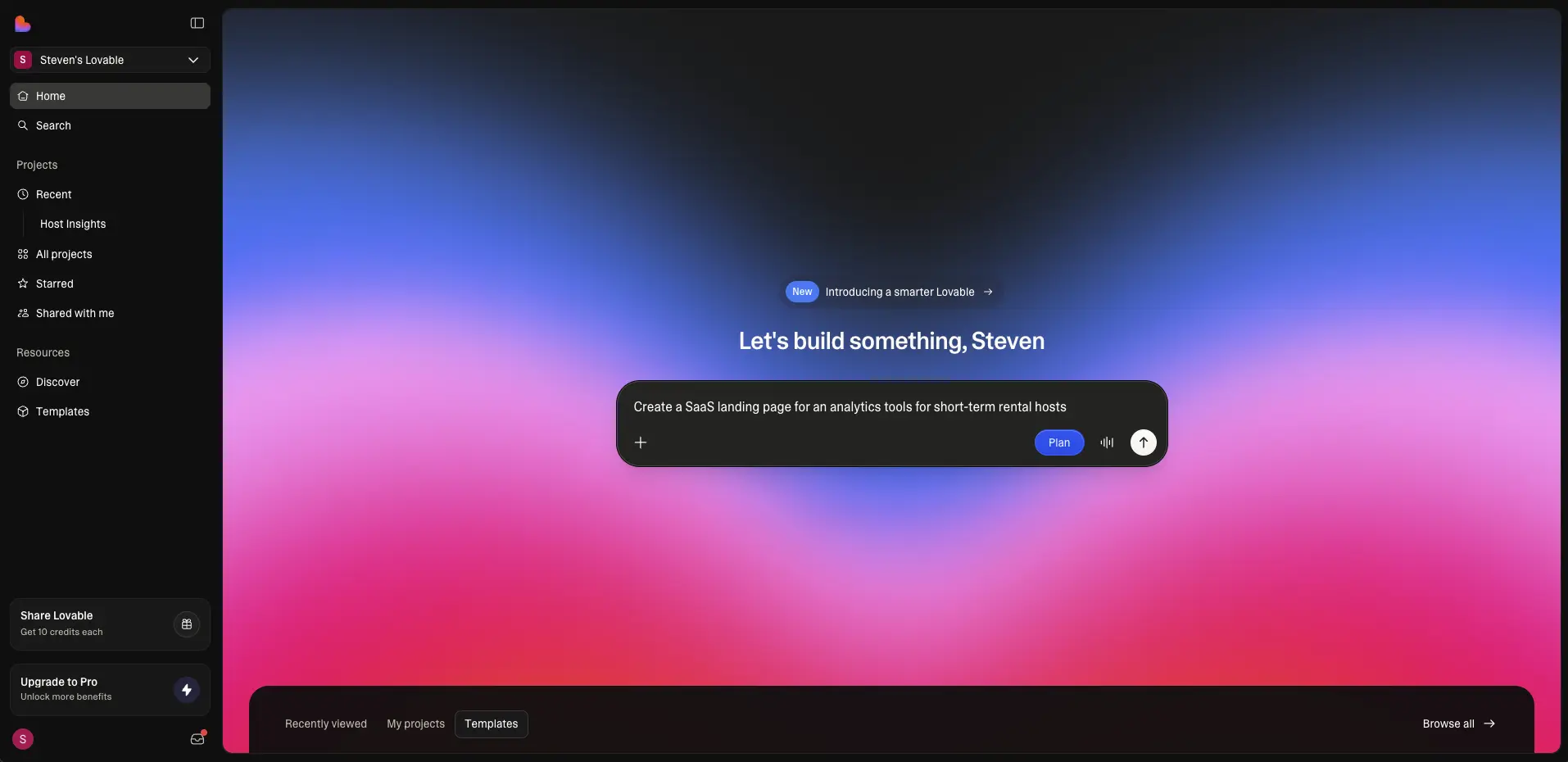
Use it for: Building simple web apps from simple prompts.
URL: https://lovable.dev/
Lovable is the AI tool for building apps and websites – even if you’re not a coder or designer. Instead of using code, you can use basic tools and interactive widgets to put an app or website together.
It’s handy for marketers and entrepreneurs who may not have deep technical knowledge but want to create an online presence or an app. It also saves users time because of its intuitive, straightforward set up.
Lovable isn’t for enterprise-grade products, but it’s a powerful starting point for people who are working independently or without development teams. For example, it’s ideal for personal portfolio sites, SaaS-style MVPs, internal tools, and quick prototypes for testing.
Lovable is free, or paid access starts from $25 per month.
8. ElevenLabs
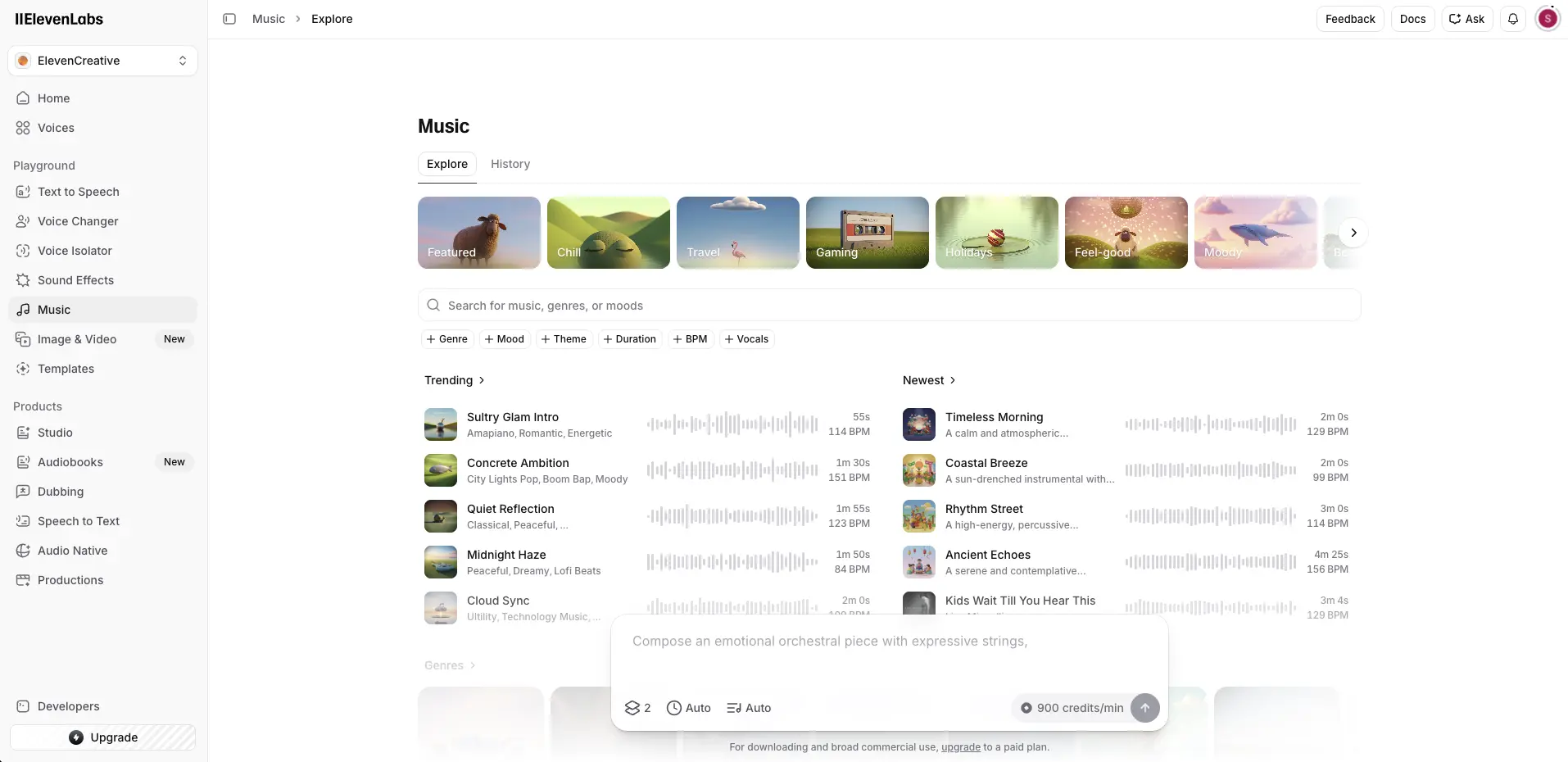
Use it for: Generating realistic voices, text-to-speech, and voice agents.
ElevenLabs is probably the AI tool that produces the most realistic AI voices from text. It’s commonly used for audiobooks, podcast narration, YouTube voiceovers, customer support, and much more. You just enter what you want the audio to say, choose from different languages, accents, and speakers, and use voice tags like ‘whispers’, ‘sarcastic’, and ‘laughs’ to control the delivery.
All the voices sound natural, and there’s the option to clone voices with impressive accuracy. Once trained, your cloned voice can read any text you submit – meaning you can scale audio consistently and quickly.
ElevenLabs has Voice Agents too, which are conversational voice bots you can speak to in real time. These can be integrated into apps, customer support systems, call centers, or workflows.
There’s a free version of ElevenLabs, while paid accounts range from $5 to $99 per month.
9. Synthesia
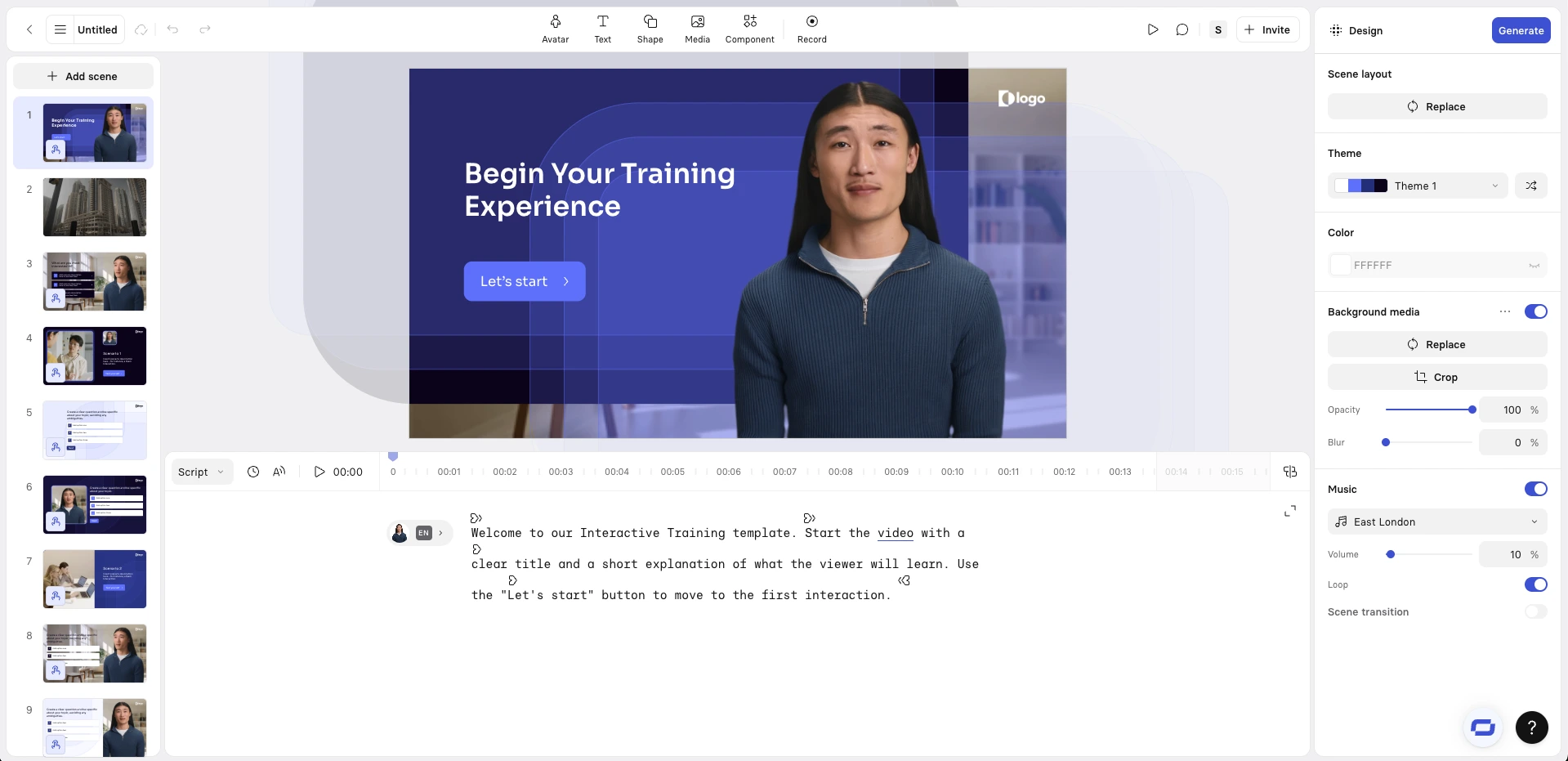
Use it for: Creating business videos and video agents from scripts and documents.
URL: https://www.synthesia.io/
Synthesia is a one-stop AI tool for business videos and video agents. With it, you can turn prompts, scripts, documents, presentations, and webpages into interactive videos. You can even select and customize an AI avatar to lead the video, naturally guiding viewers through the content.
It’s a beneficial tool if you’re working on employee training, onboarding, product explainers, internal communications, multilingual content, and interactive role play learning.
Videos from Synthesia don’t require any filming or editing, so non-technical teams can produce high-quality videos in minutes. For the more creative types, Synthesia includes an ‘AI Playground’ where you get free access to Veo 3 and Sora 2 to experiment making B-roll for videos.
There are additionally Video Agents in the tool that let viewers interact with videos in real time, which makes content more engaging and is useful for training and simulation videos.
The Basic plan from Synthesia is free. Pricing begins at $18 per month.
10. Higgsfield

Use it for: Making inspired dynamic AI images and videos.
Higgsfield is an AI tool for creating AI images and videos. It’s also my main creative workspace, as I use it for image and video generation. With the tool, I can work with a wide range of top-tier models inside one clean, professional interface, without constantly switching platforms. For me, the overall experience feels designed for real production work rather than casual experimentation.
I also love the combination of unlimited image generation with Higgsfield, and how quickly new models appear inside the tool. I can test new generators almost immediately, reuse reference images, move from image generation to video, and iterate inside the same ecosystem. This saves me a lot of time when I work on short films, advertising content, and creative concepts.
In my opinion, Higgsfield AI is one of the most balanced all-in-one platforms available today for serious creative work. It also helps that the huge catalogue of trending AI-generated content from its community keeps me inspired and keeps my content up-to-date.
Higgsfield is one of the few AI tools that doesn’t have a free plan. The basic account costs $9 per month.
11. Gamma
Use it for: Converting notes into presentations, documents, and webpages.
URL: https://gamma.app/
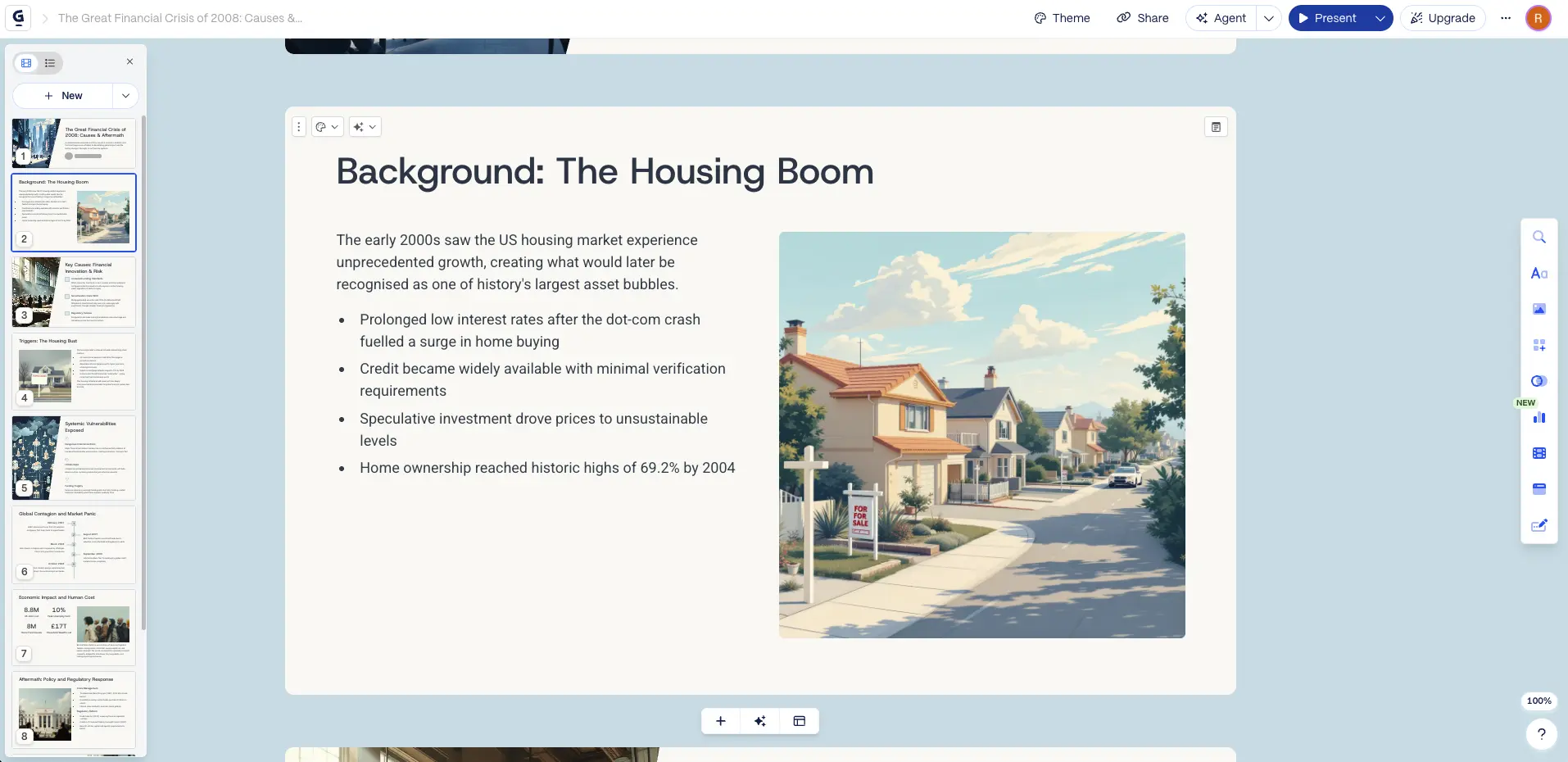
Gamma is an efficiency-lovers’ dream AI tool. It converts notes into decks, documents, and webpages. To use it, you enter your notes, describe the size and scope of your preferred format, and voila, you’ll have it generated in seconds. You can then edit the deck, document or webpage copy, and export the content if you’ve generated a PowerPoint (.pptx).
The decks from Gamma are especially clean and stylish, and come with the option of impressive AI-generated visuals. And, if you’re someone who has to regularly give presentations, you can use Gamma to quickly format professional-looking slides, while you concentrate on refining your ideas.
Gamma is available with a free plan, Plus plan ($9 per month), Pro plan ($18 per month) or Ultra plan ($90).
12. Fathom
Use it for: Recording meetings and creating summaries and action items.
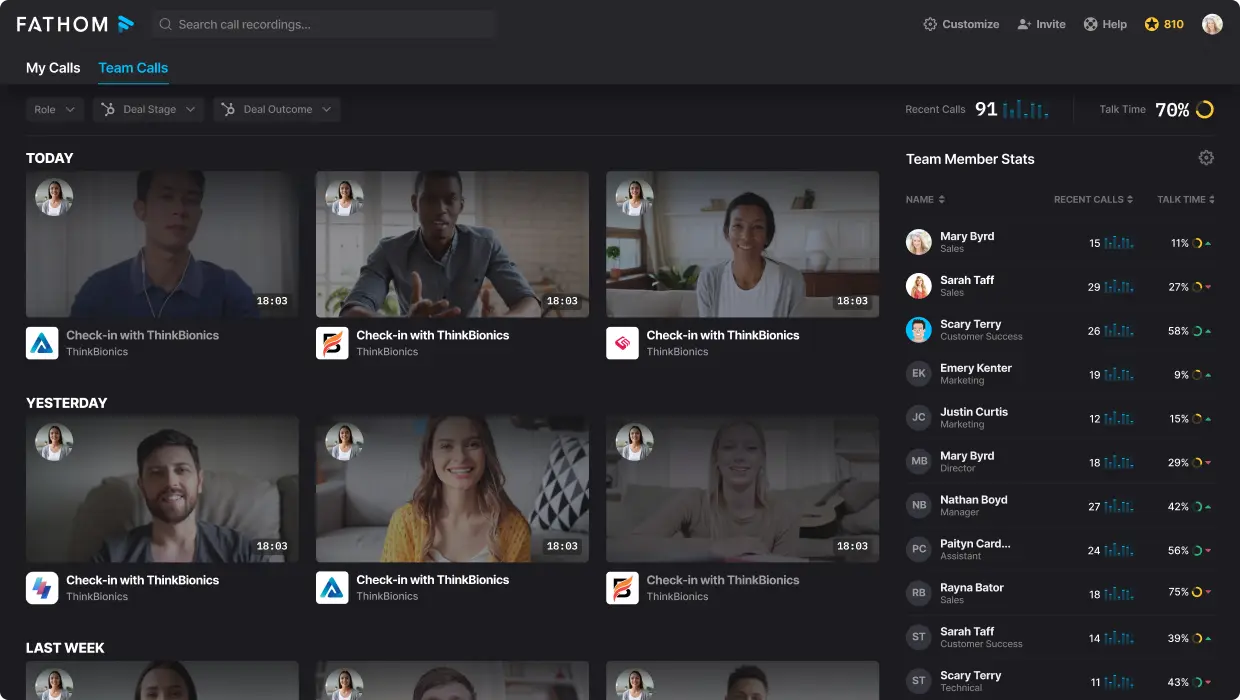
You’ve probably seen Fathom pop up during your work calls. It’s an AI notetaker that joins Zoom or Microsoft Teams meetings and records the conversation, and it’s one of the most genuinely useful tools I use day-to-day.
Fathom makes a full transcript of the call, and afterward produces a structured summary. If I need to be reminded of an action item after a call or double-check what someone said, Fathom has me covered. The notes are always accurate and well-organized in my experience, and I think it captures questions and action items well.
For busy professionals, people with packed call calendars, or just those who love to chat, Fathom is one of the top transcript AI tools – sometimes I wonder how I ever worked without it.
Fathom is free (and says it will be forever) but paid plans start from $15 per month and have advanced features like CRM sync.
Ema Lukan is a Content Writer and Marketing expert with experience across agencies, SaaS, and film. Skilled in copywriting and storytelling, she combines creativity with data to craft compelling content and adapt to evolving digital trends.


.jpg)

.jpg)
.webp)



