




10 Best Internal Communication Video Examples (+ Templates)

Create AI videos with 240+ avatars in 160+ languages
Most companies create videos for external audiences — from explainer videos and brand story videos for marketing purposes, to customer testimonials and case study videos for social proof.
Until very recently, video production was prohibitively slow and expensive, so if a business was going to invest in video production, it would typically be for a video that could drive sales and revenues.
However, with AI now making video creation much quicker, easier, and cheaper, we've seen an explosion of video creation for internal use. AI has also made it easy to update videos when processes change and to localize videos into any language.
In this post I'm going to explore how companies are using videos for internal communications, and give you 10 great examples to inspire you.
What are internal communication videos?
Internal communication videos are used by organizations to share information, updates, or messages with their employees within the company.
They are meant for an internal audience, typically the employees of the organization, rather than the general public or external stakeholders.
They can cover a range of topics, from company policies and training to organizational updates and employee recognition, improving overall communication and engagement within the organization.
Why use videos in internal communications?
If AI has enabled the widespread use of video in internal corporate communications, that still doesn't explain why companies are so keen to use video — what's wrong with an email, a Zoom call, some PowerPoint slides, or a Word document?
The answer lies in the fact that video offers a dynamic and engaging format for asynchronous communication within the enterprise that people prefer over text-based communications.
Here are the main reasons why I think many companies love to use video for internal comms:
- Better engagement: Videos almost always have higher completion rates than emails or documents, and since video can more naturally capture and hold attention it typically drives better information retention, too.
- Asynchronous: Videos, unlike meetings and calls, can be consumed whenever convenient for the viewer, which is not only a huge advantage for distributed teams, but also enables learning in the flow of work.
- Authenticity: Seeing a CEO or other leader's face in a video builds human connection and allows the tone and emotion of the speaker to be more clearly understood, so it feels far more authentic than a written communication.
- Better understanding: Video-based learning is effective because it allows the author to combine narration and visuals simultaneously, which distributes the cognitive load of understanding a concept across two channels, resulting in faster and better comprehension.
- Consistency: It's much easier to ensure consistent delivery of information using a video compared to using a meeting or call. Everyone who watches the video is going to see and hear the same message, which allows a company to standardize the delivery of information such as training or policy updates.
- Scalability: Similarly, video is much easier to scale to hundreds or thousands of recipients compared to a meeting, call, or live presentation.
- Measurable engagement: Video consumption generates rich video metrics that can tell you who watched, how engaged they were, and how they interacted with the video.
10 awesome internal communication video examples
The below list represents 10 of the most common applications of video in internal communications.
You can use any of the videos in this list as a template by clicking Create video from template.
1. Company culture
2. Recruitment
3. Onboarding
4. Company policies and procedures
5. Information security
6. Health and safety
7. Leadership development
8. Corporate facilities tour
9. Internal knowledge base
10. Strategy presentation
How to easily make your own video for internal communications
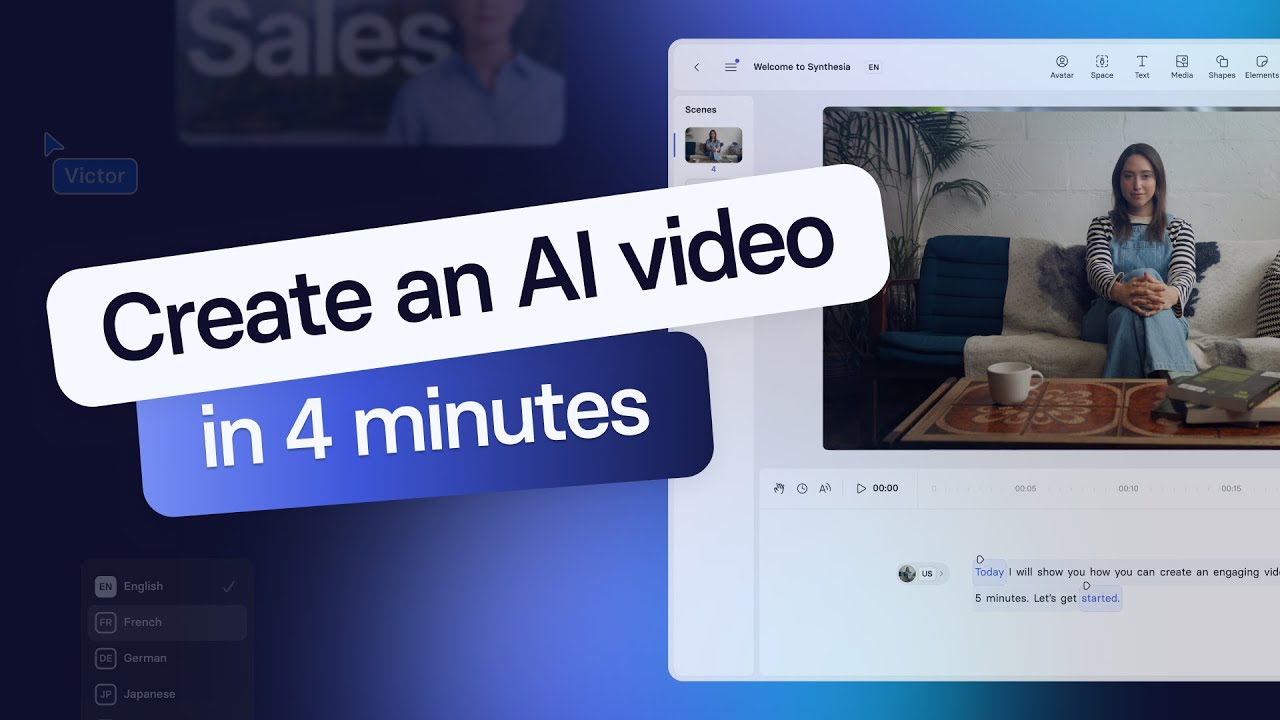
For companies transitioning to video-based internal communications, the thought of setting up equipment and recording multiple takes might seem daunting.
But with Synthesia, creating an internal communications video becomes an easy, 5-minute task.
Here's how to do it.
Step 1: Log in to Synthesia
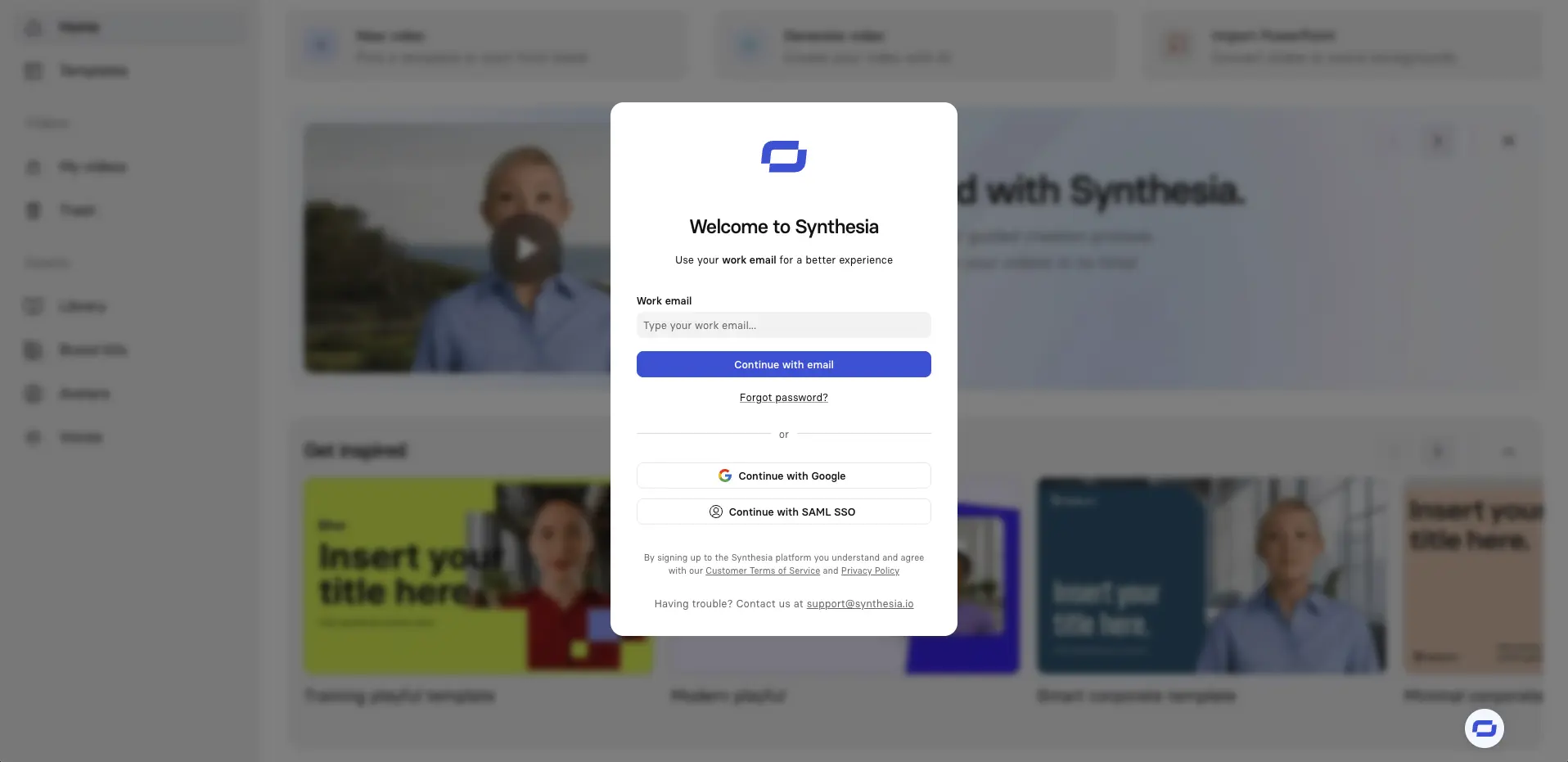
Click here to log in or sign up for a free account.
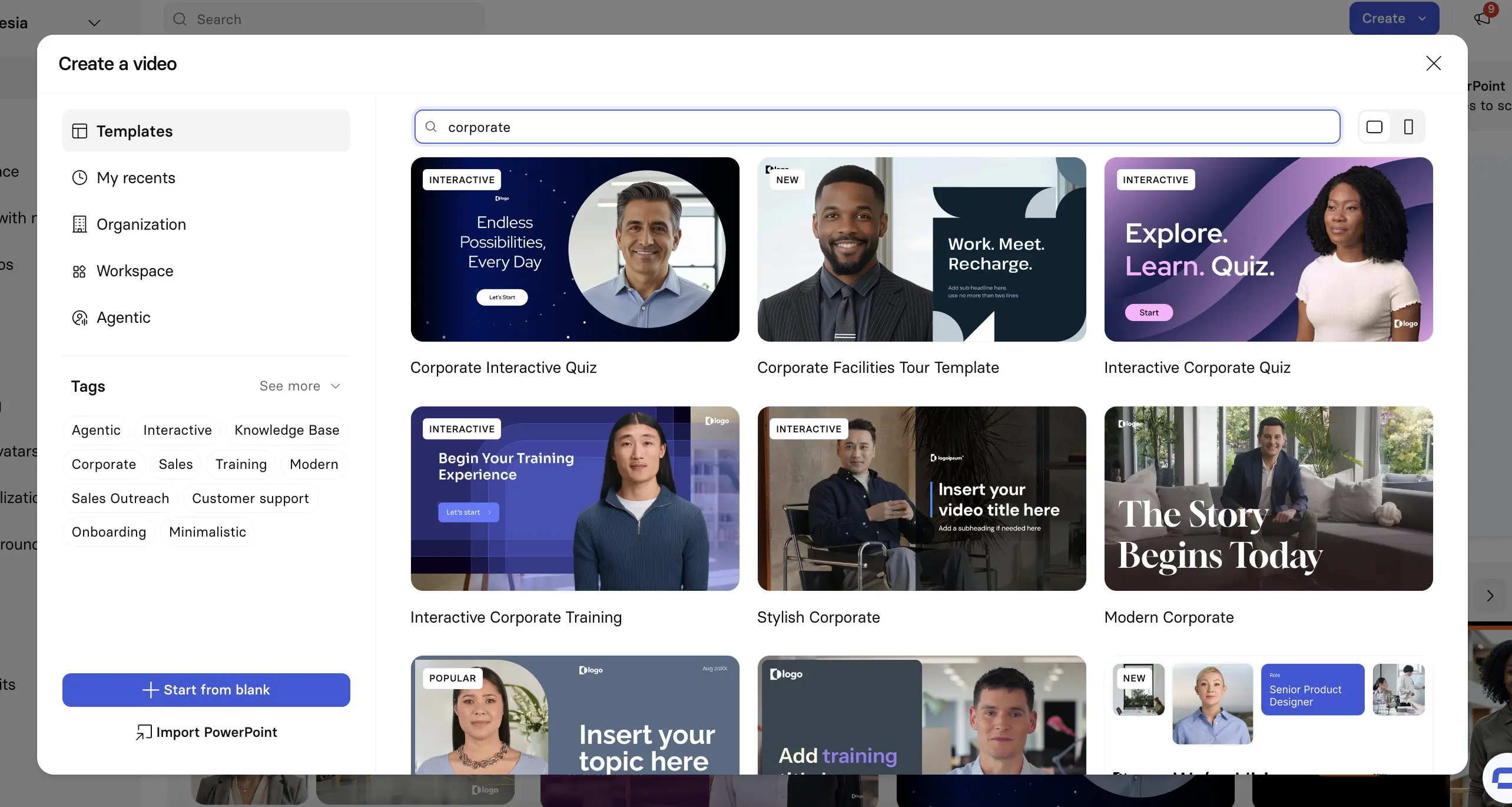
Step 2: Select Create from the homepage
Click Create at the top of the Synthesia homepage and select Video.
If you're uploading a PowerPoint and want to convert your slides 1:1 to video scenes, then choose the Import PowerPoint option instead.

Step 3: Choose an AI video template
Using a video template is the fastest way to get started and gives you professionally designed scenes to add structure to your video.
Step 4: Edit your video
Now it's time to edit your video.
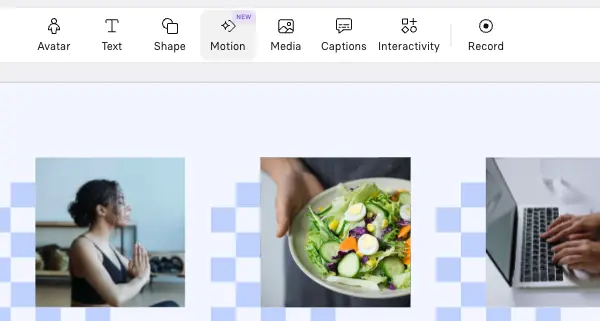
In Synthesia's editor you can review your scenes, refine each scene's script, and add avatars, B-roll, motion graphics, and screen recordings.
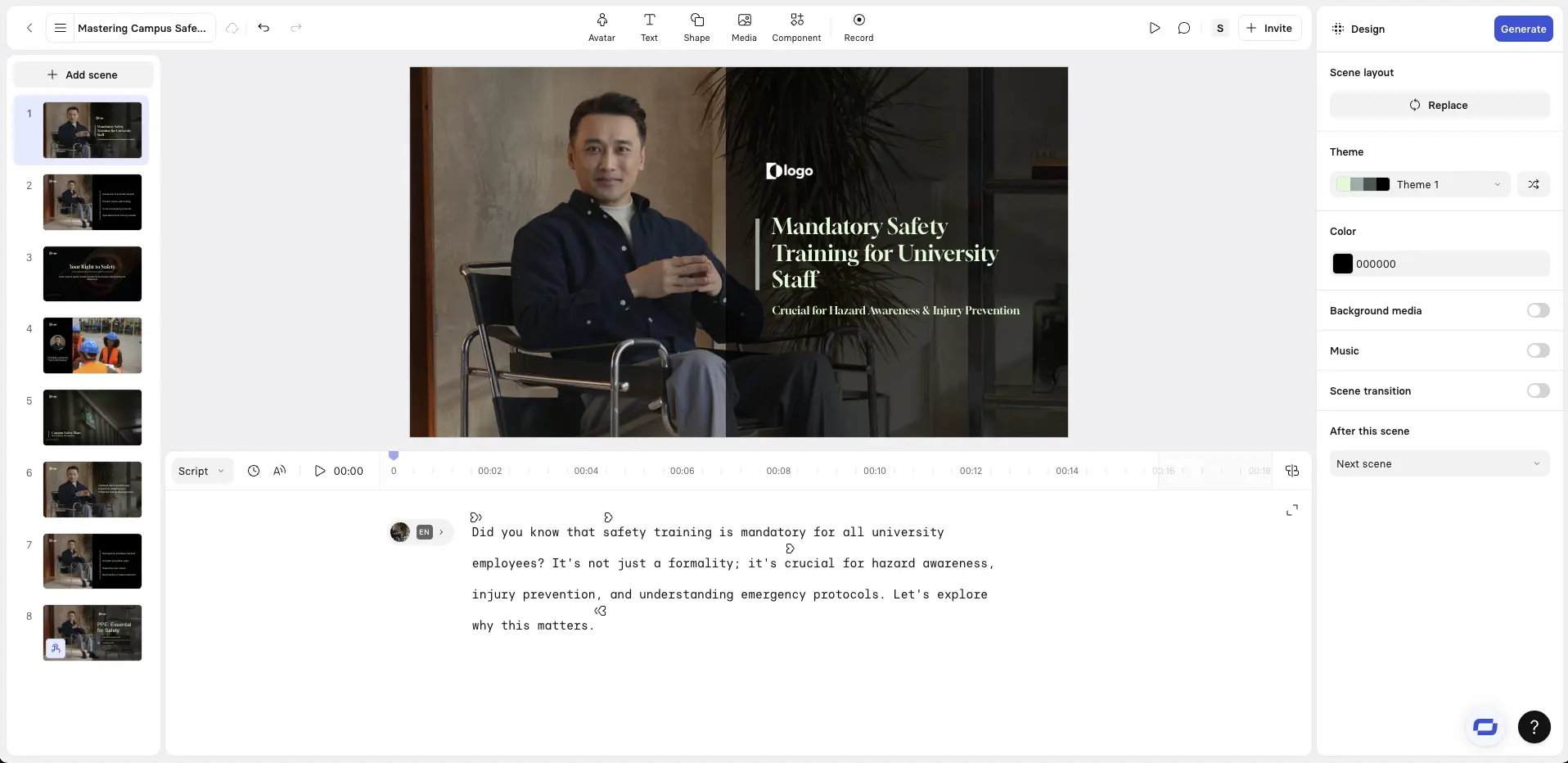
Choose an AI avatar and adjust the script
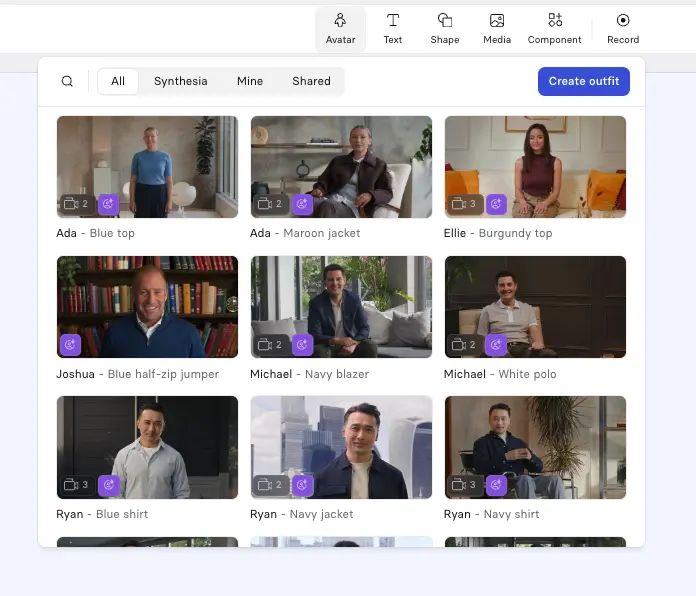
Click Avatar at the top of the editor to add an AI avatar to your video. Synthesia offers a wide variety of stock avatars as well as the option to create a custom avatar from a prompt or an image.
I suggest choosing an avatar that fits the context of your video, and I try to vary my avatar's placement and size between each scene in order to reset viewer attention without adding any distracting motion.
It's also important to select the right AI voice to go with your avatar. You should try to match the accent and tone to your primary target audience to increase engagement.
Add screen recordings
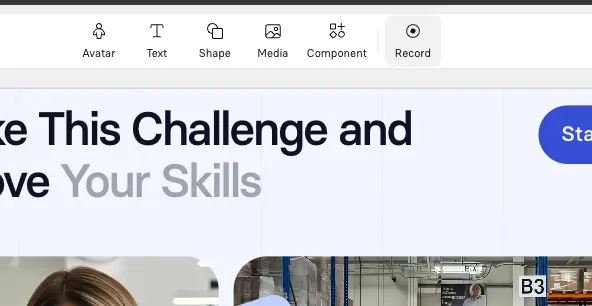
Synthesia has a great AI screen recorder.
I often use this for software tutorials. I'll typically use a talking-head plus screen recording layout, with the avatar on one side and the screen on the other.
Add B-roll
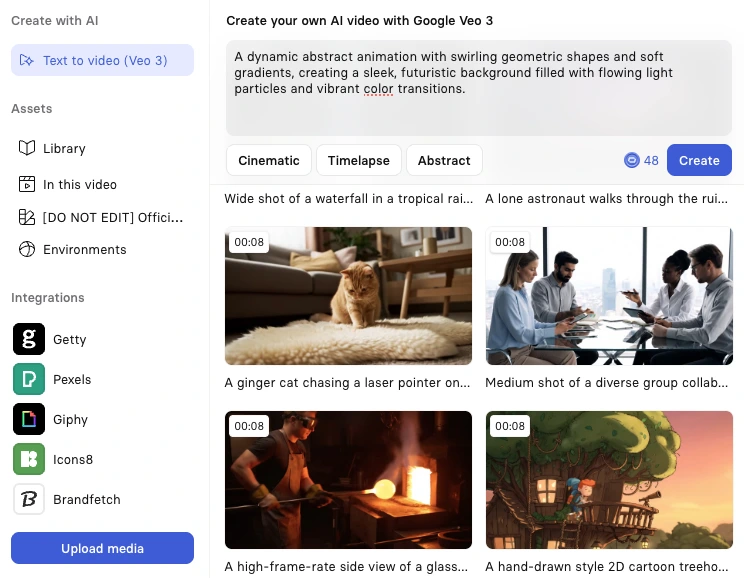
Click Media to add B-roll to your video. You can generate these video clips using an AI video model like Veo 3, upload your own videos, or use Synthesia's stock media library.
B-roll is great for breaking up long narrative-driven sections of your video and helps to keep your video visually engaging. I'll usually use it to show real-world examples, people performing a task, or any other visual that supports the narration.
Add interactivity
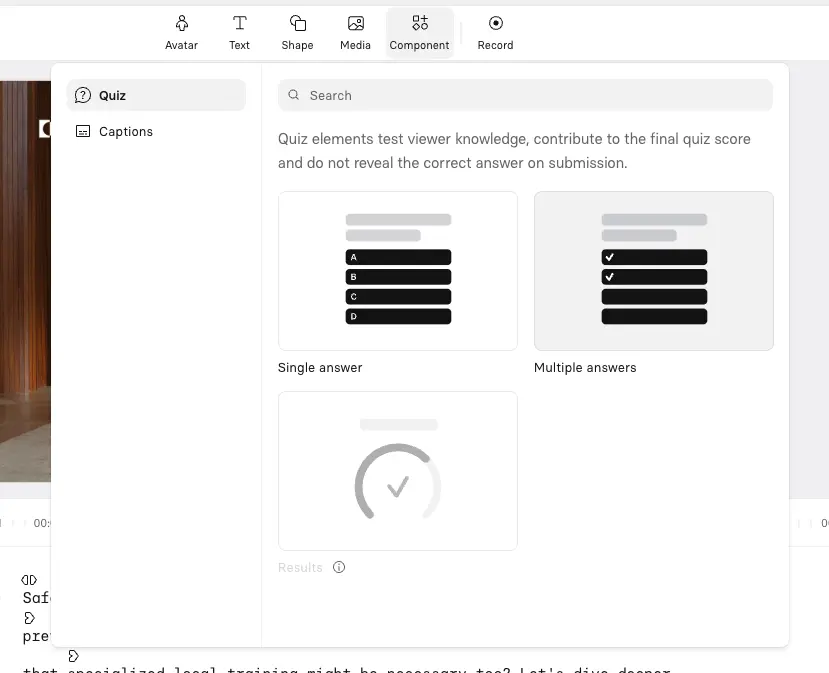
Synthesia allows you to add clickable buttons and hotspots, branching scenarios, and interactive quizzes to your videos. Click Interactivity at the top of your screen to add these components.
Add motion graphics
Click Motion at the top of your editor to start adding a motion graphic to your video. You can either use one of Synthesia's motion graphics templates or prompt one from scratch.
Step 5: Generate your video
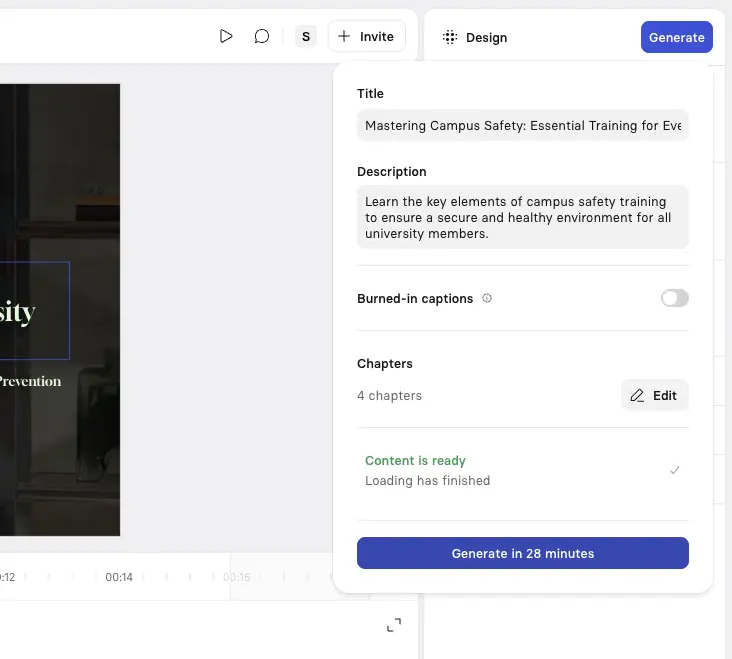
Hit Generate in the top right corner to generate your video.
You can then download your video as an MP4, get a shareable link, embed your video on a webpage, or download a SCORM version of your video and upload it to your LMS.
Step 6: Publish and share your video
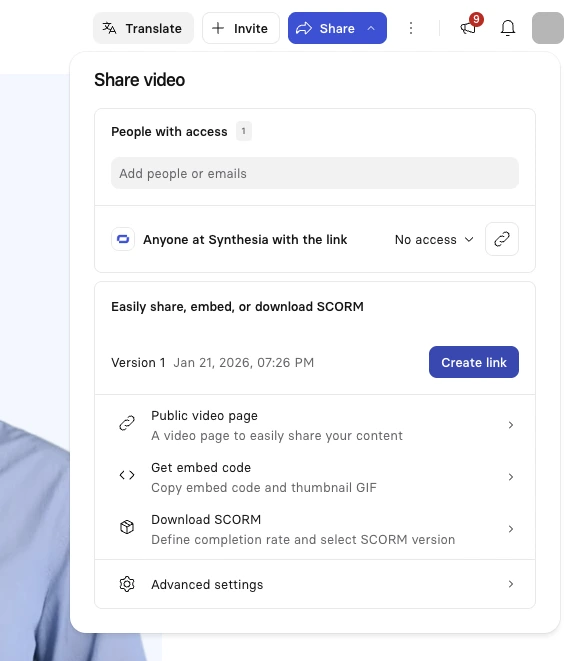
The final step is to publish and share your video.
Synthesia lets you export your video as an MP4 file, or you can publish it directly with Synthesia and embed the video wherever you like.
Strengthen your internal communications strategy with video
Thanks to these internal communications video examples, you've already got an idea of how great your internal communications can be, and now it's your turn to try it.
So, if creating a memorable and cost-effective video for internal communications is on your to-do list, we recommend you try using an AI video creation platform. You will see that creating training videos, recruitment videos, and internal communications videos has never been easier.
Kyle Odefey is a London-based filmmaker and Video Producer at Synthesia. His content has reached millions across TikTok, LinkedIn, and YouTube, even inspiring an SNL sketch, and has been featured by CNBC, BBC, Forbes, and MIT Technology Review.
Frequently asked questions
What are internal communication videos?
Internal communication videos are used by organizations to share information, updates, or messages with their employees within the company.
They are meant for an internal audience, typically the employees of the organization, rather than the general public or external stakeholders.
Why do companies use videos in internal communications?
Video offers a dynamic and engaging format for asynchronous communication within the enterprise that people prefer over text-based communications.


.webp)

.webp)



