Customer Service Training Videos: Build to Scale

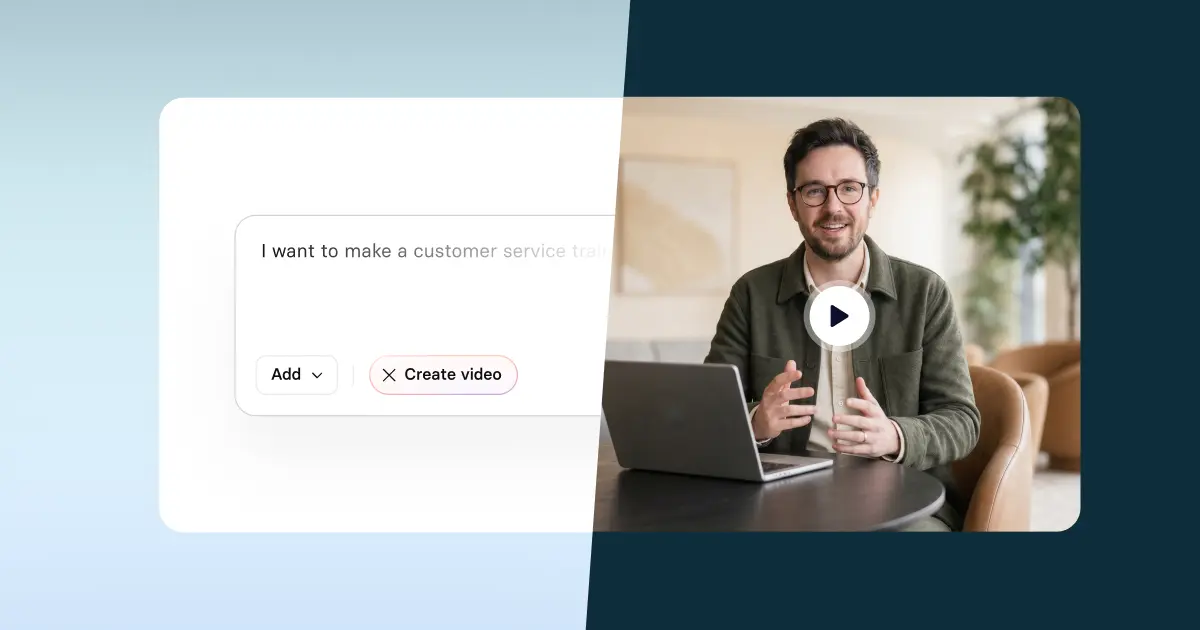
Create engaging training videos in 160+ languages.
1 in 2 consumers who have a bad experience with customer service will cut their spend with a company. And 30% of those consumers will do so silently, meaning they won’t tell anyone they had a bad experience. That leaves you trying to parse what happened out of churn data.
What it comes down to is service quality: how consistently your team meets customer expectations.
Whether you’re designing a training program for a single customer service team or a globally distributed operation, the challenge is building a program that is sustainable.
What is good customer service training?
Good customer service training helps agents build the skills needed to offer high-quality service. That requires the convergence of several factors: skills enablement, delivery timing, and reinforcement.
Skills enablement
Customer service skills can be categorized in many ways. I prefer to organize them around observable capabilities: how they interact with the customer, how they make decisions and how they use their knowledge and tools to make those decisions.
- Interaction capability
This includes skills like active listening, empathy, conflict resolution and expectation setting. How you enable these skills depends heavily on the communication channel (e.g., chat, email, or phone), as each of these requires a different register. - Decision-making capability
This includes skills like correctly applying a policy, documenting a resolution, or choosing the right escalation path. Agents need to “own” the outcome for the customer or they risk over-escalating, driving up handle time (and probably frustrating the customer). - Operational capability
This includes skills like note-taking (or internal documentation) and digital fluency (e.g., navigating your ticketing system, CRM, and knowledge base). Agents should be able to navigate their tools and systems efficiently so they can make the most informed decisions possible.
These capabilities are interdependent. Empathy can’t make up for an inability to navigate a system and solve a problem.
Delivery timing
Customer service training should be ongoing at any organization. The timing of training delivery complements an employee’s lifecycle and the rhythm of the business.
The training starts with a new hire’s onboarding, where they learn more about their role and responsibilities, as well as about the tools and systems they’ll be expected to use. Their onboarding continues with robust product training.
Once they’re performing at expectations, the training continues with product updates and upskilling. It may also be punctuated by crisis communications training covering how to handle service disruptions, a policy change, or a product recall.
Reinforcement
Like any program, customer service training should include reinforcement. Agents, like the rest of us, are prone to forgetting what they just learned.
Effective training programs design for this reality by planning concise and focused reminders in the flow of work. That can range from reminders posted in messaging channels or intranets, a callout in monthly all hands, or even quick practice opportunities in their inbox.
If a new policy was rolled out last week, alongside a training, schedule personalized reminders with one tip and one script for how to address the policy change in calls.
Choosing the right training medium
I've just described the components of a robust customer service training program. At its maturity, this type of program can involve quite a few moving parts, which makes it all the more susceptible to breaking.
That’s why I recommend carefully choosing the medium when you design any new training. There's always trade-offs.
Live workshops are best for conveying nuance and providing real-time feedback, but aren't the most scalable, especially if you're in a cost savings environment. Text-based training can easily scale, but often cannot convey nuance. (You get the point.)
For customer service training, there are some trade-offs you have to accept. Timing is perhaps the most critical variable. You can’t afford a slow ramp time for new hires, or for there to be a gap between a policy change and training delivery. Every agent needs the same information, at the same time, no matter where they’re located. That’s how you maintain service quality.
AI-video training
If you're looking for a medium that reduces as many of those trade-offs as possible, I recommend considering AI video (and I'm not just saying that because I work here). AI video supports skills enablement, formal learning, and reinforcement. And it does so at scale.
Before AI, I would have never recommended video as a medium for scaling training programs. It was cost prohibitive and time intensive, especially if you wanted anything localized or revised. But with an AI video platform, you have the infrastructure needed to support your entire training program, whether that's delivering customized onboarding or sending an emergency communications update. And with a few extra clicks, you can localize either of those into 160+ languages.
See how Avetta, a global leader in supply chain risk management, trains its 150 support agents with AI-powered video.
How to create a customer service training video with AI
If you’re interested in learning how to create a training video in an AI platform like Synthesia, I’ll share more below using an onboarding use case.
No matter which use case you’re considering for AI video, I always recommend starting with a needs analysis. Videos, even AI videos, are only as effective as their learning design. That means taking the time to identify a learning objective and performance outcome.
You can use a template like this: This video is for [specific role] who currently [context or gap]. After watching, [specific role] should be able to [observable action] so that [performance outcome].
For instance, “This video is for a new customer service agent who is learning about our return policy. After watching, they should be able to handle refund exception requests correctly and confidently, so that escalations on billing disputes decrease and first-contact resolution improves.”
This gives us a clear understanding of what the video needs to do and how to measure its impact through escalation rates and first-contact resolution.
Generate a first draft
Now you're ready to generate a first draft. I'll walk you through two ways to do it.
The first is to go to our AI video generator, where you can upload existing materials (a slide deck or PDF), paste in a script, or enter a prompt.
If you're interested in following along, here's the prompt I used:
Create a customer service training video script. Scenario: a customer requests a refund outside the standard return window. The agent's goal is to apply the policy correctly while keeping the customer calm and informed. Structure the script in four scenes: context, demonstration, knowledge check, and next step.
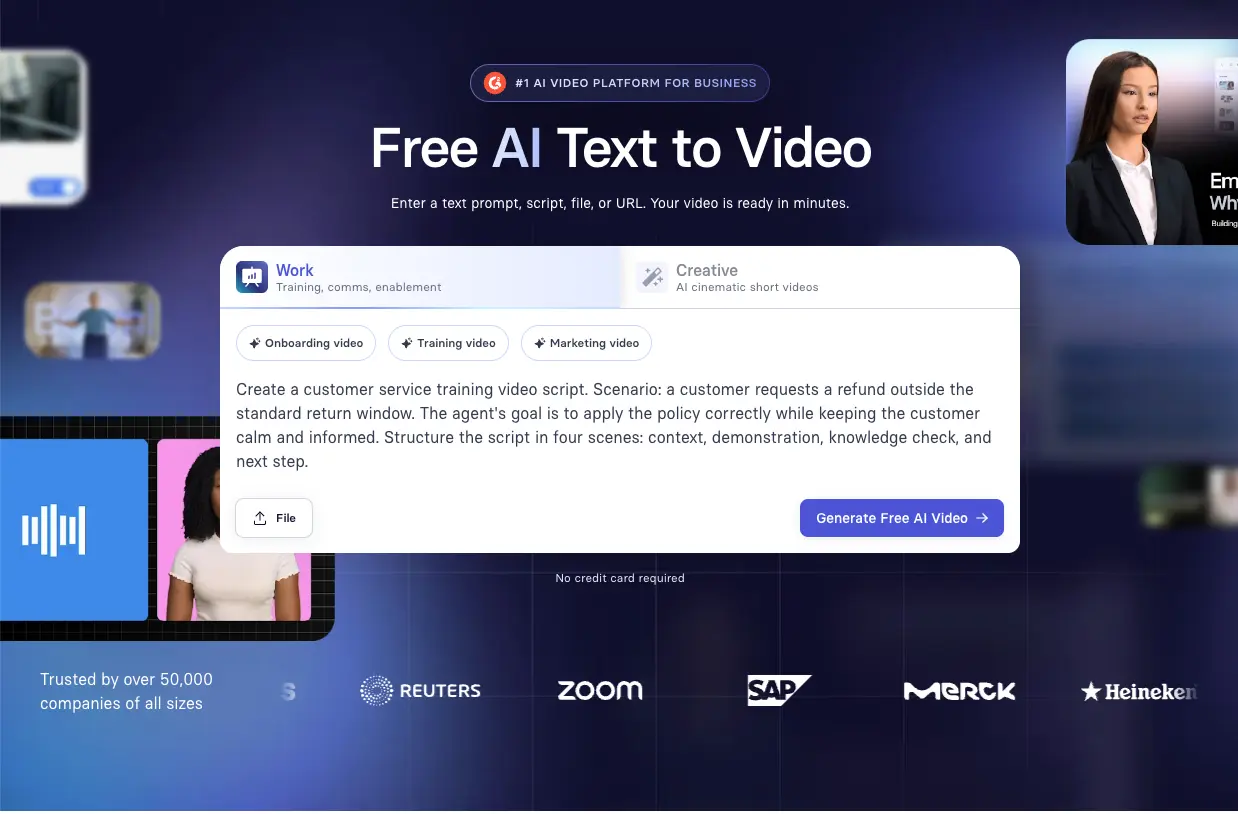
Another way to generate a first draft is to start with a template. If you're new to designing learning experiences for video, you might find this route easier. Our templates are created by instructional designers, so you can focus more on the content than the layout (note: enterprise clients receive customized and branded templates).
Choose your avatar
Once you have a draft, the next step is choosing your avatar. Customize their appearance and voice to match your brand and audience. (I asked for the avatar, Mira, to be pictured in a call center.)
Pay attention to accent and pronunciation. You have full control over how things get pronounced, which helps you create consistency across your training library.

Some customers prefer to use only narration in some scenes, as having an avatar onscreen adds to cognitive load.
Customize your scenes
Whether you want to add motion graphics, b-roll, or interactivity, anything you add should help agents understand the process.
Preview your video before generating, and double-check that everything from the pronunciation to the flow makes sense.
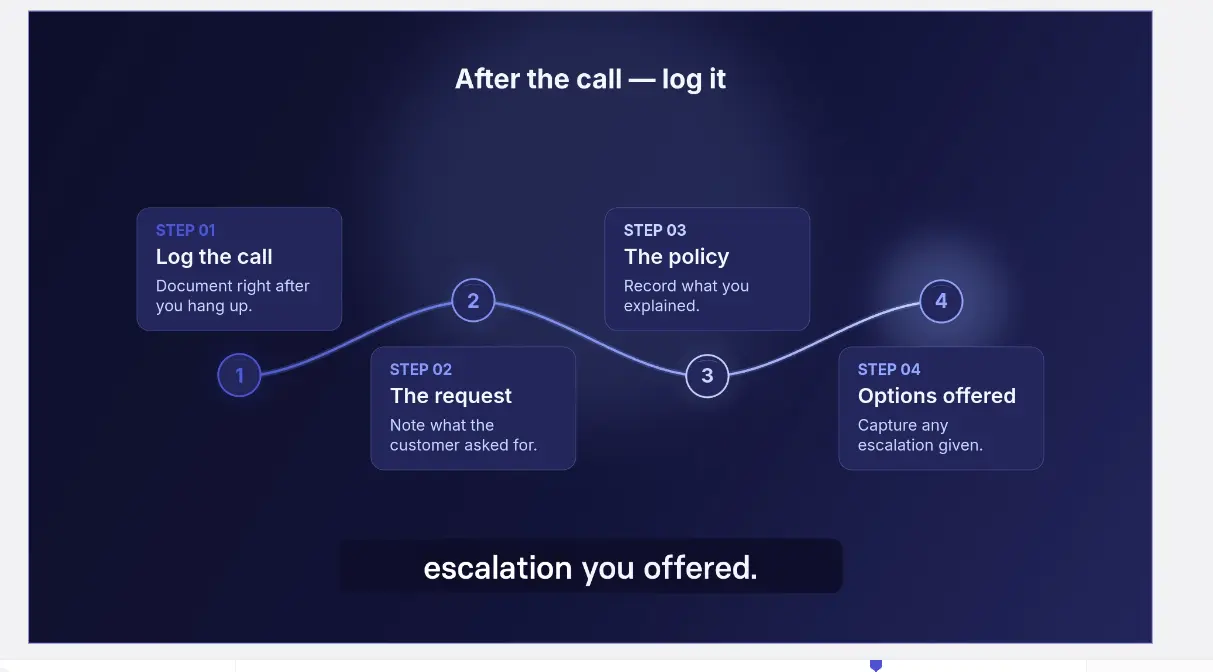
Some generated assets may appear as placeholders or low-fidelity previews until you generate the final video.
Localize your video
When you've generated your video, you can localize it into over 160 languages with a few clicks. If you're localizing, always include native speakers in your review process. They can catch shifts in tone or note areas where an expression may not translate.
Publish your video
When you've gotten everything just right (or good enough given the time constraints you're likely working with), decide where you'll publish your video and how you'll manage revisions. Our Academy team refers to this as the publishing triangle:
- Surface: Where does this live, and how do people find it?
- Security: Who has access, and what happens when it's shared?
- Stability: How do you update content without creating confusion or outdated versions?
The decisions you make here will shape what you can measure and how reliably you can track it, especially if you're choosing between an LMS and xAPI.
No matter where you publish, organize your content so it's easy to find for your team and for any AI search tools they may have access to. You likely already have a way to support this surfacing internally, whether by tagging content by skill or workflow.
What most teams don't have is a plan for tracking when training needs to be updated or retired. For that, I recommend building an AI agent with an internal LLM (or finding someone on your team who knows what that means and how to do it). You can create something that monitors your training library and flags whenever a policy or internal update comes through a messaging channel.
How to measure if training videos are working
For most teams, measuring whether training is doing what it's supposed to is the hardest part. In customer service, that pressure is even harder given how quickly things move. You probably don't have the luxury to conduct robust evaluation when you're too busy getting out the latest product update.
That's why I want you to focus on good enough measurement. If you're investing in an AI platform like Synthesia, you should be able to show your stakeholders that the investment is leading to improved performance with data they care about.
Earlier, I gave you a template for a learning objective and performance outcome, and in the example, cited escalation rates and first-contact resolution. If I were to publish that training, that's what I'd be monitoring.
Here's what that looks like. First, identify a pilot group and a control group. (This is essentially an A/B test.) Give the pilot group the video training, but not the control group. Then, over a month, monitor escalation rates and FCR for both groups. Compare trends to identify whether the video is having the expected impact. If not, revise before rolling out to the broader audience.
If you don't have time for that because the pace of your organization is too quick, ditch the control group and roll out the video. Track the same metrics before and after launch and see what changes.
Either way, the goal is the same: a training program that is sustainable, measurable, and demonstrably worth the investment.
Amy Vidor, PhD, is the Learning and Development Evangelist at Synthesia, where she researches learning trends and helps organizations apply AI at scale. With 15 years of experience, she has advised companies, governments, and universities on skills.




.webp)