10 Inspiring Onboarding Video Examples (+ How to Make Your Own with AI)

Create onboarding videos that scale across teams and roles
Only 12% of employees strongly agree that their company does a great job with onboarding. That's not particularly inspiring for those running onboarding programs.
But I'm also not surprised. Onboarding is tough to get right.
Think about your own experiences going through onboarding. More than likely you're changing companies every four years or so, which means repeatedly relearning the basics: where's the bathroom and how do you request PTO.
Effective onboarding is both universal and specific. It communicates the same message to all new employees about the company and culture, while reflecting the specificity and nuance of someone's previous experience, role, and location.
10 examples of employee onboarding videos
There are plenty of lists of employee onboarding videos out there. I want to give you something more useful: real examples organized by type, based on my own experience running L&D programs and the use cases we see from Synthesia customers.
Finding good examples is harder than it sounds. Most companies don't share their onboarding content publicly (fair enough, it's their secret sauce). So some of the examples you see here may feel a little outdated or generic. That's fine. The goal is for you to be inspired to create something that authentically reflects your organization.
Welcome videos
Welcome videos do just that — they welcome new hires. When I think about welcoming new hires, I often think about personal touch points: greeting people in an office lobby or over a coffee Zoom call. If you're considering making a video the first time an employee hears from the company after the hiring process, you want to convey the same level of enthusiasm and engagement as you would in person.
First impressions matter.
You might think about introducing your team, or having a leader share a bit more about the company and what excites them. Here are some ideas to consider.
1. HubSpot
Industry: Software
What the video does: Set the tone before Day 1
Why it works: A welcome video can also be shared with candidates, by the way. Take this video HubSpot made, a genius piece of storytelling featuring photos of their founders and hand-drawn art to give it that human touch. They share their mission and introduce their team, having fun while doing it.
By the end of the video, which new hires and candidates could both appreciate, you know their core value "use good judgment" and their benefits policies (hello, unlimited books). In less than 4 minutes, I can confidently say I could describe their company. Talk about powerful.
2. Notion
Industry: Software
What the video does: Shows, rather than tells about the culture
Why it works: Notion shows what it's like to work in their offices by filming at their global locations. You learn about the company from employees sitting on comfortable (and aesthetic) couches, with dogs curled at their feet and hidden Sesame Street stuffed animals tucked behind them.
The video comes full-circle with employees talking about how they use Notion in their daily life: like planning their wedding or preparing for a new baby.
Company culture
You could make the argument that all onboarding videos are culture videos. And you'd be right.
Sometimes a company culture video is explicitly that, covering a mission or values. In other cases, it is about how employees treat each other and build community. These videos are examples of that diversity
3. Atlassian
Industry: Software
What the video does: Challenge what "culture" means at work
Why it works: "Culture is a thing that can't be manufactured," Mike Cannon-Brookes, co-founder and co-CEO of Atlassian, says in this video, before passing the baton to other employees to describe in their own unfiltered words.
There are some carefully chosen shots of how their culture shows up in collaboration and events like Twilight Cinema. (I was sold with the sleeping puppy, which you may notice is a theme here for me.) While I enjoy the frank tone, it may not work for your organization. Again, authenticity is key here.
4. Duolingo
Industry: EdTech
What the video does: Shows the power of in-person collaboration
Why it works: As an avowed Duolingo user, I can say this video has me sold on their company culture. We could all benefit from stopping meetings to have a meal together every day.
Told in an interview format, you learn a lot about how the company works, as well as their values, like hiring employees who are representative of their global users. In a few minutes you understand how the team collaborates and what they value in the work they do together.
5. Caterpillar
Industry: Manufacturing
What the video does: Turn a slogan into individual ownership
Why it works: For a manufacturing company with over 100,000 global employees, making a compelling company culture video that can cover the range of work people do is no small task.
They manage it by having each employee in this video answer one simple prompt: what they do, and why it matters. "We keep people safe." "We don't just talk about progress and innovation, we make them happen, because that's work that matters." Individually, they're small statements. Together, they build to the company's mission, "Let's Do the Work."
Career development and internal mobility
Onboarding isn't just about welcoming new employees. It's about showing them how you will support their career development and foster internal mobility.
According to LinkedIn's 2025 Workplace Learning Report, "Organizations that prioritize career development outpace others on key indicators of business success."
That's why I encourage you to consider making an onboarding video like the ones below. Show, don't tell, your new hires how you'll invest in them.
6. Patagonia
Industry: Retail
What the video does: Show that career growth doesn't mean compromising your values
Why it works: I'll preface this by saying I'm a long-time Patagonia customer, and this video only reaffirmed my status. In 2022, Patagonia's founder declared that all future profits would be invested in fighting climate change, noting that "Earth is our only shareholder."
This video feels completely on brand. By following one employee's journey from sewing technician to manager, spliced with footage of her surfing and camping, Patagonia shows rather than tells what their culture looks like on a production floor.
The career story and the lifestyle story are inseparable, and that's the whole point. For a new hire, this video answers a question that no handbook can: will this company actually live its values?
7. Adobe
Industry: Software
What the video does: Highlights how the company invests in its people
Why it works: If you're looking for a more corporate example to emulate, watch this one from Adobe highlighting their two-year Sales Academy. That's right, two years. This isn't a lightweight investment, and it shows. Senior leaders and program alumni share their perspectives on the program.
If you invest in a flagship program like this, I highly recommend crafting an onboarding video to celebrate the work. It's the best marketing you'll do in L&D.
Role-specific onboarding
Role onboarding is where the universal meets the specific. Every new hire needs to understand the company, but they also need to understand their team, their tools, and what success looks like in their particular role.
Typically, onboarding program managers don't own role-specific content, but you may be responsible for providing guidance on how to build it out, especially when the only onboarding that exists lives in people's heads or questionably-stored documents.
That's where onboarding videos are especially useful. With the right guidance, they can introduce a team, a process, or a set of expectations with minimal annual revisions required.
8. Accenture
Industry: Professional services
What the video does: Document institutional knowledge with minimal production
Why it works: One of the best things about these videos is that they require minimal production. This one by Accenture looks like it was shot in one take with a cell phone and then captioned.
This format, asking someone to read and then answer a question, is a great way to document institutional knowledge. And as a bonus, it probably takes less than 10 minutes to make with an auto-captioning tool.
9. Lego
Industry: Consumer products/toys
What the video does: Showcase a specific team
Why it works: Of course, if you have a production crew at your disposal, you can film well-lit productions like Lego's video. It uses the same principle as Accenture, asking employees questions about their role while filming in the office. Lego rotates through members of their Digital Technology team and captures the essence of their playful workplace with their signature bricks.
Importantly, there is nuance to these interviews, capturing the reality of working at a large enterprise and the competitive talent pool they're recruiting from.
Compliance and safety training
The least exciting part of onboarding is the one that matters most. Usually that includes everything from filling out paperwork to setting up your computer and completing compliance training. If your workplace includes controlled environments, it may also include safety training.
The stakes are real. Non-compliance can expose your organization to risk and liability, and in safety-critical environments, physical harm. That's why consistency matters: every employee needs to receive the same information, regardless of their role or region.
Video is particularly well-suited for this use case because it allows you to deliver messages consistently and meet regulatory requirements.
10. Synthesia
Industry: Software
What the video does: Set expectations before Day 1
Why it works: At Synthesia, we practice what we preach. Our People team uses video to deliver important messages about getting started and compliance training. In this video, there's a brief overview of important systems and information.
The video begins by telling new hires they'll know exactly what to do on Day 1. It's sent before the employee's first day so they know what to expect. (If you're looking to reduce the number of emails your People and HR team fields about what to expect from orientation and onboarding, this is a great solution.)
While this version has been scrubbed, generally speaking you want to be as precise as possible in your compliance videos. That means including system names, precise contact information, and links to internal resources. Use videos to equip employees with the right contextual information so they can start solving their own problems.
Choosing your production method
Most of the examples above are live-action videos, and for good reason. They're trying to capture the essence of working at their company, whether that's the people, the culture, or the advancement opportunities. That's why traditional video production methods have worked well for these use cases.
But AI video is changing how you can use video in your onboarding programs. (It's also making it more cost-effective and time-efficient.) Here's a quick overview of when it makes sense to use each production method.
How to create an onboarding video with AI
In my experience, most onboarding videos are based on existing training materials: whether that's a PPT on IT Tools or a transcript from a live workshop. If that's the case, I recommend reviewing my guide to converting training materials into video.
If, however, you have a new idea that you want to turn into a video, like a training on a new AI policy, here's how it works.
Step 1: Prompt the Assistant
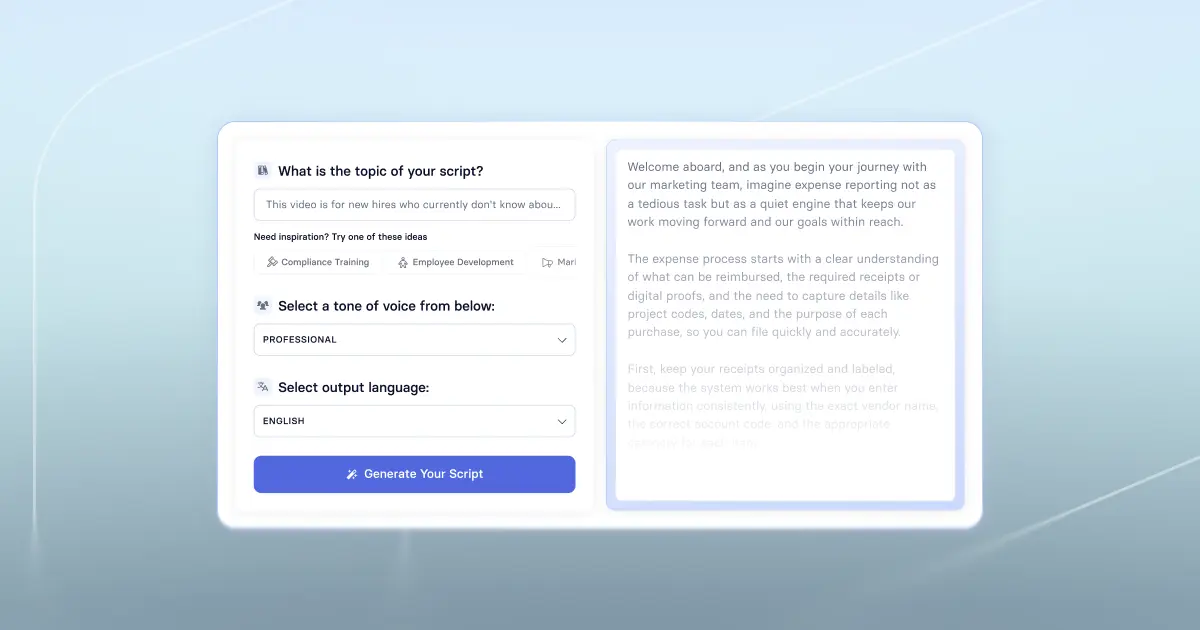
Head to our free AI video generator and either upload reference materials or type in a descriptive prompt that identifies your audience and the goal of the video. A useful prompt names a specific, observable outcome. I like to use this template:
After watching this video, [role] should be able to [complete a specific task] in [context], without [common errors or support].
The more specific you are, the better. Don't worry about covering everything, you'll have a chance to add more detail in the next step.
Step 2: Edit the outline
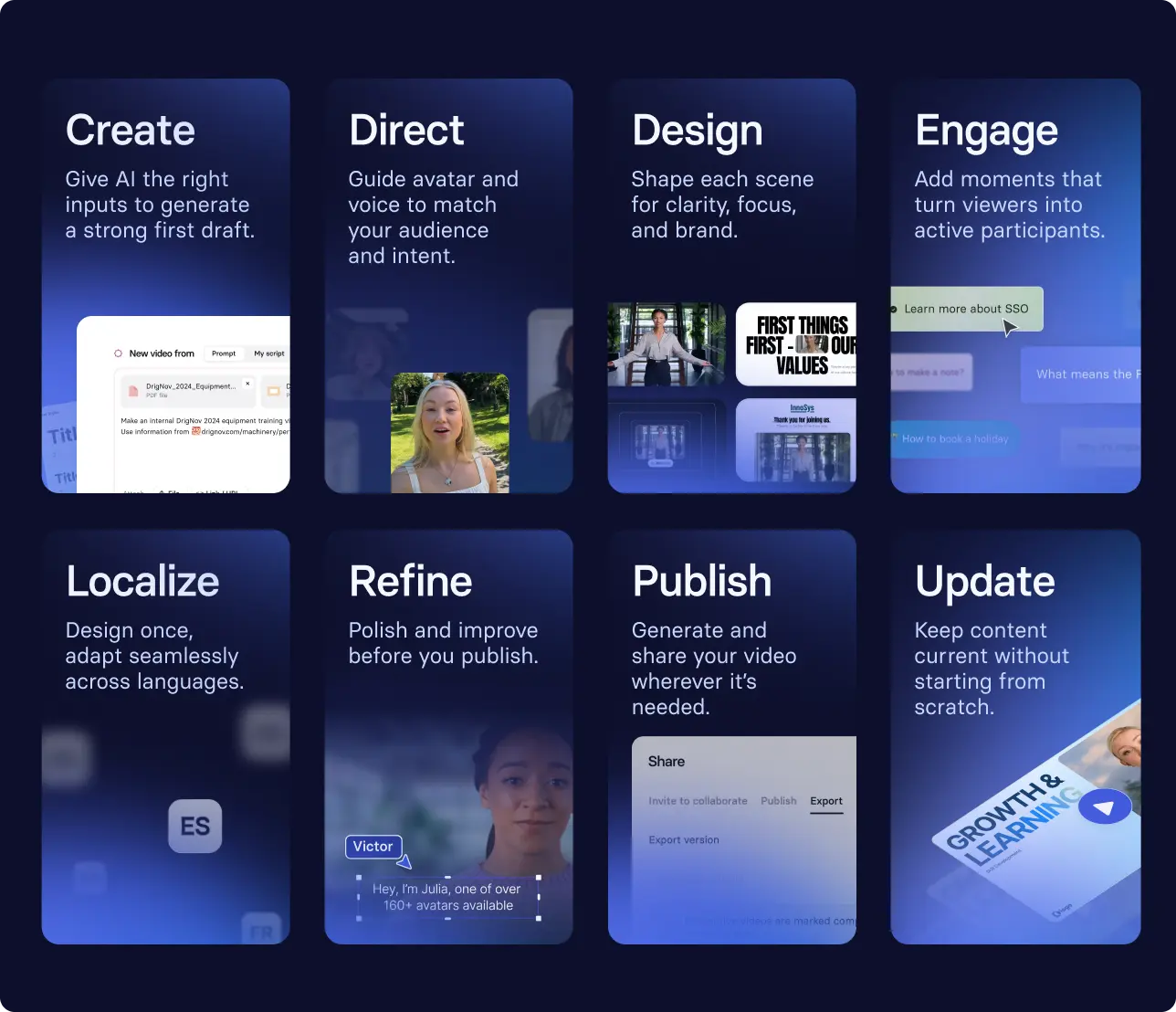
The Assistant will generate a recommended outline based on the information you've provided. You can delete recommended content, change the colors and fonts, and choose the pacing.

Then, you'll continue to be the editor.
Step 3: Edit the video
Once your outline is ready, I recommend selecting the avatar you want to narrate your video (they don't have to be on-screen, they can be voice only). Choose a dialect and tone that are appropriate for your workplace, and modify any pronunciation, like how to say your company's name or products.

Then, I recommend going through each scene to refine the content. (A scene is like a slide in a PowerPoint presentation.) You can edit by chatting with the Assistant or make the modifications yourself. It depends on how you like to build.
You can add in interactivity, visuals (B-roll, motion graphics, and more) to match your audience and outcome.
Step 4: Publish and share
Consider piloting during an upcoming orientation session to gather real-time feedback. Note where people have questions so you can incorporate that into your next draft. Keep in mind that the video will eventually be distributed in advance, so people can pause and rewatch at their own pace. There's always someone who struggles with wifi and slows down the group.
If the feedback surfaces something that isn't working, our FOCA framework can help you diagnose the problem. Most issues trace back to an unclear outcome, a loose structure, or a CTA that doesn't point anywhere useful.
Step 5: Iterate
Make any changes based on what you observed. Once you're confident in the video, publish it to a central hub like your LMS, intranet, or help center so new hires can always find the current version. If you're working across regions, prioritize localization early.
Organizations we work with often structure onboarding as a series of videos, interwoven with live touch points. Criteo uses this approach to deliver consistent messages to new hires across teams and locations, helping employees ramp faster while reinforcing a shared understanding of how the company works.
How to measure onboarding video success
Earlier, I recommended completing this sentence before building any video: After watching this video, [role] should be able to [complete a specific task] in [context], without [common errors or support]. That sentence is your measurement baseline. Without it, you're producing content without a way to know if it worked.
For onboarding specifically, early signals often look like reduced IT or HR support tickets, or improvements in survey responses to questions like "I know where to find answers to my questions" or "I know where to go for help."
But those signals only tell you so much. Over time, you want to build a more robust measurement approach that accounts for your full onboarding program, including the investment in AI video tooling and the time and labor saved or spent. Create a baseline before you transition to video, pick a reasonable timeline like three months to assess progress, and make sure your metrics connect to something the business actually cares about.
That last part matters more than people give it credit for. Onboarding isn't just an HR concern. Delays in ramping new hires, poor early experiences, and early attrition all have real costs: slower productivity, additional burden on managers, and turnover after you've already invested in talent acquisition. Measurement is how you make that case and keep improving.
If you’re interested in seeing how Synthesia can support your onboarding, schedule some time with our team.
Amy Vidor, PhD, is the Learning and Development Evangelist at Synthesia, where she researches learning trends and helps organizations apply AI at scale. With 15 years of experience, she has advised companies, governments, and universities on skills.
Frequently asked questions
What is the best tool for creating employee onboarding videos?
The best tool for you to create employee onboarding videos depends on four factors: the purpose of the video, your team’s capability, your budget, and your timeline.
For instance, if you need to create a role-specific onboarding video in a short period of time, and your team does not have video editing experience, I would recommend an AI-powered training video software like Synthesia (provided you have the budget for a new tool).
However, if you have extensive live video footage that you want to turn into a polished company culture video, you’ll likely want to use a tool built for professional video editing like Adobe Premiere Pro.
What's the difference between an onboarding video and an orientation video?
Orientation is usually a fixed period of time, like the first day or first week. It welcomes new hires to an organization and covers the basics.
Onboarding is the broader process, which can last up to a year. It is about time to competency and productivity as new hires learn their role and ramp up.
How much does it cost to make an employee onboarding video?
Making an employee onboarding video with traditional methods (a crew, cameras, editing) can cost thousands of dollars, depending on the length of the video and the complexity of the design.
AI video tools lower that cost substantially: DuPont's Operational Excellence and Development team saved as much as $10,000 per video after switching to Synthesia, while also cutting production time by up to 80%.
If you plan to regularly create, update, and/or localize onboarding videos, AI video platforms are more economical the more you produce. If, however, you plan to create a one-off, highly polished production, traditional video production is still the better fit.