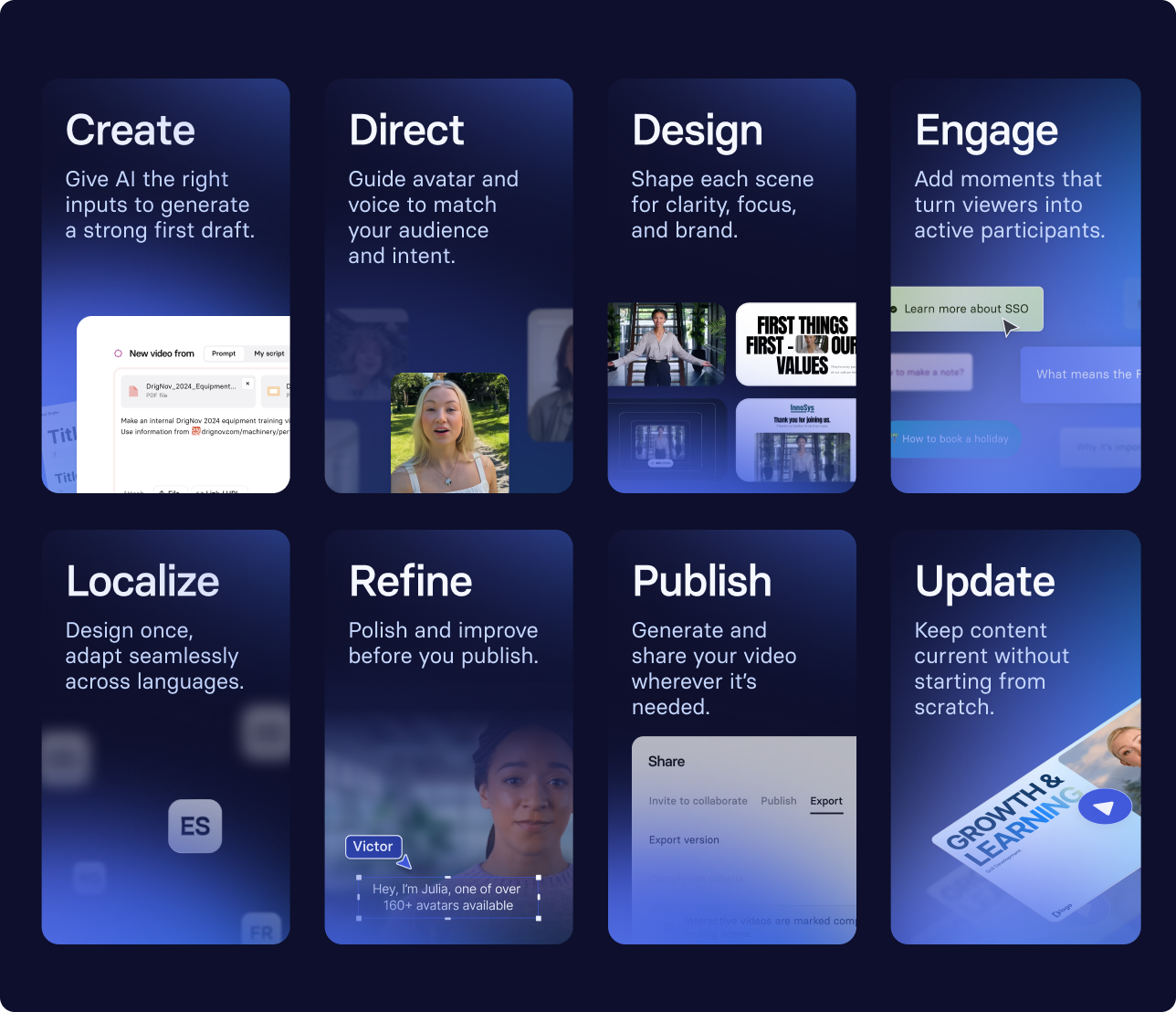
Create AI videos with 230+ avatars in 140+ languages.
I've watched countless L&D teams struggle with the same paradox: customer service training is critical to business success, yet creating effective training videos feels impossibly resource-intensive.
Teams wait months for content requests, work with outdated materials that don't reflect current processes, and struggle to scale training across global teams.
But here's what I've learned: with the right approach, you can create professional customer service training videos that actually work and without the traditional headaches.
4 reasons why you should use videos for customer service training
There are many different ways to train customer service reps, but one common method is to use customer service videos.
These videos can be used to teach reps the essential skills they need to provide excellent customer service. They can also be used to reinforce these skills and help customer service reps stay up-to-date on best customer service practices.
Reason #1: Video can be interactive
Video content can be used as a tool to assess employee understanding.
After watching a training video, employees can complete a quiz or test to gauge their comprehension of the material.
This can help managers identify any areas that need further clarification.
Reason #2: Video makes complex ideas easy to understand
Customer service videos can be extremely effective in teaching complex ideas to employees.
By breaking down the information into manageable bite-sized chunks, training videos make it easy for employees to understand information and put it into practice.
Reason #3: Video is more engaging
Unlike a lecture or a dry training manual, a video can actually hold people's attention and keep them interested in what they're watching.
And when employees are more engaged, they're more likely to absorb the information being presented.
Reason #4: Videos lead by example
Videos can be an effective way to model great customer service behavior. By showing your employees how you want them to interact with customers, you can give them a concrete example to follow.
This can be particularly helpful for new hires who may not have a lot of customer experience.
Problem: Customer service training videos can be expensive to produce 💸
Many companies choose to produce customer service training videos in-house. However, this can be a costly endeavor, as it requires the use of professional equipment and editing software.
Besides, it can be difficult to find employees who are both willing and able to appear on camera.
As a result, many businesses opt to outsource the production of their customer service training video.
While the quality of the videos will likely be top-notch, the cost associated with that can be difficult to justify: a 2-minute video can cost around $2,000.
But cost is just one barrier. The bigger challenge I see teams facing is the content bottleneck—requests taking up to two months to fulfill, learning design teams stretched thin, and training materials that become outdated the moment a process changes.
For global teams, there's the added complexity of creating consistent, multilingual content that maintains quality across languages.
If only there was a better way... 🤔
Solution: Create customer service videos using AI 🤖
This is where AI-powered video creation fundamentally changes the equation.
Instead of waiting weeks for a production team, you can create professional training videos in hours.
Instead of expensive re-shoots for every update, you edit a script and regenerate. Instead of choosing between quality and scale, you get both.
By using AI to generate customer service videos, businesses can save time and money while still delivering high-quality content.
One such tool is Synthesia.
Synthesia allows you to create your own video with a realistic AI presenter and an AI voiceover by simply typing in text.
How to make customer service training videos
Step #1: Create a video script
Think of the customer service training topics you want to tackle with videos. Pick one, and write a video script with highly-relevant content.
Focusing on one topic per video allows employees to fully absorb the information and put it into practice. Trying to cover too much ground in a single video can be overwhelming and lead to confusion.
What customer service skills should you cover?
- Handling difficult interactions: De-escalation techniques, managing angry customers, service recovery
- Communication fundamentals: Active listening, empathy vs. sympathy, phone and chat etiquette
- Process and policy: Escalation criteria, refund procedures, security protocols
- Proactive service: Setting expectations, going beyond the minimum, helpful upselling
Start with your top 5 frustrating customer moments—these are where training delivers immediate impact.
Step #2: Choose a video template
If you're not a professional video editor or don't have time to design your own videos, video templates are a great option.
There are many different types of templates available in Synthesia. Click the 'customer support' and 'training' tags to see the most relevant templates for your needs.

Step #3: Paste your script and choose a voice and avatar
Now it's time to combine the first two steps by pasting in your video script slide by slide into the template in Synthesia.
Keep each scene focused on one concept—I typically aim for 140-160 words per minute of finished video, which means a 3-minute module is around 420-600 words.
Use plain language and include exact phrases agents should say. Instead of "be empathetic," write "I can see how frustrating that is."
The script will be converted into an AI voiceover, so you don't have to record a separate voiceover yourself.

If you have customer service teams dispersed all over the world, you can create videos for them in their native language in Synthesia. We support 140+ languages with different accents and tones.
Step #4: Edit and personalize
Whether you're making a video from scratch or using a template, this step is equally important.
Changing up the colors, logos, and fonts to fit your brand, and inserting relevant examples, images, videos, and audio helps make the video more relatable and targeted to specific customer service training topics.
Here are a few types of visuals you can add to your video in Synthesia:
- Text on screen
- AI generated, stock, or your own images and videos
- Screen recordings
- Shapes, shadows, borders
Step #5: Add interactivity
Synthesia lets you turn a linear video into a clickable, choose-your-own experience. You can add buttons, branching paths, quizzes, and CTAs that change what viewers see next.
It’s all built directly in the editor, so you can easily make engaging customer service training walkthroughs that react to the learner.
I often use it to personalize videos (like picking a role or region) or gate progress with questions before someone moves on.
Step #6: Generate video
Aaaand that's it!
Time to show your customer service team the finished result!
Once you have generated the video, you can download it, share it via link or embed it.
Common customer service training video formats
Looking for some inspiration for your next training video? Here are the most effective formats I've seen teams use:
- Process walkthroughs: Avatar plus screen recording for step-by-step procedures. Use these when teaching system navigation or standard operating procedures.
- Role-play scenarios: Split-screen or sequential scenes showing customer interaction. Perfect for demonstrating conversation flow and appropriate responses.
- Contrast videos: Side-by-side "do this / not that" examples. These work brilliantly for highlighting common mistakes and best practices.
- Micro-lessons: 3-5 minute focused skills (one framework or technique per video). Ideal for just-in-time training or quick refreshers.
You can duplicate these formats in Synthesia and personalize them according to the exact customer service skills you want to teach.
Measuring the impact of your training videos
Creating videos is just the beginning. Here's how to ensure they're actually working:
- Track completion rates and quiz scores tied to each module's objective
- Monitor customer service metrics before and after training rollout (CSAT, first-call resolution, average handle time)
- Gather feedback from agents on what's working and what phrases they're actually using
- Plan for regular updates: minor monthly refreshes for process changes, quarterly additions for new scenarios
The teams I work with who see the best results treat their training library as a living resource, not a one-time project. When frontline agents discover a better way to phrase something, they update the script and regenerate the video in minutes.
About the author
Strategic Advisor
Kevin Alster
Kevin Alster is a Strategic Advisor at Synthesia, where he helps global enterprises apply generative AI to improve learning, communication, and organizational performance. His work focuses on translating emerging technology into practical business solutions that scale.He brings over a decade of experience in education, learning design, and media innovation, having developed enterprise programs for organizations such as General Assembly, The School of The New York Times, and Sotheby’s Institute of Art. Kevin combines creative thinking with structured problem-solving to help companies build the capabilities they need to adapt and grow.

Frequently asked questions
What topics should customer service training videos cover to prepare agents for difficult interactions?
Customer service training videos should focus on de-escalation techniques, active listening skills, and empathy development to prepare agents for challenging conversations. Key topics include managing angry customers, service recovery strategies, and specific phrases agents can use to acknowledge frustration like "I can see how frustrating that is" rather than generic advice to "be empathetic."
Beyond communication fundamentals, effective training covers process knowledge like escalation criteria, refund procedures, and security protocols that agents need when situations become complex. Starting with your top 5 most frustrating customer moments creates immediate impact, while role-play scenarios showing both poor and strong responses help agents understand the difference between adequate and exceptional service.
How long should a customer service training video be to keep agents engaged?
Customer service training videos work best as focused 3-5 minute micro-lessons that cover one specific skill or concept. This format maintains engagement while allowing agents to absorb information effectively, with scripts typically running 420-600 words at a pace of 140-160 words per minute.
Breaking complex topics into bite-sized modules prevents information overload and makes it easier for agents to reference specific skills when needed. This approach also supports just-in-time training where agents can quickly refresh their knowledge before handling specific situations, leading to better retention and practical application of customer service skills.
Can I add interactive elements like quizzes and branching to customer service training videos in Synthesia?
Yes, Synthesia allows you to transform linear training videos into interactive experiences with clickable buttons, branching paths, quizzes, and CTAs that adapt based on viewer choices. You can build these elements directly in the editor to create engaging walkthroughs that respond to each learner's needs and decisions.
This interactivity is particularly valuable for customer service training where you can personalize scenarios based on role or region, gate progress with comprehension checks, and let agents practice decision-making in safe environments. These features help ensure agents truly understand concepts before moving forward, improving both engagement and skill application in real customer interactions.
How can I quickly localize customer service training videos for global teams?
Synthesia's 1-Click Translation feature enables rapid localization of customer service training videos into 140+ languages while maintaining consistent quality and messaging. The platform preserves your original video structure while translating both voice and on-screen text, cutting localization time by up to 80% compared to traditional methods.
For effective localization, maintain text as editable layers rather than baked into images, and review empathy phrases to ensure they remain culturally appropriate and idiomatic in each language. This approach allows global teams to receive training in their native language, improving comprehension and ensuring consistent service standards across all markets.
How do I measure the impact of customer service training videos on CSAT and other support metrics?
Track completion rates and quiz scores for each training module to gauge immediate learning effectiveness, then monitor key customer service metrics like CSAT scores, first-call resolution rates, and average handle time before and after training rollout. Gathering feedback from agents about which phrases and techniques they actually use helps identify what content delivers real-world impact.
Successful teams treat their training library as a living resource with regular updates based on performance data and frontline insights. When agents discover better ways to handle situations, you can update scripts and regenerate videos in minutes, ensuring your training content evolves with your team's needs and consistently drives improvements in customer satisfaction.