10 Best AI Video Translation Tools of 2026 (Tried & Tested)

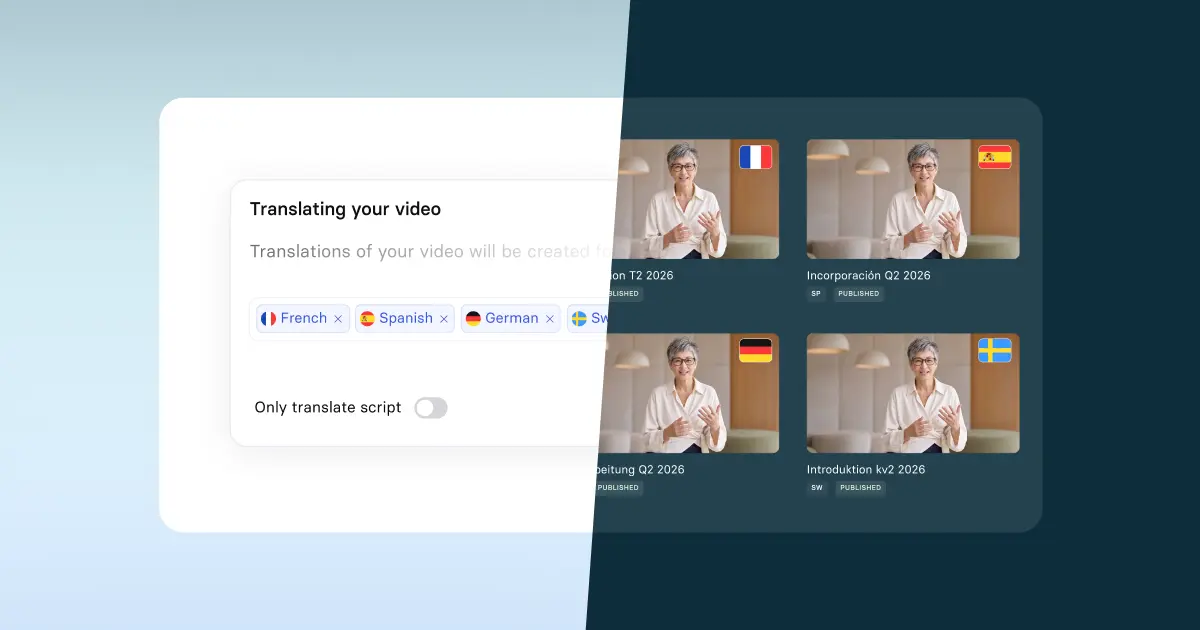
Translate any video into 130+ languages with natural voice matching and lip-sync.
Most AI video translation tools look great in demos. But when you actually test them, the lip-sync is off, the voice cloning sounds robotic, and the translation just isn't right.
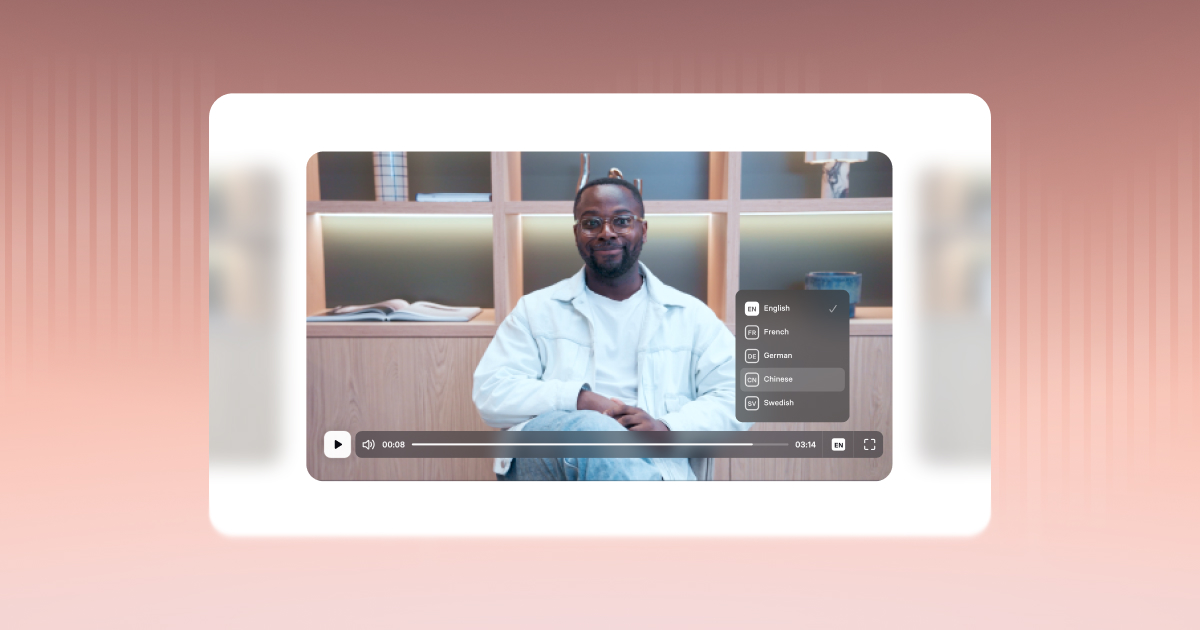
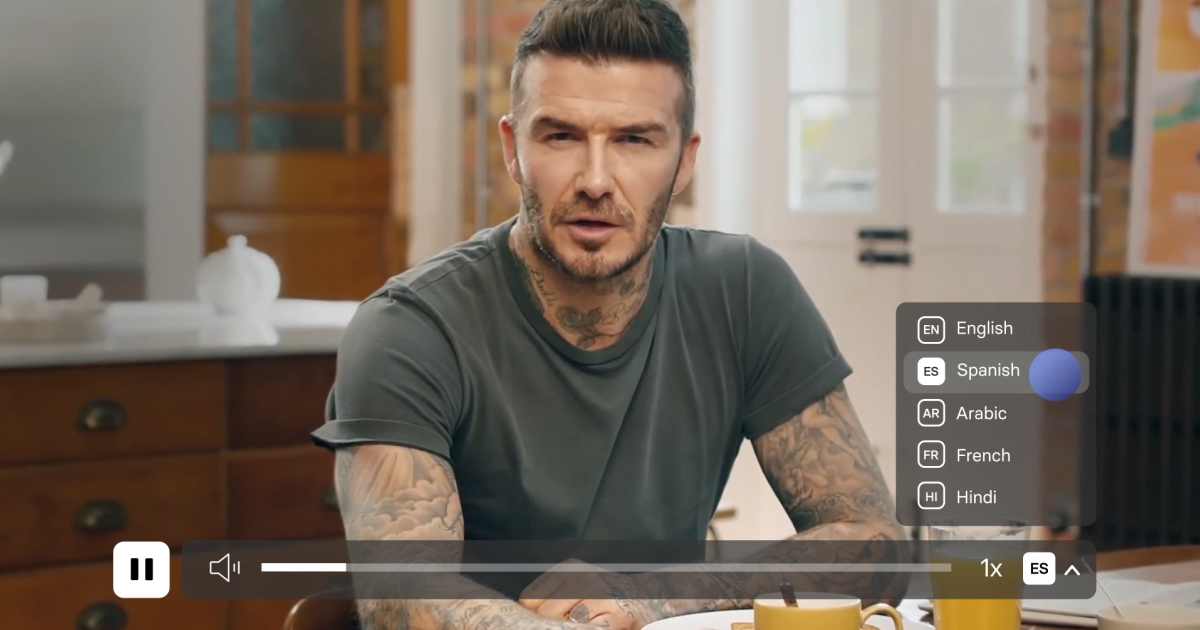
But when it works, the results can be pretty amazing. Check out this example below (try swapping between English, French, German, and Spanish):
I tested 10 tools head-to-head to find out which ones hold up, so you don't have to waste time or money finding out the hard way.
Below you'll find my honest breakdown of each tool, including what the dubbing quality is really like, how the pricing stacks up, and who each one makes sense for.
The best AI video translator tools at a glance
- Synthesia: Best overall for business: highest-quality lip-sync, voice cloning, and enterprise-ready workflows.
- AI Studios: Best free and budget option for lip-synced dubbing (up to 3 minutes free, cheapest per-minute rates).
- Perso AI: Cheapest paid option for lip-synced dubbing, but you have to upgrade to download your video.
- ElevenLabs: Best for voiceover-only dubbing with ultra-realistic voice cloning.
- Maestra: Clunky interface and lip-sync is enterprise-only, but good value for large-volume translation projects.
- Kapwing: Good if you want video editing and basic dubbing in one tool.
- Speechify: Voiceover-only dubbing with limited control and inconsistent translation quality.
- Murf: Generous free voiceover minutes, but no lip-sync and voice cloning is enterprise-only.
- Veed: All-in-one editor, but no free plan and below-average dubbing quality.
- Rask AI: Expensive, and the lip-sync quality is very poor.
How I test AI video translation software
To make this a fair test, I used every tool to translate the same short video of me speaking English into European Spanish. I tested both the free and paid versions of each tool where possible.
Here's the original video:
I assessed each AI video translator tool for the following criteria:
- Accuracy: how accurate are the subtitles generated? How accurate is the dubbed speech? Does the translation sound natural to a native speaker?
- Voice cloning: does the dubbed voice sound like the original person, or is it a robotic-sounding AI voice?
- Lip-sync: does the video visually adjust to match the new dubbed voice?
- Editing features: is there functionality to edit subtitles, scripts, and correct audio? (AI translations aren't always perfect)
- Language support: How many languages can the tool translate into?
- Ease of use: Is the interface intuitive and easy to learn?
- Pricing: Is the service good value for money?
1. Synthesia
Pros
- The highest quality lip-sync of any AI dubbing tool on this list
- Voice cloning that sounds exactly like me
- Wide language support (140+)
- API and bulk workflows for translating videos at scale
Cons
- Free version only lets you dub videos up to 1 minute long (but you can upload a longer video, it'll just be trimmed)
My experience
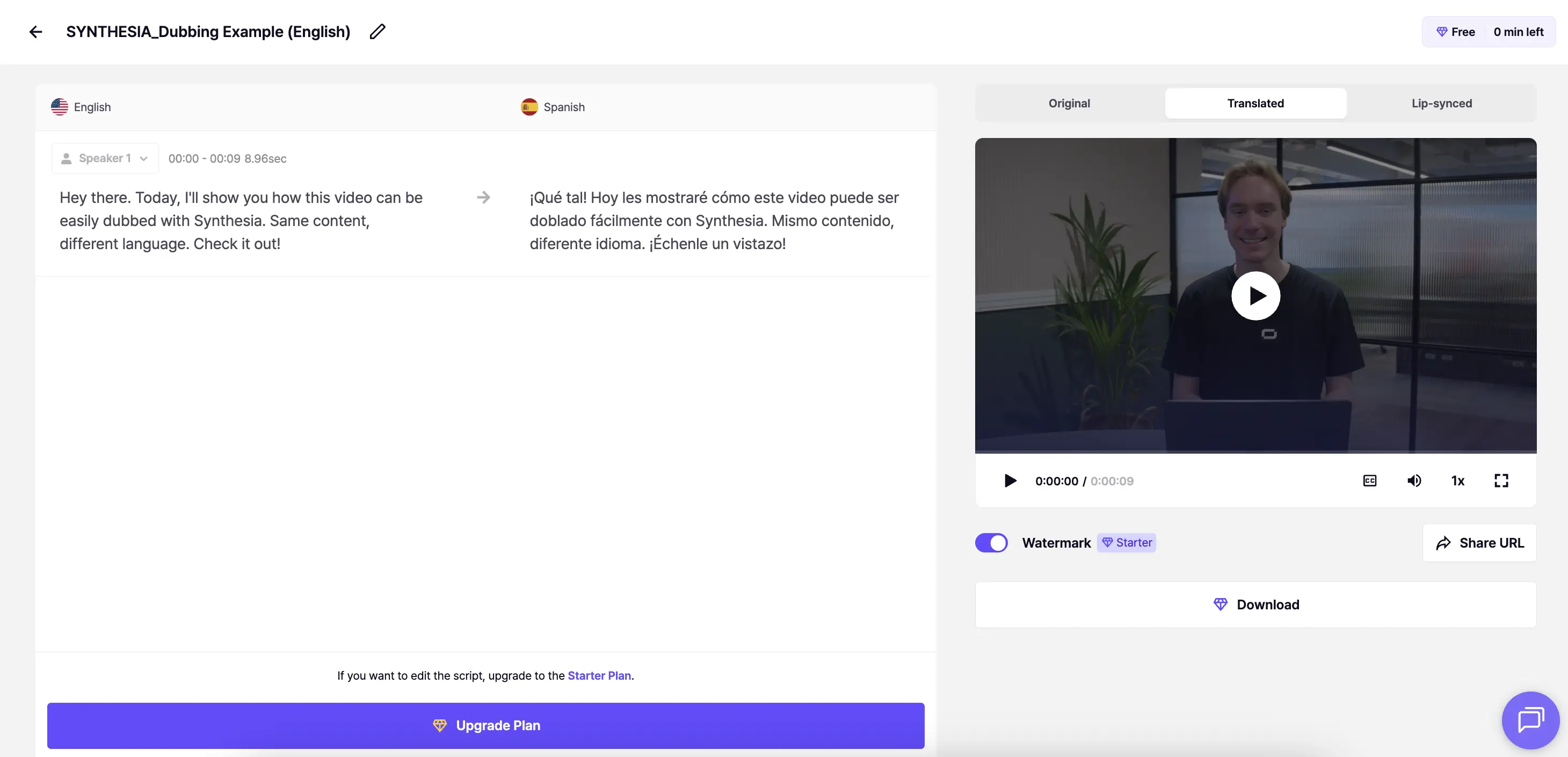
Here's the translated video using Synthesia (note: you can swap to the original English version to compare it in the Multilingual Video Player):
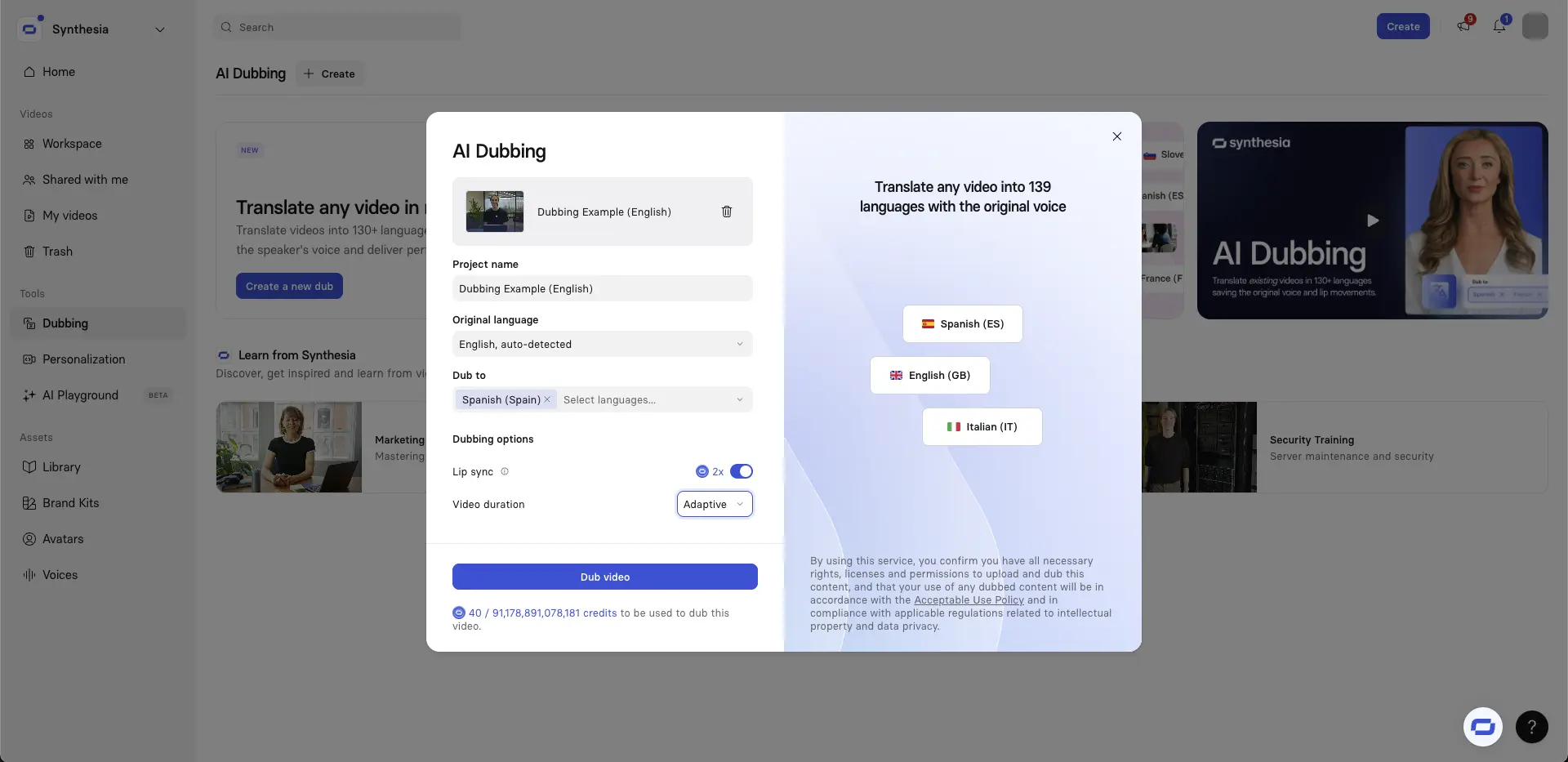
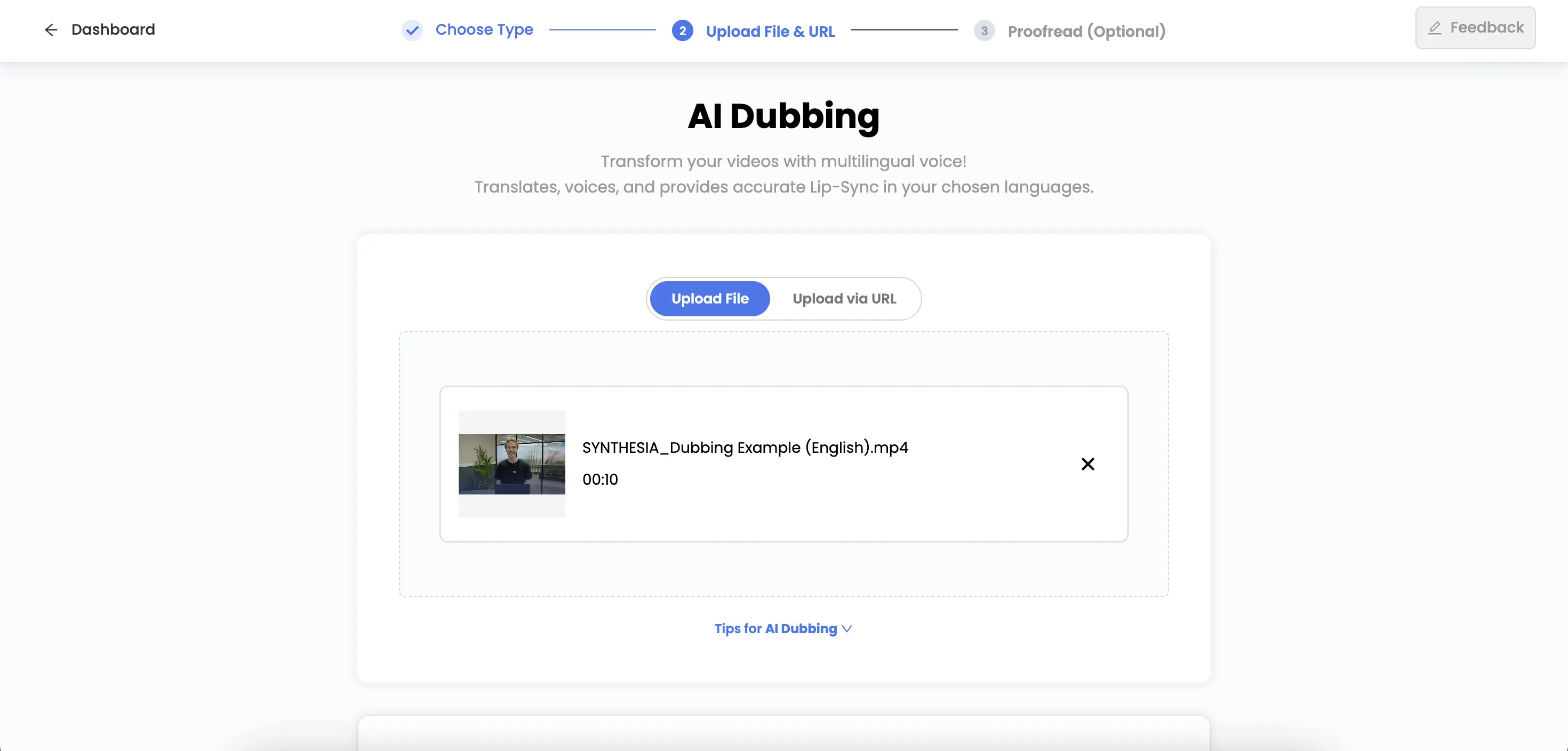
Synthesia offers free video translation with lip-sync for videos up to 1 minute long. You can upload videos in .mp4, .mov, or .webm formats.
You can also use Synthesia to translate a YouTube video.
I found Synthesia’s AI video translator tool super easy to use. I think the lip-sync quality is the best of any tool on this list.
The mouth movements look spot on and the timing works really well - the pacing, pauses and emphasis are close enough to the original that it still feels like my video, just in another language.
The translation sounds accurate to a native Spanish speaker’s ears.
Synthesia gives you the option of choosing “Adaptive" video length, which adjusts the video length for the natural speed that selected translation language is spoken at, which is super useful for some languages (e.g. German with its long compound nouns).
The platform also gives you a lot of flexibility after the initial dub is complete. After I’d watched the dubbed video, I opened the transcript editor and could see the full original script alongside the translated version, broken up into segments that matched the timing of the video.
I think this is super useful if you’re dubbing a video in a professional setting and terminology is touchy (e.g. product names, acronyms, bits of legal language). It lets you click into the translated text and correct the wording or tone.
Pricing
Synthesia lets you translate videos up to 1 minute long for free with full AI dubbing and lip-sync.
For longer videos, you'll need to sign up to the Starter plan for $29/month which gives you access to 10 minutes of AI dubbing with lip-sync at a rate of $2.90 per minute. Check out our pricing.
How does it compare to the other options?
Synthesia's AI dubbing offering is aimed at enterprise use cases who are looking for very high quality AI dubbing and functionality like secure editing or dubbing at large scale and/or via API. It's less suitable for individual creators on a budget.
Who should use it?
Synthesia's AI dubbing is suitable for anyone who needs AI video translation, but I think it makes the most sense for users who need a really high quality translation, which is typically anyone translating videos in a business context.
2. AI Studios
Pros
- Most generous free plan for lip-synced dubbing (up to 3 minutes)
- Offers both lip-sync and voiceover dubbing
- Lowest per-minute rate for lip-synced dubbing on this list
- Accurate translations
- Supports 150+ languages
Cons
- Lip-sync drifts in places, with some visible jittering
- Voice cloning quality could be more accurate. It isn't at a professional grade
My experience
Here's the translated video using AI Studios:
I really liked using AI Studios.
They let you do AI dubbing with lip-sync on videos up to 3 minutes long with a free account, which is the most generous of any tools on this list.
The translation is accurate, and in general the lip-sync quality is reasonable. I think the voice cloning works pretty well too - it sounds more or less like me.
AI Studios supports dubbing into 150 languages, so it's highly likely that they offer any language that you're after.
I played around a bit with the post-dubbing editing features and they were pretty solid too. You can refine the dubbed script to improve the timing, flow and accuracy which is great for avoiding additional generations and burning through all your credits.
The main issue I ran into with AI Studios was that the lip-sync drifted and there was some visible jittering in a few moments (you can spot it near the end of the video above). It’s the kind of thing I wouldn’t want in any video that really matters, especially in a professional setting.
However, if you're just using the free version for a quick translation of a video, then this might not matter much.
Pricing
AI Studios allows up to 3 minutes of AI dubbing a month on the Free plan. If you need more, you can buy the Personal plan for $29/month and get 120 minutes of dubbing allowance at a rate of $0.24/minute
How does it compare to the other options?
AI Studios offers AI dubbing with lip-sync of intermediate quality, but where it excels is its affordability.
It has the most generous free allowance for AI dubbing (with lip-sync) of all the tools in the list, and it also has the lowest cost per minute for additional AI dubbing minutes.
Who should use it?
I think AI Studios is a great option for those looking for quick AI video translation with lip-sync on a budget. The quality isn't to a super-professional standard, but if that doesn't matter for your use case, then I don't see why you use any other tool.
3. Perso AI
Pros
- Affordable lip-synced dubbing
- Voice cloning that sounds close to the original
Cons
- You can't download your translated video on the free plan
- Timing and mismatch issues with the lip-syncing
My experience
Here's the translated video using Perso AI:
Perso AI's lip-sync quality is pretty good, but it’s not at the level where I’d fully trust it for a high-stakes, polished business video. You can spot small timing issues and subtle mismatches, which are fine for quick demos or social content, but a bit distracting if you’re aiming for a very professional result.
The voice cloning is solid though. In my test, the cloned voice sounded close enough to my real voice that it didn’t feel like a generic AI narrator.
Perso AI also supports more than 32 languages, which covers most common business and content use cases.
One limitation to be aware of is the free plan. You can generate the dubbed video, but you can’t actually download it unless you upgrade, which makes the free tier more of a preview than something you can use end-to-end.
On the editing side, Perso AI does let you go back and tweak the translated script and timing, which is useful if the automatic translation isn’t quite right. You can correct wording, adjust pacing, and regenerate sections without starting from scratch.
Pricing
Perso AI's free plan lets you dub 1 minute of video, but it doesn't let you export your video. You can download your videos on the Creator plan though ($6.99/month)
However, the Creator plan gives you 15 mins of dubbing with lip-sync, at cost of $0.47/minute.
How does it compare to the other options?
I think Perso AI is another good option, but I feel like if you're looking for AI dubbing with lip-sync, you'll probably go with Synthesia or AI Studios as those options have superior dubbing quality, and they also both let you download your translated video on the free plan.
Who should use it?
If you're on a budget but you want to use AI dubbing with lip-sync.
4. ElevenLabs
Pros
- 5 minutes of free voiceover dubbing (watermarked)
- Excellent voice cloning that sounds just like me
- Very granular editing controls in the Dubbing Studio
Cons
- Voiceover dubbing only, no lip-sync
- Some unnatural intonations in the dubbed audio
- Only supports 29 languages
- Steeper learning curve than most tools on this list
My experience
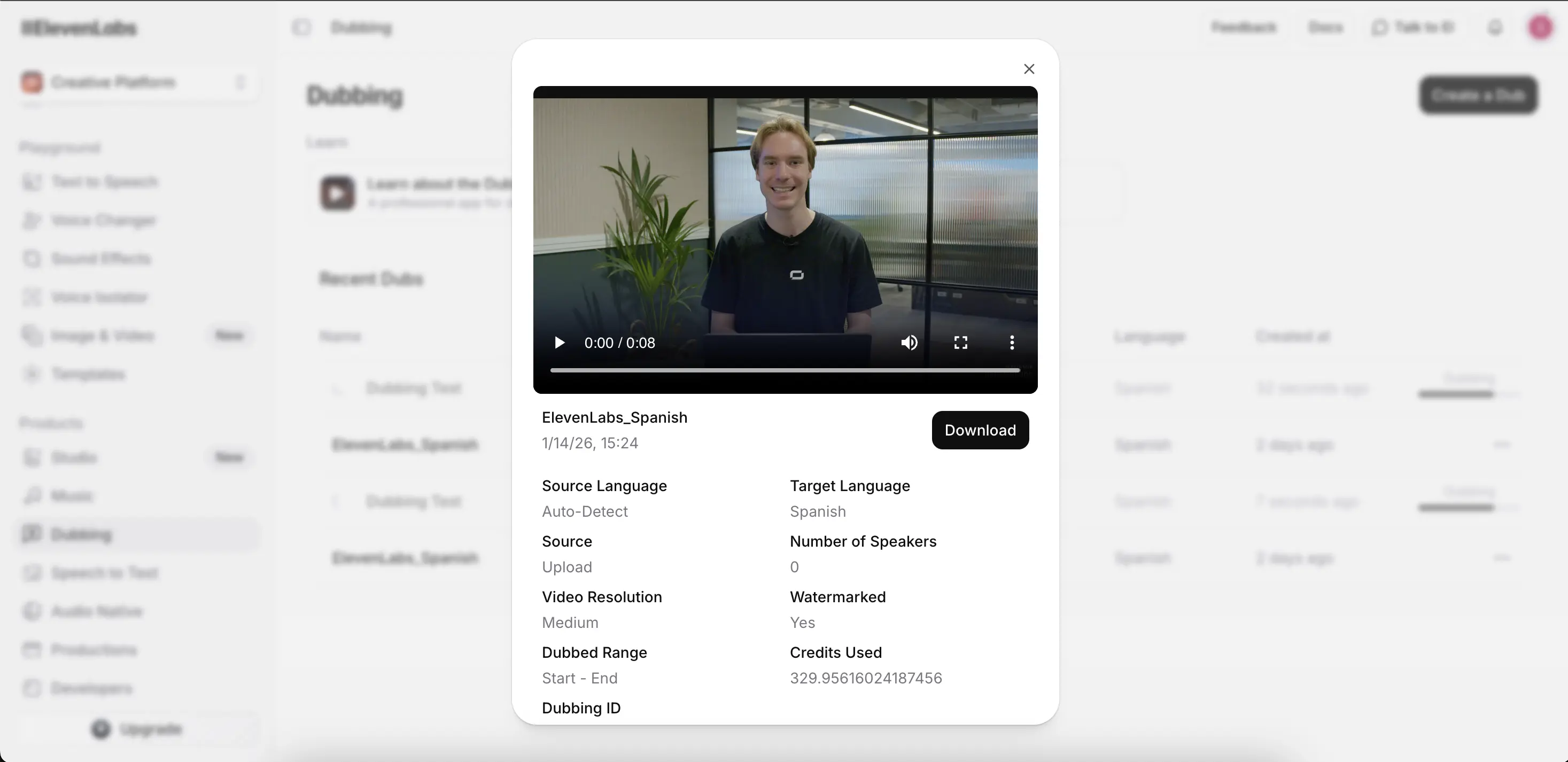
Here's the translated video using ElevenLabs:
ElevenLabs is best known for its AI voice generation, and their Dubbing Studio is focused purely on high-quality voiceover translation, without any lip-sync.
In my tests, the voice cloning did a great job of preserving my tone and emotion, so the translated audio still sounded like me rather than a generic AI voice.
That said, I did notice a few strange moments in the output.
In the example above, when I say “compruébalo” (“check it out”), the intonation sounds a bit off and not quite natural. It’s a small thing, but in a professional video it’s the kind of detail that would need fixing.
The good news is that ElevenLabs gives you very granular editing controls.
You can tweak timing, pronunciation, tone, and phrasing, which makes it possible to correct these issues, although I found that the interface is a bit more advanced and comes with a learning curve.
In terms of language coverage, ElevenLabs supports 29 languages, mainly focused on the major global markets.
Pricing
The platform gives you 5 mins of automatic watermarked voiceover dubbing for free.
You can get access to ElevenLab's Dubbing Studio on the $5/month creator plan. That gets you 3 minutes per month of voiceover-only dubbing at a rate of $1.67/min, with additional minutes available for $1.50/min.
How does it compare to the other options?
The main difference between ElevenLabs and the other options on this list is that ElevenLabs offers no lip-sync.
However, the voice cloning is, as you might expect, one of the best of the tools listed here.
Who should use it?
I think ElevenLab's dubbing studio makes sense for creators who don't need lip-sync and are happy with voiceover dubbing only.
5. Maestra
Pros
- Accurate translation with natural-sounding Spanish
- Voice cloning that sounds just like me
- Strong language coverage (125+ languages)
Cons
- Confusing, frustrating interface
- No voice cloning on the free plan
- Lip-sync only available on the $159/month Business plan, charged at an additional $2/minute
- Pricing structure only makes sense for large translation projects
My experience
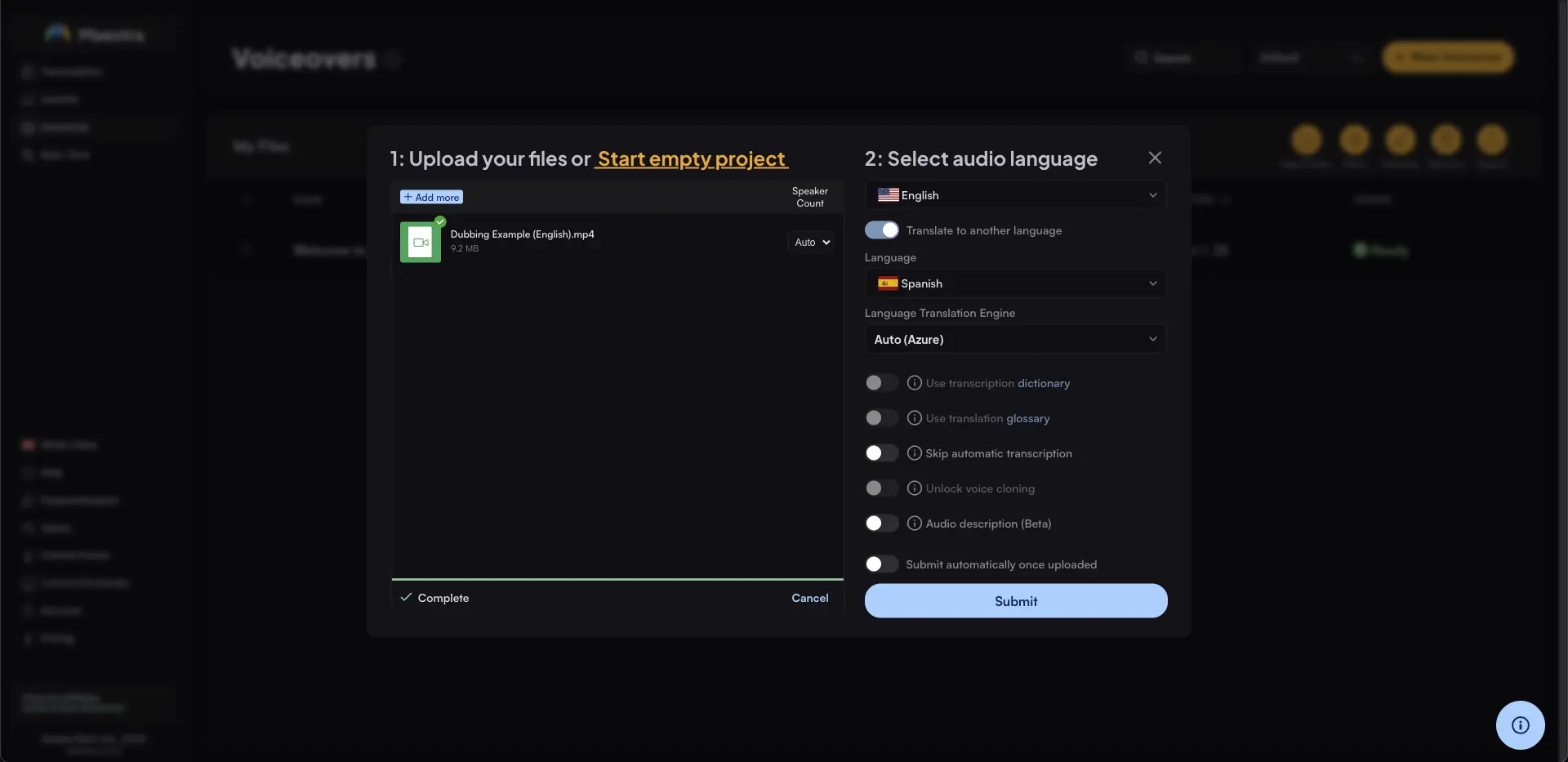
Here's the translated video using Maestra:
One thing that I liked about Maestra was the accuracy of the translation and how natural the Spanish sounded. The wording felt human and fluent, and in most cases it matched what I actually said.
I didn’t love that voice cloning isn’t available on the free plan, although once I had paid and got voice cloning working, it sounded pretty spot on.
It took me quite a while to work out how to generate my translated video with the cloned voice. The platform isn't very user-friendly and it was quite frustrating trying to work out how to do simple tasks.
I didn't get to try the lip-sync as it's only available on the $200/month Business plan, and I didn't want to pay that much.
Pricing
Standard voiceover dubbing without voice cloning costs $0.41 per minute on the Basic plan ($49 for 120 minutes). Voice cloning becomes available on the Premium plan at $0.99 per minute ($99 for 100 minutes), while lip-sync dubbing requires the Business plan and costs $1.00 per minute ($200 for 200 minutes).
How does it compare to the other options?
Like Murf and Speechify, the free plan is highly limited by the lack of voice cloning.
Maestra's dubbing with lip-sync is still quite affordable in $ per minute terms, although not as cheap as AI Studios or Perso AI's.
The pricing structure makes sense for someone who needs to translate a lot of minutes, but doesn't really work if you only want to translate a quick video.
Who should use it?
Someone on a budget who has a large translation project.
6. Kapwing
Pros
- Affordable pricing
- Good voice cloning
- Lots of post-editing controls for subtitles, timing, and audio
Cons
- Lip-sync quality isn't convincing
- Videos must be at least 10 seconds long to run dubbing
- Rough default export quality
- Interface can feel overwhelming due to the volume of other editing features
My experience
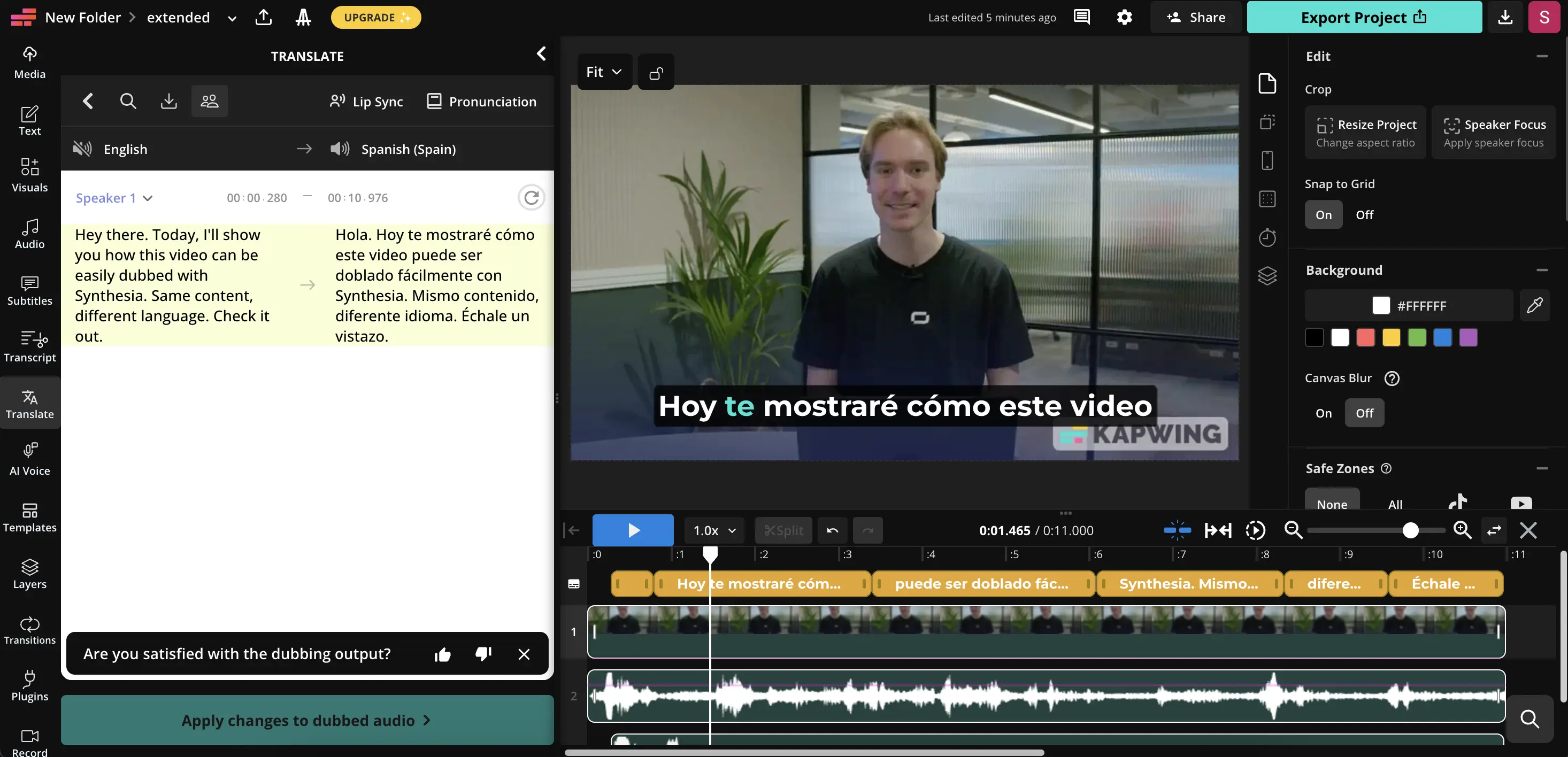
Here's the translated video using Kapwing:
Kapwing makes it easy to translate videos quickly with subtitles and basic dubbing, and overall it’s a pretty accessible tool.
The interface is a bit overwhelming at first though, mainly because there’s so much other video editing functionality packed into the product. It took me a moment to find the dubbing and translation features among everything else.
The translation itself was solid. Subtitles were accurate, and the voice cloning sounded surprisingly good for a general-purpose video editor. However, the default export quality wasn’t great, and I noticed some roughness in the final video.
The lip-sync quality itself doesn't look that great either. I don't think the timing and the movements look very convincing.
One small but annoying limitation was that my video had to be at least 10 seconds long to run the dubbing, so I had to artificially extend it just to test the feature. On the plus side, Kapwing gives you a lot of post-editing control, so you can fine-tune subtitles, timing, and audio once the translation is done.
Kapwing supports dubbing into more than 40 languages.
Pricing
On Kapwing’s Pro plan, which costs $24 per month, you get up to 50 minutes of standard dubbing, working out to $0.48 per minute. Lip-sync dubbing is priced as an add-on on the same plan, with up to 30 minutes available, which equates to roughly $0.80 per minute on top of the base dubbing cost. When you combine the two, full lip-synced dubbing comes out at approximately $1.28 per minute.
How does it compare to the other options?
I think there are better options on this list than Kapwing. If I want lip-sync I'd prefer to use Synthesia, AI Studios, or Perso. If I just want voiceover dubbing I'd probably prefer to go with ElevenLabs.
I think it's quite similar to Veed (which is further down the list) in that it's a video editing platform with some dubbing functionality added on, but it's not a very good standalone dubbing solution.
Who should use it?
Users who want a video translation solution that comes with extensive video editing features.
7. Speechify
Pros
- Supports dubbing into 60+ languages
Cons
- No lip-sync
- No voice cloning on the free plan
- Translation accuracy issues that change the meaning of the original
- Buggy platform that got stuck several times during testing
- Overpriced for what you get
My experience
Here's the translated video using Speechify:
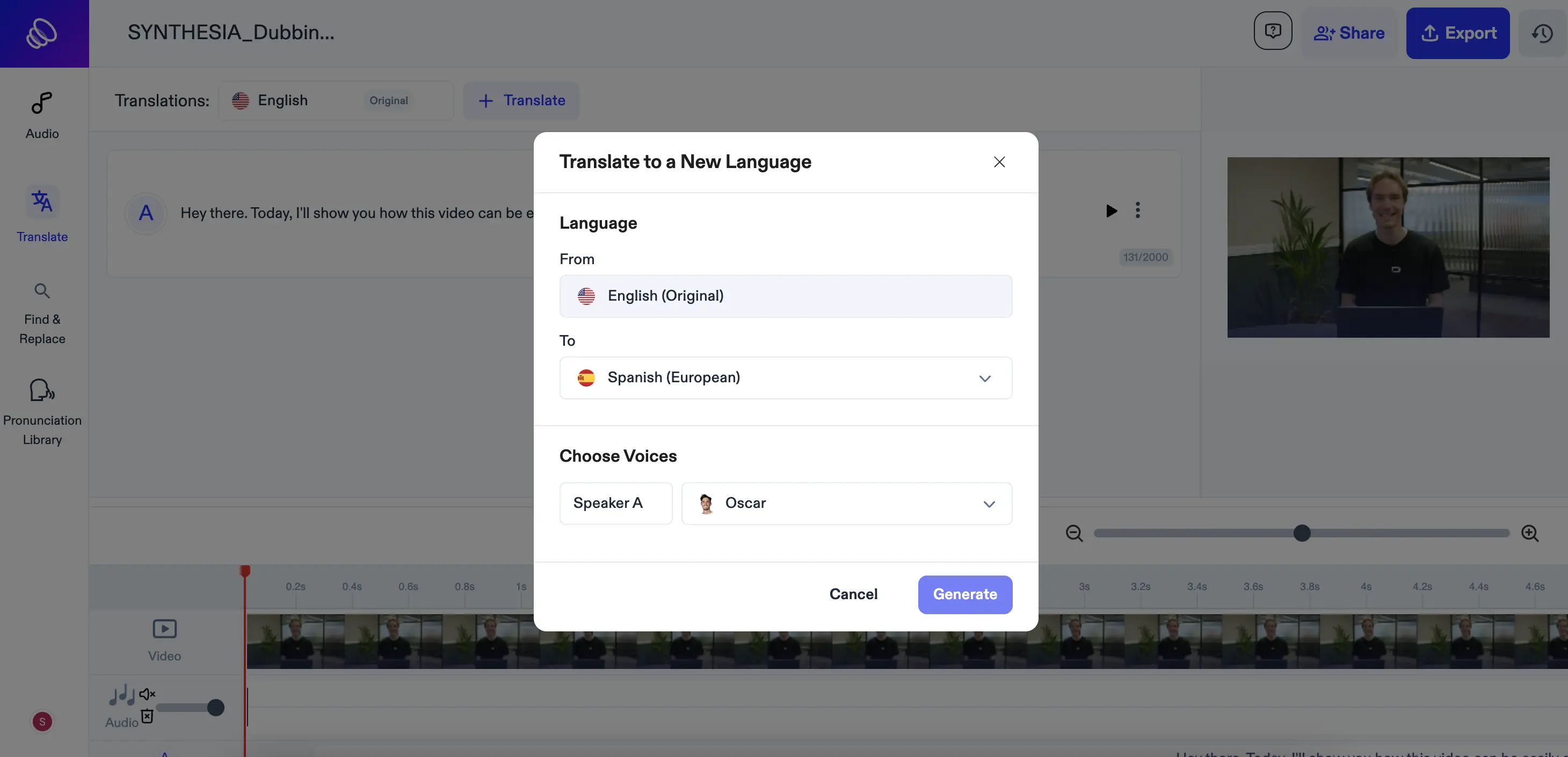
Speechify seems to be a voiceover dubbing-only tool.
First I tried the Free plan (with no voice cloning). The first thing I noticed is that the translation wasn’t quite accurate. It came out as “Echa un vistazo y verás cómo funciona,” but what I actually said was “Check it out,” which should be closer to “Échale un vistazo.” That’s how most of the other tools translated it too.
It might seem like a small difference, but the added “verás cómo funciona” changes the meaning to “and you’ll see how it works.” In a high-stakes or client-facing translation, these kinds of unprompted additions can be risky and could cause real problems.
I bought the Studio Starter plan to test out the voice cloning. Speechify is a bit different in that you have to clone your voice separately and then select that cloned voice when you translate your video, which is a bit of a nuisance - pretty much every other tool on this list just clones your voice automatically.
When I did get the voice cloning working, it sounded pretty weird as you can see in the video above. I don't pronounce "todos" in "Hola a todos" correctly, and I pronounce "doblar" (to dub) in a strange way that sounds like I'm a pirate.
Pricing
Speechify gives you 3 minutes and 20 seconds of voiceover dubbing on their Free plan. Beyond that you'll need their Studio Starter plan which costs $19/month and gives you 40 minutes of voiceover dubbing at a rate of $0.48/minute (and access to voice cloning).
Their documentation mentions that lip-sync is available, but I can't find it anywhere on their platform or on their pricing page.
How does it compare to the other options?
The Speechify platform looks and feels very similar to Perso AI's platform, but aside from that there aren't many similarities.
Since I couldn't find any details about any lip-sync functionality, it feels like Speechify is closer to Murf or ElevenLabs in that it only appears to offer voiceover dubbing.
It's kind of similar to Murf in that it doesn't offer voice cloning on the free plan too.
Who should use it?
I'm not really sure. I'd probably prefer to use ElevenLabs instead of Speechify.
8. Murf
Pros
- 100 minutes of free voiceover dubbing, the most generous free allowance on this list for voiceover
- Supports 40+ languages
Cons
- No video export on the free plan
- Voiceover dubbing only, no lip-sync
- Very limited language variations within each language
- Voice cloning only available on the Enterprise plan
My experience
Here's the translated video using Murf:
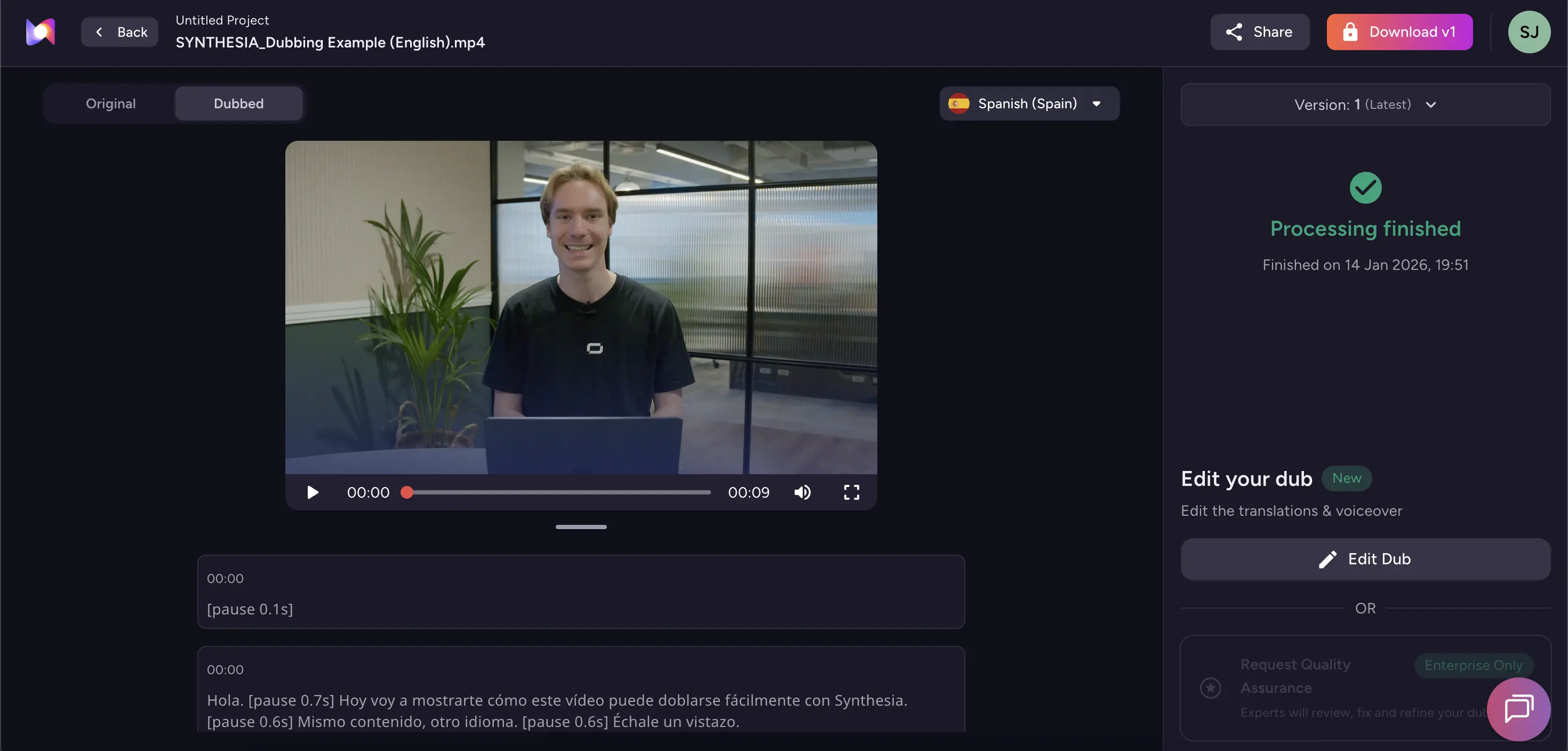
I was disappointed with Murf's dubbing solution.
Firstly, it's voiceover dubbing only, although you could argue that's fair enough since Murf is an AI voice-focused company.
While testing, I saw that the available language variations are super limited. For example, for Spanish they only offer Spanish (European) and Spanish (Mexico), and that's it.
While I was trying to download my translated video, I found that I couldn't export it as an MP4 (or any other format) without signing up for a paid plan. I understand these platforms have to make money but I found that a super annoying way to offer a free plan.
Lastly, I found that voice cloning functionality is only offered on the enterprise plan. It's understandable if the platform is largely geared at enterprise, but it really does make the tool less useful for the individual creator. I was instead stuck with one of the stock AI voices that you can hear on my video above. I think you'll agree it doesn't sound that great.
The one saving grace of Murf is that their Free plan allowance of 100 minutes of voiceover dubbing (without voice cloning) is still quite generous.
Murf supports dubbing into 40+ languages.
Pricing
Murf offers 100 minutes of voiceover dubbing to users on the Free plan. If you want additional minutes (and if you want to be able to export your videos) you'll need to pay a cost $0.5/minute in a pay as you go structure. Voice cloning is only available to enterprise users.
How does it compare to the other options?
Murf is similar to ElevenLabs in that it's primarily an AI voice generation platform that is offering a dubbing tool. As a result, there's no lip-sync functionality and it's entirely focused on voiceover dubbing.
The difference between Murf and ElevenLabs is that Murf really doesn't seem geared towards creators (whereas ElevenLabs absolutely is). The fact that Murf's voice cloning is only available to Enterprise plans is a big issue for me.
Who should use it?
If you need free voiceover dubbing minutes and don't care about voice cloning.
9. Veed
Pros
- Accurate translation
- Clean, easy-to-use interface with a broad set of video editing tools
- Supports 125+ languages
Cons
- No free dubbing or subtitles option
- Lip-sync feels off
- Voice cloning didn't work well in my test
- Expensive relative to the output quality
My experience
Here's the translated video using Veed:
Although I was trying to test the freemium version of all of these tools, Veed doesn't offer any AI video translation functionality on their free plan, so I was forced to pay up just to even try it.
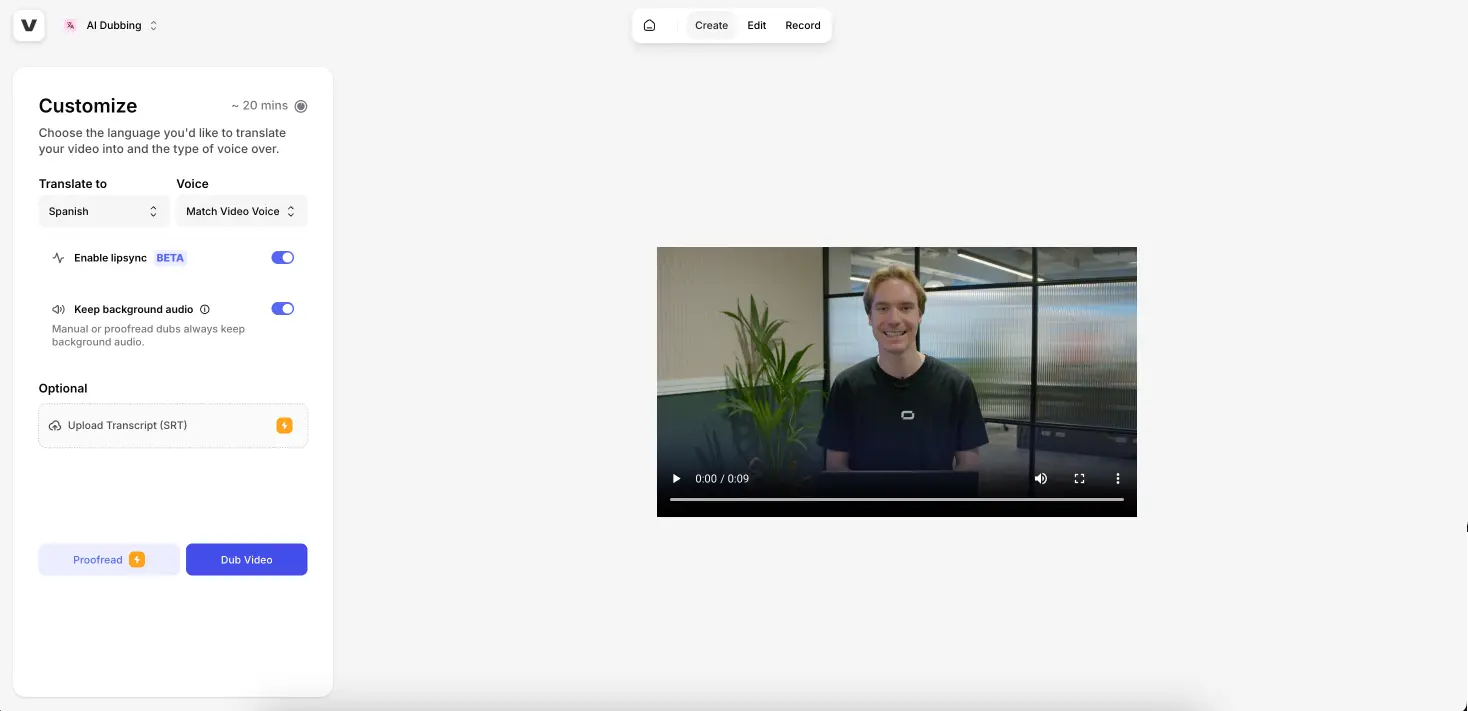
Veed has a nice interface and is easy to use. It's a potential advantage in that you can translate and then edit your video (e.g. add animations or transitions) all in one platform, but I personally didn't need any of that functionality.
There's an option to upload your own transcript too.
I particularly liked how the dubbed audio pronounced "Synthesia" in the way a natural Spanish speaker would. I selected the 'Match Video Voice' option but I don't think that the cloned voice sounds like me speaking Spanish.
Looking at the video again, I think the lip-sync is a bit off. If the tool was free I'd let that slide, but given that they made me pay I think that's not good enough.
Pricing
To access subtitle and AI dubbing video translation in Veed you'll need the Pro plan, which costs $55/month. The plan gives you 20 minutes of dubbing per month so that works out at a cost of $2.75/minute.
How does it compare to the other options?
I don't really see any benefits of using Veed's AI video translation tools. There's no free option, and the output isn't as good as some of the free options on this list.
Who should use it?
I don't really recommend Veed for AI video translation, but maybe it makes sense to use Veed if you want to do a bunch of editing to your video as well.
10. Rask AI
Pros
- Decent voice cloning quality
- Wide language support (135+)
Cons
- No video export on the free trial
- Very high price for voiceover dubbing ($2.40/minute)
- Lip-sync quality is genuinely poor
- Lip-sync requires the most expensive plan ($150/month)
My experience
Here's the translated video using Rask AI:
Rask AI ended up being my least favourite tool on this list. The voice cloning quality itself wasn’t bad, and in isolation the generated voice sounded fairly natural.
On paper, it also looks strong with support for 135 languages, which is one of the widest language ranges I tested.
In practice though, the experience was frustrating.
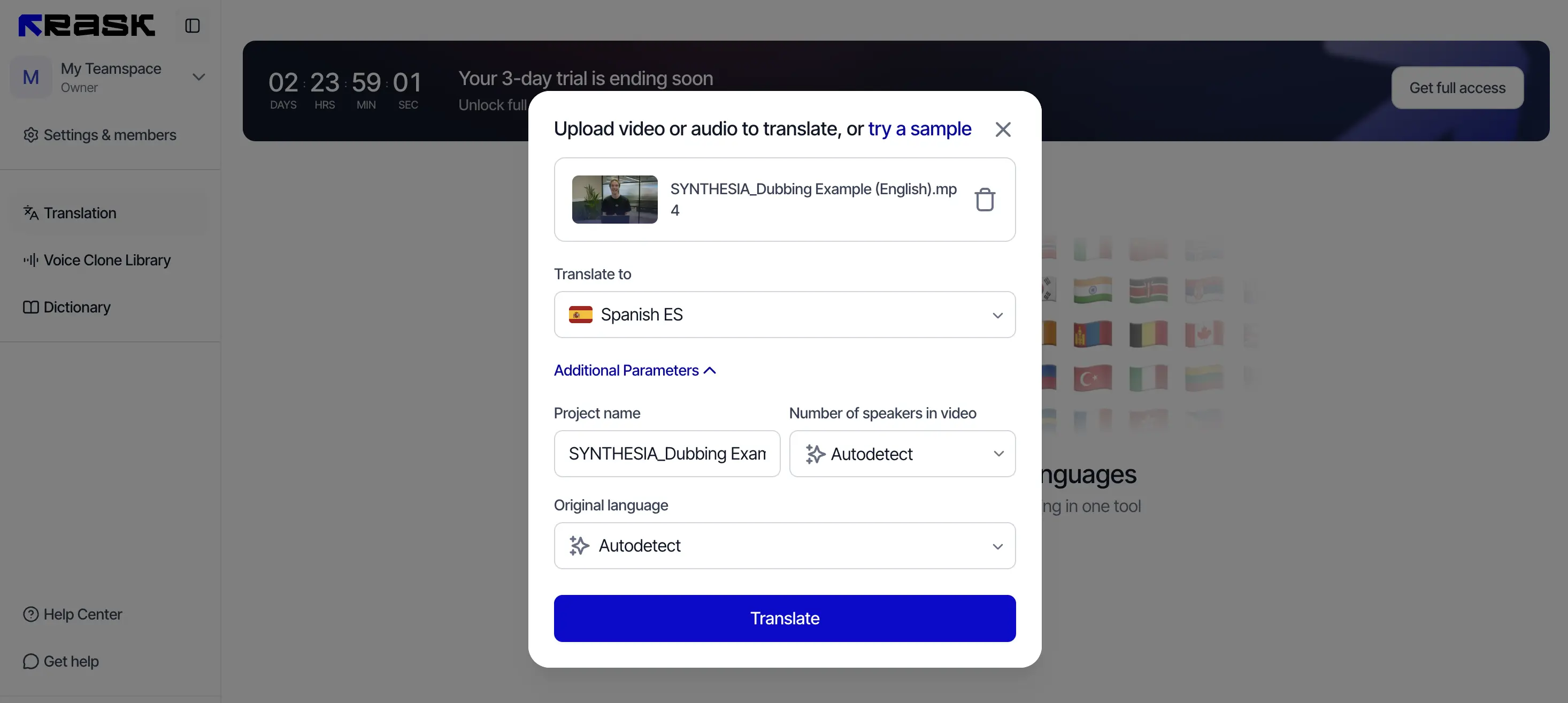
You can’t download your translated video on the free plan. On top of that, the pricing for voiceover dubbing only is very high at around $2.40 per minute, which is similar to the cost of full dubbing with lip-sync on other platforms.
Rask's lip-sync is where things really fall apart. To even access it, you need the Creator Pro plan, which is extremely pricey. And from the previews I tested, the lip-sync quality was genuinely awful, with obvious mismatches and unnatural mouth movements. It was bad enough that I didn’t even bother paying just to export the result. I didn’t want to waste money on something I already knew I wouldn’t use.
Pricing
Rask AI's Creator plan offers 25 minutes of voiceover dubbing for $60/month (or $2.40). That cost per minute goes down a bit if you go for the $150/month Creator Pro plan (to $1.5/minute) which also gives you access to lip-sync.
How does it compare to the other options?
Badly. The cost of voiceover dubbing is equivalent to the cost of full AI dubbing with lip-sync on the other platforms in this list, yet Rask AI's lip-sync functionality appears to be almost broken.
Who should use it?
I don't recommend it for anybody.
Best video translators compared
Pricing accurate as of April 2026.
Which AI video translation tool should you use?
If you need the best possible quality and you're translating videos in a business context, Synthesia is the clear choice. The lip-sync is the most convincing I tested, the voice cloning is excellent, and the platform is built for teams that need to translate at scale.
If you're on a budget and lip-sync matters, start with AI Studios. The quality isn't quite professional grade, but the free plan is the most generous on this list and the per-minute rate is the lowest by some margin.
If you just need voiceover dubbing without lip-sync, ElevenLabs is the strongest option. The voice cloning is excellent and the editing controls give you a lot of precision over the final output.
For everyone else, Perso AI and Maestra are worth considering depending on your volume and budget. I'd avoid Rask AI, Veed, and Speechify altogether.
Kyle Odefey is a London-based filmmaker and Video Producer at Synthesia. His content has reached millions across TikTok, LinkedIn, and YouTube, even inspiring an SNL sketch, and has been featured by CNBC, BBC, Forbes, and MIT Technology Review.




.webp)