How To Write an Onboarding Video Script

Written by
Kevin Alster
November 12, 2025

Create AI videos with 230+ avatars in 140+ languages.

Try Free AI Video
Get Started for FREE
Get started

Most companies invest heavily in onboarding new employees, yet few programs actually stick.

Within just 18 months, up to half of new hires leave their roles, according to Gallup research.

For L&D teams responsible for creating effective onboarding, this represents a major challenge.

The problem starts with how onboarding is typically delivered.

New employees must complete dozens of tasks in their first weeks—paperwork, compliance training, systems access, meeting colleagues, and learning both their role and the organization.

The result is cognitive overload. People forget about 70% of what they learn within 24 hours unless information is reinforced—a phenomenon known as the Ebbinghaus forgetting curve.

The Ebbinghaus forgetting curve 🧠

Developed by German psychologist Hermann Ebbinghaus, the Ebbinghaus Forgetting Curve is one of the earliest and most influential studies in memory science.

Retention drops sharply in the first hours and days after learning, and then gradually levels off.

Without review or reinforcement, most of what we learn is forgotten — which is why spaced repetition and regular practice dramatically improve long-term memory.

Few onboarding programs incorporate spaced repetition to counter this effect.

That’s where video comes in.

Onboarding videos break complex learning into manageable, repeatable, and engaging moments that support long-term retention.

They can help you:

  • Manage cognitive load: Divide information into short segments employees can watch at their own pace.
  • Ensure consistency: Deliver identical core messaging to every new hire, regardless of location or manager.
  • Enable reinforcement: Allow employees to review and revisit key content anytime.
  • Scale efficiently: Support unlimited new hires (in multiple languages) without additional resource investment.
Why better onboarding matters 📈

Research from Brandon Hall Group shows that organizations with strategic onboarding practices — including video-based learning — see significantly better outcomes.

They are up to 103% more likely to see improvements in new-hire retention and employee engagement.

Step 1: Writing scripts that work

Once you understand how video supports onboarding, the next step is crafting scripts that truly drive learning and retention—since script quality ultimately determines results.

Poorly written scripts overwhelm new hires with information and fail to improve retention.

Effective onboarding video scripts require two things:

  1. Understanding where the video fits in the employee journey.
  2. Applying proven instructional design principles.

Step 2: Match your script to the onboarding stage

Your script should evolve to match each stage of the onboarding journey.

  • Week 1: Orientation: Focus on psychological safety and logistics. Use warm, simple language with minimal information density.
  • Weeks 2-4: Skill-Building: Demonstrate specific processes step by step. Assume basic context and show exactly how to complete tasks.
  • 30-60-90 Days: Advanced Development: Address complex scenarios and exceptions. Assume baseline knowledge and focus on judgment calls.

Step 3: Apply the CLEAR framework

Once you understand where your video fits in the journey, structure your script using the CLEAR framework.

C - Context and learning objective
L - Load management
E - Engagement
A - Action
R - Reinforcement

This framework ensures your scripts support learning and retention regardless of the onboarding stage.

Watch this video to see how to apply CLEAR to your scripts.

Three factors that strengthen script quality

Beyond structure, these elements significantly impact how well your scripts engage new hires:

1. Conversational tone

Write scripts that sound natural when spoken, not formal when read. Avoid corporate jargon and long sentences.

I always test my script by reading it aloud.

AI tools can help generate initial drafts, but always refine them to match your organization’s voice.

2. Voice delivery quality

Script quality and voice delivery work together. Even well-written scripts fail with monotone delivery.

Effective voiceovers:

  • Vary tone and pacing to emphasize key points.
  • Sound clear and free from background noise.
  • Match emotional tone to content (warm for welcome videos, professional for compliance).

3. Authentic personalization

Scripts that lack personalization feel generic. Authenticity matters more than production polish.

A slightly informal welcome from a real team member often engages better than a perfectly scripted corporate message.

Make onboarding videos relevant by:

  • Referencing specific teams, tools, or locations.
  • Including real employee stories that demonstrate values.
  • Showing actual workspaces or team photos.
  • Addressing common questions from previous new hires.
Ready to create your onboarding videos? 🎬

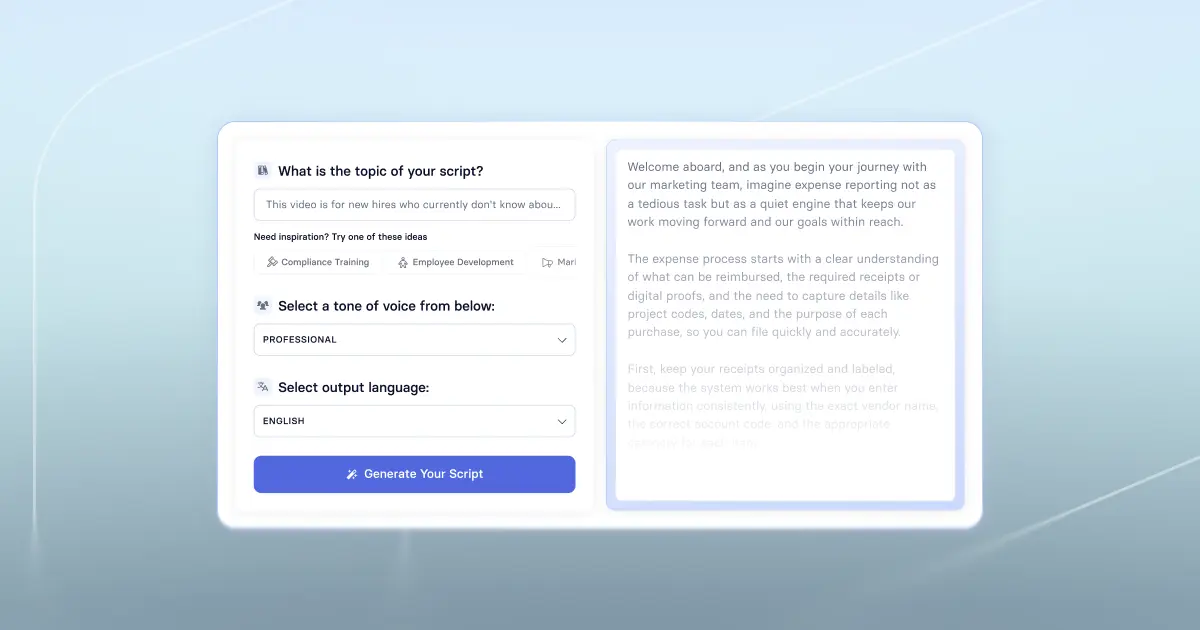
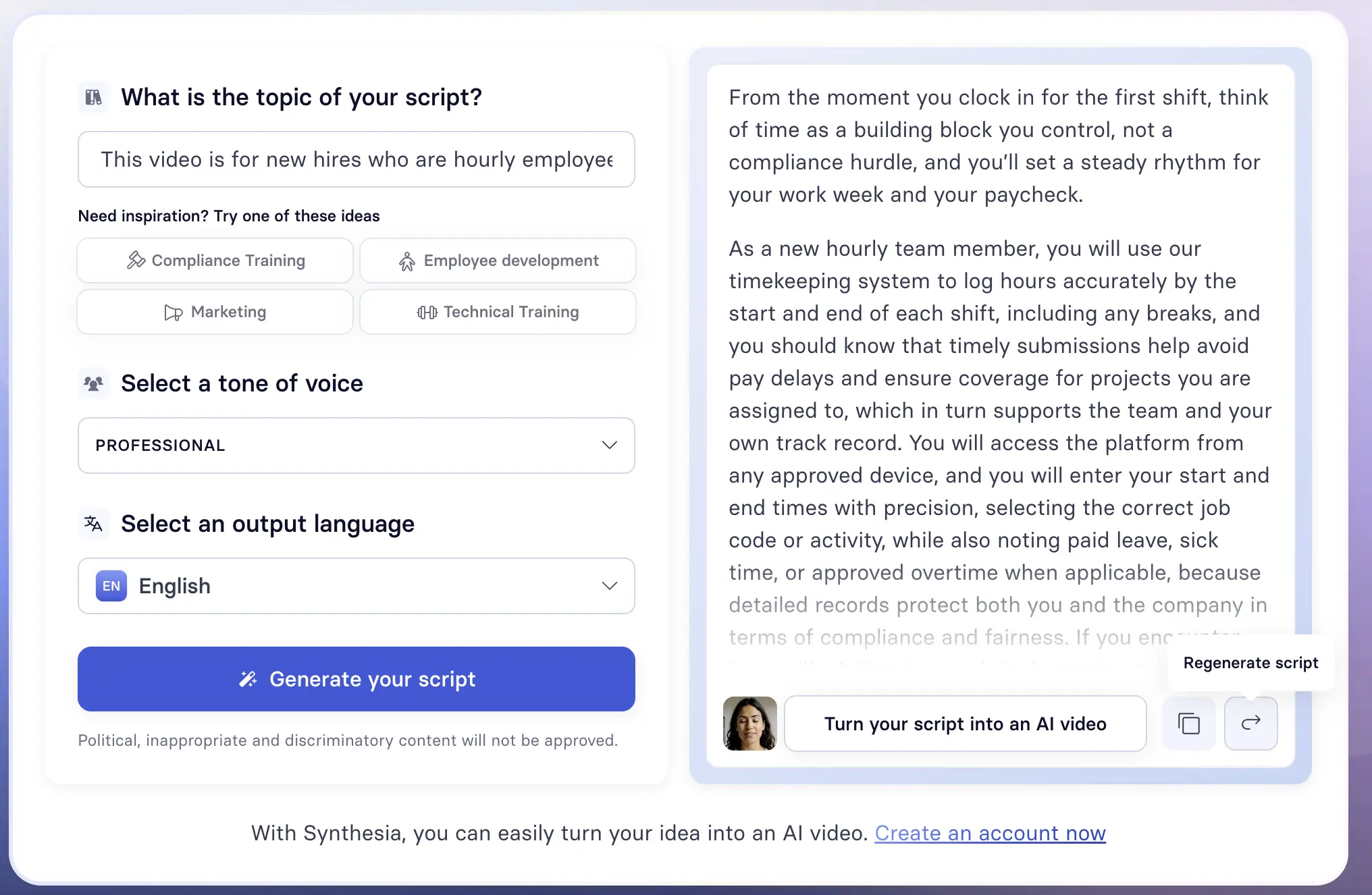
Once you have a CLEAR script, try using Synthesia to transform it into an engaging video in a couple of minutes.

{lite-youtube videoid="4DA48gnzOWU" style="background-image: url('https://img.youtube.com/vi/4DA48gnzOWU/maxresdefault.jpg');" }

How video learning supports core onboarding needs

Onboarding works best when strategy meets the right tools.

The 5 C’s—Compliance, Clarification, Culture, Connection, and Check-back—provide a simple framework to design programs that boost engagement, accelerate learning, and improve retention.

I'm going to walk you through each “C,” showing where video-based learning delivers the most value and where human connection remains critical for success.

You’ll also find my practical tips for scripting video content that engages new hires while complementing live interactions, coaching, and collaborative experiences.

1. Compliance

What new hires need: Clear, consistent understanding of required information, such as IT security.

Why it matters: Inconsistent compliance training increases organizational risk and liability.

Video works best for:

  • Consistent delivery across teams and locations
  • Easy updates and version control
  • Completion tracking and audit trails
  • Rewatching complex topics on demand
Script tip: Keep it short and action-oriented 🎬

Make scripts scenario-based. Show why policies matter by demonstrating consequences — for example, “Here’s what happens when we don’t follow protocol…”

2. Clarification

What new hires need: Understanding of their role, responsibilities, and how work gets done.

Why it matters: Employees with unclear role expectations are more likely to consider leaving their job.

Video works best for:

  • Demonstrating workflows visually
  • On-demand access to process overviews
  • Self-paced practice and review
  • Reducing manager time explaining tools
Script tip: Show, then tell 🎬

Show first, then explain. Break workflows into short, focused clips — one process per video — so new hires can easily reference what they’ve learned.

3. Culture

What new hires need: Insight into company values and norms, aka “how we do things here.”

Why it matters: Companies with strong cultural onboarding are more likely to outperform peers on retention and profitability.

Video works best for:

  • Storytelling that illustrates culture in action
  • Leadership visibility and tone-setting
  • Emotional connection through authentic voices
Script tip: Use real employee stories 🎬

Swap fictional scenarios for authentic employee experiences. Real stories are more memorable and believable.

4. Connection

What new hires need: Relationships, belonging, and psychological safety.

Why it matters: Human connection drives engagement and retention.

Video helps with:

  • Team introductions and “meet the team” clips
  • Personal welcome messages
  • Reducing first-day anxiety
  • Adding warmth to remote or hybrid onboarding

But video can’t replace:

  • Real-time collaboration, mentoring, and human connection
Script tip: Keep it brief and genuine 🎬

Don’t over-script. A simple, natural delivery is more engaging — personal beats perfect.

5. Check-back

What new hires need: Reinforcement, feedback, and progressive learning milestones.

Why it matters: Remember the Ebbinghaus forgetting curve—70% of information is forgotten within 24 hours without reinforcement.

Video works best for:

  • Scheduled learning moments (Day 1, Week 2, Month 1)
  • Progressive topics that build on earlier lessons
  • Just-in-time refreshers
  • Consistent follow-up without manual effort
Script tip: Reference the learner’s stage 🎬

Signal where they are in the journey — for example, “By now, you’ve completed your first two weeks and may have questions about…”

Key takeaway

Video training is powerful, but it can’t cover every onboarding need. Combine video with hands-on practice, interactive workshops, and live Q&A to ensure new hires get the support and community they need to be successful.

About the author

Strategic Advisor

Kevin Alster

Kevin Alster is a Strategic Advisor at Synthesia, where he helps global enterprises apply generative AI to improve learning, communication, and organizational performance. His work focuses on translating emerging technology into practical business solutions that scale.He brings over a decade of experience in education, learning design, and media innovation, having developed enterprise programs for organizations such as General Assembly, The School of The New York Times, and Sotheby’s Institute of Art. Kevin combines creative thinking with structured problem-solving to help companies build the capabilities they need to adapt and grow.

Go to author's profile
Get started

Make videos with AI avatars in 140+ languages

Try out our AI Video Generator

Create a free AI video
Create free AI video
Unmute

Trusted by 50,000+ teams.

faq

Frequently asked questions

How do I structure an onboarding video script to match each stage of the new-hire journey?

Structure your onboarding video script by aligning content density and tone with where employees are in their journey. During Week 1 orientation, focus on psychological safety and logistics using warm, simple language that helps new hires feel welcome without overwhelming them. As employees progress to Weeks 2-4 skill-building, shift your script to demonstrate specific processes step by step, assuming they now have basic context and showing exactly how to complete tasks.

For the 30-60-90 day advanced development stage, your script should address complex scenarios and exceptions, assuming baseline knowledge while focusing on judgment calls and nuanced situations. This progressive approach ensures your script delivers the right information at the right time, preventing cognitive overload while building competence systematically. By matching your script structure to the employee journey, you create onboarding videos that support learning and retention at every stage.

What is the CLEAR framework for onboarding scripts, and how do I use it effectively?

The CLEAR framework provides a proven structure for writing onboarding scripts that support learning and retention: Context & Learning Objective, Load Management, Engagement, Action, and Reinforcement. Start with Context by clearly stating what employees will learn and why it matters to their role. Manage cognitive Load by breaking complex information into digestible segments, remembering that new hires can only absorb so much at once.

Build Engagement through conversational tone, real employee stories, and relevant examples that connect to their actual work experience. Include clear Action steps that employees can implement immediately, making the learning practical rather than theoretical. Finally, incorporate Reinforcement by referencing key points multiple times and providing opportunities for review. This framework ensures your onboarding video scripts transform information into lasting knowledge that new hires can actually apply.

What are the 5 C's of onboarding, and how can my script support each one?

The 5 C's of onboarding (Compliance, Clarification, Culture, Connection, and Check-back) provide a comprehensive framework for designing scripts that boost engagement and retention. For Compliance, write scenario-based scripts that show why policies matter through real consequences, keeping content short and action-oriented. Support Clarification by breaking workflows into focused clips that show first, then explain, allowing new hires to easily reference specific processes.

Culture comes alive through authentic employee stories rather than fictional scenarios, while Connection benefits from brief, genuine welcome messages that feel personal rather than perfectly scripted. For Check-back, reference the learner's specific stage in their journey, such as "By now, you've completed your first two weeks and may have questions about..." This approach ensures your onboarding video scripts address every critical aspect of the new hire experience while maintaining engagement throughout their journey.

How long should an onboarding video be, and how can I manage cognitive load in the script?

Keep onboarding videos under 2 minutes to maintain engagement, as videos longer than this see significant drops in viewer attention. Managing cognitive load starts with dividing information into short, focused segments that employees can watch at their own pace rather than cramming everything into one lengthy video. Structure your script using the inverted pyramid method, sharing "need to know" information before "nice to know" details.

Break complex ideas into multiple sentences with one thought per sentence, keeping most sentences under 25 words for easy comprehension. Use clear transitions between concepts and limit paragraphs to 3-4 sentences maximum. This approach combats the Ebbinghaus forgetting curve, which shows people forget 70% of information within 24 hours without reinforcement, making shorter, focused videos essential for effective onboarding script writing.

How does Synthesia help turn my script into scalable, multilingual onboarding videos?

Synthesia transforms your written onboarding scripts into professional videos using AI avatars and voices, eliminating the need for cameras, actors, or studios. Once you've crafted your script using the CLEAR framework, you can generate videos in over 140 languages, ensuring consistent messaging across global teams without additional recording or translation costs. The platform enables you to create personalized welcome messages from leadership, department-specific training modules, and compliance videos that maintain the same quality and tone regardless of location.

This scalability means you can update onboarding content quickly as processes change, create role-specific versions without starting from scratch, and ensure every new hire receives identical core information while still feeling personally welcomed. By converting your carefully written onboarding scripts into AI-powered videos, you solve the challenge of delivering consistent, engaging onboarding at scale while reducing the time and resources traditionally required for video production.