

Free AI Video Dubbing
Dub videos into 140+ languages with voice cloning and perfect lip-sync.
Upload your video
Your first minute of video is completely free. We’ll trim any longer videos.


Choose a file
Use a Youtube video that clearly shows someone speaking.

Translate to
If your video features people speaking, we'll sync their lip movements to the translated audio.
Upgrade to generate your translated video without a watermark.
Subtitles are auto‑generated for dubbed videos and viewers can toggle them on or off in the Multilingual Player.
AI dubbing supports multiple speakers and automatically preserves each speaker’s voice.
Control whether the video duration stays fixed or adjusts for translation.
By using this service, you confirm you have all necessary rights, licenses and permissions to upload and dub this content, and that your use of any dubbed content will be in accordance with the Acceptable Use Policy and in compliance with applicable regulations related to intellectual property and data privacy.


Remove watermarks and elevate your videos.
- Deliver translated videos without watermarks.
- Edit translations easily and securely.
- Dub videos in all available languages and dialects.
- Perfect for training, marketing and sales videos.
Trusted by over 90% of the Fortune 100.










The world's best AI dubbing tool
Upload your video and get production-ready dubbed versions in minutes.
Dub your video in 140+ languages
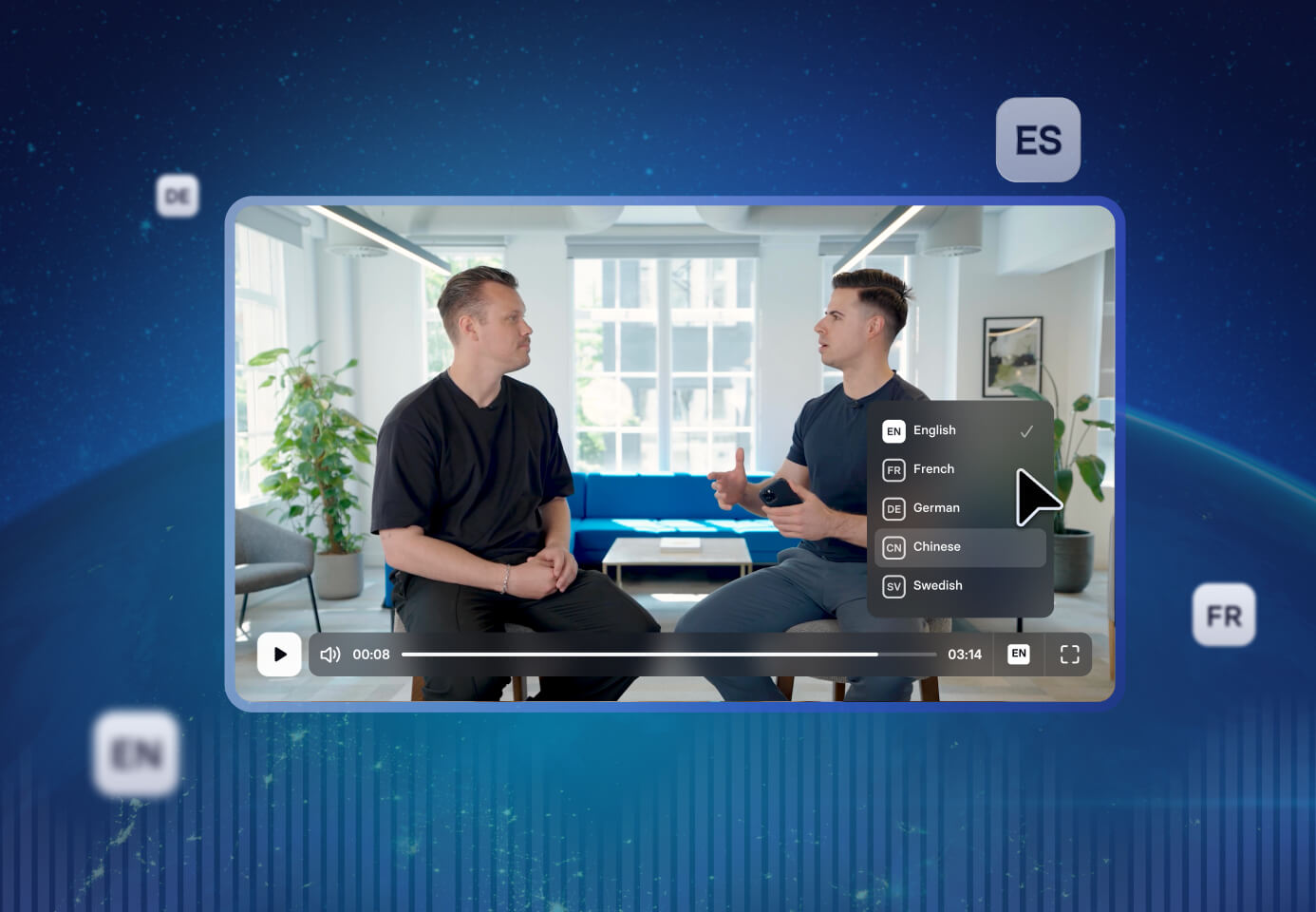
- Create dubbed versions in all major languages and regional variants from one upload
- Generate every language version at once, no separate job per language
- Select regional accents and dialects to target specific markets
Preserve the speaker's voice in every language
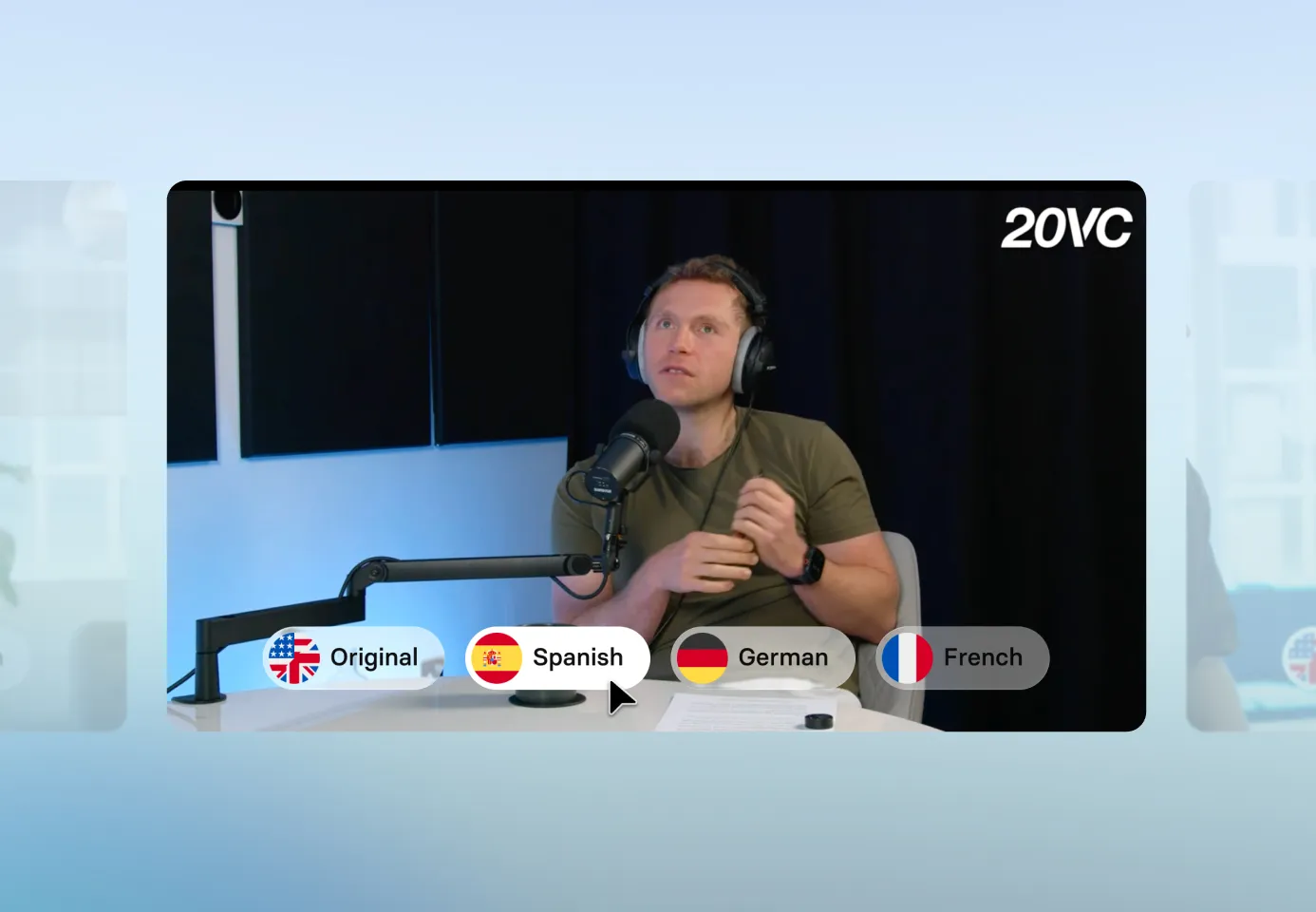
- Capture the speaker's tone, emotion, and speaking style automatically
- Deliver consistent voice identity across each dubbed version
- Sound like the original speaker, not a generic AI voice
Lip-sync that looks completely natural
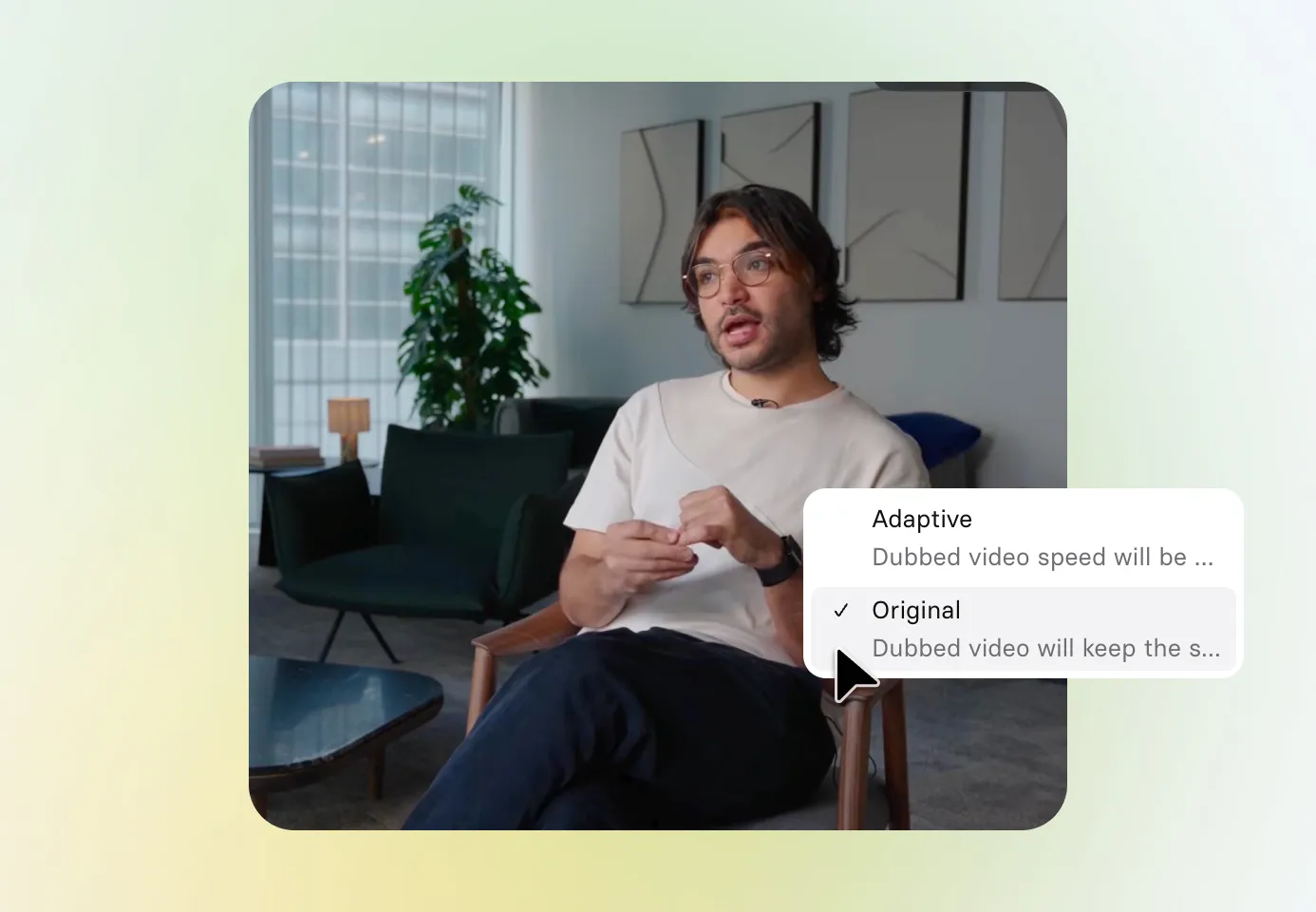
- Deliver perfect lip-sync across fast cuts and transitions in every language
- Match speech to the correct on-screen speaker reliably in each dubbed version
- Keep the original video length or let it adjust to fit the dubbed audio
Review and refine your dubs
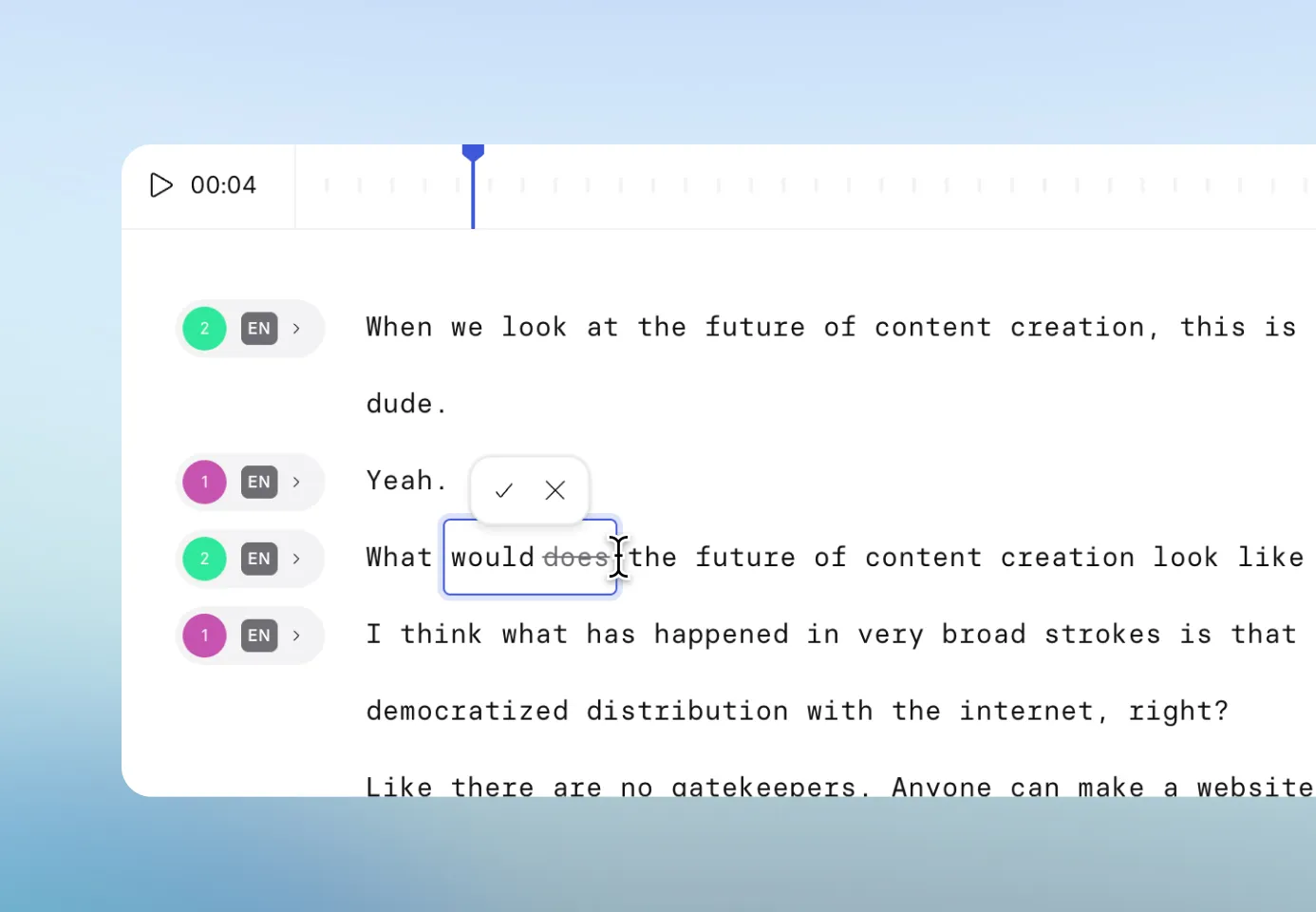
- Edit the script in the source or dubbed language, then retranslate for free
- Set translation rules with a glossary so each new dub needs less review
- Review and approve all language versions before publishing
Why AI dubbing vs subtitles?

Subtitles ask viewers to split attention between text and visuals. Dubbing lets people follow naturally in their own language, so the message actually lands.

When audio is in their language and lip sync looks natural, videos feel made for that audience. That reduces drop-off and increases completion rates.

Subtitles translate words but not tone, urgency, confidence, or empathy. Dubbing preserves the speaker's delivery so every message feels clear and human.
How to dub a video with AI in Synthesia
1. Upload your video
Add an MP4, MOV, or WebM file. Synthesia automatically detects the original language.
2. Choose your target languages
Pick from a wide range of languages and accents, then set your dubbing preferences.
3. Review and fine-tune
Play each dubbed version, tweak the script for accuracy, or switch voices in the built‑in editor until it’s perfect.
4. Publish with one smart link
Generate the final versions and share a single player link. Viewers automatically see their language, with the option to switch at any time.

The best AI video dubbing tool for modern teams

Over 2000+ five star reviews on G2
What do teams dub with Synthesia?
Dub brand videos, campaign assets, and social content so every market gets a version that feels native, not translated.

Give every employee the same quality training in their own language. Dub compliance, onboarding, and skills content without re-recording the original.

All-hands recordings, strategy updates, and executive messages land better when they sound like they were made for each audience.

Make sure every regional team sells from the same materials. Dub pitch videos, product walkthroughs, and sales training so nothing gets lost in translation.

Help customers get value faster with tutorials and onboarding content in their own language. Better comprehension means fewer support tickets.
Dub feature releases and product updates so every market gets the news at the same time, with the same clarity.
AI video dubbing FAQs
Is AI dubbing free?
Yes. You can upload a video and generate a full dubbed version for free, including voice cloning and lip sync. The free experience is fully functional so you can evaluate quality on real content before upgrading. Paid plans unlock higher usage, more languages, advanced editing controls, and enterprise features like bulk dubbing and API access.
Which languages are supported for AI dubbing?
Synthesia supports 140+ languages and dialects for AI dubbing, including right‑to‑left scripts and regional variants. Popular options include: English, Spanish, French, German, Portuguese, Italian, Dutch, Russian, Chinese (Mandarin), Japanese, Korean, Arabic, Hindi, Bengali, Turkish, Vietnamese, Thai, Indonesian, Polish, and Swedish.
Many languages include regional accent options, so you can target British or American English, Latin American or Castilian Spanish, and so on
Does Synthesia support multiple speakers in one video?
Yes. Synthesia automatically detects multiple speakers and clones each voice separately, so dubbed versions maintain distinct voice identities for every speaker. This works for interviews, panel discussions, training videos with multiple presenters, and any content where more than one person speaks.
Can I edit a dubbed video after it has been generated?
Yes. After a dubbed video finishes generating, you can open it in the editor and correct any line in the translated script. Click any segment, make your changes, and regenerate. Proofreading and retranslating dubbed videos does not consume additional credits, so you can iterate on accuracy as much as you need without worrying about the cost. This is especially useful for fixing company names, product terms, or any phrasing that sounds off in the target language.
What file formats and video specs are supported?
Synthesia's AI dubbing accepts MP4, MOV, and WebM files, and supports resolutions up to 4K. You can also dub directly from a YouTube link. Everything runs in the browser with no software to install.
What rights and permissions do I need to dub a video?
To dub a video with Synthesia, you must have all necessary rights, licenses, and permissions for the content you're uploading. This means you need to own the video or have explicit permission from the copyright holder to create translated versions, including rights to any voices, images, and other content appearing in the video.
Synthesia's content moderation automatically rejects political, discriminatory, and inappropriate content, but legal responsibility for ensuring proper rights and permissions rests with you.
Do dubbed videos automatically include subtitles?
Yes, subtitles are auto-generated for every dubbed video. Viewers can toggle them on or off directly in Synthesia's Multilingual Player, so you don't need to create or upload a separate caption file. This makes dubbed content accessible by default and satisfies closed captioning requirements without additional effort.
Can I review the transcript before the dubbing starts?
Yes, and this is worth doing. In the platform, before you click Generate, you can use the Review Transcript step to check and correct what Synthesia heard in the original video. This step is free and does not consume any credits. Fixing errors at this stage, such as misheard names or technical terms, means your dubbed output will be more accurate and you won't need to regenerate afterward.
How do I fix pronunciation of a company name or technical term in a dubbed video?
Open the dubbed video in the editor, find the relevant segment in the script box, and retype the word or phrase. You can also use Synthesia's Pronunciation Controls to set a custom pronunciation for terms that the AI consistently misreads. Once you've made your changes, click Generate to apply them.
Can I dub videos in bulk?
Yes. If you have a large catalog to localize, Synthesia's Dubbing API lets you submit multiple videos programmatically. You can also use the Synthesia Add-in for Excel to manage and trigger dubbing jobs directly from a spreadsheet, making it practical to run hundreds of localization projects without handling each video manually.
Not just an AI dubbing tool
Synthesia is an end‑to‑end AI video platform to create, localize, manage, publish, and engage at scale. With the AI video generator and a seamless PPT to video workflow, you can quickly repurpose presentations and scripts into high‑quality, localized videos for every market.
Bring content to life with realistic AI avatars, tailor versions by audience or region, and boost engagement with interactivity, all in the same platform.
From creation to distribution, Synthesia helps teams communicate visually, faster and smarter.

Ready to try AI Dubbing?
Join 1M+ users today and start making translated AI videos with 240+ avatars in 160+ languages.
