Corporate Training Video Examples (and What Makes Them Effective)

Create engaging training videos in 160+ languages.
Most corporate training videos get created, distributed once, and… that’s it. They sit in an LMS, unwatched, quickly becoming outdated.
That’s the real problem with corporate training videos. But it doesn’t have to be that way.
When designed well, video-based learning can scale with your training needs, saving you time and money along the way.
4 Examples of corporate training videos
There are plenty of examples of training videos on YouTube that you can look at for inspiration. You can explore different instructional approaches, like explainers or scenario-based learning, and production techniques, like whiteboard animation or screencasts.
But you can't really do anything with those videos. You don't know the context to understand why they were created, let alone how they were produced. So instead, I want to give you four examples of corporate training videos you can do something with.
Each of the videos I highlight below is also a template, meaning you can try it out (for free). That way you can see what it looks like behind the scenes. (And if you're interested, I'll also explain how to create a training video from scratch in our platform.)
1. Onboarding
I like to think of onboarding as the gateway program for most teams into training videos. It's likely the most consistent training need that you have, and often the one requiring the most facilitation support.
Consider incorporating training videos into the different phases of onboarding to make your onboarding more sustainable for your HR and/or L&D teams. You could send new hires a video explaining how to find the office on their first day, create a series of microlearnings around benefits and perks, and even cover common tools and workflows.
A training video is beneficial whenever new hires would benefit from being able to go through material at their own pace, or refer to it later.
This training video shows how a focused video can teach new hires to navigate an HRIS. Note that it only covers this material, and no other tools. This makes it easier for new hires to reference later, when they actually need to find their benefits information or paystubs.
2. Compliance training
Unless you’re a company of one, you are likely required to offer some form of compliance training. And you likely need to have a paper trail attached to the training, showing who took what training, and when (at the bare minimum).
Companies often outsource compliance training or purchase an off-the-shelf content library to meet their needs, often leading to mixed results. Sure, they check a box, but do they change any behavior?
If you’ve identified a need to improve compliance training at your company, start with areas where there’s the most risk. If, for instance, you need to make sure that all frontline employees are safely handling equipment and wearing their PPE when on-site, I would recommend using video like this. You’ll notice it only covers four topics — that’s deliberate.
When it comes to compliance training, the more focused you can be the better. You want employees to watch a video and be able to remember and apply what they just saw, immediately.
3. Leadership and manager development
Leadership and manager training are two different things, but they often overlap when it comes to training needs. At many companies, these types of training are often delivered in-person, or at least live over Zoom.
But that's not always the most practical approach. It leaves newly promoted, first-time managers waiting until the next cohort of "manager development" to get any support in their new role. Leaders similarly may find themselves in a situation where they could use a quick resource on conflict resolution.
Training videos can support development programs, as resources before, during, and after the program, or serve as standalone resources.
This video could be either. It models a common coaching framework, GROW, which could support managers around performance reviews. It could also be incorporated into a broader development program for leaders around how to help their peers find their own solutions.
4. Product training
The first three examples are built for one internal audience. Product training videos are the category most likely to reach beyond that, useful for training customers or consumers, not just employees.
Sales teams, new hires, and customer service reps often need this content too, but the difference is that product training is one of the few categories built to work for people outside your organization as well.
Product training videos let you use screencasts from your product to demonstrate how to complete a process or workflow. In this video, you can see how a single, specific workflow is walked through step by step, built for someone about to use that workflow for the first time rather than trying to cover the whole product at once.
How to make a corporate training video
Every effective corporate training video has a clearly defined purpose, whether that’s a behavior that needs to change or a process that needs to be followed. This purpose should tie directly to a measurable business outcome. Otherwise, you’re developing training videos that can’t be evaluated.
I recommend starting any training video by completing a template like this:
This video is for [specific role] who currently [context or gap]. After watching, [specific role] should be able to [observable action] so that [business outcome].
With these sentences documented, you have set the expectations for your video, which will make it much easier for you to build. From there, you can decide how to make your corporate training video. You can create one with an AI platform like Synthesia, use an eLearning authoring tool, or hire a production company.
I have step-by-step instructions for creating training videos, with or without AI, in this guide.
If you want to try out Synthesia, head over to our free AI video generator tool. You can generate a first draft of a video by uploading source materials (e.g., a slide deck, an SOP, a Zoom transcript), pasting a script, or writing a short prompt. You can use something as simple as the two-sentence template above to get started. Our AI Assistant will then generate a first draft of the video, which you can edit and eventually publish.
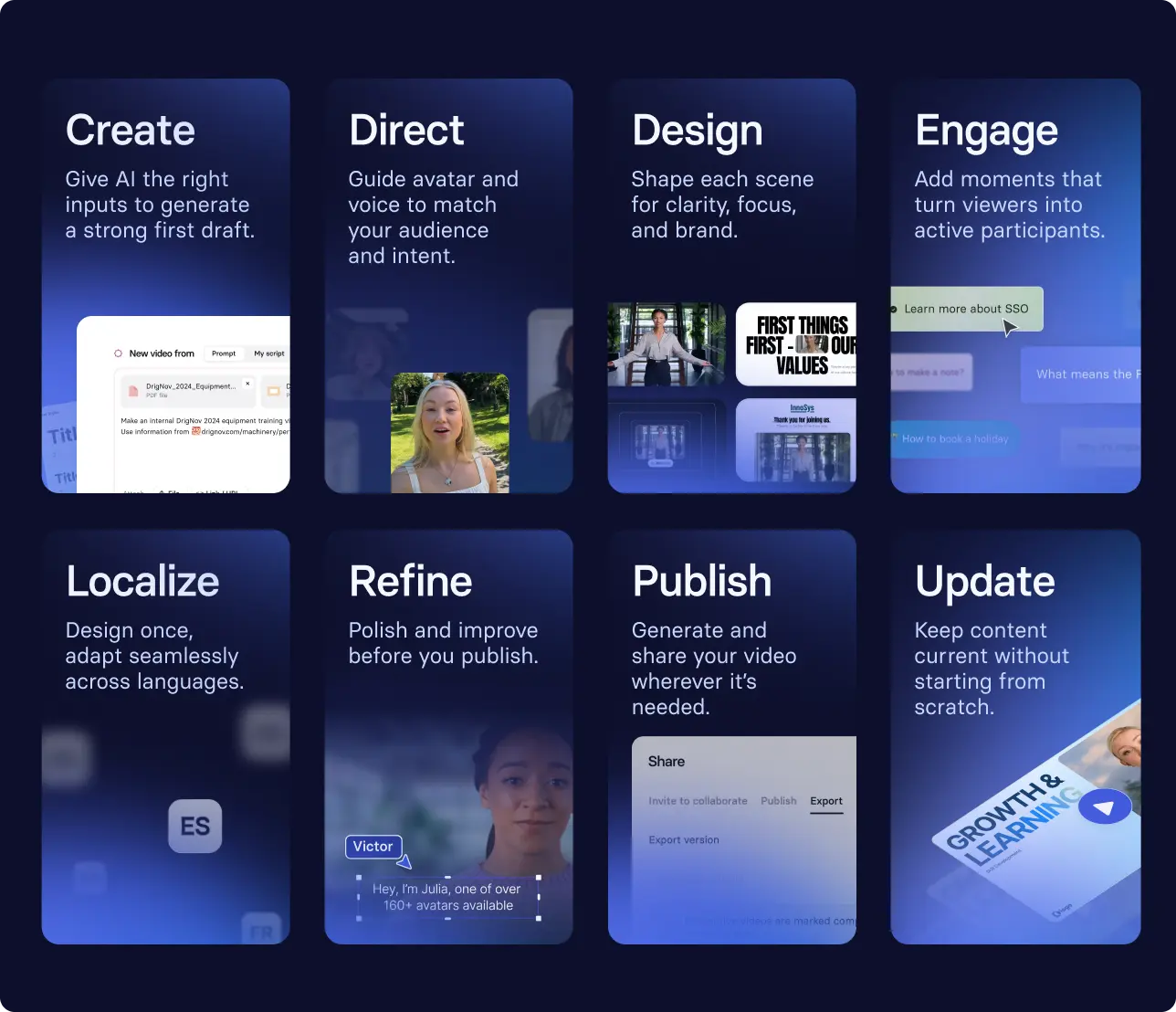
How to scale corporate training videos
Creating one training video, or even ten, is pretty straightforward. Keeping them relevant resources for your employees isn't. That requires a production plan that aligns with your company's needs. Here's what I mean.
Let's say you work in healthcare in the EU. You likely have to meet strict compliance requirements, as governed by your industry, as well as data-handling requirements, like GDPR. If you plan to create any safety training videos for your employees, you'll need a way to quickly update them if any policies change.
That's why Merck, the oldest pharmaceutical company in the world, decided to transform their approach to creating training videos. They moved away from using production studios and translation agencies for their 60,000+ global workforce, to using Synthesia after it cleared their privacy and security requirements. By centralizing access to training videos, Merck made them accessible to all employees, in the languages they speak, in days instead of months.
Even if you don't work in a regulated industry, I recommend thinking through how you will manage revisions, localization, and data security. These considerations determine whether or not you can sustainably scale training videos in your organization.
If you’re interested in learning more about how AI video can be part of your corporate training strategy, book some time with our team.
Amy Vidor, PhD, is the Learning and Development Evangelist at Synthesia, where she researches learning trends and helps organizations apply AI at scale. With 15 years of experience, she has advised companies, governments, and universities on skills.
Frequently asked questions
How can I create corporate training videos with AI?
Start by defining your learning objective and performance outcome. Once you know who the video is for and what they should be able to do after watching, you can generate a first draft with an AI platform like Synthesia by uploading source materials (a slide deck, an SOP, a transcript) or writing a short prompt.
From there, you can edit the scenes, publish, and share your video (see a full step-by-step guide here).
How can I create training videos in multiple languages?
There are several ways to localize training videos. You can hire a localization agency, or use a video production company that offers localization as part of their services. If you have the language skills and the right software, you can also do it yourself.
The easiest option, though, is using an AI platform like Synthesia that supports localization from a single source video.
How long should a corporate training video be?
There is no "right" length for a training video. That being said, I recommend videos be no longer than 6-8 minutes in length. In workplace research, engagement tends to decrease for videos longer than that.
Remember, you can always have a series of videos if your topic needs more time.



.webp)
.jpg)