The 13 Best eLearning Authoring Tools & Software (2026)

Create engaging video courses in 160+ languages.
I’ve got more than seven years’ experience working as an instructional engineer in eLearning.
I’ve built everything from compliance training to full certification programs, and I’ve used pretty much every authoring tool out there.
eLearning authoring tools are a type of employee training software that you use to design, build, and publish digital learning content. They are used by IDs (instructional designers), L&D (learning and development) teams, and SMEs (subject matter experts) to build courses without using any code.
The main alternative to using an authoring tool is to work with an eLearning development company. They will typically use authoring tools themselves.
With dozens of authoring tools on the market, it can be difficult to know which one is the best fit for your team and use case.
My ranking of the best eLearning authoring tools
Below is my breakdown of the 13 eLearning authoring tools that you should know about in 2026.
I've based this guide on my real-world experience with the tools as well as my hands-on testing, and I've tried to make it clear which tool fits which use case.
Best eLearning authoring tools:
Authoring tools are where you design and publish digital learning content.
- Articulate Rise 360: For fast, text-based course creation
- Articulate Storyline 360: For advanced interactivity
- Synthesia: For video-first authoring
- Camtasia: For screen recording and walkthroughs
- iSpring Suite: For making courses in PowerPoint
- Adobe Captivate: For complex interactivity and simulations
- Genially: For quick and simple courses
- Compozer: For structured learning content
Best LMS platforms with authoring capabilities:
LMS platforms are where you can do that and deliver and track learning experiences. L&D teams are increasingly using them to create courses and microlearning, and to streamline their workflows and toolboxes.
How I selected this list
I selected tools for this guide using an instructional design survey we conducted in 2024.
I then built the same ‘Company Security Basics’ module in each tool. I kept the module structure and content the same each time.
My evaluation criteria
I didn’t just evaluate the final outcome of each tool, I paid attention to the overall workflow and factors like:
- Ease of use
- Interactivity
- Multimedia
- SCORM / xAPI and LMS compatibility
- Collaboration
- Responsiveness/mobile optimization
- Localization
- Speed and efficiency
- Customization
- Integrations
1. Articulate Rise 360
Quick summary
- Best for: Rapid, responsive, text-based course builds
- Speed: Very fast
- Ease of use: Extremely easy
- Interactivity: Moderate
- LMS compatibility: SCORM/xAPI export
My experience
Pros
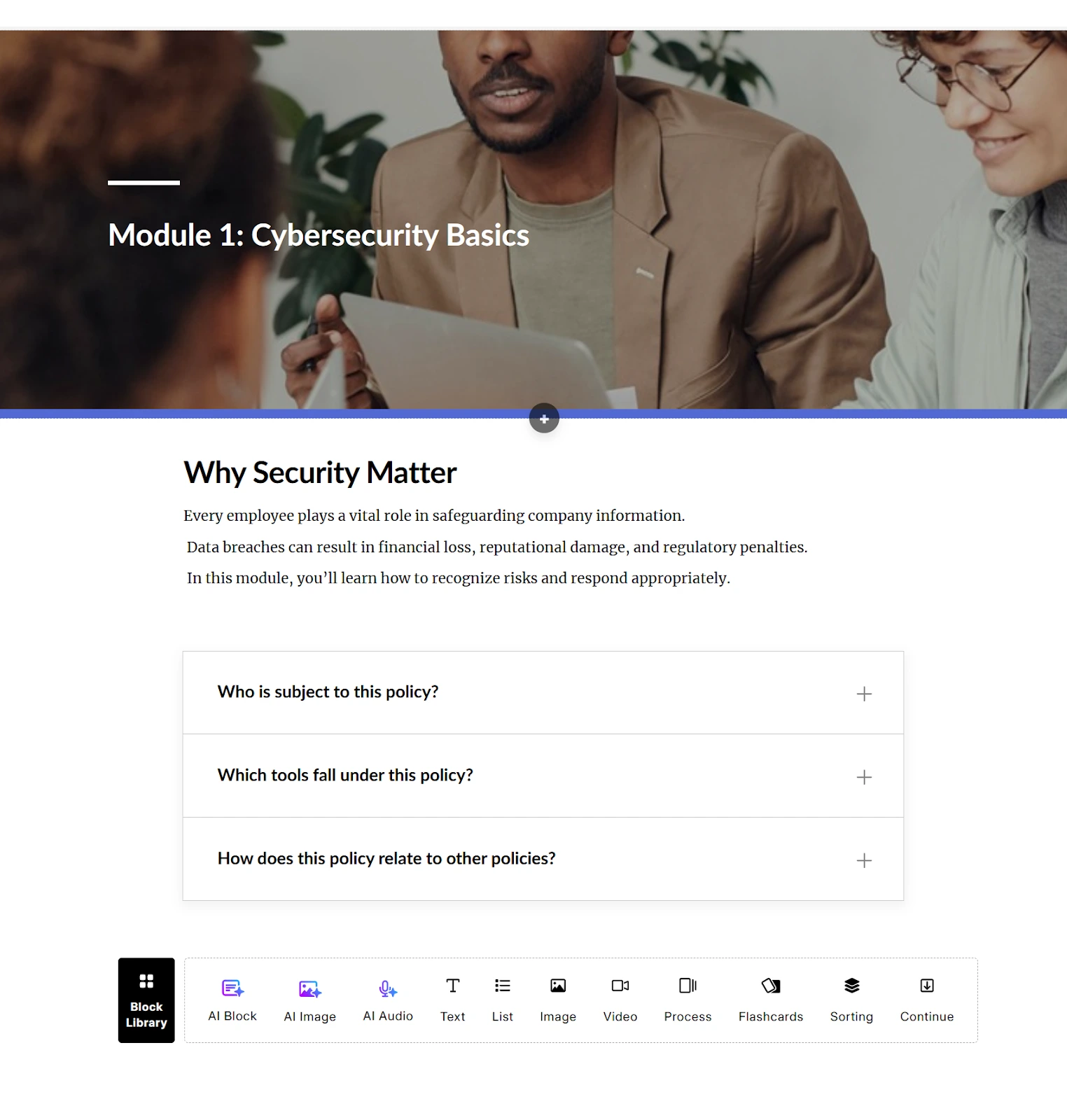
Articulate Rise 360 is one of the easiest eLearning authoring tools to get going with, which makes it ideal for SMEs and other less experienced learning designers.
The platform is scroll-based (the content flows like scrolling on a webpage) and uses pre-built blocks to put courses together, which allows for rapid content creation and iteration, and also makes it easy to produce responsive learning content (which means it will work across different devices and screen sizes).
It also makes it ideal for fast-changing organizations where products and processes shift frequently and frequent updates are necessary.
During my tests I found Rise to be the quickest (non-AI) authoring tool, and my benchmark "Company Security Basics" module looked great on desktop, tablet, and mobile without any extra work.
Rise supports SCORM and xAPI exports.
Cons
Since the platform relies on pre-built blocks for course creation, there’s not that much room for flexibility. It's common for courses created in Rise to visually feel quite similar.
Rise supports xAPI but the learner tracking is very limited. You can see if a learner completed a course and how they scored on a quiz, but the learning analytics won't get much richer than that (e.g. it won't tell you how long a learner spent on each section).
I also think that the branching and interactivity logic is quite shallow, too, so if you're looking for advanced interactivity you are better off looking elsewhere.
My verdict
Articulate Rise 360 excels when it comes to making polished, responsive, text-based corporate training fast. It's not the right choice for more complex eLearning projects where you need more customization, deeper tracking, or advanced interactivity.
2. Articulate Storyline 360
Quick summary
- Best for: Advanced interactivity and simulations
- Speed: Slow
- Ease of use: Steep learning curve
- Interactivity: Very high
- LMS compatibility: SCORM/xAPI compatibility
My experience
Pros
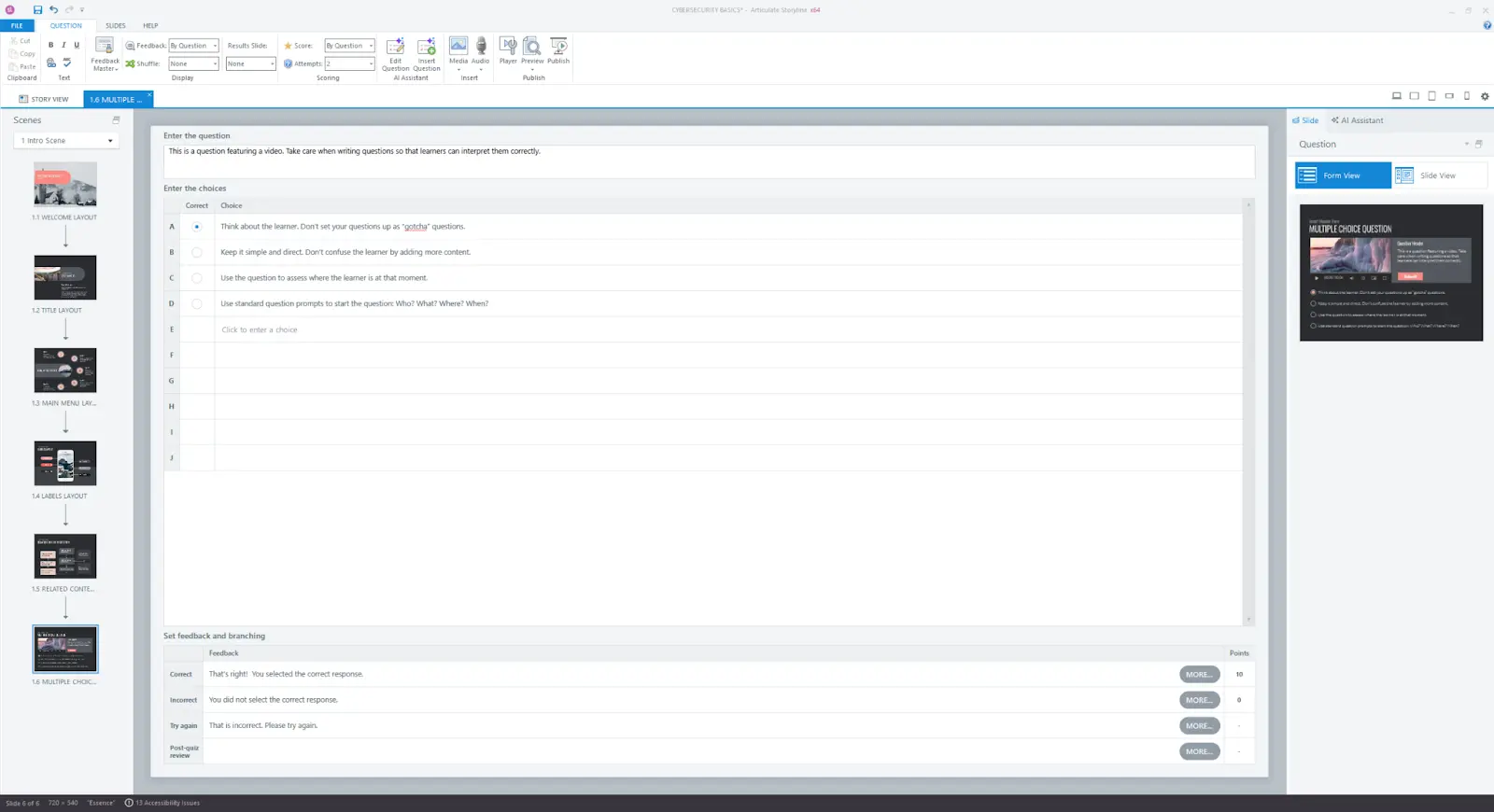
Articulate Storyline 360 is an advanced, slide-based authoring tool that provides deep interactivity logic with triggers, variables, and layers that give you a very granular level of control. This makes it possible to build complex branching and simulations.
Storyline gives you considerably more design freedom and flexibility than Rise, which makes it more suitable for experienced designers. The tracking capabilities are also more advanced with fuller SCORM and xAPI compatibility than Rise.
While building my test "Company Security Basics" module I was able to build much richer branching and more custom interaction logic than any other tool on this list.
Cons
There’s a steep learning curve with Articulate Storyline 360, and on top of that, there’s no real-time collaboration capabilities (it's a desktop application), so it's not a great idea to use Storyline if you are collaborating with an SME.
It takes a lot of time to develop and update eLearning content with this tool. It took me noticeably longer to create my test "Company Security Basics" module with Storyline than it did with Rise or Synthesia.
The lack of a brand kit feature (although I was able to save a custom theme/template) means that there's no guardrails to enforce brand consistency across the modules you create.
My verdict
I use Articulate Storyline 360 for complex, custom eLearning projects when I need advanced interactivity and learner tracking. If you value speed, simplicity, consistency, and maintainability, then Storyline is definitely not the right choice.
3. Synthesia
Quick summary
- Best for: Video-first, AI-powered training
- Speed: Extremely fast
- Ease of use: Very easy, minimal production skills needed
- Interactivity: Basic
- LMS compatibility: SCORM export or embed your video
My experience
Pros
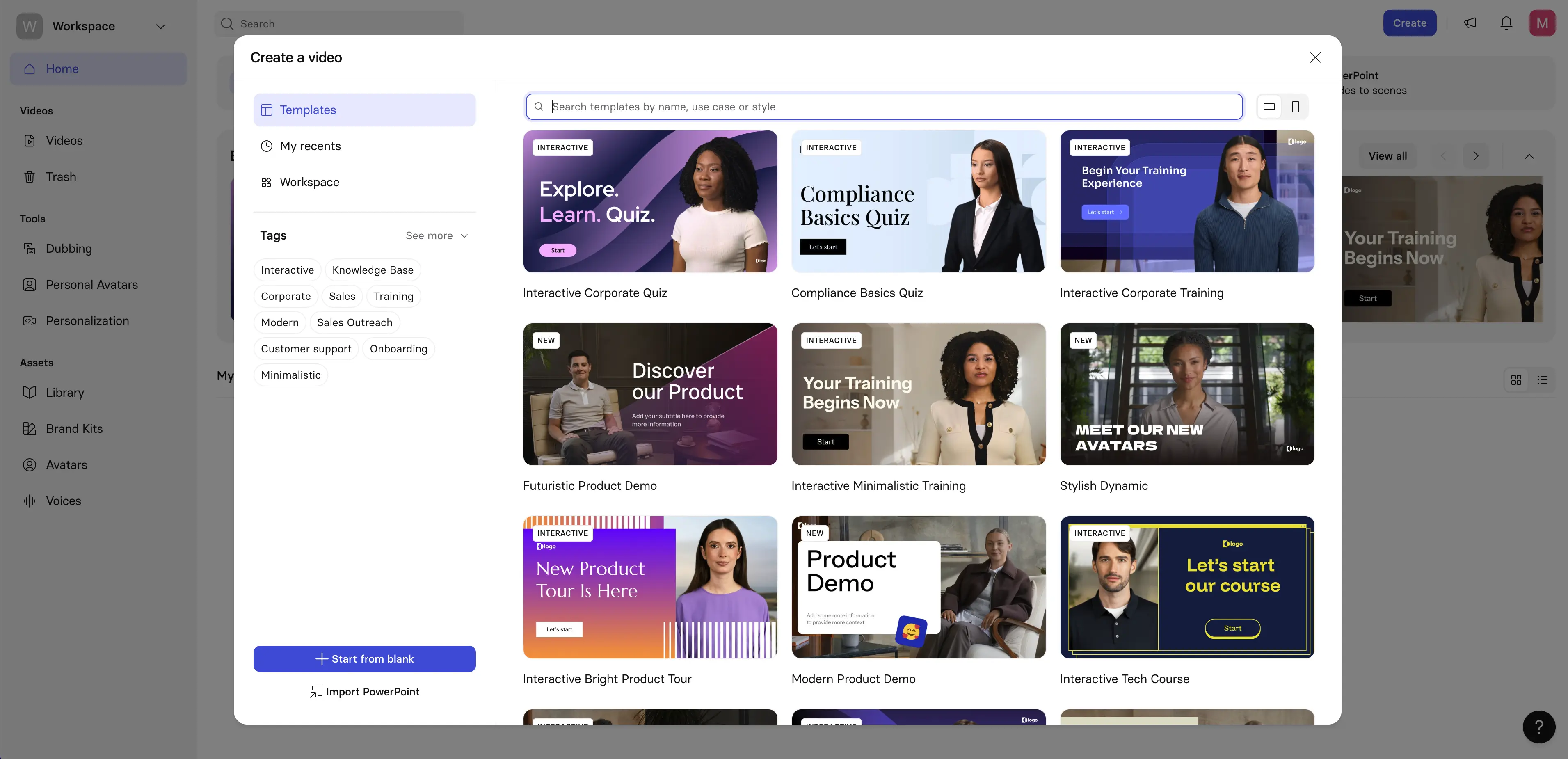
Synthesia combines a wide variety of features to make a reliable, video-first eLearning authoring tool.
The AI avatars are impressively realistic, and the platform makes video production fast, multilingual scaling seamless, and updating training super easy. If you want to update a video you can just edit the script and then regenerate the video.
The big selection of templates and the brand kit functionality keep output consistent and high-quality while following learning design principles.
I also love that the platform makes it easy to collaborate and iterate with SMEs with full real-time collaboration and version control features.
While creating my test "Company Security Basics" module in Synthesia I was able to start with a script and end with a branded, avatar-led video with an interactive knowledge check in well less than 60 minutes. The speed at which you can create and update eLearning video content is definitely one of the major selling points.
Cons
Synthesia is a video-first authoring tool rather than a full course builder or LMS, so it doesn't cover you for every learning design scenario in one tool. The interactivity is intentionally simple to keep the platform simple - Synthesia's interactivity features support clickable links, simple branching, and quizzes/knowledge checks. That's often enough for video-led training, but if you need more complex interactivity such as scored assessments, graded quizzes, or complex branching logic, that will typically mean pairing Synthesia videos with your LMS.
Synthesia uses a slide-based editor and has a scene-level timeline for timing layers and animations, but there's definitely not a Premiere/After Effects-style end-to-end timeline, so you might run into limitations if you are trying to do advanced video editing.
My verdict
Synthesia is a fantastic choice if you want to create polished, scalable, multilingual, presenter-led eLearning and training videos quickly.
However, if your priority is complex learning design (e.g. scored assessments, graded quizzes, or complex branching) then you'll need to pair Synthesia with your LMS or another course authoring tool. Synthesia only covers the video layer.
4. Camtasia

Quick summary
- Best for: Screen recordings and software demos
- Speed: Medium to slow
- Ease of use: Easy to learn
- Interactivity: Low to moderate
- LMS compatibility: SCORM support
My experience
Pros
Camtasia is great at screen recordings, which means it's a common choice for use cases like product demos and software walkthroughs. The platform gives you timeline-based editing with professional-looking screen recordings (in up to 4K resolution) and lots of options to add cuts, zooms, callouts, animations, and cursor effects.
I tried using Camtasia to put together my "Company Security Basics" test module and found that it really is a great fit for demonstrating process steps and UI interactions.
Aside from screen recordings, Camtasia also supports visuals and some basic interactivity (quizzes and clickable hotspots).
Cons
Similarly to Articulate Storyline 360, creating and updating eLearning content with Camtasia is very time-consuming. All the editing options I mentioned earlier have to be implemented manually.
The interactivity options are very limited with the platform only offering basic branching. Learner tracking is also very basic.
I wouldn’t say Camtasia is a full eLearning authoring tool, so I suppose these limitations are to be expected. However, they mean you can't really produce eLearning end-to-end with Camtasia - you'll usually have to wrap the Camtasia output inside an LMS or the output of another authoring tool.
My verdict
Camtasia is great for screen recordings, but it is highly limited as a standalone authoring tool.
Most of the top authoring tools on this list offer their own screen recording features along with full authoring functionality, so I think Camtasia only really makes sense to use when your use case requires super high quality edited screen recordings.
5. iSpring Suite
Quick summary
- Best for: Converting PowerPoint to eLearning
- Speed: Very fast
- Ease of use: Very easy
- Interactivity: Moderate
- LMS compatibility: SCORM/xAPI export
My experience
Pros
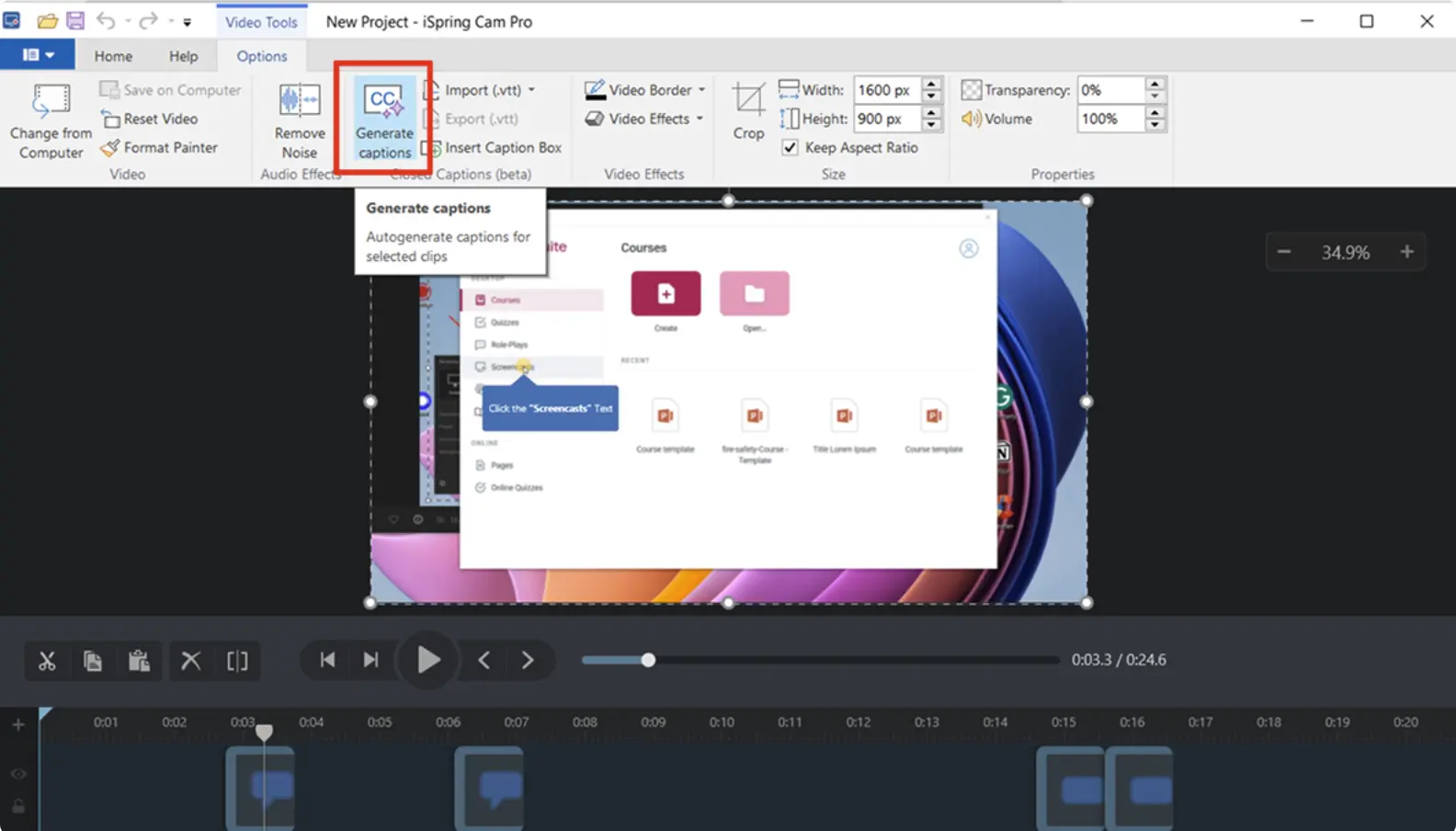
iSpring Suite sits directly within PowerPoint, so one of its key advantages is that there is basically zero learning curve for those familiar with PowerPoint (which is basically everyone). That makes it a super useful tool if you are creating eLearning content with an SME who doesn't have any experience with authoring tools.
Another big advantage is speed. You can quickly convert your slides into eLearning content with basic interactivity (including quizzes and simple branching), narration, and screen recordings while remaining in PowerPoint. The tool also supports SCORM and xAPI export to get your content into your LMS quickly and reliably.
I converted some slides to a fully deployed course using iSpring Suite for my test "Company Security Basics" module. The whole process was super fast and the SCORM package uploaded and tracked correctly on my first try.
Cons
iSpring Suite only works on Windows. I use a Mac so I actually had to set up a virtual machine just to be able to run this test.
I think the other downsides to this tool largely come from the dependency on PowerPoint. If you don't already have your eLearning content in PowerPoint slides, then the tool is a lot less useful. Collaboration also feels a lot more clunky as you have to revert to the old ways of emailing slides back and forth to your team.
Since everything is slide-based, the layout and interactivity options are very limited. More complex branching or custom designs are way harder to pull off than with some of the other tools on this list. Overall, I'd say that the tool feels a bit outdated.
My verdict
If you already have content in PowerPoint slide format that you want to quickly convert into eLearning, then iSpring Suite is a great fit. Aside from that specific use case, I think that the tool is quite limited.
6. Adobe Captivate
Quick summary
- Best for: Simulation-heavy training
- Speed: Slower
- Ease of use: Moderate to difficult
- Interactivity: High
- LMS compatibility: SCORM/xAPI tracking
My experience
Pros
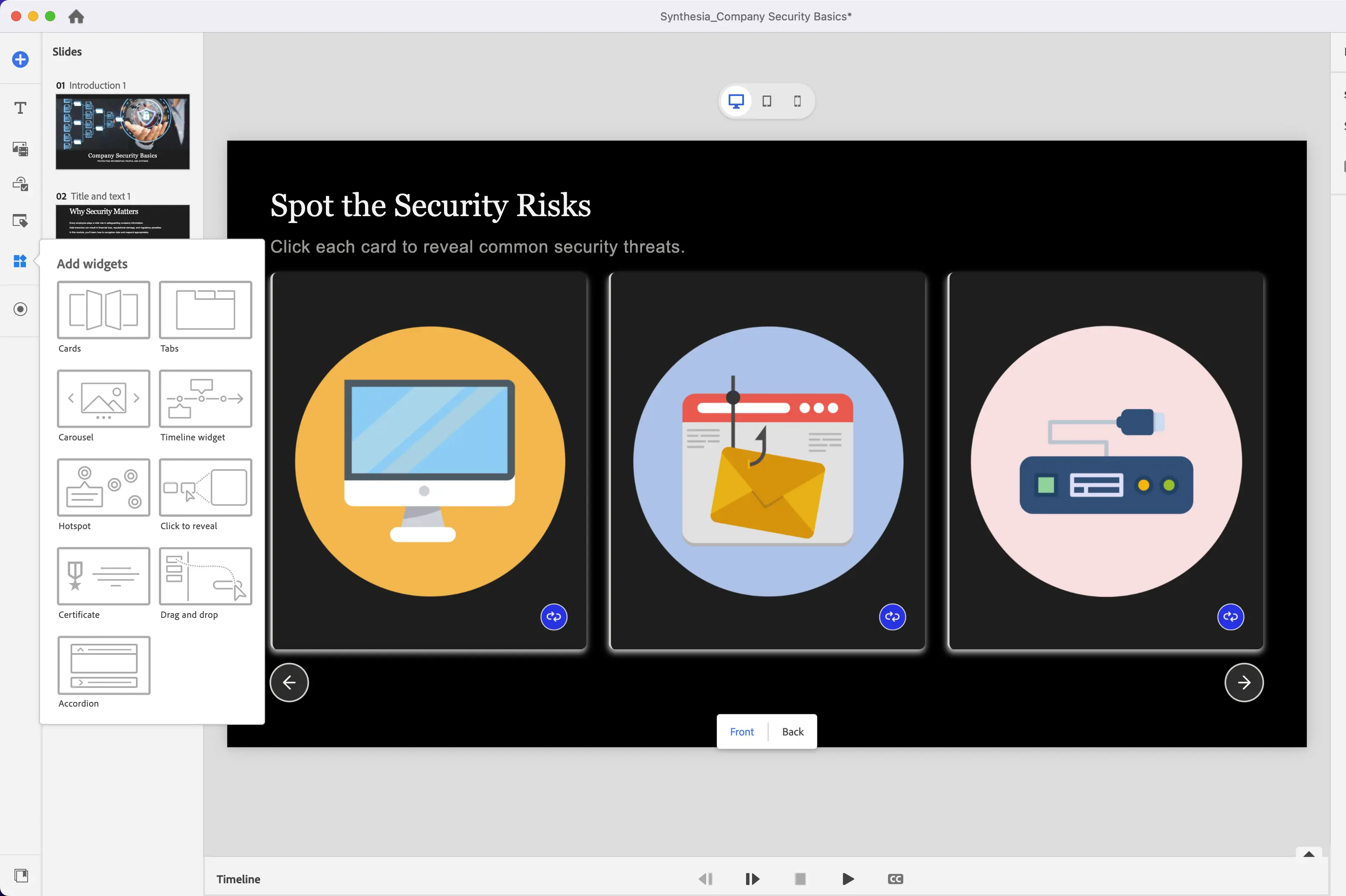
Adobe Captivate is particularly strong when you want to build simulation-focused eLearning modules. Simulation in this context typically means software or click-through simulations where learners are practicing using an interface. Captivate offers advanced functionality for this use case as the platform actually lets you record your screen and then turn it into an interactive clickable simulation. This functionality is often the main reason why instructional designers choose Adobe Captivate, and it tends to be most valuable when the eLearning involves technical environments (think software or complex systems).
Captivate even offers VR and 360 degree image capabilities, but I didn't test these.
Captivate also offers very robust learner tracking via SCORM and xAPI.
For my "Company Security Basics" test module, Captivate allowed me to transform a simple "how do I update my password" workflow into an engaging and realistic click-through practice eLearning activity. I don't think eLearning content like this is always appropriate, but when it is, it can provide learners with really authentic hands-on practice, and it also generates very rich learner analytics for that scenario.
Cons
Building eLearning content in Adobe Captivate is certainly more complex and time consuming than most other authoring tools. There’s a big learning curve and the platform is definitely not suitable for less experienced designers or SMEs. My test "Company Security Basics" module took quite a long time for me to pull together despite my instructional design background and my familiarity with the tool.
While Captivate now operates as a cloud-based authoring tool, it's still not great for collaboration. There are basic review and commenting workflows, but there's no real-time multi-user editing feature like what you get in Rise or Synthesia.
My verdict
Adobe Captivate is great for developing simulations, so if you need to build realistic practice modules it can be a perfect fit. However, I don't think it makes sense to use Captivate for most everyday eLearning content generation use cases.
7. Genially
Quick summary
- Best for: Microlearning and visual content
- Speed: Fast
- Ease of use: Very easy
- Interactivity: Light
- LMS compatibility: Limited SCORM/xAPI support
My experience
Pros
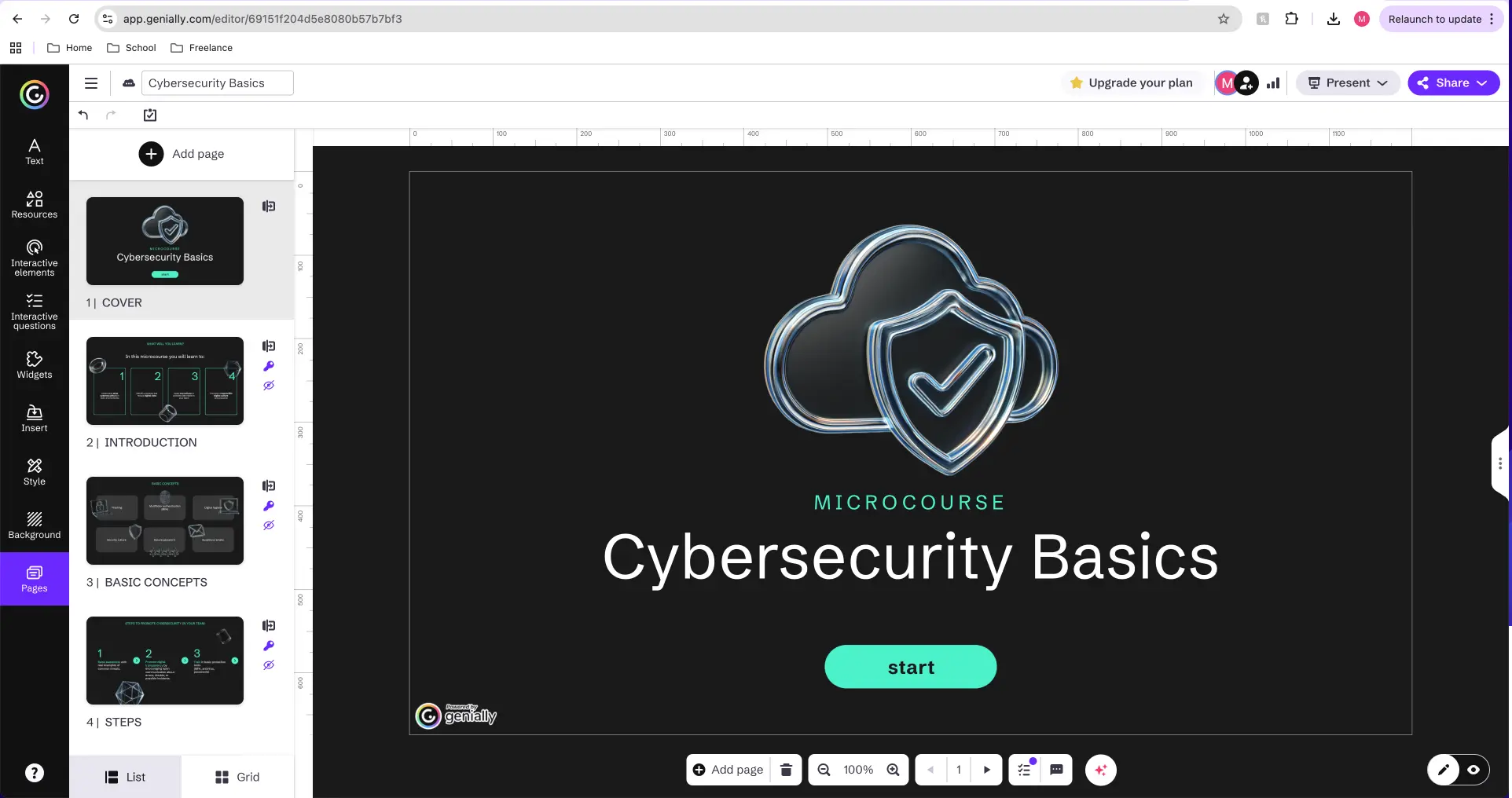
Genially is a fun tool that makes it easy to make great-looking, interactive eLearning content. The library of templates the platform offers is visually polished and modern.
There's also basic interactivity features which let you add hotspots, simple quizzes and light branching.
I easily created our test "Company Security Basics" module and added an interactive infographic, a quiz, clickable hotspots, and hover effects in a very short period of time.
Cons
The simplistic nature of Genially means that it’s not ideal for complex learning flows like multi-module programs, complex branching scenarios, or other deeper content structures.
The LMS tracking is weak, too, so it’s not a tool for teams that want to monitor their eLearning content performance.
My verdict
I liked Genially as it made it easy to generate visually engaging eLearning content. I would happily use it again, but I think that if your goal is to make robust eLearning content, you'll need to use Genially alongside another authoring tool.
8. Compozer
Quick summary
- Best for: Structured, repeatable course design
- Speed: Fast
- Ease of use: Easy
- Interactivity: Structured
- LMS compatibility: SCORM export
My experience
Pros
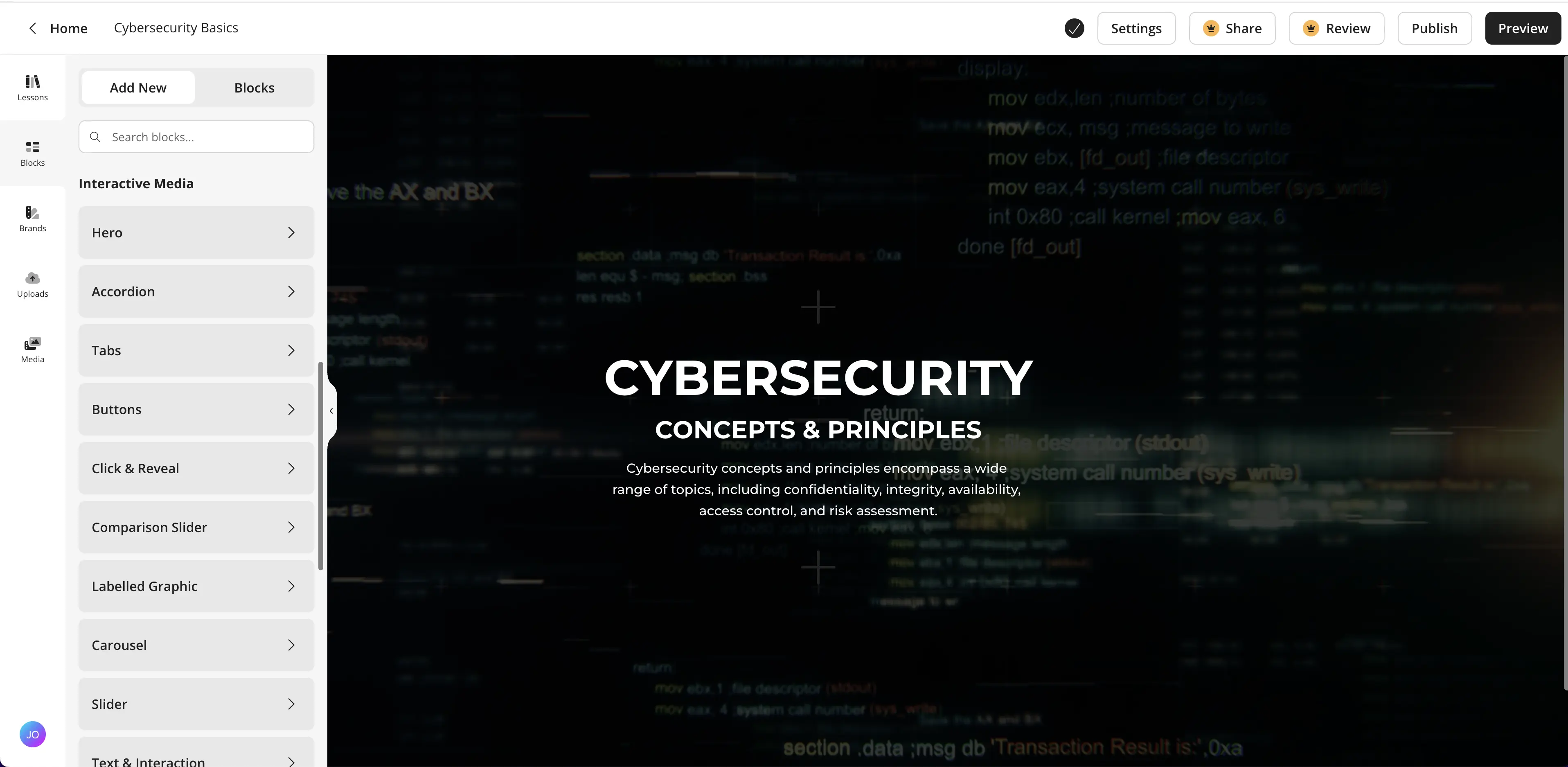
Compozer is the first tool that I tested that had a really solid instructional structure baked into the authoring workflow itself. I found that my test "Company Security Basics" module came together at a similar pace to when I built it with Rise, but the difference was that there were more guardrails around learning objectives, practice and assessment placement.
When you build a block in Compozer, it becomes a reusable component that you can repurpose across other courses that you are building, which might be a really useful feature for L&D teams that are managing a large number of courses.
Cons
Compozer isn’t a fully open-ended authoring tool, so it comes with a number of limitations. Interactivity is very structured and as a result doesn’t allow any complex branching or customized layouts.
The visual design language also isn’t particularly customizable. The platform prefers to take a stance on keeping things clean and simple. It works, but it does mean you have very limited creative freedom.
Lastly, at the time of writing the platform doesn’t support xAPI (although it does support SCORM).
My verdict
Compozer is great for fast and highly structured course authoring that guides the designer according to instructional design principles. It’s probably not a good fit if you are looking to create visually engaging learning content or if you require flexibility in your learning design.
9. TalentLMS
Quick summary
- Best for: Simple internal training
- Speed: Extremely fast
- Ease of use: Very easy
- Interactivity: Very limited
- SCORM export: None
My experience
Pros
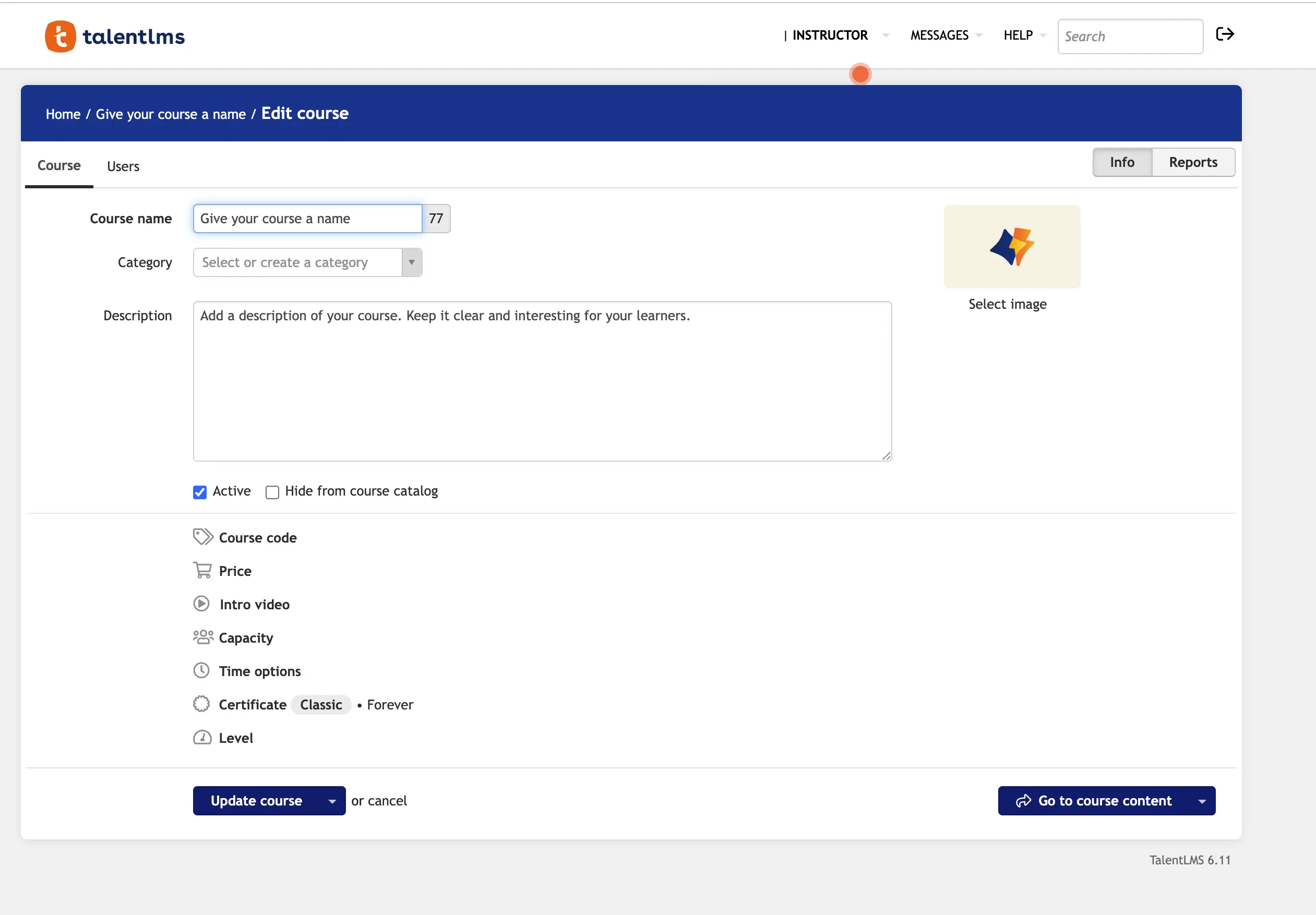
TalentLMS is super intuitive for SMEs to use. It has quick course assembly so teams can put content together in minutes, meaning it’s a top pick for scalable, efficient eLearning content.
Cons
My biggest issue with TalentLMS is that there’s no advanced interactivity. The workflow is quite stagnant and there’s minimal design control. It’s another case of speed taking away from creativity in the platform. Perhaps because speed is such a priority, I wouldn’t recommend TalentLMS for complex courses - it just doesn’t have the finesse.
My verdict
For fast, internal content, use TalentLMS. It has cool capabilities as an LMS but it’s not yet a standalone authoring solution.
10. LearnWorlds
Quick summary
- Best for: Interactive video + course pages
- Speed: Fast
- Ease of use: Easy
- Interactivity: Moderate
- SCORM export: Only for created content
My experience
Pros
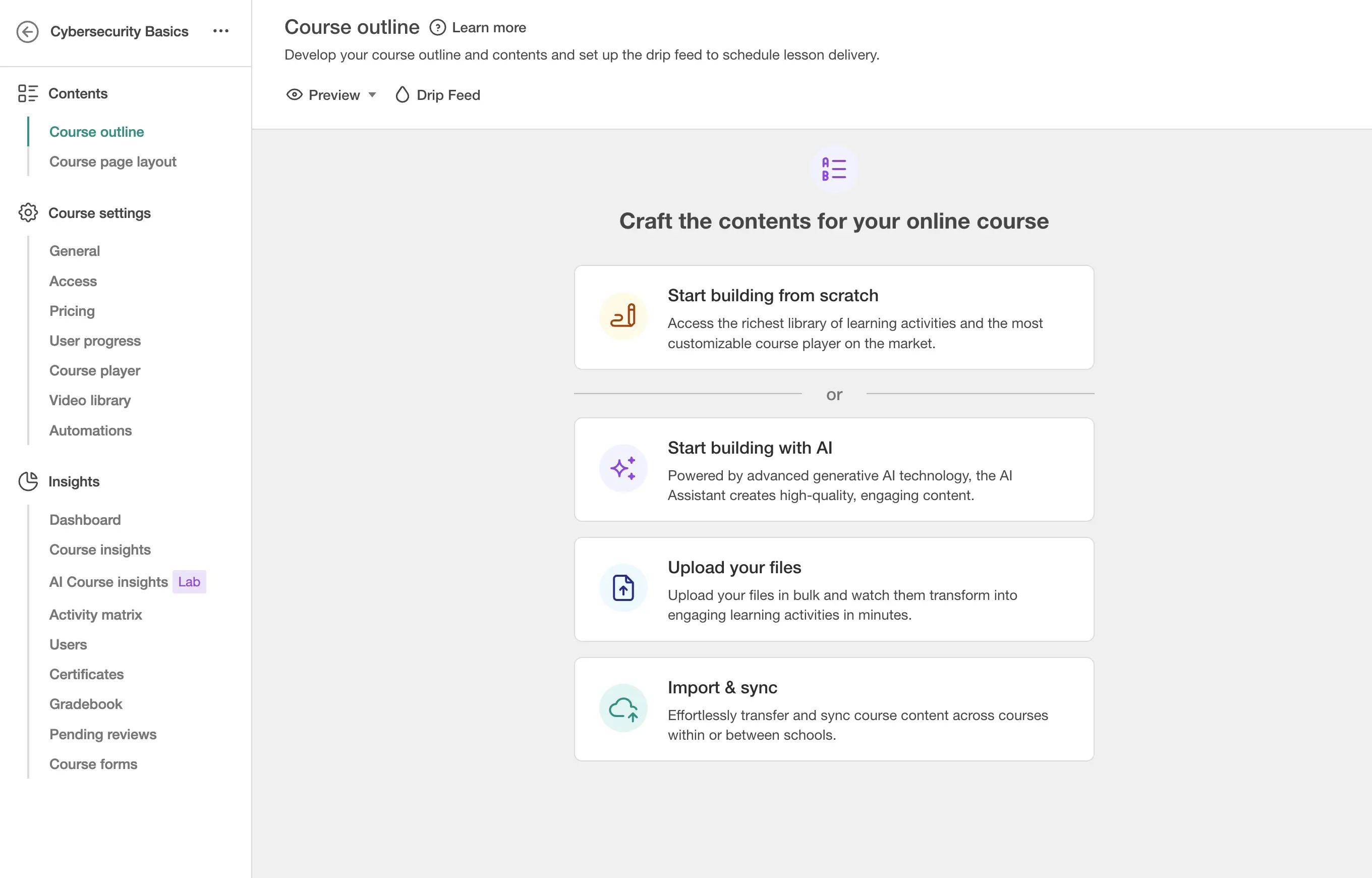
My experience with LearnWorlds was largely positive. I thought the video features were interactive and that the layouts were slick and well-suited to modern branding. What I particularly liked, though, was that the module I built felt optimized for customer education. The outcome was accessible, professional, and engaging in a way that really felt like the essence of eLearning.
Cons
The branching in LearnWorlds isn’t great, and there are some design constraints that I think do the tool a disservice. I wouldn’t reach for LearnWorlds for complex simulations either, it seemed more like a tool for transparent, rather than developed, content.
My verdict
If you want video-first learning experiences, LearnWorlds is awesome. Where it falls a little short is interactivity and being advanced enough to support complex eLearning delivery.
11. LearnUpon
Quick summary
- Best for: Structured enterprise training
- Speed: Fast
- Ease of use: Very easy
- Interactivity: Low
- SCORM export: None
My experience
Pros
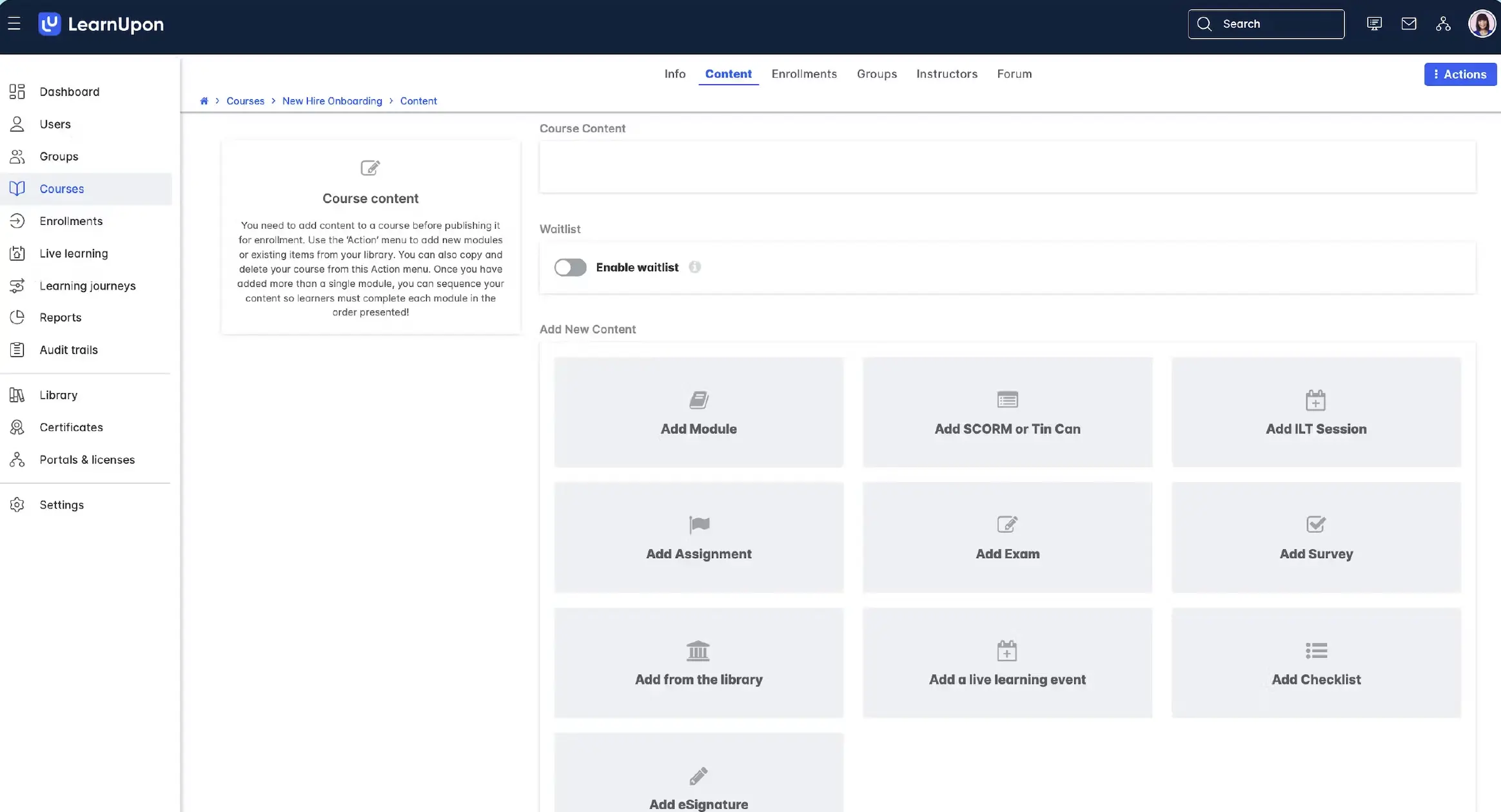
The LMS tools definitely tend to have good structured learning paths, so building with LearnUpon was pretty seamless. Not only was the course assembly easy, the tool made updates frictionless - perfect for teams that want to create and iterate eLearning content with quick turnarounds.
Cons
Design is rigid with LearnUpon, there aren’t many options to customize or collaborate. Interactivity is naturally limited, too.
My verdict
Use LearnUpon for delivery and structuring content, not for start-to-finish creation.
12. Absorb LMS
Quick summary
- Best for: Simple internal course creation
- Speed: Fast
- Ease of use: Easy
- Interactivity: Low to moderate
- SCORM export: Yes, through Absorb Create
My experience
Pros
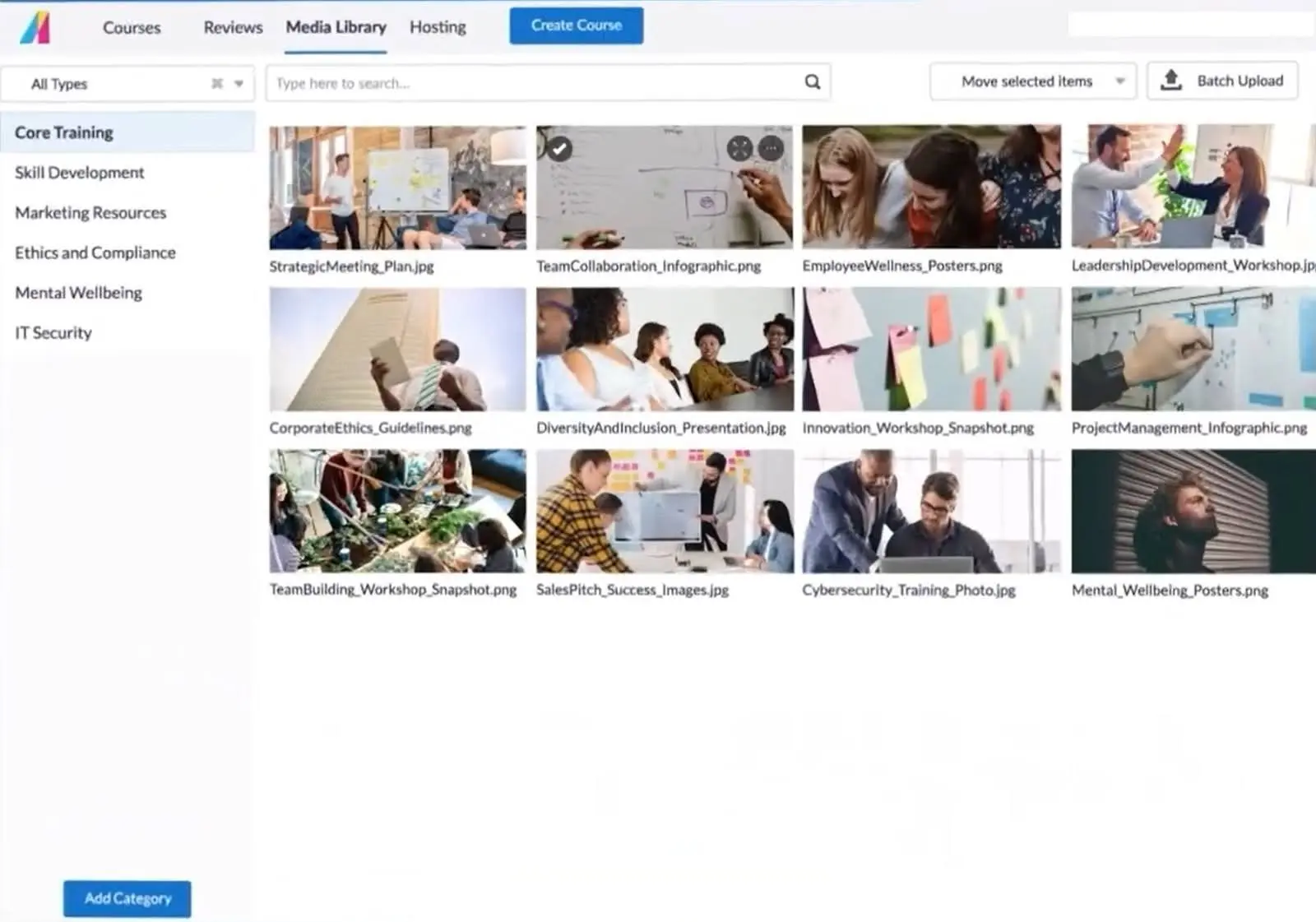
The interface for Absorb was one of my favorites - it’s aesthetic and easy to navigate. This appearance lends itself well to Absorb’s creation capabilities. The module I made was high quality and was ready in a matter of minutes.
Cons
As seems to be the case with most of the LMS tools, interactivity and customization were weak points for Absorb. And, the templates are basic, so even though my finished module was high-quality, it was restricted by the wireframe.
My verdict
Absorb is nice for fast eLearning production and content that looks professional. Still, it's not a tool for full course design and I think it should be combined with another platform to really maximize its potential.
13. Thinkific
Quick summary
- Best for: External/customer courses
- Speed: Fast
- Ease of use: Very easy
- Interactivity: Low
- SCORM export: None
My experience
Pros
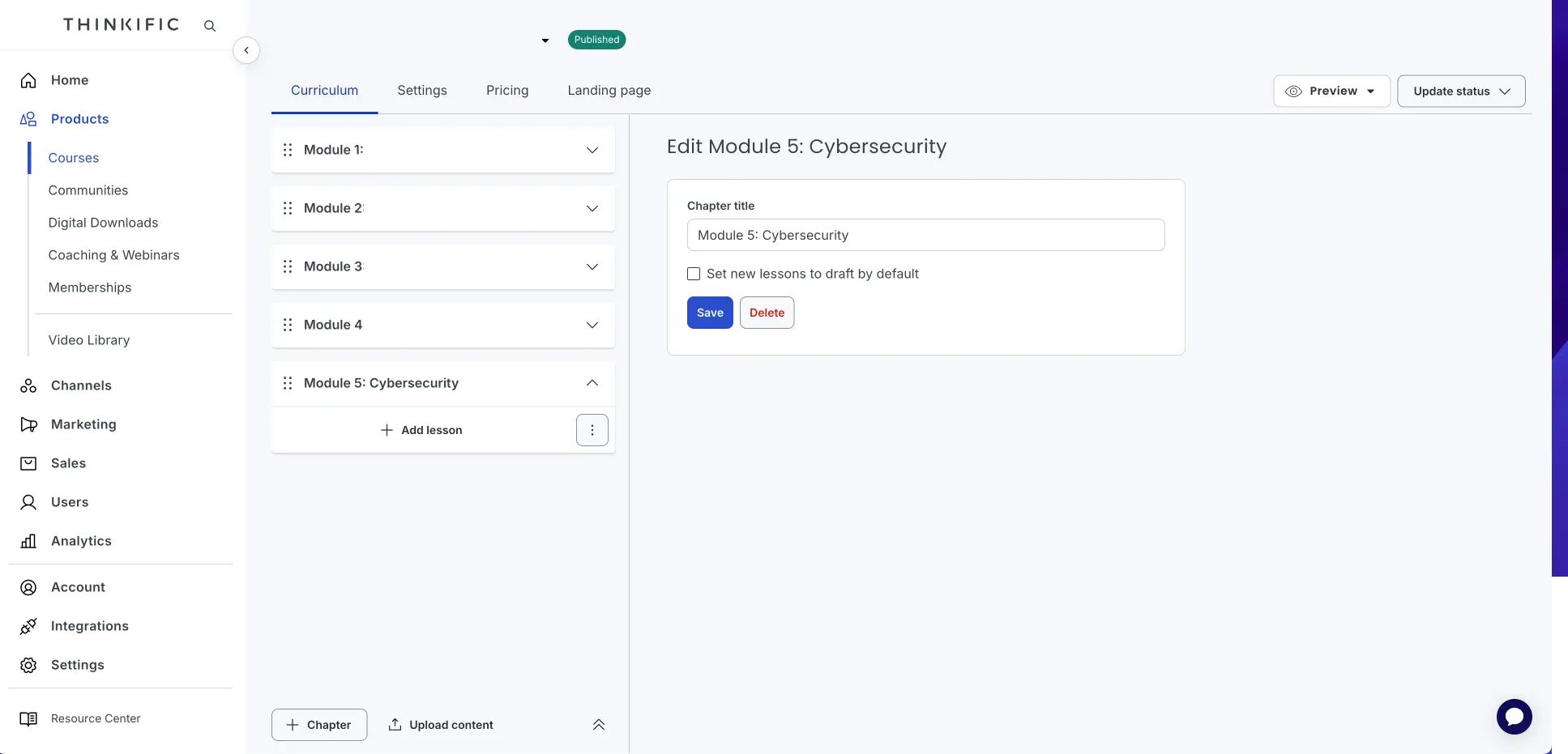
Ironically, Thinkific doesn’t require that much thinking at all. The tool is intuitive, has decent course structure, and is handy for non-technical creators. If you’re working in a team where people have different digital skills, Thinkific is a good bridge for gaps.
Cons
The instructional design depth is shallow with Thinkific. I didn’t feel like I could get the most out of the tool because support was so limited. This lack of interactivity made it hard for me to see the tool as anything but a starter pack for eLearning.
My verdict
If you’re diving into simple, external course creation, Thinkific is brilliant. If you’re searching for assistance with more advanced L&D needs, Thinkific by itself probably won’t cut it.
eLearning authoring tools compared
Final thoughts
Each authoring tool in this list has its own strengths and weaknesses, but if you're just getting started I suggest you try Rise and Synthesia first. They're the fastest two tools to get value from, and they cover the most common use cases.
In practice I've often seen L&D teams combining a number of authoring tools with some basic authoring functionality on their LMS. Combining tools allows you to cover all bases and create learning content that is impactful, deliverable, and easy to measure.
A common mistake I see L&D teams make is that they default to Storyline, when there are easier tools that can get the job done for them much faster.
Kevin Alster is a Strategic Advisor at Synthesia, helping enterprises apply generative AI to learning, communication, and performance. With over a decade in education and media, he’s built programs for General Assembly, NYT School, and Sotheby’s.
Frequently asked questions
What's the difference between an eLearning authoring tool and an LMS?
eLearning authoring tools are used to design and build learning content, whereas an LMS is used to deliver and track it. Some LMS platforms have authoring capabilities built in, but they tend to be more on the basic side, and definitely less powerful than standalone authoring tools.
Which authoring tool is best for beginners?
For beginners or less experienced designers I'd suggest either Rise or Synthesia. Rise makes it easy to build a learning module with pre-built blocks, while Synthesia is an AI-powered platform with an assisted video creation feature that makes it easy to create eLearning videos from your existing materials or even just a prompt.
Which authoring tool is best for video-based training?
Synthesia is the best authoring tool for video-based training. It's fast and easy to use, and gives you access to realistic AI avatars, AI-generated B-roll videos, motion graphics, and an AI-powered screen recorder. There's also a wide range of templates to help you create a professional-looking video. If you're specifically looking for screen recording features then Camtasia is also worth checking out.
Which authoring tool is best for simulations?
Adobe Captivate is the clear leader in software and click-through simulations. Captivate makes it easy to record your screen and then convert it into an interactive practice module. Storyline can also help you make complex simulations, but Captivate is usually the go-to option for this use case.