L&D Best Practices for Employee Training

Written by
Amy Vidor
March 11, 2026

Create engaging training videos in 160+ languages.

There’s plenty of advice on making employee training (including on this blog), but most of it skips the hard part: building a strategy that makes training stick.

This guide fixes that. We’ll focus on foundations: set up the infrastructure (even if you’ve already started), create feedback loops that keep training tied to real work, optimize for the business outcomes that matter, and scale deliberately as demand grows. Often the answer isn’t more content, tools, or headcount. It’s learning to deploy what you already have so training becomes a system that drives measurable impact.

πŸ“š Key terms (click to expand)
  • Adoption: Sustained behavior change over time, not just completion.
  • Capability building: Long-term organizational ability to perform, adapt, and sustain outcomes.
  • Competency framework: A defined set of skills, behaviors, and proficiency levels that describe β€œwhat good looks like” in a role.
  • Enablement: Ongoing support that helps people perform in context, especially when work changes.
  • L&D (Learning & Development): The function and operating model responsible for developing people at scale.
  • Learning in the flow of work: Guidance and practice embedded where people work (tools, moments of need), not only in a course.
  • Readiness: Confidence and correctness at launch (people know what to do and can do it).
  • Skills mapping: Connecting skills and proficiency levels to roles, performance expectations, and career pathways.
  • Time to proficiency: How long it takes someone to reach the expected performance level for a role.
  • Training: Structured learning designed to build consistent role performance.

1. Start with a skills architecture

If training isn’t tied to a shared definition of skills, it’s hard to prove progress. You can ship great content and still struggle to answer the questions leaders care about: What capability are we building? Who needs it? What does β€œproficient” look like? How will we know performance improved?

A skills architecture gives you that foundation. It’s a practical system that defines the skills that matter (core, functional, and role-specific), sets 2–3 proficiency levels with observable behaviors, maps required skills to roles and levels, and specifies what counts as evidence (rubrics, QA checks, work samples, observations). It also needs governance: a named owner, a change process, and a review cadence.

Skills mapping should read like this:
‍Skill β†’ How you train it β†’ How you practice β†’ How you verify β†’ What you measure.

Skills mapping example
  • Role: Customer Support Specialist
  • Business driver: Faster ramp, fewer escalations, higher quality
  • Diagnosis
    • Training: Product + workflow walkthrough clips
    • Practice: Troubleshooting scenarios
    • Evidence: Scenario score + first-week ticket review
    • Metric: First-contact resolution, rework rate
  • Tool fluency
    • Training: Task-based β€œhow-to” videos (tag, route, escalate)
    • Practice: Guided sandbox tasks
    • Evidence: Task checklist + supervisor sign-off
    • Metric: Handle time, documentation accuracy
  • Escalation judgment
    • Training: Escalation rules + examples
    • Practice: β€œEscalate or resolve?” decision drills
    • Evidence: Decision accuracy + QA sampling
    • Metric: Escalation rate, time-to-resolution
  • Review cadence: Quarterly (evergreen), immediate (policy/process changes)
  • Owner: Support Enablement + QA (monthly signal review with team leads)

πŸ‘‰ Start here: Pick one business-critical role and define 6–10 skills with 2–3 proficiency levels and one evidence method per skill.

2. Design intentional partnerships

Training stays relevant when you build reliable inputs from the teams closest to hiring, performance, and change. These partnerships aren’t about adding more approvers. They create signal loops so you can spot skill gaps early, adjust quickly, and keep learning tied to business needs.

A partnership model includes a small set of core partners (HRBP or People Partner, a functional leader, and an enablement lead β€” plus Talent Acquisition when hiring is a constraint). Run a simple signal loop: a 30-minute monthly review focused on what’s changing in work and where performance is slipping. Use a lightweight intake so requests are comparable (business driver, audience, skill gap, success metric, constraints). Then do a quarterly reset to re-rank priorities based on business impact and capacity.

Use partners to surface specific signals:

  • Talent Acquisition:
    Which skill gaps show up in hiring? What should we hire for vs. develop?
  • HRBPs / People Partners:
    Where do performance conversations get stuck? What skills block progression?
  • Functional leaders:
    What changed in the work? Where are errors, delays, or rework increasing?
  • Enablement leaders (Sales, CS, IT, Ops):
    What do high performers do differently? What do new hires struggle with in the first 30–90 days?
Partnership cadence example
  • Monthly (30 minutes): Signal review with HRBP/People Partner + functional lead + enablement lead
  • Quarterly (60 minutes): Reset priorities with Talent Acquisition + functional leadership
  • Per request: Use a one-page intake so every project stays tied to an outcome

One-page intake (copy/paste)

  • Business driver: What needs to improve (quality, speed, customer outcomes, risk)
  • Audience: Who needs to change behavior (role, level, region)
  • Skill gap: What people can’t do yet (use skill language, not β€œneeds training”)
  • Evidence: How you’ll know it improved (manager observation, QA, system metrics)
  • Constraints: Timeline, tools, compliance, localization

πŸ‘‰ Start here: Set a 30-minute monthly signal review with one HRBP and one functional leader, using a one-page intake that captures business driver, skill gap, and success metric.

3. Set outcomes that matter

Training earns attention when it’s anchored to outcomes the business already recognizes and reviews. That means moving past β€œlearning objectives” and defining performance outcomes instead: what people should do differently at work, and what should improve as a result.

Start with the business driver. Then set 2–3 outcomes you can track over time, using the same language leaders use to run the business (quality, speed, customer outcomes, risk, cost). Make the proof explicit: define what counts as evidence, capture the baseline before launch, and set a review rhythm so the program gets iterated as work changes.

Outcome mapping example
  • Business driver: Improve customer experience while reducing rework
  • Audience: New support hires (first 90 days)
  • Performance outcomes (2–3): Increase first-contact resolution, reduce documentation errors, shorten time to proficiency
  • Evidence: QA sampling + manager observation checklist + scenario score
  • Measures: FCR %, documentation error rate, median time-to-proficiency
  • Review rhythm: Baseline β†’ 30 days β†’ 90 days (iterate what isn’t moving)

πŸ‘‰ Start here: Write one business-driver sentence, then choose two performance outcomes and one evidence method for each before building any content.

4. Design for skill transfer

Training only matters when it shows up in real work. Skill transfer is the bridge between β€œpeople learned something” and β€œperformance changed.” The work environment is part of the design: peer support, manager coaching, and organizational reinforcement determine whether new behaviors stick after the session ends.

Design for transfer by building job practice into the workflow (scenarios and tasks that mirror real tickets and decisions), pairing it with clear feedback (rubrics, examples, coaching prompts), reinforcing it after launch (spaced follow-ups, reminders, refreshers), and validating it with a lightweight proficiency check tied to actual work.

Transfer example
  • Skill: Escalation judgment
  • Job practice: 8 decision drills (β€œEscalate or resolve?”) using real edge cases
  • Feedback: A simple rubric + a short β€œwhy” for each choice (what good looks like)
  • Evidence: QA spot check on the first 10 tickets + manager observation checklist
  • Reinforcement: Two-week follow-up with 3 new edge-case scenarios
  • Supporting content: 5-minute explainer with examples of correct vs. incorrect escalation

πŸ‘‰ Start here: Take one high-impact skill and add one practice scenario plus a simple rubric or manager checklist that proves proficiency.

5. Deliver learning in the flow of work

Most training fails at the handoff: the moment someone needs to apply it. People don’t forget because they’re careless. They forget because work is busy, systems are complex, and support isn’t available at the point of need.

Learning in the flow of work closes that gap by embedding guidance where decisions happen. When support sits inside the workflow, it reduces guesswork, makes β€œthe standard” easier to follow, and turns training into day-to-day performance support.

Design it around four pieces: identify the moments of need (exceptions, handoffs, first-time tasks), build small in-flow assets (checklists, decision aids, short clips, templates), place them inside the tools and workflows people already use, and iterate based on real breakdown points and usage signals.

In-flow support example
  • Process: Handling a billing dispute
  • Moment of need: A customer escalates and the agent needs to assess a policy exception
  • In-flow assets: One-page decision tree, 60-second walkthrough clip, approved response template
  • Placement: Linked inside the ticketing tool and pinned in the SOP
  • Evidence: Manager spot check of 5 tickets per rep, per month
  • Measures: Reopen rate, time-to-resolution, policy exception rate

πŸ‘‰ Start here: Pick one error-prone workflow and publish a single in-flow asset (checklist, decision aid, or 60-second clip) inside the tool where the work happens.

6. Make managers your multiplier

Managers are the fastest path from β€œcompleted training” to β€œchanged behavior.” They translate the standard into day-to-day expectations, create practice moments in real work, and reinforce what β€œgood” looks like when things get messy. When managers coach to the same standard, training stops being an event and starts becoming performance.

Give managers a lightweight kit: define the 1–2 behaviors that signal success for the skill, provide three coaching prompts they can use in 1:1s or huddles, use a simple observation method (checklist or rubric) tied to real work, and identify the practice moments where managers can watch, coach, and confirm proficiency.

Manager toolkit example
  • Skill: Escalation judgment
  • Standard: Escalate only when criteria are met and clearly document the β€œwhy” in the ticket.
  • Practice moment: Review 3 live tickets per rep each week for two weeks.
  • Coaching prompts:
    • β€œWhat signals led you to escalate (or not)?”
    • β€œWhich criterion did this case meet? What would have changed your decision?”
    • β€œHow would you summarize your decision in one sentence for the next team?”
  • Observation method: Checklist covering correct criteria, complete documentation, and a clear next step.
  • Evidence: QA spot check + completed manager checklist.
  • Measures: Escalation rate, time-to-resolution, reopen rate.

πŸ‘‰ Start here: Pick one high-impact skill and give managers a one-page kit (standard, 3 prompts, checklist) they can use in the next team meeting.

7. Treat content like a product

L&D can borrow a lot from product management. Product teams don’t ship once and move on. They assign ownership, manage versions, and release updates so customers trust what they’re using. Training should work the same way.

When content is managed like a product, it stays accurate through change, scales across teams, and improves over time. That’s an operating model challenge as much as a content challenge.

A product-style content model looks like this: one named owner per module, clear versioning (last updated + short change log), modular design so updates don’t trigger rebuilds, a predictable maintenance cadence plus an β€œurgent patch” path for policy changes, shared templates and standards for scripts/scenes/assessments/job aids, and a backlog driven by signals (QA findings, adoption issues, drop-off, stakeholder input). If you scale globally, bake in a localization workflow from the start: glossary, translation, and regional review.

Content operations model example
  • Content unit: One topic, task, or decision (≀ 5 minutes)
  • Owner: Named role (e.g., Enablement Lead) accountable for accuracy and updates
  • Single source of truth: One library location with clear naming and tags
  • Versioning: Version number + last-updated date + short change note
  • Refresh cadence: Quarterly for evergreen content; immediate for compliance/process changes
  • Update triggers: Policy changes, tool releases, recurring QA issues, or high drop-off
  • Templates: Script, scene, assessment, and job-aid templates for consistency
  • Localization: Approved glossary + translation workflow + regional review checkpoint

πŸ‘‰ Start here: Pick one training β€œproduct,” assign a single owner, and add two basics: version + last-updated date, and a brief change log.

8. Prove impact with performance data

If you want training to function as a business lever, measure it like one. Completions and satisfaction scores tell you whether the experience landed. Performance data tells you whether capability improved.

Anchor each program to a clear business driver. Define the 2–3 outcomes that should move, using the same language leaders use to run the business (quality, cycle time, error rate, time to proficiency). Decide what on-the-job behavior will signal progress, capture the baseline before launch, and set a defined review point to decide whether to adjust, stop, or scale.

Training earns credibility when its results show up in the same dashboards as the work.

Measurement example
  • Program: New discovery methodology training for Sales
  • Business driver: Improve win rate and forecast quality
  • Performance metrics (2–3): Discovery-to-next-step conversion, pipeline created per rep, win rate on qualified opportunities
  • Behavior signal: Call review rubric on 2 calls per rep per month (talk track, qualification depth, next-step clarity)
  • Baseline: Last quarter averages by segment (SMB/MM/ENT) before rollout
  • Data sources: CRM stages + pipeline reports, call recordings, manager scorecards
  • Decision point: If conversion doesn’t move, add targeted scenario practice for the weakest rubric dimension (for example: handling pricing pushback)

πŸ‘‰ Start here: Pick one program and define two performance metrics plus one on-the-job behavior signal you can measure from baseline through rollout.

9. Use AI to scale personalization

Personalization is where L&D can move from β€œone program for everyone” to targeted support that actually changes performance. The goal isn’t novelty. It’s precision at scale: the right practice, in the right sequence, for the right role and proficiency level. That shift is already happening. Teams expect AI to drive value most through improved learner experience and personalization, with growing planned use in areas like personalized pathways, assessments, and skills mapping.

Keep personalization grounded in work. Tailor by role, proficiency level, and context. Use simple adaptive logic (β€œif this gap shows up, then this comes next”), and prioritize practice that matches real workflows: scenarios, drills, and checks that mirror the job. To keep it safe and consistent, lock personalization to approved sources and terminology, keep human review in the loop, and manage versions like any other content. Then improve the recommendations using real signals β€” assessment results, QA patterns, manager checklists, and usage.

Personalized training example
  • Program: Global new-hire onboarding
  • Goal: Faster time to proficiency with consistent standards
  • Core library: Short AI video modules for tools, workflows, policies, and β€œwhat good looks like”
  • Personalization:
    • By role: Sales vs Support vs Ops scenarios and workflows
    • By region: Regional policy and terminology variations
    • By proficiency: Foundational path β†’ proficient path with harder scenarios
  • Signals to adapt: Scenario scores, manager checklists, QA patterns

πŸ‘‰ Start here: Pick one role and split one learning path into two proficiency levels (foundational and proficient), then use AI to generate role-specific practice questions and scenarios for each level.

10. Scale globally with AI video

AI video training isn’t a replacement for in-person training, live problem solving, or the kind of relationship-building that happens when teams learn together. Those moments still matter, especially for leadership, strategy, and complex change. What has changed is scale. AI video makes it practical to deliver consistent training across regions, keep it current as work evolves, and reach people in the flow of work, in the language and context they need. That direction aligns with how leading organizations are rethinking development: less β€œleave work to go learn,” more learning embedded into how work gets done.

To make it work in practice, you need a clear global baseline for β€œwhat good looks like,” a template system so modules stay consistent, a localization workflow that includes glossary + translation + regional review, and an update model with versioning and a fast path for policy or process changes. Put a named owner behind it, with a clear approval path, so accuracy doesn’t drift over time.

Scaling AI video with Synthesia example
  • Program: Global onboarding for a customer-facing team
  • Core library: A standardized set of AI videos (tools, workflows, policies, β€œwhat good looks like”)
  • Templates: The same intro, structure, and call-to-action across every module
  • Localization: Region-specific terminology and policy variants using an approved glossary + regional review
  • Updates: Script edits and video regeneration when processes change, without reshoots
  • Versioning: v1.3 + last-updated date + 3-line change log in the module description
  • Governance: One global owner, with time-boxed regional approval for local policy differences

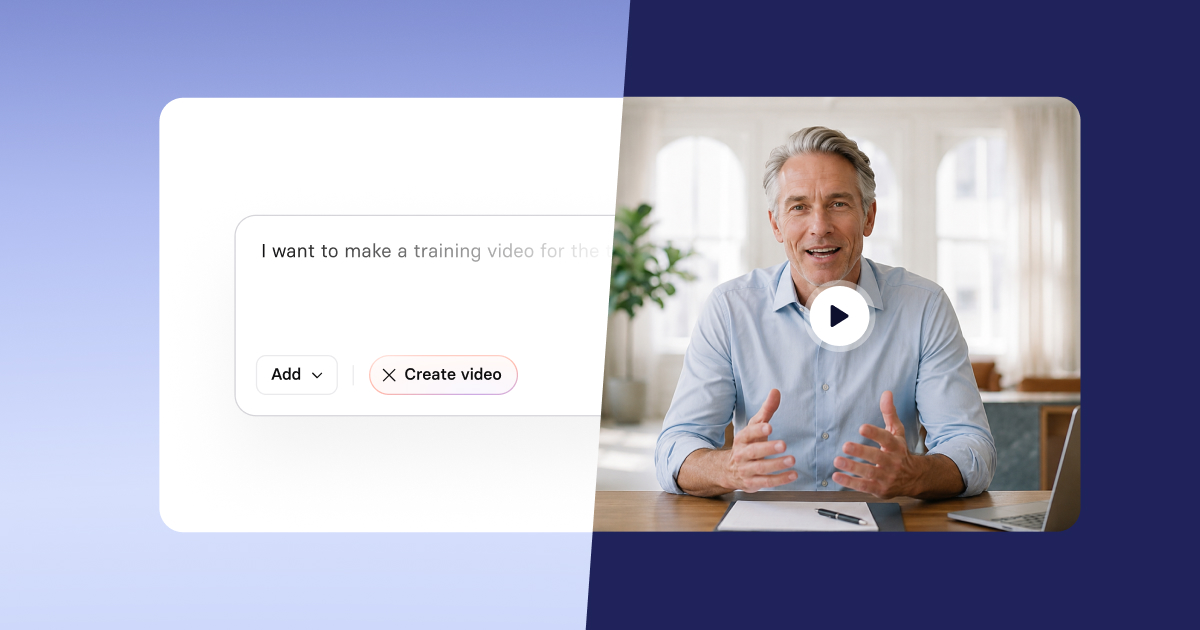
πŸ‘‰ Start here: Use Synthesia’s text-to-video tool to turn one global onboarding script into a short AI video module.

Key Takeaways

The strongest employee training programs drive business impact by tying learning to skills, on-the-job performance, and progression β€” and then improving that system over time.

Build the infrastructure first. Stay close to change through tight partnerships. Design for transfer so new skills show up in real work. Measure impact with performance data. Scale deliberately: use AI to personalize practice and AI video to deliver consistent training across roles, regions, and languages.

If you want momentum fast, start narrow. Pick one role, one workflow, and one outcome you can measure. Ship a first version, learn from the signals, and expand from there.

About the author

Learning and Development Evangelist

Amy Vidor

Amy Vidor, PhD is a Learning & Development Evangelist at Synthesia, where she researches emerging learning trends and helps organizations apply AI to learning at scale. With 15 years of experience across the public and private sectors, she has advised high-growth technology companies, government agencies, and higher education institutions on modernizing how people build skills and capability. Her work focuses on translating complex expertise into practical, scalable learning and examining how AI is reshaping development, performance, and the future of work.

Go to author's profile
Get started

Make videos with AI avatars in 160+ languages

Try out our AI Video Generator

Create a free AI video
faq

Frequently asked questions

What are L&D best practices for employee training?

L&D best practices are repeatable methods for building workforce capability at scale. The strongest programs start with skills and performance requirements, align learning to measurable outcomes, deliver practice-based experiences, keep content current through governance, and measure impact beyond completion rates. In 2026, many teams are also using AI to improve personalization and speed up iteration, so learning stays relevant as work changes.

How do I design experiential, scenario-based training that changes behavior?

Design around real decisions people make on the job. Use scenarios that mirror your workflows, include realistic constraints, and require learners to choose an action, see consequences, and try again. Add quick feedback loops (manager debriefs, peer review, or coached practice) so learners connect training to performance expectations.

What's the best way to keep training content up to date as processes evolve?

Treat training as a living asset with clear ownership and a refresh cadence. Use modular content (short videos and reusable building blocks), maintain templates for consistency, and set triggers for updates (process changes, policy changes, product releases). Review engagement and drop-off points using analytics, then prioritize updates where they will change outcomes fastest.

Which metrics should I track to measure training impact beyond completion rates?

Start with 2–3 business-linked measures that should change after training: time-to-proficiency, error rates, quality scores, customer outcomes, cycle time, or compliance exceptions. Pair those with behavior signals (assessment performance, scenario decisions, manager observation) and learner confidence. Use a structured evaluation approach during design and after launch so measurement supports iteration and impact.

How can AI video help us scale and localize training for global teams?

AI video helps teams ship consistent training faster, update content without reshoots, and localize for global audiences with far less overhead. That matters in 2026 because AI use in L&D is already common, and teams are focusing on personalization and scalable delivery. Use AI video to standardize core messages, create role-based variations, and refresh modules as processes change.

VIDEO TEMPLATE