The 15 Best Employee Training Software & Platforms (2026)

Create engaging training videos in 140+ languages.
If you want to create effective training in 2026, that means building, delivering, assessing, measuring, and scaling learning across an organization. To do that you need to choose the right mix of tools - your L&D tech stack.
I've worked as an Instructional Designer for more than seven years, and I've built a wide variety of training programs ranging from onboarding and compliance programs to product education, certification pathways, and global learning initiatives. Throughout my experience I've used a lot of different training software, platforms, and tools.
I'm going to give you an overview of the main types of employee training software and my favorite tools that fall within each of those types based on my own experience with each platform.
The best employee training software
Learning Management Systems (LMS)
Pre-made course providers
Learning analytics & assessment tools
Course authoring tools
Video-based training tools
Microlearning & visual tools
PowerPoint-based authoring
How I evaluate employee training software
In order to provide you with an impartial overview, I've tried to evaluate each L&D tool in this list using the same set of criteria. I've selected these criteria by thinking about what features have mattered most to me when I've been doing real-world L&D work.
My evaluation criteria
- Ease of setup and overall usability
- Course creation and content delivery capabilities
- Assessment capabilities
- Reporting/analytics
- Integrations with LMSs and other platforms
- Scalability for large organizations/large numbers of learners
Learning Management Systems (LMS)
Tools that host, deliver, and track training programs.
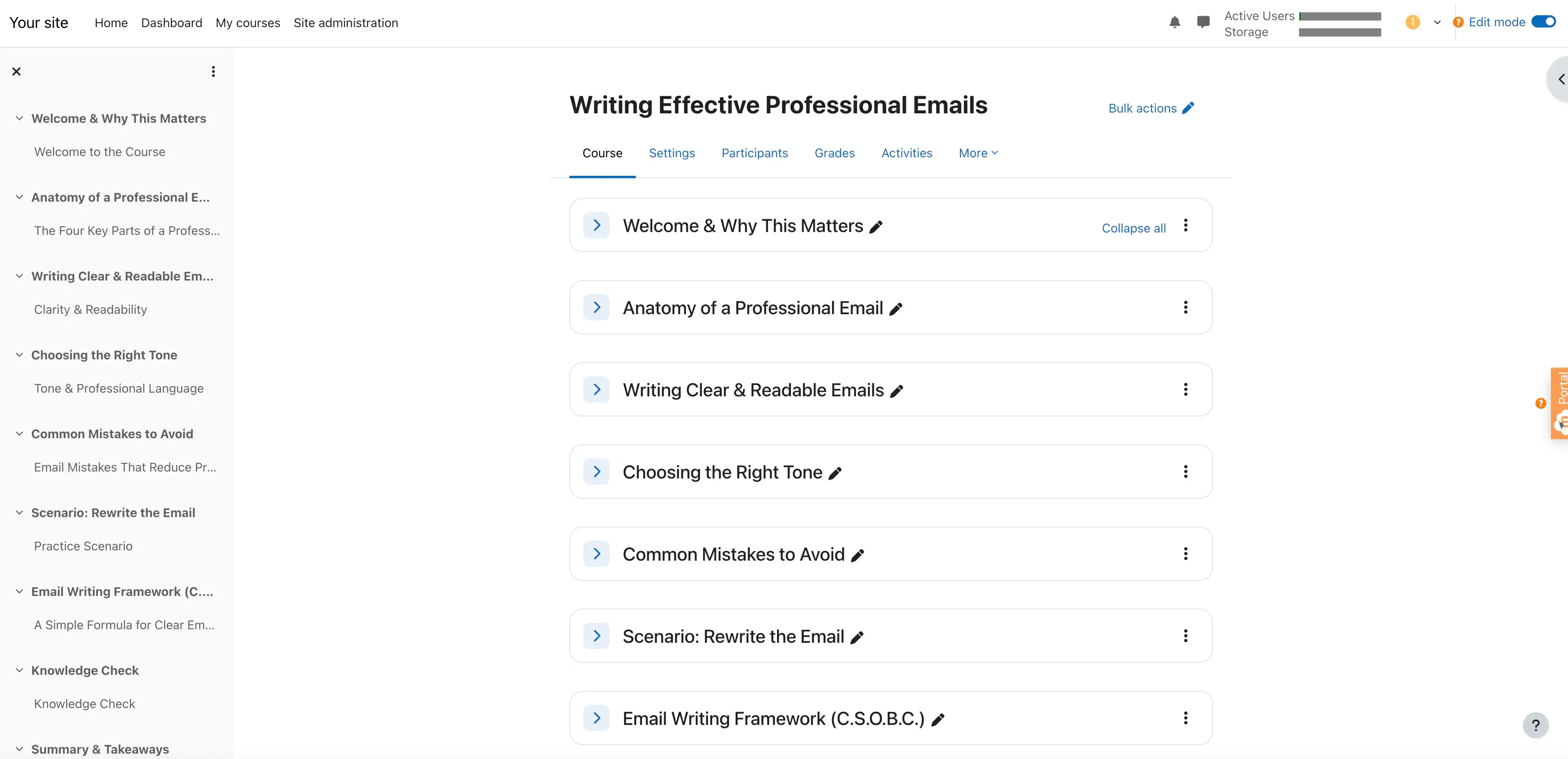
Moodle
Quick summary
- Type: Open-source LMS
- Best for: Large L&D teams with technical support in compliance-driven environments
- Ease of use: Steep learning curve which requires technical and admin resources
- Standards support: SCORM, xAPI, cmi5
- Pricing: Free if self-hosted, paid if managed by MoodleCloud
My experience
Pros
Moodle is a powerful and highly customizable open-source LMS with a huge plugin ecosystem, which allows you to provide a wide variety of learning experiences to your users - you can deliver everything from straightforward courses to complex multi-path training programs. The platform comes with a huge range of assessment options too including advanced quizzes, question banks, grading logic, and completion rules.
Companies will often self-host Moodle, although there is an option to pay Moodle to host it for you (MoodleCloud). Typically companies that operate in highly regulated industries (and who want to self-custody their data) will self-host, so Moodle can be a good fit for those situations.
Moodle comes with some very limited course authoring capabilities (which is fine, since course delivery is the focus on an LMS). It supports the full range (SCORM, xAPI, and cmi5) of eLearning standards for packing, launching, and tracking courses.
Cons
I think that Moodle's high degree of customization comes with a trade-off - the time and effort required to both set up the platform and to maintain it on an ongoing basis. I don't see Moodle as a quick-launch solution, so if that's what you're looking for Moodle probably isn't the answer. It's an LMS that's more suited to building out a long-term learning infrastructure.
Because of the effort required to make Moodle provide a good learner experience, I don't think Moodle is a great fit for smaller L&D teams that lack technical and administrative resources.
I also think the Moodle interface feels a bit dated unless you find a theme you like or make your own UX enhancements. Again, it's typically not a platform that is ready for off-the-shelf use.
My verdict
Moodle is a great fit for organizations that need control and flexibility in their LMS, but it's not the right choice for smaller, resource-constrained L&D teams who are looking for speed or simplicity.
TalentLMS
Quick summary
- Type: Cloud-based LMS
- Best for: Small to mid-sized L&D teams needing fast rollout with minimal admin overhead
- Ease of use: Very intuitive and fast setup, minimal technical knowledge needed
- Standards support: SCORM, xAPI, cmi5
- Pricing: From $69/month USD with enterprise pricing available
My experience
Pros
TalentLMS is at the opposite end of the spectrum to Moodle. It's much faster and easier to get it set up and rolled-out to your learners, and it requires much less technical and admin overhead to get started and maintain.
The platform also comes with some pretty useful AI-assisted course authoring features. These include options to create course outlines, lessons, and quizzes from simple prompts. Again, it's an LMS so it won't provide you full authoring tool functionality, but I did actually find them somewhat helpful.
The TalentLMS platform looks modern and provides a clean and frictionless experience for both the learner and the L&D team running it.
TalentLMS also makes it very easy to integrate with your other tools including your HR systems, SSO provider, and CRM, and also provides native support for SCORM, xAPI, and cmi5. It all works straight out of the box.
Cons
Since TalentLMS is built for simplicity, it might not be the best fit for L&D teams that want to build deeply layered or complex learning pathways. There are more advanced customization and branding options, but they are locked behind the higher-tier plans, and if you're looking for more flexibility I'd be tempted to consider an option like Moodle instead.
TalentLMS's native AI-powered authoring capabilities (TalentCraft) are nice but still largely limited to text and image content with minimal interactivity. You'll still need a separate authoring tool if you want to create anything more complicated than that.
My verdict
TalentLMS should be your go-to choice when you need an LMS and speed and simplicity are what you are looking for, rather than extensive customization and complex learning design. I think it's best to use it as a simple delivery and compliance hub and pair it with a dedicated authoring tool.
Pre-made course providers & content libraries
Tools that provide ready-to-use learning content rather than custom course creation.
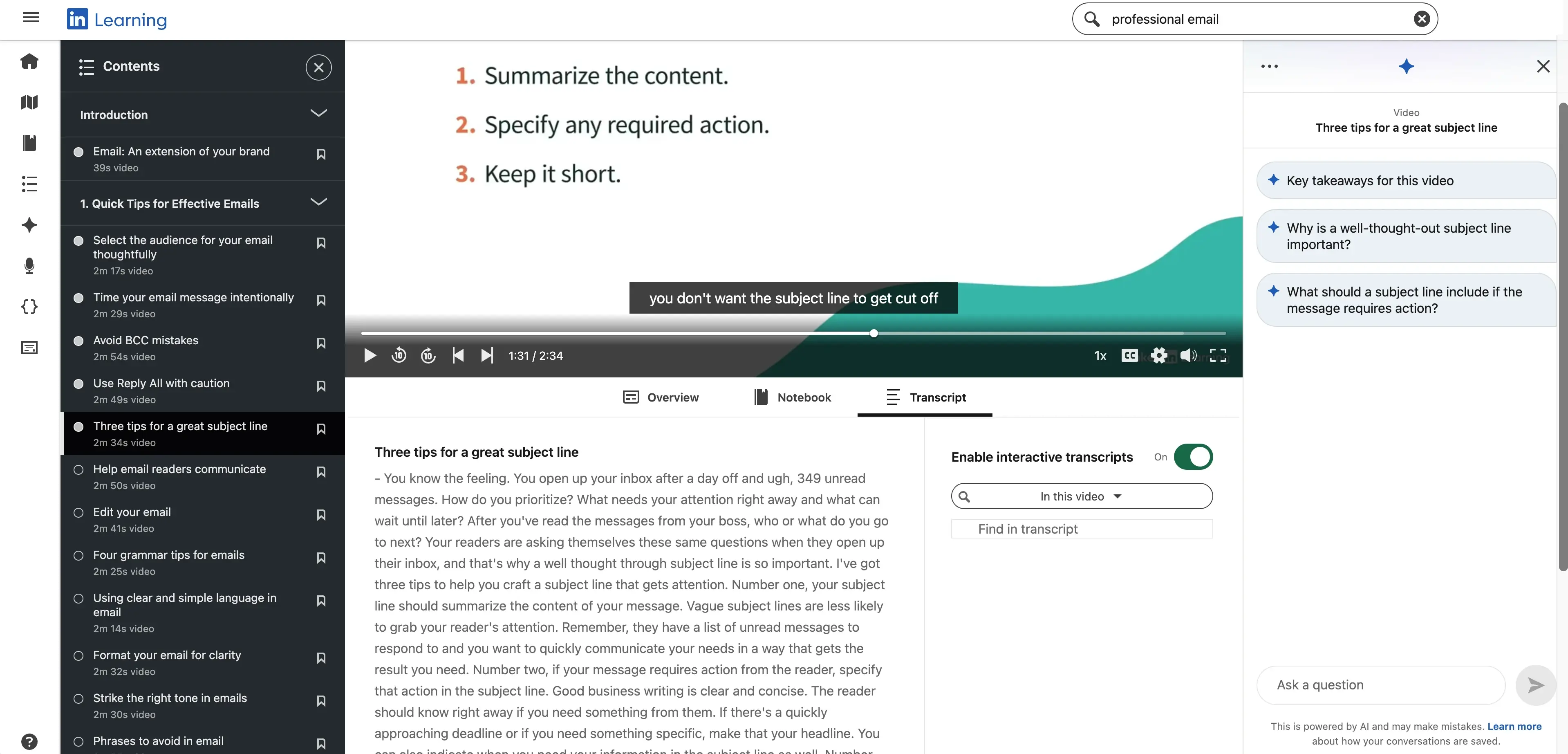
LinkedIn Learning
Quick summary
- Type: Pre-built content library
- Best for: Organizations wanting immediate access to professional development content without building courses in-house
- Ease of use: Very simple with no authoring or admin overhead
- Standards support: No SCORM or xAPI export
- Pricing: From $39.99/month USD (individual) and enterprise pricing via LinkedIn Learning for Business
My experience
Pros
LinkedIn Learning's content library is huge. There are thousands of courses on offer across business and leadership, creative, and technical topics, and LinkedIn's size and reputation means they can provide courses run by real industry practitioners with strong professional credibility. In general I've found the quality of the courses to be very high.
I think LinkedIn Learning also benefits from the tight integration with the main LinkedIn platform. It allows the learning platform to give your learners personalized learning recommendations based on their roles, skills, and career interests.
It also lets them display their course certificates directly on their LinkedIn profiles, which I think is a really nice touch that helps to motivate learners by connecting course completion directly with the concept of enhancing their professional value.
Cons
Given that LinkedIn Learning is a pre-made course library, the obvious disadvantage is that there is zero ability to customize the learning content. This means that there's no way to tailor the course content to your internal tools, processes, or any other company-specific information.
The platform also doesn't make it easy to integrate the library into your broader learning ecosystem (e.g. an LMS) since there's no support for SCORM or xAPI export. LinkedIn Learning does provide its own assessment and reporting features, but they are very lightweight.
My verdict
I think LinkedIn Learning is a great fit for a continuous learning program where your learners perform self-directed professional development. In the vast majority of cases it won't be suitable as a primary training system, but instead should be used as a supplemental resource alongside an LMS with your own internal training.
Coursera
Quick summary
- Type: Pre-built content platform with university and industry partner courses
- Best for: Organizations and individuals seeking formal, credentialed learning aligned to career development
- Ease of use: Simple to access with no authoring required
- Standards support: No SCORM or xAPI export
- Pricing: Variable per course/certification, Coursera for Business enterprise pricing also available
My experience
Pros
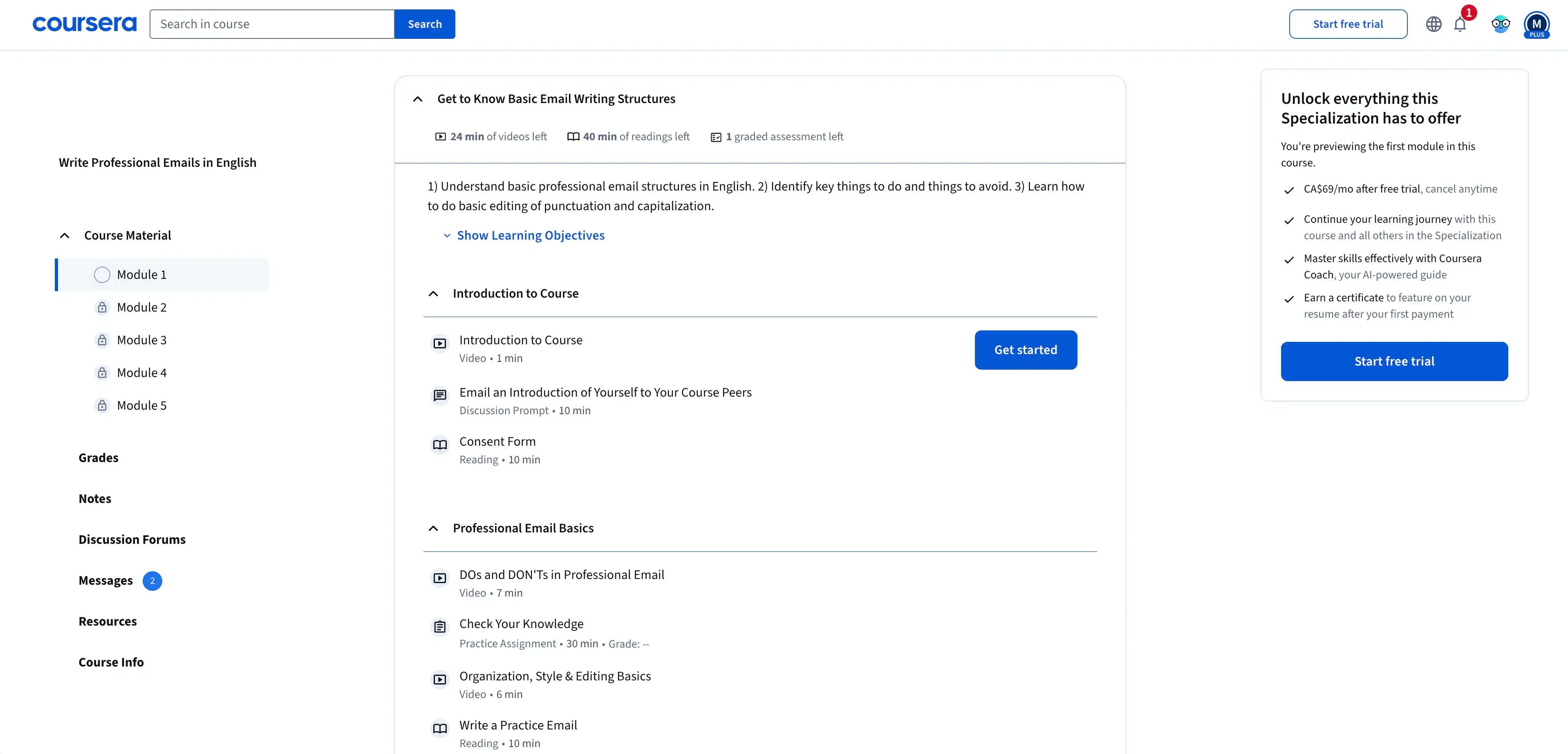
Coursera is another pre-built content platform that offers a wide variety of courses, many of which are provided by reputable universities and industry leaders. If you want to make career development and professional recognition a key part of your learning strategy, I think these courses can be a good fit.
Coursera doesn't have the advantages of being an integrated part of a professional social network like LinkedIn, but I think the general quality of the courses and the credentials of the course providers are stronger on Coursera.
The platform supports built-in graded assessments and structured progression paths. It's obviously not at the level of functionality you'd get with an LMS, but it can still do the job if all you need is simple assessments.
Similarly to LinkedIn Learning, there are no SCORM or xAPI exports, so it's not possible to connect these courses to your LMS, but the platform does offer some nice learner analytics dashboards to track the participation and progress of your learners across programs.
Cons
I think the disadvantages are the same as with LinkedIn Learning - you can't customize the content of Coursera courses at all, so there's no way to tailor these courses to your learning scenarios or company-specific processes or tools.
The platform provides no ability to create or edit learning content, and the course lengths and pacing are often longer than what would be ideal for just-in-time learning or microlearning courses.
As I mentioned above, there's no SCORM or xAPI export in Coursera either.
My verdict
There are some great pre-built courses available on Coursera, and I see them as a good fit for workforce upskilling and reskilling initiatives where recognized certification matters to you and your learners. It's definitely not the right tool for internal, role-specific, or process-based training programs.
Learning analytics & assessment tools
Tools designed to test knowledge, support certifications, track learning data across platforms, and help measure training impact beyond completion.
ClassMarker
Quick summary
- Type: Standalone web-based assessment platform
- Best for: Teams needing a fast, secure way to deliver quizzes, exams, and certifications without a full LMS
- Ease of use: Very intuitive and quick to build and deploy assessments
- Standards support: LMS integration options available
- Pricing: From $39/month USD and scales with users, tests, and security features
My experience
Pros
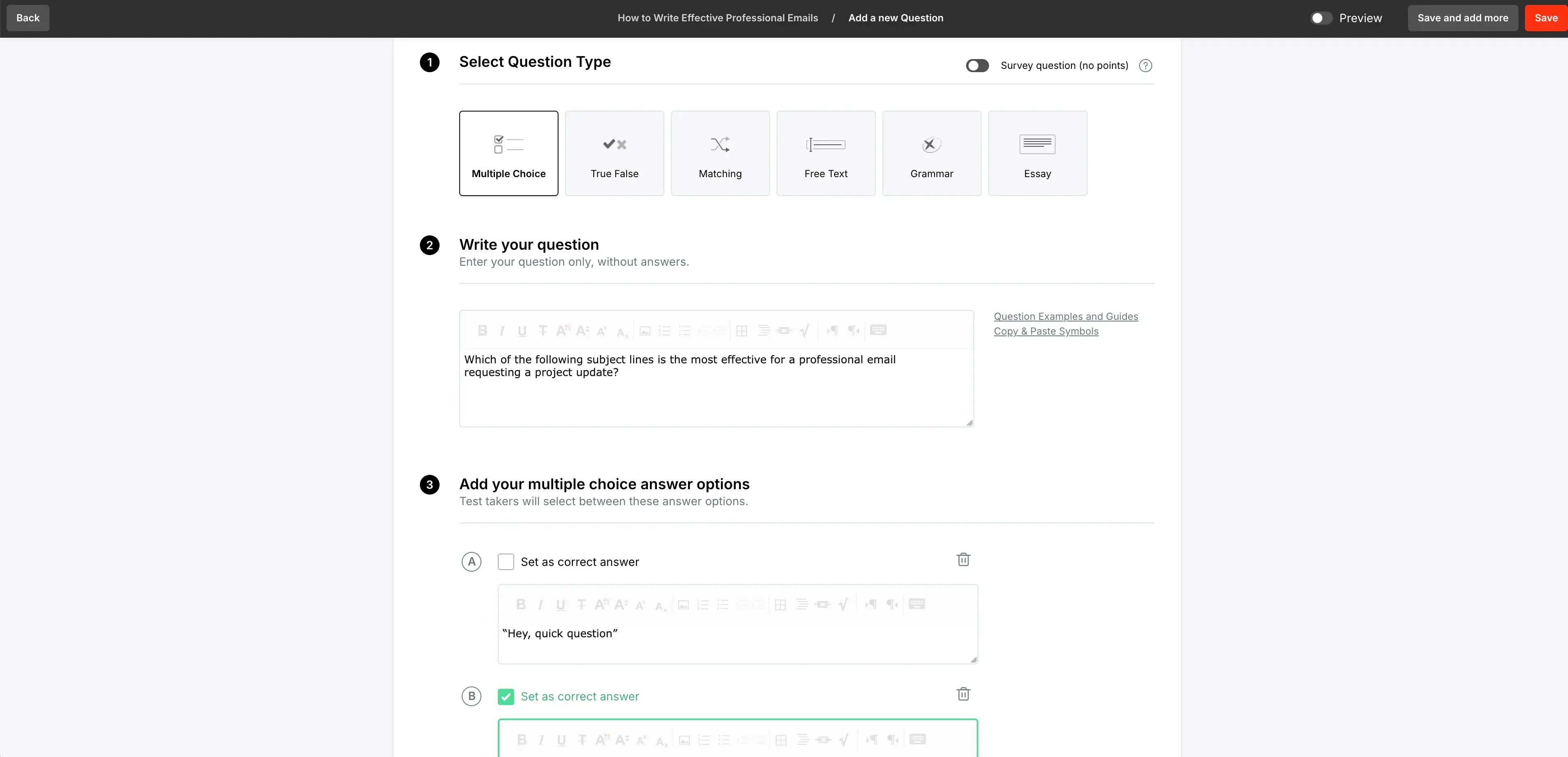
ClassMarker is a standalone assessment platform which makes it easy to create web-based assessments with multiple question types, question banks, question randomization, and auto-grading.
I found the ClassMarker interface super intuitive and I was able to build and deploy my first assessments very quickly, which I think is the main benefit of using an assessment-only platform vs. a bulkier LMS with assessment capabilities.
The question banks and randomization are nice features which help you to reduce the risk of answer-sharing, which is a common issue with employee training assessments that can harm your ability to accurately measure learning outcomes, so it's great that they included these options.
The built-in analytics and reporting make it easy to interpret and identify any learning gaps where your employees might need further training.
Cons
ClassMarker is for creating and delivering assessments only, so it doesn't have any authoring or wider course delivery capabilities. You'll need to pair it with an LMS and/or an authoring tool if you want end-to-end learning delivery.
Your main alternatives to using a dedicated assessment platform are either using the assessment capabilities of your LMS or your authoring tool (which you then package and publish to your LMS). You'll most likely have more learner experience customization options with one of those alternatives than you will find in ClassMarker, and the platform isn't capable of managing full learner journeys.
My verdict
I see ClassMarker as a useful add-on for L&D teams that already have a content delivery system (probably an LMS), but who need a more purpose-built tool for formal testing. I think it's also a good fit for compliance checks and certification tests.
Watershed
Quick summary
- Type: Learning analytics platform and Learning Record Store (LRS)
- Best for: Enterprise L&D teams needing to measure learning impact across multiple platforms
- Ease of use: Complex setup that requires technical planning and data/analytics support
- Standards support: Strong xAPI support and aggregates data across LMSs and authoring tools
- Pricing: Enterprise pricing via custom quote
My experience
Pros
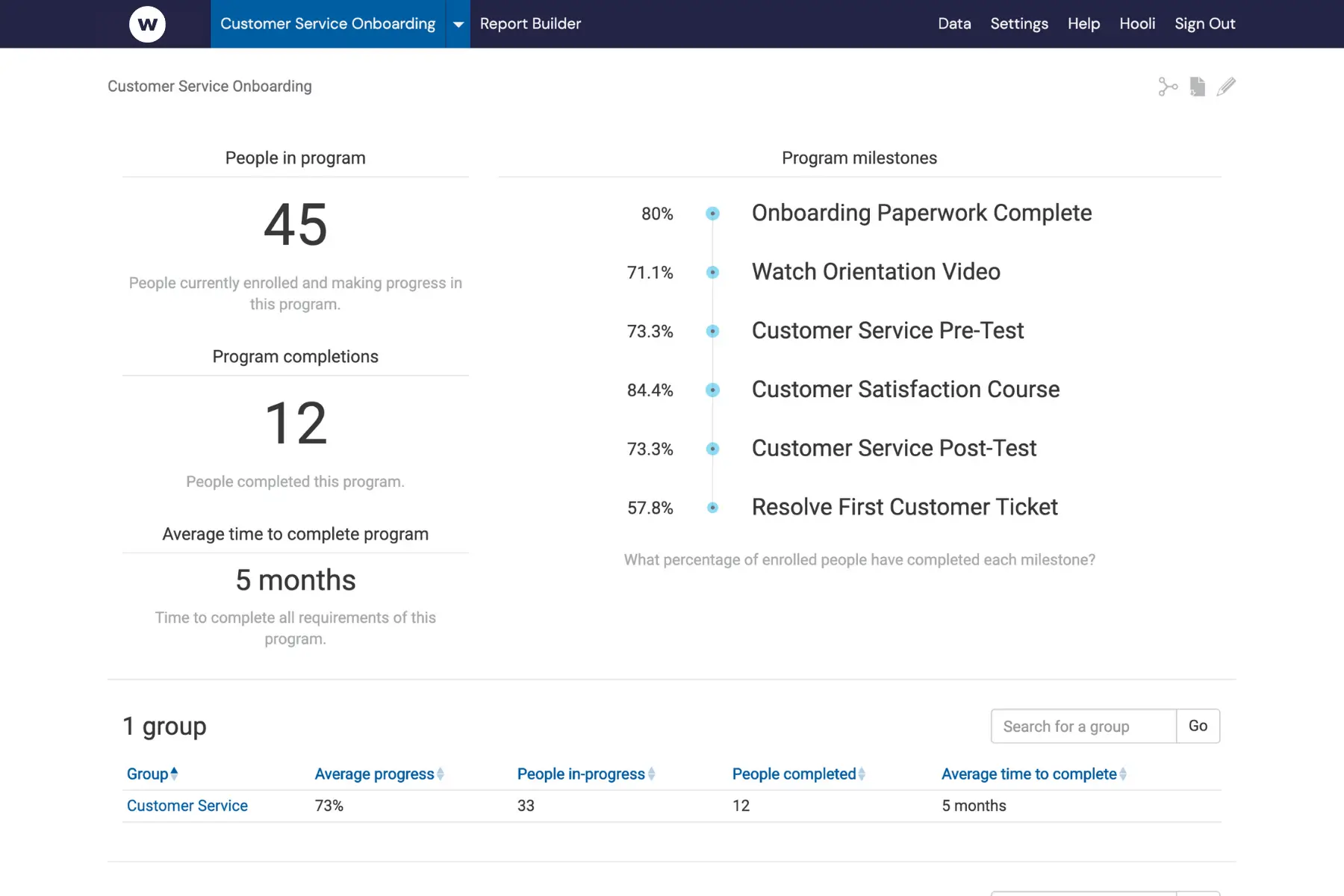
Watershed aggregates your learning data from across your organization by pulling from various sources.
In a typical setup that involves pooling xAPI data from your LMS, assessment platforms, and other learning activity and then presenting it in a variety of nice-looking dashboards and tools to show you stats on learner engagement and performance, as well as overall learning outcomes.
Having access to Watershed helps an organization's L&D team to make data-informed decisions and demonstrate impact and ROI of employee training programs to leadership.
Cons
Watershed isn't a content authoring or delivery tool, so it will need to sit on top of an existing L&D tech stack.
The initial setup can get pretty complex - especially if you're integrating data from a wide variety of sources. You might need some technical help if you aren't experienced with xAPI data or learning analytics in general.
Watershed really becomes a valuable tool when an L&D team is operating at scale with 1000s of learners enrolled in a wide variety of employee training programs across a number of platforms. It's definitely overkill for smaller organizations.
My verdict
I think that the value of Watershed is directly proportional to the complexity of your learning ecosystem in that the more sources of learner data you have, the more it is worth using. It's definitely not appropriate for smaller organizations.
Course authoring tools
Tools used to design and build custom eLearning content, from rapid microlearning to highly interactive, scenario-based courses.
Articulate Rise 360
Quick summary
- Type: Browser-based course authoring tool
- Best for: L&D teams needing to create professional, responsive courses quickly with minimal design overhead
- Ease of use: Very easy with a block-based editor, minimal design skill required
- Standards support: SCORM and xAPI output
- Pricing: Included in Articulate 360 subscription ($1,099/year USD per user)
My experience
Pros
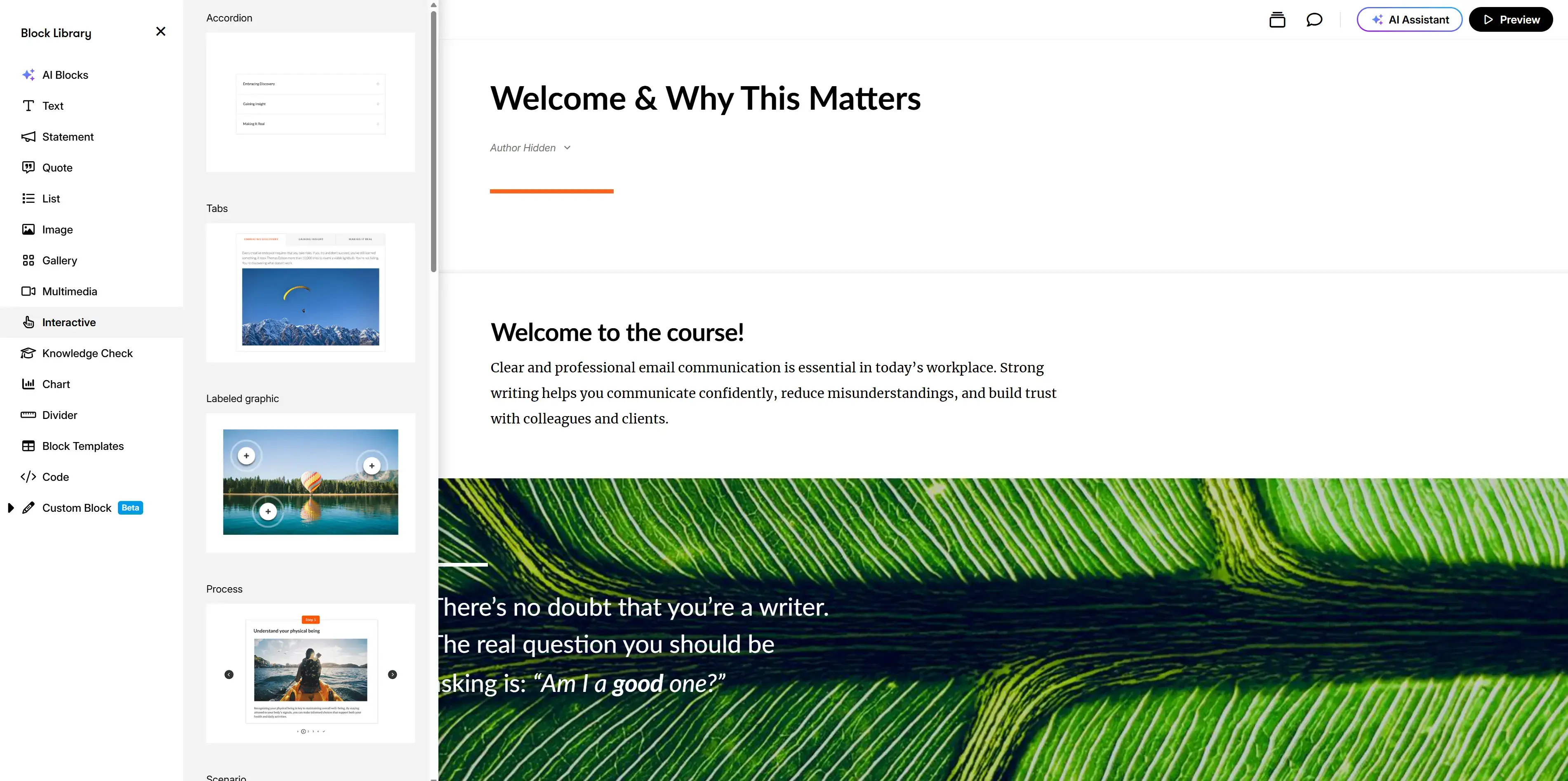
Rise 360 is great for quickly creating professional-looking and responsive (they work on all screen sizes) learning courses. Speed and simplicity really is Rise's main selling point, and you can make text-based courses very quickly.
The course editor is block-based and is super easy to use - you don't need to be an experienced instructional designer to create a course with this tool. The pre-built blocks make it simple to create clear and easy-to-navigate courses that learners will enjoy using.
Rise lets you add a variety of interactivity to your course including branching scenarios and knowledge checks, which I think cover the vast majority of employee training program needs. If you need some more complex interactivity you can also embed blocks that you've built in Storyline (which I cover next), which is a nice way to extend the platform's functionality.
Cons
The main downside of Rise's block-based courses is that your design and interactivity options can feel quite constrained by what is permitted in the predefined blocks.
If you're an instructional designer who wants to create something more bespoke, then you might find yourself frustrated. I also think there's a danger of your courses starting to feel very uniform if you're using Rise a lot in your employee training program.
Rise isn't suitable for any advanced interactivity such as complex branching, simulations, or other deeply customized interactions. You'll need a more advanced authoring tool for that kind of functionality.
My verdict
Rise is a great choice for creating text-based eLearning when speed, consistency, and responsiveness are the priorities. However, if you need more advanced interactivity or more design freedom you'll need to look at other authoring tools.
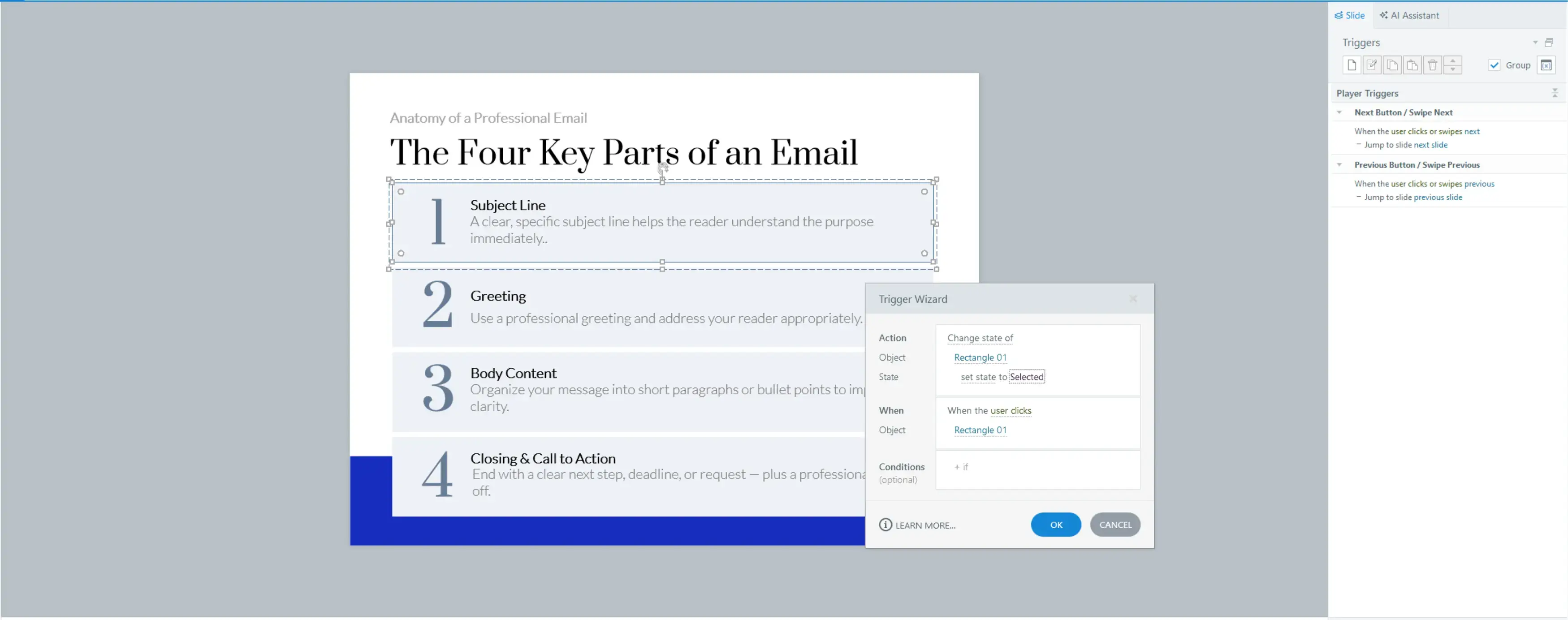
Articulate Storyline 360
Quick summary
- Type: Desktop-based course authoring tool (Windows only)
- Best for: Instructional designers building highly customized, interactive eLearning and scenario-based training
- Ease of use: Steep learning curve and designed for experienced instructional designers
- Standards support: SCORM, xAPI, cmi5
- Pricing: Included in Articulate 360 subscription ($1,099/year USD per user)
My experience
Pros
Articulate Storyline gives instructional designers much more control and flexibility than Articulate Rise does.
The platform offers a wide variety of deep interactivity logic, including triggers, variables, and layers which give the designer a very granular level of control over learner interactions. I've used Storyline to build complex branching scenarios and software simulations that just wouldn't be possible in Rise or other rapid authoring tools.
The options to add assessments to your courses are also pretty extensive in Storyline. You can create quizzes and tests with question banks, randomization and complex scoring.
Storyline also comes with fuller SCORM and xAPI compatibility than Rise, which allows L&D teams to do more advanced learner tracking.
Cons
The trade-off of all the greater level of control and the deeper feature set is that Storyline has quite a bit of a learning curve. I don't think it's suitable for those without any instructional design experience or SMEs who want to author their own content.
That complexity also means that it's way more time-consuming to create and update courses, and I think that point stands even if you're a seasoned user of the software.
There's also no real-time collaboration with Storyline since it's a desktop-only application, which makes it harder to work on a course together with an SME or other members of your L&D team - you'll have to email files back and forth, which gets annoying pretty quickly.
The lack of a brand kit feature (although I was able to save a custom theme/template) means that there are no guardrails to enforce brand consistency across the modules you create.
My verdict
I think Storyline is the right tool when the learning design genuinely requires advanced interactivity or highly customized training. In my opinion it doesn't make sense to use Storyline for more standard employee training formats. I think that the additional time investment required to develop and update courses with Storyline needs to be justified by needed complexity or extensive reuse.
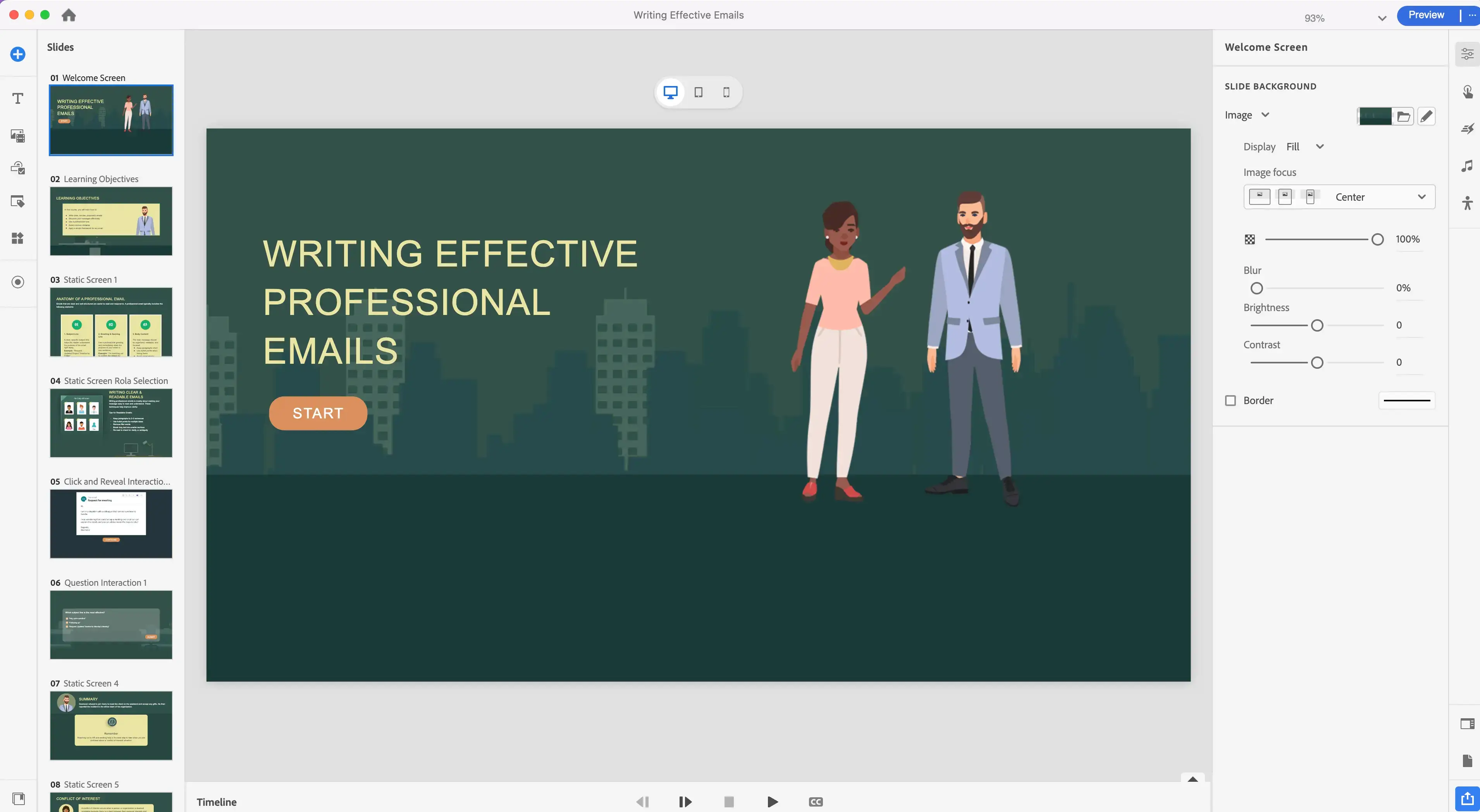
Adobe Captivate
Quick summary
- Type: Professional desktop-based eLearning authoring tool
- Best for: Instructional designers creating software simulations and responsive technical training
- Ease of use: Technical and steeper learning curve than most modern tools
- Standards support: Standards-based publishing (SCORM/xAPI implied by enterprise positioning)
- Pricing: $33.99/month USD and enterprise licensing available
My experience
Pros
Adobe Captivate is the authoring tool that instructional designers often turn to when they want to create high-quality simulation-focused employee training modules. This is common in training scenarios where you want to teach your learners how to use a specialized piece of software or other types of technical processes.
Captivate is particularly good at this use case because it offers the ability to record your screen and then convert that screen recording into an interactive click-through simulation.
The platform uses fluid boxes to allow the designer to create responsive training courses. These can be a bit tricky to get the hang of, but if you know how to use them you can create a single course that works on all devices and screen sizes.
Cons
Adobe Captivate is definitely on the more difficult end of the spectrum when it comes to authoring tools, which makes course creation and updating a lot more time-consuming.
The interface feels very technical and not particularly intuitive, and I think this steep learning curve makes the tool inappropriate for those without advanced authoring tool experience.
While Captivate now operates as a cloud-based authoring tool, it's still not great for collaboration. There are basic review and commenting workflows, but there's no real-time multi-user editing feature.
My verdict
Adobe Captivate is a clear leader for the specific training scenarios where software simulation is a core requirement. Outside of using it specifically for simulations and technical or systems training, I doubt that the effort-to-output ratio makes much sense.
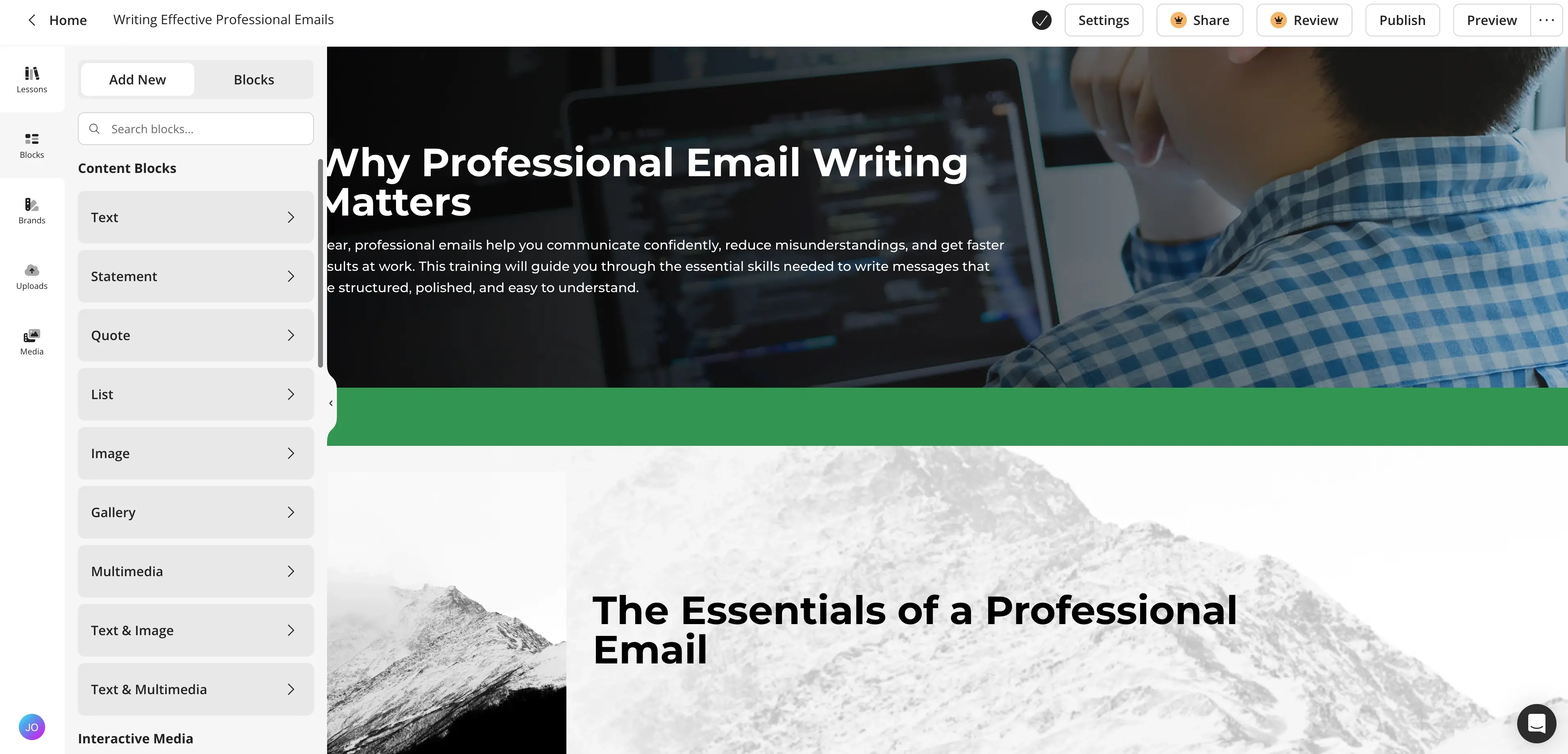
Compozer
Quick summary
- Type: Browser-based course authoring tool
- Best for: Organizations wanting subject-matter experts to create and maintain training content collaboratively
- Ease of use: Simple and designed for non-designers and SMEs
- Standards support: Standards-based export for LMS delivery
- Pricing: From $108/month USD and enterprise plans available
My experience
Pros
Compozer is all about keeping course creation simple. It's a tool that is purpose-built to be accessible to non-instructional designers who don't have extensive experience with authoring tools.
The platform makes it easy to create text-based courses very quickly so that SMEs can author their own content and L&D teams don't have to be the bottleneck.
Compozer also has very solid real-time collaboration features to allow multiple authors to work on a course at the same time.
Cons
Compozer is definitely not designed for creating more complex learning experiences. The tool doesn't cater to advanced branching or custom interactivity, and there is definitely less creative flexibility compared to other more designer-focused authoring tools.
I also find that Compozer-generated courses can feel very templated and formulaic if you don't put quite a lot of thought into how they are structured.
My verdict
Compozer is the right choice when your goal is to decentralize learning content creation, which typically means getting your SMEs to author their own content.
It's definitely not the right tool for creating highly polished, interactive, or complex employee training courses. You'll need to pair it with a more powerful authoring tool in those scenarios.
Video-based training tools
Tools that focus on creating video-led learning experiences, from AI-generated presenter videos to animated storytelling.
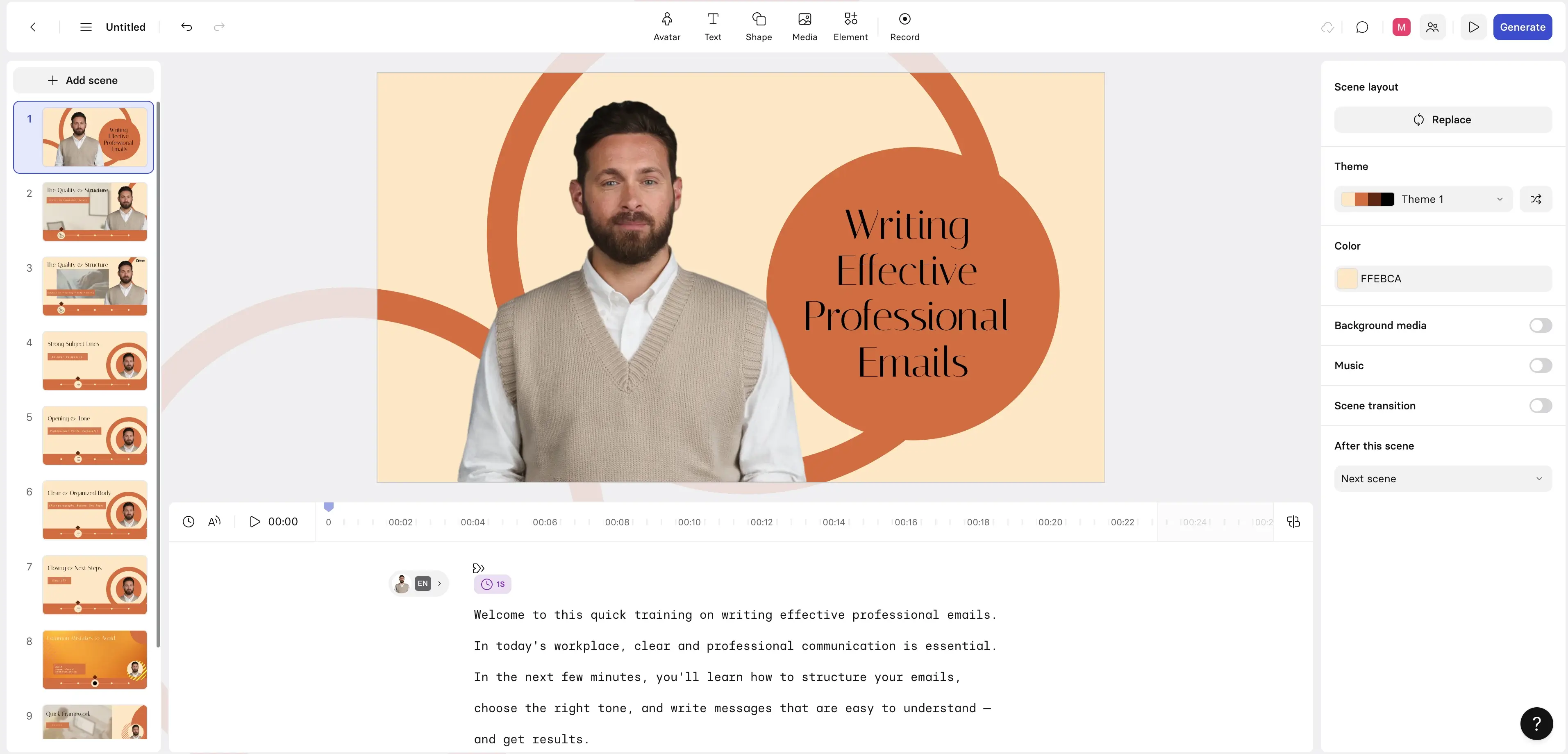
Synthesia
Quick summary
- Type: AI-powered video creation platform
- Best for: L&D teams creating scalable, consistent video training without traditional filming or production resources
- Ease of use: Script-based editor with no video production knowledge needed
- Standards support: Export videos as SCORM packages to your LMS with learner analytics via the Synthesia player
- Pricing: From $18/month USD with enterprise pricing available
My experience
Pros
Synthesia dramatically reduces the time and cost of producing video-based training courses. The platform enables you to create videos with realistic AI avatars, B-roll, and motion graphics without any filming, studios, actors, or video editing knowledge. It uses a script-based editor which feels similar to PowerPoint and is very easy to use, and there's a built-in AI screen recorder.
Updating your videos is a breeze since all you do is edit your script and then hit regenerate.
You can start a video from scratch, or you can convert your existing training materials into video using Synthesia's Video Assistant. It does an especially good job converting PowerPoint-based training into engaging videos that are in line with your brand kit.
Synthesia offers a variety of interactivity options, including clickable hotspots, branching scenarios, quizzes, and knowledge checks. There's also detailed analytics to track how your learners are engaging with these options.
The tool supports over 140 languages and offers one-click AI video translation, so it's a really good fit for L&D teams that need to produce employee training for global organizations.
Cons
Synthesia is a video-first authoring tool rather than a full course builder or LMS, so it doesn't cover you for every learning design scenario in one tool.
The interactivity is intentionally simple to keep the platform simple - Synthesia's interactivity features support clickable links, simple branching, and quizzes/knowledge checks. That's often enough for video-led training, but if you need more complex interactivity such as scored assessments, graded quizzes, or complex branching logic, that will typically mean pairing Synthesia videos with your LMS.
Synthesia uses a slide-based editor and has a scene-level timeline for timing layers and animations, but there's definitely not a Premiere/After Effects-style end-to-end timeline, so you might run into limitations if you are trying to do advanced video editing.
My verdict
Synthesia makes video-based training quick, economical, and easy to update and localize. It's best suited for scaling presenter-led training video content.
It's not a replacement for all video production needs, but for the vast majority of L&D video use cases it gives you everything you need.
Vyond
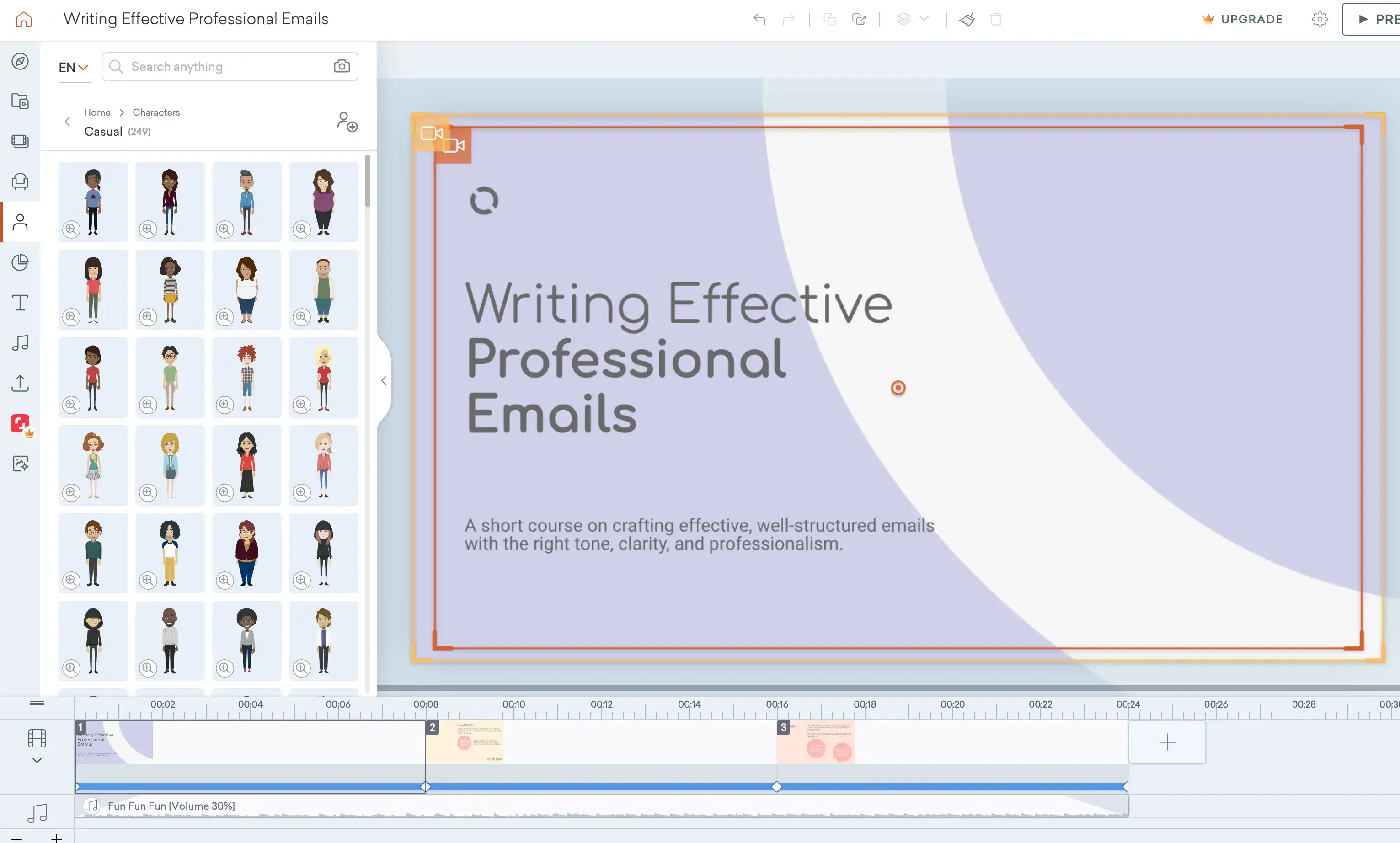
Quick summary
- Best for: Teams creating scenario-based, animated training where storytelling and learner engagement are the priority
- Type: Cloud-based animation and video creation tool
- Ease of use: Moderate - the timeline editor requires more time investment than script-to-video tools
- Standards support: SCORM support
- Pricing: From ~$25–$39/month USD with enterprise pricing available
My experience
Pros
Vyond specializes in making it easy to create animated videos with a timeline-based editor.
I think that Vyond's animated style can work really well when you are trying to make abstract concepts more relatable and engaging. In particular, I think it's a good fit for HR, compliance, and behavioral training topics where animation can help handle more sensitive subjects naturally.
The platform comes with some very strong visual storytelling capabilities, backed by an extensive library of animated characters and scenes, as well as a variety of animation controls that allow you to create really expressive videos.
Cons
While I think that the Vyond platform does make creating animated videos pretty accessible, it still takes quite a long time to get good results with the tool. I think a lot of that is down to animation production just being inherently slower, so you need to be prepared to spend some time working on your video if you want a professional output. That also means updating your videos can be a pain too.
The animated style also has other limitations. I don't think Vyond's style fits all training contexts or organizational cultures, and if you need video-based training that's a bit more grown-up or realistic then Vyond probably isn't the right option.
Vyond is a browser-based application, and I've seen some performance issues when I have been working on heavier projects with complex animations. It can get pretty frustrating working on a video when there's a lot of lag.
My verdict
I think Vyond is a really good choice when you need to create an employee training video that calls for storytelling, as I think animation serves this purpose really well. It's definitely not the right tool if you need rapid production and updates or more realistic videos.
Microlearning & visual tools
Tools designed for lightweight, interactive, and visual learning assets that support just-in-time and engagement-driven training.
Genially
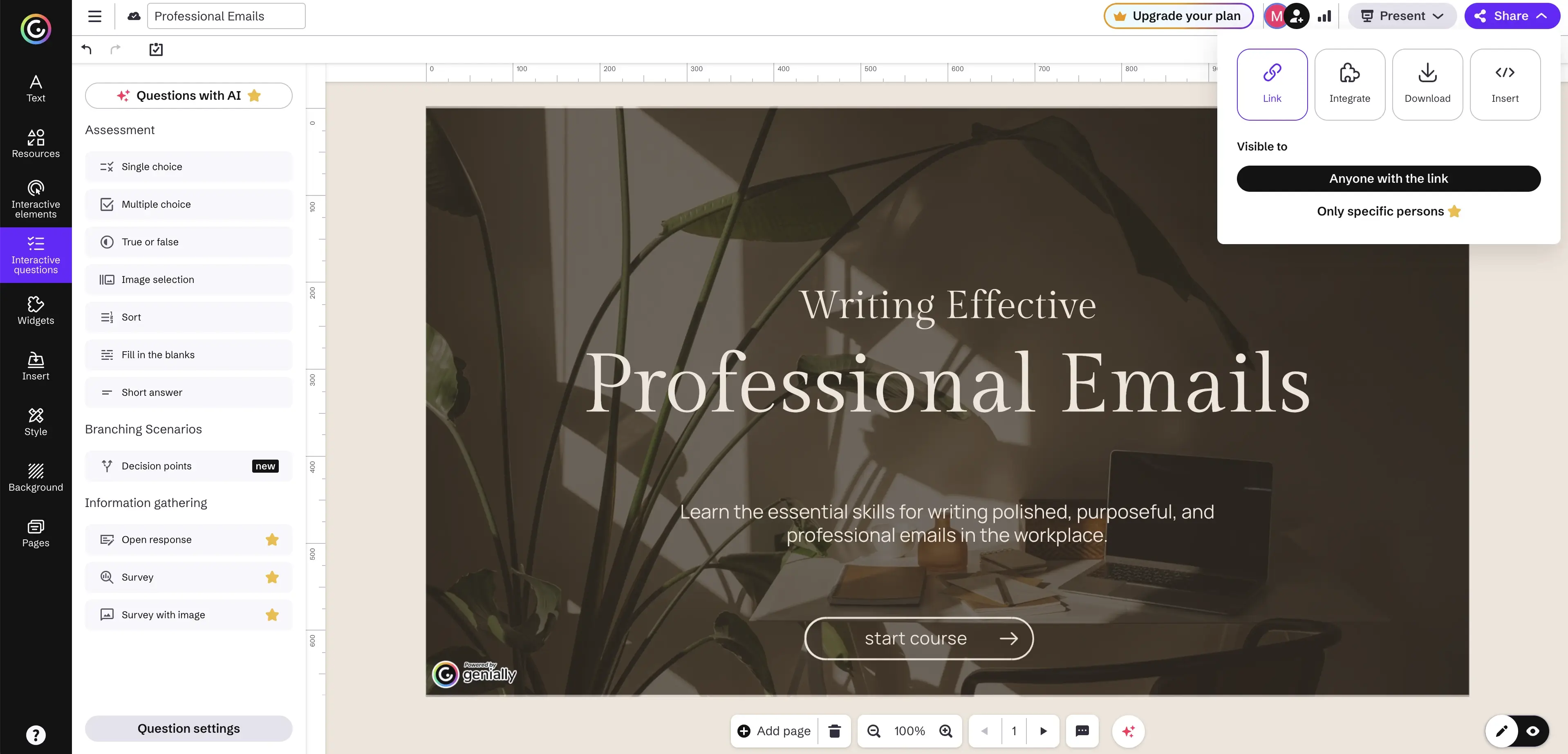
Quick summary
- Type: Interactive content creation platform
- Best for: Teams creating interactive microlearning, visual storytelling, and engagement-focused learning experiences
- Ease of use: Accessible and no coding required
- Standards support: SCORM available on higher tiers
- Pricing: Free tier available and paid plans from ~$7–$20/month USD with enterprise pricing available
My experience
Pros
Genially is a really useful tool for creating visually-interesting employee training courses with surprisingly deep interactivity options.
The platform makes it easy to create learning experiences that feel dynamic and exploratory with options to add clickable hotspots, click-to-reveal elements, animations, and branching.
I particularly like the wide variety of templates, especially the ones that help you create gamified formats like quizzes and even escape room-style activities. Genially gives you a lot of great starting points to design a really engaging course.
Cons
Genially isn't really suitable for projects that require a deep level of instructional logic or more complex branching scenarios. I don't think it's something that you can use as a standalone authoring tool.
Another major issue is that SCORM export support is only available on the higher-tier paid plans, which will be a pretty big issue for most L&D teams, and probably means you'll need to pay up for the more expensive plans.
I also had some performance issues when I was testing a project that had heavy use of animations and imported media.
My verdict
I think Genially is a great option to quickly develop microlearning experiences that are supplemental to more formal courses. However, I don't think it's a realistic replacement for a full authoring tool in most employee training scenarios.
Canva
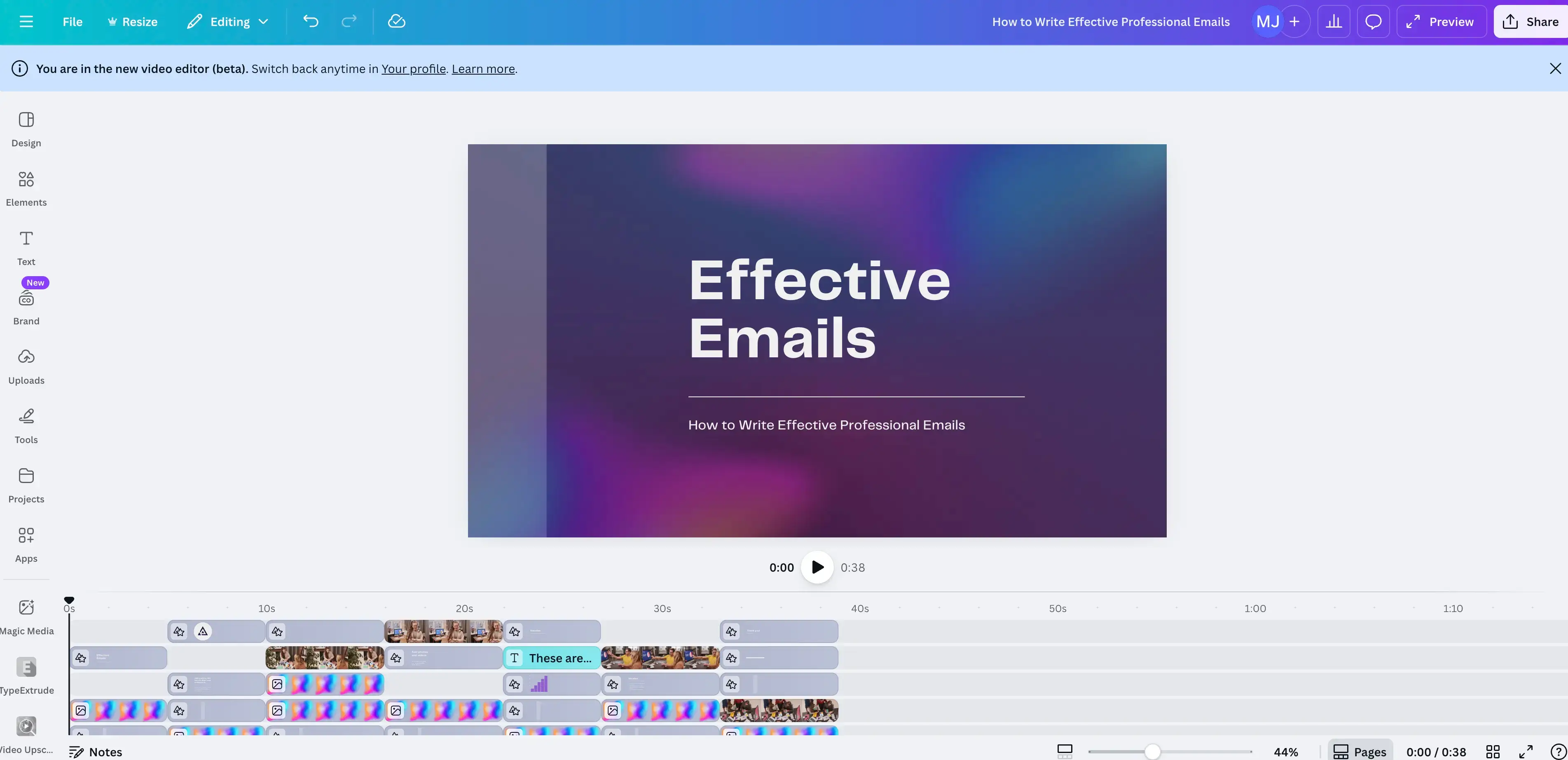
Quick summary
- Type: Visual design and content creation platform
- Best for: Teams needing fast, visually consistent learning assets to support and enhance training programs
- Ease of use: Very easy - a drag-and-drop tool with a large template library
- Standards support: No SCORM or xAPI
- Pricing: Free plan available, Canva Pro is ~$12–$15/month USD with team and enterprise plans available
My experience
Pros
Canva is commonly used by L&D teams as a supporting tool for creating visual assets (e.g. infographics). It's got a huge template library and a super easy-to-use drag-and-drop editor, which makes it perfect for rapid production of professional-looking visuals if you're not a designer.
Canva's built-in collaboration tools let all of the team work on the same assets concurrently, and there's also a shared brand kit functionality which keeps everyone in line with the company's styling.
The platform's AI-assisted tools (Canva Magic Studio) work really well and can help speed up design creation significantly.
Cons
Canva obviously doesn't have any instructional design or learning-focused functionality, so there is a limit on what it can do for the typical L&D team.
There are no options for interactivity either, so any visual assets you make in the tool will be largely static and linear.
My verdict
Canva is a really useful supporting tool for creating visual assets for use in an L&D team's course authoring process. I think most L&D stacks will have a use for Canva somewhere. The ceiling is pretty clear though - it's software for design, not a learning platform or an authoring tool.
PowerPoint-based authoring
Solutions that transform PowerPoint content into trackable eLearning courses with minimal additional authoring effort.
iSpring Suite
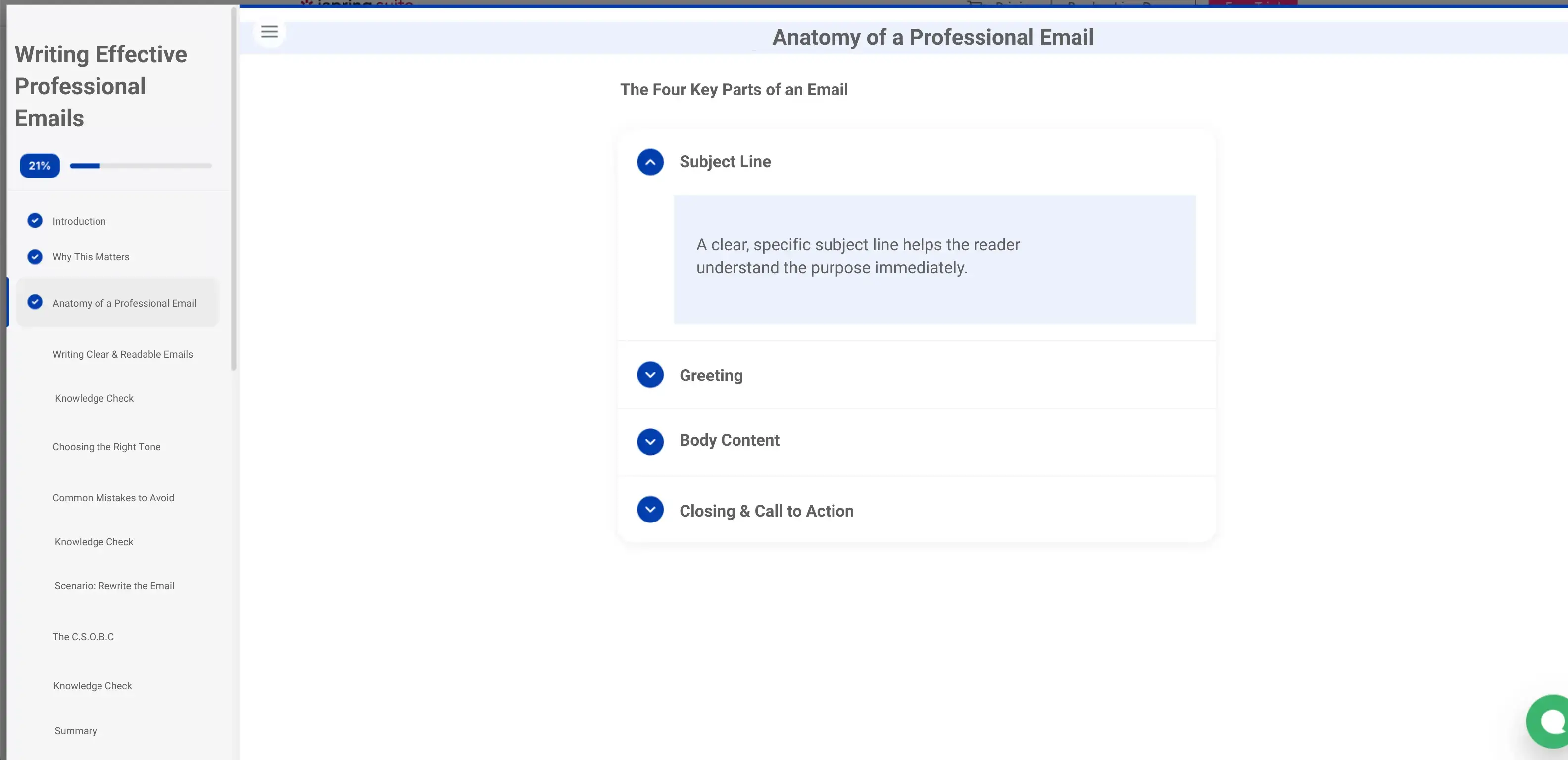
Quick summary
- Type: PowerPoint-integrated eLearning authoring tool
- Best for: Teams converting existing PowerPoint content into LMS-ready eLearning with minimal additional learning
- Ease of use: Very easy for PowerPoint users - minimal onboarding needed
- Standards support: SCORM and xAPI output
- Pricing: ~$770/year USD per author and volume and enterprise licensing available
My experience
Pros
iSpring Suite operates directly within PowerPoint, which means that anyone familiar with PowerPoint (i.e. everyone) can use it to get started creating courses straight away.
This low barrier to entry means that SMEs and others without any authoring tool experience can create courses without access to an L&D team or instructional design resources.
Despite its simplicity, iSpring Suite lets you add screen recordings, quizzes, and even very basic interactivity to your courses.
iSpring Suite is particularly useful if you want to transition instructor-led training (which is often very slide-based) to online delivery quickly and easily.
The platform also has very solid SCORM and xAPI support.
Cons
I've found that courses made in iSpring Suite often feel very constrained by the slide format. You'll typically end up with very linear and slide-heavy courses if you're not careful - I think it's easy to carry over the visual and structural habits of slide decks into your course.
There are no options for advanced branching, simulations, or highly customized interactions. If you want to create more complex courses you'll need a more advanced authoring tool.
I also think iSpring Suite's responsive design options are quite limited, so if making a course that works on all devices was a priority, I'd probably choose another tool.
My verdict
I think iSpring Suite is a great entry point for organizations that have a large library of existing PowerPoint-based training content. It's a tool that is particularly suited to converting instructor-led learning content into an online course.
It's definitely not the right tool if you need to build a modern, mobile-first, or highly interactive employee training program.
Employee training software compared
| Tool | Type | Best for | Ease of use | Standards/tracking | Pricing |
|---|---|---|---|---|---|
| Moodle | Open-source LMS | Large L&D teams in compliance-driven environments with technical support | Steep learning curve | SCORM, xAPI, cmi5 | Free (self-hosted); paid via MoodleCloud |
| TalentLMS | Cloud-based LMS | Small–mid L&D teams needing fast rollout | Very easy | SCORM, xAPI, cmi5 | From $69/mo |
| LinkedIn Learning | Pre-built content library | Orgs wanting ready-made professional development content | Very easy | None | From $39.99/mo |
| Coursera | Pre-built content platform | Formal, credentialed learning aligned to career development | Simple | None | Variable |
| ClassMarker | Assessment platform | Fast, secure quiz and certification delivery | Very easy | LMS integration options | From $39/mo |
| Watershed | Learning analytics / LRS | Enterprise teams measuring impact across platforms | Complex | xAPI | Custom quote |
| Articulate Rise 360 | Browser-based authoring | Rapid, responsive course creation | Very easy | SCORM, xAPI | $1,099/yr (Articulate 360) |
| Articulate Storyline 360 | Desktop-based authoring | Advanced interactive and scenario-based eLearning | Steep learning curve | SCORM, xAPI, cmi5 | $1,099/yr (Articulate 360) |
| Adobe Captivate | Desktop-based authoring | Software simulations and technical training | Steep learning curve | SCORM, xAPI | $33.99/mo |
| Compozer | Browser-based authoring | SME-led collaborative content creation | Simple | Standards-based export | From $108/mo |
| Synthesia | AI video creation | Scalable video training without filming | Very easy | SCORM export; built-in analytics | From $18/mo |
| Vyond | Animation and video creation | Scenario-based animated storytelling | Moderate | None | ~$25–39/mo |
| Genially | Interactive content creation | Microlearning and visual engagement | Easy | SCORM (higher tiers only) | Free tier; ~$7–20/mo paid |
| Canva | Visual design platform | Fast visual asset creation | Very easy | None | Free tier; ~$12–15/mo Pro |
| iSpring Suite | PowerPoint-based authoring | Converting PowerPoint content to eLearning | Very easy | SCORM, xAPI | $770/yr per author |
Final thoughts
I think it's important to ensure that you build your employee training software stacks with intention, rather than stitching together platforms that you accumulate over time.
Don't look for one platform that does everything. Instead try to understand your training objectives and how the different tools you'll need to achieve those objectives will work together.
Sometimes you need to train large and distributed teams very quickly, sometimes you'll need very tailored learning programs with detailed assessments and reporting, sometimes you'll need to update your course frequently, and sometimes you'll need an easy way to localize your training across a large number of languages.
You'll make the best decisions about which tools to use if you have clarity on who your learners are, what skills and behaviors you need to change, and what a successful outcome looks like.
You should also think about your internal capacity. Software that looks great on paper can slow down your entire team if it requires too many resources to onboard and maintain. I've seen many cases where a simpler tool would have driven better results than an overly complex platform that never truly gets adopted.
Kevin Alster is a Strategic Advisor at Synthesia, helping enterprises apply generative AI to learning, communication, and performance. With over a decade in education and media, he’s built programs for General Assembly, NYT School, and Sotheby’s.
Frequently asked questions
What's the best Learning Management System (LMS) for employee training?
I think Moodle is a great LMS if you're an L&D team that will benefit from lots of flexibility and plugin choice, but you'll need the resources to set it up and maintain it. If you want something simple and easy to set up, then I recommend TalentLMS.
What's the best pre-made course provider for employee training?
If you want courses made by authors with recognized credentials (i.e. reputable universities and industry leaders), then I'd suggest that you look at courses on Coursera. LinkedIn is another great option that is more suited to self-directed professional development that your employees can show off on their LinkedIn profiles.
What's the best video-based employee training tool?
If you want to quickly create interactive AI training videos with realistic AI avatars that you can easily update and localize, then go for Synthesia. If you think your training scenario could benefit from an animated style, then Vyond might be worth checking out.


.webp)