




The 17 Best Learning and Development Tools (2026)

Create engaging training videos in 140+ languages.
I’m an instructional designer. I’ve spent seven years creating compliance programs, onboarding, global learning initiatives, and everything in between.
My work has meant that I’ve tested hundreds of different L&D tools. And, despite working across diverse industries (academic, corporate, and commercial) one thing has always stayed true - that a diverse toolbox delivers the best outcomes.
With that in mind, I put together this guide to help teams curate their own L&D toolboxes in 2026. I want to cover all areas of L&D, so these tools come from a range of categories.
My list of the best L&D tools
- Moodle [LMS]
- TalentLMS [LMS]
- Articulate Rise 360 [Course authoring]
- Articulate Storyline 360 [Course authoring]
- Adobe Captivate [Course authoring]
- Compozer [Course authoring]
- Synthesia [Video-based authoring]
- Vyond [Video-based authoring]
- LinkedIn Learning [Pre-built courses]
- Coursera [Pre-built courses]
- Kajabi [Course delivery and sale platform]
- LearnWorlds [LXP]
- ClassMarker [Assessments]
- Watershed [Learning analytics]
- Genially [Visual design tool]
- Canva [Visual design tool]
- iSpring Suite [PowerPoint-based authoring]
How I evaluated these L&D tools
I picked the top L&D tools by using each one to build a short training course about how to write professional emails. I chose this topic because it’s a common use case in course creation, and it’s a good way to test my evaluation criteria, which is:
- How easy the tool is to set up and navigate
- If there are collaborative functionalities
- If there are LMS integrations or integrations with other platforms
- How well content can be scaled
- If there are AI features (and what value they add)
- What reporting and analytics are available
1. Moodle
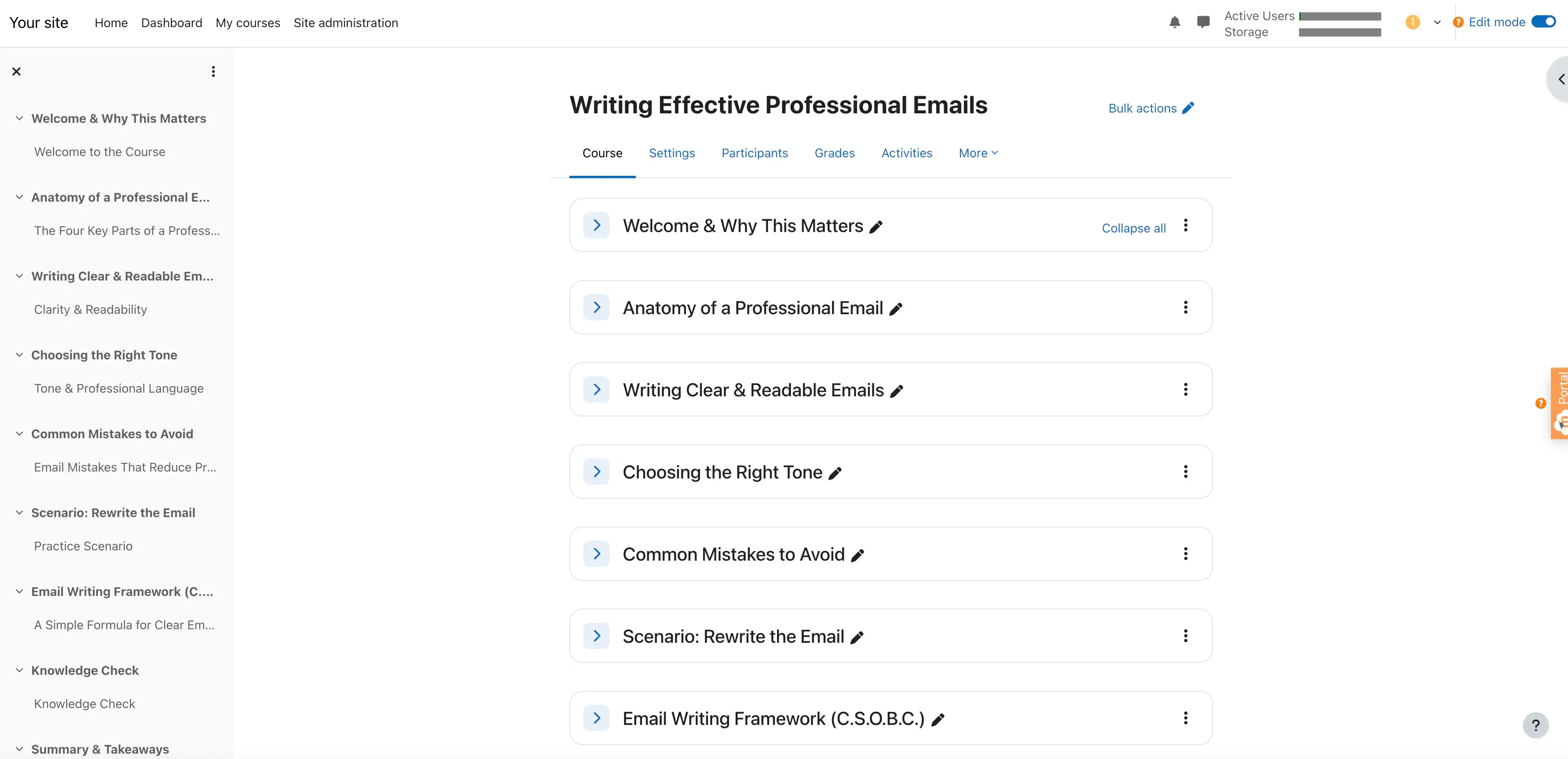
Quick summary
- Type: LMS
- Use it for: Corporate projects and complex tech environments
- Setup ease: Difficult
- Price: Free, additional cost for managed hosting via MoodleCloud
My experience
Pros
Flexibility is Moodle’s biggest strength. It has a plugin ecosystem that connects with loads of other learning tools and environments. On top of that, it has full SCORM, xAPI, and cmi5 support makes it easy to share data with authoring platforms.
Beyond the techy parts, Moodle’s assessment engine is great. Advanced quizzes, question banks, grading logic, and more make Moodle dynamic and engaging for course creation.
Of course, I love the open-source base, too. Having total data ownership and ongoing control of the learning environment? Yes, please.
Cons
Moodle’s flexibility and range comes with a caveat. The setup is more complex than compared to other course creation tools, and the interface feels slightly outdated regardless. Smaller teams would probably struggle to get Moodle going to its full potential without using technical support.
Content creation is also slow, probably because Moodle is more for delivery and management rather than a standalone authoring tool.
My verdict
Moodle is right at home in corporate teams’ toolbox, however, it’s perhaps too much work for smaller teams. The flexibility and assessment engine are big selling points, but the slow set-up process means waiting a while to access them. Teams that want a quicker, out-of-the-box experience should pick another LMS.
2. TalentLMS
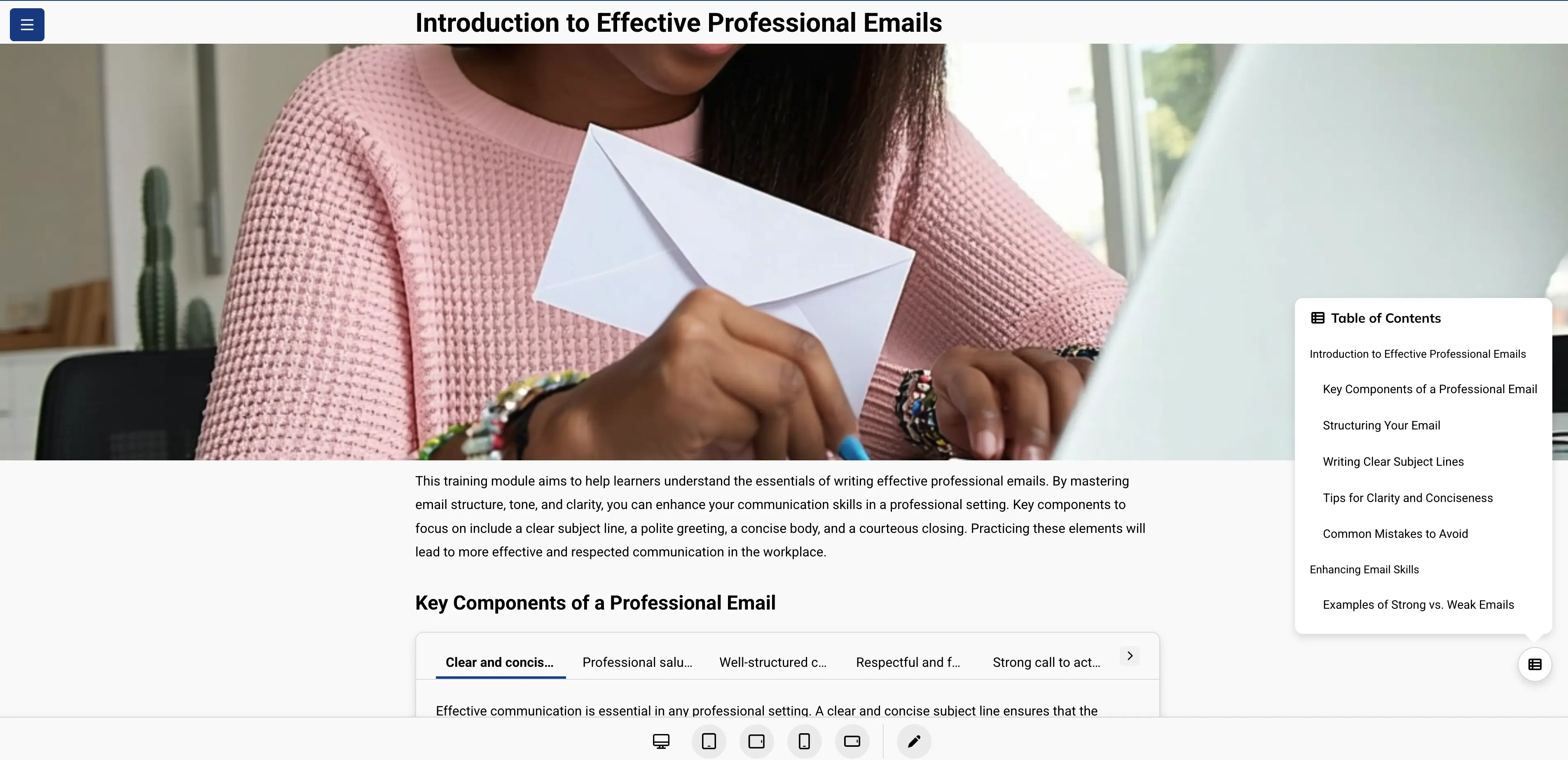
Quick summary
- Type: LMS
- Use it for: Fast LMS deployment
- Setup ease: Easy
- Price: Starting from ~$69 per month, paid tiers available
My experience
Pros
TalentLMS is speedy. Within minutes, teams can build and assign courses; there’s also AI-assisted course creation to help reduce time further. And, with the paid tiers, you can access customization to align courses with your branding. There are built-in quizzes and assessments to integrate in content, and these make for an overall clean learner experience.
I like the compliance tracking and completion reporting, too. And let’s not forget the SCORM xAPI, SSO, HR systems, and Zapier integrations.
Cons
Interactivity, branching, and simulations could all use some work in TalentLMS. The tool is fast but it’s not designed for deeply layered learning pathways just yet. I also found that the AI-generated content could be improved, especially in quality and alignment. It’s frustrating that the best customization options are reserved to paid plans.
My verdict
For me, speed and simplicity matter more than depth with TalentLMS. There’s no doubt that the tool excels in delivering and creating courses fast but its limits can quickly show once design becomes more advanced.
3. Articulate Rise 360
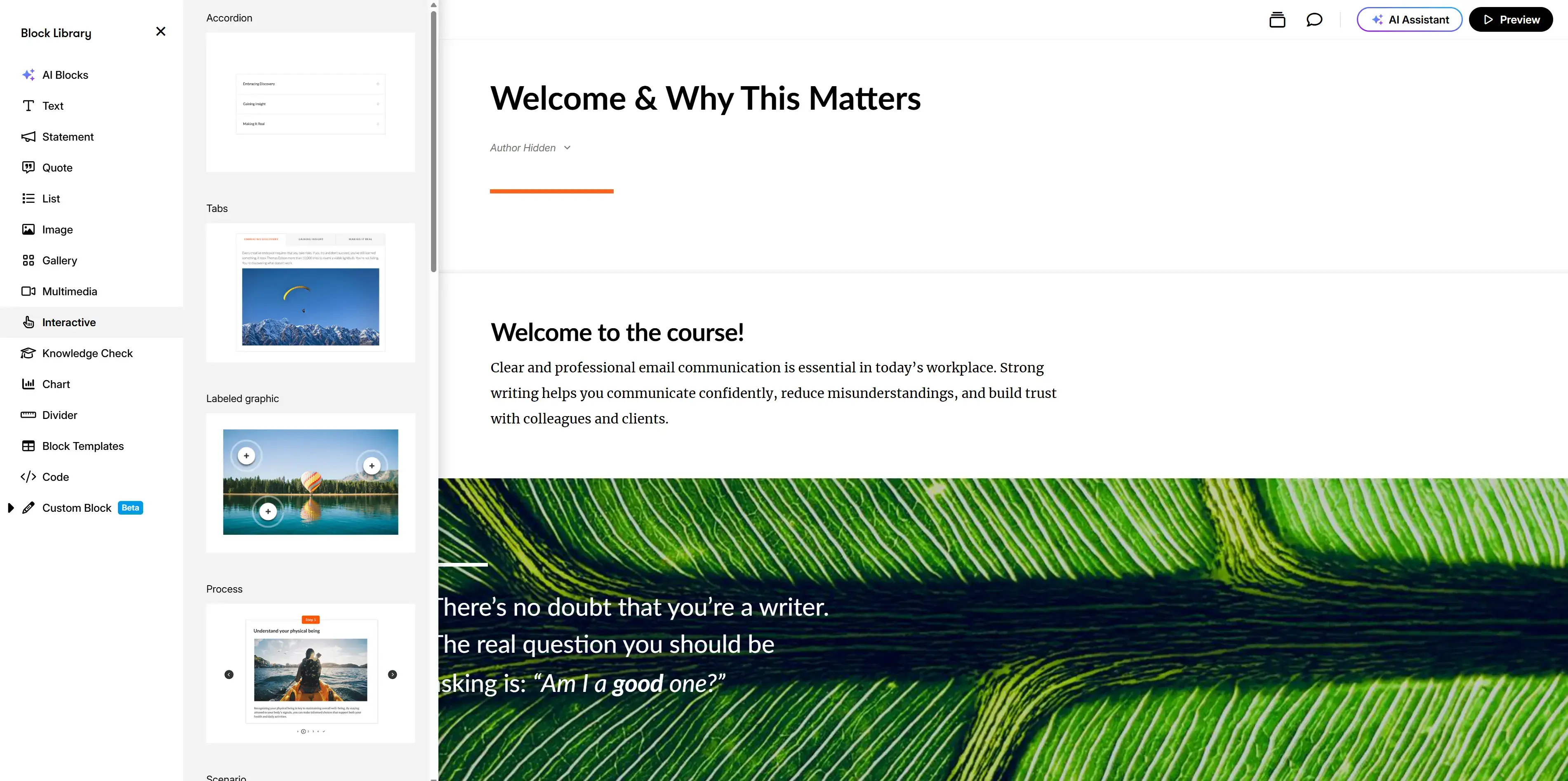
Quick summary
- Type: Course authoring
- Use it for: Clean, modern courses quickly
- Setup ease: Easy
- Price: Part of an Articulate 360 subscription (starting from $1,099 per year)
My experience
Pros
I personally love creation tools that use a block-based editor, so it was inevitable that I’d like Articulate Rise 360. You can even embed blocks from Storyline (included as part of the subscription) if you want to extend the functionality of courses. The structure makes it easy to design content with minimal effort, and it means designers and SMEs can use the tool.
Perhaps my favorite part of the design though, is that Articulate Rise 360 is fully responsive by default - it automatically optimizes content for desktop and mobile.
Articulate Rise 360 covers the majority of standard training needs, and so all the courses feel naturally professional and digestible. For onboarding, compliance, and microlearning in particular, Articulate Rise 360 is awesome.
Cons
Yes, Articulate Rise 360 has good UX and speed, but it does trade in some flexibility. The predefined blocks mean there’s not much creative freedom and courses can feel uniform if you’re using the tool regularly for similar content. If you want to make deeply customized interactions, you’ll be limited.
Most of the advanced features come from Storyline, which is nicely included in the subscription, but requires understanding another tool to navigate this one.
My verdict
If you want high-quality course content quickly, Articulate Rise 360 should be in your toolbox. That said, so should Storyline. You’ll have to be willing to sacrifice design freedom in the process, though.
4. Articulate Storyline 360
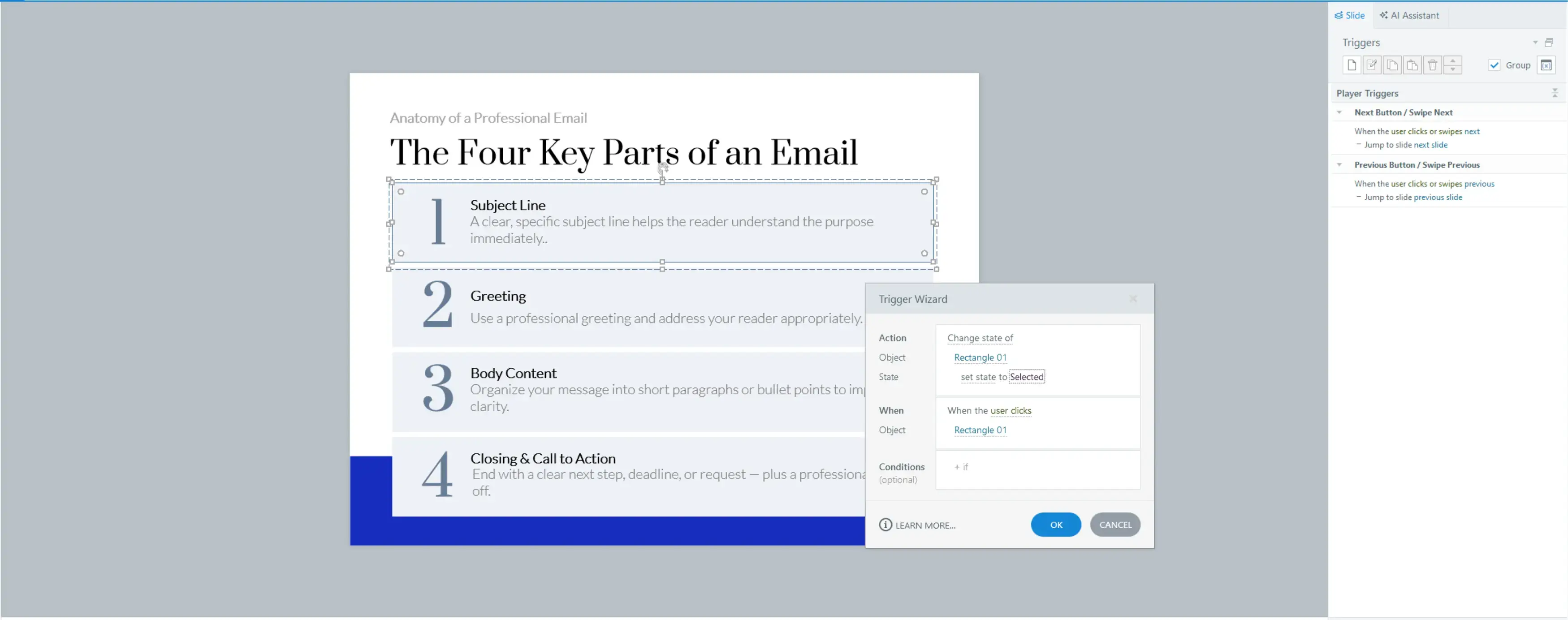
Quick summary
- Type: Course authoring
- Use it for: To build complex, custom content
- Setup ease: Difficult
- Price: Part of Articulate 360 subscription (starting from $1,099 per year)
My experience
Pros
Articulate Storyline 360 is great for interactive learning content, it has triggers, layers, variables, and more that make it possible to create really dynamic content. What’s more, it can facilitate highly interactive experiences that include software simulations and branching scenarios.
It has full SCORM, xAPI, and cmi5 integration capabilities, so it’s reliable in LMS environments.
Cons
The technical nature of Articulate Storyline 360 comes with a steep learning curve. It’s not an accessible tool for people who aren’t designers. I also found that development and maintenance of learning content takes a long time compared to other tools. And, while there are collaborative functionalities, none of them are for real-time feedback, so I wouldn’t recommend Articulate Storyline 360 for working directly with SMEs.
My biggest gripe is that despite being so sophisticated, Articulate Storyline 360 is only Windows and desktop-based.
My verdict
If your learning design needs are advanced, and you have solid design skills, you should reach for Articulate Storyline 360 (I think it works best with Articulate Rise rather than a single solution). However, if you prefer speed and simplicity, opt for another tool.
5. Adobe Captivate
Quick summary
- Type: Course authoring
- Use it for: Technical and process-based learning
- Speed: Moderate to slow
- Setup ease: Medium
- Price: Starting from $33.99 per month; paid tiers available
My experience
Pros
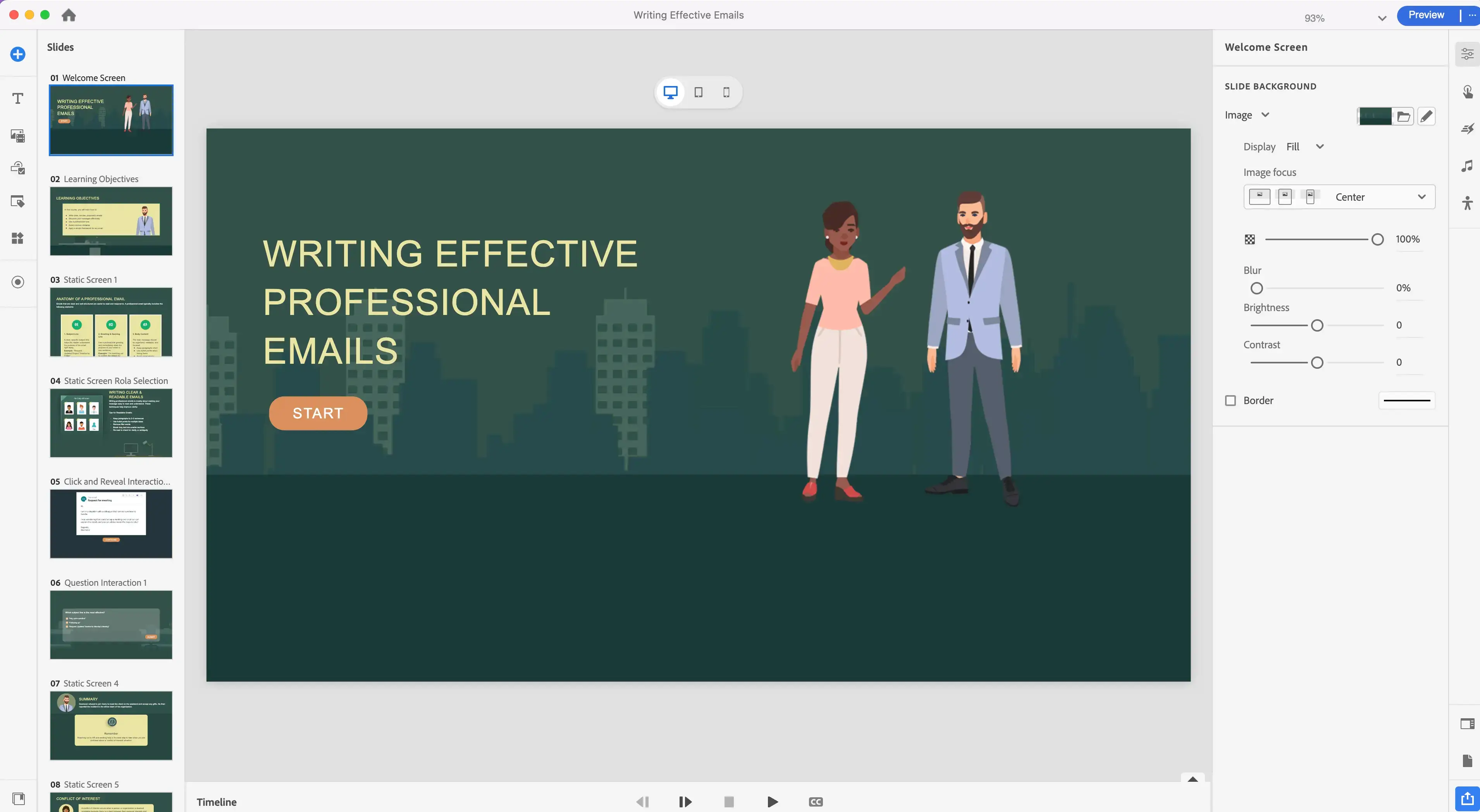
Adobe Captivate is a savvy tool. It’s more technical than other tools but I think the advanced interactions and responsive design are worthwhile. The platform captures and structures step-by-step workflows nicely, and the ‘fluid box’ design means that courses can be made to adapt to different devices and screen sizes.
If you’re already working with tools in the Adobe ecosystem, Captivate is a solid addition; in my experience, it makes really precise learning experiences.
Cons
Configuring Adobe Captivate definitely takes more time and energy than other tools, and yet, the interface feels less intuitive. Visual templates and assets seem limited, and authoring is slower than I expected. In Adobe fashion, if you’re not an experienced designer, it might be tricky to navigate.
My verdict
Adobe never fails when it comes to precision, and Adobe Captivate is brilliant for simulation-based or process-heavy content. It requires more time and effort than other tools, but the outcomes are justified. For course creation rooted in speed and straightforward workflow, I feel that Adobe Captivate is too excessive.
6. Compozer
Quick summary
- Type: Course authoring
- Use it for: Collaborative training content
- Setup ease: Fast
- Price: Starting from $108/month; paid tiers available
My experience
Pros
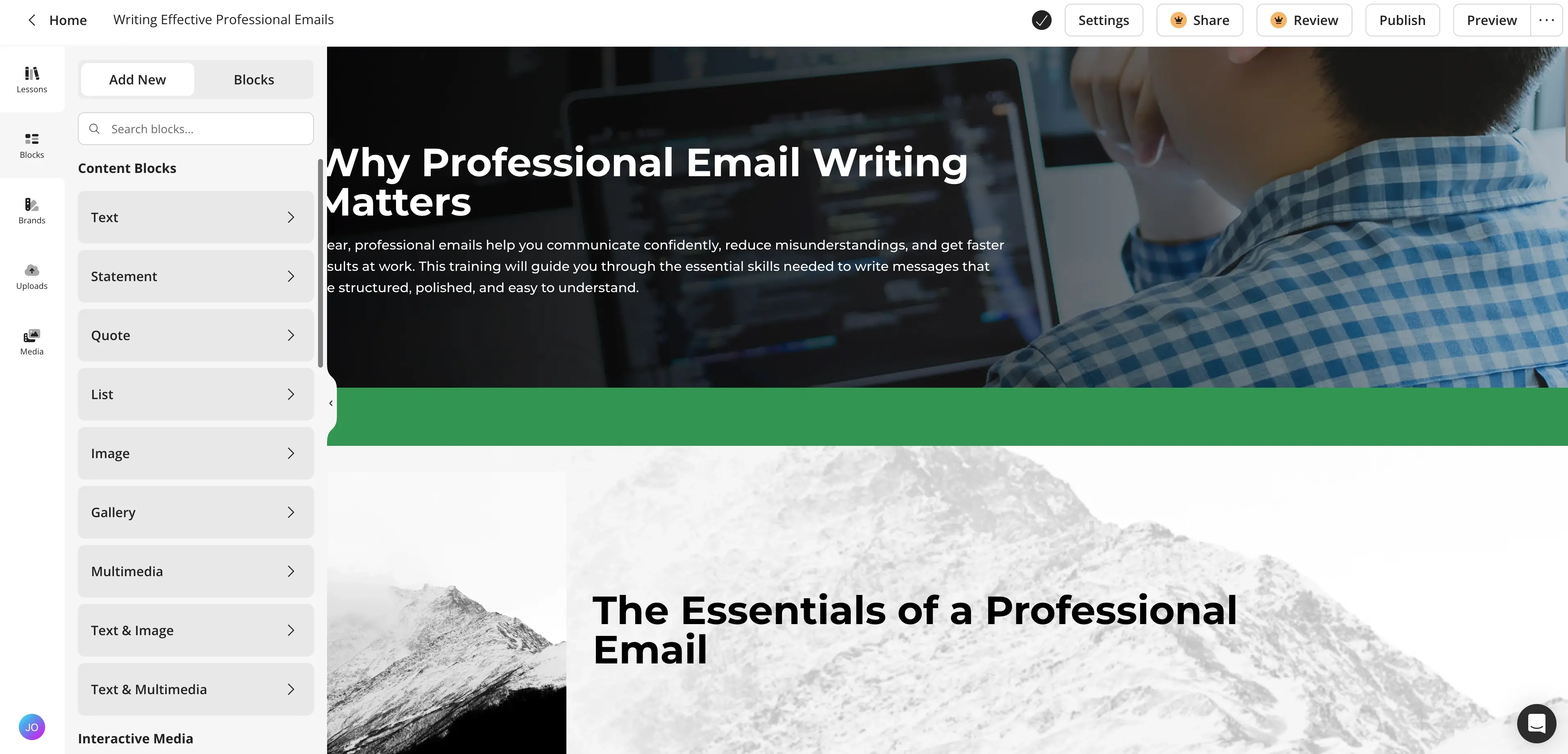
Compozer is a classic course creation tool in my opinion - it’s browser-based, it’s accessible for non-designers and SMEs, and it has real-time collaboration features. It ticks a lot of boxes for workflows and for allowing diverse teams to be more involved in course creation.
Compozer is compatible with your LMS, and it covers basic interactions for most training needs.
Cons
I was disappointed that Compozer doesn't allow for much interactivity; it has limited design control and branching, and courses can start to feel like templates if you’re not careful with planning. The tool also isn’t as visually flexible as more advanced authoring tools.
I do like that Compozer is browser-based, but it doesn’t have an offline version, which can be frustrating for team members on the move.
My verdict
I didn’t get the instructional depth I’d like from Compozer, but I like it for making content creation more accessible, updatable, and fast. It reduces some of the typical L&D team bottlenecks, but at the same time, it can create them if you’re looking for highly customized content.
7. Synthesia
Quick summary
- Type: Video-based authoring
- Use it for: Scalable video training without film resources
- Speed: Fast
- Price: Starting from $18 per month; paid tiers available
My experience
Pros
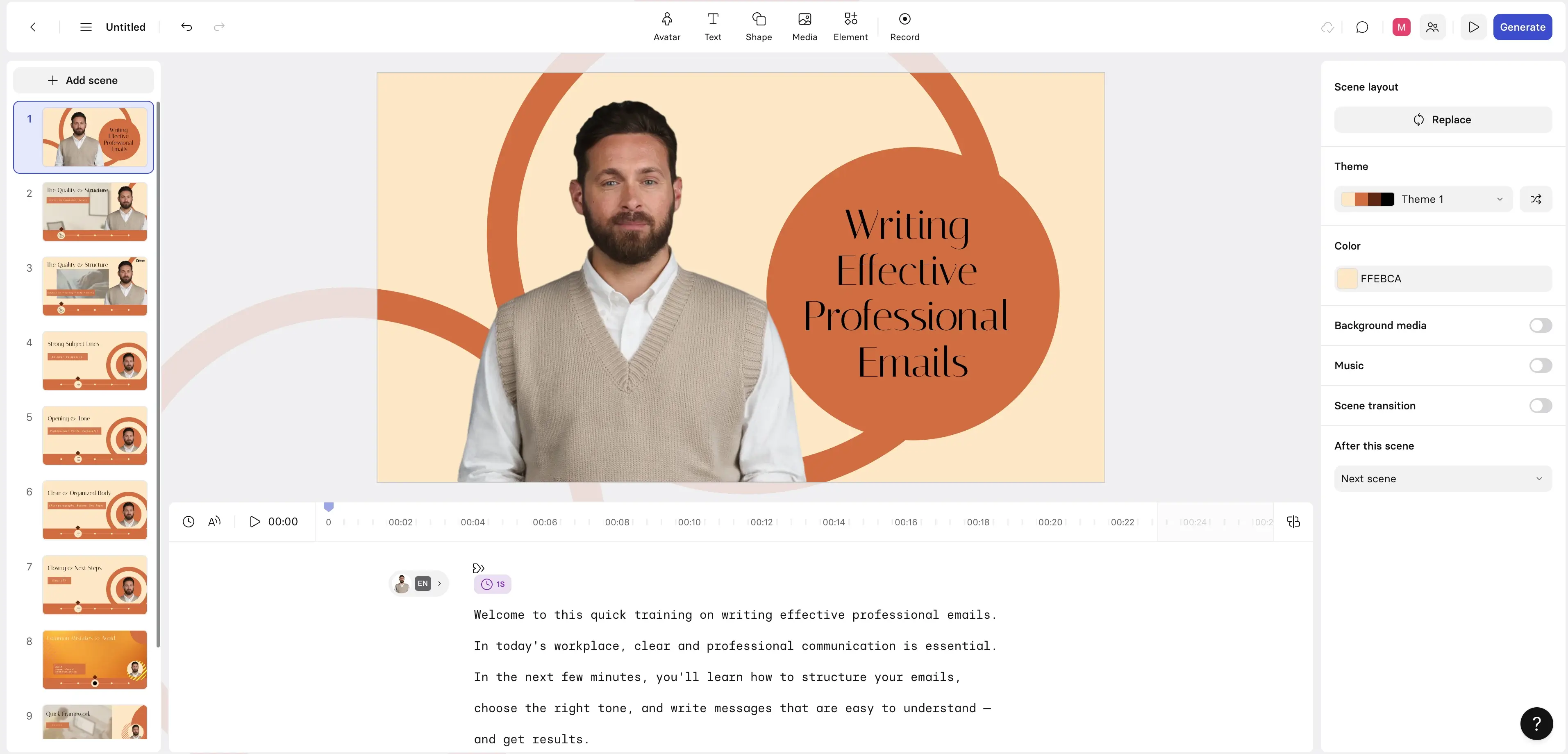
I found Synthesia to be a genuinely modern tool. AI-avatars, multilingual support, fast production, all the features seem finessed. With it, I could make high-quality videos really quickly, use a brand kit to maintain consistency, and integrate language and voice support in content.
I also like how easy it was to iterate videos: rather than reshooting, I simply edited scripts - a huge time saver.
Cons
Synthesia isn’t a full video editing suite, so going deep into scene control and visual customization doesn’t exist. If you want cinematic training, I’d recommend using Synthesia with another tool to really get those results.
The other thing with Synthesia is that the avatars are cool, but they may not fit every learning context or organization.
My verdict
For me personally, there’s no doubt that Synthesia is beneficial for strong, scalable videos in L&D, which is important for organizations that previously couldn’t afford such production. Its speed and multilingual delivery are particularly valuable.
8. Vyond
Quick summary
- Type: Video-based authoring
- Use it for: Storytelling training
- Customization: Good
- Price: Starting from $25 per month; paid tiers available
My experience
Pros
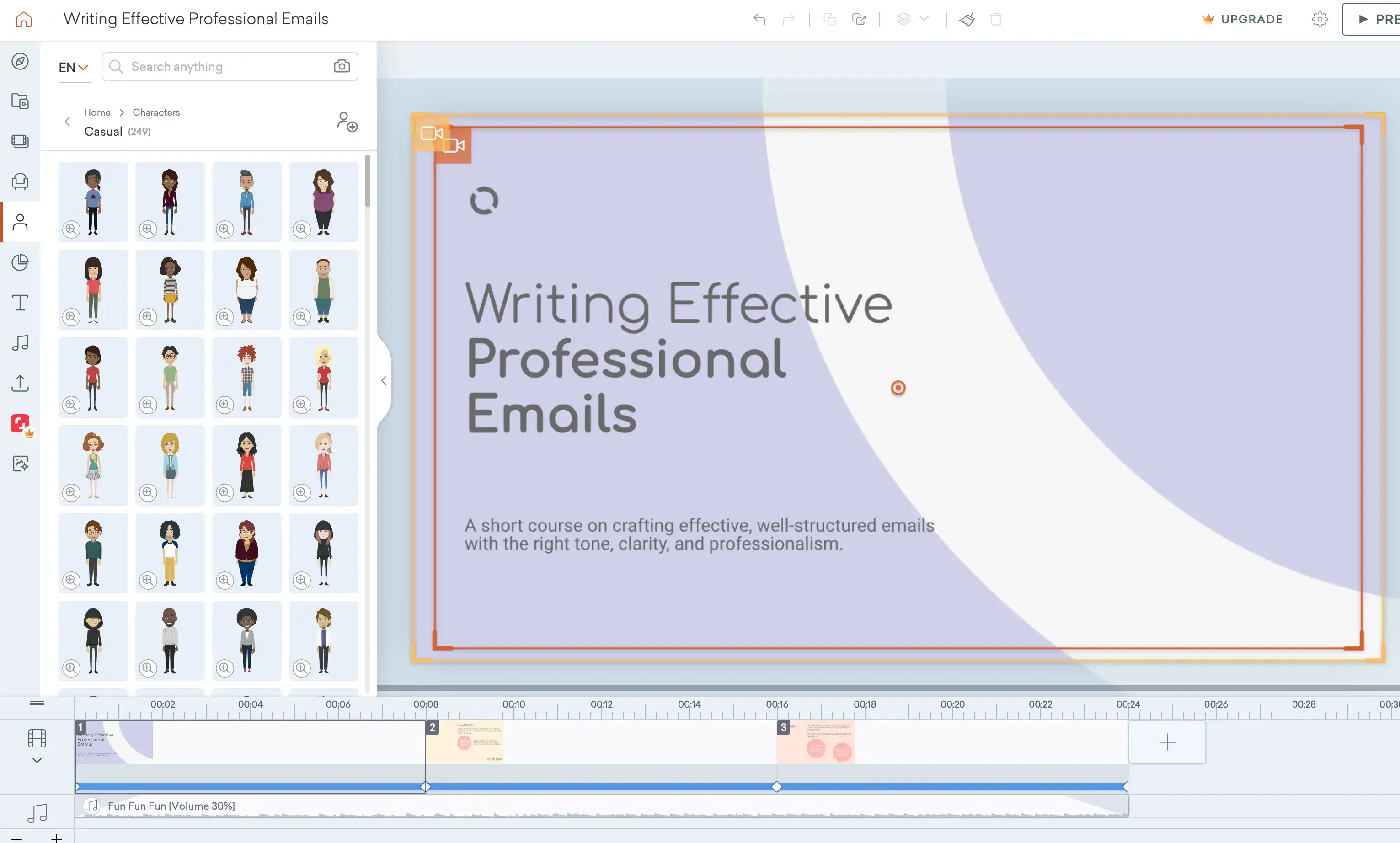
Vyond has some decent creative prowess, including animated scenes and characters, and multilingual support. It’s a good tool for expressive content that can be easily navigated and interacted with. I rate the editing flexibility as well, seeing as it has more control over narration and sequencing than most other tools.
Cons
Vyond was slow for me, especially for animation purposes. I also wondered if the animation also might not match all training contexts or organizational cultures.
I wouldn’t try to use Vyond for rapid iteration, it’s just not fast enough.
My verdict
As a storytelling tool, Vyond can add a lot to training efforts; I’d recommend using it among teams that have time to make narrative-led content. For teams that need quick turnarounds, pick a different tool.
9. LinkedIn Learning
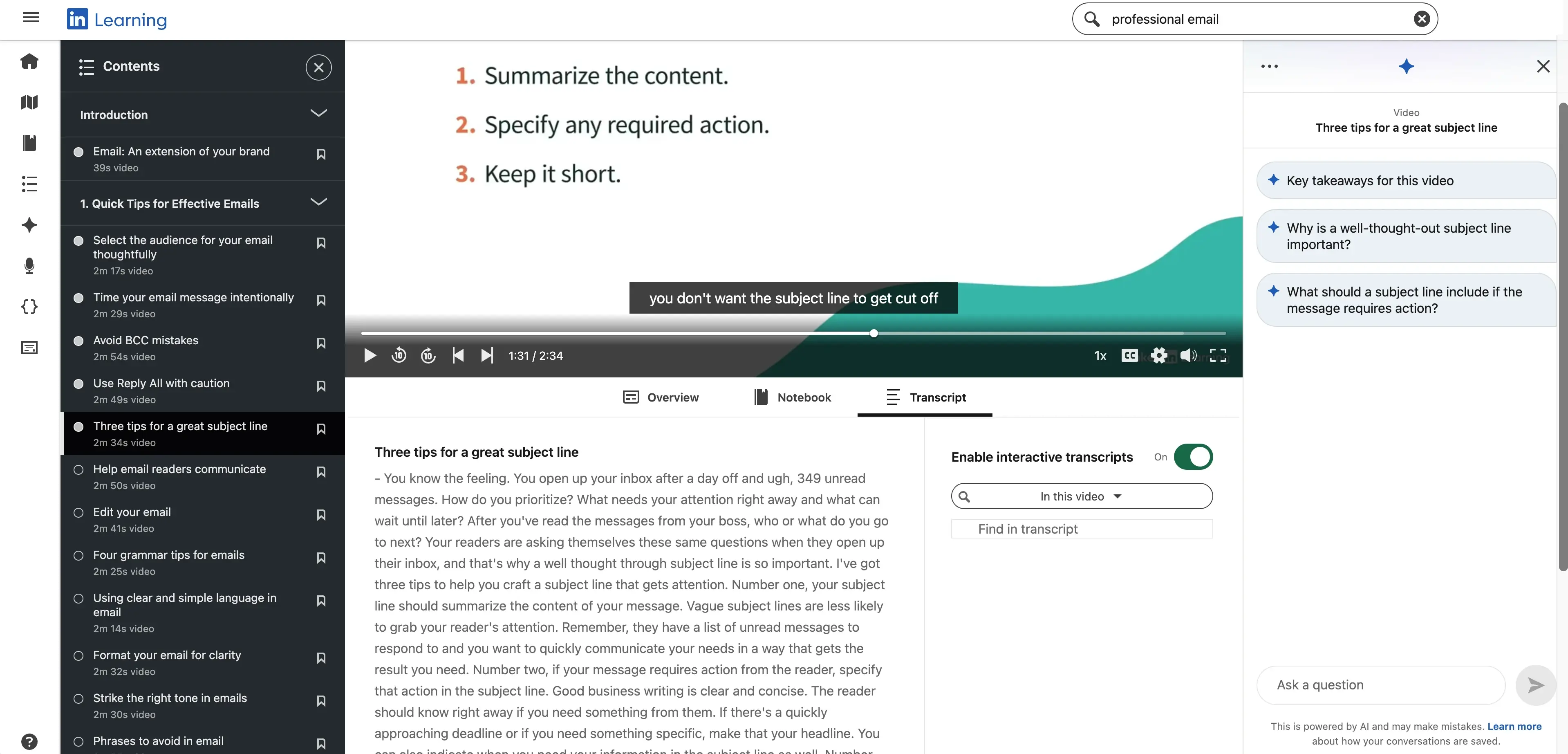
Quick summary
- Type: Pre-built courses
- Use it for: Content for professional development
- Customization: None
- Price: Starting from $39.99 per month, paid tiers available
My experience
Pros
There’s no denying that LinkedIn has a huge professional library for content that covers a range of industries and skills. Production quality for courses is high, and I found that the LinkedIn profile integration really helps personalize content recommendations based on people’s roles and professional interests.
The ability for people on LinkedIn to add certificates from courses they complete to their profiles also helps with course exposure and learner motivation, which is a cool marketing advantage.
Cons
It’s a shame that you can’t tailor anything with LinkedIn Learning. Courses, tools, processes, and messaging are all fixed, so there’s no ability to align content with branding. The assessment and reporting capabilities are light as well, and there’s no SCORM or xAPI export to integrate with other systems for tracking purposes.
My verdict
I like LinkedIn Learning as a supplemental resource rather than a primary training platform. It’s got value as a self-directed professional learning tool but I think it works best alongside another authoring tool. Especially if you want to create courses that mirror your organization’s workflow or culture, LinkedIn Learning is too rigid.
10. Coursera
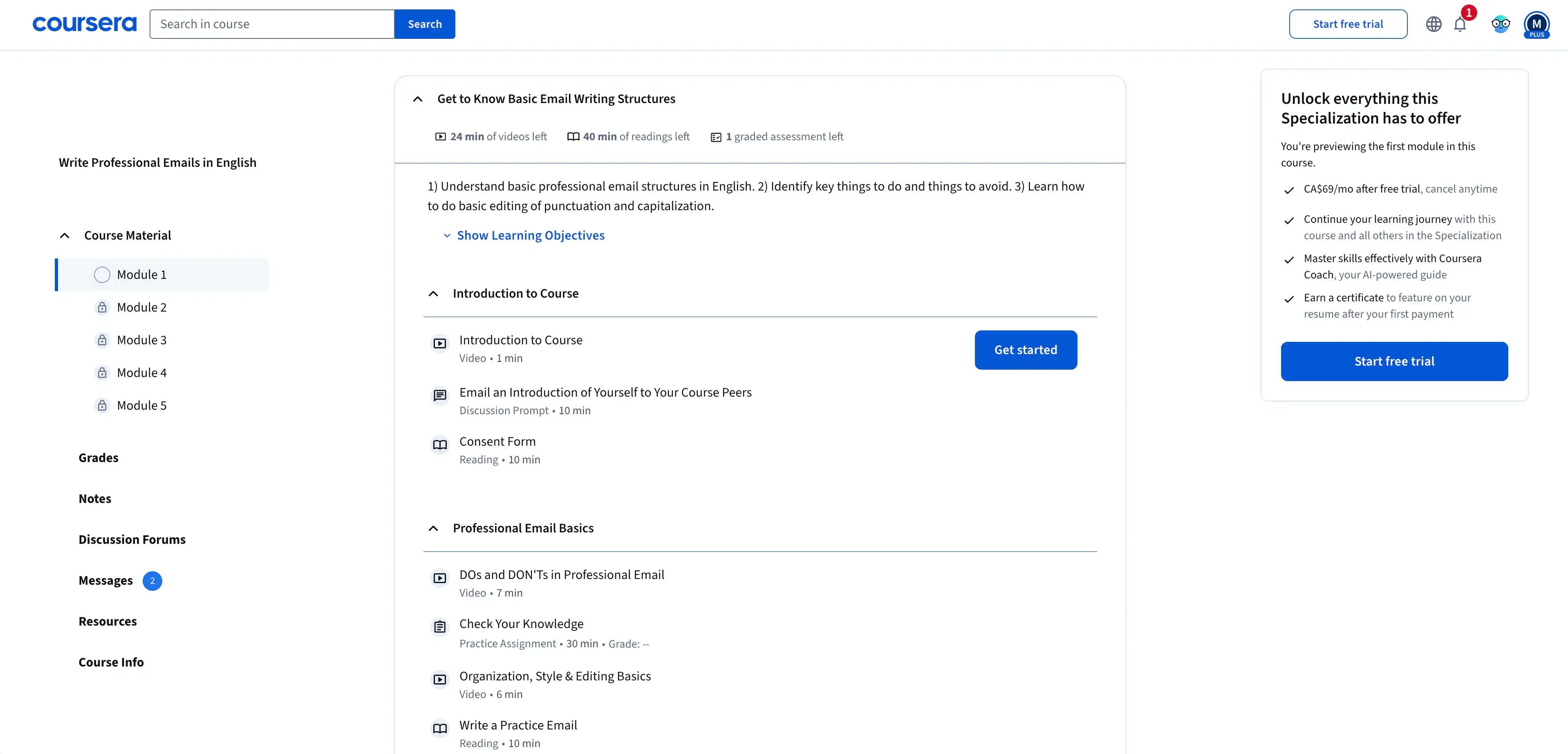
Quick summary
- Type: Pre-built courses
- Use it for: Academic learning with credentials
- Customization: None
- Price: Varies per course and certification, paid tiers available
My experience
Pros
Coursera’s biggest strength is its credibility. It partners with a whole host of higher education institutions and big-name industry organizations (e.g. Meta, Google, IBM) to offer well-structured courses with clear learning outcomes.
The enterprise version has a dashboard where you can see data about learner engagement and progress, a nice touch for keeping on top of the impact of courses. For reskilling and upskilling, Coursera is easily one of my favorite tools.
Cons
Coursera is designed for formal learning, not internal training. And, similar to LinkedIn Learning, it has no customization capabilities. The pacing of courses isn’t flexible either, you can’t adjust content for microlearning, so there’s a minimum amount of time learners need to commit to each course.
My verdict
I would always recommend Coursera to people who want high value career learning; the prestige of the courses alone makes it an important tool. However, the pacing and lack of customization means it’s not right for internal training or for very specific training needs.
11. Kajabi
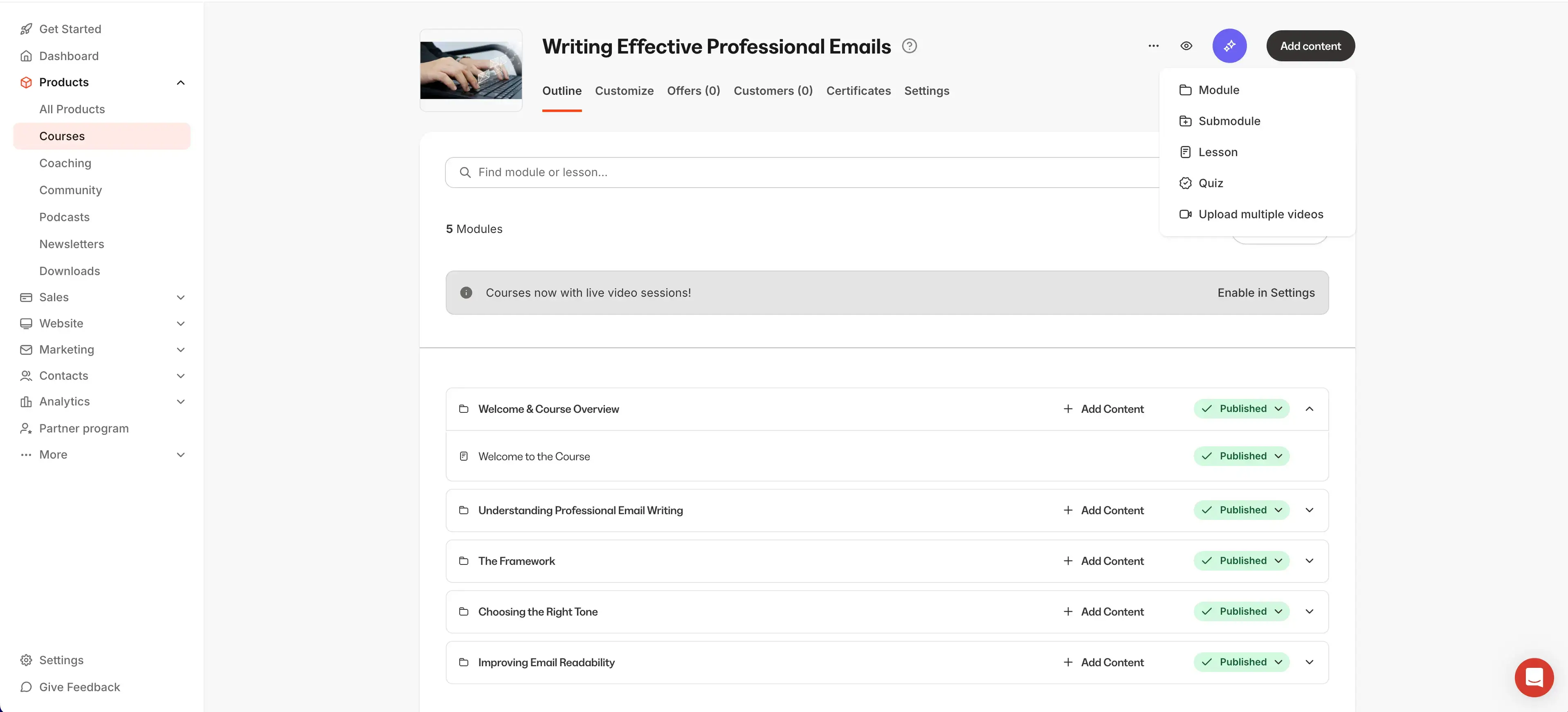
Quick summary
- Type: Course delivery and sale platform
- Use it for: All-in-one course creation and delivery
- Setup ease: Easy
- Price: Starting from $149 per month, prices scale according to usage
My experience
Pros
Kajabi is a course creator’s dream: you can make, deliver, and manage content all from the platform. In terms of streamlining tools and processes, the multifunctionality of Kajabi is impressive. It’s also easy to use, the design is clean and intuitive, so it doesn't come with a steep learning curve.
Cons
Kajabi isn’t an LMS so its reporting analytics aren’t as informative as other platforms. There’s no SCORM xAPI or cmi5 support, and assessment capabilities are restricted. I also think the pricing can increase quickly as contact lists grow and you unlock advanced features, which isn’t ideal for teams with small or fixed budgets.
My verdict
Kajabi is more of a delivery and monetization platform to run and sell paid learning. It’s best suited for SMEs or freelance instructional designers who want to monetize their skills.
12. LearnWorlds
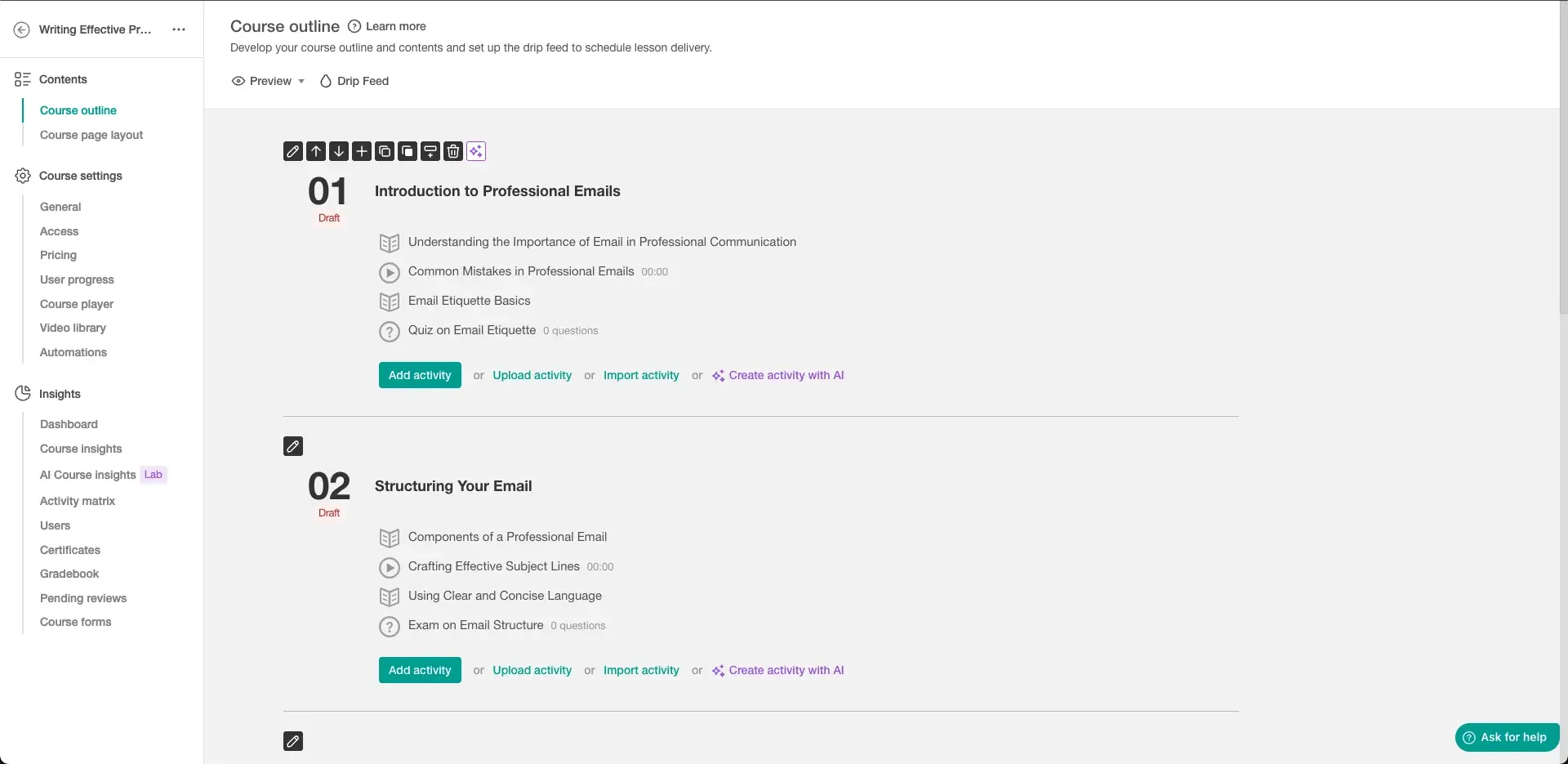
Quick summary
- Type: LXP
- Use it for: Generating polished video content
- Setup ease: Easy
- Price: Starting from $29 per month
My experience
Pros
LearnWorlds is great for video course creation, it has a built-in interactive video editor which can embed questions, overlays, and buttons into videos. The interface in general is really easy to use, and there are content templates, so courses can be made quickly. Branding and presentation control is good, making finished products look extra polished.
There are also assessments, certificates, and engagement analytics available directly in the platform, so it’s easy to track how courses perform and iterate accordingly.
Cons
The limited SCORM and xAPI is a drawback with LearnWorlds, and I was surprised to see that the reporting and learning path logic are lighter than most enterprise LMSs. The price of LearnWorlds also increases as you use more advanced features, which can prevent access for smaller organizations.
Having said that, I don’t think LearnWorlds is suited for highly regulated or compliance-heavy environments, as it doesn’t have the depth to accommodate.
My verdict
If you’re really interested in how learning looks, LearnWorlds is a safe pick - especially if you're dealing with external or commercial audiences. The video capabilities are excellent and can make well-structured, aesthetic content. For companies with more complex L&D setups, LearnWorlds isn’t that flexible.
13. ClassMarker
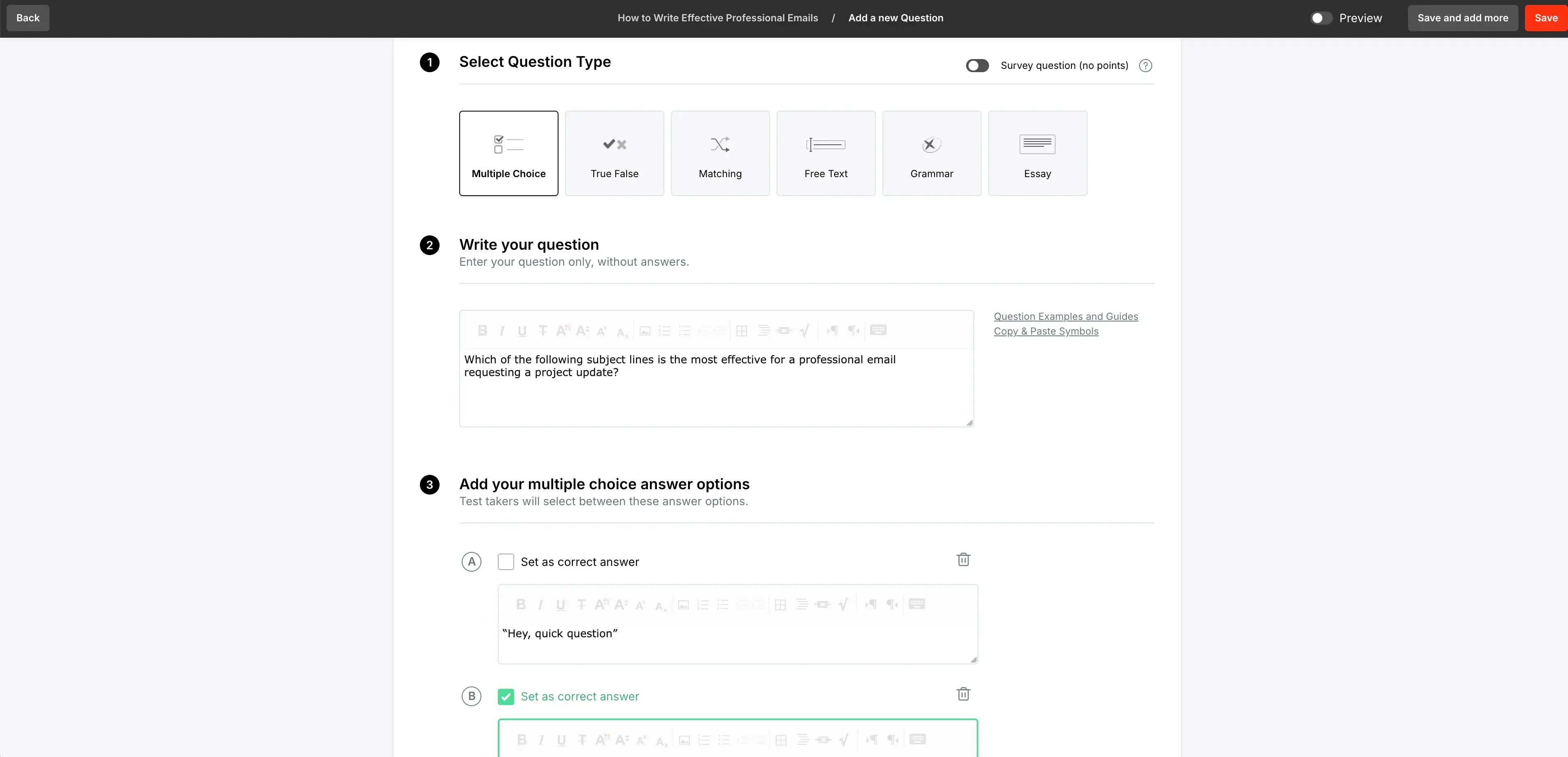
Quick summary
- Type: Assessment tool
- Use it for: An assessment layer on top of an LMS
- Setup ease: Easy
- Price: Starting from $39 per month; prices scale according to usage and features
My experience
Pros
I was surprised by Classmarker because the name suggested that it would be quite basic, but it’s a really efficient, strong tool. I could easily and quickly build quizzes and exams, and results could be automatically graded and reported. I especially like that I can enter questions and it supports randomization, which keeps course results fair.
Security controls are good, too, including passwords, access controls, and time limits for courses.
Cons
Classmarker doesn’t have any course authoring or content delivery features, it’s assessment only. It’d need to be paired with another tool for end-to-end learning.
The customization abilities are low, and while reporting is clear, it’s not as advanced as other tools on this list.
My verdict
Classmarker is consistent and practical. I’d use it for finding performance trends and as a lightweight assessment layer on top of an existing LMS. The security aspect of it is nice, but it’s not the right pick if you want comprehensive course creation.
14. Watershed
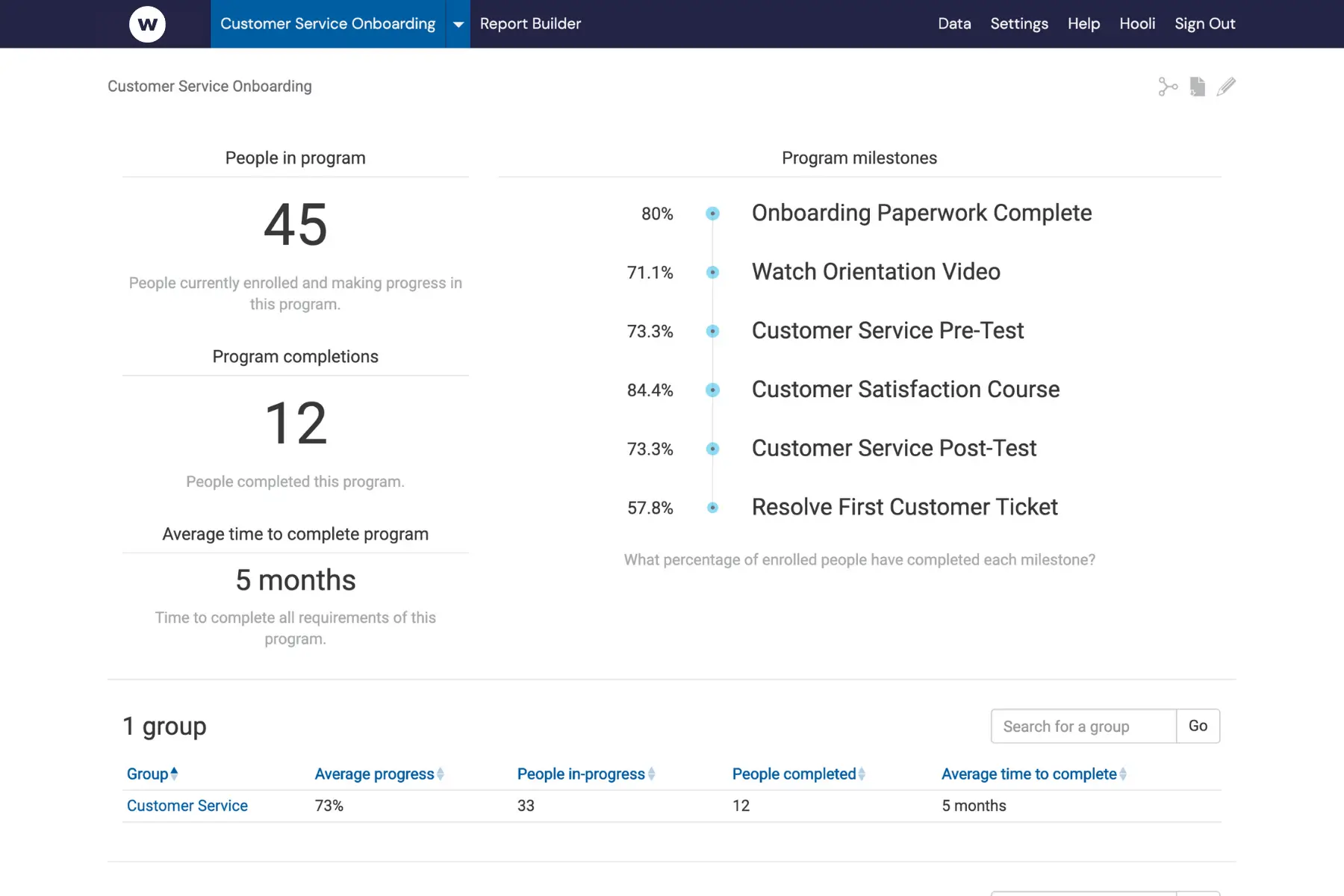
Quick summary
- Type: Learning analytics tool
- Use it for: Measuring learning impact across ecosystems
- Setup ease: Difficult
- Price: Custom pricing based on data volume and integrations
My experience
Pros
Watershed is a tool for the tech nerds: it’s complex but lends itself well to teams dealing with data and analytics. It aggregates data from your LMS via xAPI, along with learning activity from across the organization, into one dashboard. Here, you can bring siloed learning data together and get a deeper understanding of the impact of your courses.
The reporting in Watershed is impressive and features engagement, performance, and outcomes. For L&D teams that want to make credible cases for investing in learning, Watershed is a big helping hand.
Cons
The initial setup of Watershed is complex, particularly to integrate multiple data sources. Most of the tool’s value comes at scale too, so smaller organizations may not find it as useful.
It’s also another tool that doesn’t offer any content creation or delivery, so it’s better paired with other tools to really maximize its potential.
My verdict
If you want insights that go beyond course completion, Watershed is the answer. If you’re a smaller team with a learning ecosystem that’s still growing, don’t invest in Watershed just yet.
15. Genially
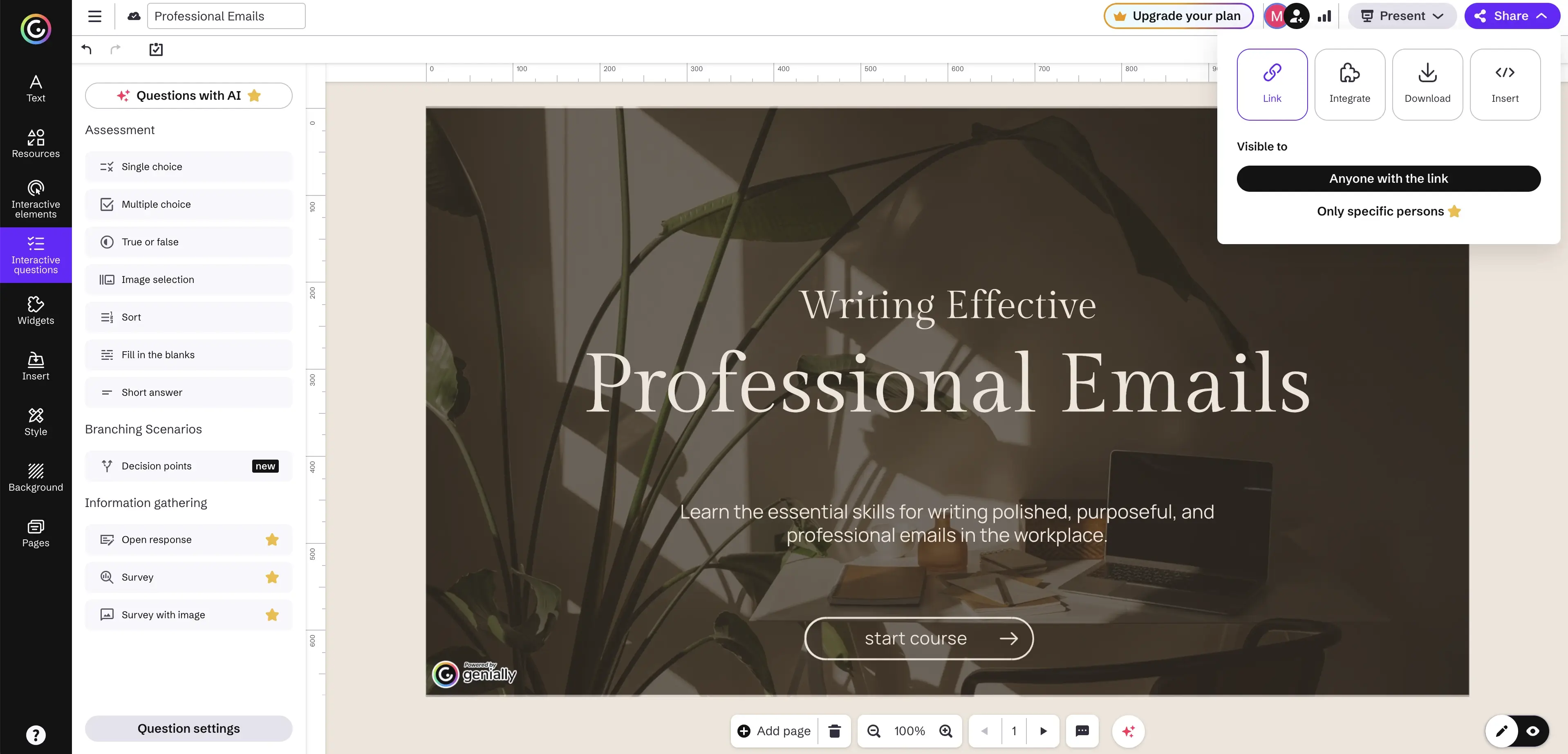
Quick summary
- Type: Visual design tool
- Use it for: Interactive content that can be made by anyone
- Setup ease: Easy
- Price: Free plan available; paid plans starting from $7 per month
My experience
Pros
Another tool that brings non-designers to the L&D table! Genially is no-code and uses templates, so it’s very straightforward to use. It’s also simple to add hotspots, animations, and branching-style interactivity to content without code, which makes my designer brain happy.
The customization is cool, too. I could add a bunch of interactive visual assets to courses, and there are a range of templates that have gamified formats, including quizzes and escape-room-style activities. From an engagement standpoint, these really improve the learner experience, and don’t add a huge amount of time to production.
Cons
The interactivity of Genially is also its downfall. Content performance can be affected if it relies too heavily on animations and media. In general, Genially seems like its priority is access, as opposed to deep instructional logic.
SCORM/LMS support is only available on higher tier plans, so advanced tracking isn’t possible on the free plan.
My verdict
Genially’s engagement layer is unmatched for me. For short learning experiences where learners are really pulled into the content, I’d definitely use Genially. For more complex design, I’d use Genially as a complementary service to another tool.
16. Canva
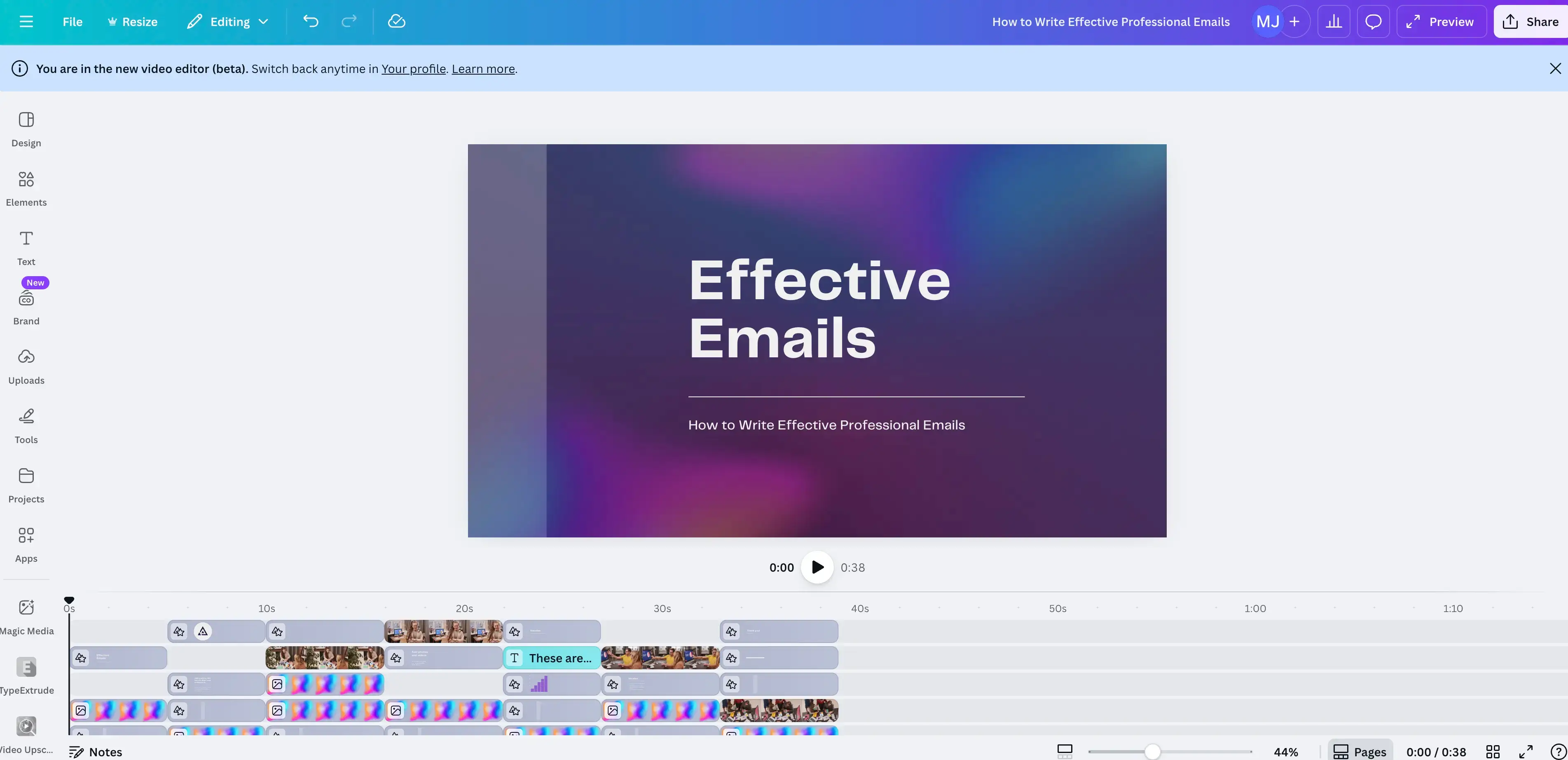
Quick summary
- Type: Visual design tool
- Use it for: Removing design bottlenecks
- Setup ease: Very easy
- Price: Free tier available; paid tiers starting from $12 per month
My experience
Pros
As an instructional designer, I know all about design bottlenecks. Canva’s ability to remove some of these is a big plus for me. The tool makes smart, professional-looking visuals and short videos with very little friction. I found the template library had a good mix of styles and formats and was easy to implement via drag-and-drop.
Collaboration was easy too, and the shared brand kits are a good touch to support remote teams building courses to keep content consistent. I appreciated the AI-assisted tools in the platform, too, as they make collaborative design more streamlined and sharp.
Cons
Canva isn’t a learning platform so it doesn’t come with tracking metrics or standards-based exports. There’s no SCORM or LMS support, and so I’d strongly encourage teams to pair Canva with a dedicated analytics tool to keep atop of performance.
Even though Canva is a design tool, for me, the interactivity was a bit stunted. I’d like to see more nuanced ways to engage learners through the tool.
My verdict
My takeaway is that Canva is a utility tool in course creation. It could help me to make repeatable content for scaling in L&D environments, but it’s not up to scratch as a dedicated authoring tool (granted, it’s not trying to be that).
17. iSpring Suite
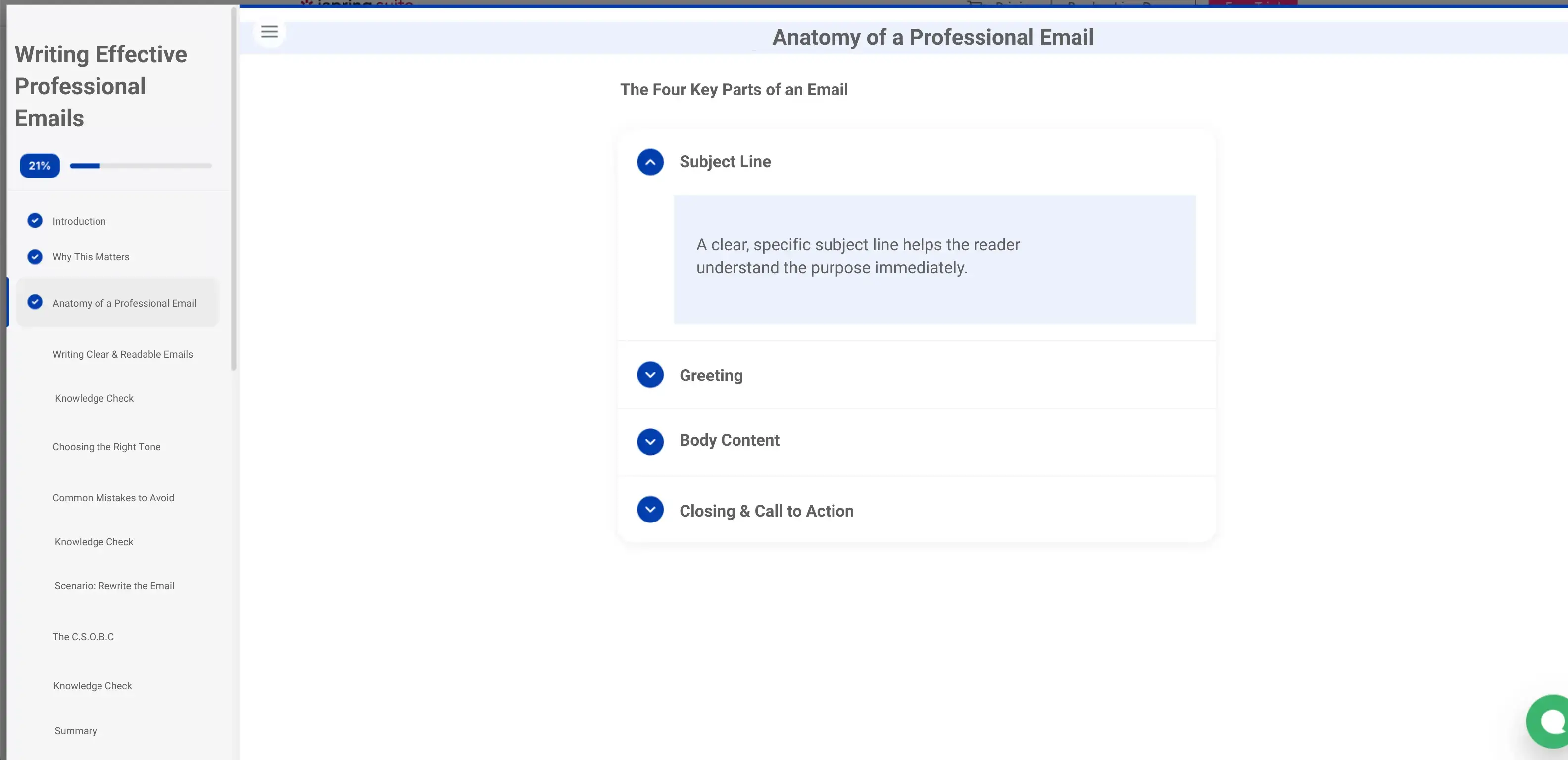
Quick summary
- Type: PowerPoint-based course authoring
- Use it for: Developing PowerPoint content into eLearning
- Setup ease: Very easy
- Price: Starting from $770 per year; paid tiers available
My experience
Pros
So many L&D teams use PowerPoint as their starting block for content creation. Fortunately, iSpring Suite works directly in PowerPoint, making it really easy to combine interactive features and screen recordings within content.
I think iSpring Suite does an especially excellent job at supporting teams who use PowerPoints from instructors to make eLearning content. It’s compatible with your LMS too, so it assists with the jump to content tracking and review. And, because it’s all based in PowerPoint, there’s no learning curve for team members working from legacy projects.
Cons
My barrier with iSpring Suite is that the scope for interactivity is made small by the slide format in PowerPoint. Courses can quickly become linear if the design doesn’t balance the slightly monotonous layout. Not to mention, response design could use some work - just think how hard it is to engage with a slideshow course on a mobile device.
Overall, creativity shrinks a bit with iSpring Suite. It has interactive elements but these are overshadowed by tools like Adobe Storyline 360 or Captivate.
My verdict
iSpring Suite is a safe choice considering its connection to PowerPoint. I can see why it’s a familiar bridge for organizations that want to step into eLearning. Still, that could be an issue - if you want creativity or complex logic, iSpring Suite can’t escape the more basic confines of PowerPoint.
L&D tools compared
Final thoughts
Finding the right tools for L&D course creation requires learning: about your learners’ needs, your internal capacity, your long-term goals, and more.
Use the guide above to determine which tools resonate with your organization and how tools can be applied not just individually, but as part of a collective process. You’ll find that you soon have a well-oiled L&D course creation machine.
Kevin Alster is a Strategic Advisor at Synthesia, helping enterprises apply generative AI to learning, communication, and performance. With over a decade in education and media, he’s built programs for General Assembly, NYT School, and Sotheby’s.
Frequently asked questions
What's the best Learning Management System (LMS) for employee training?
I think Moodle is a great LMS if you're an L&D team that will benefit from lots of flexibility and plugin choice, but you'll need the resources to set it up and maintain it. If you want something simple and easy to set up, then I recommend TalentLMS.
What's the best pre-made course provider for employee training?
If you want courses made by authors with recognized credentials (i.e. reputable universities and industry leaders), then I'd suggest that you look at courses on Coursera. LinkedIn is another great option that is more suited to self-directed professional development that your employees can show off on their LinkedIn profiles.
What's the best video-based employee training tool?
If you want to quickly create interactive AI training videos with realistic AI avatars that you can easily update and localize, then go for Synthesia. If you think your training scenario could benefit from an animated style, then Vyond might be worth checking out.






.webp)



