




How to Build Workplace Compliance Training Videos

Create engaging training videos in 140+ languages.
Compliance training has one of the highest completion rates of any corporate training program. (Yes, that's because it's one of the few programs that's mandated.) And yet, its impact on behavior is often negligible. 13% of organizations don't even bother measuring the effectiveness of their compliance training.
If that’s the case, companies are spending billions of dollars on training that checks a box, but doesn’t change behavior. It doesn’t have to be a wasted investment.
Compliance training has the potential to reduce your risk and improve business performance, if it's actually designed for your employees.
Who owns compliance training?
The first challenge of improving compliance training is figuring out who is responsible for what.
At one company I worked at, employees had to take compliance training on three different learning platforms (each with their own deadlines and notification systems, which employees loved). That's because the IT, Legal, and the People teams each owned a piece of compliance.
When accountability for compliance training is fragmented, that means no one is accountable for the employee experience.
That's why I recommend starting by mapping out the current compliance training experience:
- What training is delivered, when, and to whom?
- How often is the training delivered?
- How is completion data tracked?
- Is the training evaluated? If so, how?
For the first three, you may be able to answer from your own experience. It's worth tracking down answers to the last question to see if anything is being evaluated.
How to create a compliance training video with AI
Now that you have a better view of the employee experience with compliance training, you can decide what to try replacing with a training video.
I recommend selecting a topic like phishing, where you have an internal SME (IT) who can review the content. (Everyone is so confident they can spot a phishing email until they accidentally click on a link to reset their credentials and compromise an account.)
Once you have a topic, you can start building compliance training that employees pay attention to and remember on the job.
Step 1: Define your objective
Most likely, you have existing training materials on the topic you've selected, whether that's an eLearning course or a slide deck with a talking track. And most likely, those materials should be broken up before being turned into videos.
Whether you're making a single video or a series of videos, start by defining your learning objective and performance outcome. The goal, as I said earlier, is training that changes behavior. You need a baseline to document that objective and how you plan to measure it.
You can use a template like this:
This video is for [specific role] who is required to [regulatory or policy obligation].
After watching, [specific role] should be able to [recognize a specific situation / take a specific action / escalate appropriately] so that [business outcome].
Throughout this post, I'll use the example of harassment prevention training, a common training topic, especially for companies with US-based employees.
That's a lot to take into consideration for a training video series. For instance, if I were designing a training video series about harassment prevention, I would have something like this:
These videos are for non-supervisory employees who are required to complete harassment prevention training.
After watching, employees should be able to recognize harassment when it occurs in their workplace, take appropriate action, and escalate to HR or a manager when needed, so that the organization meets its legal obligations and every employee understands their rights.
To meet regulatory requirements, I might consider crafting a series that includes topics like:
- What is harassment
- Scenarios of harassment in the workplace and how to respond
- How to report harassment at your company
- Supervisor obligations and legal responsibilities
Step 2. Generate a first draft
If you’re planning a series, start with one video. Extract the relevant content from your existing materials, and upload them into our AI video generator to generate a first draft of your video.
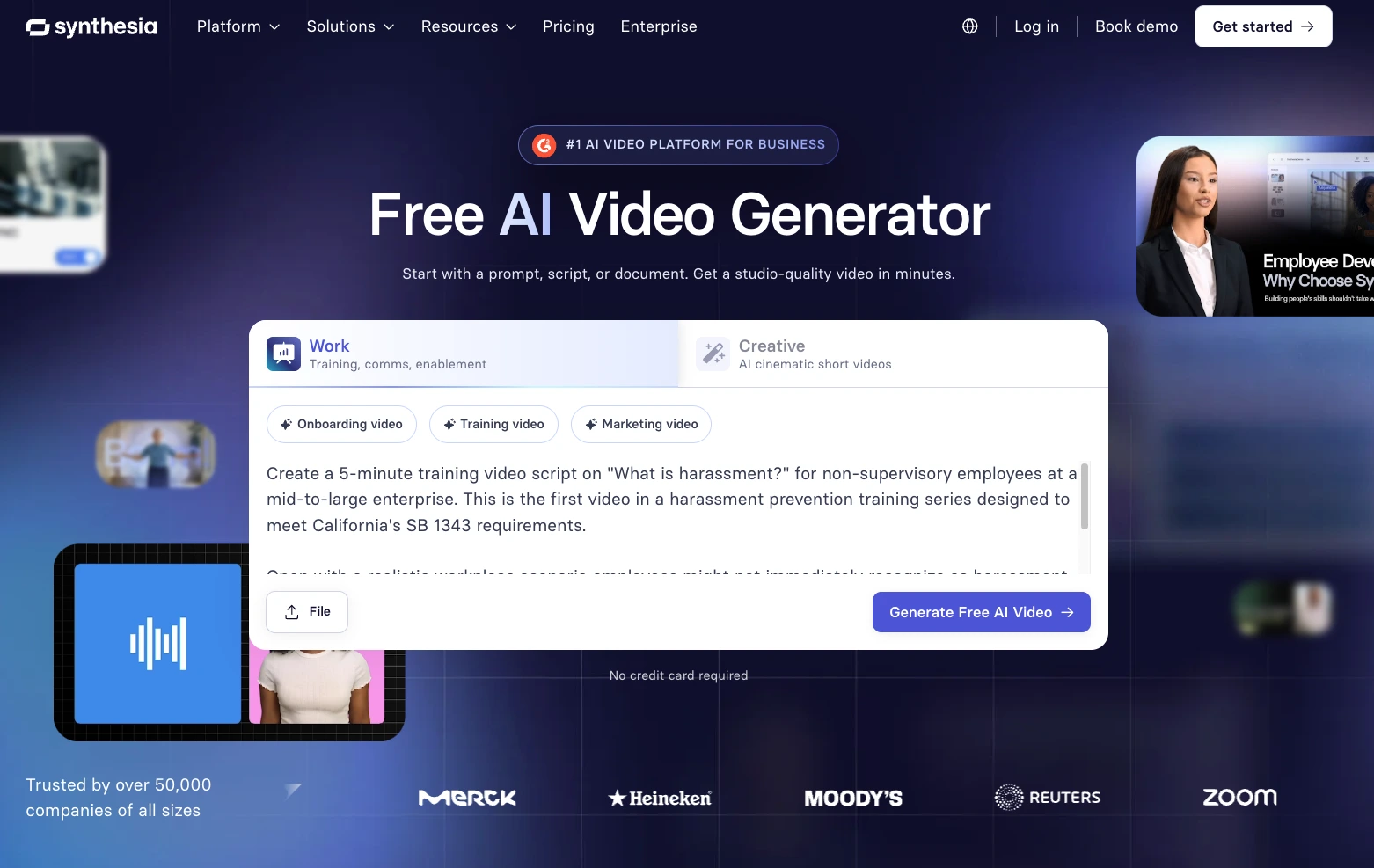
Alternatively, you can start with a prompt, like I’ve done above, or use a template. A template is a fully-customizable structure designed by our team so that you can focus more on the content and less on the design. You can select from our library of 250+ templates or use the one below.
Step 3: Choose your avatar
With a draft ready, it's up to you what to focus on next. Some people like to start with their avatar, since they guide the viewer through the video. You can select one of our pre-existing avatars or even create your own digital twin, dress them in branded clothing, and even set the backdrop as one of your workplaces.
That familiarity matters. Employees are more likely to recognize a situation as relevant if it looks like their workplace. (I've prompted the avatar below to be sitting in our London office. Note the subtly branded mug.)
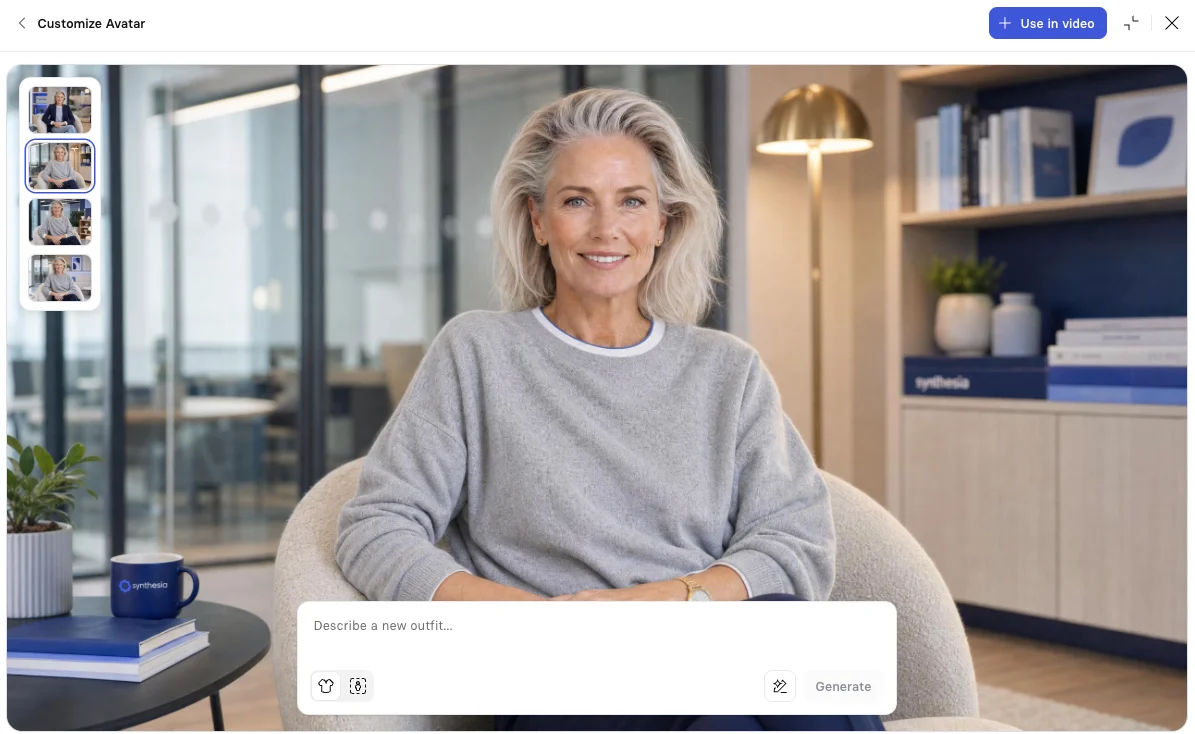
Pay close attention to their accent and pronunciation. If your company has a name like ours, you'll want to standardize how that gets said across your training. And when it comes to tone, consider where a little levity would land well. Our IT compliance training is the first compliance video I've ever watched that made me laugh, and I still remember the content.
You can also go avatar-free and use narration only, whether that's an AI-generated voice or a clone of yours. Having an avatar onscreen adds to cognitive load, so use their presence judiciously.
Step 4. Customize your scenes
Next, you can focus on crafting a genuinely engaging learning experience for your employees. It can be easy to get carried away with Synthesia's features (I know the motion graphics and b-roll are fun), but you want to keep attention focused. Think one idea per scene, and one concept per video.
Consider testing out different forms of interactivity, like scenarios or knowledge checks, in each video. And leverage video as a training medium. You don't need to narrate everything on screen, and you don't need to put everything that's narrated on screen.
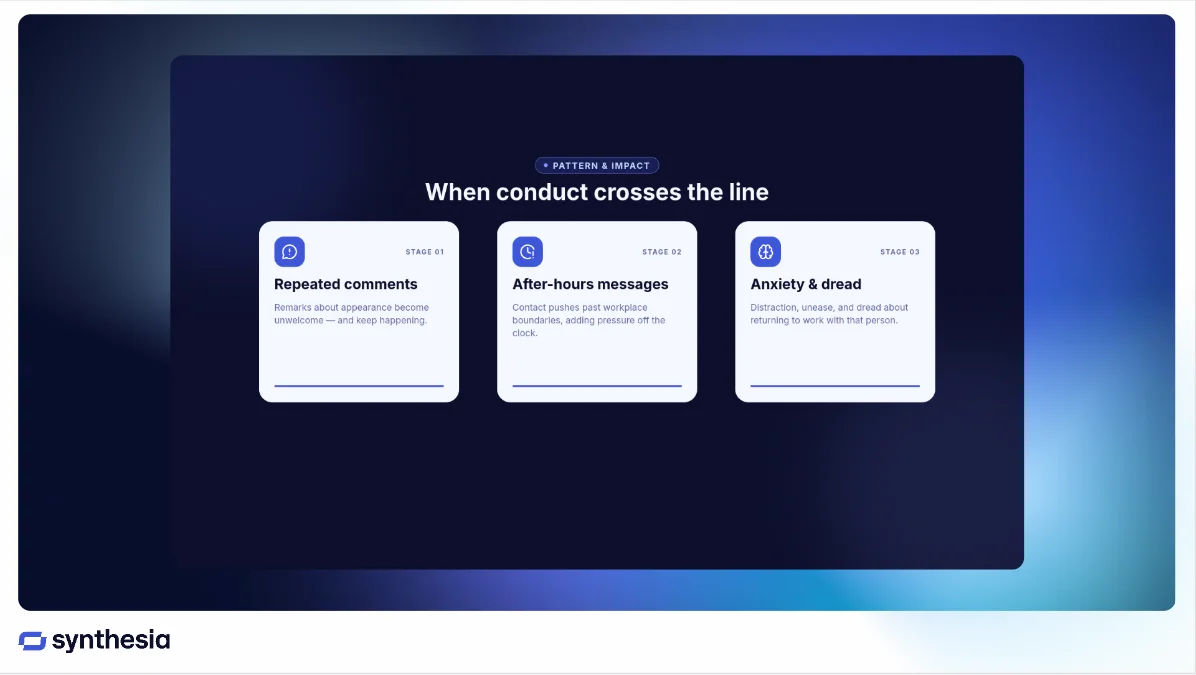
Remember to preview your scenes before generating, double-checking that the flow makes sense.
Some generated assets may appear as placeholders or low-fidelity previews until you generate the final video.
Step 5. Ask for SME approval
Unless you're a subject matter expert in the topic, your final step before publishing is to have someone internally review your work, and formally sign off on it for version control. You're looking for approval on the content's accuracy, clarity, and defensibility.
Questions you may ask an SME include:
- Does the training reflect current regulations and/or internal policies?
- Are the scenarios accurate?
- Does the reporting and escalation guidance reflect our process?
Step 6. Publish and distribute
Once you're satisfied with your video, you'll want to make a few decisions before publishing and distributing it:
- How will you assign the video?
- How will you track completion and other required data?
- How will you update content while maintaining a clear version record for audits?
When you're confident in your approach to managing your training video, you can begin distributing it and measuring impact.
How to scale compliance training videos with AI
Once you've successfully designed your first training video, and validated that it's driving the intended impact, you may want to consider scaling your efforts.
That may feel daunting, and I get it. There's the instructional design to manage, plus the legal requirements and changes in company policies to keep up with, and the documentation to wrangle. But AI is making it possible to sustainably build and maintain training-based compliance programs.
If you want to see how a company used AI video to manage their compliance training, read about St. James's Place, a wealth management firm.
With Synthesia's version control and SCORM packaging, you can maintain a clear audit trail whenever you need to make time-sensitive updates. That means you no longer have to wait weeks for a vendor to provide a cleaned eLearning with the newest version of your company's Code of Conduct policy.
If you want to learn more about how Synthesia can help you transform your compliance training, book some time with the team.
Amy Vidor, PhD, is the Learning and Development Evangelist at Synthesia, where she researches learning trends and helps organizations apply AI at scale. With 15 years of experience, she has advised companies, governments, and universities on skills.
Frequently asked questions
What are compliance training videos?
Compliance training videos teach employees how laws, regulations, and company policies apply to them. An effective training video models desired behaviors and provides resources for where employees can get support.
Why doesn’t off-the-shelf compliance training work?
Off-the-shelf compliance training solutions fail to change behavior because they're designed for everyone, and thus, no one. And in some cases, they're just poorly designed content. I've cringed my way through many hours of mandated training.
How often should compliance training videos be updated?
It depends on the subject, and whether the local jurisdiction, industry regulator, or your company makes a change. (I know, not the simple answer you were looking for.)
If you have access to an AI tool that allows you to create agents or automated workflows, I recommend considering whether you can build something to track updates that could impact you.
Can compliance training videos support audits and reporting?
Yes, although it depends on how you distribute them. You’ll want to download your videos as SCORM packages or use a platform like Synthesia with native data analytics to make sure you have records of which employees completed what training (version and all), and when. File types like mp4s are unable to support this kind of tracking.

.webp)
.webp)