A Guide to Software Training Videos (With or Without AI)

Create engaging software training videos in 160+ languages.
Globally, enterprises are investing an estimated $1.4 trillion in software in 2026. That's an increase of 15% from 2025.
The problem is that much of that spend is wasted, either because employees never (or rarely) use allocated licenses or because there are redundancies in tooling.
The first issue can often be remedied with a training strategy, which includes:
- Change management: why this tool and why does it matter
- Onboarding: how to use the tool
- Enablement: how to use a tool to be more effective and strategic in your role
I see this every day at Synthesia. Software training is one of the most common use cases for our platform. Our customers create training videos covering everything from CRMs and ERPs to HRIS, service management tools, and learning platforms.
Don’t just take my word for it.
As enterprise investments in AI are growing exponentially, consulting firms are producing reminder after reminder about the need for training. BCG even came up with a 10-20-70 rule for AI adoption, recommending that 70% of AI adoption efforts focus on people and processes.
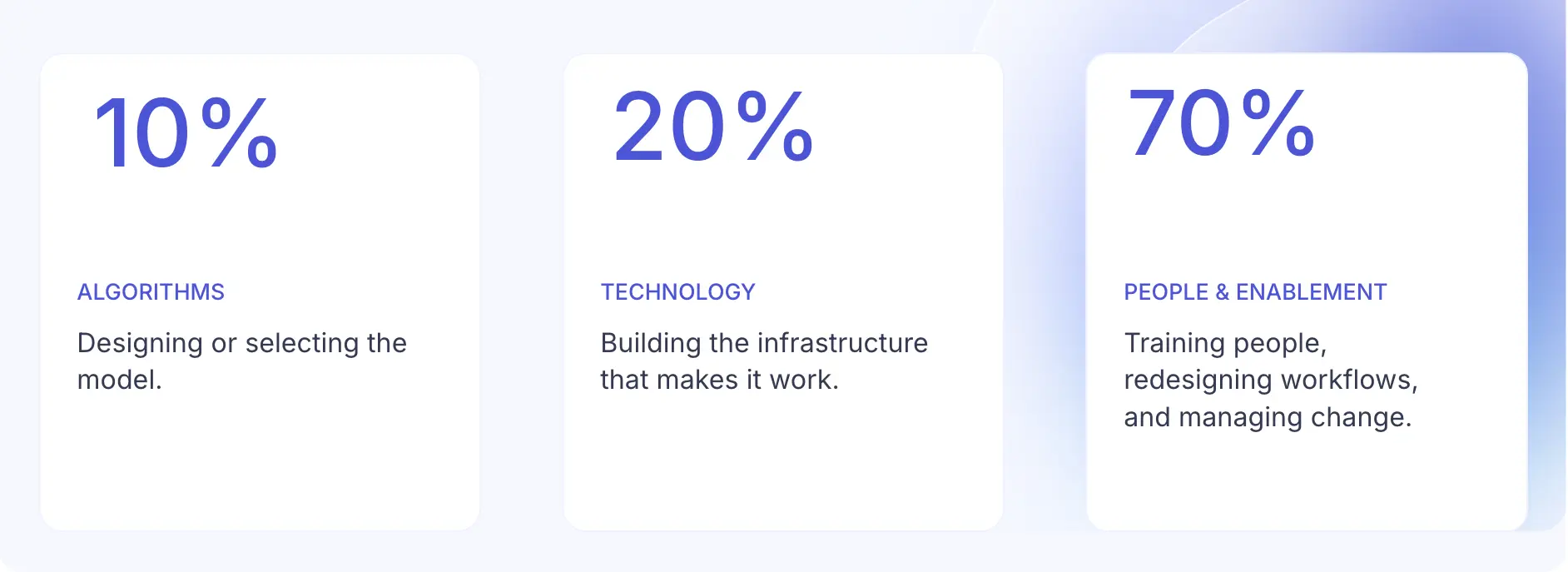
The same principle applies to any technology adoption. If you're going to invest in technology and want to see the ROI, that starts with how people use it in their daily work.
What is software training?
Software training is helping your employees or customers learn how to use a tool to complete specific tasks.
If you work at a tech company, the responsibility of training these different audiences is likely divvied up across IT, L&D, and customer enablement. (At Synthesia, we offer customers access to an Academy where we host training and a Community to connect and share learning.)
When it works, software training does three things for an organization:
- It gives everyone a shared reference for how work gets done.
- It helps new hires get up-to-speed on existing tools.
- It evolves to reflect changes in workflows.
Software is a broad term. I'm specifically referring to any application or platform employees use at work. That can include AI tools.
Why most software training fails
When was the last time you joined a training session to learn about a new tool and left a power user? That's what I suspected.
There are several common mistakes I see when designing a software training plan.
Cognitive overload
Hour-long webinars that are one-and-done rarely drive tool adoption. They tend to lead to cognitive overload, jumping from what a tool is, to how to use it, to open-ended Q&A. People slowly start dropping off the call, and you never get them back on.
Try this instead: Cut up that hour-long webinar into bite-sized pieces (microlearnings). Separate out information that is foundational, like what the tool is and why they need to use it, from more complex workflow demonstrations.
Everything you produce should be easily referenced. That means an employee can quickly surface the answer to their tool-based question, whether that's through a vendor's documentation or the training you create.
One size fits all
If you've ever worked with a CRM, you know there's different roles and permission levels. That's because your Sales, Marketing, Customer Success, and Finance teams all have access to it. And your Account Executive doesn't need the same functionality as your VP of Revenue.
Your training needs to reflect how people use the tools. Otherwise, managers and peers will be left to fill in the gaps for "how [team] uses the [tool]."
Try this instead: Partner with vendors to design foundational content that works for everyone: how to sign in, navigate the interface, and get started. Then, work with internal SMEs to build role-specific training (vendors can help with this part, too).
This training doesn't need to be delivered all at once. Instead, prioritize the so-called "power" users and opportunities to create sandbox learning environments for them to learn.
Not planning for updates
Software and processes change. And when they do, your training needs to keep up. When designing an enablement strategy, you have to anticipate these shifts in your design.
Try this instead: Reduce the amount of work associated with updating a software training. Modularity is one approach that works especially well for software training. By designing in discrete components, it is easier to swap out, say a three-minute screen recording than a 45-minute live training record.
Common types of software training
Software training can be delivered in live sessions, async courses, videos, or even a one-pager. Before deciding on the delivery format, I recommend mapping out the use cases you're training for as well as your audience (be it internal or external). In an ideal world, you'd begin with a product overview and work your way through the list, maybe adding some of your own.
But I know you're likely working in less than ideal circumstances. Perhaps you're pulling together a just-in-time tutorial because someone audited licenses for an expensive tool with a multi-year contract and realized they're woefully underutilized. So they've come to you to pull together a plan. That's okay. Start where you are.
Once you've aligned on the use case for your software training, you can start designing it.
How to design software training videos
Video-based training is one of the most effective formats for software training because it meets people where the work is already happening.
Let's say your People team has rolled out a new performance management tool. Most employees are not going to open it until they need to complete a task, like writing a review. They log in via SSO, and then... they're stuck. (I've been there. I once had a company go through four performance tools in two years, and even I would forget what to do.)
This is a scenario where video is the right medium for your training. When it's 11PM and a manager needs to submit 10 reviews before the midnight deadline, they don't have time for someone from the People Team to get back to them on Slack. They need a step-by-step demonstration of how to navigate the tool and submit their reviews.
To make sure that your software training videos can save even the most frazzled manager approaching a deadline, here are some guiding principles I recommend abiding by:
- A video has one learning outcome. And only one.
Start by filling in the blanks:
After watching this video, [role] should be able to [complete a specific task] in [context], without [common errors or support needed].
- Any content you include in the video contributes to that outcome.
This isn't the time to get creative. Focus on clear demonstrations, whether that's a list of instructions, a screen recording, or high resolution screenshots. Better yet, partner with SMEs who can capture these for you (just be sure to give them precise instructions, so you don't get back a lengthy recording).
- The structure is repeatable and doesn't distract viewers.
Once you find a format you like, stick with it. Don't change up fonts or colors every time, just for variety's sake. Concentrate on delivering a video that someone could revisit if they get stuck, or that you could easily update if something changes.
DIY, production company, or AI platform
Now that you know the foundations of a software video, it's time to figure out how to produce it. That decision comes down to three things: your budget, your timeline, and your team's skillset (and bandwidth). (I bet you thought I was going to say all AI, all the way.)
This is the time to be honest with yourself. What budget and timeline do you really have for this video? And does your team have the skills and capacity to execute it without support?
To illustrate how those impact your production decisions, here are three scenarios for your consideration.
We've put together guides on training video production companies and AI video generators, if you're evaluating vendors.
How to create software training videos with AI
If you're considering creating a software training video with an AI tool like Synthesia, here's what that looks like. Using natural language, you guide the AI Assistant toward the video you want, giving feedback when something isn't working and iterating on a scene until it lands.
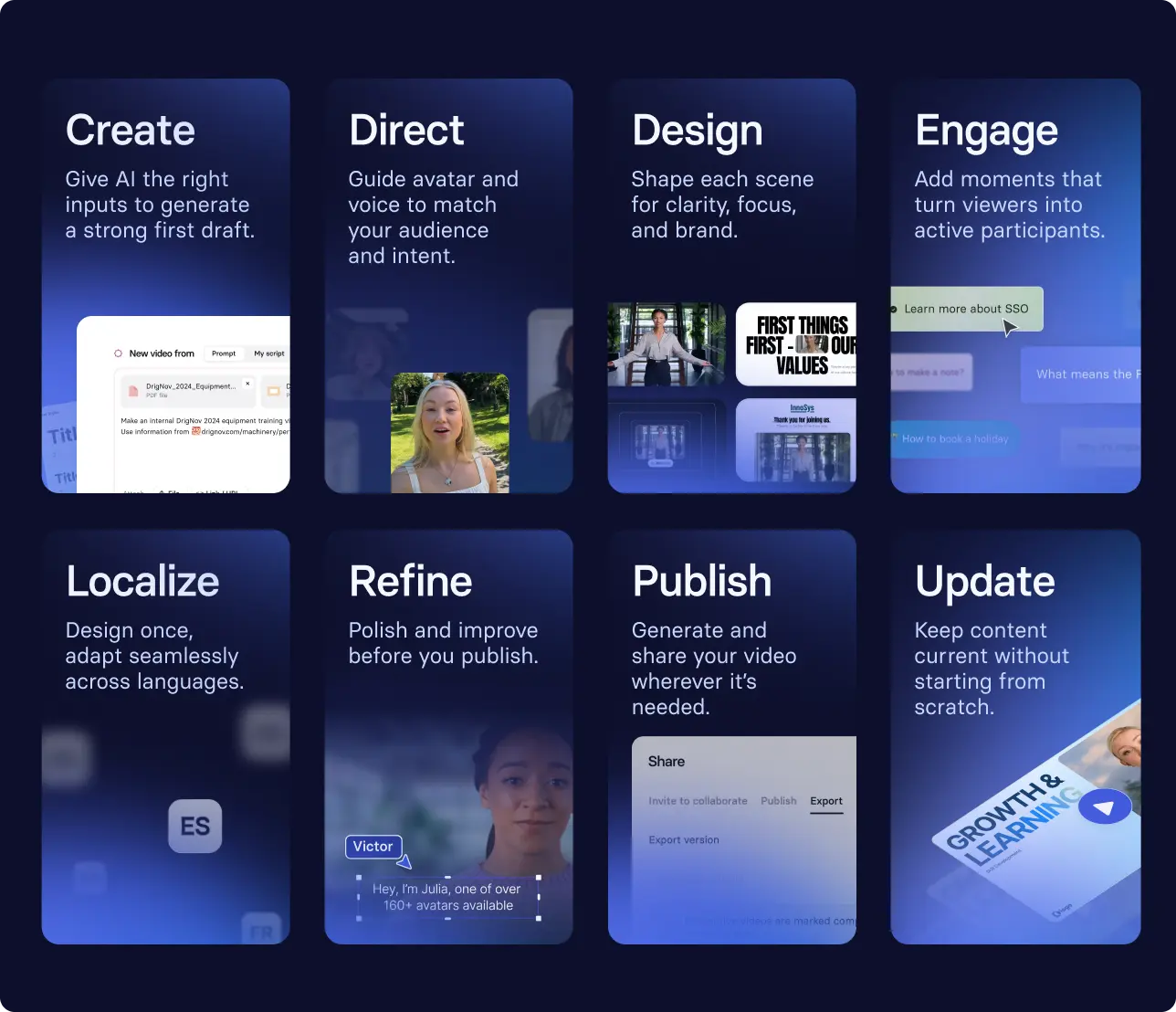
Here's what that looks like:
- Uploading a script or source material (a screen recording, slide deck, or SOP) to the AI video generator to get a first draft
- Selecting an avatar and voice that reflects your work environment
- Adding branching scenarios at key decision points to deepen product knowledge
- Localizing the video into Spanish and Portuguese for your global teams
- Publishing the video and pinning it in a Slack channel dedicated to the tool
- Revising the video when a new product feature launches
Prefer to start with a template?
If you don't have something to upload into our AI video generator, and you're overwhelmed by the blank page, I recommend starting with one of our templates. They've been designed around common training scenarios, including software training, by our team of instructional designers.
Pick one from the template library or try the one below.
Before you publish
Now that you have a well-designed software training ready to go, you can go ahead and publish it, right? Wrong!
You need a surface, security, and stability plan.
When you're making this plan, you're likely going to make some tradeoffs. Let's say you've been tasked with tracking completion rates for compliance reporting (which you can't get out of, no matter how hard you try). Then, you're probably stuck with using an LMS to host a SCORM package with the video.
If, however, your measurement of success isn't tied to data like completion rates, you might have more flexibility. Perhaps you decide to upload an MP4 or pin a link from Synthesia's platform to a dedicated tool Slack channel. That way it's visible in the first place employees look.
How to know if your software training videos are working
I know I'm a broken record at this point, but you need to measure whether your training is meeting its objective. Go back to what you wrote and figure out what evidence you can use to prove it's working.
Depending on your objective, that evidence could be:
- A reduction in IT tickets related to the tool over a specific period of time
- Managers reporting that new hires are adopting tools faster and asking fewer questions in onboarding surveys
- The business reporting improvements in specific metrics, like a reduction in customer service escalations from an AI agent to a human
Your evidence should support one of three things: how well people are adopting the technology, how well they're using it, and how that connects to what the business actually cares about.
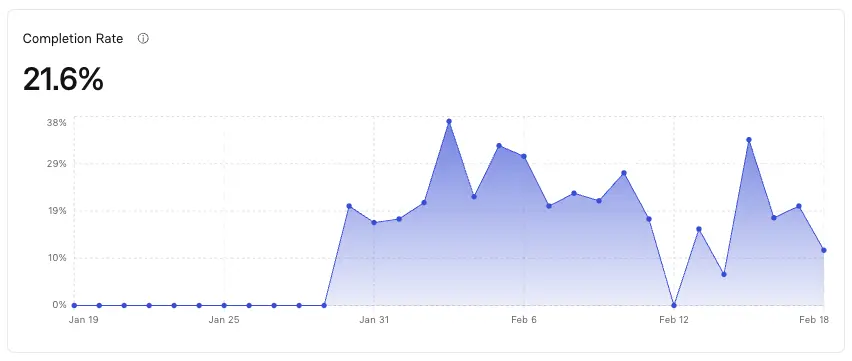
Collecting this evidence means partnering with stakeholders across your organization to complement platform-specific metrics, like those Synthesia offers, with the proof that drives decisions at your company.
Amy Vidor, PhD, is the Learning and Development Evangelist at Synthesia, where she researches learning trends and helps organizations apply AI at scale. With 15 years of experience, she has advised companies, governments, and universities on skills.