



What Is SCORM? A Decision Guide for L&D Teams

Create SCORM-compliant training videos
What is SCORM? Is it a file type? A standard? Something you just upload into an LMS and hope for the best?
If you're like most L&D practitioners, you accepted SCORM as part of the workflow a long time ago, no questions asked. That's fine.
But if you're now being asked to make decisions about it: which version, whether it's still the right choice, how to actually create a package, this is what you need to know. The good, the bad, and the (weird) parts nobody talks about.
What is SCORM?
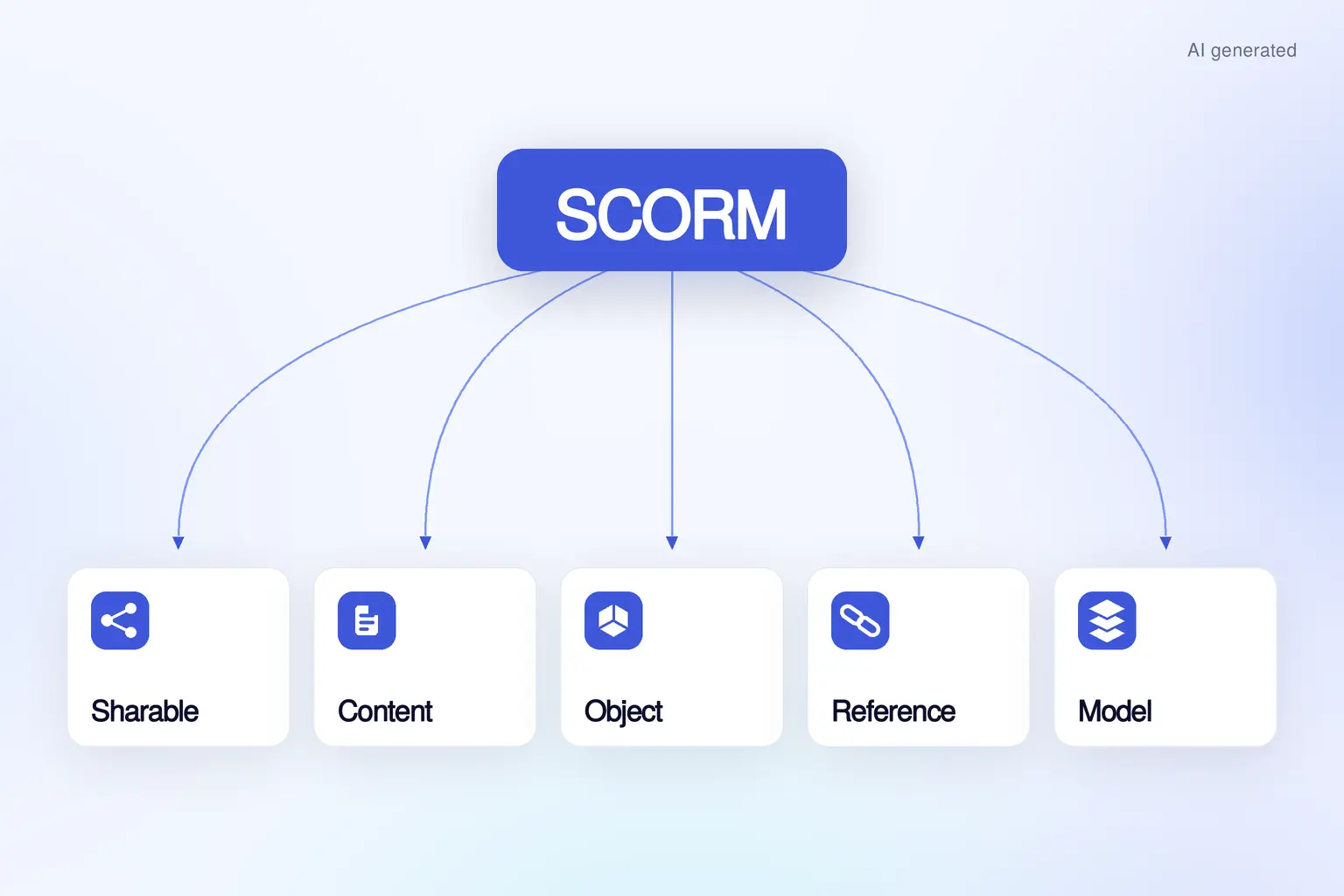
SCORM stands for Sharable Content Object Reference Model. It is a technical standard: a set of rules that defines how eLearning content and LMS platforms talk to each other.
I want you to imagine you handed a 5-year-old an old DVD, and said that you want to play it. The kid goes and gets a CD player (haven’t you heard, “dumb tech” is cool) and tries to play it.
So what happens? The kid hits play and nothing happens. That's a compatibility problem.
And it’s the same problem L&D practitioners faced in the nineties (and still face to this day). The rise of eLearning, LMS, and the World Wide Web led to a new problem: compatibility. Learning Designers painstakingly created courses in authoring tools, only to discover they broke when uploaded to an LMS. The animations didn’t load or a user’s progress didn’t save.
SCORM is the imperfect solution to that problem. It provides a set of rules that define how an eLearning course gets packaged, and then launches in an LMS. It also ensures data like completion, score, and time spent gets recorded.
Did you know? The U.S. Department of Defense’s Advanced Distributed Learning Initiative invented SCORM. They were tired of building digital training that only worked in certain systems, so they tried to make a universal eLearning format. They delivered the first version of SCORM in 2000 (along with the mouthful of an acronym).
How Synthesia supports SCORM
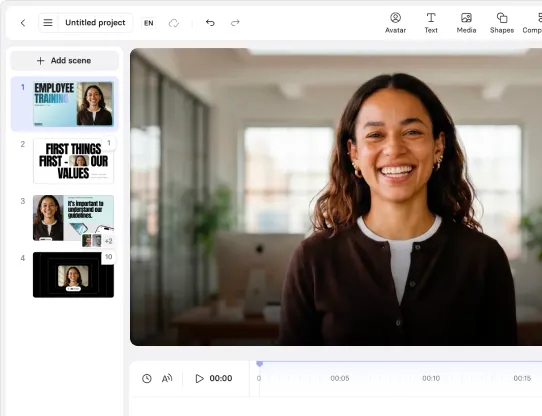
Synthesia supports SCORM packages as a delivery format for training videos. Videos can be exported as SCORM 1.2 or SCORM 2004 packages and uploaded to any SCORM-compliant LMS (note: this feature is available only for our Enterprise plans).
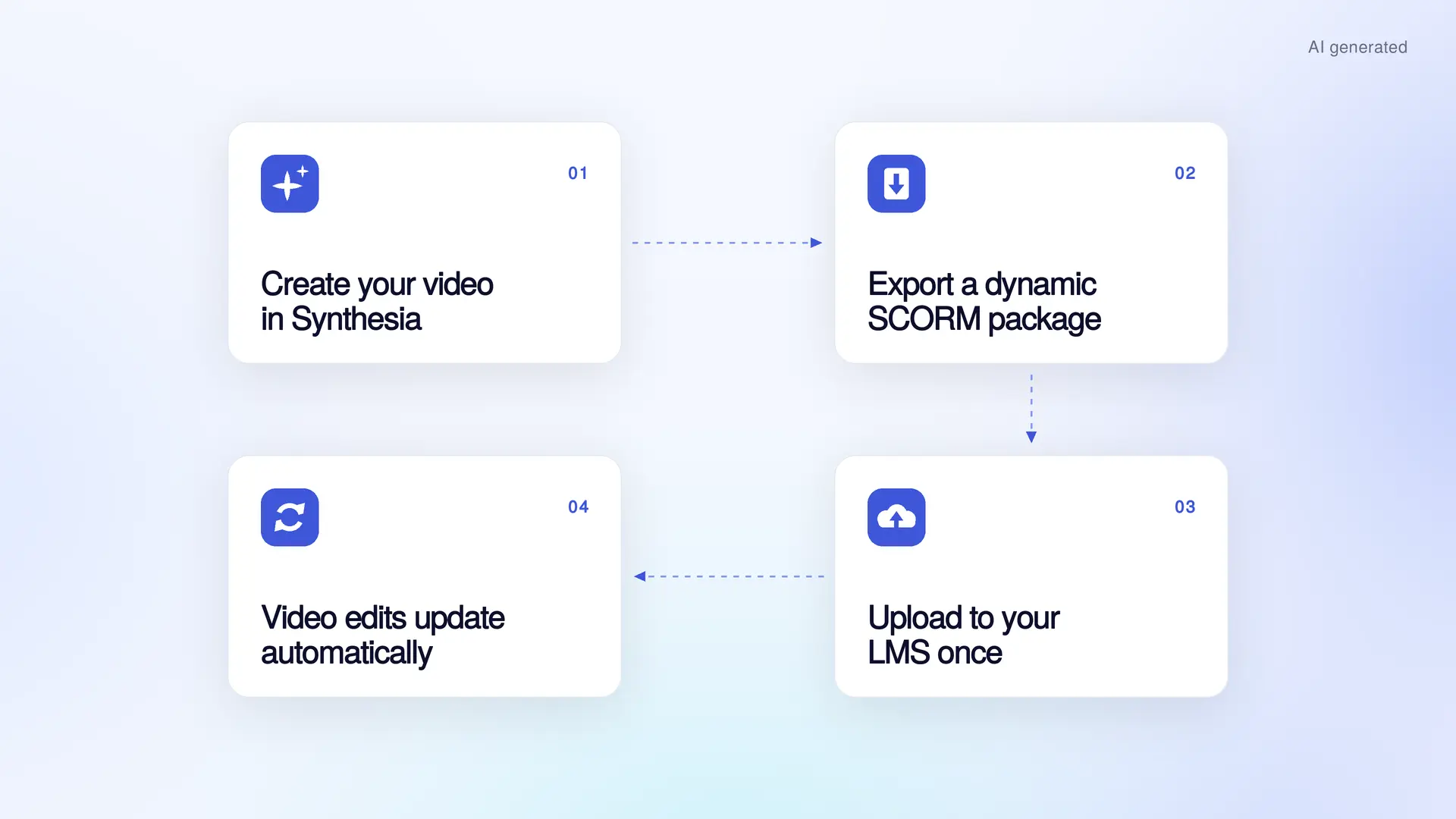
The workflow looks like this: Create a training video in Synthesia, choose SCORM 1.2 or SCORM 2004 as the export format, define your completion rules, download the SCORM package, and upload it to your LMS to assign to learners.
Automatic LMS updates
Traditional authoring tools require you to export and upload a new SCORM package every time you change the content. With Synthesia, you no longer have to do that manual work.
Our dynamic SCORM packages connect to the Synthesia platform cloud, so anytime you publish a new version of a video, it automatically updates in your LMS. If you manage a content library, this is a game-changer.
Localize in 130+ languages
If you need to localize your training video, Synthesia has you covered. A single SCORM package can support videos in multiple languages. Our multilingual video player allows learners to select their preferred language within the same course, with dubbing available in 130+ languages and regional accents on Enterprise plans.
Completion is tracked the same way regardless of which language they choose, so your LMS reporting stays consistent across regions.
How does SCORM work?
In case someone with a technical background is asking...
SCORM defines a standard way for eLearning courses to interact with a Learning Management System. And it covers two things:
- Content packaging and launch
When you download a course from your authoring tool, you get a ZIP file. That ZIP file is the SCORM package with all of the course assets and a manifest file (imsmanifest.xml). The manifest is the instructions for the LMS, telling it what the SCORM package includes and which file to launch first. - Tracking and reporting
Once a learner opens a course in an LMS through their browser, the SCORM package starts collecting data through a JavaScript interface. This allows the LMS to update things like progression and assessment data.
SCORM depends on a browser-based JavaScript API. That means it doesn't work well on mobile.
SCORM 1.2 vs SCORM 2004
For the most part, you’re choosing between one of two versions of SCORM today: 1.2 (released in 2001) and SCORM 2004.
Yes, those names are confusing.
Both versions of SCORM offer content packaging and launch, as well as tracking and reporting. Where they diverge is the depth of their analytics.
SCORM 1.2 covers the fundamentals: things like whether someone completed a course and how long it took them to do so. It covers your garden variety tracking scenarios, and tends to be compatible with most LMSs. Vendors have had over 20 years to implement it.
SCORM 2004 gives you more granularity. It allows you to see interaction data for individual questions or to separate completion data from success metrics. For regulated industries where separate records of course completions and assessment results may be needed, this is the version for you. Just know that because SCORM 2004 had four editions (the third being the most common), there are inconsistencies in how LMSs adopted it.
Which version should you choose?
If you have a choice, I’d pick SCORM 1.2 for its compatibility across tools. If you decide to change an LMS down the line, you don’t want to have to rebuild content. If, however, you work in a regulated industry, it may be worth the investment in SCORM 2004 capabilities for compliance reporting.
Where does SCORM fall short?
We all survived Y2K, so why on earth are we still using something from the millennium? Because SCORM solves a specific problem well. It allows you to run an eLearning course reliably in most LMSs and capture basic data.
If you're looking for more than that, that's where SCORM falls short. Among its notable limitations are:
- Shallow analytics
SCORM can't capture nuances in learner behavior, even foundational data like when someone rewatches a video or drops off in a course. - LMS confinement
Employees only log into an LMS when they're assigned something (if we're lucky). If you're trying to move learning into the flow of work, SCORM won't follow you. - Rigid interactivity
SCORM doesn't support adaptive learning paths. If you're trying to build practice and feedback loops into your eLearning, you can't capture those insights with SCORM. - Painful versioning
Every time you update an eLearning module, you have to download and re-upload a new SCORM package into your LMS. The content itself lives in the ZIP file and has to be edited in your authoring tool first.
Ultimately, the decision around whether to use SCORM is really an exercise in change management. If you have a robust content library that you plan to keep up to date, and it is all SCORM packages, moving away is a significant undertaking.
What are alternatives to SCORM?
If you’re interested (and I am) in the concept of a headless learning platform, then SCORM alternatives may be an option to consider. A headless learning platform allows you to separate out how the content is delivered from the back-end Learning Record Store (LRS).
A headless platform delivers content via APIs, which means you have options for where to put it. In a Slack channel, on an intranet, in a company app – the options are nearly endless.
xAPI (Experience API)
If you identify somewhere on the spectrum between luddite and tech-curious, you may have heard the term API. An API, or application programming interface, is a connection between one piece of software and another. For example, at Synthesia, we have customers who want to create videos from a dataset in a spreadsheet, so we have an API that allows you to generate a video from inside Google Sheets.
The same organization that created SCORM commissioned xAPI as a SCORM successor. Released in 2013, it allows any system to send a structured statement to an LRS.
If that sounds like gobbledygook, here's what it means. Let's say you share a video training with employees via Slack. You can decide what data would be helpful to collect, structured as subject-verb-object statements: "James stopped watching the video at minute 5."
Those statements give you richer data analytics. With specific structured statements, you can also collect data that gets closer to measuring behavioral change.
cmi5
cmi5 was released in 2016 to bridge SCORM and xAPI. It uses xAPI for data tracking, but adds back the structured course launch and completion rules from SCORM. Let's say you want the freedom and depth of xAPI, but still need structured course launch and completion rules. cmi5 offers the best of both worlds.
AICC
AICC predates SCORM. (Truthfully, I've never encountered it.) It shares data with an LMS over HTTP, instead of JavaScript. Some older LMSs support it still.
Choosing between standards
If you're still tethered to an LMS, stick with SCORM. Estimates put the share of corporate training content delivered via SCORM at somewhere between 60 and 80 percent. If you're building something more ambitious, or your learning strategy is starting to extend beyond the LMS, xAPI or cmi5 may give you the infrastructure to support it.
How to create a SCORM package
You need two things to create a SCORM package:
- An authoring tool that supports SCORM exports
- An LMS that supports SCORM imports
You build your eLearning in your authoring tool, set your completion criteria, and export it as a ZIP file. Upload that into your LMS and you're done.
Our eLearning authoring tools guide can help you evaluate tools that support SCORM.
The future of SCORM
I'm not in the prediction business. If I were, I certainly wouldn't be writing about the "death of SCORM," a hot topic in the mid-2010s.
L&D has historically put up with technology hand-me-downs. We invest in platforms that are clunky and frustrating, then find ways to make them work because changing systems is too hard.
Moving forward, I would like to see L&D push back against this mindset. Don't settle for mediocre tools. Expect more of your tools — the rest of your business certainly does. Whether you choose to embrace a headless learning platform, AI-native learning tools, or rethink your tech stack entirely, I would recommend a shift in perspective. Instead of thinking tool-first, consider what the ideal learning delivery would be for your employees or customers.
As long as we're constrained by outdated tracking standards, we'll be stuck with mediocre data. If your ambition is to drive the business forward, then you need something more than SCORM.
Amy Vidor, PhD, is the Learning and Development Evangelist at Synthesia, where she researches learning trends and helps organizations apply AI at scale. With 15 years of experience, she has advised companies, governments, and universities on skills.
Frequently asked questions
What does SCORM stand for?
SCORM stands for Sharable Content Object Reference Model. It is a technical standard: a set of rules that defines how eLearning content and LMS platforms talk to each other.
It allows you to create content in one platform and publish and distribute it in another. SCORM tracks basic learner data like completion, score, and time spent, though it doesn't capture deeper interaction data within the content itself.
What is a SCORM file?
A traditional SCORM file is a ZIP package of course assets, bundled together with a manifest file. The manifest file tells an LMS what's inside the package and which file to launch first.
A dynamic SCORM file is a ZIP package of only text files. These lightweight wrappers (a manifest file and API launch scripts) direct your LMS to content that lives in the cloud of your authoring tool.
Does Synthesia support SCORM?
Yes, on our Enterprise plans. Synthesia videos can be exported as dynamic SCORM 1.2 or SCORM 2004 packages and uploaded into your LMS.
Our exports are dynamic, meaning that they load the hosted video using an HTML launcher with an iframe pointing to the video hosted on our platform.
What happens if I update a video in Synthesia that's already live in a SCORM package?
Because we use a dynamic SCORM, any updates to your video will automatically show up in your LMS. You will not need to re-export or re-upload a new SCORM package every time you make an update to a video in Synthesia.
Can Synthesia SCORM run offline?
We recognize that Enterprise customers working in secure or offline environments may not be able to run dynamic SCORM packages. Our team is committed to working with you to find a solution that fits your environment. Reach out to share more about your setup.