




The 5 Best AI Video Tools for Training & Onboarding in 2026

Create AI videos with 240+ avatars in 140+ languages
Summary
- Synthesia — Best overall for scalable training and onboarding. Combines AI video creation, multilingual workflows, interactivity, analytics and enterprise controls.
- Colossyan — Best alternative for L&D-focused course authoring. Offers quizzes, branching, SCORM export and completion analytics in a training-focused platform.
- HeyGen — Best for translating existing presenter-led training. Strong real-person video translation, voice cloning and realistic custom avatars.
- Elai — Best for teams already using Panopto. Training-focused avatar video creation within the Panopto video-learning ecosystem.
- Vyond — Best for animated training scenarios. Combines animation tools with AI-assisted creation for teams that want character-based storytelling rather than a presenter-first format.
Synthesia is our top pick for scalable employee training and onboarding. Colossyan is a strong alternative for L&D-focused course authoring, HeyGen suits teams translating existing presenter footage, Elai fits Panopto-based workflows, and Vyond offers an animation-led approach to training.
Creating your first training video is only part of the job.
When a policy changes, someone needs to update it. When a new office opens, someone needs to translate it. When the video becomes part of mandatory onboarding, someone needs to deliver it through an LMS and track completion.
That is why the best AI video tool for training is not necessarily the one with the most impressive avatar demo. It is the one that fits the programme around the video.
This guide compares five tools against that broader job: creating useful training content, keeping it current, delivering it to learners and managing production as your needs grow.
Tools and prices at a glance
The order below reflects our editorial recommendation for training and onboarding—not a numerical benchmark.
Which tool should you choose? A decision table
Why we judge tools this way
A one-off welcome video and a company-wide onboarding programme have different requirements.
For a single video, the immediate priorities might be ease of creation and presenter quality. For a programme, the questions get broader:
- Can multiple teams create content consistently?
- Can you maintain terminology across translated versions?
- Can learners answer questions or follow branching scenarios?
- Can you track completion in your LMS?
- What happens to production costs when scripts need repeated edits?
Our recommendation prioritises those ongoing requirements, while recognising that some teams need a narrower tool.
How we evaluated these AI training video tools
This comparison is based on internal competitor research, including documented capabilities, plan restrictions and field observations. It is not a hands-on benchmark.
We considered six areas:
Rather than assign artificial scores, each review explains where the tool fits and what could make it the wrong choice.
The two factors that decide the choice
1. Are you making individual videos or maintaining a training programme?
The distinction matters because production does not stop at the first export.
Synthesia’s strongest fit is a multilingual, governed programme that needs regular updates and measurement. Colossyan also addresses the broader learning workflow through course authoring, quizzes, branching and LMS delivery.
For smaller or more specialised jobs, a different tool may be appropriate: translating recorded presenters with HeyGen, creating within a Panopto workflow with Elai, or building animated scenarios with Vyond.
2. What does the price include once the content changes?
A subscription price is not the same as the cost of running a training library.
Our research identifies several different constraints: HeyGen’s credit consumption and regeneration charges, Colossyan’s self-serve minute and SCORM-export limits, and Elai’s render-time minute consumption. Synthesia offers unlimited minutes on Enterprise, while some training features are also gated to that plan.
The useful question is not just “How much is a seat?” It is “What will our real production and update workflow cost?”
1. Synthesia: Best overall for scalable training and onboarding
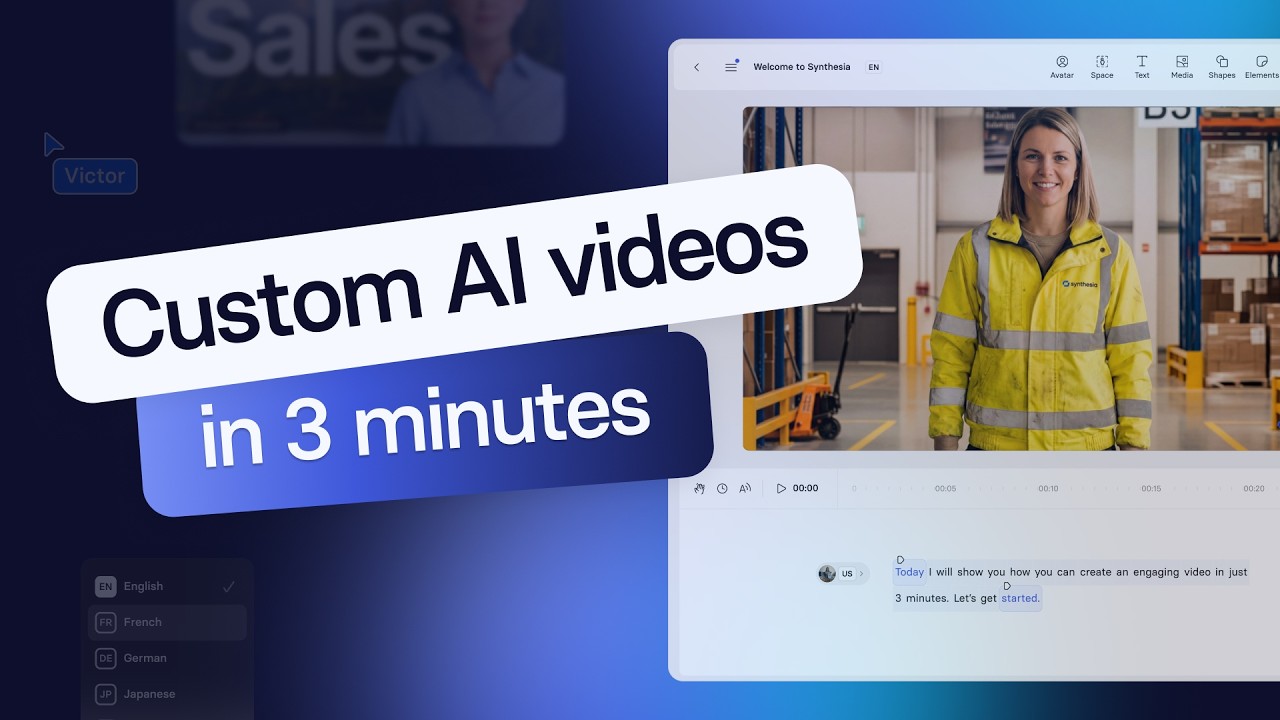
Quick summary
- Best for: Multilingual employee training and onboarding programmes
- Standout capabilities: Translation Glossary, interactivity, video analytics and enterprise controls
- LMS delivery: SCORM on Enterprise
- Key plan distinction: Interactivity from Creator; unlimited minutes and Translation Glossary on Enterprise
Synthesia is our top recommendation for teams that need to create and maintain training across departments, languages and locations.
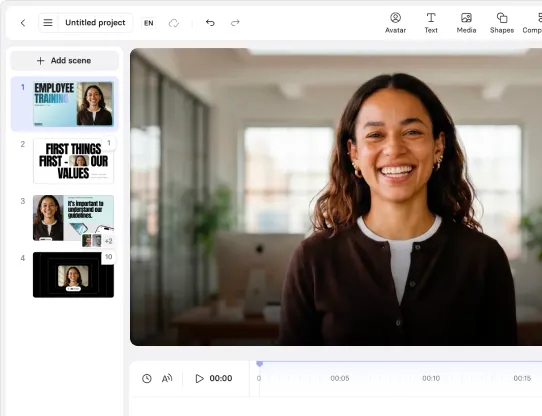
Its training workflow combines AI video creation with one-click translation, PowerPoint and PDF conversion, interactivity and video analytics. Enterprise capabilities include terminology control through Translation Glossary, SCORM export and security controls such as SSO and SCIM.
The value is not simply producing a presenter-led video without filming. It is managing the work around that video: keeping translated terminology consistent, delivering content through an LMS and supporting production across teams.
Synthesia also offers Video Agents for live role-play, extending its training use beyond recorded playback.
Where it falls short: Some important training capabilities require Enterprise. And if the entire job is translating existing footage of real presenters, our research identifies HeyGen as the stronger fit.
Customer example: BD Rowa reported 75% faster content production, reducing creation time from more than 10 hours to three hours per training video. Its technicians could access short videos in their own language through the BD Learning Center.
Pros
- Multilingual production with terminology control
- Interactivity, analytics and LMS delivery
- Enterprise collaboration and governance
- Unlimited video minutes on Enterprise
Cons
- SCORM and Translation Glossary are Enterprise features
- A broad platform may exceed the needs of a small, low-volume team
- Not the strongest choice when translating existing human footage is the whole requirement
2. Colossyan: Best alternative for L&D-focused course authoring

Quick summary
- Best for: L&D teams and instructional designers
- Pricing: Professional at $59/month billed annually; Enterprise custom
- Standout capabilities: Quizzes, branching, SCORM and completion analytics
- Key restriction: Professional includes five SCORM exports per month
Colossyan is the most direct training-focused alternative in this comparison.
Its product combines AI video with in-video quizzes, branching scenarios, completion analytics and LMS integrations. Its Cora planning agent can turn a PDF, deck, URL or script into a video plan.
That makes it worth considering when the central requirement is authoring structured learning content rather than producing standalone videos.
Our research also records course-building functionality as a reason for a competitive loss. That is an important distinction: Colossyan’s appeal is not only lower pricing; its learning workflow can be decisive.
Where it falls short: Professional limits production to 30 NEO minutes and 10 NEO2 minutes per month, a maximum of three editors and five monthly SCORM exports. The current research records 80 languages, compared with Synthesia’s 140-plus.
Pros
- Training-focused authoring and delivery
- Quizzes, branching and completion analytics
- AI-assisted planning from existing materials
- Positive user feedback on support and ease of use
Cons
- Self-serve limits on minutes, editors and SCORM exports
- Narrower language coverage than Synthesia in the research
- Conversational avatars remain described as early access
3. HeyGen: Best for translating existing presenter-led training
Quick summary
- Best for: Teams localising recorded human presenters
- Pricing: Creator $29/month; Pro $49/month; Business $149/month plus $20/seat
- Standout capabilities: Real-person video translation, voice cloning and custom avatars
- LMS delivery: SCORM and LMS export from Business
HeyGen is particularly compelling when you already have training footage and want to adapt it for another audience.
Our research identifies translation of real-person footage as a genuine strength, alongside Avatar V realism and fast custom-avatar creation. It also notes that avatar quality is close to parity and that some buyers prefer HeyGen’s output.
HeyGen should not be dismissed as a creator-only tool. It offers SCORM and LMS export from Business and has added enterprise brand controls, including admin-locked brand kits and template locks.
Where it falls short: Cost predictability is a recurring concern in the research. Credits are consumed by finished minutes and regenerations, with higher consumption for premium models and some additional production features.
Pros
- Strong translation of existing presenter footage
- Realistic avatars and fast custom-avatar creation
- SCORM support from Business
- Growing enterprise brand controls
Cons
- Revisions and premium models affect credit consumption
- Repeated updates can complicate budgeting
- Its broader video capabilities may be less focused on the full training-programme workflow
4. Elai: Best for teams already using Panopto
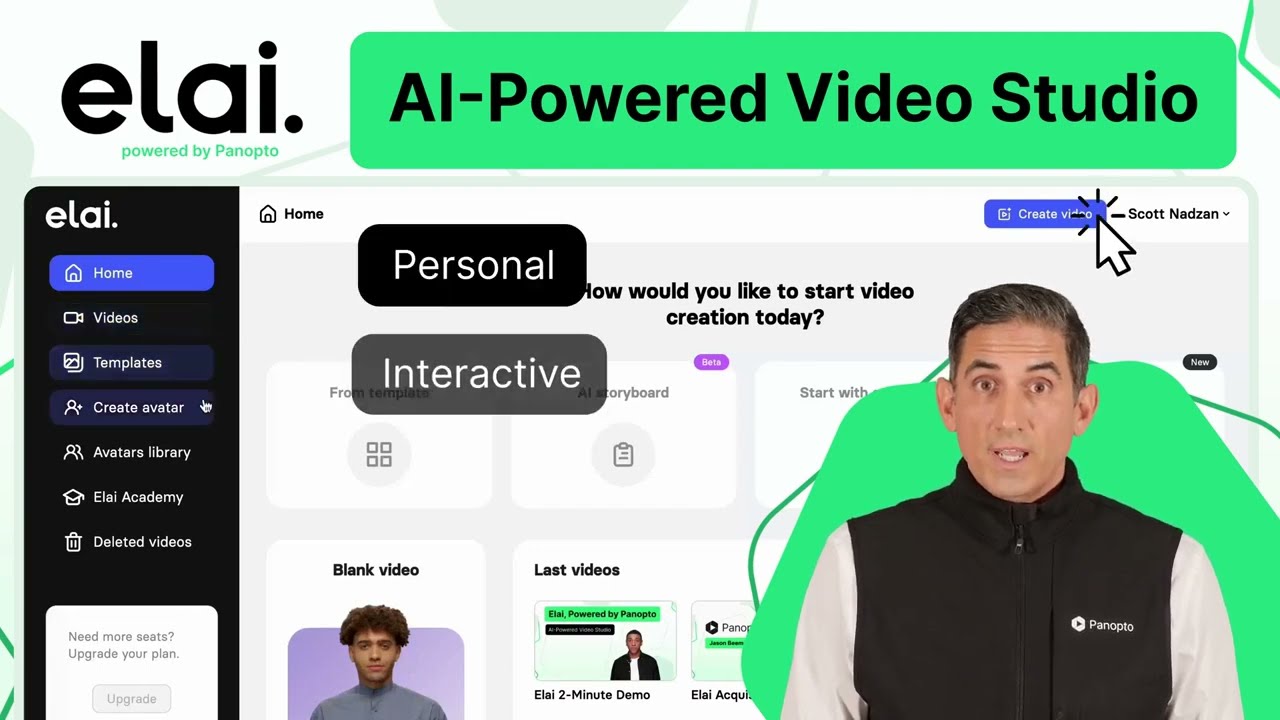
Quick summary
- Best for: Panopto-based training teams
- Pricing: Creator $29/month; Team $125/month, with annual discounts
- Standout capabilities: Text/URL-to-video, editable PowerPoint uploads and quizzes
- Key restriction: Lower plans have render-time minute limits
Elai is a training-focused AI video platform that converts text or URLs into videos with digital presenters.
Following its acquisition by Panopto in October 2024, it became part of a wider video-learning ecosystem. That makes it a relevant option for teams already using Panopto and looking to add AI video creation to that environment.
The research highlights editable PowerPoint uploads, in-video quizzes, translation and voice cloning. It also records brand kits and SSO from the Team plan.
Where it falls short: Creator includes 15 minutes per month. Minutes are consumed at render time, including re-renders, and unused monthly minutes do not roll over. The card describes collaboration as basic and SCORM support as limited.
Pros
- Natural fit for Panopto-based workflows
- Training-focused digital presenters
- Editable PowerPoint uploads and quizzes
- Multiple plans for smaller teams
Cons
- Lower-plan minute caps constrain production
- Re-renders consume minutes
- More limited collaboration and SCORM capabilities in the research
5. Vyond: Best for animated training scenarios

Quick summary
- Best for: Animation-led training and character-based explanations
- Pricing: Starter $699/year; Professional $1,199/year; Enterprise $1,649/year
- Standout capabilities: Animation tools and AI-assisted video creation
- Creative distinction: Not limited to a presenter-led format
Vyond offers a different approach to training video.
Rather than choosing a tool primarily for a realistic presenter, teams can use Vyond’s animation-led workflow to build character-based scenes and visual explanations. Its research card documents cartoon characters, motion paths, charts and diagrams, while recent updates cover AI-assisted creation through Vyond Turbo.
The latest intel says Turbo supports animated or realistic narrators, auto-generated music and voice-creation features. That makes “traditional animation software” an incomplete description of the current product.
Where it falls short: Its animation workflow can still represent a production barrier for some teams. Field observations describe customers retaining Vyond for motion graphics while choosing other tools for scalable AI video production.
Pros
- Animation-led alternative to presenter videos
- Character-based scenes and visual explanations
- AI-assisted creation through Turbo
- Tools for more controlled visual storytelling
Cons
- Animation can add production work
- May serve as a complementary tool rather than the central training platform
- Less direct fit when the priority is rapid presenter-led production
What a training video programme costs
The research does not provide enough consistent information to calculate the same annual production scenario across all five tools.
It does, however, identify what buyers need to include in a cost comparison:
A practical comparison should price your planned output and your expected updates—not just your first month of creation.
Which tool fits the work you are doing?
By training format
- A multilingual onboarding programme: Start with Synthesia.
- Structured video learning with quizzes and branching: Compare Synthesia and Colossyan.
- Existing footage of real presenters: Consider HeyGen.
- Training within a Panopto environment: Consider Elai.
- Animated scenarios and visual storytelling: Consider Vyond.
By team requirements
- Multiple departments, governance and regular updates: Prioritise the full production lifecycle.
- A small team making occasional videos: Compare lower-tier allowances against actual output.
- An established LMS workflow: Check SCORM availability and export restrictions before choosing a plan.
- A global workforce: Evaluate terminology consistency and the languages your learners actually need.
By existing content
- Documents and decks: Synthesia supports PowerPoint/PDF conversion; Colossyan’s Cora drafts video plans from existing materials; Elai supports editable PowerPoint uploads.
- Recorded presenters: HeyGen’s real-person translation is its strongest fit.
- Animation assets and character-led content: Vyond offers the most distinct creative workflow in this shortlist.
The bottom line
Synthesia is our best overall pick for training and onboarding programmes that need to scale. Its strongest case is the complete workflow: creating content, localising it consistently, adding interactivity, delivering it through an LMS and managing it across teams.
The alternatives each have a clear role. Colossyan merits a close look for course authoring. HeyGen is compelling for translating existing presenters. Elai fits Panopto-based environments. Vyond offers an animation-led approach.
Choose for the training programme you need to run—not just the first video you want to make.
Kevin Alster is a Strategic Advisor at Synthesia, helping enterprises apply generative AI to learning, communication, and performance. With over a decade in education and media, he’s built programs for General Assembly, NYT School, and Sotheby’s.
Frequently asked questions
What is the best AI video tool for employee training?
Synthesia is our top overall recommendation for scalable training. It combines multilingual video creation, interactivity, analytics, LMS delivery and enterprise controls. Colossyan is a strong alternative when L&D-focused course authoring is the central requirement.
Is Synthesia or HeyGen better for onboarding videos?
For creating and maintaining multilingual onboarding programmes, we recommend Synthesia. For translating existing footage of real presenters, HeyGen is the stronger fit identified in our research.
Which tools support SCORM export?
The research records SCORM on Synthesia Enterprise, HeyGen Business and above, and Colossyan Professional with a monthly export limit. Elai’s SCORM support is described as limited.
Which tool is best for animated training videos?
Vyond is our animation-focused choice. Its character and animation tools provide a different format from presenter-led AI video, with newer AI-assisted creation capabilities through Turbo.
Which tool should Panopto users consider?
Elai is a natural candidate because it is owned by Panopto and positioned within its video-learning ecosystem.
What is the most common mistake when comparing AI training video tools?
Comparing entry prices without checking the plan needed for the real job. Minutes, revisions, seats, SCORM exports and enterprise-only capabilities can all change the comparison.

.jpg)

.webp)



