




Digital Humans: How to Create Them (+14 Editable Examples)

Create AI videos with 240+ avatars in 160+ languages.
A digital human is a computer-generated representation of a person that is designed to look, move, and talk like a real human being.
The terms "digital human" and "AI avatar" tend to be used interchangeably, and in my opinion essentially mean the same thing.
Here's an example:
In this post, I'm going to cover how digital humans work, where to use them, and how you can create one.
I'll also give you a wide variety of examples that you can copy and use for whatever project you want.
How does the technology work?
Digital humans are typically made using AI-generated video, using two types of AI video generation.
Text-to-video
Digital humans use text-to-video technology to generate a video of an AI avatar performing a script that is inputted by the user.
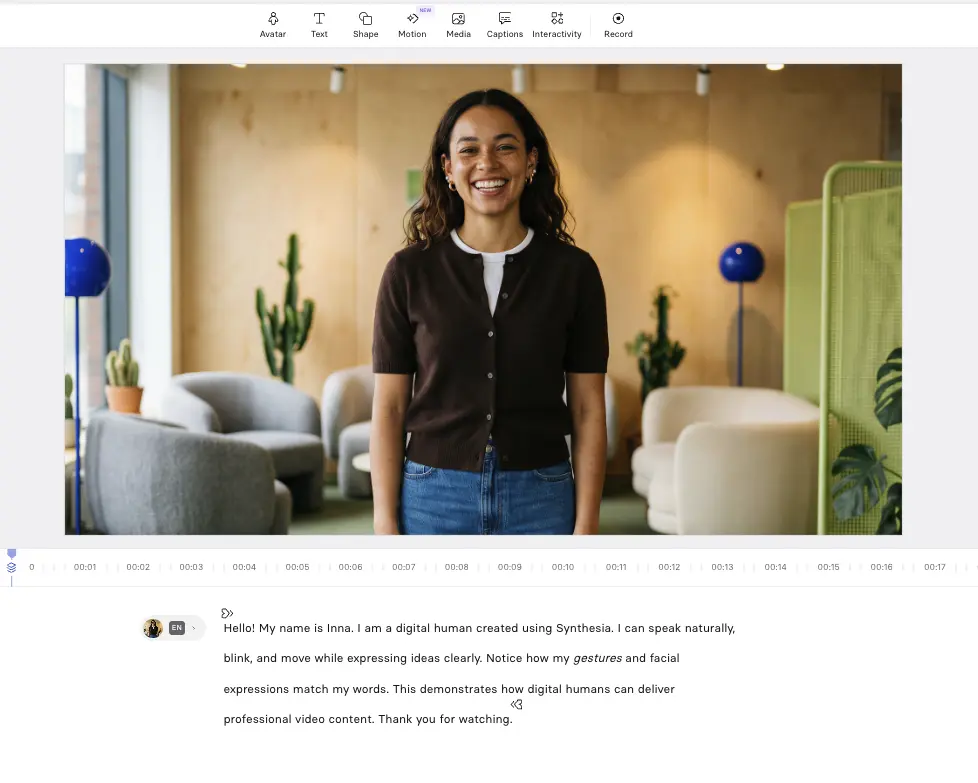
Image-to-video
Digital humans use image-to-video in the creation process.
The most common example of this is when a user wants to make a custom digital human that looks like them, which involves uploading a photo and the AI video model creating a digital human from the photo alone.
Where are digital humans used?
The digital human economy is projected to exceed $125 billion by 2035, but there's a wide range of use cases where digital humans are being deployed right now.
Here are the most common:
- Corporate training and enablement: Digital humans are widely used in video-based training, onboarding, SOP walkthroughs, and roleplay sessions.
- Marketing: Digital humans are often used as presenters in explainer videos and in UGC-style performance marketing ads for social media.
- Internal communications: Digital humans are increasingly used for internal communication videos including leadership updates, policy changes, and other company announcements.
- Customer support: Digital humans can be used to scale self-serve customer support content like video knowledge bases and FAQ videos.
- Localization: Digital humans can speak any language you want, so they have been found to be useful for translation and localization for global teams and customers.
- Customer service: Digital humans that are real-time and interactive have found a use as front-line customer service agents that are always available and are powered with full access to the context of an organization's internal information.
What are the benefits of using digital humans?
Digital humans are popular because they can help to:
- Build a connection: They give your audience a face to identify with and build a more personal connection, which can help establish trust, credibility, and authority — and ultimately improve information retention.
- Improve comprehension: Significant amounts of information come from subtle cues in a person's facial expressions and body language. This additional information can help to reinforce the video's message to a viewer and can result in a more impactful video.
- Increase engagement: A digital human gives your audience another reason to pay attention to your video script and narration, which can help keep your audience engaged and interested in the video — your audience is more likely to pay attention when they can see a face.
Digital human examples
Synthesia is an AI video platform that offers a wide variety of digital human video templates powered by highly realistic AI avatars.
The examples below are some of my favorite templates.
If you see one you like, you can click Edit video template, sign up to Synthesia (for free), and then use the template to create your own digital human.
1. Training video
Digital humans can work well for training and education videos because they feel similar to the dynamic of the classroom where learners are accustomed to receiving instruction from a visible instructor.
2. Interactive quiz video
A digital human can work really well in interactive videos as the talking head can guide the participant through the experience and provide feedback in a way that feels more conversational and less like a test.
3. Product demo video
A digital human can act as a guide in a product demo video and walk the viewer through the different features and workflows that you want to highlight. I also think that adding this human layer is preferable to using screen recordings alone.
4. Sales outreach video
I think there's a really good case for using digital humans in sales outreach videos.
A digital human makes the message you're trying to communicate to your prospect feel much more personal than text or slides.
I think it's much more powerful if the digital human looks like you (assuming you are doing the pitching), which is easy to do with Synthesia's custom avatars that you can easily generate from a single photo.
5. Business presentation video
A digital human can add clarity and structure to a corporate update or business presentation and make the video feel more like a live meeting or an all-hands presentation.
6. Knowledge base video
Knowledge base videos can benefit from using the digital human video format because the avatar can help make otherwise static information feel more guided and easier to absorb.
7. Recruitment video
A digital human can be useful in recruitment and HR video content because seeing a person speak can help candidates and employees better understand who they are hearing from.
I think this is another example of a video type that benefits from using custom avatars that look like the person giving the message.
8. Social media video
Digital human videos are huge in social media contexts because they instantly build a personal connection in a way that feels native and natural to the platform.
UGC-style digital human videos make up a significant proportion of all video content on social media and work really well at capturing attention in fast-scrolling feeds.
9. Educational video
Like with training videos, a digital human works really well in educational videos because the presenter can support explanation of complex topics and provide a sense of continuity across lessons.
10. SOP video
SOP videos (or standard operating procedure videos) often feature a digital human that introduces each step and guides the viewer through the process, and this helps make the procedure easier to follow and remember.
11. Marketing video
Digital humans are often used as presenters in explainer videos and in UGC-style performance marketing ads for social media.
12. Onboarding video
Onboarding videos are a natural application of the digital human video format as the avatar can create a welcoming first impression and set expectations for the new employee.
13. Microlearning video
In microlearning videos a digital human can deliver a short and focused explanation that is easier for the learner to digest. A human presenter can naturally introduce a bite-sized concept, provide quick context, and reinforce key takeaways.
14. Company culture video
A digital human can be used in company culture videos to help convey the company's values, mission, and ways of working with a more human touch.
How do you make a digital human video?
Step 1: Go to Synthesia's AI video generator
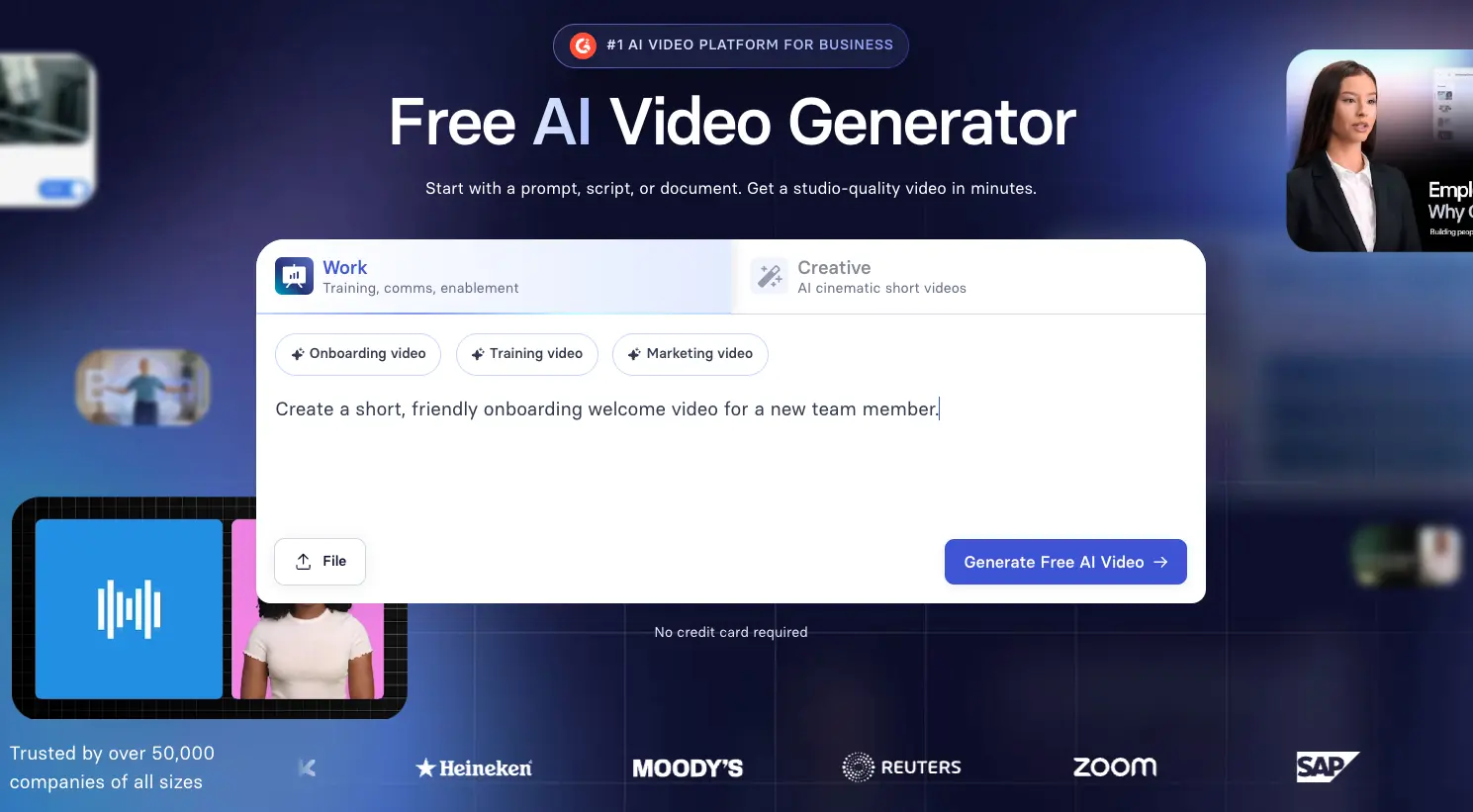
Head to Synthesia's AI video generator.
Step 2: Select the Work tab
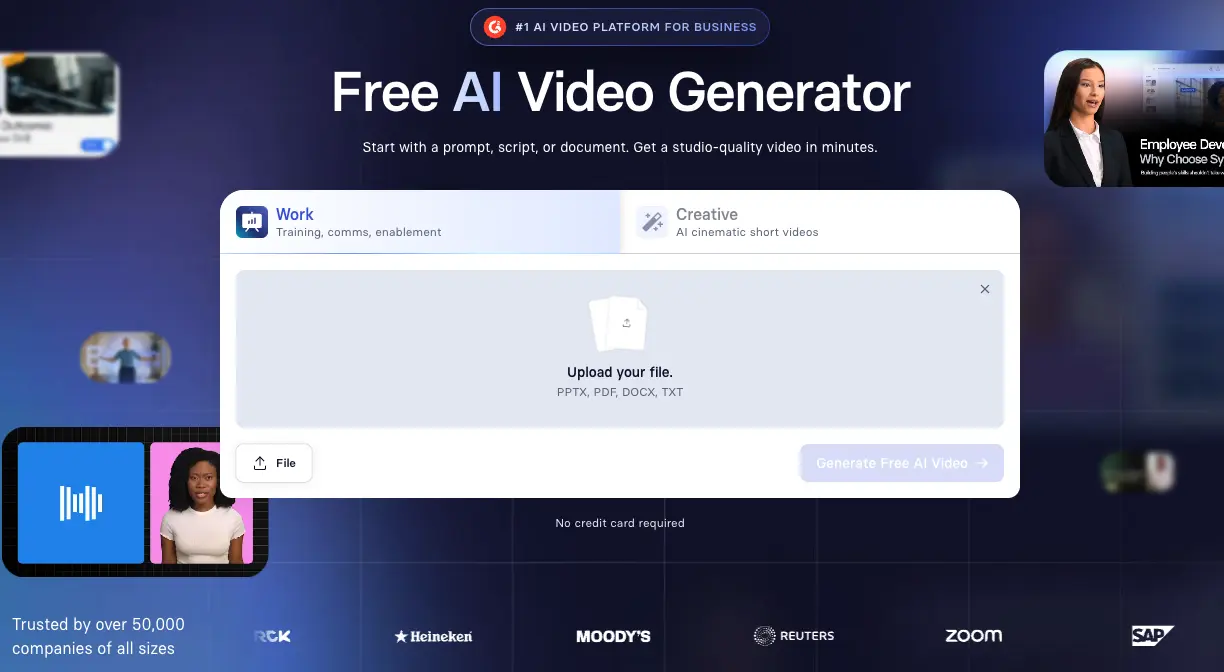
Select the Work tab.
You can then enter a simple prompt or paste your video script to get started.
You can also click File and upload your Word document, PDF, PowerPoint slides, or text file.
When you're ready, hit Generate.
Step 3: Sign up to Synthesia for free
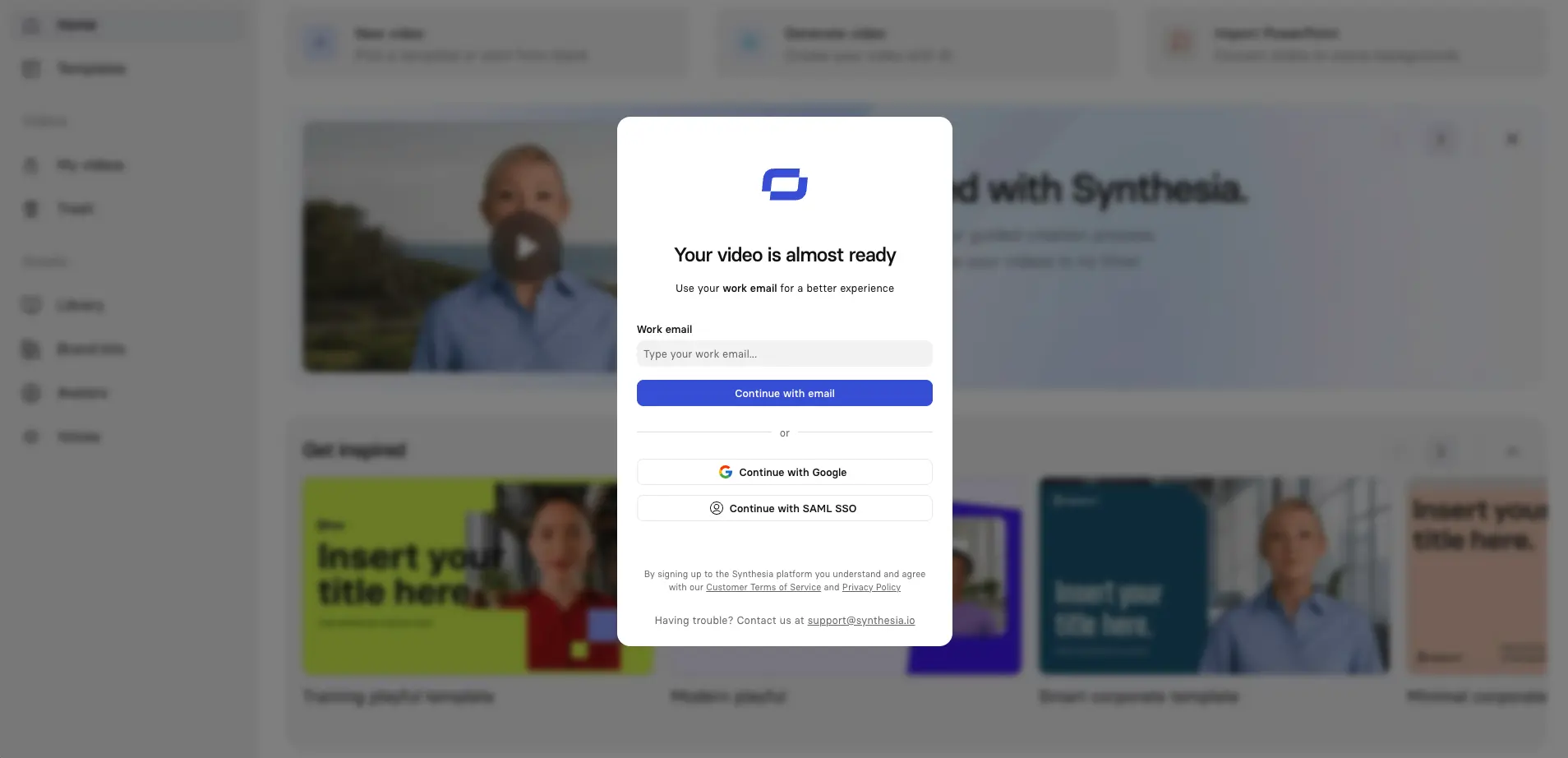
Sign up for a free Synthesia account.
Step 4: Outline your video
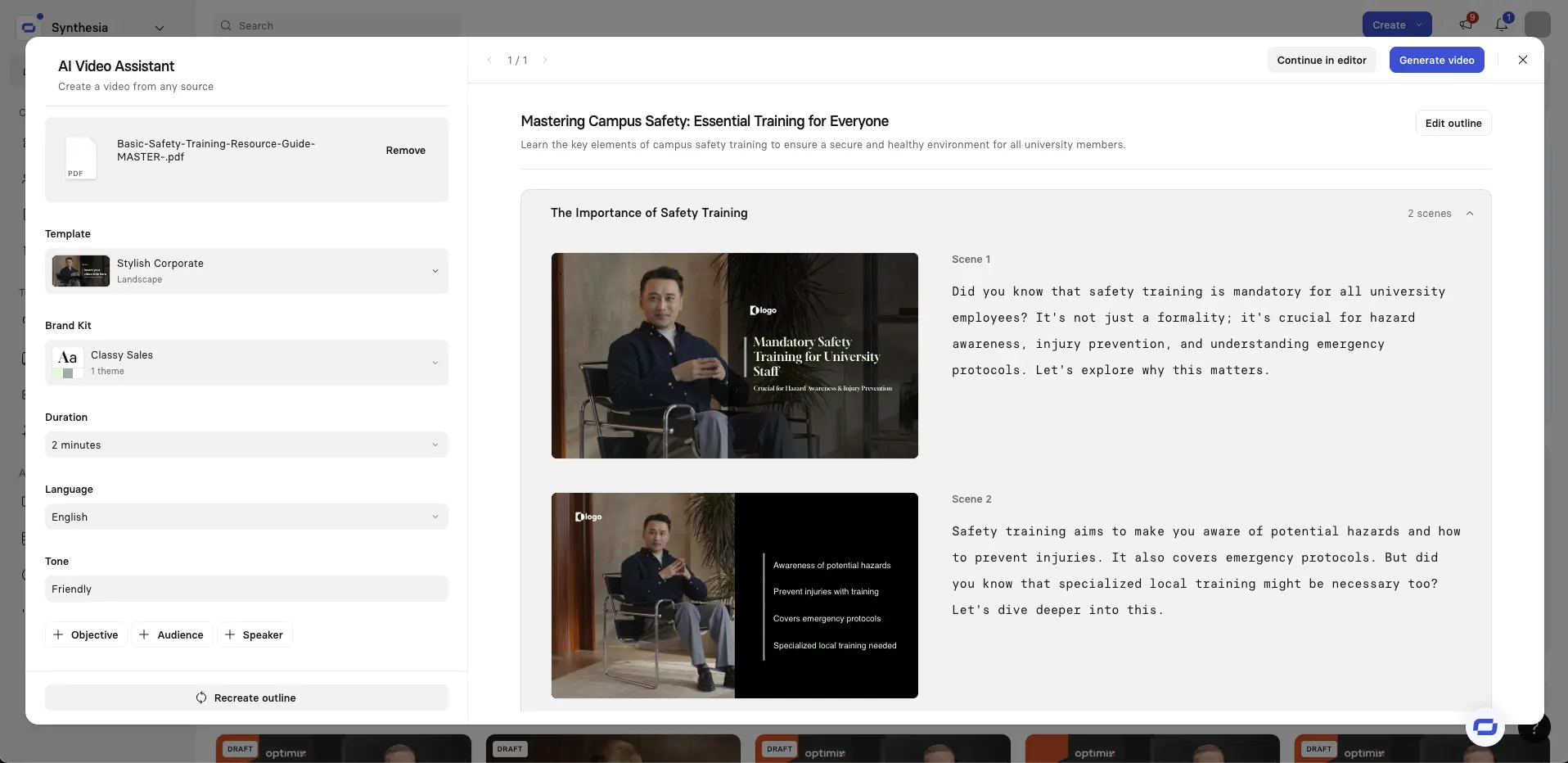
Next up is the outlining stage. Synthesia will then analyze the content and break it into logical scenes that make up your video.
You'll now see an overview of all of your video's scenes that you can review and adjust as you see fit. You can also edit the script of each scene.
In general, you should try to stick to one idea per scene, and I'll also typically merge any scenes that are too short (under 10 seconds) and split up any that are too long (over 30 seconds). I find that this gives me a video with better pacing.
While in the outlining stage, you can change your video template, add, remove, or edit scenes, and adjust settings like video duration, objective, language, and tone.
When you’re ready, click Continue in editor.
Step 5: Edit your video
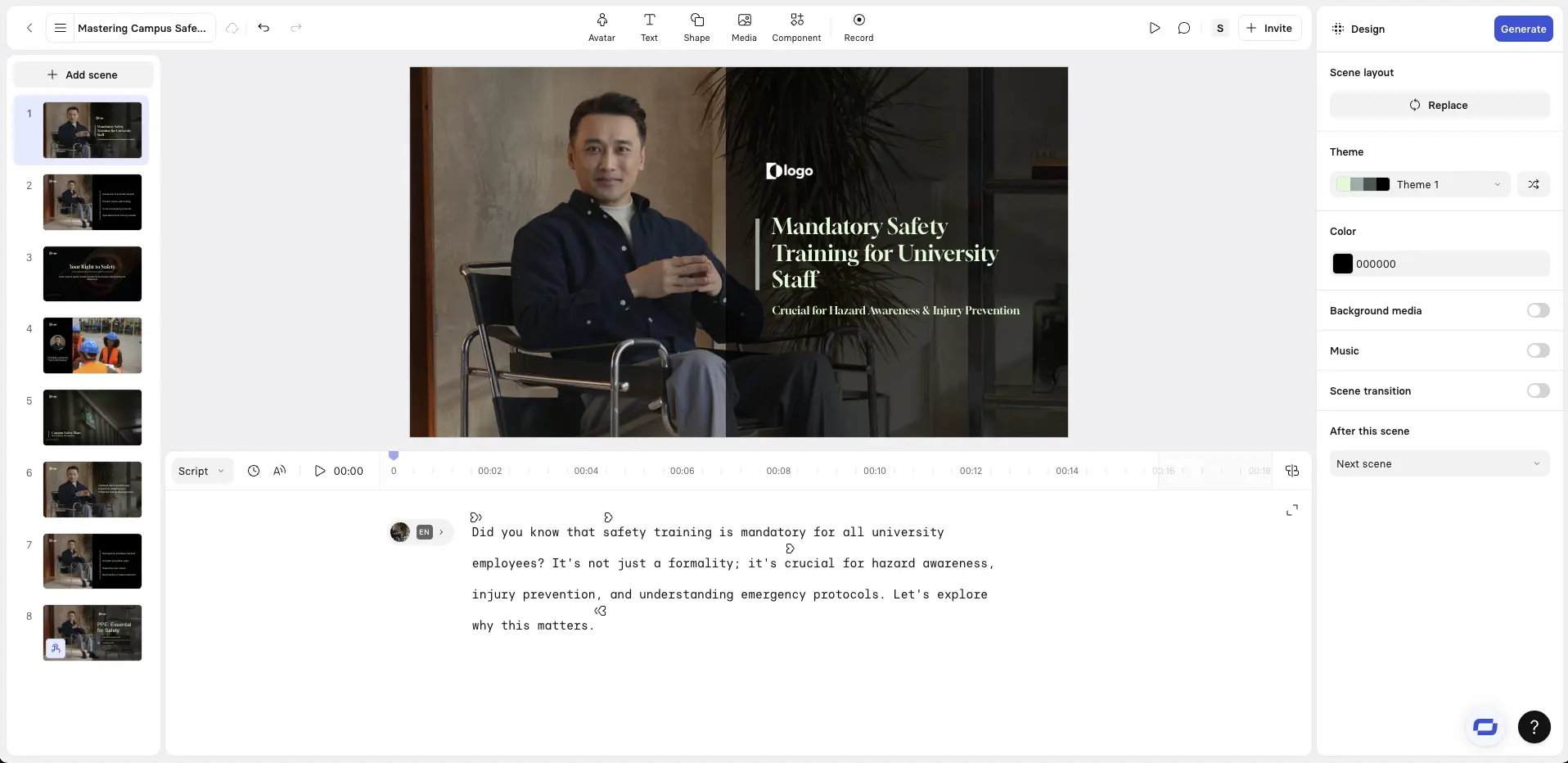
Now it's time to edit your video.
In Synthesia's editor you can review your scenes, refine each scene's script, and add digital humans (avatars), B-roll, motion graphics, and screen recordings.
But before we get into how to do all of that, here are some quick tips when making your edits:
- Visual hierarchy constraints: You should limit on-screen text in your video to a headline and 1–3 bullets per scene. Any more than that, and you're probably overloading your viewers. Your script and narration should be carrying most of the detail.
- Dynamic captions: In almost all cases you should be enabling dynamic captions. A very large proportion of your viewers will watch your video with the sound turned off.
- Media usage: When adding media like B-roll, motion graphics, and screen recordings, you should try to keep the visuals literal and close to what is being said in your narration.
- Use pauses: I often add short pauses between key points to make the narration sound a bit more natural and to give my viewers a bit more time to absorb the information I'm throwing at them.
Aside from these tips, I've also developed a habit of previewing each scene after editing it, and I suggest you do the same. Doing this helps you to catch any awkward phrasing or pacing issues before you generate your final video, which will save you time and credits.

Pro tips that make the difference
- Focus each scene on one idea to make information easier to retain.
- Mix up your visuals with avatars, slides, images, and charts to keep viewers engaged.
- Consider accessibility by using high-contrast colors and clear fonts.
- Design for mobile first and keep text short so it fits cleanly on small screens.
Choose a digital human and voice
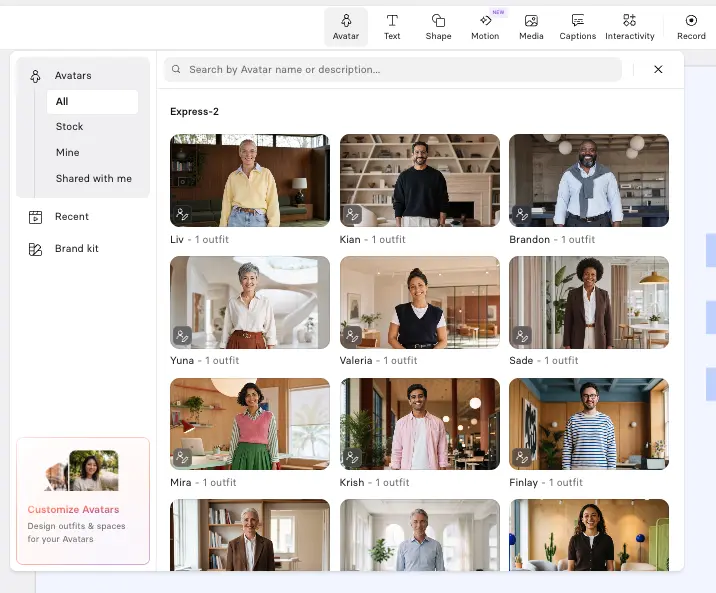
Click Avatar at the top of the editor to add an AI avatar to your video. Synthesia offers a wide variety of stock avatars as well as the option to create a custom avatar from a prompt or an image.
I suggest choosing an avatar that fits the context of your video, and I try to vary my avatar's placement and size between each scene in order to reset viewer attention without adding any distracting motion.
It's also important to select the right AI voice to go with your avatar. You should try to match the accent and tone to your primary target audience to increase engagement.
Add screen recordings
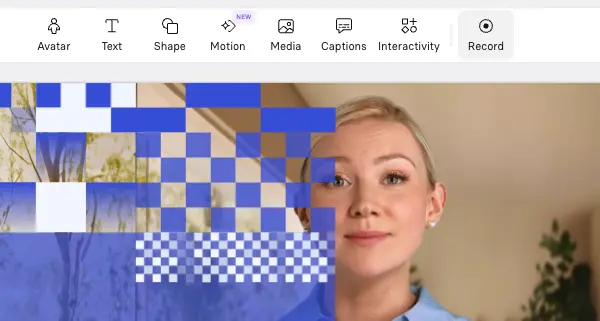
Click Record to use Synthesia's AI screen recorder. I mostly use these for product tutorials and software training videos, and I'll typically pair my screen recording with an AI avatar.
Add B-roll
Click Media to add B-roll to your video. You can generate these video clips using an AI video model like Veo 3, upload your own videos, or use Synthesia's stock media library.
B-roll is great for breaking up long narrative-driven sections of your video and helps to keep your video visually engaging. I'll usually use it to show real-world examples, people performing a task, or any other visual that supports the narration.

Add motion graphics
Click Motion at the top of your editor to start adding a motion graphic to your video. You can either use one of Synthesia's motion graphics templates or prompt one from scratch.
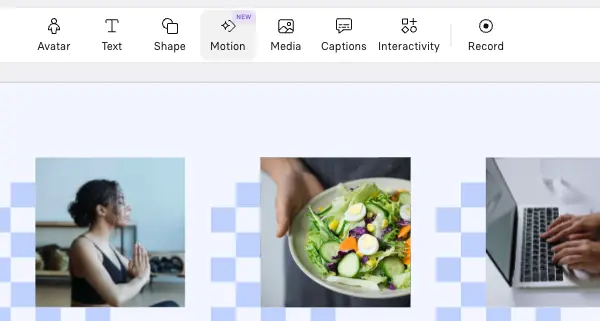
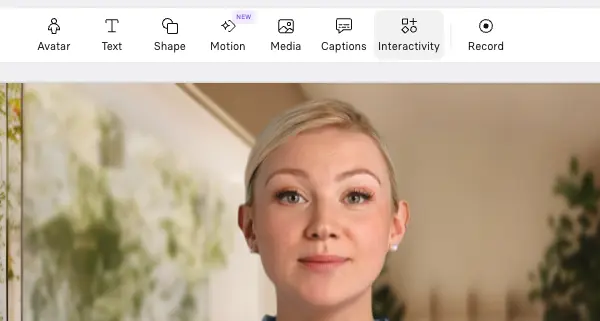
Add interactivity
Synthesia allows you to add clickable buttons and hotspots, branching scenarios, and interactive quizzes to your videos. Click Interactivity at the top of your screen to add these components.
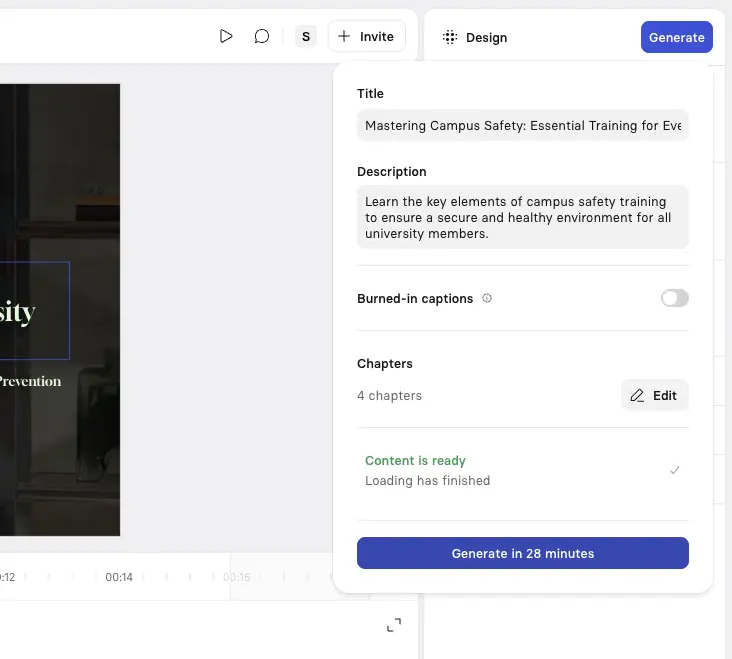
Step 6: Generate your video
Click Generate in the top-right corner to create your video. You can then download your video as an MP4, get a shareable link, embed your video on a webpage, or download a SCORM version of your video and upload it to your LMS.
Step 7: Publish and share your video
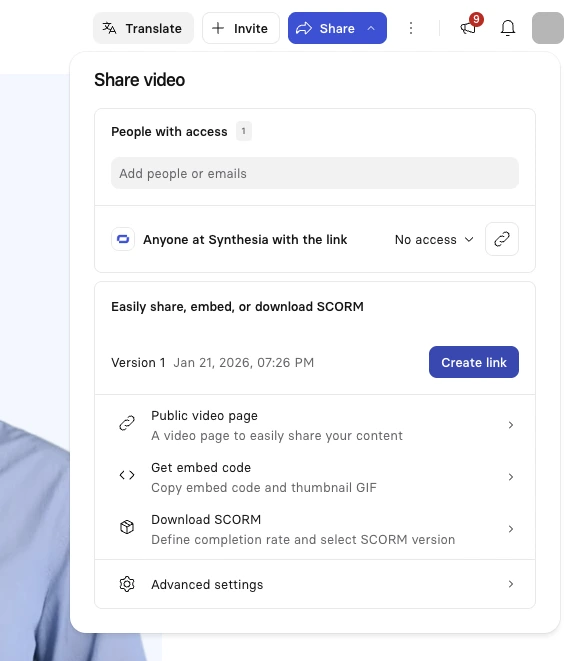
The final step is to publish and share your video.
Synthesia lets you export your video as an MP4 file, or publish it within the platform, allowing you to embed the video wherever it’s needed.
Kyle Odefey is a London-based filmmaker and Video Producer at Synthesia. His content has reached millions across TikTok, LinkedIn, and YouTube, even inspiring an SNL sketch, and has been featured by CNBC, BBC, Forbes, and MIT Technology Review.
Frequently asked questions
What are digital humans?
A digital human is a computer-generated representation of a person that is designed to look, move, and talk like a real human being.
The terms "digital human" and "AI avatar" tend to be used interchangeably, and in my opinion essentially mean the same thing.
Where are digital humans used?
Here are the most common use cases of digital humans right now:
- Corporate training and enablement: Digital humans are widely used in video-based training, onboarding, SOP walkthroughs, and roleplay sessions.
- Marketing: Digital humans are often used as presenters in explainer videos and in UGC-style performance marketing ads for social media.
- Internal communications: Digital humans are increasingly used for internal communication videos including leadership updates, policy changes, and other company announcements.
- Customer support: Digital humans can be used to scale self-serve customer support content like video knowledge bases and FAQ support videos.
- Localization: Digital humans can speak any language you want, so they have been found to be useful for translation and localization for global teams and customers.
- Customer service: Digital humans that are real-time and interactive have found a use as front-line customer service agents that are always available and are powered with full access to the context of an organization's internal information.
How can I make a digital human video?
You can make a digital human using Synthesia for free.
Check out our pricing page for more information.


.webp)





