10 improvements and fixes based on your feedback
Ten small UI updates that make everyday editing smoother, from a more precise color picker to more predictable shape, voice, and collaboration behavior.

See what Synthesia can do for you
You share your feedback, and we work on turning it into helpful UI updates. Today, we’re sharing 10 improvements suggested by our users (and the team). It’s the small changes that can make a big difference—here’s what’s new:
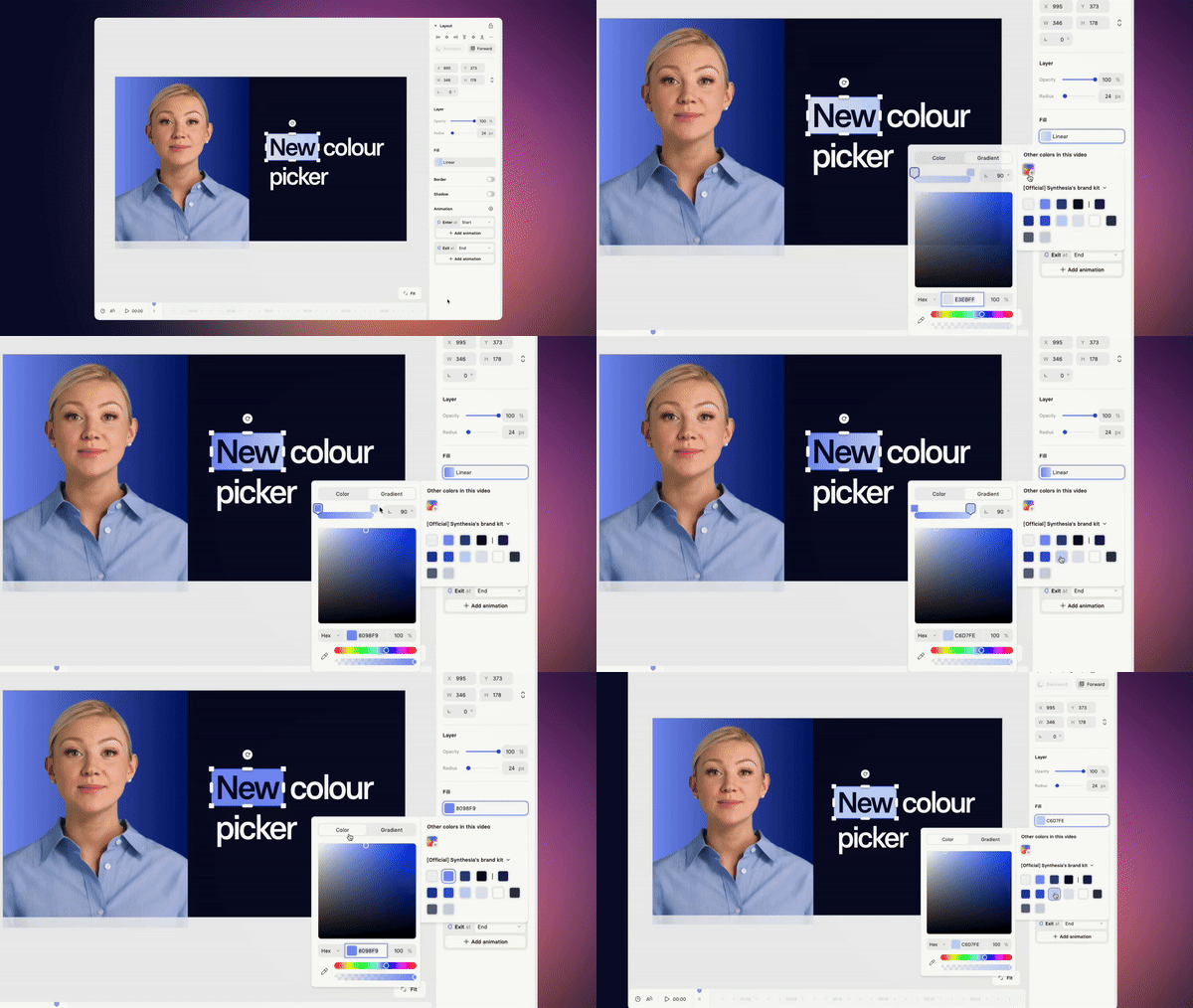
New color picker
The redesigned color picker is easier to use and more precise. Unsure which color to choose? Start with the selection of base colors.
Consistent shape edits
Editing shapes is now smoother and behaves as expected (we know you had some troubles with arrows and triangles), even after rotating them.
Better group duplication
When duplicating groups, their layer order stays the same. No more unexpected rearrangements.
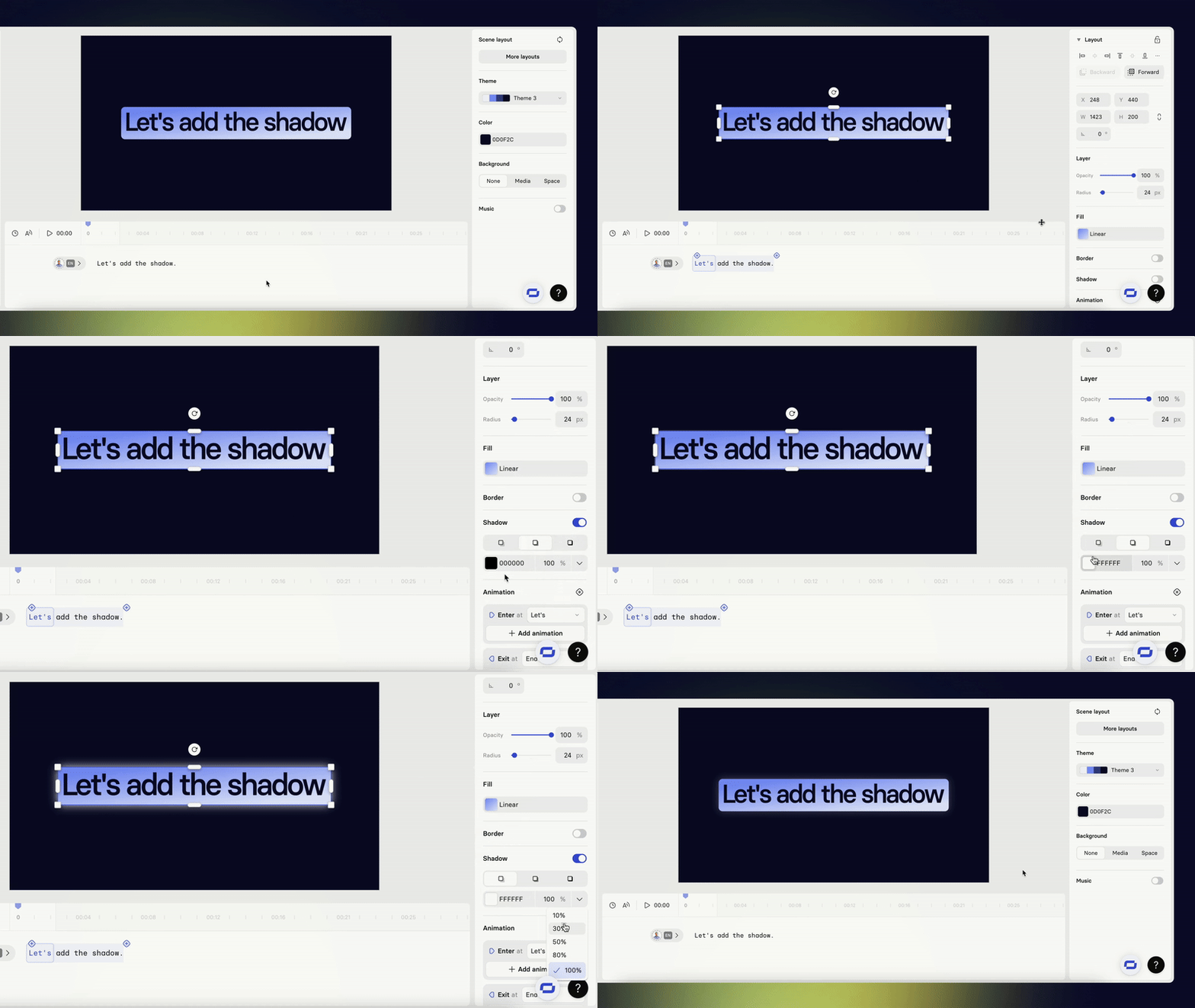
Custom drop shadows
You can now choose any color for drop shadows on canvas elements, adding more creative flexibility.
Default music volume
The default volume for background music is now set to 10%. This gives you better control and a quieter starting point for your projects.
Right-click everywhere
Right-click options are now available across the entire scene panel—not just on the scene area.
Copy comments
You can now copy text from comments directly by pressing CTRL+C. No need to retype anything.

Resizable script box + stable canvas
Canvas elements stay visible and selected, even when you resize the script box.
Predictable voice picker
Long voice names now fit correctly and no longer overflow in the dropdown.
Collaboration fix
Real-time collaboration cursors no longer appear on top of dialogs, keeping the interface clear.
More updates
Keep layouts looking polished for your translated videos
Translate videos without text overflow—translations adapt to each text box, and long strings scale down to keep your slides looking polished.
.png)
Get the skills, insights, and support to help you scale





