Download multiple videos at once
Bulk download up to 20 videos as individual .mp4 files—from multi-select or from a folder—so you can skip the one-by-one workflow.
See what Synthesia can do for you
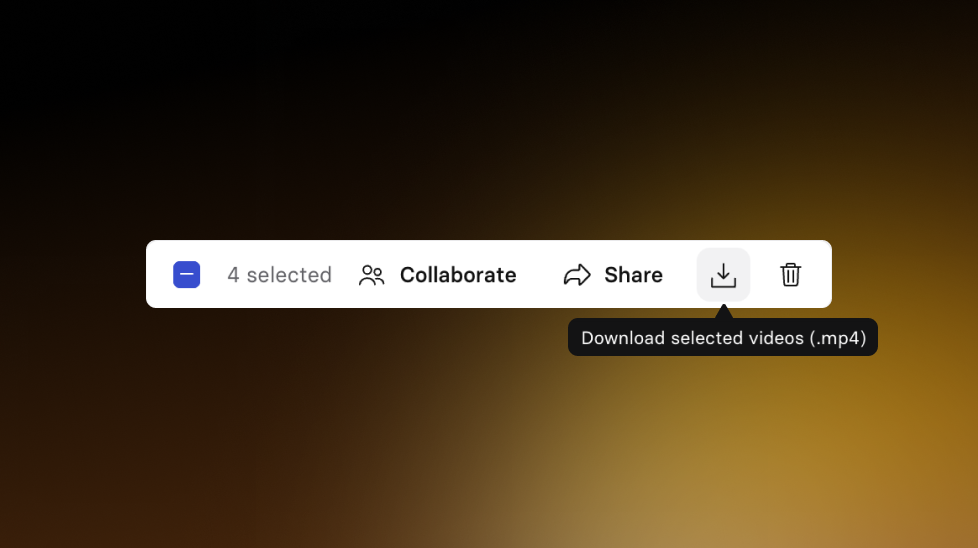
Today, we’re introducing Bulk Video Download—a faster way to download multiple videos as individual .mp4 files in one action. Available for Starter and up.
How it works and why it matters
Before, downloading a handful of videos meant repeating the same steps over and over—open a video, find the download option, download, repeat.
Now you can download multiple videos at once in two ways:
- From a video list (multi-select): select the videos you want, then choose Download
- From a folder: open the folder menu and choose Download all videos (.mp4)
This is especially helpful when you’re:
- Sharing a batch of videos with a stakeholder
- Exporting a set of videos for backup or review
- Keeping a large library organized without the busywork
Considerations
- Downloads are separate .mp4 files, not a single zip
- Folder download includes videos directly in the folder only (no subfolders)
- There’s a cap of 20 videos per bulk download
- Your browser may ask for permission to download multiple files; we’ll show a one-time warning the first time you use bulk download
For more on how it works, check out our documentation.
More updates

Start free, scale when you're ready: Roleplay Sessions now has a plan for every team
Practice conversations with an Avatar that pushes back, get coached in the moment, and track skill progress. Now with three plans, starting with free.

Get the skills, insights, and support to help you scale





