Dub multiple videos at once with bulk dubbing uploads
Upload and dub up to 10 videos in one go—set languages and options once, then let every file process in the background.
.png)
See what Synthesia can do for you
You can now dub multiple videos in one go. Upload up to 10 files, choose your settings once, and we’ll dub each video in the background.
What’s new
If you’re localizing a library of content, the old flow meant repeating the same steps video after video. Bulk Dubbing Upload turns that into one batch—so you can stay consistent and save time.
Upload a batch
- Drag and drop up to 10 videos on the Dubbing page, or select them from your computer
- See a thumbnail, upload progress, and status for each file
- Rename or remove videos before you submit
Set your dubbing settings once
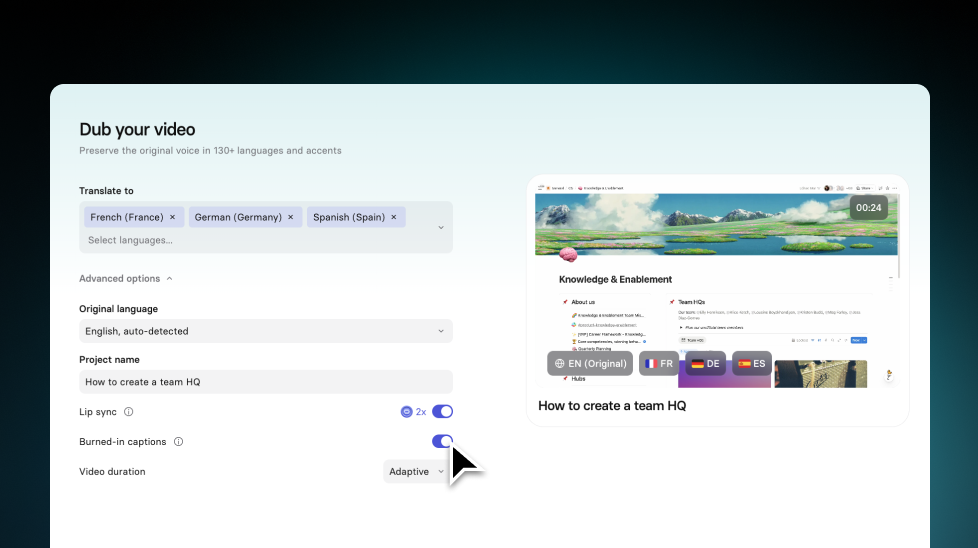
- Choose your target languages
- Pick full dub with lip-sync or audio-only dub
- Set lip-sync and video timing options for the whole batch
We handle the rest per video
- Source language detection runs automatically for each file
- If detection fails for a file, you can set the source language for that video
- You’ll see one credit estimate for the full batch before you submit
For more on how it works, check out our documentation.
More updates

Introducing Sessions: Interactive Avatars that coach, interview, and guide
Real conversations with a lifelike Avatar for practice and gathering insight, at a scale a person never could.

Get the skills, insights, and support to help you scale





