Improvement
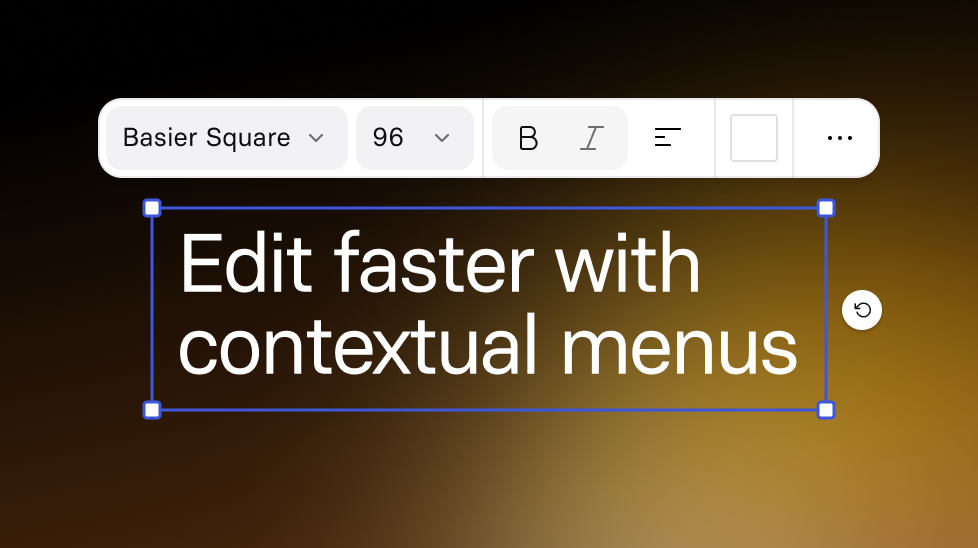
Edit faster with contextual menus
Select an element to see quick, relevant actions right on the canvas.
See what Synthesia can do for you
See all updates
With contextual menus, you can make quick and easy edits right where you’re working instead of switching back and forth between Assistant and the Inspector panel.
.gif)
What’s new
When you select a layer on the canvas, you’ll now see a contextual menu with quick actions for that element type.
- Access the most common edits without opening other panels
- Reduce context switching (especially if you’re creating with Assistant)
- Stay focused on the canvas while you iterate
This helps editing feel faster and simpler, whether you’re new to Synthesia or polishing a final draft.
More updates
See all updates
Enterprise
Keep layouts looking polished for your translated videos
Translate videos without text overflow—translations adapt to each text box, and long strings scale down to keep your slides looking polished.
8/21/26
.png)
Get the skills, insights, and support to help you scale





