Improvement
Import PowerPoint improvements
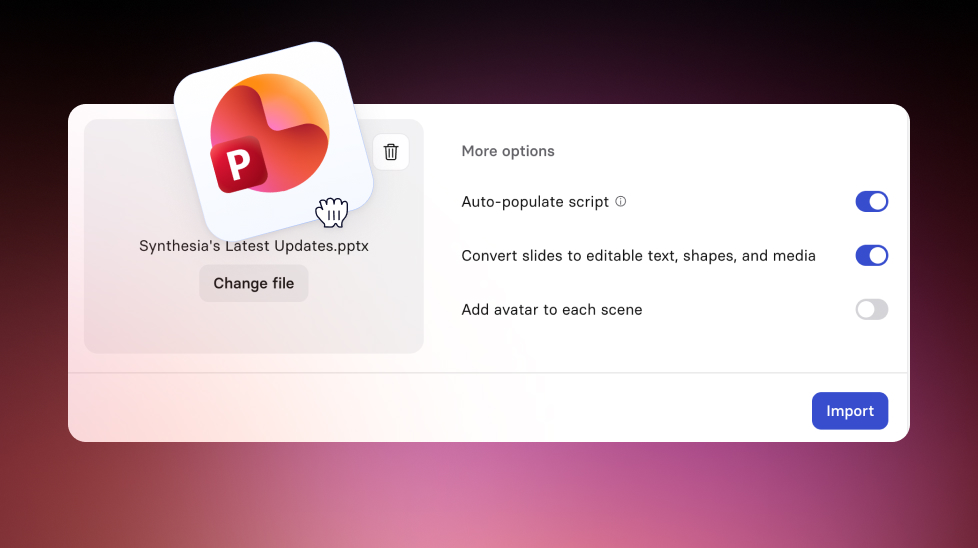
More faithful PowerPoint imports with better text parity, table support, and automatic scripts when speaker notes are missing.
See what Synthesia can do for you
See all updates
We're improved our PowerPoint import tool so it functions as a more intuitive way to bring your existing PowerPoint presentations into Synthesia.
What’s new
When you import a deck, your scenes now come through with fewer manual fixes needed:
- More consistent text formatting and positioning
- Better alignment, sizing, and spacing to match your original deck
- Line height is handled per line (so small text no longer ends up with oversized spacing)
- Support for paragraph spacing (space before and space after)
- Cleaner bullet and numbered list styling
- Table support: tables are imported as motion graphics, and text is edited via the motion graphics text editor
- Automatic script creation: if a slide has no speaker notes, we’ll generate a starter script based on the slide text
- Automatic resizing for 4:3 decks: 4:3 presentations are automatically converted to 16:9 on import
More updates
See all updates

New Feature
Introducing Sessions: Interactive Avatars that coach, interview, and guide
Real conversations with a lifelike Avatar for practice and gathering insight, at a scale a person never could.
10/1/26

Get the skills, insights, and support to help you scale





