Enterprise
API
Manage and secure your team's API keys
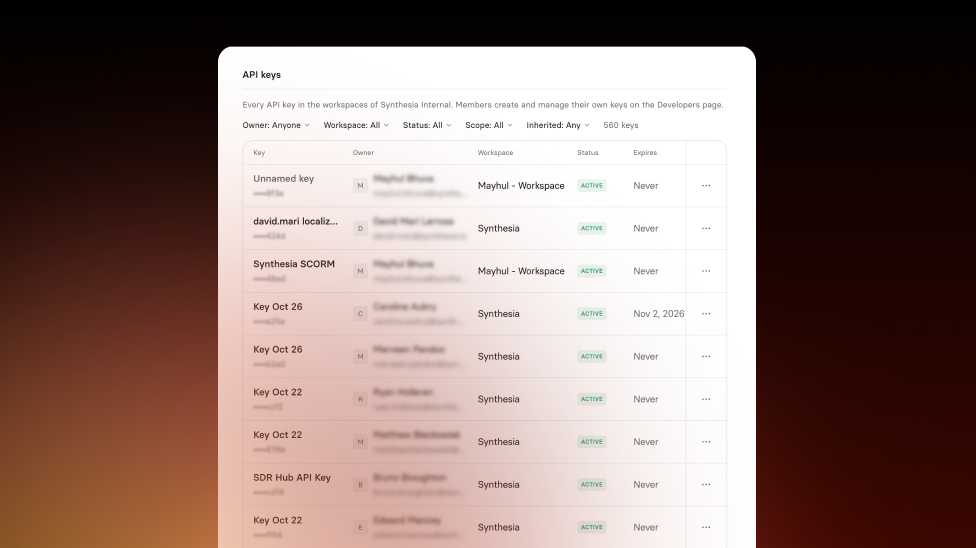
See and control every member's API keys from Settings, and have keys disabled automatically when someone leaves your workspace.
See what Synthesia can do for you
See all updates
If an API key leaks or someone leaves your team, you need to shut down access fast. Admins can now manage every member's API keys in one place, and keys are disabled automatically when someone leaves. Available for Enterprise plans.
What's new
- See every member's API keys in Settings → API keys, at the workspace or organization level
- Disable, enable, or delete keys, or use Disable all API keys from a member's menu
- Key owners get an email when an admin disables or deletes their key
- When a member is removed, their API keys are disabled automatically, and admins get an email listing them
- In organizations, every action is recorded in Audit Logs
For more on how it works, check out our documentation on managing members' API keys and what happens to API keys when a member is removed.
More updates
See all updates

Enterprise
Create Syren videos with your Brand Kits
Pick one of your workspace's Brand Kits in Syren, and your videos use its logos, colors, fonts, and Avatars from the very first draft.
10/27/26


Get the skills, insights, and support to help you scale