Preview individual scenes with fully animated avatars
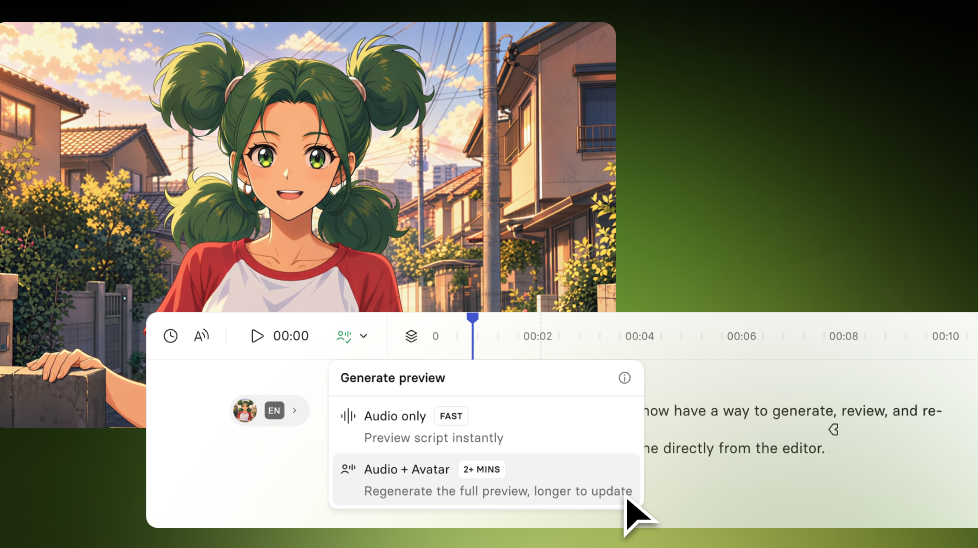
Preview an avatar's animations for a single scene from the editor, so you can review and iterate on avatar performance without generating or re-generating the whole video.
See what Synthesia can do for you
You now have a way to generate, review, and re-generate avatar performance for a single scene directly from the editor. Available for creators on Enterprise plans.
How it works and why it matters
Previously, you had to generate the full video to check how an avatar performed in one scene.
Scene Preview allows you to:
- Preview avatar performance for an individual scene from the editor (if it’s already been generated)
- Generate just that scene, so you can review the result and iterate without waiting for a full video to generate
- Re-generate the avatar’s performance to better match your intended output
For example, if you update one scene in a longer video, you can preview that scene before generating the full video.
Scene Preview generates the avatar performance together with the voice. It doesn't currently re-generate the avatar performance while keeping existing audio.
To learn more, check out our documentation.
More updates
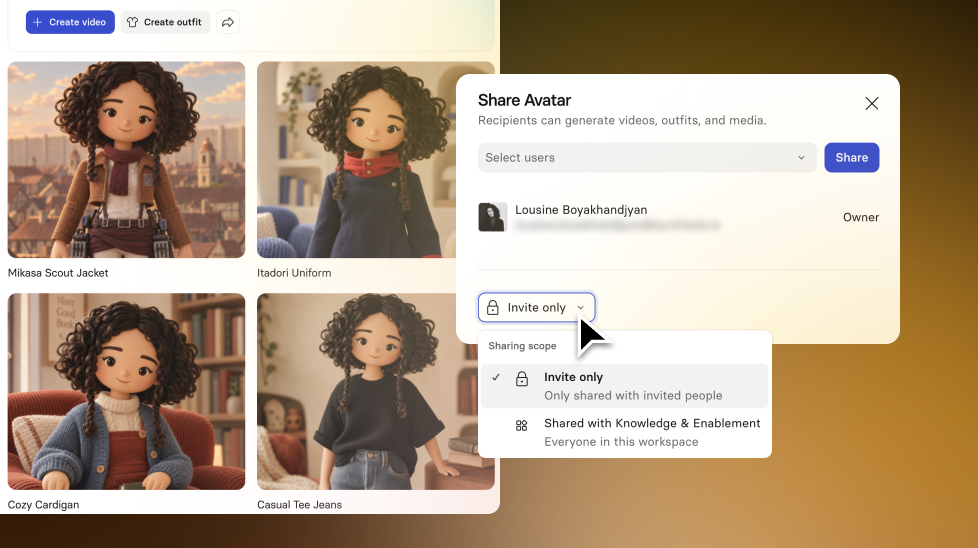
Share customizable avatars with your team
Share the base person for an avatar with teammates or your whole workspace so they can create new outfits for it and use it to generate media.

Get the skills, insights, and support to help you scale





