Voice Cloning: your voice in 29 languages
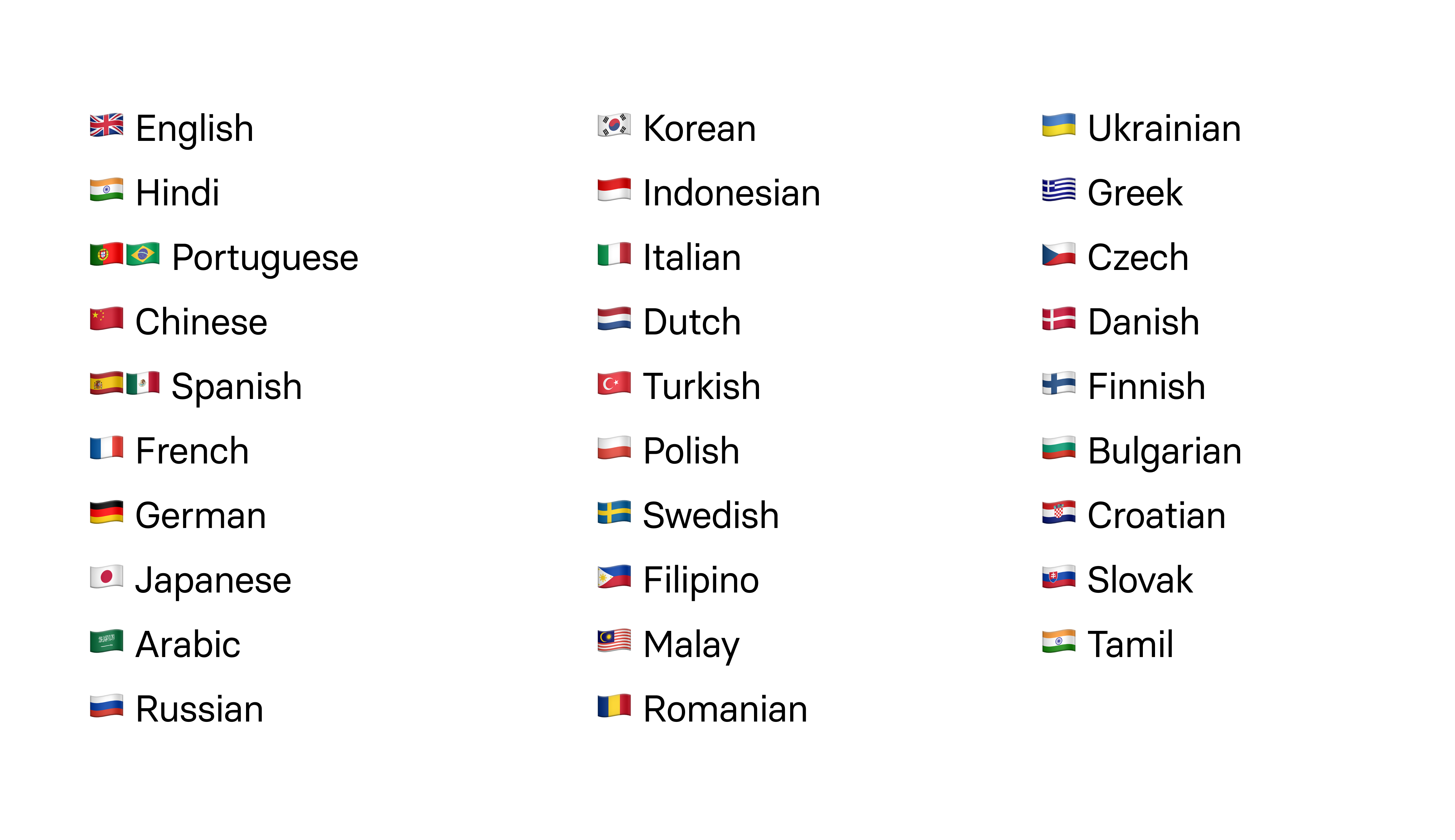
Clone your voice in English and use it in 29 other languages. The recording takes only 5-10 minutes.
See what Synthesia can do for you
New week — new feature. We are happy to introduce Voice Cloning to our corporate clients.
What's new?
Clone your voice in English and use it in 29 other languages. The recording takes only 5-10 minutes, giving you a multilingual voice clone. Here are the languages that you are now able to speak:
Why is it cool?
Global reach: your digital twin can now speak fluently in languages you've never learned – from Spanish to Japanese.
Personal touch: create personalized content in your own voice, ensuring you connect with your audience in the language they understand.
How to use?
- Go to
Voices - Create
New Voice. Startrecording your voice. You will read a few scripts. It will take 5-10 minutes.- Finish recording with consent.
Submityour voice. - Find your clone in the list of voices and start using it in 29 languages.
Happy creating!
More updates
Keep layouts looking polished for your translated videos
Translate videos without text overflow—translations adapt to each text box, and long strings scale down to keep your slides looking polished.
.png)
Get the skills, insights, and support to help you scale





