



The 7 Best AI Tools for Training and Learning & Development

Create engaging training videos in 140+ languages.
I've been working in L&D for over seven years, and in that time I've watched a number of learning technology trends come and go.
Typically when new tools arrive, there's a lot of big promises and then they fall short when they come up against real-life constraints like limited time, SME availability, LMS compatibility, and learner engagement.
AI in instructional design feels different to me. I've found that when it is used thoughtfully it can really change how L&D work gets done in a positive way.
It allows learning designers to spend more time thinking about clarity, alignment, and learner experience, and less time worrying about production mechanics.
Our recent AI in Learning and Development 2026 report suggested that most L&D teams are regularly using AI tools to speed up L&D content production, and that AI use in L&D has quickly moved from experimentation to practical use in day-to-day work.
The below list represents the best AI-native tools I've seen L&D teams using in real-life instructional design workflows today.
My list of the best AI-native tools for L&D
- Synthesia for rapid training video creation
- Colossyan for basic training videos
- Mindsmith AI for course generation
- Coursebox AI for course generation and hosting
- Scribe for easy process documentation
- Hyperbound for sales-focused roleplay practice
- ElevenLabs for generating narration
How I evaluated these tools
In order to test these L&D tools properly, I attempted to use each one to make a learning scenario that fit their primary use case.
My starting point with each tool was a structured course brief document that I had already prepared. In my experience this mirrors how real L&D content gets built, rather than starting from scratch with a prompt.
While testing I noted how each platform handled the content drafting process, as well as paying attention to where each tool fits in a typical L&D workflow.
I also tried to look for moments where human input is definitely required.
1. Synthesia
Quick summary
- Output format: Interactive videos
- Best for: Scalable interactive training video creation
- Production speed: First draft in 20 mins
- Pricing: From $18/month with a free tier available
My experience
Pros
The main selling point of Synthesia is that it gives you all of the benefits of video without the frictions that come with traditional video production.
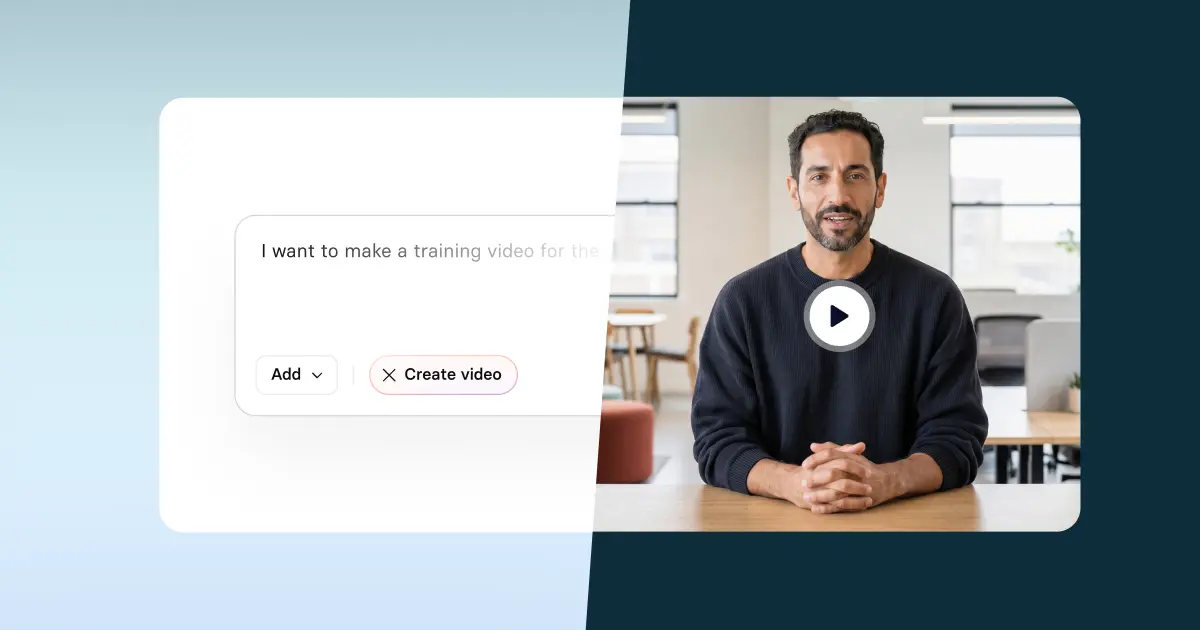
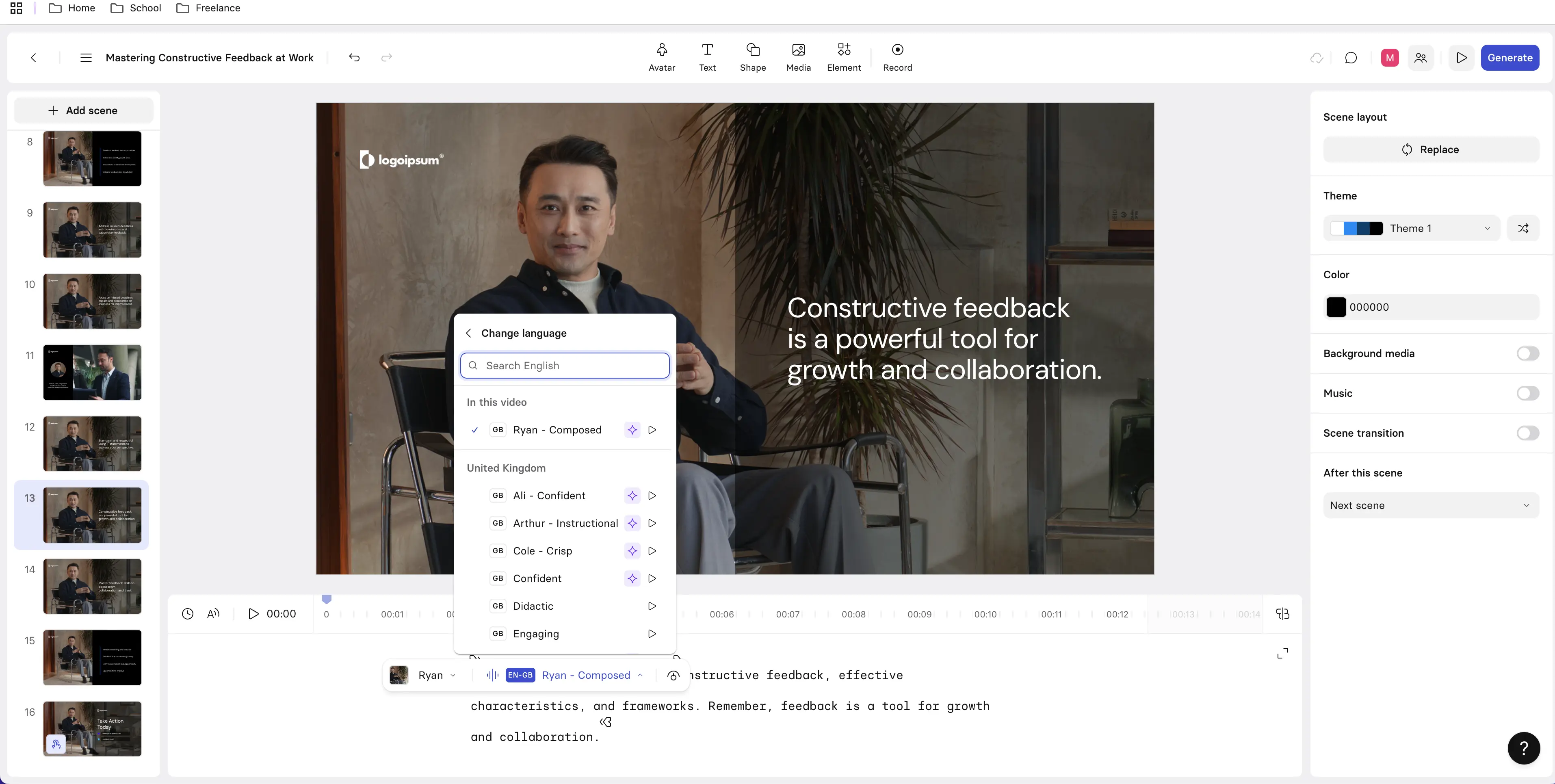
I tested Synthesia by uploading my course brief to the Video Assistant. The platform allows you to quickly convert scripts, documents, slides, webpages, or even just a text prompt into an AI video.
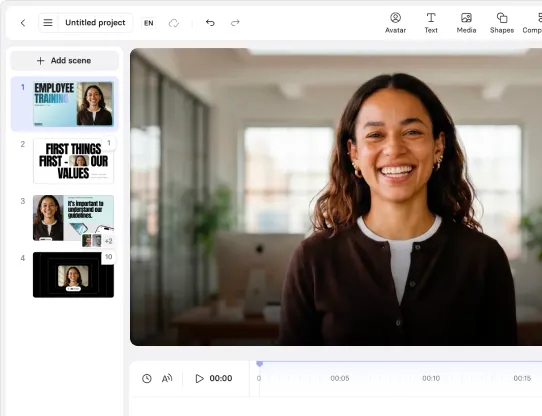
You can chat with the assistant to make edits to your video or choose to take your draft into Synthesia's video editor to make the changes yourself.
After uploading my course brief, the Assistant generated an initial script and a draft scene layout automatically. It also suggested visuals with an AI avatar instructor as well as AI-generated B-roll and motion graphics.
I made some minor adjustments to some of the scenes and reviewed the script, but in general I found that the output was pretty clean and accurate and I ended up with a first draft of my video within 20 minutes.
There wasn't much rework required at all before I thought "this would now be ready for internal review". My first draft maintained the instructional intent that was in my original course brief document.
I found Synthesia's editor to be very easy-to-use, and I was able to make edits to the script, change my avatar and voice selection, and make a number of other visual style changes quickly and without much trouble.
I think the script and scene-based editor will feel immediately intuitive to instructional designers and it reminded me of using PowerPoint. I didn't need to be a video specialist to get a professional result.
Synthesia also offers a variety of interactivity options including clickable hotspots, branching scenarios, and knowledge check quizzes.
Once my video was generated, it was easy to embed it into my LMS via SCORM export. I added some completion criteria including that my learners had to watch 100% of the video and score at least 80% on the knowledge check quiz to earn completion status.
The one-click translation option lets you quickly localize your video into over 140 languages, and the Synthesia video player lets your learners switch between your chosen languages seamlessly.
There's also a built-in screen recorder for walkthroughs and software training videos.
Cons
While Synthesia's interactivity features are more than sufficient for the vast majority of video-based training scenarios that I can think of, if you want super-complex branching scenarios, simulations, or formal assessments then Synthesia on its own might not be the best fit.
In those situations you'd probably be better off pairing Synthesia with another authoring tool and only using Synthesia for the video layer.
Synthesia uses a slide-based editor and has a scene-level timeline for timing layers and animations, but there's definitely not a Premiere/After Effects-style end-to-end timeline, so experienced designers who are used to full video editors might feel limited by this.
My verdict
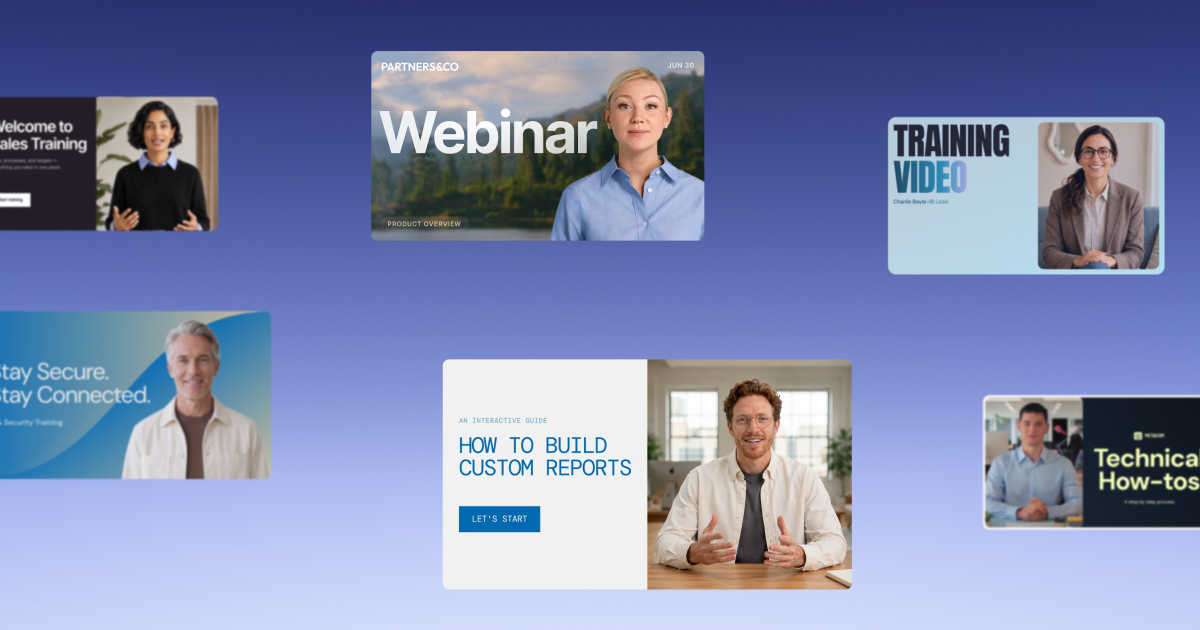
52% of L&D teams are using AI to help them create video-based learning content, and Synthesia is probably the most widely-used tool they are using to do that (it's used by more than 90% of the Fortune 100).
I think it's an especially strong fit for onboarding, compliance, internal comms, and any other content that needs frequent updates and localization.
It also works well as a video production layer alongside other authoring tools when you're working on more complex learning programs.
2. Colossyan
Quick summary
- Output format: Interactive videos
- Best for: Quick training video drafts
- Production speed: First draft in 20 mins
- Pricing: From $27/month with a free trial option
My experience
Pros
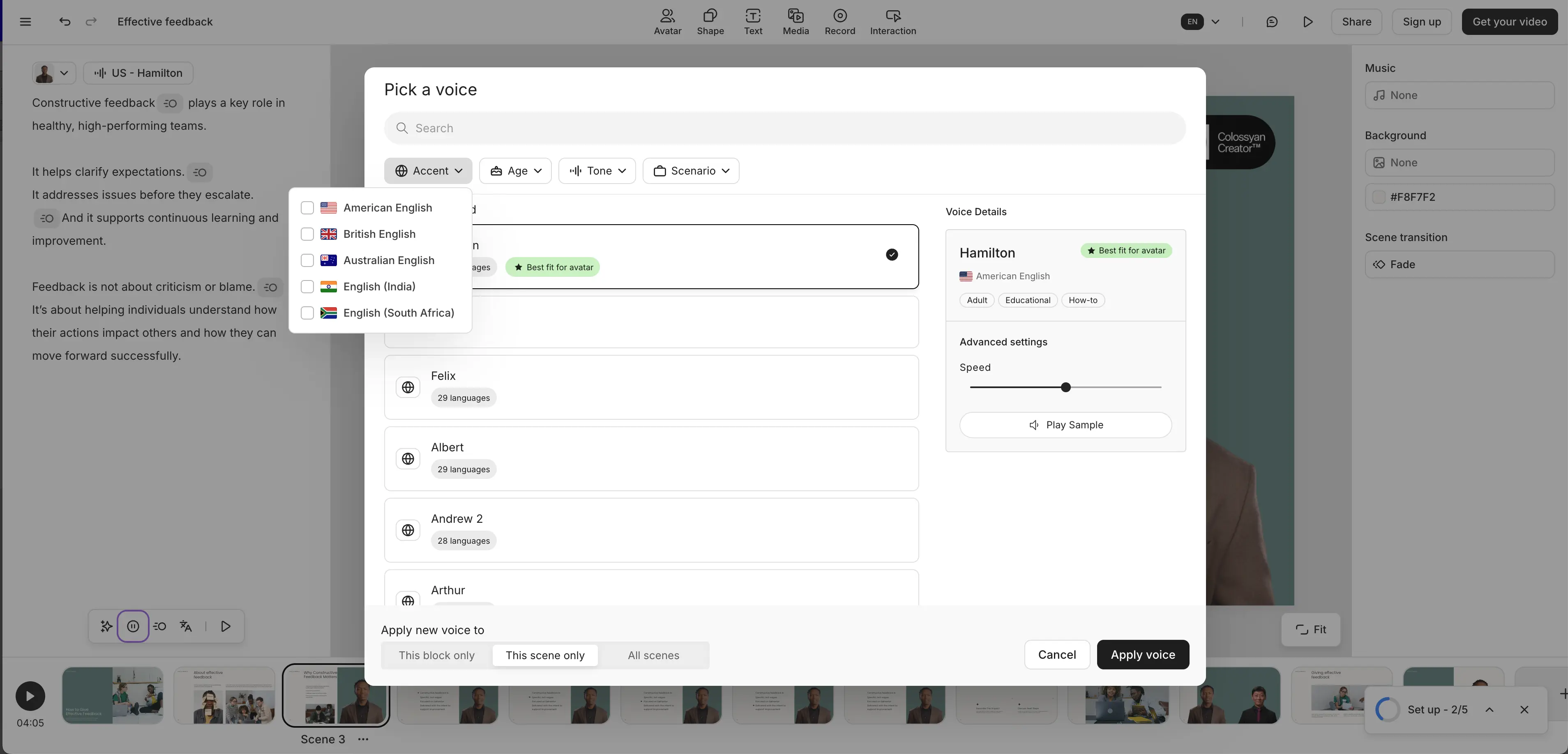
Colossyan is in many ways similar to Synthesia, and I tested it in a similar way - by uploading my course brief document and converting it into an AI-generated video.
There's lots of support for interactivity - you can add quizzes and branching scenarios to your avatar videos, there are more advanced features like completion analytics and LMS integrations, and you can also export your videos to your LMS via SCORM.
The Colossyan platform uses a slide-based editor that is similar to PowerPoint with a clean and easy-to-use interface. It lets you do limited exports in 4K quality on their free plan, which is very generous.
The AI voices in Colossyan in general are of a high standard.
Cons
I found some of the Colossyan AI avatars to have quite rigid body movement, and some of the gestures were often very unnatural and didn't align with the tone of my script.
During my testing I also had some issues with rendering. My video got stuck at 79% twice during the rendering process, so there seems to be an issue with reliability there.
I also noticed some minor audio artifacts and a slightly more robotic tone in the Spanish version when compared to the English, so it feels like you might need to prepare for a reduction in quality if you plan on using Colossyan for multilingual videos.
Lastly, I found the supporting media assets and B-roll options to be a lot more limited in Colossyan. There are no integrated AI video generation models for generating B-roll, and the music library is pretty limited too.
My verdict
Colossyan has a lot of great features for L&D teams, but I feel like the avatar realism might be a slight distraction for me if I were a learner trying to complete a Colossyan-made learning module.
3. Mindsmith AI
Quick summary
- Output format: Complete course
- Best for: Accelerating course design and structure
- Production speed: First draft in 20 mins
- Pricing: From $39/month with a free tier available
My experience
Pros
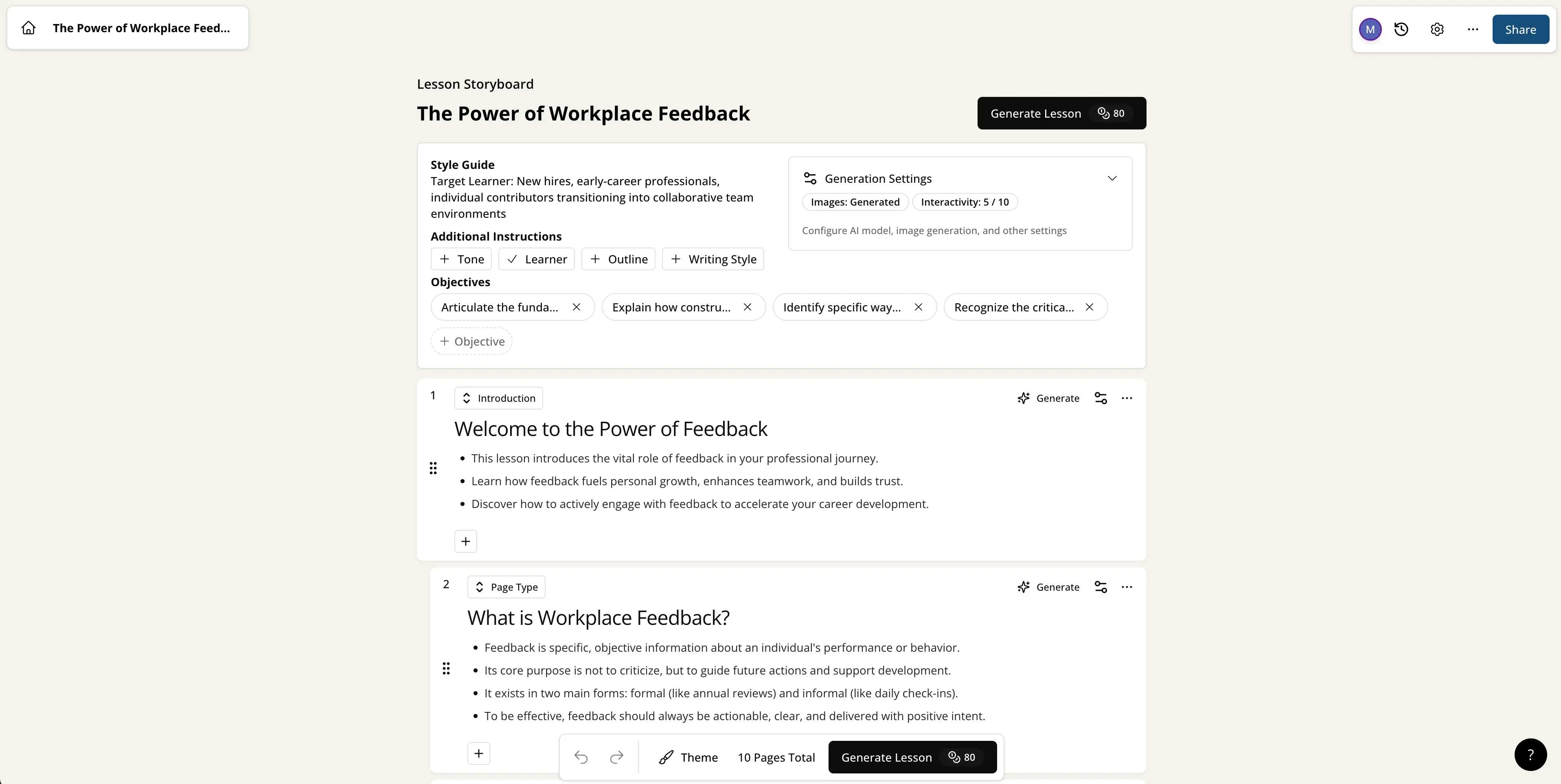
I tested Mindsmith by providing my “giving and receiving constructive workplace feedback” course brief which included my instructions on my desired target audience, learning objectives, and my suggested module structure.
Mindsmith can get you to a draft very quickly. It took me about 20 minutes to get from my prompt and document upload to a usable first draft. I also did some minor edits in that time.
It’s a great tool for getting you past the blank-page stage. I used it to generate a course outline which gave me a great starting point for further iteration, while at the same time it didn’t lock me into any rigid templates.
The platform gives you a lot of control over the objectives and modules, and all of the course content is fully editable. I managed to make a bunch of edits without disrupting the overall structure of my course.
Cons
Mindsmith comes with a bunch of additional features including branching scenario functionality and AI-generated audio and video options. However, these features are quite limited. If you want advanced interactivity you definitely need to look elsewhere, and you’re better off using AI-generated media sourced from other tools.
The courses you can generate with Mindsmith are definitely still drafts, and still require instructional refinement, specifically to adjust aspects like tone, add context-specific examples, and strengthen application and engagement.
I don’t think Mindsmith is sufficient as a standalone authoring tool in most instructional design situations, so you will probably still need to pair it with a more fully-featured authoring tool.
My verdict
I think the best way to think about Mindsmith is as a thinking partner and design accelerator, rather than as a content autopilot or as a replacement for instructional design expertise.
I can see a role for Mindsmith as a tool that helps you move from the analysis stage into a well-structured first draft, and then you pair it with a full authoring tool.
4. Coursebox AI
Quick summary
- Output format: Complete course
- Best for: Rapid generation of complete training courses
- Production speed: First draft in 15 mins
- Pricing: From $30/month with a free tier available
My experience
Pros
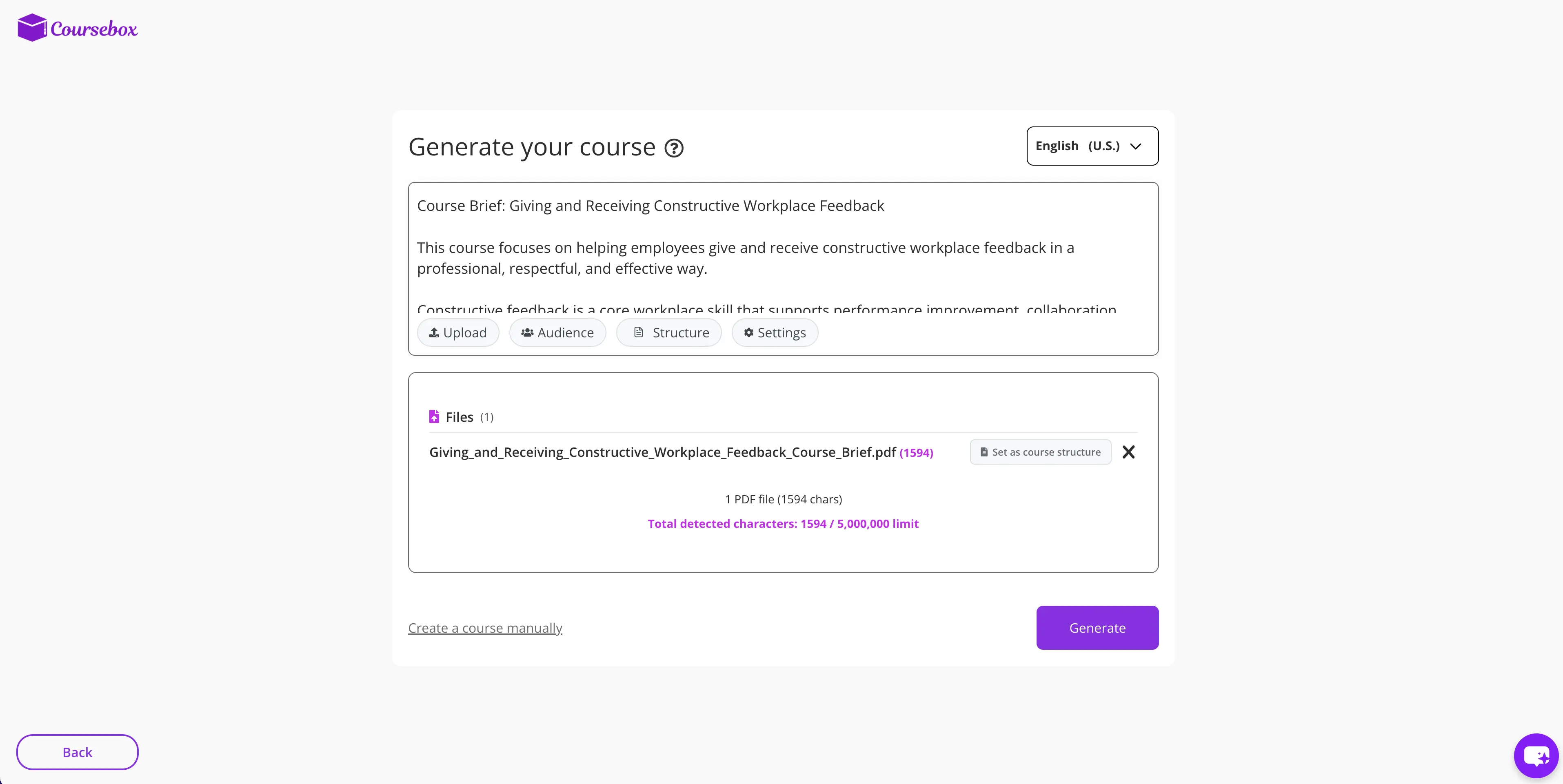
I tested Coursebox by trying to generate an end-to-end course based on my outline brief for a course on “giving and receiving constructive workplace feedback”. It took me about 15 minutes to go from the initial document upload and prompt stage to a usable first draft of my course (after some light edits and review).
15 minutes is pretty impressive - the platform is amazingly quick at assembling a complete course, and I think the first draft generated is genuinely good. Once generated, the contents of my course were fully editable, and I can see that updates would be very straightforward.
There’s also a wide variety of additional features you can add to your courses, including AI-generated quizzes, flashcards, and video assets.
I can see Coursebox being a great fit for teams and SMEs who lack instructional design support but who need to get a draft course together - perhaps to pass to an internal or external ID team.
Cons
Coursebox is great at generating simple courses, but I don’t think it’s suitable for highly customized instructional experiences, more advanced scenario-based learning, or courses that might require more detailed learner analysis.
As an experienced ID you often want to have more influence over the pacing, emphasis, or scaffolding of your course, but I found that the customization of the generated courses was somewhat constrained by the platform’s templates. Obviously a tool like Coursebox isn’t going to give you the flexibility of a full authoring tool. The trade-off you make is speed for flexibility.
My verdict
Coursebox is a great tool for quickly moving from an idea to an early draft/rapid pilot of a course.
I think it’s best used as a starting point rather than a final step, and that it’s at its most effective when it’s paired with someone who can provide instructional design oversight in order to refine the output.
5. Scribe
Quick summary
- Output format: Text-based document with screenshots
- Best for: Performance support and process documentation
- Production speed: First draft in 10 mins
- Pricing: From $15/month with a free tier available
My experience
Pros
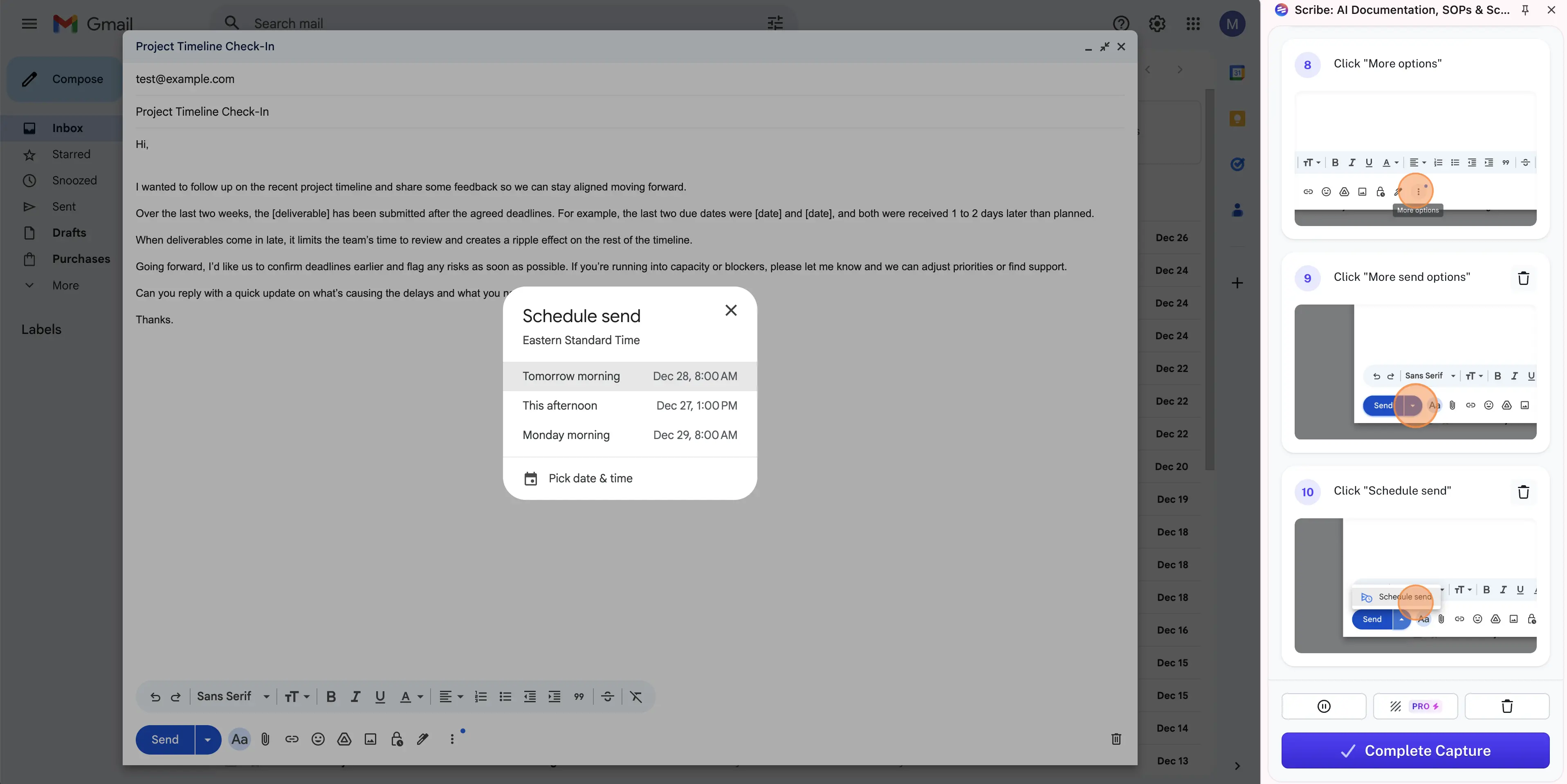
Scribe is an AI-powered tool for creating step-by-step guides for any workflow. It automatically translates your actions into written steps with screenshots based on your actions and narration.
I tested it by recording the process of drafting and saving a professional feedback email.
It took me about 15 minutes to go from starting the capture process to a usable guide, and that’s including the time I took to do some minor edits and to change the sequencing of one or two steps (steps can be edited, removed, or reordered). The Scribe-generated guide was readable, clear, and looked really professional.
I can really see the value in using Scribe to massively reduce the time it takes to document SOPs and create usable job aids. Compared to the traditional manual process it’s a massive improvement, and super easy to use.
Cons
Scribe is very easy to use, but with that simplicity comes limitations. It’s not a tool that is intended for conceptual learning or skill development.
I think its use case is almost entirely limited to process documentation and standard-operating procedures. Similarly it’s also not suitable for scenario-based or experiential learning.
There’s no governance or version control within Scribe. That means that if you update a guide in Scribe then there will be no automatic record of what changed, who changed it, or the ability to roll back to a previous version.
If you’re in a larger organization where your SOPs need to be audited, then that could be an issue.
My verdict
Scribe is an awesome tool for documenting SOPs and other processes quickly and easily with high-quality guides.
I also think it’s a great fit for just-in-time job aids too and can help keep learning in the flow of work.
However, it shouldn’t be used for regulated or audited SOPs, as it could introduce compliance risk.
6. Hyperbound
Quick summary
- Output format: Interactive voice-based roleplay
- Best for: Sales-focused roleplay and coaching
- Production speed: N/A
- Pricing: Enterprise pricing with a free demo available
My experience
Pros
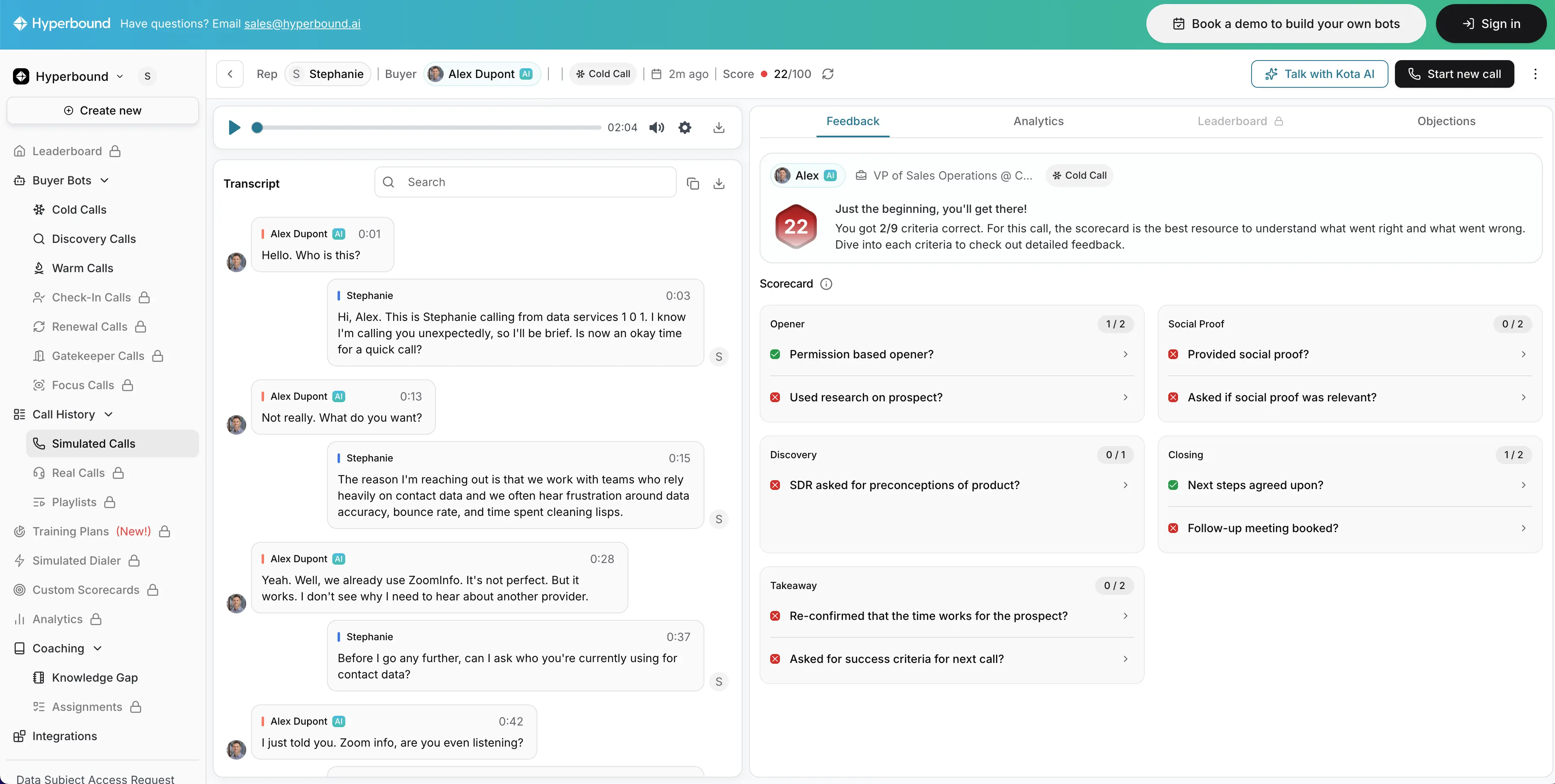
Hyperbound lets you practice soft (most commonly sales) skills in AI-generated roleplay scenarios where you talk to the AI as if you were on the phone. The idea is that your learners can practice high-stakes conversations in a safe environment at scale.
I tested Hyperbound by attempting a number of the pre-made AI roleplay scenarios before trying to create my own, but in practice you would connect the platform to your CRM and generate roleplay scenarios that are based on your real life calls with prospects and deals in your pipeline.
I ran my roleplay scenarios several times to evaluate consistency and to avoid basing my conclusions on a single roleplay.
While testing the roleplays I was impressed by how the AI responses adapted to my input. The latency between when I spoke and the AI spoke was low enough that the conversation felt fluid and realistic.
Since the conversations feel authentic, I think learners are more likely to engage seriously with these roleplays, and do multiple attempts to improve their score - there's almost a gamification element to it.
Cons
I think Hyperbound's roleplay scenarios work best when learners already understand the fundamentals.
They do not seem suitable for teaching foundational concepts without any prior instruction, so you'll need to pair Hyperbound with instructional content that you create elsewhere.
The platform is very geared towards sales and customer-facing roles, which makes sense as sales enablement is the main use case for these kind of roleplay and coaching scenarios.
However, that means the tool isn't a great fit for other learning scenarios, as so much of the functionality is built towards that primary use case.
My verdict
Hyperbound gives you realistic AI phone call roleplays which are great for reinforcing your desired behaviors and generating useful feedback for your learners.
However, it's only really suitable as a reinforcement and coaching layer within a sales enablement program, so if your learning scenario doesn't fit into that, I think the value is limited.
7. ElevenLabs
Quick summary
- Output format: Audio
- Best for: High-quality AI voice generation from a script
- Production speed: First draft in 5 mins
- Pricing: From $5/month with a free tier available
My experience
Pros
The most common use case for AI voices in L&D that I've seen is generating narration for slide-based learning content. ElevenLabs is a great fit for that use case.
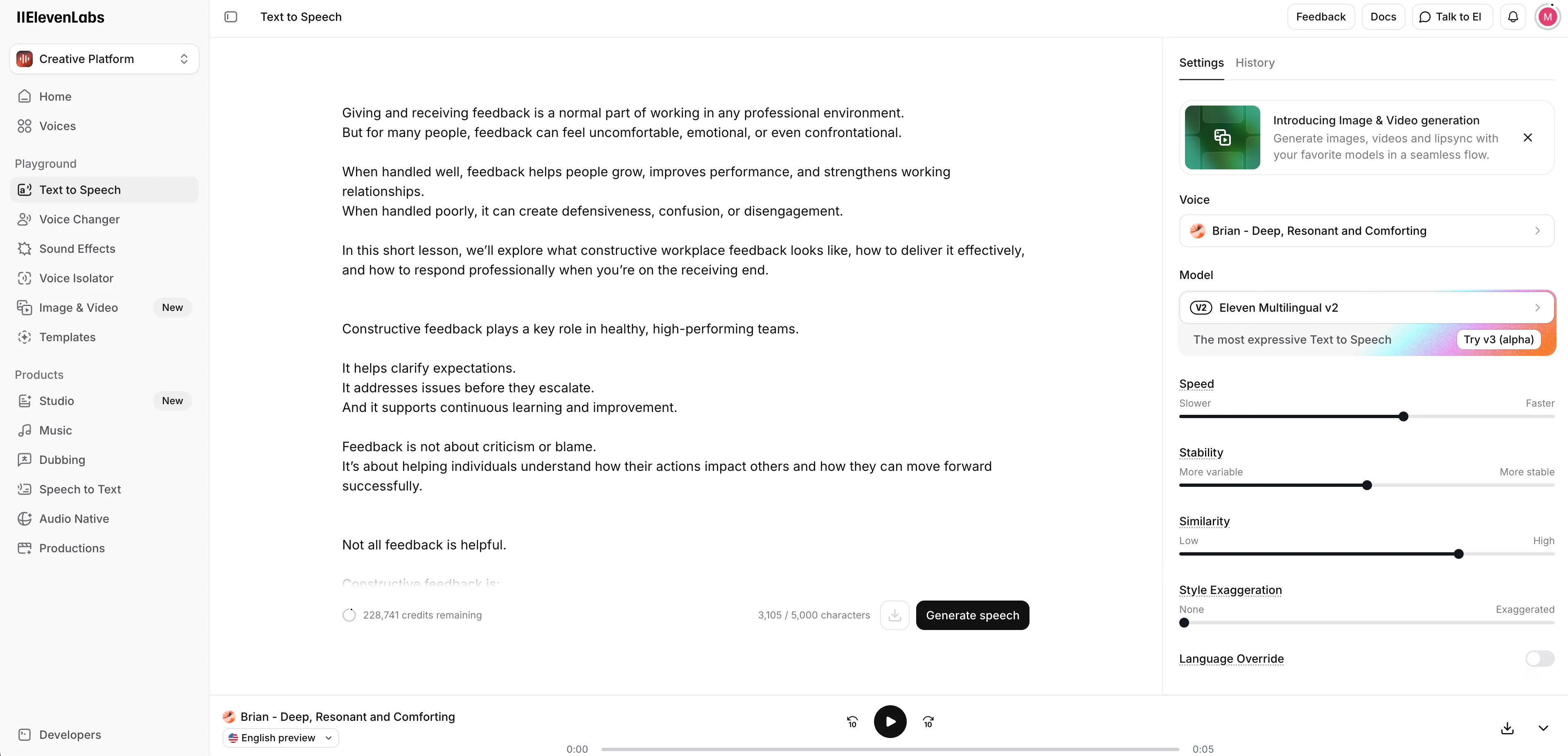
I tested ElevenLabs by generating a piece of narration from a script I had prepared based on my giving and receiving workplace feedback brief.
I made sure to test multiple voices in order to evaluate their realism, tone, and pacing. I also made a point of testing making a few small script changes and then regenerating my narration audio in order to assess how easy it is to iterate on my narration.
The ElevenLabs platform is easy to use and feels very intuitive. It took me only 5 minutes to generate, review, and download my audio. It's very simple - you just enter your script and hit generate.
The AI voices themselves sound super realistic and are pleasant to listen to. I've seen learners have issues listening to AI-generated narration before, but with these voices it feels like the friction would be more or less non-existent.
The library of voices available on the platform is huge with a wide variety of languages and accents available.
Cons
ElevenLabs is a standalone AI voice generation platform, so you shouldn't expect any L&D-focused functionality like instructional content generation or course structuring.
In my opinion the biggest gap is probably around versioning.
You'll typically download your generated narration as an MP3 file and then import it to wherever you need it. That means it's a bit of a pain if you need to update the narration, since versioning, governance and reuse are all managed elsewhere.
My verdict
If you want AI-generated narration for L&D projects, ElevenLabs is the go-to voice layer to be used within your broader L&D content production workflow.
It can generate affordable, realistic AI narration in a large number of languages.
AI tools for L&D compared
| Tool | Best for | Output format | Production speed | Pricing |
|---|---|---|---|---|
| Synthesia | Rapid training video creation | Interactive video | First draft in 20 mins | From $18/month; free tier available |
| Colossyan | Basic training videos | Interactive video | First draft in 15 mins | From $27/month; free trial available |
| Mindsmith AI | Course design | Complete course | First draft in 20 mins | From $39/month; free tier available |
| Coursebox AI | Course generation and hosting | Complete course | First draft in 15 mins | From $30/month; free tier available |
| Scribe | Easy process documentation | Text-based SOP document with screenshots | First draft in 10 mins | From $15/month; free tier available |
| Hyperbound | Sales-focused roleplay practice | Roleplay | N/A | Enterprise pricing via consultation; free demo available |
| ElevenLabs | Generating narration | Audio | First draft in 5 mins | From $5/month; free tier available |
Final thoughts
No single tool in my list above is designed to cover the entire learning lifecycle, but they each focus on a specific stage.
AI tools like Mindsmith and Coursebox help you to get to a full course draft quickly, while once you’ve decided what content you need, AI video and voice tools like Synthesia, Colossyan, and ElevenLabs help you to reduce production (and iteration) time.
Scribe helps you create SOPs that allow you to deliver support at the moment of need, while AI roleplay tools like Hyperbound add an additional practice layer that allows learners to learn by rehearsing scenarios and receiving feedback and coaching.
In our 2026 AI in L&D report Dr. Philippa Hardman noted that over the next year or two we’re likely to see a clearer divide between teams that use AI to move faster versus teams that use it to build more thoughtful, personalized, and evidence-based learning ecosystems.
Taken all together, these tools help to reduce the mechanical effort involved in content production and make practice and feedback more scalable. All of this frees up instructional designers to focus on learning strategy, experience, and quality.
Kevin Alster is a Strategic Advisor at Synthesia, helping enterprises apply generative AI to learning, communication, and performance. With over a decade in education and media, he’s built programs for General Assembly, NYT School, and Sotheby’s.
Frequently asked questions
What is the best AI tool for rapid training video creation?
Synthesia is the best option for rapid AI-powered training video creation. Synthesia gives you all of the benefits of video without the frictions that come with traditional video production. The platform offers realistic AI avatars, AI-generated video and image assets, a range of interactivity options, an AI-powered screen recorder, and one-click video translation.
What is the best AI tool for course generation?
Coursebox AI is the best choice for AI-powered course generation. Coursebox is a great tool for quickly moving from an idea to an early draft/rapid pilot of a course, but it's best used as a starting point rather than a final step.
What is the best AI tool for easy process documentation?
Scribe is the best option for easy, AI-powered process documentation. Scribe is an awesome tool for documenting SOPs and other processes quickly and easily with high-quality guides that are automatically generated from a screen recording. It's also a great fit for just-in-time job aids and can help keep learning in the flow of work.
What is the best AI tool for sales-focused roleplay practice?
Hyperbound is a good choice for sales-focused roleplay practice. Hyperbound gives you realistic AI phone call roleplays which are great for reinforcing your desired behaviors and generating useful feedback for your learners.
What is the best AI tool for generating narration?
ElevenLabs is the best choice for generating narration. If you want AI-generated narration for L&D projects, ElevenLabs is the go-to voice layer to be used within your broader L&D content production workflow. It can generate affordable, realistic AI narration in a large number of languages.