



How to Create Cybersecurity Training Videos

Create engaging training videos in 140+ languages.
Has your CEO sent an urgent message to a team member asking them to buy gift cards?
If you're wondering who would ever fall for that, you might be surprised. Social engineering attacks like this are all too common. That's because there's nothing obviously malicious about the message. (Odd? Sure. But CEOs have made stranger requests.)
Cybersecurity training should be designed to address these moments, helping employees identify risk in situations where the danger isn't self-evident.
And as attackers have started using AI, training has become more important than ever. In The State of AI Cybersecurity 2026 report, 87% of CISOs say AI-enabled threats are having a significant impact on their organization, and 45% say improving training is a top priority to combat those threats.
What is cybersecurity training?
Cybersecurity training is about reducing the risk that an employee will take an action that compromises the organization. It’s not about turning everyone into security experts, though some trainings try to do just that.
- Cybersecurity training is for everyone. It focuses on reducing the risk that an employee will take an action that compromises the organization.
- IT training is about technical skills and systems knowledge. The audience is, well, IT professionals. IT training can cover security topics, like how to respond in an emergency. It's not for the average employee trying to figure out if something is phishing.
Why cybersecurity training fails
If you’ve ever gone through a corporate cybersecurity training, you can probably rattle off what you disliked about them. The courses were too long. The scenarios were unrealistic. There was too much technical content. You probably clicked through the courses while doing something else.
But the real problem with cybersecurity training is this: it reliably improves awareness, but has a small, and often non-significant effect on employees' actions. That gap between knowing what to do and doing it under pressure is where most programs fail.
- Continuous training has been proven to cut phishing susceptibility in half within six months.
- One in three untrained employees will click a phishing link. After a year of continuous training, that drops to roughly one in twenty.
- 67% of organizations report moderate or significant reductions in intrusions, incidents, and breaches after implementing security awareness training.
What your cybersecurity training should cover
To close those gaps through training, I recommend reflecting on the following:
"What do employees need to be prepared to do when they encounter a cybersecurity risk?"
That will inform the topics you need to cover in your training program. I've covered the most common topics below, but this isn't an exhaustive list.
Start by prioritizing the topics with the highest likelihood of impacting your organization. This can vary by region and industry, so cross-reference any list you make with regulatory requirements (GDPR, HIPAA, and ISO 27001 all have specific employee training obligations).
| Topic | What employees need to be able to do | What it looks like |
|---|---|---|
| AI-generated threats | Recognize when someone they trust may not be who they appear to be | A video call from someone who looks and sounds exactly like your CEO, asking for an urgent wire transfer |
| Data handling and access hygiene | Store, share, and access sensitive information without creating unnecessary risk | Emailing a contract to a personal account to finish it over the weekend, or reusing a work password across personal accounts |
| Malware exposure | Avoid actions that introduce malicious software onto devices or networks | Clicking a link in an email that silently installs software giving an attacker access to that machine |
| Phishing and social engineering | Recognize manipulation tactics designed to trick them into handing over credentials or bypassing normal procedures | An email that looks exactly like a Microsoft login page, or a caller claiming to be from IT who needs your password to fix an urgent problem |
| Ransomware | Recognize early warning signs and respond before an attack spreads | Noticing files behaving strangely and waiting to see if it resolves itself rather than reporting it immediately |
Keep in mind, not all training needs to be delivered at once. You can separate annual compliance training from other training. You might just find that changing the timing or delivery format improves behavioral outcomes.
Why use video for cybersecurity training
Once you've identified your topic needs, you can decide what medium(s) work best for your program. You're still reading because you're interested in video-based training, so I'll be focusing on that.
Video is an effective medium because it allows someone to watch and listen as they learn (you can read more about the science behind why it works here).
For cybersecurity training, that capability is especially powerful. You can design realistic scenarios that show employees what risk looks like in their workplace. Then, you can model the desired behavior in that situation. You're reducing ambiguity and delivering consistent guidance.
If you are designing regulatory training, you'll want to consider how you'll report out on completion and pass rates. Many of our customers choose to host videos as SCORM packages in an LMS or LXP, or embed them into eLearning courses, to streamline reporting.
How to create a cybersecurity training video
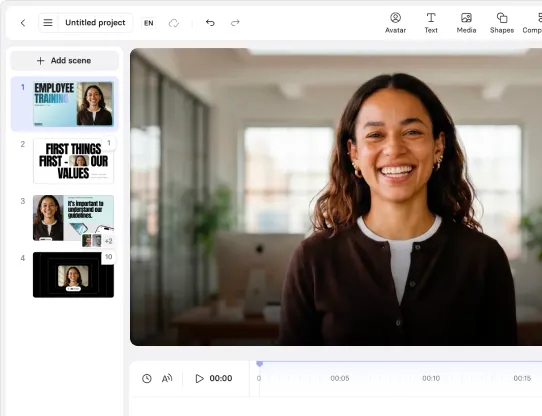
Let me show you how to create a cybersecurity training video with Synthesia, an AI video platform.
First, pick a use case to focus on. In this demonstration, I'll be using phishing. Then, identify the behavioral gap you're trying to close. You can use a template like this:
This video is for [specific role] who currently [context or gap]. After watching, [specific role] should be able to [observable action] so that [performance outcome].
Here's my completed example: This video is for all employees who need to be able to spot and report advanced phishing attempts. After watching this video, all employees should be able to identify and report suspicious messages so that we reduce the risk of a credential breach caused by human error.
If you're looking for a guide to making training videos without AI, you can follow my instructions here.
Generate a first draft
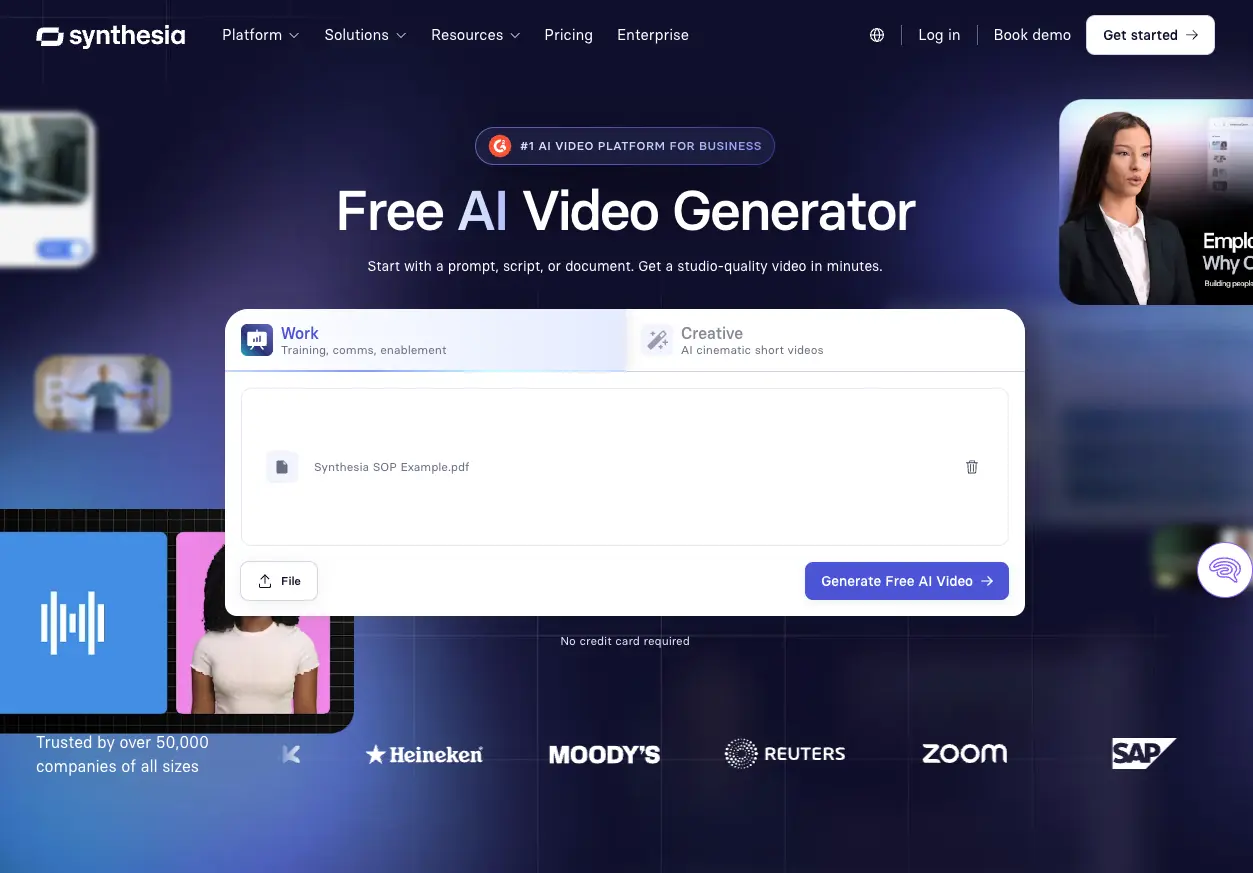
With this statement, you're ready to generate your first draft of a video. There are two ways to get started with Synthesia. The first way is to use our AI video generator. You can upload any existing materials you have on the topic (e.g., a slide deck, a PDF, a transcript from a Zoom recording), a script, or a prompt.
Another way to generate a first draft is to start with a template, like the phishing example below. If you're new to designing video training, you might find this route easier. Our templates are created by instructional designers, so you can focus more on the content and learning objective and less on the production decisions (our enterprise clients receive custom, branded templates).
Choose your avatar
Once you've generated your first draft, you can decide what to do next. A lot of users like to customize their avatar's outfit, background, and voice.

Whatever selections you make, make sure they feel appropriate to your workplace and the content. The last thing you want is a chipper voice narrating a serious phishing scenario. On that note, listen for pronunciation. You have full control over how things get pronounced, so ensure your company name, products, and any jargon sound right. (Otherwise you risk distracting your employees.)
Customize your scenes
With that out of the way, it's time to focus on the learning objective. How will you keep attention focused?
Whether you want to add motion graphics, b-roll, or interactivity, remember the goal is to model the desired behavior. Anything you include should feel realistic.
For a phishing video, that may include screen recordings or UI mockups. Show a fake login page or a suspicious email in an inbox. Our AI Assistant can help you generate these, but real examples are more effective. I would also recommend building in a decision-making tool, such as a branching scenario or knowledge check.
Use our Preview feature to see how these elements work in a given scene (some generated assets may appear as placeholders or low-fidelity previews until you generate the final video).
Localize your video
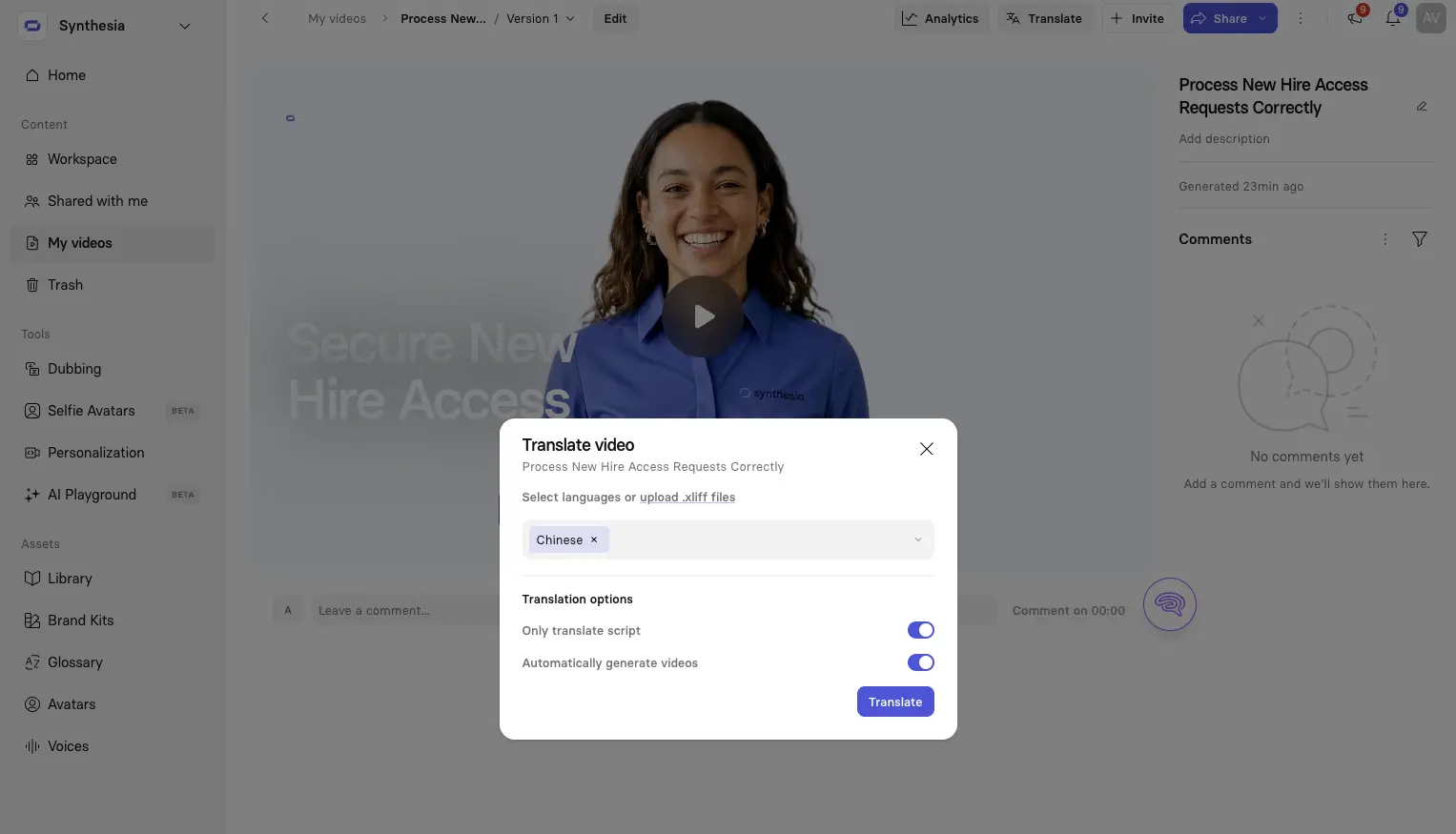
Finally, if you're in a global organization, consider localizing your video. Synthesia supports over 140 languages with a few clicks. Just be sure to have a native speaker review localized versions, especially for regulatory training.
If you want to see how this works within an organization, read how Carlisle Companies uses Synthesia to localize cybersecurity training for its global employees.
Distribute and measure your video
If you're delivering compliance training, you'll want to upload your video into an LMS or LXP as a SCORM package. This gives you the completion data and pass rates you'll need for regulatory reporting.
If you're addressing an emerging concern, such as a rise in phishing emails or a new deepfake fraud incident in the news, you might prefer to get the video out in the flow of work. That might be in an all-employee messaging channel or on the homepage of an intranet.
No matter the timing, you'll also want to look for signals that the training is working. That's harder than it sounds. It can be difficult to parse whether a rise in reported phishing attempts means employees are getting better at spotting them, or whether attack volume has simply increased exponentially. That's why it matters to establish a baseline before you roll out training, so you have something to measure against.
Go back to the performance outcome you wrote at the start of this process. That's the gap you're trying to close.
Amy Vidor, PhD, is the Learning and Development Evangelist at Synthesia, where she researches learning trends and helps organizations apply AI at scale. With 15 years of experience, she has advised companies, governments, and universities on skills.


.webp)