10 improvements to your Editor experience
A set of small (but satisfying) Editor improvements to resizing, trimming, stock search, and restyling actions.
See what Synthesia can do for you
We’ve rolled out a set of small, high-impact improvements that make everyday editing smoother and more predictable.
These updates focus on the moments where you’re moving fast: adjusting shapes, trimming clips, searching for B-roll, and fine-tuning captions. The result is less friction, fewer mis-clicks, and a cleaner editing flow.
More precise design controls
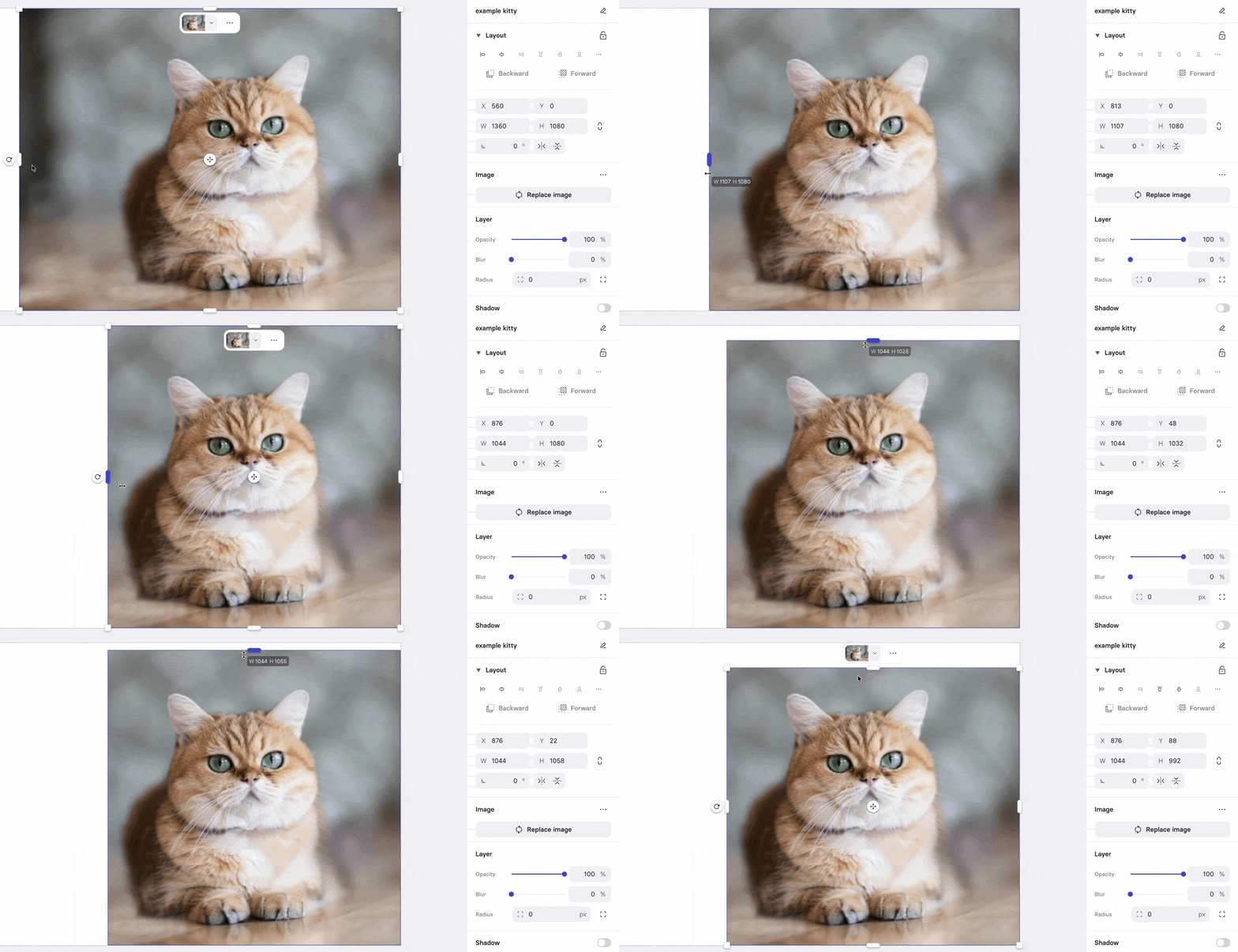
X and Y positions update live while cropping, so layout changes feel more accurate
Set per-corner radius on multiple elements at once (as long as they're rectangular to begin with)

The gradient angle dial no longer blocks resize handles for shape and text elements

Faster and cleaner media editing
Video trimming now includes a Reset button to restore the full clip in one click

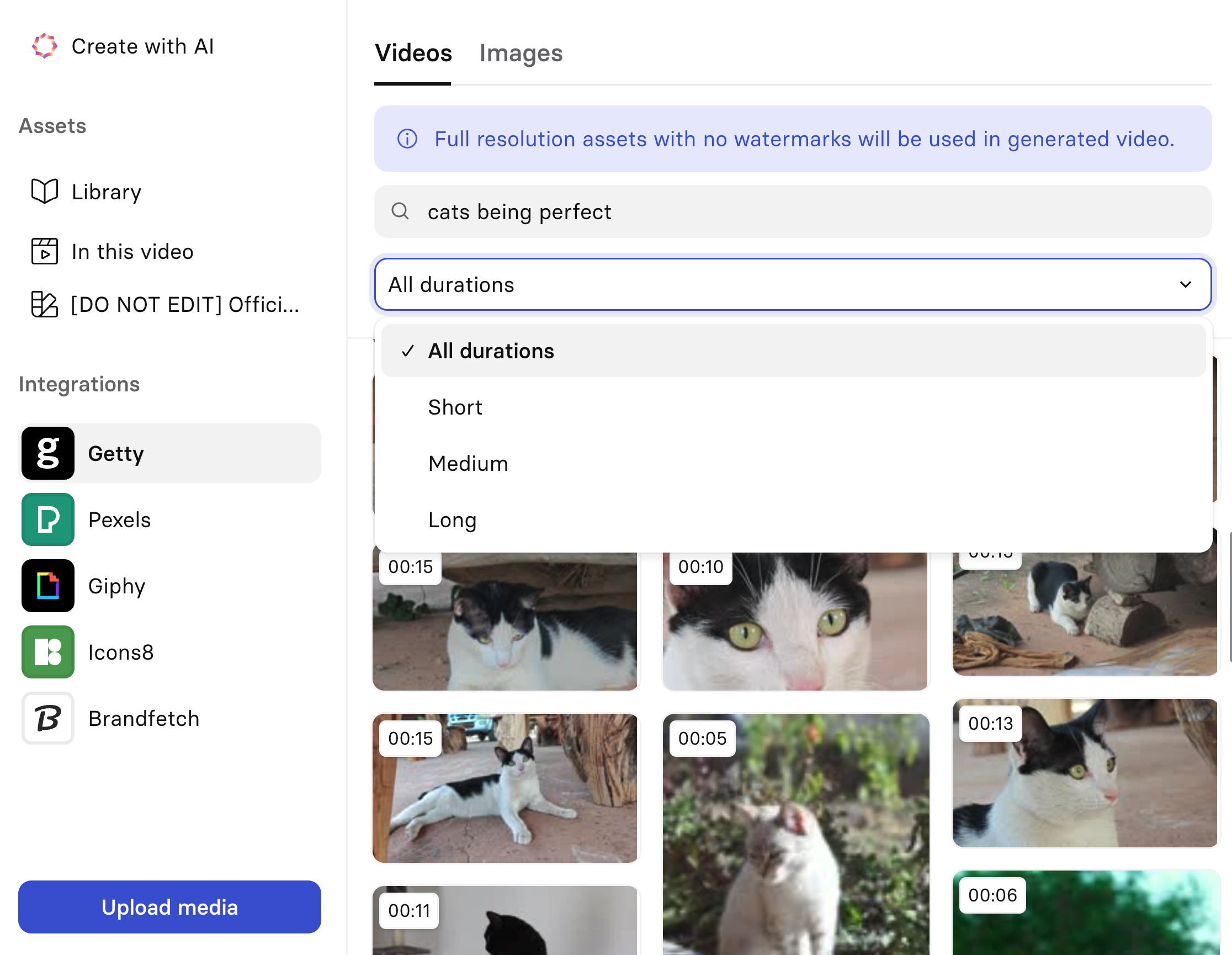
Stock video search now has a duration filter, so it’s easier to match your scene length
UX/UI fixes that keep you in the flow
- Repeated clicks on the same context-menu action are now blocked to prevent accidental double actions
- Entering trim mode for a video element with the Inspector panel expanded no longer causes the whole page to scroll sideways
- The rounded border on the active word in dynamic captions now renders in the preview, matching the final output
- Dynamic captions no longer blink while being dragged
- Undo after deleting an element now re-selects it (we all make mistakes)
More updates
Introducing Syren: our breakthrough in AI video
Describe the video, attach links or docs, and Syren directs the whole thing. Then refine it by chatting.
Get the skills, insights, and support to help you scale