Try our new AI Screen Recorder
Record your screen in one take, then turn it into a polished Synthesia video with auto transcription, smart edits, and built-in blur for sensitive info.
See what Synthesia can do for you
Say hello to the AI Screen Recorder, a Chrome extension that lets you create high-quality screen recordings in minutes. Available for all plans.
What's new
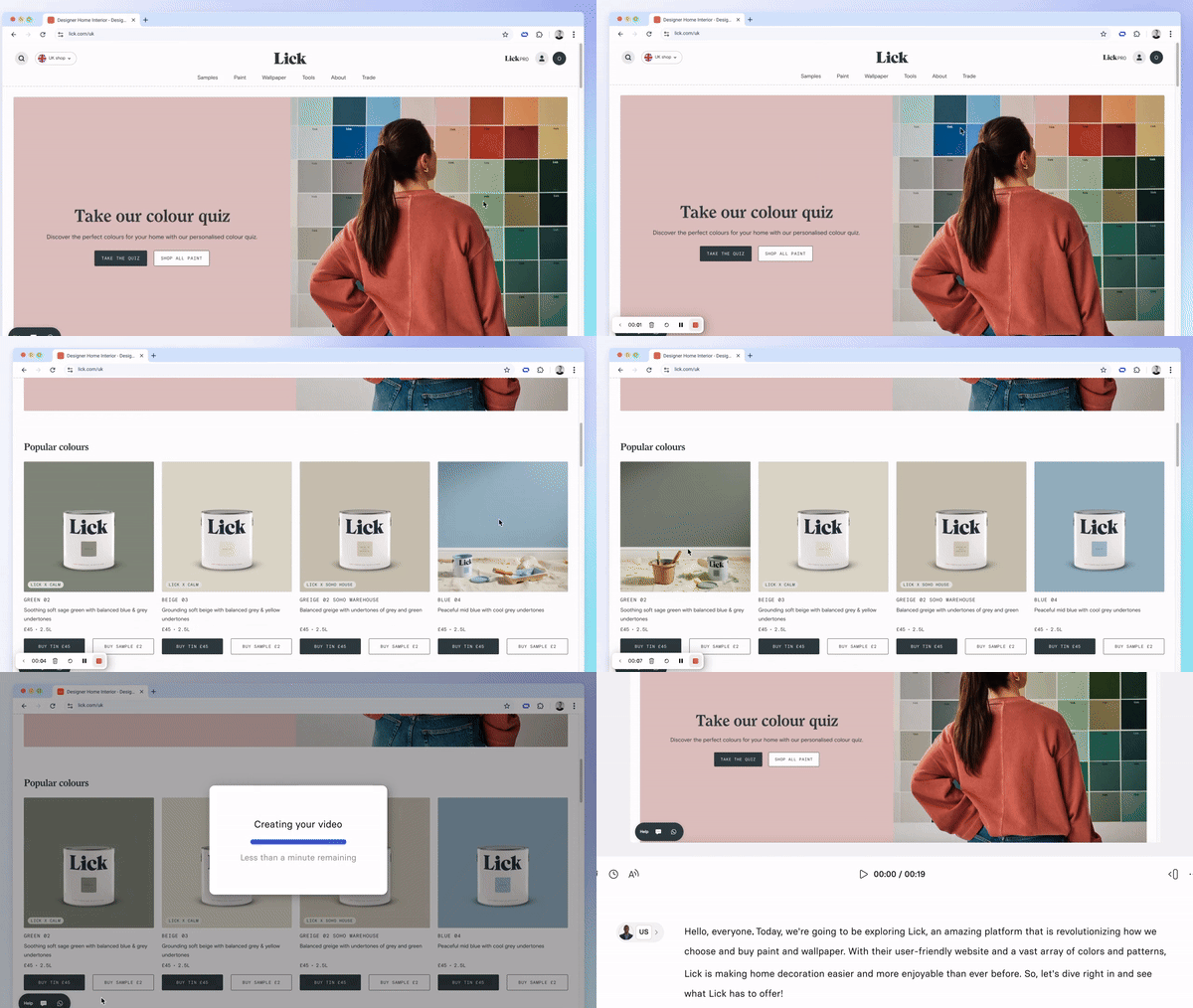
No more retakes or frustration! Record your screen in one take, and Synthesia will automatically transcribe it. You can easily edit every detail afterwards—change the script, voiceover, add an avatar, and polish your video easily.
Key features include:
- Automatic scene splitting, making post-editing a breeze.
- Removal of filler words and pauses, ensuring your video is smooth and easy to follow.
- Blur sensitive information during recording for added privacy.
How to use it
Create a New Video with Screen Recording
Install the Chrome extension, then open the extension on any page to start recording.
Record your screen with or without voiceover—Synthesia will create a new video automatically and transcribe your speech. Once done, your recording is ready for editing.
Add Screen Recording to an Existing Video
Open any existing video and click the Record button.
Choose the screen or window you want to capture.
Record with or without audio, and once finished, Synthesia will add your recording to the video timeline for further edits.
To learn more, check out our documentation.
More updates
Introducing Syren: our breakthrough in AI video
Describe the video, attach links or docs, and Syren directs the whole thing. Then refine it by chatting.
Get the skills, insights, and support to help you scale





