




Interactive Training Videos (+ How to Create One with AI)

Create interactive training videos in 160+ languages
Has someone ever told you to add a poll to a Zoom training “to make it more interactive”? As if giving people a question to respond to at the beginning or end of a webinar would transform the experience.
People often conflate interactivity with engagement, and come to the conclusion that interactivity equals good training. But adding a button for someone to click doesn’t necessarily change learning outcomes.
What’s the difference between interactivity and engagement?
I often see the terms interactivity and engagement used interchangeably. It's easy to mix up the two (I've certainly done it), so let's make sure we're aligned.
Interactivity is about the structure of the learning experience. It's observable actions like clicking through a scenario or answering a question.
Engagement is about what's happening in someone's head while they go through the training. It's the degree to which they're processing and applying what they're learning.
Interactivity is how the learning is designed. Engagement is what it produces.
Most importantly, interactivity doesn't automatically lead to engagement. I could speed through a branching scenario until I see the outcome, but does that mean I learned something? Probably not.
What makes a training video interactive
A training video is interactive if it prompts the learner to do something, whether that’s making a decision in a branching scenario or answering a knowledge check.
The depth of interactivity in a given video can vary widely depending on the length of the video and your learning objectives. You might have a single interaction in a microlearning video or a complex decision tree where there are several feedback loops.
There is no "right" number of interactions in a training video or magic ratio of interactions to length of video. It’s about building a learning experience that leads to your objectives.
Take Avetta, a global leader in supply chain risk management. They intentionally designed interactivity into their training videos for onboarding support agents, and saw a 20% faster ramp-to-proficiency, a 19% improvement in new hire interaction quality within two months, and a 16 second reduction in average call handling time.
Types of interactivity in training videos
Before you can decide how to incorporate interactivity into your training video, you need to determine what someone should be able to do after watching the video, and how you will measure whether they were successful.
That is your guide for determining what type of interaction makes sense. In the table below, I’ve outlined the most common types of interactivity we see people use in training videos. I’ve also given examples of when to use each type.
Training videos may also have quizzes, but more robust assessments are typically conducted outside the video (e.g., in an LMS) for tracking and reporting purposes.
How to create interactive training videos with AI
There are a few reasons you might be here. Maybe you've tried training videos before but they didn't drive the engagement you were hoping for. Maybe you have a training that's currently delivered live and you want to make it available on demand to reduce costs and reach more people. Or maybe you have a new idea you're ready to build.
No matter your starting point, I’ll walk you through how to create an interactive training video with Synthesia. Because Synthesia is an AI-native platform, you can start with existing content or a prompt, a departure from traditional video production tools, especially ones that are part of eLearning authoring suites.
If you’re interested in training videos, but unsure if you want to make them yourself or outsource, we have a guide to training video production companies.
Define your outcome
Before you build anything, write down the learning objective and performance outcome for the training video. You can use a template like this:
This video is for [specific role] who currently [context or gap]. After watching, [specific role] should be able to [observable action] so that [business outcome].
If the outcome isn't observable, the video will be difficult to design and even harder to measure.
Generate a first draft
Upload what you already have into our video generator. That could be a slide deck, a transcript from a live session, an SOP, or a recording from a previous training. Or it could be the learning objective and performance outcome you just identified. (I'll be demonstrating the process using the safety training example I shared above.)
Synthesia's AI assistant will use whatever you share as a starting point and shape it into a first draft. The more specific your prompt, the stronger the draft.
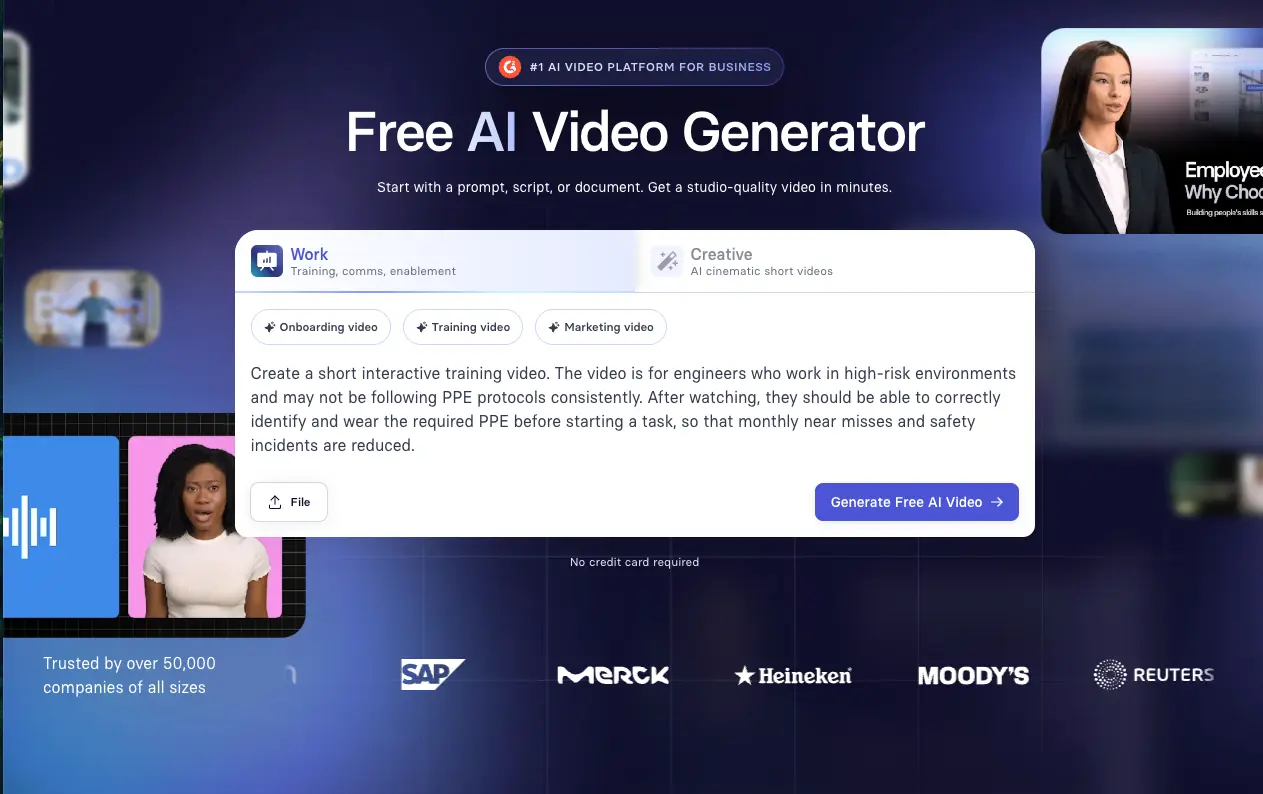
If this is your first time creating a training video and you're looking for a tried-and-true structure, I recommend starting with a template instead. Designed by our instructional designers, these templates offer a structure backed by learning science, so you can focus on the content rather than the design.
Synthesia offers a range of interactive training video templates built around common interaction patterns, which you can adapt to your specific training. Here's one you can try.
Shape the draft
Once you have a first draft, whether through the Assistant or a template, you can review it scene by scene. My recommendation is to focus on one type of edits at a time. You might begin by selecting an avatar, customizing their background and accent, and setting up any pronunciation controls.
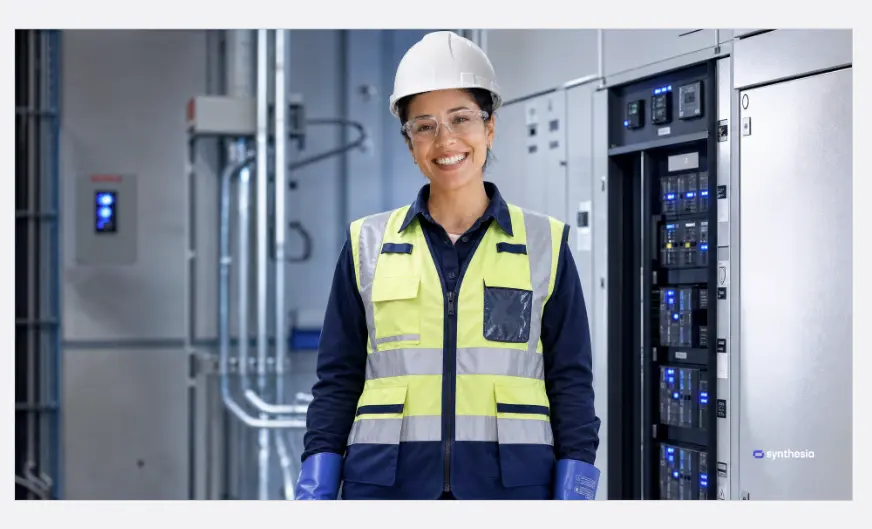
When you’re making design decisions, remember the goal is to reduce cognitive load. You don’t want to confuse learners by having a cheery avatar talk about serious safety protocol, and you similarly don’t want your company’s name or products inconsistently pronounced. It distracts the viewer.
Add interactivity
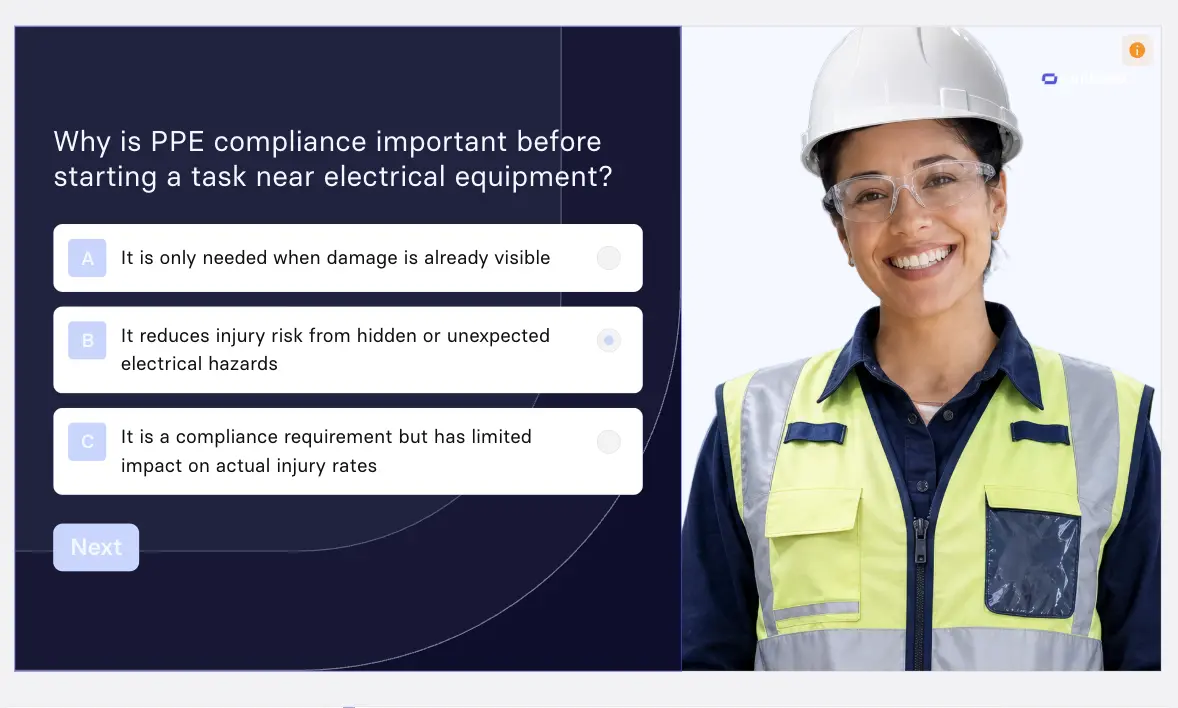
One well-placed interaction can transform a training video. Too many can work against it. You can always refer back to the table above for guidance on which interactions to use.
In this case, I’ve built a simple branching scenario with a knowledge check about why PPE matters for safety.
Refine and pilot
Once you’re confident in the video’s design, ask a SME to review. If possible, watch them go through the video.
If that’s not feasible, send them the video and a shortlist of feedback questions like: Is the content clear? Are the interactions working? Are they realistic? Avoid open-ended prompts like "what did you think?" unless you want to open yourself up to a potpourri of opinions.
Take the useful feedback and use it to refine your video before publishing.
Publish and localize
Once you’ve edited the video, it’s time to decide where to publish your video. If you want to track interaction data, be sure to export the video as a SCORM or xAPI package.
If you have a global team, this is also the time to decide if, and how, your video will be localized (Synthesia supports 160+ languages with just a few clicks on your finished video).
Measuring the impact of interactivity
At some point, someone is going to ask whether the investment in interactive training videos was worth it. That means you'll need to have evidence that the transition, whether from regular training video to interactive, or from another medium to video, was worth it.
This is where the statement you wrote down earlier comes into play. With your learning objective and performance outcome outlined, you can figure out what evidence can support your case.
For the safety video example I provided, I said that I would look at near misses and safety incidents. I could pair this performance data with learning signals from the video, including the knowledge check results, viewing rates, and drop-offs.
Over time, you'll be able to build a more robust ROI case. When implementing interactive training videos, you need to show measurement that's good enough to justify the continued investment, or to realize it isn't working for your organization.
Amy Vidor, PhD is a Learning & Development Evangelist at Synthesia, where she researches learning trends and helps organizations apply AI at scale. With 15 years of experience, she has advised companies, governments, and universities on skills.
Frequently asked questions
What is interactivity in training videos?
Interactivity in training videos refers to how the learning experience is structured and what learners are asked to do as they progress. It often includes decision points, scenario-based questions, or moments where learners choose how to respond.
The key distinction is that interactivity does not automatically produce engagement. A learner can click through every interaction without genuinely processing anything, which is why the design of each interaction matters.
What is an example of interactive training?
A branching scenario is one of the most common examples. A learner is placed in a realistic situation, asked to make a decision, and then shown the consequence of that choice.
In a PPE safety training, for instance, a learner might be asked whether an engineer is properly equipped before starting work near an electrical panel, and then see what happens based on their answer. This approach gives learners a chance to practice judgment in context rather than recall information.
What tools do you use to make interactive training videos?
There are a variety of tools available for creating interactive training videos, from eLearning authoring tools and screen recording software to AI video platforms.
The right choice depends on your tech stack and measurement goals.
What’s the difference between interactivity and engagement in training?
Interactivity is how the learning experience is designed. Engagement is what it produces. Interactivity focuses on the actions learners take. Engagement reflects whether they are processing what they see, connecting it to their work, and applying it in context.
Strong training design uses interactivity to support that deeper level of thinking, but one does not automatically follow from the other.
What types of interactive training videos are most common?
Knowledge checks, branching scenarios, clickable hotspots, and role plays are the most widely used. Each supports a different learning goal. The right type depends on what you need learners to be able to do after the training.
Can interactive training videos be used in an LMS?
Yes, interactive training videos can be integrated into most learning management systems. Many platforms support SCORM or xAPI exports, which allow teams to upload content, assign it to specific groups, and track completion.
This setup also makes it possible to monitor how learners move through the experience, including responses to questions or decision points.
How do you measure the effectiveness of interactive training videos?
Measurement should reflect how learning progresses from participation to performance. Early indicators include completion rates and interaction data. From there, look at how well learners respond to scenarios and whether they are making the right decisions in context. The most meaningful signals come from on-the-job behavior.
Can AI create interactive training videos?
Yes. AI can handle scripting, avatar generation, voiceover, localization, and branching logic, which means a single person can build a complete interactive training video without a production team or eLearning developer.
The quality of the training still depends on how the experience is designed. Interactions need to reflect real decisions and situations so that learners can practice applying what they learn.


.webp)





